


Claude AI The Next Rival Of CHATGPT Powerpoint Presentation Slides ChatGPT CD




Try Before you Buy Download Free Sample Product
 Impress Your
 Audience
 100%
100% Editable
 Save Hours
 of Time


Check out our professionally designed ClaudeAI The Next Rival of ChatGPT template, the cutting-edge AI-powered virtual assistant designed to revolutionize communication and boost productivity. This ClaudeAI deck delivers a seamless and intuitive user experience, and the conversational model allows for natural, human-like interactions. Furthermore, the Ai Claude PPT knowledge model ensures accurate and insightful responses. Moreover, Anthropics Claude Powerpoint enhances team collaboration to provide exceptional customer support ClaudeAI finds applications across various domains. Lastly, the Claude vs. Chatgpt presentation contains developer-friendly API that can be integrated into custom workflows and applications, offering a more tailored and intelligent approach than traditional ChatGPT solutions. Download our 100 percent editable and customizable deck to know more in detail.
People who downloaded this PowerPoint presentation also viewed the following :
Content of this Powerpoint Presentation
Slide 1: The slide introduces Claude.ai: The Next Rival of CHATGPT.
Slide 2: This is an Agenda slide. State your agendas here.
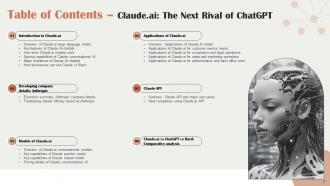
Slide 3: The slide displays Table of Contents for prsentation.
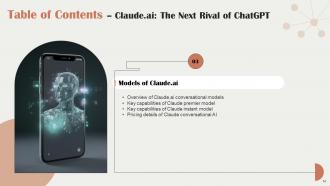
Slide 4: The slide continues table of contents.
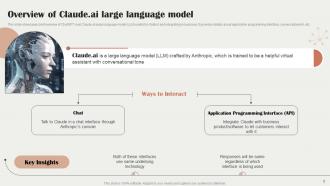
Slide 5: This slide shows brief overview of ChatGPT rival Claude.ai large language model.
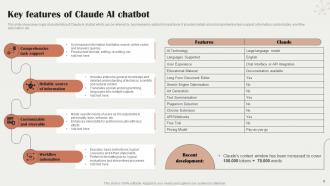
Slide 6: This slide highlights major characteristics of Claude AI chatbot.
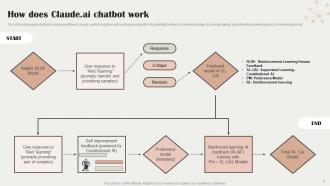
Slide 7: This slide showcases starting to ending workflow of claude.ai.
Slide 8: This slide presents special abilities possessed by Claude.ai.
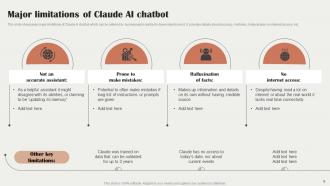
Slide 9: This slide exhibits major limitations of Claude AI chatbot which can be referred by businesses.
Slide 10: This slide shows guidelines through which users can understand how to use Claude.ai chatbot.
Slide 11: The slide displays title of contents which is to be discussed further.
Slide 12: This slide contains brief overview of OpenAI’s rival Anthropic.
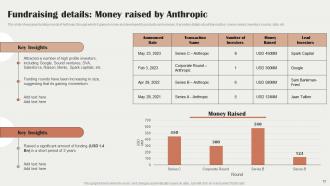
Slide 13: This slide depicts funding rounds of Anthropic.
Slide 14: The slide again displays title of contents.
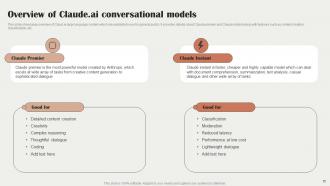
Slide 15: This slide presents overview of Claud.ai large language models.
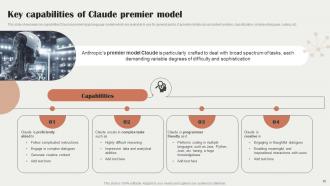
Slide 16: This slide highlights key capabilities Claud.ai premier large language models.
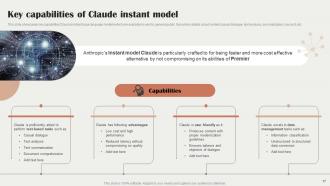
Slide 17: This slide contains key capabilities Claud.ai instant large language models.
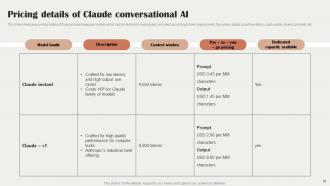
Slide 18: This slide shows pricing details of Claud.ai large language models.
Slide 19: The lside renders title of contents further.
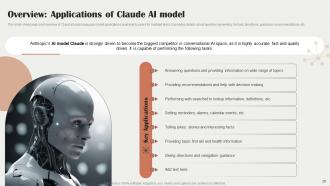
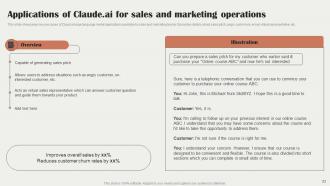
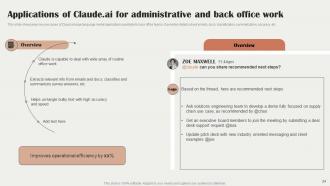
Slide 20: This slide exhibits brief overview of Claud.ai large language model applications.
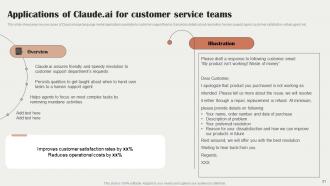
Slide 21: This slide represents key use cases of Claud.ai large language model applications.
Slide 22: This slide highlights key use cases of Claud.ai large language model applications further.
Slide 23: This slide again showcases key use cases of Claud.ai large language model applications.
Slide 24: This slide continues key use cases of Claud.ai large language model applications.
Slide 25: The slide also renders title of contents.
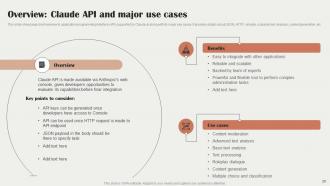
Slide 26: This slide showcases brief overview to application programming interface supported by Claude.ai.
Slide 27: This slide shows how real companies are using claude.ai application.
Slide 28: The slide again displays title of contents which is to be discussed further.
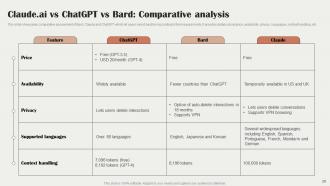
Slide 29: This slide shows comparative assessment of Bard, Claude and ChatGPT.
Slide 30: This slide continues comparative assessment of Bard, Claude and ChatGPT.
Slide 31: This slide shows all the icons included in the presentation.
Slide 32: This slide is titled as Additional Slides for moving forward.
Slide 33: This is Our Mission slide with related imagery and text.
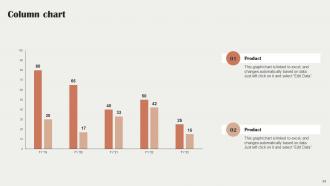
Slide 34: This slide displays Column chart with two products comparison.
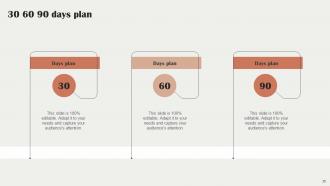
Slide 35: This slide provides 30 60 90 Days Plan with text boxes.
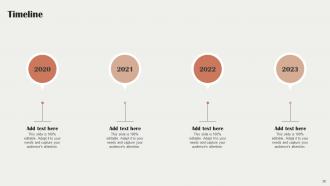
Slide 36: This is a Timeline slide. Show data related to time intervals here.
Slide 37: This is again represents Mission slide with related imagery and text.
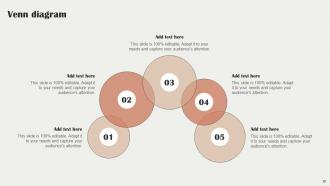
Slide 38: This slide depicts Venn diagram with text boxes.
Slide 39: This is Our Target slide. State your targets here.
Slide 40: This slide presents Roadmap with additional textboxes.
Slide 41: This is a Thank You slide with address, contact numbers and email address.
Claude AI The Next Rival Of CHATGPT Powerpoint Presentation Slides ChatGPT CD with all 46 slides:
Use our Claude AI The Next Rival Of CHATGPT Powerpoint Presentation Slides ChatGPT CD to effectively help you save your valuable time. They are readymade to fit into any presentation structure.

















FAQs for Claude AI The Next Rival Of CHATGPT Powerpoint Presentation
Honestly, Claude's pretty solid because it won't just make up answers when it doesn't know something - which is huge. The safety training really shows too, so you don't have to worry about it going weird on you during work conversations. What I've noticed is it actually explains its thinking process really well, like when you ask complex stuff it'll walk you through the reasoning step by step. It handles sensitive topics without being preachy about it. Oh and it's surprisingly good at picking up on nuance in conversations. Way more reliable than some other models I've tried, especially for anything professional.
Honestly, Claude's been a lifesaver for my presentations. Just dump your topic and main points on it, and boom - you get a solid outline with good talking points. Research takes like half the time now. What I love most is how it helps me think through different angles I wouldn't have considered. Your language gets way more polished too. Oh, and it's clutch for anticipating those awkward Q&A moments that always catch you off guard. I always start by having it outline my main topic first - saves me from staring at a blank slide deck forever.
So there's no direct plugin unfortunately, but you can still make it work pretty well. I usually just copy-paste between Claude and PowerPoint - sounds clunky but it's actually not that bad. Have Claude build your outline first, then maybe help with speaker notes or break down complex data. Some tech-savvy people do API stuff but honestly that's overkill for most presentations. It's more like having a brainstorming buddy than anything seamless. Oh, and Claude's surprisingly good at describing visuals you want to create later. Try it for your next deck outline - I swear it cuts the prep time in half.
Be upfront about using AI - don't pretend you wrote everything yourself. Claude screws up sometimes, so double-check the facts it gives you. Never have it copy someone's style or mimic real people without asking first. Honestly, I think people get way too relaxed about this stuff. You're still on the hook for whatever it produces, even with its safety features. Don't use it for spam or sketchy content that could hurt people. It's basically a really good writing assistant, but you still need to be the adult in the room and make smart choices.
Yeah so Claude can't actually make charts - it's text only which is kinda annoying tbh. What it's really good at though is helping you figure out what kind of charts would work best for your data. It'll write super detailed descriptions of how your visuals should look, plus it can spit out Python or D3 code if you're into coding. The data analysis stuff is solid too - it'll tell you how to organize everything so it looks way better. You'll still need other tools to build the actual charts, but honestly it's like having a really nerdy friend who's obsessed with data visualization helping you out.
Healthcare's probably your best bet - those teams are drowning in research they need to make digestible for patients and stakeholders. Consultants are crushing it too, turning data into client decks way faster. Oh, and education is massive right now. Teachers are obsessed with how it creates engaging content (my sister's a teacher and she won't shut up about it). Financial services and tech companies see solid results since Claude's great at making technical stuff understandable. Marketing agencies love it too. Honestly? Just look at where you're spending the most time on presentations. That's your goldmine.
Look, Claude's pretty solid but don't just trust everything it spits out - especially for big stuff. Always double-check against real sources first. I've seen it sound super confident about totally wrong info before, which is kinda scary tbh. For medical/legal/money questions? Hard pass - go find an actual expert. Think of it more like that one friend who knows a lot about random stuff but you'd still Google their "facts" before repeating them. Great for brainstorming though! Just treat it as your starting point, not the final word.
Honestly, the biggest game-changer is creating prompt templates that everyone can use - keeps things consistent when the whole team's involved. Share what works! Like when someone figures out the perfect way to get Claude to nail your company's tone, pass that around. Be super specific about what you want and the format. Oh and definitely have someone do a final check on everything Claude spits out, just to make sure it all sounds like it's coming from the same brand. I learned this the hard way lol. Think of Claude as that really smart intern who's great once you give them clear directions.
So Claude basically reads the room from your prompt and switches up its style automatically. You ask for a business email? Professional tone, proper structure, the whole thing. Want something casual? It gets conversational real quick. Honestly works better than I expected when I first tried it. The AI catches context clues about who you're writing for and why. Academic papers, social media posts, whatever - it matches the right vocabulary and format. Oh, and be super specific when you ask for a style. That's when you'll really see it shine.
So Claude's knowledge stops in early 2024 - anything super recent and it'll be clueless. Can't browse the web either or remember what you talked about yesterday, which is honestly frustrating when you're trying to build on previous conversations. It'll sometimes refuse perfectly normal requests if it thinks they're sketchy. Oh, and it makes mistakes but sounds really confident about them, which is probably the most annoying part. Just fact-check the important stuff and be really specific about what you want from it.
You can't actually retrain Claude - that's all locked down on Anthropic's end. But honestly, good prompting works almost as well. Just front-load everything with context about your niche topic. Give examples, break weird concepts into pieces, basically treat it like you're onboarding someone new to your field. The more background you dump upfront, the better responses you'll get. I sometimes go overboard with context but it's worth it. Works way better than hoping it magically knows your specific domain already.
Your feedback actually matters a ton for making Claude better. Anthropic uses all those ratings and bug reports to train newer versions - it's like having thousands of beta testers instead of just their internal team. Conversations help them spot weird edge cases they'd never think to test for. Plus all the bias stuff that's hard to catch otherwise. Honestly, I think it's pretty clever how they crowdsource the quality control like that. The more specific you are about what sucked or what worked well, the more useful it is. So yeah, don't hold back on the feedback.
Honestly, Claude's pretty solid for turning your boring presentations into actual stories people will remember. You can ask it to help structure stuff with clear story arcs - beginning, middle, end type thing. It's weirdly good at brainstorming those "aha moment" examples that make your data stick. Try having it reframe your main points as scenarios or case studies instead of bullet points. The dialogue writing feature is clutch too. I've found it really helps find emotional hooks that transform dry content into something engaging. Just ask it to turn your message into a story format - you'll be shocked how much better it sounds.
Dude, Claude's been a game changer for my presentations. Way cheaper than hiring designers or dropping cash on fancy software. Just dump your main points in there and ask for slide outlines or speaker notes - it's actually really good at organizing everything logically. The best part? Speed. What used to eat up my whole afternoon now takes like 15 minutes. You can even tell it to adjust the tone depending on who you're presenting to. Honestly, technical stuff becomes way more digestible for clients that way. Try having it outline your next pitch first, then go from there.
Claude's already decent at organizing presentations and writing copy, but visual stuff will get way better. Future versions should handle complex charts, interactive elements, maybe even adapting to audiences in real time. Integration with PowerPoint and Keynote will probably get smoother too. Honestly? The whole AI space is moving so fast it's hard to predict what's next. I'd mess around with Claude's current presentation tools now though - that way you're not scrambling to catch up when the cooler features drop.
-
I am glad to have come across Slideteam. I was searching for some unique presentations and templates for my business. There are a lot of alternatives available here.
-
I faced no difficulty while searching for the slide I wanted. Honestly, the website’s interface is easy to use and can be navigated easily!