


Cloud storage it powerpoint presentation slides




Try Before you Buy Download Free Sample Product
 Impress Your
 Audience
 100%
100% Editable
 Save Hours
 of Time


Cloud storage allows organizations and individuals to preserve data digitally, allowing it to be accessible at any time from any place. Check out our competently designed Cloud Storage IT template that gives a brief idea about cloud storage service provider company, including an overview of the company, core values of the company, types of businesses they assist, and advantages of cloud storage to businesses. In this PowerPoint Presentation, we have covered why organizations choose the company and the usage of cloud storage in different industries such as healthcare, manufacturing, retail, and logistic. In addition, this PPT contains an overview of cloud storage introduction to cloud storage architecture, including generic architecture, levels of architecture, cloud storage access methods, scalability of the cloud, and cloud storage models. Also, the PPT presentation includes the types of cloud storage services and purposes for which cloud storage can be used, such as data backup and recovery, software testing and development, compliance, big data, and data lakes. Furthermore, this Public Cloud Storage template caters to the strategies for data transfer to the cloud and data backup. Get access now.
People who downloaded this PowerPoint presentation also viewed the following :
Content of this Powerpoint Presentation
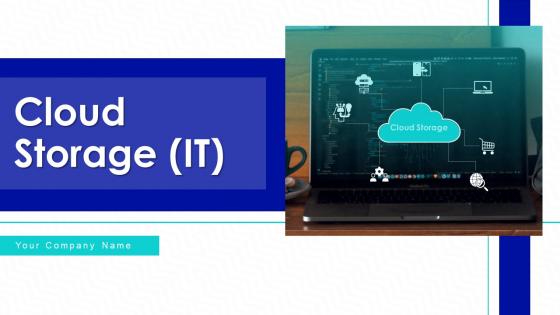
Slide 1: This slide introduces Cloud Storage (IT). State Your Company Name and begin.
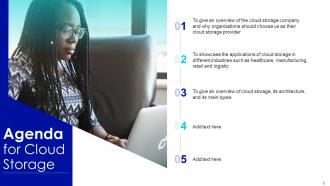
Slide 2: This is an Agenda slide. State your agendas here.
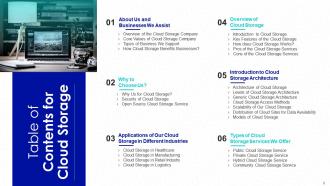
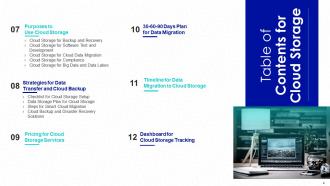
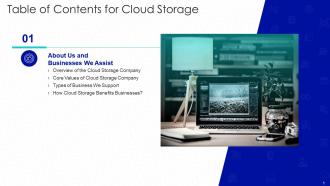
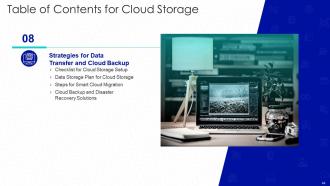
Slide 3: This slide presents Table of Contents for Cloud Storage.
Slide 4: This is another slide continuing Table of Contents for Cloud Storage.
Slide 5: This slide shows title for topics that are to be covered next in the template.
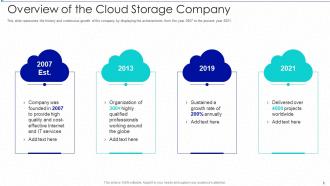
Slide 6: This slide represents the history and continuous growth of the company by displaying the achievements from the year 2007 to the present year 2021.
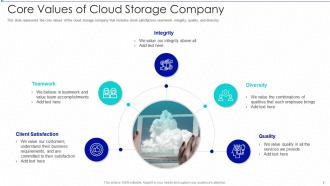
Slide 7: This slide showcases Core Values of Cloud Storage Company.
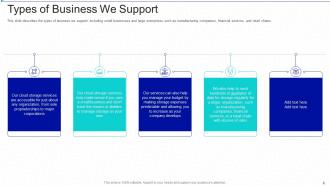
Slide 8: This slide describes the types of business we support, including small businesses and large enterprises.
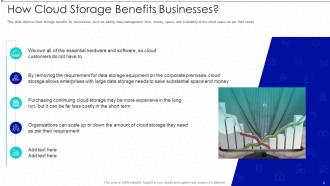
Slide 9: This slide depicts cloud storage benefits for businesses, such as saving data management time, money, space, etc.
Slide 10: This slide shows title for topics that are to be covered next in the template.
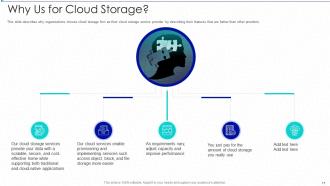
Slide 11: This slide describes why organizations choose cloud storage firm as their cloud storage service provider.
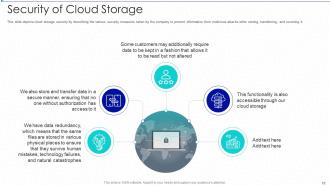
Slide 12: This slide depicts cloud storage security by describing the various security measures taken by the company.
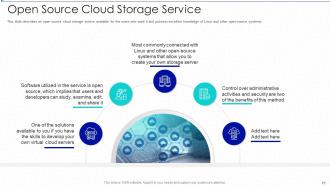
Slide 13: This slide displays open-source cloud storage service available for the users who want it.
Slide 14: This slide shows title for topics that are to be covered next in the template.
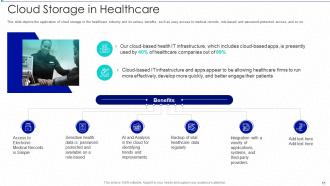
Slide 15: This slide depicts the application of cloud storage in the healthcare industry and its various benefits.
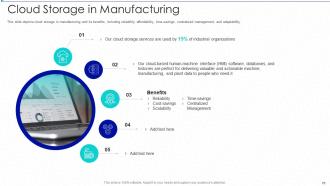
Slide 16: This slide presents cloud storage in manufacturing and its benefits, including reliability, affordability, etc.
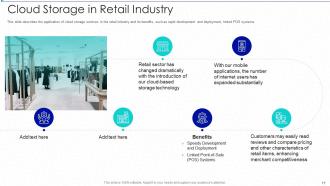
Slide 17: This slide describes the application of cloud storage services in the retail industry.
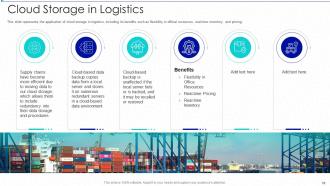
Slide 18: This slide represents the application of cloud storage in logistics, including its benefits.
Slide 19: This slide shows title for topics that are to be covered next in the template.
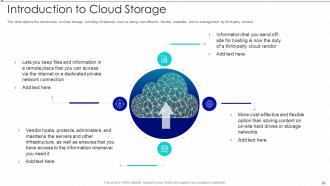
Slide 20: This slide depicts the introduction to cloud storage, including its features.
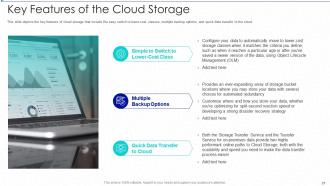
Slide 21: This slide showcases the key features of cloud storage that include the easy switch to lower-cost classes.
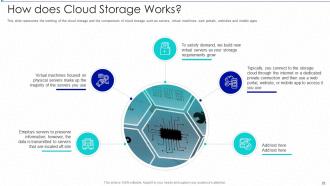
Slide 22: This slide represents the working of the cloud storage and the components of cloud storage.
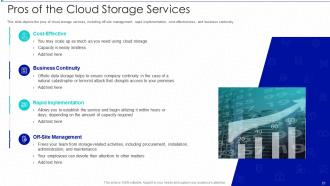
Slide 23: This slide depicts the pros of cloud storage services, including off-site management, rapid implementation, etc.
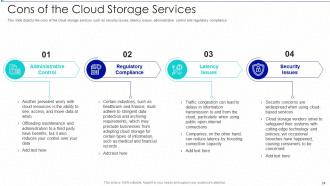
Slide 24: This slide represents cons of the cloud storage services such as security issues, latency issues, administrative control, etc.
Slide 25: This slide shows title for topics that are to be covered next in the template.
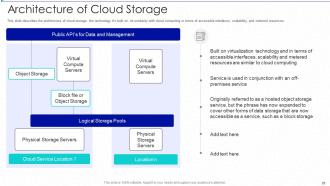
Slide 26: This slide describes the architecture of cloud storage, the technology it's built on, etc.
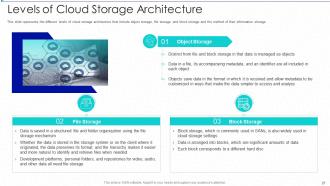
Slide 27: This slide represents the different levels of cloud storage architecture.
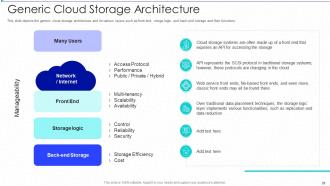
Slide 28: This slide depicts the generic cloud storage architecture and its various layers.
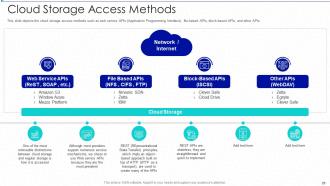
Slide 29: This slide displays the cloud storage access methods such as web service APIs (Application Programming Interface), file-based APIs, block-based APIs, and other APIs.
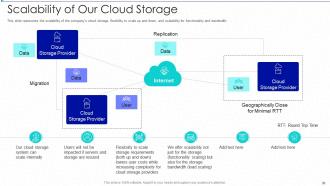
Slide 30: This slide represents the scalability of the company’s cloud storage, flexibility to scale up and down, and scalability for functionality and bandwidth.
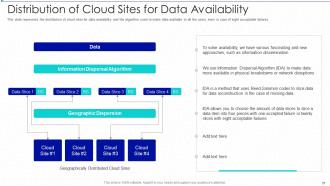
Slide 31: This slide showcases Distribution of Cloud Sites for Data Availability.
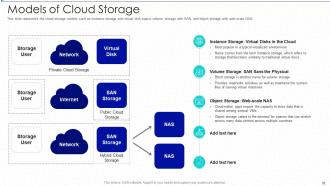
Slide 32: This slide represents the cloud storage models such as instance storage with virtual disk space, volume storage, etc.
Slide 33: This slide shows title for topics that are to be covered next in the template.
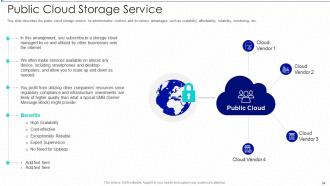
Slide 34: This slide describes the public cloud storage service, its administrative method, and its various advantages.
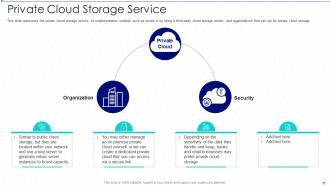
Slide 35: This slide represents the private cloud storage service, its implementation method, such as onsite or by hiring.
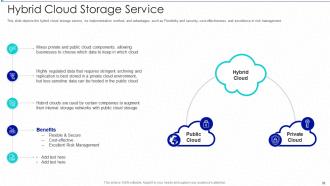
Slide 36: This slide depicts the hybrid cloud storage service, its implementation method, and advantages.
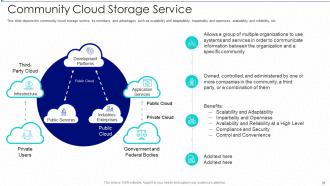
Slide 37: This slide represents the community cloud storage service, its members, and advantages.
Slide 38: This slide shows title for topics that are to be covered next in the template.
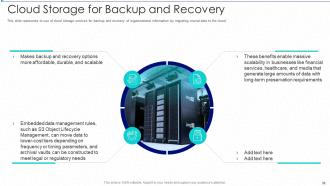
Slide 39: This slide represents to use of cloud storage services for backup and recovery.
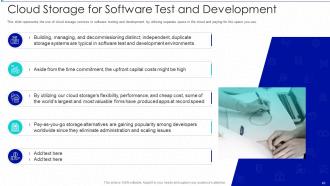
Slide 40: This slide showcases Cloud Storage for Software Test and Development.
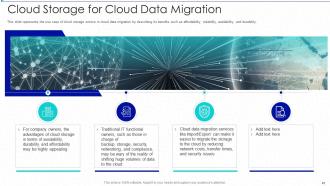
Slide 41: This slide displays Cloud Storage for Cloud Data Migration.
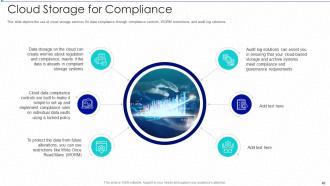
Slide 42: This slide depicts the use of cloud storage services for data compliance through compliance controls.
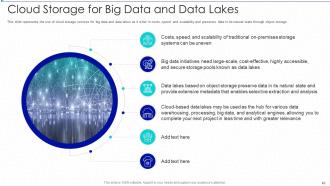
Slide 43: This slide represents the use of cloud storage services for big data and data lakes as it is fair in costs, speed, and scalability.
Slide 44: This slide shows title for topics that are to be covered next in the template.
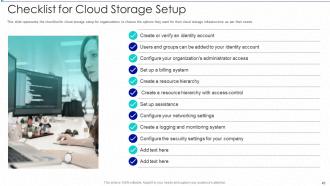
Slide 45: This slide represents the checklist for cloud storage setup for organizations to choose the options.
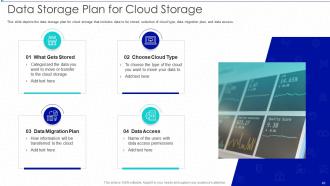
Slide 46: This slide depicts the data storage plan for cloud storage that includes data to be stored, selection of cloud type, data migration plan, etc.
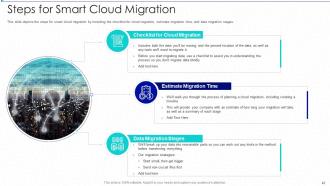
Slide 47: This slide showcases the steps for smart cloud migration by including the checklist for cloud migration.
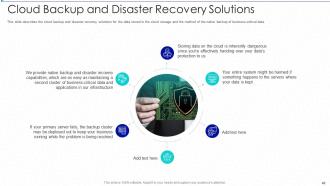
Slide 48: This slide represents Cloud Backup and Disaster Recovery Solutions.
Slide 49: This slide shows title for topics that are to be covered next in the template.
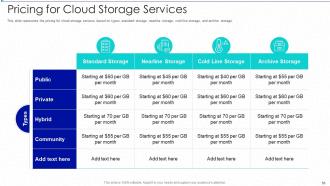
Slide 50: This slide presents the pricing for cloud storage services based on types, standard storage, nearline storage, etc.
Slide 51: This slide shows title for topics that are to be covered next in the template.
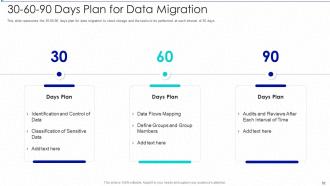
Slide 52: This slide displays 30-60-90 Days Plan for Data Migration.
Slide 53: This slide shows title for topics that are to be covered next in the template.
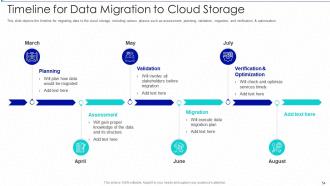
Slide 54: This slide depicts the timeline for migrating data to the cloud storage, including various phases such as assessment, planning, validation, etc.
Slide 55: This slide shows title for topics that are to be covered next in the template.
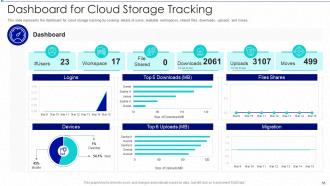
Slide 56: This slide presents Dashboard for Cloud Storage Tracking.
Slide 57: This slide displays Icons for Cloud Storage (IT).
Slide 58: This slide is titled as Additional Slides for moving forward.
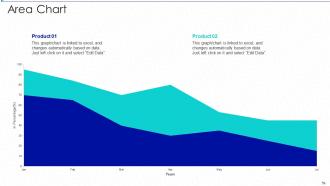
Slide 59: This slide depicts Area chart with two products comparison.
Slide 60: This is About Us slide to show company specifications etc.
Slide 61: This slide shows Post It Notes. Post your important notes here.
Slide 62: This slide contains Puzzle with related icons and text.
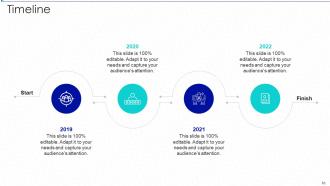
Slide 63: This is a Timeline slide. Show data related to time intervals here.
Slide 64: This slide shows Circular Diagram with additional textboxes.
Slide 65: This is a Thank You slide with address, contact numbers and email address.
Cloud storage it powerpoint presentation slides with all 70 slides:
Use our Cloud Storage IT Powerpoint Presentation Slides to effectively help you save your valuable time. They are readymade to fit into any presentation structure.







FAQs for Cloud storage it
Honestly, the main thing is you can grab your files from literally anywhere - coffee shop, home, whatever. No more buying expensive servers upfront either. Everything backs up automatically so you don't have to stress about losing stuff. Your IT people will thank you since they won't get calls about crashed hard drives at midnight anymore lol. Multiple people can edit the same document at once which is pretty sweet for teamwork. Oh and it scales itself when you need more space. I'd probably test it with just a few files first though, see how you like it before going all in.
So cloud companies have tons of security layers - they encrypt your stuff when it's moving around and when it's just sitting there. Most say they can't even see your files because of how the encryption keys work (though who really knows, right?). They've got multi-factor authentication, backup your data across different locations, and have to meet all these compliance standards like SOC 2. But honestly? You should still turn on two-factor auth and maybe encrypt your really sensitive stuff before uploading it. Better safe than sorry.
So there's basically three ways they price this stuff. Pay-as-you-go is pretty straightforward - you only pay for what you actually use, like with AWS or Google Cloud. Subscription models give you a flat rate each month for a certain amount of storage (think Dropbox). Tiered pricing gets you discounts when you store more data. Some companies mix these together which honestly makes comparing prices a total pain. If your storage needs change a lot, I'd go with pay-as-you-go. But if you want to know exactly what you're spending each month, subscriptions are way easier to budget for.
Honestly, start with figuring out how much data you're actually dealing with and who needs to get to it. Security stuff matters too obviously. Don't just pick Google Drive because everyone else does - look at how it'll work with whatever tools you're already using. Backup options are huge (learned that the hard way once). Test drive a few different ones first with small projects. Those pricing structures can be super sneaky btw. Make yourself a quick chart with must-haves vs nice-to-haves so you don't get distracted by fancy features you'll never use.
Storage space and security are your biggest priorities - look for end-to-end encryption and two-factor auth. Good mobile apps matter way more than you'd think since you'll be accessing stuff constantly. Version history saves your butt when you accidentally delete something important. Some providers are sneaky with pricing so watch out for hidden fees. Sync speed can be painfully slow with cheaper options. Oh, and definitely check if their servers actually stay online - I learned that one the hard way when I couldn't access my presentation right before a meeting.
Dude, cloud storage is a game changer for working with people remotely. Everyone can jump into the same files whenever they need to - no more of that annoying back-and-forth email thing with attachments. The real-time editing is pretty wild too, like you'll see someone typing while you're working on the same doc. Version history saves your butt when things get accidentally deleted (happens more than you'd think). You can also control who gets to edit vs just view stuff. Just dump your current project files into a shared folder and see how much less chaotic everything gets.
Honestly, the big ones are data breaches, outages, and getting stuck with one provider. Your cloud company gets hacked? You're screwed until they fix it. Same goes for when their servers go down - and trust me, it happens more than they advertise. Worst case is if they go under or suddenly jack up prices. You're basically handing over control of your security to strangers. Keep local copies of anything you absolutely can't lose, that's non-negotiable. Oh, and actually read their recovery policies before you sign up.
Dude, cloud storage is a game changer for this exact reason. When your data needs explode overnight - like going from 100GB to 2TB - it just handles it without you having to do anything. No more scrambling to buy servers or having those super awkward budget meetings with finance about "emergency" IT stuff. You literally pay for what you actually use, which is wild compared to the old hardware days when you'd have to guess your future needs (spoiler: we were always wrong). Your team gets access from anywhere, and honestly? Starting small then letting it grow with you feels way more natural than trying to predict everything upfront.
So basically, cloud storage keeps multiple copies of your stuff on different servers and locations. One server dies? No big deal - your files are still safe somewhere else. I'm probably way too paranoid about this, but having those backup copies just makes me sleep better at night. Most providers do at least three copies by default, which is pretty solid. More copies = way less chance you'll lose anything. When you're shopping around, definitely ask about their redundancy setup and what kind of uptime they promise. Those details matter more than people think.
Start with folders that actually make sense - none of that "New Folder (47)" nonsense. I always name mine something I'll remember later, not just random letters. Don't dump everything in one place either, it gets messy fast. Tags are clutch if you have them, and honestly the search bar is your best friend. Set up shared folders for team stuff right away or you'll be kicking yourself later when everything's scattered. Oh, and clean out old files every few months - I learned this the hard way when my storage was completely maxed out.
Honestly, even though your stuff's in the cloud, you still need the 3-2-1 thing - 3 copies total, 2 local on different devices, 1 somewhere else. Cloud storage fails more than people think. Set up auto-sync to another provider or external drive so you don't have to remember. Test your backups sometimes too because finding out they're broken when you need them is the worst. Oh, and encrypt anything sensitive before uploading it. Keep those keys separate though - learned that one the hard way.
Honestly, it all comes down to what your industry actually needs. Healthcare companies are obsessed with HIPAA compliance and sharing patient records securely. Media folks need tons of space for video files and real-time collaboration - those 4K files aren't small! Banks go crazy with encryption because they're terrified of data breaches (can't blame them). Manufacturing uses it for IoT data from sensors and coordinating supply chains globally. Retailers? They're all about inventory tracking and customer analytics, especially during busy seasons. Don't just pick whatever's popular - you've gotta match the storage to your specific regulations and workflows.
So basically, cloud storage is your backup plan when everything hits the fan. Your office gets flooded or ransomware locks you out? No big deal - your data's chilling safely in the cloud. You can restore everything from anywhere with decent internet, which honestly beats the old days of driving around with backup tapes like some kind of data delivery person. The key thing though - and I can't stress this enough - actually test your restore process. I've seen people with "perfect" backups that turned out to be corrupted when they desperately needed them. Don't be that person.
Dude, once you connect your cloud storage to other apps, it's like magic. Your files become this central hub where everything talks to each other. Edit docs straight from emails, auto-sync stuff across your whole team, set up workflows that trigger when files change - honestly it beats the old download-edit-upload dance by miles. I'd start small though, just link up the apps you use most. You'll instantly feel the difference in how smooth everything runs. Trust me, after you set this up right, going back to manual file juggling feels absolutely prehistoric.
Honestly, edge computing is where it's at right now - that plus multi-cloud setups and AI handling your data management. Serverless storage is getting really good too, makes scaling way less of a headache. Security-wise, zero-trust isn't just trendy anymore, it's basically required. Oh, and automated compliance tools are a lifesaver. Everyone's pushing the green angle hard now with carbon-neutral options. I'd mess around with hybrid configurations if I were you - also look into automated data tiering because holy shit the cost savings are real. Start small though, don't go crazy right away.
-
Excellent work done on template design and graphics.
-
Top Quality presentations that are easily editable.