

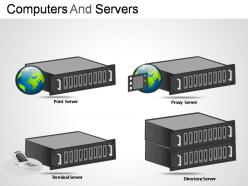
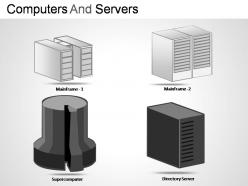
Computers and servers powerpoint presentation slides




Try Before you Buy Download Free Sample Product
 Impress Your
 Audience
 100%
100% Editable
 Save Hours
 of Time


Tie up loose ends with our Computers And Servers Powerpoint Presentation Slides. Give your thoughts a compact look.
People who downloaded this PowerPoint presentation also viewed the following :
Computers and servers powerpoint presentation slides with all 13 slides:
Pressure cook your views with our Computers And Servers Powerpoint Presentation Slides. You will hear whistles of appreciation.
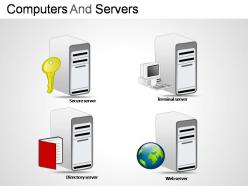
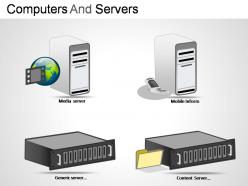
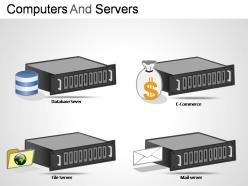
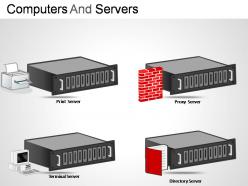
FAQs for Computers and servers
Basically servers are built to never go down and handle a bunch of people at once, while your regular PC just needs to work well for you. Servers get boring stuff like backup power supplies and special error-correcting RAM - honestly they look pretty bland compared to a sweet gaming setup. Your computer has one processor and focuses on making games and apps run smooth. Plus servers run different operating systems that are all about network stuff instead of the desktop experience we're used to. Really depends if you need something rock-solid reliable or just good performance for daily use.
So virtualization is basically cramming multiple virtual machines onto one physical server - sounds weird but it works great. Your hardware utilization jumps from like 15-20% up to 60-80%, which is pretty sweet. Need to scale up? You can spin up new VMs in minutes instead of waiting forever for new hardware to arrive (we've all been there). There's some performance overhead but honestly it's barely noticeable with today's hypervisors. I'd start with your less critical stuff first just to get the hang of it.
So server CPUs are built totally different from regular desktop ones. They're all about handling tons of users at once rather than being fast for gaming or whatever. You'll get way more cores but slower clock speeds - which honestly makes sense for that workload. RAM support is insane too, like hundreds of gigs instead of your typical 32GB desktop setup. Oh and they've got error correction built in since downtime costs companies serious money. If you're shopping for servers, focus on core count and ECC memory support over raw speed.
Honestly, it's all about control vs. convenience. With on-premises you've got total control over everything - your data, security, the works. But man, the upfront costs can kill you, plus you're stuck dealing with hardware maintenance and updates forever. Cloud's the opposite - super flexible, scales instantly, someone else handles the tech headaches. Though you're basically married to your internet connection and those monthly fees add up. I'd look at your budget first, then how much IT knowledge you actually have in-house. Most companies go cloud these days unless they've got serious compliance stuff to worry about.
Look, server farm efficiency is basically about not hemorrhaging cash on power bills. Those electricity costs are insane when you're running thousands of machines around the clock. Plus inefficient servers create tons of heat, so you'll need even more cooling systems - it's like a money pit that keeps getting deeper. Honestly, the environmental stuff matters too, but most companies care more about the 30-40% savings you can get with better hardware and smarter cooling. Oh and definitely check your PUE ratio first - that'll show you how bad things actually are right now.
So RAID spreads your data across multiple drives for backup. If one craps out, you're still good. RAID 1 just mirrors everything, while RAID 5/6 uses some math wizardry with parity bits to rebuild missing stuff. I've had drives die on me before and barely noticed - server kept humming along like nothing happened. The tricky part is you gotta swap out dead drives fast because you're kinda screwed if another one fails before the rebuild finishes. Oh, and definitely monitor your drive health or you'll get nasty surprises.
Dude, first things first - update everything constantly. Your OS, software, all of it. Multi-factor authentication is non-negotiable. I swear, half the breaches I hear about could've been stopped with basic 2FA. Set up your firewalls right and actually monitor those logs for sketchy stuff. Regular security scans are clutch too. Honestly? The backup thing is huge with all this ransomware going around. Layer everything - one security measure won't cut it. Automated patching saves so much headache. Oh, and if you're dealing with really sensitive stuff, just bite the bullet and get a security consultant.
Dude, server storage is completely different from what you're used to. Your gaming PC has maybe 1-2TB on an SSD or HDD, done. Servers are running RAID arrays with hot-swappable drives - you can literally yank out a dead drive and pop in a new one without shutting down. We're talking dozens of terabytes here. They'll actually pick reliability over raw speed sometimes, which honestly blew my mind coming from the gaming world. The whole thing's built around fault tolerance since downtime = lost money. Oh, and if you're buying server storage? Plan your redundancy setup first, performance second.
Honestly, dedicated servers are so much better if you can swing the cost. Shared hosting means you're cramming in with tons of other sites - when their traffic spikes, your site crawls. Super frustrating. You get all the resources to yourself with dedicated though. Plus you can tweak the setup however you want instead of being stuck with whatever the host gives you. Oh, and no sketchy sites getting your IP banned lol. If you're making money from your site or getting real traffic, I'd definitely make the jump. Your sanity will thank you.
So load balancing spreads traffic across multiple servers instead of crushing one poor machine. Picture checkout lines at Target - multiple lanes vs everyone stuck behind one person with 47 coupons. Your response times stay fast even when traffic spikes because the workload gets divided up. Short sentences work better here. If one server craps out, the others keep running so users don't even notice. Honestly, if you're seeing slowdowns during busy hours, a load balancer should be your go-to fix.
Blade servers are clutch when you're cramming tons of computing power into tight rack space. Perfect for virtualization setups or web hosting where you need identical configs deployed fast. Yeah, the upfront cost will make you wince a bit - I still remember our CFO's face when we first priced them out. But you'll actually save money long-term through shared power, cooling, and way less cable management headaches. They're crazy efficient for high-density stuff. That said, if you're running a smaller operation, regular rack servers might be the smarter move financially.
Honestly, the biggest game-changers right now are edge computing and AI automation - they're handling all that tedious server stuff we used to do by hand. Containerization is making deployments so much easier too. Quantum's still pretty out there for most people, but it's actually starting to work for certain use cases. 5G is opening up tons of possibilities for distributed systems. My advice? Start playing around with AI ops tools now. Same with edge solutions - they're quickly becoming must-have skills instead of just cool extras. I wish I'd jumped on this stuff sooner tbh.
So basically, server OS versions are built to handle tons of users and heavy processing at once. Desktop ones? They're all about making things easy for just you. Server versions usually ditch the fancy graphics and extra stuff you don't need - frees up power for the actual work like running databases or websites. Take Windows Server vs regular Windows - same foundation but completely different goals. Your desktop OS cares about playing videos smoothly and looking nice. Honestly, if you're building a server, just go with the server version. Better performance and security features make it worth it.
Hardware failures and software bugs cause most outages, plus network problems and yeah... human error happens way more than anyone wants to admit. Redundant systems help a ton. Keep everything updated and set up monitoring that actually warns you before things crash. Backups are mandatory - no exceptions there. Load balancing spreads the traffic around so one server isn't doing all the work. Having an incident response plan ready saves your butt when stuff breaks. Start by figuring out where you've got single points of failure since that's where you're screwed if something goes wrong.
So monitoring tools basically show you what's happening with your servers in real-time - CPU, memory, disk space, network stuff. You can catch performance issues before users start complaining, plus spot weird security things like sketchy login attempts. Think of it as a health check for your systems, I guess? The alerts are clutch because you'll fix problems before people even notice them. Oh and definitely start with your most important servers first - don't try to monitor everything at once. Just focus on the metrics that actually matter for your business.
-
Much better than the original! Thanks for the quick turnaround.
-
Understandable and informative presentation.