

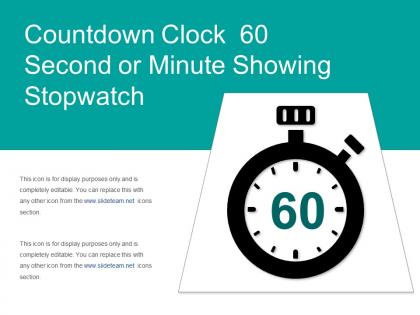
Countdown clock 60 second or minute showing stopwatch




Try Before you Buy Download Free Sample Product
 Impress Your
 Audience
 100%
100% Editable
 Save Hours
 of Time


Create a connection with your audience using our Countdown Clock 60 Second Or Minute Showing Stopwatch. Transfer your depth of knowledge clearly across to them.
People who downloaded this PowerPoint presentation also viewed the following :
Countdown clock 60 second or minute showing stopwatch with all 5 slides:
Our Countdown Clock 60 Second Or Minute Showing Stopwatch enhance global endorsement. Your conduct will be appropriate everywhere.
FAQs for Countdown clock 60 second or
**INPUT**: What are the key features that make a countdown stopwatch effective for presentations? **OUTPUT**: Effective countdown stopwatches include large, visible displays, customizable time intervals, visual alerts, audio notifications, and seamless integration capabilities. These features enhance presentation flow by maintaining audience engagement, ensuring speakers stay on schedule, and creating professional timing discipline, with many organizations finding that strategic time management ultimately delivers more impactful presentations and improved meeting efficiency. [Word count: 54 words]
Incorporating a countdown stopwatch creates urgency and maintains audience attention by providing visual time boundaries for activities, Q&A sessions, and presentation segments. This technique helps presenters manage pacing effectively while keeping audiences actively engaged, with many corporate trainers and conference speakers finding that timed elements significantly increase participation rates and focus levels.
Popular countdown stopwatch formats include digital timer displays, circular progress rings, horizontal progress bars, flip-clock animations, and minimalist numeric counters. These formats enhance presentation timing by creating visual urgency, maintaining audience attention, and ensuring seamless transitions between segments, with many presenters finding that strategic timer placement ultimately delivers better pacing control and more engaging audience experiences.
Presenters can effectively balance time management with countdown stopwatches by setting realistic segment goals, practicing with timer constraints beforehand, and using visual cues strategically without letting them dominate audience attention. This approach enables smoother transitions, maintains audience engagement, and delivers more polished presentations, with many speakers finding that structured timing ultimately enhances their confidence and message clarity.
When selecting a countdown stopwatch for virtual presentations, consider visibility across different screen sizes, compatibility with presentation software, customizable time intervals, and audio alert options. These features enhance audience engagement by maintaining presentation flow, reducing technical disruptions, and ensuring seamless time management, with many presenters finding that clear visual timers significantly improve virtual meeting effectiveness and participant attention.
Different industries utilize countdown stopwatches to enhance presentation effectiveness through time management, audience engagement, and operational precision. In corporate training, medical conferences, and financial briefings, these tools create urgency during decision-making scenarios, maintain speaker discipline during pitch presentations, and synchronize multi-presenter sessions, ultimately delivering more focused content and improved audience attention spans.
PowerPoint offers built-in countdown timer animations and transition effects, while specialized tools like TimerTools, Online Stopwatch, and Countdown Timer X deliver enhanced functionality for presentations. These applications streamline time management by enabling customizable displays, automatic alerts, and seamless integration with presentation software, with many educators and corporate trainers finding that visual countdown elements significantly enhance audience engagement and meeting efficiency.
A countdown stopwatch enhances presentation pacing by providing real-time awareness of remaining time, enabling speakers to adjust content delivery, allocate appropriate time to key sections, and maintain audience engagement throughout. This visual timing tool helps presenters avoid rushing through critical points or running overtime, ultimately delivering more polished, professional presentations with better message retention and audience satisfaction.
Time pressure creates heightened focus and urgency for presenters, often improving performance through increased adrenaline, while simultaneously generating anxiety that can impair complex thinking and decision-making. For audiences, visible countdowns enhance engagement and attention retention, yet excessive pressure can create stress that reduces information processing, with many organizations finding that strategic time management balances urgency with comprehension for optimal presentation outcomes.
Effective countdown stopwatch designs incorporate bold, readable fonts, high-contrast color schemes, circular or digital display formats, animated progress bars, and consistent branding elements. These visual components enhance audience engagement by creating urgency and focus, with many presenters finding that strategic use of red-to-green color transitions and clean, minimalist layouts ultimately delivers better audience attention and presentation timing control.
Presenters can customize countdown stopwatches through color schemes, fonts, logos, background images, and sound effects that align with their brand identity. Many digital presentation tools enable seamless integration of branded elements, custom animations, and theme-specific designs, with corporate trainers and event managers finding that personalized timers enhance audience engagement while reinforcing brand recognition throughout presentations.
**INPUT**: What are the best practices for setting and communicating countdown stopwatch alerts during a live presentation? **OUTPUT**: Best practices include setting visual alerts at 5, 2, and 1-minute intervals, positioning timers where speakers can easily see them, using non-disruptive notification methods like gentle hand signals or colored cards, and briefing presenters beforehand about alert protocols. These approaches streamline session management by maintaining audience engagement, ensuring smooth transitions between speakers, and delivering professional event experiences, with many conference organizers finding that clear time communication enhances overall presentation quality.
Common pitfalls include technical malfunctions during critical moments, becoming overly fixated on the timer rather than audience engagement, setting unrealistic time constraints that rush important content, and failing to practice with the stopwatch beforehand. Many presenters find that poor timer placement creates distractions, while inadequate buffer time for audience questions or technical delays ultimately compromises presentation effectiveness and professional credibility.
A countdown stopwatch ensures Q&A sessions remain structured and productive by allocating specific time limits per question, maintaining audience engagement, and preventing sessions from running overtime. This approach enables presenters to address more diverse questions while keeping responses concise and focused, ultimately delivering better audience satisfaction and ensuring all participants have equal opportunity to engage within professional time constraints.
Presentation time management alternatives include countdown timer apps, smartwatch vibration alerts, slide-embedded timers, presentation remote controls with built-in clocks, and automated slide advancement features. These digital solutions enhance speaker confidence by providing discreet notifications, seamless integration with presentation software, and customizable warning intervals, with many professional speakers finding that multiple timing methods ultimately deliver better audience engagement and smoother content delivery.
-
Excellent products for quick understanding.
-
Great designs, Easily Editable.