


Creative Agency Company Profile Powerpoint Presentation Slides




Try Before you Buy Download Free Sample Product
 Impress Your
 Audience
 100%
100% Editable
 Save Hours
 of Time


A company profile is a description of all the relevant elements of a business, which helps the investors and stakeholders to evaluate the business value and performance. Check out our professionally designed Creative Agency Company Profile PowerPoint presentation. It represents the executive summary, company overview, mission and vision, service offerings, advertising media channels, etc. Additionally, it covers the business model canvas, corporate history, global presence, ownership structure, subsidiaries, and advertising org chart. Moreover, it includes awards, recognitions, and strategic partnerships. It also showcases financial highlights such as five-year revenue, operating profit, EBITDA, revenue split by geography, and media channels. At last, this profile emphasizes expansion plans such as service diversification, geographic expansion, and becoming a global leader. Also, it showcases future advertising trends, SWOT analysis, CSR initiatives, and case studies with context, solution and outcome. Use this readymade presentation deck to create a good impression on the client and respective audience. Download this deck now.
People who downloaded this PowerPoint presentation also viewed the following :
Content of this Powerpoint Presentation
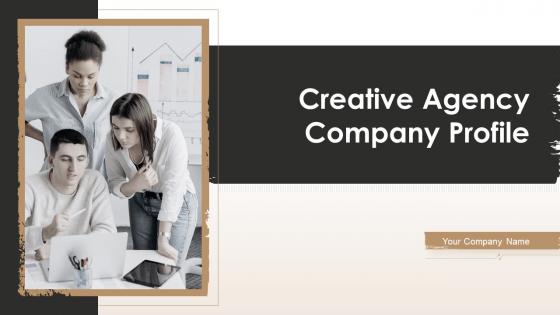
Slide 1: This slide introduces Creative Agency Company Profile. State your company name and begin.
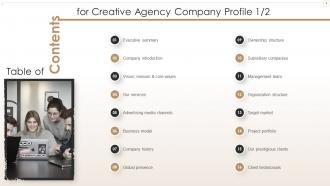
Slide 2: This slide presents Table of Content for the presentation.
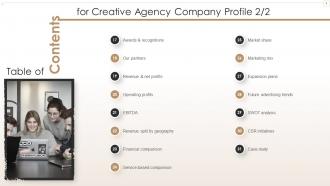
Slide 3: This is another slide continuing Table of Content for the presentation.
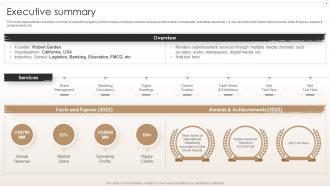
Slide 4: This slide represents the executive summary of the advertising agency.
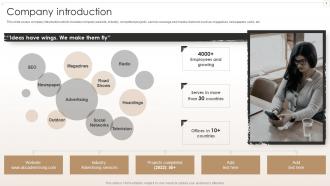
Slide 5: This slide covers the advertising company introduction.
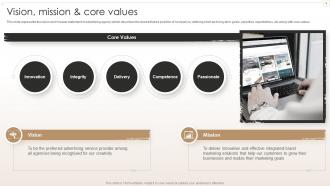
Slide 6: This slide represents the vision and mission and core values of an advertising agency.
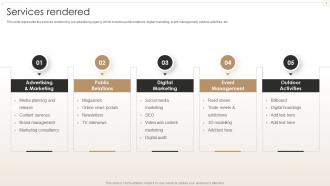
Slide 7: This slide represents the services rendered by our advertising agency.
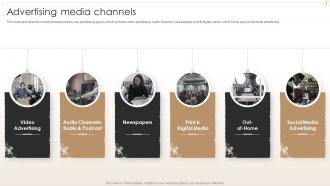
Slide 8: This slide describes the various media channels used by our advertising agency.
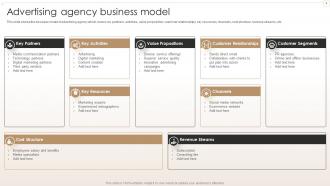
Slide 9: This slide shows the business model of advertising agency.
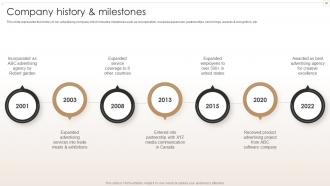
Slide 10: This slide represents the history of our advertising company.
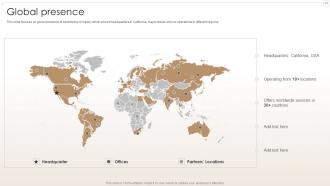
Slide 11: This slide focuses on the global presence of advertising company.
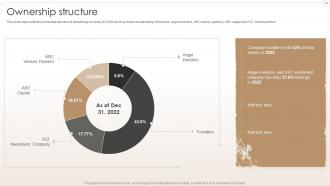
Slide 12: This slide represents the ownership structure of the advertising company.
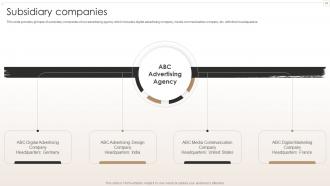
Slide 13: This slide provides glimpse of subsidiary companies of our advertising agency.
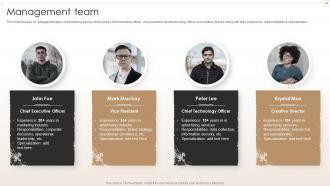
Slide 14: This slide focuses on management team of advertising agency.
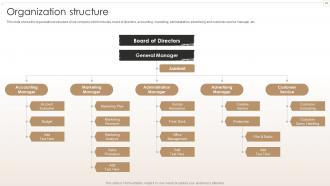
Slide 15: This slide shows the organizational structure of our company.
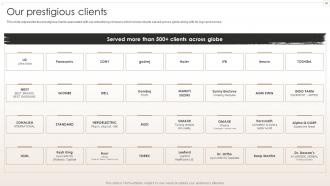
Slide 16: This slide represents the prestigious clients associated with our advertising company.
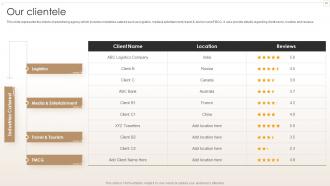
Slide 17: This slide represents the clients of an advertising agency.
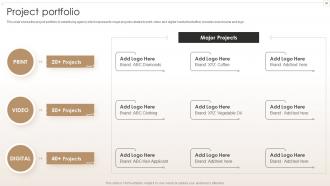
Slide 18: This slide shows the project portfolio of advertising agency which represents major projects.
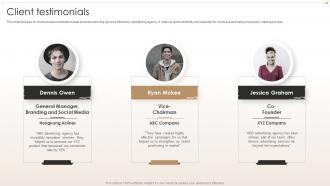
Slide 19: This slide focuses on client reviews and testimonials post experiencing services offered by advertising agency.
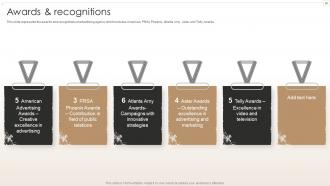
Slide 20: This slide represents the awards and recognitions of advertising agency.
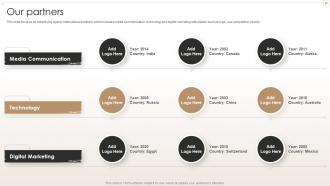
Slide 21: This slide focuses on advertising agency international partners which includes media communication, technology and digital marketing.
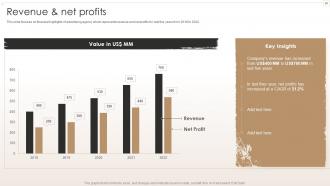
Slide 22: This slide focuses on financial highlights of advertising agency which represents revenue and net profits for last five years from 2018 to 2022.
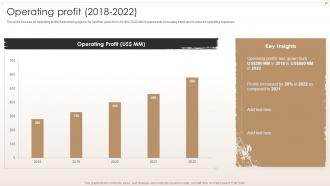
Slide 23: This slide focuses on operating profit of advertising agency for last five years from 2018 to 2022.
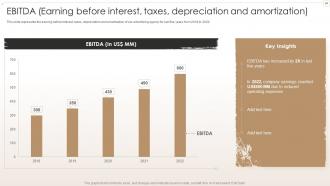
Slide 24: This slide represents the earning before interest, taxes, depreciation and amortization of our advertising agency for last five years from 2018 to 2022.
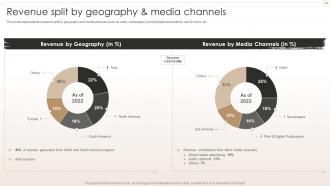
Slide 25: This slide represents the revenue split by geography and media channels.
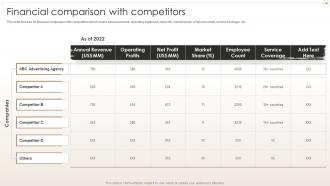
Slide 26: This slide focuses on financial comparison with competitors.
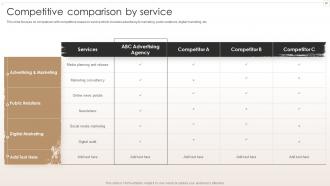
Slide 27: This slide focuses on comparison with competitors based on service.
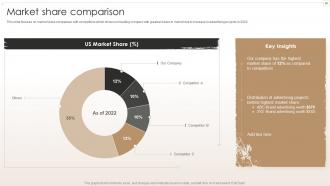
Slide 28: This slide focuses on market share comparison with competitors.
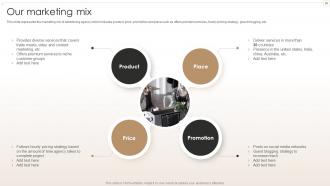
Slide 29: This slide represents the marketing mix of advertising agency.
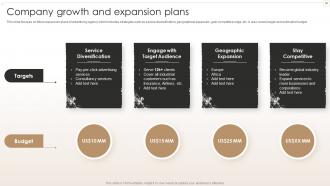
Slide 30: This slide focuses on Company growth and future expansion plans of advertising agency.
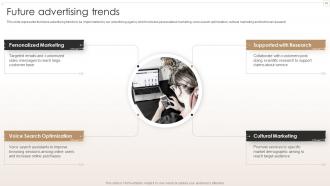
Slide 31: This slide represents the future advertising trends to be implemented by our advertising agency.
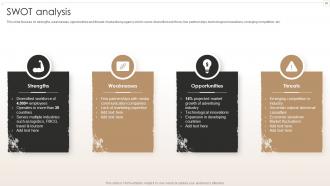
Slide 32: This slide focuses on SWOT analyses i.e. strengths, weaknesses, opportunities, and threats of an advertising agency.
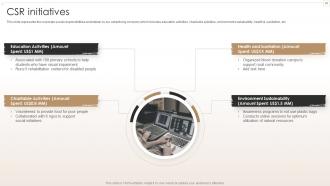
Slide 33: This slide represents the corporate social responsibilities undertaken by our advertising company.
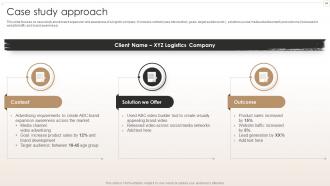
Slide 34: This slide focuses on case study approach about brand expansion and awareness of a logistic company.
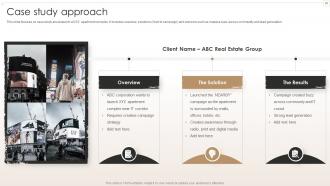
Slide 35: This slide focuses on case study approach about launch of XYZ apartment complex.
Slide 36: This slide contains all the icons used in this presentation.
Slide 37: This slide is titled as Additional Slides for moving forward.
Slide 38: This is About Us slide to show company specifications etc.
Slide 39: This is Our Mission slide with related imagery and text.
Slide 40: This is Our Team slide with names and designation.
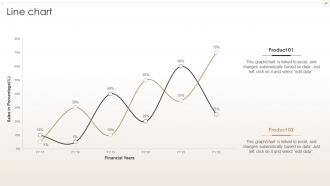
Slide 41: This slide describes Line chart with two products comparison.
Slide 42: This is Our Target slide. State your targets here.
Slide 43: This slide provides 30 60 90 Days Plan with text boxes.
Slide 44: This slide shows Post It Notes. Post your important notes here.
Slide 45: This is an Idea Generation slide to state a new idea or highlight information, specifications etc.
Slide 46: This is a Thank You slide with address, contact numbers and email address.
Creative Agency Company Profile Powerpoint Presentation Slides with all 51 slides:
Use our Creative Agency Company Profile Powerpoint Presentation Slides to effectively help you save your valuable time. They are readymade to fit into any presentation structure.





FAQs for Creative Agency Company Profile
Honestly, we do pretty much everything - brand strategy, logos, websites, digital marketing, content stuff like video and photo. Most clients hit us up when they're doing a complete rebrand or launching something new and need the whole package. Oh, and we handle ongoing marketing too once the main project's done. The case studies section on our site shows how we usually structure things way better than I can explain it here. That's probably your best bet for seeing what deliverables actually look like.
So basically, we test emotional reactions before campaigns launch - not after like everyone else does. Most agencies still do focus groups which honestly feels so 2010. Our team structure's different too - creatives and strategists collaborate from the start instead of this whole back-and-forth handoff thing. Speed's huge for us; 48-hour turnarounds when clients need it. Oh, and we ditch the "gut feeling" approach that's still weirdly common. You should definitely peek at our case studies to see how this actually works in practice.
Honestly, I think about it as "function meets emotion" - every visual choice needs to actually DO something while making people feel something too. Pretty but useless designs are the worst. I always start with what users actually need, then add the aesthetic stuff on top. Color choices get accessibility-tested, typography focuses on readability over whatever's trendy. The tricky part is getting clients to see beyond just "looking good." Does it solve a real problem? Will it help their business goals? Those are the questions that matter. Next time you're looking at design concepts, ask yourself if it creates an emotional connection AND actually works.
Honestly, regular check-ins are your lifesaver here. I always kick things off with a discovery session to lock down what they actually want. Then set up review points after wireframes, concepts, and before final delivery. The real game-changer though? Those collaborative workshops where you're actually working together instead of just showing them stuff. Shared project boards work great too - clients can peek at progress and drop feedback whenever. Just be crystal clear about when you need their input and what's coming up. Nobody likes surprise deadlines, you know?
Oh man, good question! I'm basically glued to Awwwards and Behance every morning with my coffee - total ritual now. Twitter's where the real magic happens though, designers are constantly dropping fire work there. LinkedIn too but less frequently. Monthly webinars keep me sharp, and Adobe newsletters are clutch since they preview new features early. Here's the thing that actually matters: block out like 30 minutes each week to mess around with whatever new technique caught your eye. Sounds nerdy but that's when stuff clicks, you know? Reading about trends is one thing, but playing with them yourself? Game changer.
Client feedback is everything, honestly. I build in check-ins at major milestones, but the good stuff usually comes from random "wait, what if we tried..." conversations. Get their input early because fixing things in the concept phase beats rebuilding a whole campaign later - trust me on that one. The trick is teaching them to give actual useful feedback instead of vague stuff like "make it pop more" (ugh). Set up some kind of shared system where everyone can comment directly on the work. Saves you from drowning in email chains, which... yeah, nobody wants that.
Oh totally! Check out the case studies page - we've got three really solid examples on there. The TechFlow rebrand boosted their conversions by 40% (that logo is honestly fire). There's also the GreenLeaf social campaign that blew up, plus Morrison's Restaurant Group where we redid their whole digital presence. Each one hits different stuff - branding, social media, UX design. Start with whatever matches what you're dealing with right now? Then I can break down how we actually pulled it off. The TechFlow one might be your best bet if you need lead gen help.
Start with their core story - what problem they're solving and why they actually exist. Don't just throw it in one "about us" slide though. Thread that narrative through everything. Honestly? People check out when you just list features. Structure it like their journey instead - where they started, obstacles they've faced, where they're going. Even boring budget stuff becomes "investing in the next chapter of our story." The magic happens when stakeholders see themselves as part of that story, not just people deciding whether to fund you. Makes all the difference.
Adobe Creative Suite is still my go-to - InDesign for layouts, Illustrator for graphics, Photoshop for heavy image editing. Figma's been a game changer though, especially for client collabs. The auto-layout stuff is incredible. For simpler templates where clients want to make their own edits, Canva Pro works great. PowerPoint too when they need something they can actually open and tweak later. Honestly depends on what your clients are comfortable with - no point making something beautiful in InDesign if they panic when they can't edit it themselves. Start with what you know best, then adapt based on what people actually ask for.
Honestly, I always figure out the actual goals first - what users need, business stuff, tech limitations, whatever. Use those as your boundaries while brainstorming. Constraints actually spark better ideas (I know, sounds backwards but it's true). Don't fall in love with concepts before testing them with real people though - I've learned this the hard way. Quick usability check saves you from gorgeous designs that nobody can actually use. The trick is seeing functionality as fuel for creativity instead of this annoying roadblock. Prototype fast, test early.
Honestly, start with the basics - alt text for every image (so many people forget this!), decent color contrast, and ditch the corporate jargon for plain English. I always throw in diverse imagery that actually represents different backgrounds and abilities. Oh, and test your stuff with screen readers if you can swing it. But here's what really matters: get different perspectives involved from day one, not just at the end when you're scrambling. Next time, show your deck to someone who wasn't in all those planning meetings. Fresh eyes catch what you miss.
Honestly? I just look at whether people actually use the damn thing and if they're happy with it. Download rates tell you if it's catching their eye, but the real gold is in those follow-up surveys - like, did it actually help them or just sit in their downloads folder? Repeat clients are huge too. Design awards are nice and all, but they don't pay the bills. Oh, and I totally check my analytics way too obsessively, probably weekly instead of monthly like I should. Quick feedback surveys work better than long ones - people actually fill those out.
Oh god, that reminds me of this rebrand from hell we did last year. Client literally did complete 180s every single week - drove us absolutely insane. What finally worked was forcing weekly check-ins where they had to put decisions in writing. After that, any changes cost extra money (learned that one the hard way). Honestly, some clients just need boundaries or they'll walk all over you. Document every conversation and don't feel bad about hitting pause when things get too chaotic. Sometimes you gotta realign before moving forward, you know?
Dude, color psychology is everything! It literally changes how people feel about your message. Red grabs attention and screams "do this now" - perfect for buttons you want clicked. Blue makes people trust you more. Green works great for money or health stuff because it feels calm and growth-y. I actually watched a client's presentation go from meh to incredible just by switching their colors. Oh, and don't forget your audience's background matters too - colors mean different things across cultures. Just tell me what you're trying to accomplish and I'll pick colors that actually get results instead of just looking nice.
Start by digging into their industry - tech folks want super clean, minimal slides but healthcare clients usually go for data-heavy layouts that build trust. Swap your colors, fonts, and definitely rethink imagery (seriously, generic handshake photos are the worst for fintech pitches). Content structure matters too. B2B crowds need ROI numbers right up front, while consumer brands are all about the emotional story. Oh, and always ask them for examples of decks they've actually liked before - saves you so much guesswork.
-
Great product with effective design. Helped a lot in our corporate presentations. Easy to edit and stunning visuals.
-
The customer care of SlideTeam is very responsive. I was having a payment issue and they fixed it for me in no time.