


Powerpoint-Präsentationsfolien zur Cyber-Sicherheitsrichtlinie




Try Before you Buy Download Free Sample Product
 Impress Your
 Audience
 100%
100% Editable
 Save Hours
 of Time


IT-Richtlinien und -Verfahren sind unerlässlich, um Richtlinien für den Einsatz von Informationstechnologie innerhalb einer Organisation festzulegen. Sie legen die Regeln für die Nutzung von Unternehmensressourcen fest und stellen sicher, dass die Mitarbeiter die akzeptable Nutzung von IT-Ressourcen und die zu ihrem Schutz geltenden Sicherheitsmaßnahmen verstehen. Unsere PowerPoint-Präsentation zur Cybersicherheitsrichtlinie behandelt die entscheidenden Komponenten einer effektiven IT-Richtlinie, einschließlich der Bedeutung von Richtlinien, der Erstellung einer Richtlinien-Checkliste und der verschiedenen IT-Richtlinien wie Fernzugriffsrichtlinien, Passworterstellung und -verwaltung, akzeptable Nutzung von Geräten und mehr . Die Präsentation behandelt auch Sicherheitsbewusstsein und -schulung, Informationssicherheit sowie E-Mail- und Chat-Richtlinien. Die Bring Your Own Device BYOD-Richtlinie ist ebenfalls enthalten, die das Ziel und den Umfang der Richtlinie, die Checkliste für die Erstellung von BYOD und Geräteprotokolle abdeckt. Der Schwerpunkt liegt außerdem auf den Beschränkungen der autorisierten Nutzung persönlicher Geräte, dem Datenschutz und dem Unternehmenszugriff, der Förderung von BYOD, der Sicherheit persönlicher Geräte und mehr. Darüber hinaus umfasst diese BYOD-Richtlinienvorlage ein Cybersicherheitsschulungsprogramm für Mitarbeiter, einen Zeitplan und einen Fahrplan zur Entwicklung einer IT-Richtlinie. Mit unserer Präsentation können Sie eine wirksame IT-Richtlinie erstellen, die die Vermögenswerte Ihres Unternehmens schützt und das Risiko von Cyberangriffen verringert. Erhalten Sie jetzt Zugriff und sichern Sie die Informationstechnologie Ihres Unternehmens.
People who downloaded this PowerPoint presentation also viewed the following :
Inhalt dieser Powerpoint-Präsentation
Folie 1 : Auf dieser Folie wird die Cybersicherheitsrichtlinie vorgestellt. Geben Sie Ihren Firmennamen an und beginnen Sie.
Folie 2 : Diese Folie zeigt die Agenda der Präsentation.
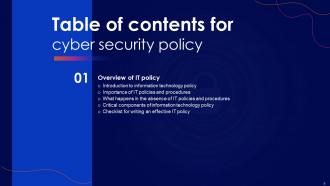
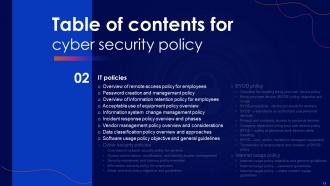
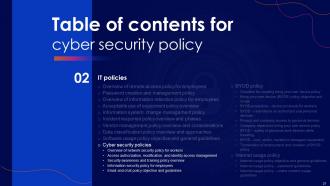
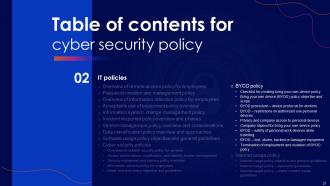
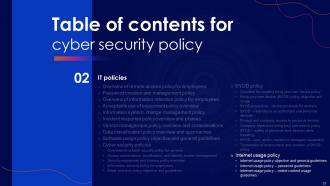
Folie 3 : Diese Folie zeigt das Inhaltsverzeichnis der Präsentation.
Folie 4 : Dies ist eine weitere Folie, die das Inhaltsverzeichnis der Präsentation fortsetzt.
Folie 5 : Diese Folie hebt den Titel der Themen hervor, die weiter behandelt werden sollen.
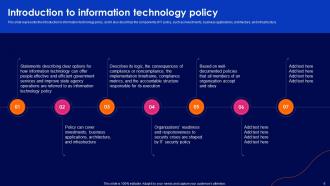
Folie 6 : Diese Folie stellt die Einführung in die Informationstechnologiepolitik dar.
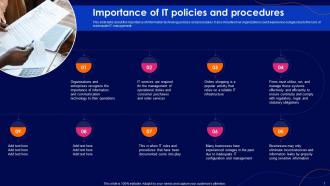
Folie 7 : Diese Folie unterstreicht die Bedeutung von IT-Richtlinien und -Verfahren.
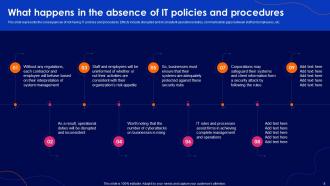
Folie 8 : Auf dieser Folie werden die Konsequenzen erläutert, wenn es keine IT-Richtlinien und -Verfahren gibt.
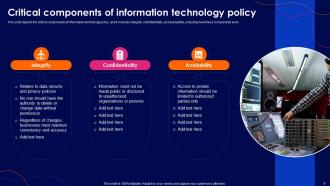
Folie 9 : Diese Folie zeigt die entscheidenden Komponenten der Informationstechnologiepolitik.
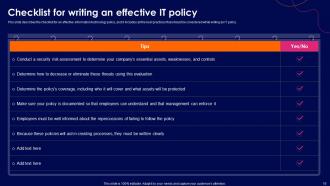
Folie 10 : Auf dieser Folie wird die Checkliste für eine wirksame Informationstechnologierichtlinie aufgeführt.
Folie 11 : Diese Folie enthält die Überschrift für den Inhalt, der weiter behandelt werden soll.
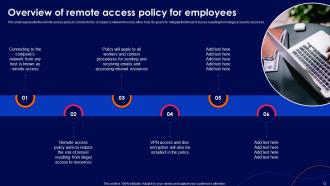
Folie 12 : Diese Folie stellt die Fernzugriffsrichtlinie vor, um von jedem anderen Host aus eine Verbindung zum Unternehmensnetzwerk herzustellen.
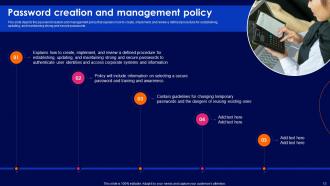
Folie 13 : Auf dieser Folie werden die Richtlinien zur Passworterstellung und -verwaltung erläutert.
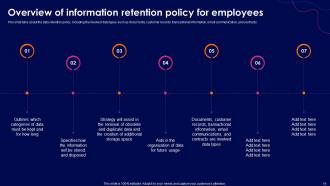
Folie 14 : Diese Folie zeigt einen Überblick über die Richtlinien zur Informationsaufbewahrung für Mitarbeiter.
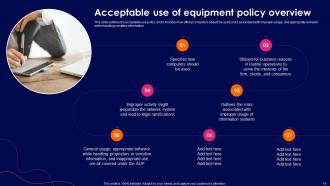
Folie 15 : Diese Folie gibt einen Überblick über die Richtlinien zur akzeptablen Nutzung von Geräten.
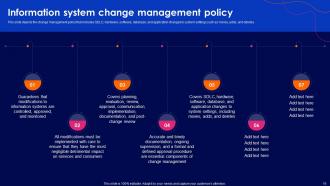
Folie 16 : Diese Folie behandelt die Änderungsmanagementrichtlinie für Informationssysteme.
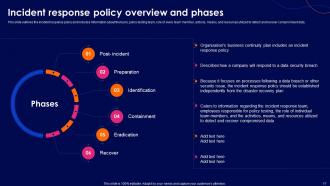
Folie 17 : Diese Folie enthält die Richtlinie zur Reaktion auf Vorfälle und die teambezogenen Informationen.
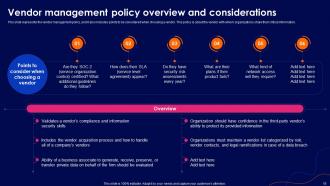
Folie 18 : Diese Folie bietet einen Überblick über die Richtlinien und Überlegungen zur Lieferantenverwaltung.
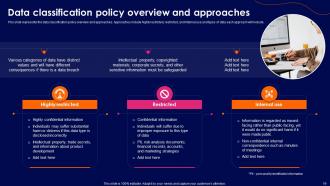
Folie 19 : Diese Folie zeigt den Überblick und die Ansätze zur Datenklassifizierungsrichtlinie.
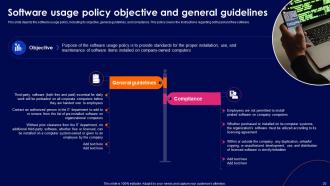
Folie 20 : Diese Folie enthält Informationen über das Ziel der Softwarenutzungsrichtlinie und allgemeine Richtlinien.
Folie 21 : Diese Folie enthält den Titel der Ideen, die weiter besprochen werden sollen.
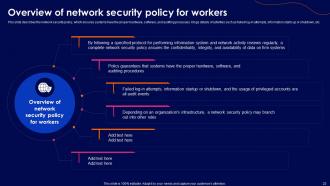
Folie 22 : Diese Folie erläutert den Überblick über die Netzwerksicherheitsrichtlinien für Mitarbeiter.
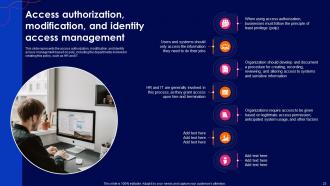
Folie 23 : Auf dieser Folie werden Zugriffsberechtigung, Änderung und Identitätszugriffsverwaltung vorgestellt.
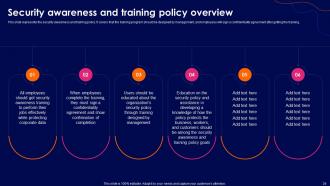
Folie 24 : Diese Folie bietet Informationen zum Sicherheitsbewusstsein und zur Schulungsrichtlinie.
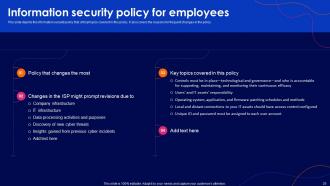
Folie 25 : Diese Folie stellt die Informationssicherheitsrichtlinie für die Mitarbeiter dar, die die kritischen Themen abdeckt.
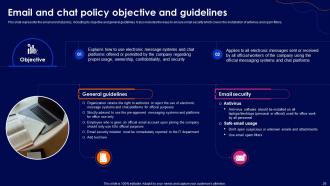
Folie 26 : Diese Folie stellt die E-Mail- und Chat-Richtlinie dar, einschließlich ihrer Zielsetzung und allgemeinen Richtlinien.
Folie 27 : Diese Folie enthält den Titel für die Themen, die weiter behandelt werden sollen.
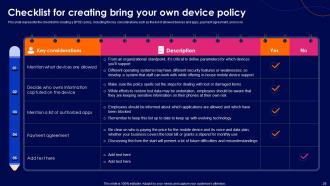
Folie 28 : Auf dieser Folie wird die Checkliste zum Erstellen der „Bring Your Own Device“-Richtlinie des Unternehmens angezeigt.
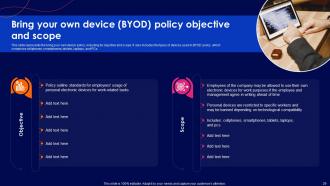
Folie 29 : Diese Folie stellt die Bring Your Own Device (BYOD)-Richtlinie dar, einschließlich ihrer Zielsetzung und ihres Umfangs.
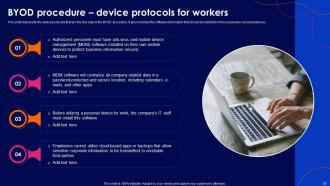
Folie 30 : Diese Folie zeigt die Geräteprotokolle für die Mitarbeiter im BYOD-Verfahren.
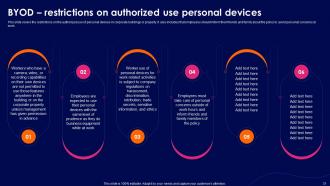
Folie 31 : Auf dieser Folie werden die Beschränkungen für die autorisierte Nutzung persönlicher Geräte in Firmengebäuden oder -grundstücken behandelt.
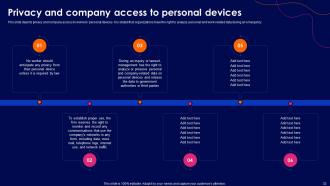
Folie 32 : Diese Folie zeigt die Privatsphäre und den Unternehmenszugriff auf die persönlichen Geräte der Mitarbeiter.
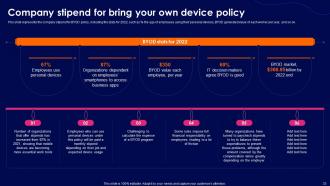
Folie 33 : Auf dieser Folie wird das Unternehmensstipendium für die Richtlinie zum Mitbringen eigener Geräte erwähnt.
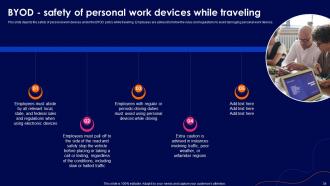
Folie 34 : Diese Folie zeigt die Sicherheit persönlicher Arbeitsgeräte im Rahmen der BYOD-Richtlinie auf Reisen.
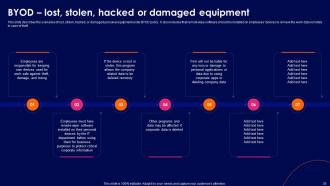
Folie 35 : Auf dieser Folie werden die Szenarien für verlorene, gestohlene, gehackte oder beschädigte persönliche Geräte im Rahmen der BYOD-Richtlinie beschrieben.
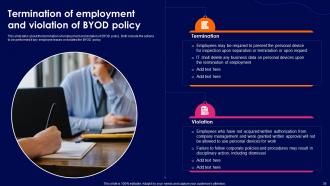
Folie 36 : Auf dieser Folie geht es um die Beendigung des Arbeitsverhältnisses und den Verstoß gegen die BYOD-Richtlinie.
Folie 37 : Diese Folie erläutert die Überschrift der Komponenten, die weiter besprochen werden sollen.
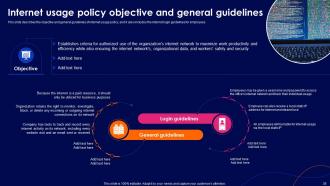
Folie 38 : Diese Folie stellt die objektiven und allgemeinen Richtlinien der Internetnutzungsrichtlinie dar und enthält die Internet-Login-Richtlinien für Mitarbeiter.
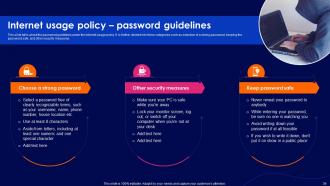
Folie 39 : Auf dieser Folie geht es um die Passwortrichtlinien gemäß der Internetnutzungsrichtlinie.
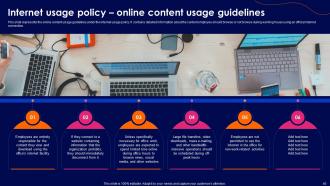
Folie 40 : Diese Folie enthält die Richtlinien zur Nutzung von Online-Inhalten gemäß der Internetnutzungsrichtlinie.
Folie 41 : Diese Folie enthält den Titel für die Themen, die weiter behandelt werden sollen.
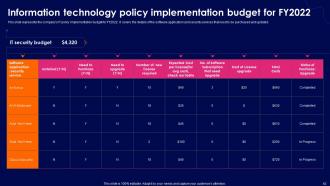
Folie 42 : Diese Folie stellt das Budget für die Umsetzung der IT-Richtlinien des Unternehmens für das Geschäftsjahr 2022 dar.
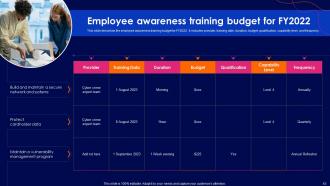
Folie 43 : Auf dieser Folie wird das Budget für Mitarbeiterschulungen für das Geschäftsjahr 2022 beschrieben, einschließlich Anbieter, Dauer, Budget usw.
Folie 44 : Diese Folie hebt die Überschrift der Themen hervor, die in der kommenden Vorlage behandelt werden sollen.
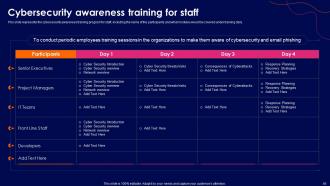
Folie 45 : Auf dieser Folie wird das Schulungsprogramm zur Sensibilisierung für Cybersicherheit für Mitarbeiter vorgestellt.
Folie 46 : Diese Folie zeigt die Überschrift der Themen, die weiter behandelt werden sollen.
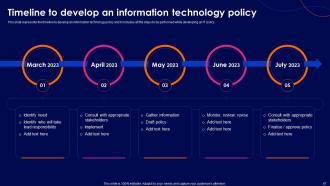
Folie 47 : Diese Folie zeigt den Zeitplan für die Entwicklung einer Informationstechnologierichtlinie.
Folie 48 : Diese Folie enthält Informationen über den Titel der Themen, die weiter behandelt werden sollen.
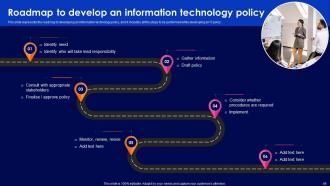
Folie 49 : Diese Folie veranschaulicht den Fahrplan zur Entwicklung einer Informationstechnologierichtlinie und enthält die dafür durchzuführenden Schritte.
Folie 50 : Diese Folie enthält alle in dieser Präsentation verwendeten Symbole.
Folie 51 : Diese Folie trägt den Titel „Zusätzliche Folien für den weiteren Weg“.
Folie 52 : Die Folie „Über uns“ zeigt Unternehmensspezifikationen usw.
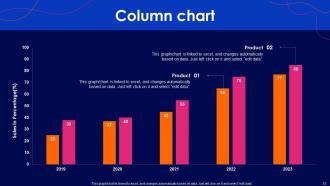
Folie 53 : Diese Folie zeigt ein Säulendiagramm mit einem Vergleich zweier Produkte.
Folie 54 : Dies ist die Folie „Unser Team“ mit Namen und Bezeichnung.
Folie 55 : Diese Folie präsentiert Roadmap mit zusätzlichen Textfeldern.
Folie 56 : Dies ist eine Folie zur Ideengenerierung, auf der Sie eine neue Idee darlegen oder Informationen, Spezifikationen usw. hervorheben können.
Folie 57 : Diese Folie zeigt ein Venn-Diagramm mit Textfeldern.
Folie 58 : Das ist unsere Zielfolie. Geben Sie hier Ihre Ziele an.
Folie 59 : Diese Folie zeigt Haftnotizen. Veröffentlichen Sie hier Ihre wichtigen Notizen.
Folie 60 : Diese Folie enthält ein Puzzle mit zugehörigen Symbolen und Text.
Folie 61 : Diese Folie zeigt SWOT, das Stärke, Schwäche, Chance und Bedrohung beschreibt.
Folie 62 : Dies ist eine Dankesfolie mit Adresse, Kontaktnummern und E-Mail-Adresse.
Powerpoint-Präsentationsfolien zur Cybersicherheitsrichtlinie mit allen 67 Folien:
Nutzen Sie unsere Powerpoint-Präsentationsfolien für Cyber-Sicherheitsrichtlinien, um effektiv wertvolle Zeit zu sparen. Sie sind gebrauchsfertig und passen in jede Präsentationsstruktur.










FAQs for Cyber Security Policy
So you need access controls first - figure out who can get into what. Incident response plans are huge because honestly, everyone gets breached eventually (even Google). Password rules that don't make people want to scream help too. Regular training keeps your team sharp, and you'll want data classification so people know what's actually sensitive. Oh, and schedule those security assessments - stuff changes fast. The whole thing falls apart if it's too complicated though. Make it simple enough that people actually follow it instead of finding workarounds.
Honestly, start with a gap analysis - map what you've got against whatever regs hit your industry (SOX, HIPAA, PCI DSS, etc). Then fix what's broken. The annoying part? These standards change constantly. Like, I swear there's new stuff every few weeks. Document everything because auditors love their paper trails. Get someone tracking regulatory updates - can't stress this enough. Don't wait for audit season to find problems either. Run your own compliance checks quarterly. Way better to catch issues yourself than have some auditor surprise you with them later.
Honestly, I'd say at least once a year but quarterly is way better - cyber threats move crazy fast these days. Look at what new risks popped up first, then figure out if your current stuff actually works. Your IT people will catch things you won't, so definitely loop them in plus legal and whoever else has skin in the game. Update anything that feels outdated, especially remote work policies since we're all still figuring that out. Oh, and actually tell people about the changes! Training's pointless if nobody knows what changed. Set those calendar reminders or you'll totally forget.
So here's the thing - risk assessments basically show you what your cybersecurity policy should actually focus on. You'll identify your biggest weak spots and threats instead of just copying some random template online. It's like figuring out which doors in your house are unlocked before buying security cameras, you know? Honestly, most companies skip this step and end up protecting stuff that doesn't even matter. The assessment tells you where hackers will probably attack and how bad the damage could be. Do this first before writing any policies - saves you tons of time protecting the wrong stuff.
Dude, training your people is huge - honestly bigger than most companies realize. Yeah you can buy all the fancy security software you want, but if Sarah from accounting clicks on that sketchy email, you're screwed anyway. I've watched businesses with solid setups get wrecked because they thought a quick PowerPoint would cut it. Your team can either be your worst nightmare or your best protection. Do real simulations where they actually practice this stuff. Short sessions work way better than those marathon training days that put everyone to sleep.
Honestly, just start with the stuff that actually matters - password managers, keeping software updated, and training your team on the basics. Those three things will get you 80% of the way there without breaking the bank. I've watched way too many small companies try to copy some massive enterprise setup they saw online and it just becomes this expensive mess nobody uses. Keep it simple and use the free tools first - MFA, cloud backups, that kind of thing. Write policies that make sense now but won't box you in later when you have more money to throw around.
So three main things work best: train your staff regularly, set up automated monitoring, and have real consequences when people mess up. Most companies totally bomb the training part - like, how can people follow rules they've never properly learned? Your network monitoring should automatically catch sketchy activity and policy violations. Everyone needs to know upfront what happens if they don't comply. Oh, and definitely run regular audits. I'd start by figuring out where your biggest enforcement gaps are right now, then hit those first.
Dude, start with the basics - force everyone to use VPN and multi-factor auth. Can't believe how many people still skip MFA in 2024. Set up clear rules about home network security and what devices are cool to use for work. Training is huge since remote folks get hit with phishing constantly. You'll need protocols for secure file sharing, video calls, and reporting issues when IT isn't down the hall. Also cover incident reporting that actually works remotely. Honestly, just audit what remote access you have now first - probably way more gaps than you think.
So for incident response, first thing - set up a clear escalation chain so people aren't scrambling around wondering who to call. Document everything while it's happening because your brain will be mush later trying to remember details. Isolate the affected stuff right away to stop it spreading. Assign specific roles too - incident commander, someone handling comms, etc. Oh and have templates ready for customer notifications because writing those under pressure sucks. Always do a post-mortem after. But honestly? None of this matters if you don't practice it regularly. I've seen teams with perfect policies completely fall apart when shit actually hits the fan.
Track stuff like how fast you respond to incidents and whether your team actually passes those security training quizzes (spoiler alert - half probably don't). Breach counts are obvious but also look at how quickly you're patching vulnerabilities. Penetration testing is honestly your best friend here - finds problems before the bad guys do. Password compliance is usually a nightmare to track but worth it. Don't go overboard though. Pick maybe 4-5 things that actually matter to your company and check them monthly. Way better than drowning in data you'll never look at.
Don't make it crazy long - seriously, no one's reading 50 pages of policy stuff. Keep the language simple enough that your marketing team can actually understand it, but don't dumb down the important security bits. Make sure it actually matches what your company does day-to-day, not some theoretical setup. I've seen so many places write these perfect policies that fall apart the second someone tries to follow them. Oh, and definitely include what to do when things go wrong - incident response is huge. Draft it first, then run it by a few different teams. You'll catch the weird parts that way.
So you definitely need to spell out how you're collecting and storing personal data - GDPR and CCPA don't mess around. Set up clear data classification levels and figure out retention schedules. Access controls are huge too. Honestly, breach notification is where I've seen companies completely fall apart, so nail down those procedures early. Your employees need a way to request data deletion, and encryption standards for stored and moving data are non-negotiable. Oh, and get your IT and legal teams to review this stuff together - they're both gonna be in the hot seat if things go sideways.
So your cybersecurity stuff has to cover vendors too, which is kinda annoying but makes sense. You can't lock down everything internally then let some random contractor waltz in with terrible security. Make them sign agreements and prove they're not idiots with data protection. Sometimes you'll need to audit them - honestly such a pain but whatever. Look for encryption standards, how they handle incidents, access controls, all that. I learned this the hard way at my last job. Bottom line: don't just pick the cheapest vendor. Security compliance needs to be part of your selection process right from the start.
You definitely want to get different people involved early - like IT, users, legal, business folks. They'll catch stuff you'd never think of sitting at your desk writing policies. Your network guy sees totally different problems than someone in HR, you know? People actually follow rules they helped make instead of just having them dumped on them. That's just human nature. Get their input while you're still drafting things, not after you've already decided everything. Otherwise you're just asking them to nod along with something that might not even work in the real world.
Dude, zero-trust architecture should be your first move - get that framework documented ASAP. AI threats are exploding right now, and ransomware-as-a-service is honestly scary because now any idiot can launch attacks. Cloud security's still critical with everyone working remotely. Don't forget IoT management either since people connect literally everything these days (my neighbor's smart doorbell probably has better wifi than I do). Supply chain attacks are huge too. I'd tackle zero-trust first, then jump on AI governance before that space gets even crazier. The threat landscape's moving fast.
-
I was really impressed with the presentation I created with their templates. I’ll be using their services moving forward.
-
The slides come with appealing color schemes and relevant content that helped me deliver a stunning presentation without any hassle!