

Deal review powerpoint presentation slides




Try Before you Buy Download Free Sample Product
 Impress Your
 Audience
 100%
100% Editable
 Save Hours
 of Time


Discuss the project scope with the help of this professionally designed Deal Review PowerPoint Presentation Slides. Display the qualification criteria including annual financial turnover, work experience, credit facility, and certification by using the deal assessment PowerPoint slideshow. The business deal evaluation PPT complete deck contains forty-two content ready PowerPoint templates to compare the project deals offered by different bidders. Use the sales review PPT deck to showcase the prerequisites of the project. Take advantage of project scope PowerPoint templates to create a criteria based decision matrix including financial strength, plant, and equipment. Take the assistance of this visually appealing project review presentation graphics to demonstrate the project offerings by bidders with phases, description, duration, and cost. You can also utilize the deal analysis PPT slides to create a project completion timeline mentioning activities and duration in weeks. Thus, download the business deal assessment PowerPoint templates to analyze the financial feasibility of the proposed project. Conduct discussions and derive benefits with our Deal Review Powerpoint Presentation Slides. It helps engage in brainstorming.
People who downloaded this PowerPoint presentation also viewed the following :
Content of this Powerpoint Presentation
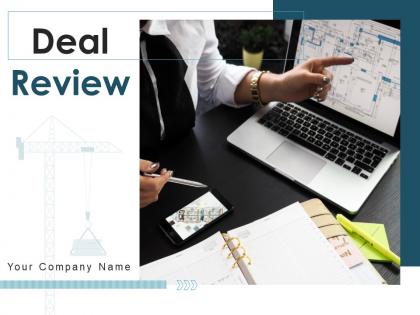
Slide 1: This slide introduces Deal Review. State your company name and begin.
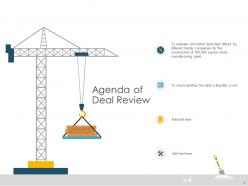
Slide 2: This slide displays the Agenda of Deal Review.
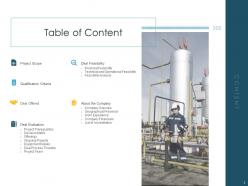
Slide 3: This slide displays the Table of Content of the presentation.
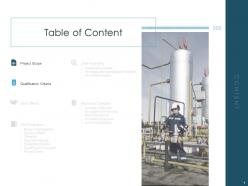
Slide 4: This slide also displays Table of Content of the presentation.
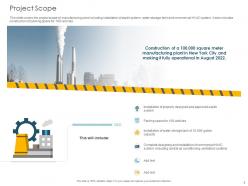
Slide 5: This slide showcases Project Scope. This slide covers the project scope of manufacturing plant including installation of septic system, water storage tank and commercial HVAC system. It also includes construction of parking space for 100 vehicles.
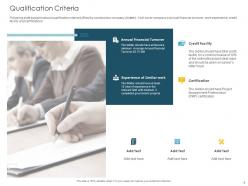
Slide 6: This slide depicts Qualification Criteria.
Slide 7: This slide displays the Table of Content.
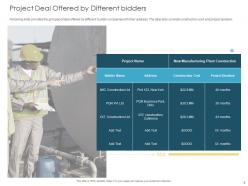
Slide 8: This slide showcases Project Deal Offered by Different bidders.
Slide 9: This slide depicts Table of Content.
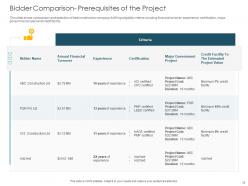
Slide 10: This slide displays Bidder Comparison- Prerequisites of the Project.
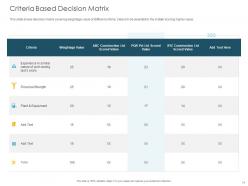
Slide 11: This slide showcases Criteria Based Decision Matrix.
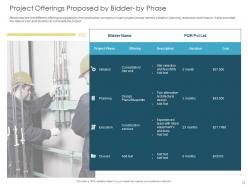
Slide 12: This slide displays Project Offerings Proposed by Bidder- by Phase.
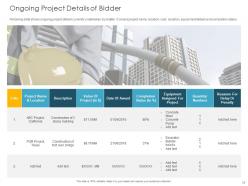
Slide 13: This slide displays Ongoing Project Details of Bidder.
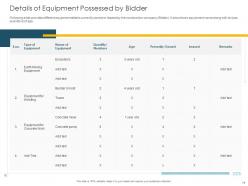
Slide 14: This slide showcases Details of Equipment Possessed by Bidder.
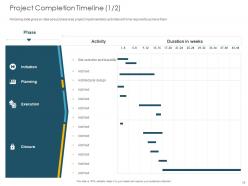
Slide 15: This slide showcases Project Completion Timeline.
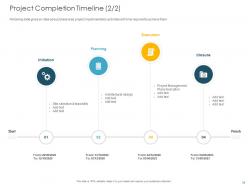
Slide 16: This slide showcases Project Completion Timeline.
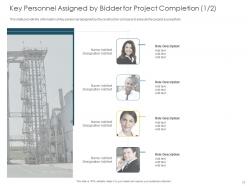
Slide 17: This slide showcases Key Personnel Assigned by Bidder for Project Completion.
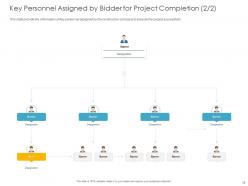
Slide 18: This slide displays Key Personnel Assigned by Bidder for Project Completion with names and designations.
Slide 19: This slide displays Table of Content.
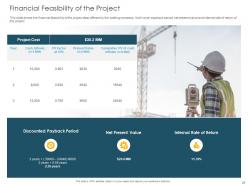
Slide 20: This slide showcases Financial Feasibility of the Project.
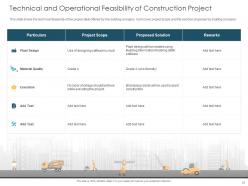
Slide 21: This slide showcases Technical and Operational Feasibility of Construction Project. This slide shows the technical feasibility of the project deal offered by the bidding company. It will cover project scope and the solution proposed by bidding company.
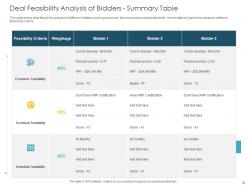
Slide 22: This slide depicts Deal Feasibility Analysis of Bidders - Summary Table.
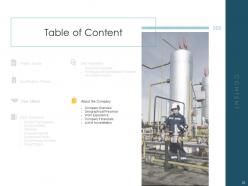
Slide 23: This slide displays the Table of Content.
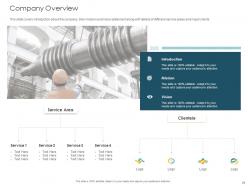
Slide 24: This slide displays Company Overview.
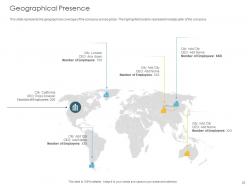
Slide 25: This slide displays Geographical Presence. The slide represents the geographical coverage of the company across globe. The highlighted location represents headquarter of the company.
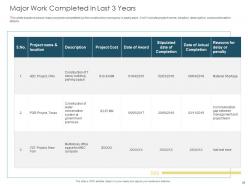
Slide 26: This slide showcases Major Work Completed in Last 3 Years.
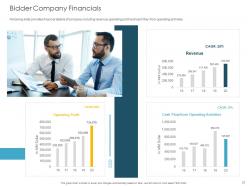
Slide 27: This slide depicts Bidder Company Financials
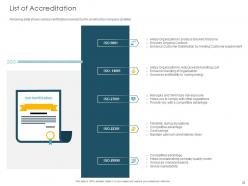
Slide 28: This slide displays List of Accreditation. Following slide shows various certifications owned by the construction company.
Slide 29: This is Icons Deal Review Icons Slide.
Slide 30: This slide is titled as Additional Slides for moving forward.
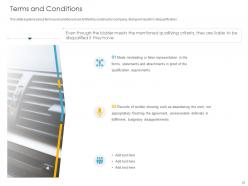
Slide 31: This slide displays Terms and Conditions. This slide explains about terms and conditions to be fulfilled by construction company, failing will results in disqualification
Slide 32: This is Our Mission slide with Mission, Vision and Goal.
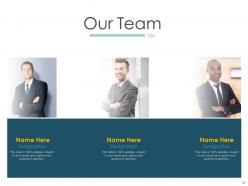
Slide 33: This is Our Team slide with names and designations.
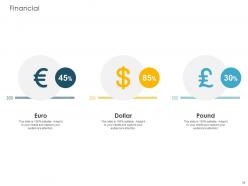
Slide 34: This is Financial slide. State your finance related stuff.
Slide 35: This is Our Target slide.
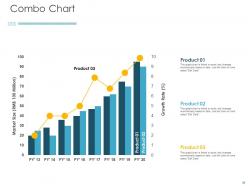
Slide 36: This is Combo Chart slide with product comparison.
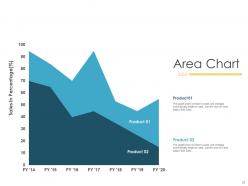
Slide 37: This is Area Chart slide with product comparison.
Slide 38: This is About Us slide to showcase company specifications.
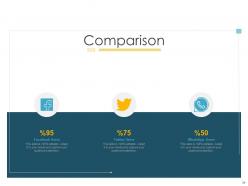
Slide 39: This is Comparison slide showcasing comparison between whatsApp, Twitter and Facebook users.
Slide 40: This slide is titled as Post it Notes. Post your important notes.
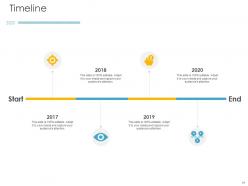
Slide 41: This is four years Timeline slide.
Slide 42: This is Thank you slide with address, contact number and email address.
Deal review powerpoint presentation slides with all 42 slides:
Use our Deal Review Powerpoint Presentation Slides to effectively help you save your valuable time. They are readymade to fit into any presentation structure.



FAQs for Deal review
You need to figure out three key things: how technical they are, whether they can actually make decisions, and what keeps them up at night. C-suite folks? They want ROI numbers upfront - skip the feature deep-dive. Technical teams are the opposite, they'll want to see under the hood. Time matters too. Executives hate long setups, but individual contributors don't mind a proper walkthrough. Oh, and don't underestimate company culture - that slick startup deck you love might bomb at some buttoned-up law firm. Basically, match your content and style to whoever's sitting across from you.
Design can totally make or break your pitch deck. I've watched deals crash just because slides looked messy or you couldn't read the numbers properly. Clean templates help people actually focus on your data instead of squinting at tiny text. Your colors should guide viewers through your story naturally - maybe red for urgency, blue for trust, whatever fits. Short sentences work. Longer ones should flow without feeling robotic or stiff. Honestly, half the battle is just making sure everything's readable on different screens. Oh, and test it beforehand - nothing worse than realizing your charts are invisible during the actual presentation.
Dude, the worst thing people do is just swapping company names and thinking they're done. I see this all the time - they don't even check if the content actually fits their deal. Super annoying when slides have broken formatting or the pricing's totally outdated from three deals ago. Plus everyone forgets about legal disclaimers that change between projects. The other big one? Using the exact same technical depth for everyone. Like, your CEO doesn't need the same nerdy details as your engineering contact - that's just common sense. Honestly, just spend 10 minutes reading through each slide like it's your first time seeing it. You'll catch so much random stuff.
Definitely check the file format first - PowerPoint files (.pptx) work best in PowerPoint, obviously. Google Slides has its own thing going on too. I'd download a sample if you can and test it out with whatever your team actually uses. Learned this the hard way when I grabbed this "amazing" template that looked like garbage in Keynote... ugh. Font issues, animations got weird, the whole thing was a mess. PowerPoint's probably your safest choice since most other apps can handle those files pretty well. Just do a quick test run beforehand so you're not scrambling last minute!
Dude, colors actually matter way more than you'd think for deal presentations. Blues and greens are your friends - they scream trustworthy and stable. Reds? Skip them unless you want people feeling anxious about signing off. I swear I've watched deals go sideways partly because someone picked this garish orange template that just felt... wrong. Blues make you look reliable, greens hint at growth potential. Warmer colors work if you're going for that relationship-building vibe. Match whatever emotional mood fits your specific deal and who you're presenting to. Sounds silly but it works.
Start with clean layouts that actually work for data - charts and tables that don't look squished together. Color schemes matter more than you'd think. Skip anything flashy or consumer-looking because honestly, rainbow gradients will make you look amateur. Find templates with good typography and lots of white space. Your master slide needs to stay consistent throughout - I've seen too many decks where slide 10 looks completely different from slide 1. Oh, and make sure it handles appendix sections well since you'll definitely end up with a ton of backup data. Trust me, nailing these basics upfront saves you from reformatting hell later.
Dude, just look at your actual engagement data instead of picking whatever looks nice. I've watched so many deals crash because people went with the "pretty" template over what their metrics were screaming at them. Check your past presentations - if people bail during data-heavy slides, grab templates with more visuals and way less text. Getting good engagement on interactive stuff? Find ones that actually support polls or breakouts. Your click-through rates and time-on-slide numbers don't lie. They'll tell you if your crowd wants clean minimal layouts or something more dynamic. Sometimes the boring template wins, honestly.
So here's what I'd check for scalability. Does it work for both small deals and huge ones? Like, can you tweak the same template for a $10K sale and a million-dollar pitch without rebuilding everything? Also test how fast you can customize the content sections - honestly, I've seen templates that are so rigid they're basically useless. Make sure it works for different audiences too (CEO vs tech people need totally different approaches). Oh, and here's the real test: hand it to your newest rep. If they can't make a decent presentation in 30 minutes, the template's probably too complicated.
You definitely need good customization options - every deal is different so rigid templates will screw you over. The best tools let you modify sections, add custom fields, and tweak approval workflows. Role-specific views are a game changer too since sales reps don't need to see the same stuff as your legal team. I'd also look for conditional logic that shows/hides fields based on deal type or value. Honestly, I've seen too many companies try to force weird deal structures into cookie-cutter templates and it's a mess. Map out your current process first, then find something that can actually bend to fit it.
Dude, everyone's going super minimal right now - lots of white space, way less text crammed on each slide. Think Apple keynote vibes where the data just pops. Interactive stuff is huge too, like clickable charts and embedded videos. Some people are going crazy with animations though, which honestly can be distracting. The whole bullet point thing is pretty much dead - it's all about visual storytelling that walks people through your pitch naturally. Oh and those modern template packs? Totally worth it. Just don't use them as-is, customize that shit for your specific deal.
Honestly, usability testing is a game-changer for deal reviews. Run mock sessions with different stakeholders first - you'll be shocked at what they actually miss or where they zone out. I watched one team realize their executives were completely skipping over major risk factors that got buried way too deep in the deck. Watch which slides people gloss over and what questions keep popping up. Does your template actually flow? Can they find the important metrics without hunting? Sometimes the "logical" order in your head makes zero sense to everyone else. Test it with a few different audience types, then tweak based on how they actually behave, not how you think they should.
Dude, you really need different templates for deal reviews. Executives want the big picture stuff - money and risks. Product teams? They're all about technical details. Sales cares about beating competitors. I've watched deals crash because someone used the exec template in a technical meeting - awkward. Three templates work best: executive summary, technical deep-dive, financial breakdown. Same deal info, just packaged differently. You'll save hours not rebuilding presentations every time. Trust me, it's worth setting up from the start.
Your presentations will be so much more engaging with good visuals instead of walls of text. Charts make complex data way easier to digest. Videos work great for product demos or customer testimonials - honestly, people love seeing real examples. Interactive stuff keeps everyone awake and involved too. I've watched the most boring financial reviews become actually interesting just by throwing in some smart graphics. Just don't go overboard with random flashy elements that don't add value. Focus on visuals that actually help decision-makers picture what this deal means for them.
Dude, definitely check the licensing on any templates you're using for your business stuff. A lot of those "free" ones actually have weird restrictions for commercial use. Make sure you can customize them and use them with clients without having to credit the creator - that looks unprofessional IMO. Also heads up, sometimes the stock photos or icons inside templates have their own separate licensing issues, which is super annoying. I'd save a copy of the license terms with each template file so your team knows what's allowed. Trust me, you don't want licensing drama messing up a client deal over some random template you downloaded.
Honestly, reviews are everything for templates. People don't trust your sales pitch - they want to hear from actual users who've tried it. I always check reviews first before buying anything online, and I bet your customers do too. Even bad reviews aren't the end of the world if you respond well and show you're fixing issues. The detailed ones are gold because they mention real problems and benefits. You should definitely bug your happy customers to leave reviews (nicely, obviously). Those authentic voices will sell your templates way better than any fancy marketing copy you could write.
-
Nice and innovative design.
-
The content is very helpful from business point of view.
-
Illustrative design with editable content. Exceptional value for money. Highly pleased with the product.
-
Colors used are bright and distinctive.
-
Great designs, really helpful.