


Devops auf Cloud-Powerpoint-Vorlagen-Folien Powerpoint-Präsentationsfolien




Try Before you Buy Download Free Sample Product
 Impress Your
 Audience
 100%
100% Editable
 Save Hours
 of Time


DevOps On Cloud PowerPoint Template Slides Überblick über DevOps mit dieser aufmerksamkeitsstarken PPT-Präsentation. Diese Präsentation hilft dabei, den Bedarf an DevOp zu verstehen, wie es sich von der traditionellen IT unterscheidet, DevOps-Anwendungsfälle im Geschäft, Lebenszyklus, Roadmap usw. Überblick darüber, wie sich DevOps von Agile unterscheidet, indem Sie die inhaltsfertige DevOps-Strategie-PPT-Visualisierungen verwenden. Die Folien erklären auch die Rollen, Verantwortlichkeiten und Fähigkeiten von DevOps-Ingenieuren. DevOps-Automatisierungstools und DevOp-Roadmap für die Implementierung in der Organisation können effektiv diskutiert werden. Überblick über DevOps in der Cloud, indem Cloud Computing, Eigenschaften von Cloud Computing, Vorteile, wichtigste Risiken im Zusammenhang mit Cloud Computing usw. beschrieben werden. Anwendungsfälle für Cloud Computing und Cloud-Bereitstellungsmodelle können mit Hilfe der visuell aufmerksamkeitsstarken DevOps-Implementierungs-Roadmap-PowerPoint-Folien präsentiert werden. Die Roadmap zur Integration von Cloud Computing in das Geschäft kann leicht mit Hilfe der DevOps-Implementierungsstrategie-PowerPoint-Präsentation dargestellt werden.
People who downloaded this PowerPoint presentation also viewed the following :
Inhalt dieser Powerpoint-Präsentation
Folie 1: Diese Titelfolie führt in die DevOps on Cloud PowerPoint-Vorlagenfolien ein. Fügen Sie hier den Namen Ihres Unternehmens hinzu.
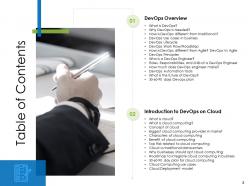
Folie 2: Diese Folie enthält das Inhaltsverzeichnis. Es umfasst - DevOps-Überblick und Einführung in DevOps on Cloud.
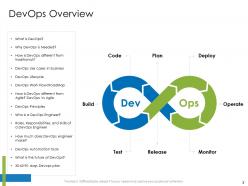
Folie 3: Auf dieser Folie wird der DevOps-Überblick präsentiert.
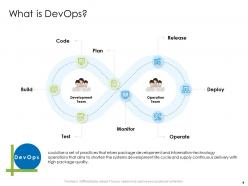
Folie 4: Auf dieser Folie wird erklärt, was DevOps ist.
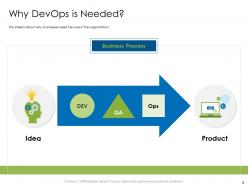
Folie 5: Auf dieser Folie wird dargestellt, warum DevOps benötigt wird. Es geht darum, warum Unternehmen DevOps in der Organisation benötigen.
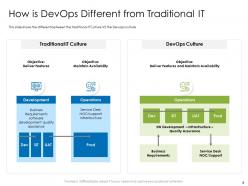
Folie 6: Auf dieser Folie wird dargestellt, wie sich DevOps von der traditionellen IT unterscheidet. Es zeigt den Unterschied zwischen der traditionellen IT-Kultur und der DevOps-Kultur.
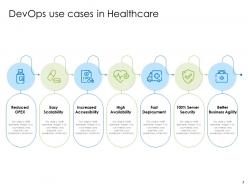
Folie 7: Auf dieser Folie werden die DevOps-Anwendungsfälle im Gesundheitswesen vorgestellt.
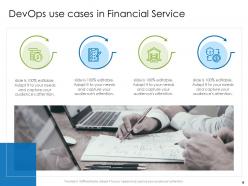
Folie 8: Auf dieser Folie werden die DevOps-Anwendungsfälle im Finanzdienstleistungssektor vorgestellt.
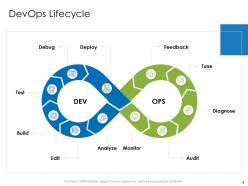
Folie 9: Auf dieser Folie wird der DevOps-Lebenszyklus vorgestellt.
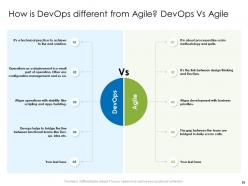
Folie 10: Auf dieser Folie wird dargestellt, wie sich DevOps von Agile unterscheidet. DevOps vs. Agile.
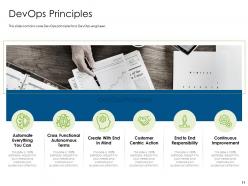
Folie 11: Auf dieser Folie werden die DevOps-Prinzipien vorgestellt.
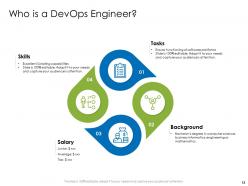
Folie 12: Auf dieser Folie wird erklärt, wer ein DevOps-Ingenieur ist.
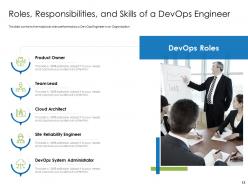
Folie 13: Auf dieser Folie werden die Rollen, Verantwortlichkeiten und Fähigkeiten eines DevOps-Ingenieurs vorgestellt.
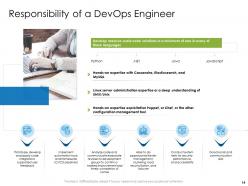
Folie 14: Auf dieser Folie wird die Verantwortung eines DevOps-Ingenieurs dargestellt.
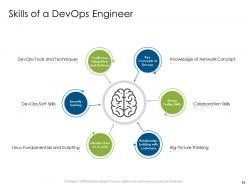
Folie 15: Auf dieser Folie werden die Fähigkeiten eines DevOps-Ingenieurs vorgestellt.
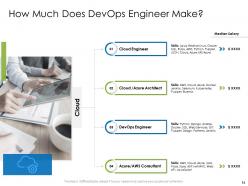
Folie 16: Auf dieser Folie wird dargestellt, wie viel ein DevOps-Ingenieur verdient.
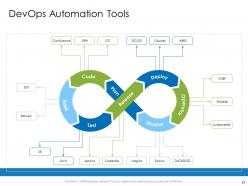
Folie 17: Auf dieser Folie werden die DevOps-Automatisierungstools vorgestellt.
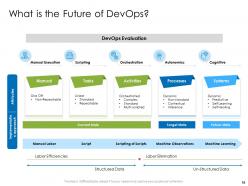
Folie 18: Auf dieser Folie wird die Zukunft von DevOps vorgestellt.
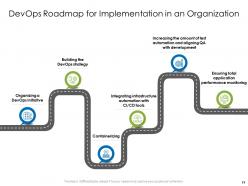
Folie 19: Auf dieser Folie wird der DevOps-Fahrplan für die Implementierung in einer Organisation vorgestellt.
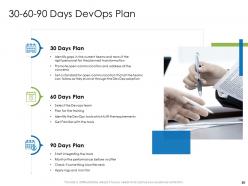
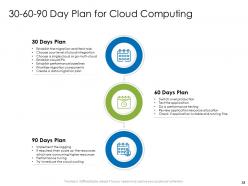
Folie 20: Auf dieser Folie wird der 30-60-90-Tage-DevOps-Plan vorgestellt. Identifizieren Sie Lücken in den aktuellen Teams und rekrutieren Sie das richtige Personal für die geplante Transformation.
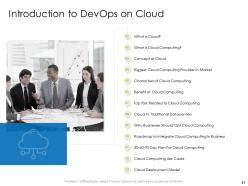
Folie 21: Dies ist eine Inhaltsverzeichnisfolie, die die Einführung in DevOps on Cloud zeigt.
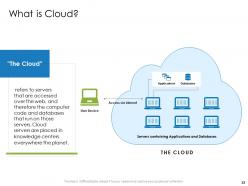
Folie 22: Auf dieser Folie wird erklärt, was Cloud ist. Es bezieht sich auf Server, auf die über das Web zugegriffen wird, und damit auf den Computecode und die Datenbanken, die auf diesen Servern laufen.
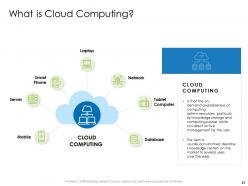
Folie 23: Auf dieser Folie wird Cloud Computing erklärt. Der Begriff wird normalerweise verwendet, um Rechenzentren zu beschreiben, die vielen Nutzern über das Internet zur Verfügung stehen.
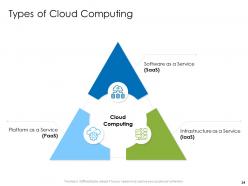
Folie 24: Auf dieser Folie werden die Arten von Cloud Computing vorgestellt.
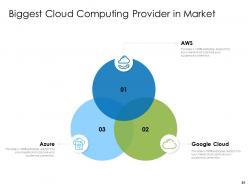
Folie 25: Auf dieser Folie werden die größten Cloud-Computing-Anbieter auf dem Markt vorgestellt.
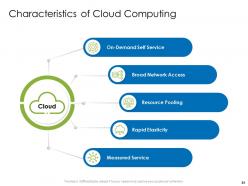
Folie 26: Auf dieser Folie werden die Merkmale von Cloud Computing vorgestellt.
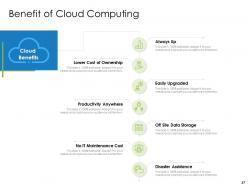
Folie 27: Auf dieser Folie werden die Vorteile von Cloud Computing vorgestellt.
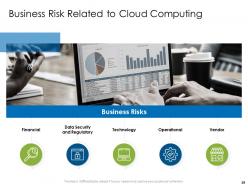
Folie 28: Auf dieser Folie werden die mit Cloud Computing verbundenen Geschäftsrisiken vorgestellt.
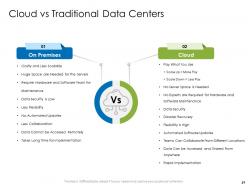
Folie 29: Auf dieser Folie werden Cloud und traditionelle Rechenzentren verglichen.
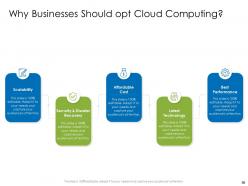
Folie 30: Auf dieser Folie wird dargestellt, warum Unternehmen sich für Cloud Computing entscheiden sollten.
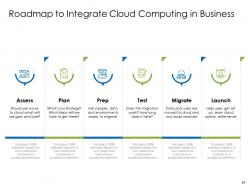
Folie 31: Auf dieser Folie wird der Fahrplan zur Integration von Cloud Computing in Unternehmen vorgestellt.
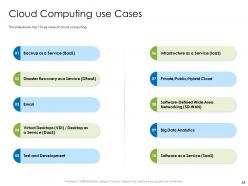
Folie 33: Auf dieser Folie werden die Cloud-Computing-Anwendungsfälle vorgestellt.
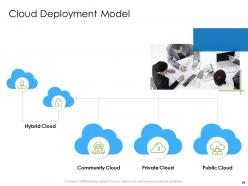
Folie 34: Auf dieser Folie wird das Cloud-Deployment-Modell vorgestellt.
Folie 35: Dies ist die Folie mit den DevOps on Cloud PowerPoint-Vorlagen-Symbolen.
Folie 36: Diese Folie führt in die zusätzlichen Folien ein. Dazu gehören - Ideengenerierung, Kreisdiagramm, Säulendiagramm usw.
Folie 37: Auf dieser Folie werden Informationen über das Unternehmen, d.h. der Abschnitt "Über uns", präsentiert. Dazu gehören die Werte für Kunden, die Zielgruppe und "Bevorzugt von vielen".
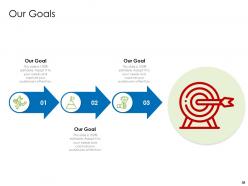
Folie 38: Auf dieser Folie werden unsere Ziele vorgestellt.
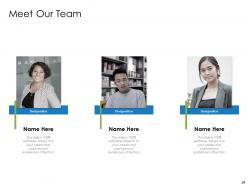
Folie 39: Auf dieser Folie werden die Mitglieder des Unternehmens-Teams mit Namen, Bezeichnung und Foto gezeigt.
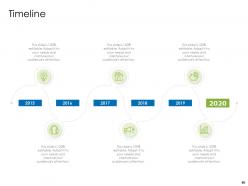
Folie 40: Diese Folie ist eine Zeitlinien-Vorlage, um den Fortschritt der Schritte eines Projekts im Laufe der Zeit darzustellen.
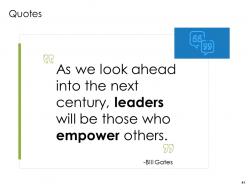
Folie 41: Dies ist die Zitate-Folie.
Folie 42: Dies ist die Folie zur Ideengenerierung. Sie wird verwendet, um Ideen für ein Projekt zu sammeln.
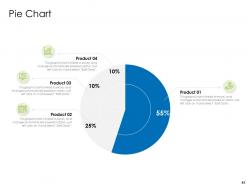
Folie 43: Auf dieser Folie wird ein Kreisdiagramm präsentiert.
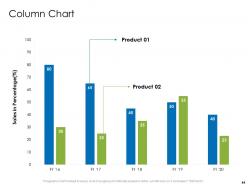
Folie 44: Auf dieser Folie wird ein Säulendiagramm gezeigt, das die Verkaufszahlen von 2 Produkten über einen Zeitraum von Geschäftsjahren vergleicht.
Folie 45: Dies ist eine Dankesfolie, auf der Details wie Adresse, Telefonnummer und E-Mail-Adresse hinzugefügt werden.
DevOps-Cloud-Präsentationsfolien PowerPoint-Vorlage mit allen 45 Folien
Unsere DevOps-On-Cloud-PowerPoint-Vorlage-Folien können Ihnen dabei helfen, wertvolle Zeit zu sparen. Sie sind fertig erstellt, um in jede Präsentationsstruktur zu passen.
FAQs for Devops on cloud powerpoint template slides
Honestly, the biggest wins are speed and not bleeding money on servers you don't need. Your deployment cycles get crazy fast since cloud stuff spins up instantly. Scaling is where it really shines though - you're only paying for what you actually use instead of those expensive servers sitting around doing nothing half the time. Dev and ops teams finally stop hating each other since they're all using the same dashboards. Oh, and the monitoring tools are actually decent compared to older setups. I'd start with getting your CI/CD pipeline automated first - that's where you'll notice results right away.
Honestly, just pick one of the big cloud CI/CD tools first - CodePipeline if you're on AWS, Azure DevOps, or Google Cloud Build. They hook right into your existing infrastructure which is clutch. Set up triggers from your repos, configure builds to use cloud compute, and get your deployment permissions sorted. The cool part? Auto-scaling means no more "build server's down again" headaches. Oh, and definitely use infrastructure as code so everything's tracked in version control. I'd start with just one service though - don't go crazy trying to migrate everything at once.
Dude, automation is literally what makes DevOps work in the cloud. You've got Infrastructure as Code spinning up environments the same way every time, CI/CD pipelines pushing your code without drama, and auto-scaling that just... handles traffic spikes while you're getting coffee. Trust me, doing this stuff manually is pure hell - I've been there. Cloud platforms throw so many automation tools at you it's almost overwhelming. My advice? Start with automating deployments first. That'll save you the most headaches. Then work your way up to infrastructure and monitoring once you're comfortable.
So microservices and DevOps are like a perfect match - they fix each other's pain points. With microservices, your CI/CD gets so much easier since you can ship individual services without breaking everything else. DevOps stuff like automated testing and containers make juggling all those services actually doable instead of pure chaos. Cloud platforms handle the scaling and infrastructure headaches for you. Honestly, I'd start simple though - just containerize one service first and get that deployment automated. Then you can go crazy with the rest. Trust me, trying to do everything at once is a recipe for losing your sanity.
Start with centralized logging - ELK stack or CloudWatch will save your sanity when things break. Distributed tracing too. Set up alerts for response times, error rates, and resource usage, but don't go crazy or you'll end up ignoring everything (been there). Tag consistently so you can actually filter by environment and service. JSON structured logging is honestly a game changer for searching through stuff. I'd focus on your critical user flows first, then build out from there. Oh, and monitor end-to-end journeys - partial visibility is almost worse than none.
Don't wait until the end to think about security - build it right into your pipeline from day one. Automated scanning tools like Snyk or Aqua are lifesavers for catching issues in your code and containers during builds. Yeah, "shift left" sounds like corporate speak, but it actually makes sense here. Set up proper IAM roles and log everything you can think of. Never hardcode credentials - use secrets management instead (learned that one the hard way). The trick is making your builds fail automatically when security issues pop up. Honestly, just start with one tool in your CI/CD and add more later.
Honestly, complexity is gonna be your biggest headache. Each cloud provider has totally different APIs and tools, so your CI/CD pipelines turn into this nightmare to manage. Security gets weird too when you're bouncing between AWS, Azure, GCP - different access controls everywhere. It's like... imagine trying to juggle while riding a unicycle, but the balls keep changing shape. My advice? Start with platform-agnostic stuff like Terraform and Kubernetes right away. Trust me on this one. Otherwise you'll be drowning in configurations that don't talk to each other.
Honestly, cloud-native tools are a total game-changer for DevOps stuff. They come with automation and scaling built right in, so you don't have to cobble everything together yourself. Your CI/CD pipelines scale automatically, containers fix those annoying "works on my machine" problems, and the monitoring actually catches issues before users start complaining. Most tools work well together since they're all designed for cloud environments. Infrastructure as code is probably my favorite part though - you can spin up entire environments with just a few commands. I'd say start small, containerize one app and try a managed CI/CD service first.
So IaC lets you treat infrastructure like regular code - version it, test it, deploy it. No more "works on my machine" headaches. You can spin up identical environments in minutes instead of waiting around for days. Your team reviews infrastructure changes through pull requests, catches weird configs early, and if something breaks you just roll back instantly. Honestly once you try it there's no going back. I'd start small with Terraform on one service first - don't go crazy trying to convert everything at once. Trust me, you'll get why people won't shut up about it.
Focus on these four: how often you're deploying, lead time from commit to production, recovery time when stuff breaks, and your change failure rate. Recovery time is gonna shock you - it's always worse than you think. Don't forget cloud costs per deployment either, that stuff adds up fast if you're not careful. Pick just one to start with this week and get decent visibility into it. I'd probably go with deployment frequency since it's straightforward. Then slowly build out your dashboard from there. You'll burn out trying to track everything at once.
Honestly, cost management changes everything about how you do DevOps in the cloud. It's actually pretty stressful at first - you're trying to move fast but also not blow your budget. You'll end up automating resource scaling and getting really good at tagging stuff properly. The weird thing is, those constraints actually make your practices better. You start right-sizing everything, auto-shutting down dev environments, monitoring like crazy. Oh, and set up cost alerts ASAP. Way better than explaining a surprise $8K AWS bill to your boss (learned that one the hard way). Smart cost controls aren't just about money - they force better DevOps habits.
Dude, version control is everything in cloud DevOps - it's literally your safety net. You'll want Git tracking all your code, infrastructure configs, deployment scripts, the whole mess. Teams working remotely? Multiple devs? Without it you're asking for chaos and people overwriting each other's work. Plus when stuff breaks (spoiler: it will), you can actually roll back instead of panic-debugging at 2am. The compliance folks eat up those audit trails too. Honestly, treat your infrastructure like code and commit everything. I learned this the hard way trying to recreate environments from memory - never again.
So basically containers let you package your app with all its dependencies, which makes moving between different cloud platforms way easier. Docker's pretty much the standard - I was skeptical at first but it's actually a game changer. The same container runs identically on your laptop and in production, which is huge for deployment consistency. Scaling gets faster, rollbacks are cleaner, and you don't get those annoying "works on my machine" issues anymore. I'd suggest picking one simple app to containerize first. Don't try to do everything at once or you'll hate yourself.
So you're gonna want to hit three main things: cloud basics (AWS, Azure, whatever), CI/CD stuff like Jenkins, and infrastructure-as-code with Terraform. The automation part always trips people up first - I've seen it happen so many times. Get your devs learning Docker and Kubernetes. Ops team needs monitoring tools like Prometheus or Datadog. Oh, and the soft skills thing is huge - breaking down silos means people actually have to talk to each other, which is harder than it sounds. Start with hands-on labs. Cloud certs are worth it too since they give you a clear path to follow.
So these tools basically tear down those annoying walls between your dev, ops, and QA people. Real-time chat plus CI/CD notifications all flowing into shared dashboards where everyone sees what's actually happening. Game-changer when monitoring alerts hit your team channel instead of disappearing into email hell - trust me on this one. The async stuff is clutch too since cloud teams are scattered everywhere. Honestly? Just start by piping your deployment notifications into Slack or Teams. You'll be shocked how fast problems get fixed when people aren't working in the dark.
-
Top Quality presentations that are easily editable.
-
Attractive design and informative presentation.
-
Enough space for editing and adding your own content.
-
Great quality product.
-
Really like the color and design of the presentation.