

Digital Cloud IT Powerpoint Presentation Slides




Try Before you Buy Download Free Sample Product
 Impress Your
 Audience
 100%
100% Editable
 Save Hours
 of Time


Cloud storage allows organizations and individuals to preserve data digitally, allowing it to be accessible at any time from any place. Check out our competently designed Digital Cloud template that gives a brief idea about the cloud storage service provider company, including an overview of the company, core values of the company, types of businesses they assist, and advantages of cloud storage to businesses. In this PowerPoint Presentation, we have covered why organizations choose the company and the usage of cloud storage in different industries such as healthcare, manufacturing, retail, and logistics. In addition, this PPT contains an overview of cloud storage introduction to cloud storage architecture, including generic architecture, levels of architecture, cloud storage access methods, scalability of the cloud, and cloud storage models. Also, the PPT presentation includes the types of cloud storage services and purposes for which cloud storage can be used, such as data backup and recovery, software testing and development, compliance, big data, and data lakes. Furthermore, this Public Cloud Storage template caters to the strategies for data transfer to the cloud and data backup. Get access now.
People who downloaded this PowerPoint presentation also viewed the following :
Content of this Powerpoint Presentation
Slide 1: This slide displays the title Digital Cloud (IT).
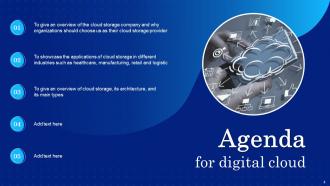
Slide 2: This slide displays the title Agenda.
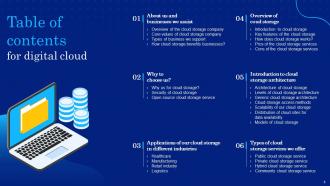
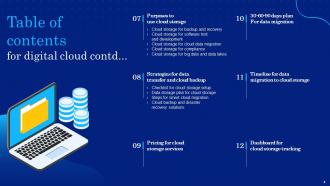
Slide 3: This slide exhibit table of content.
Slide 4: This slide exhibit table of content.
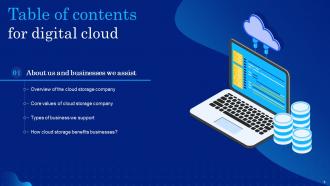
Slide 5: This slide exhibit table of content- About us and businesses we assist.
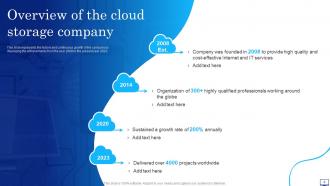
Slide 6: This slide represents the history and continuous growth of the company by displaying the achievements from the year 2008 to the present year 2023.
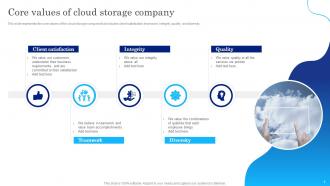
Slide 7: This slide represents the core values of the cloud storage company that includes client satisfaction, teamwork, integrity, quality, and diversity.
Slide 8: This slide describes the types of business we support, including small businesses and large enterprises.
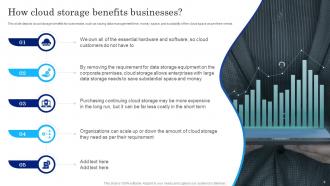
Slide 9: This slide depicts cloud storage benefits for businesses.
Slide 10: This slide exhibit table of content- Why to choose us?
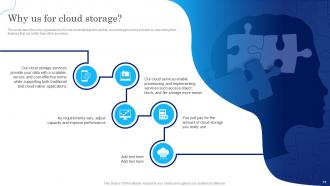
Slide 11: This slide describes why organizations choose cloud storage firm as their cloud storage service provider by describing their features.
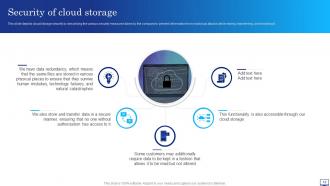
Slide 12: This slide depicts cloud storage security by describing the various security measures taken by the company.
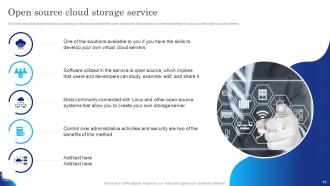
Slide 13: This slide describes an open-source cloud storage service available for the users who want it and possess excellent knowledge of Linux and other open-source systems.
Slide 14: This slide exhibit table of content- Applications of our cloud storage in different industries.
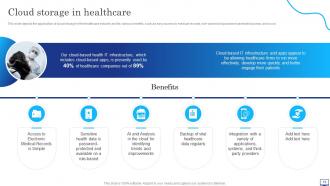
Slide 15: This slide depicts the application of cloud storage in the healthcare industry and its various benefits.
Slide 16: This slide depicts cloud storage in manufacturing and its benefits.
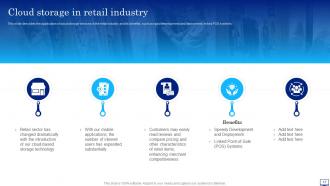
Slide 17: This slide describes the application of cloud storage services in the retail industry and its benefits.
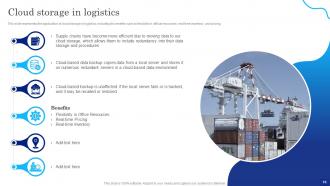
Slide 18: This slide represents the application of cloud storage in logistics.
Slide 19: This slide exhibit table of content- Overview of cloud storage
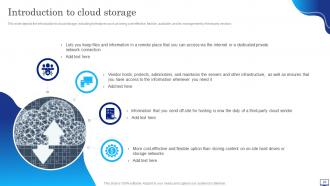
Slide 20: This slide depicts the introduction to cloud storage.
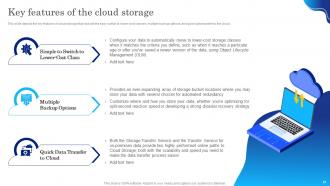
Slide 21: This slide depicts the key features of cloud storage.
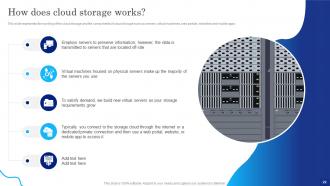
Slide 22: This slide represents the working of the cloud storage and the components of cloud storage.
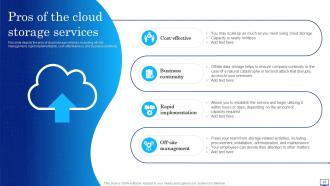
Slide 23: This slide depicts the pros of cloud storage services, including off-site management, rapid implementation, cost-effectiveness, and business continuity.
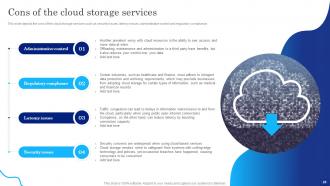
Slide 24: This slide depicts the cons of the cloud storage services such as security issues, latency issues, administrative control and regulatory compliance.
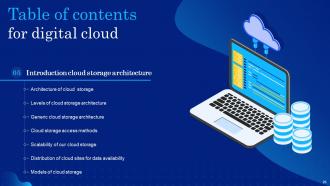
Slide 25: This slide exhibit table of content- Introduction cloud storage architecture
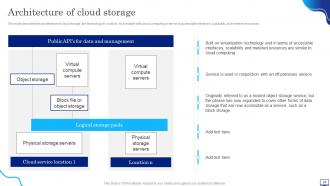
Slide 26: This slide describes the architecture of cloud storage.
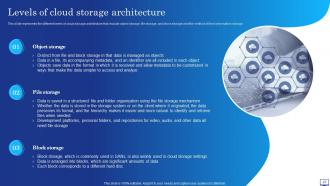
Slide 27: This slide represents the different levels of cloud storage architecture.
Slide 28: This slide depicts the generic cloud storage architecture and its various layers such as front-end, storge logic, and back-end storage and their functions.
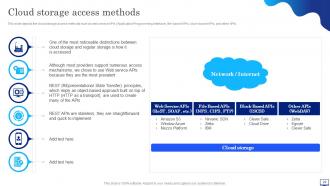
Slide 29: This slide depicts the cloud storage access methods such as web service APIs (Application Programming Interface), file-based APIs, block-based APIs, and other APIs.
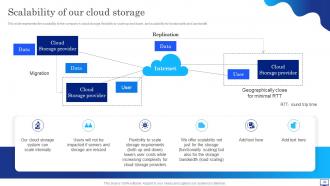
Slide 30: This slide represents the scalability of the company’s cloud storage, flexibility to scale up and down, and scalability for functionality and bandwidth.
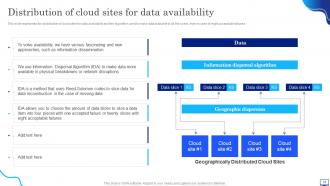
Slide 31: This slide represents the distribution of cloud sites for data availability and the algorithm used to make data available to all the users.
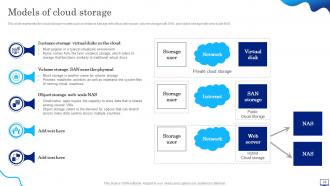
Slide 32: This slide represents the cloud storage models such as instance storage with virtual disk space, volume storage with SAN, and object storage with web-scale NAS.
Slide 33: This slide exhibit table of content- Types of cloud storage services we offer.
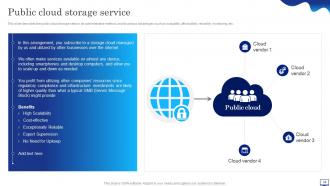
Slide 34: This slide describes the public cloud storage service, its administrative method, and its various advantages.
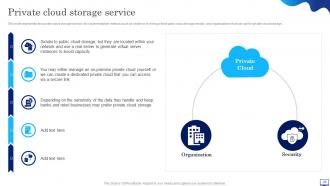
Slide 35: This slide represents the private cloud storage service, its implementation method.
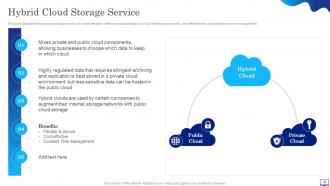
Slide 36: This slide depicts the hybrid cloud storage service, its implementation method, and advantages.
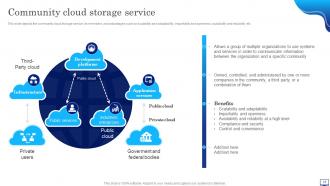
Slide 37: This slide depicts the community cloud storage service, its members, and advantages.
Slide 38: This slide exhibit table of content- Purposes to use cloud storage.
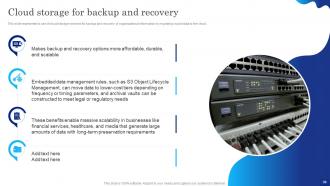
Slide 39: This slide represents to use of cloud storage services for backup and recovery of organizational information by migrating crucial data to the cloud.
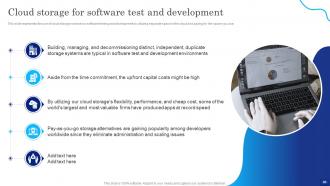
Slide 40: This slide represents the use of cloud storage services in software testing and development by utilizing separate space in the cloud and paying for the space you use.
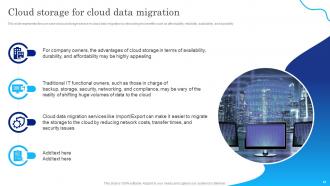
Slide 41: This slide represents the use case of cloud storage service in cloud data migration by describing its benefits.
Slide 42: This slide depicts the use of cloud storage services for data compliance through compliance controls, WORM restrictions, and audit log solutions.
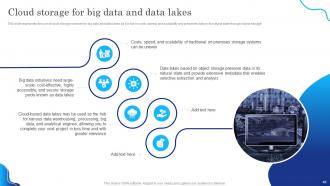
Slide 43: This slide represents the use of cloud storage services for big data and data lakes as it is fair in costs, speed, and scalability and preserves data.
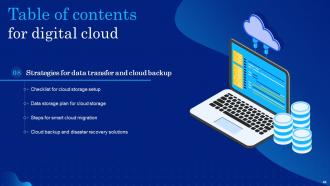
Slide 44: This slide exhibit table of content- Strategies for data transfer and cloud backup.
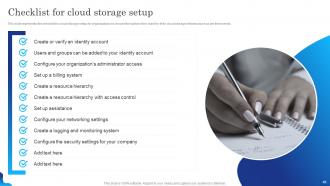
Slide 45: This slide represents the checklist for cloud storage setup for organizations to choose.
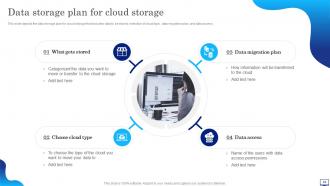
Slide 46: This slide depicts the data storage plan for cloud storage that includes data to be stored, selection of cloud type, data migration plan, and data access.
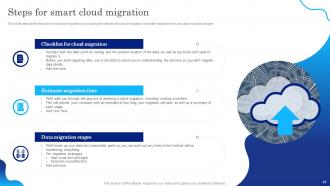
Slide 47: This slide depicts the steps for smart cloud migration by including the checklist for cloud migration, estimate migration time, and data migration stages.
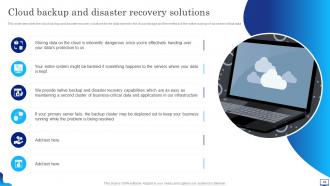
Slide 48: This slide describes the cloud backup and disaster recovery solutions for the data stored in the cloud storage.
Slide 49: This slide exhibit table of content- Pricing for cloud storage services.
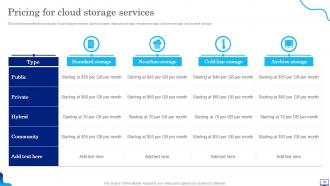
Slide 50: This slide represents the pricing for cloud storage services based on types, standard storage, nearline storage, cold line storage, and archive storage.
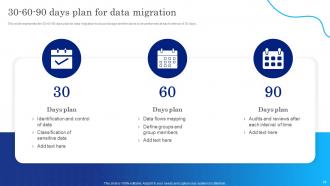
Slide 51: This slide exhibit table of content- 30-60-90 days plan for data migration.
Slide 52: This slide represents the 30-60-90 days plan for data migration to cloud storage and the tasks to be performed at each interval of 30 days.
Slide 53: This slide exhibit table of content- Timeline for data migration to cloud storage.
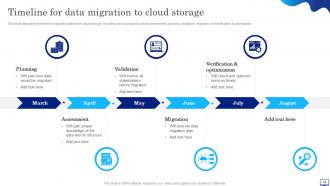
Slide 54: This slide depicts the timeline for migrating data to the cloud storage.
Slide 55: This slide exhibit table of content- Dashboard for cloud storage tracking.
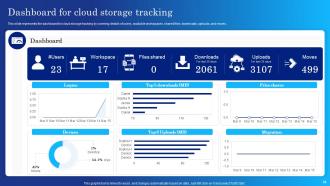
Slide 56: This slide represents the dashboard for cloud storage tracking by covering details of users, available workspaces, shared files, downloads, uploads, and moves.
Slide 57: This is the icons slide.
Slide 58: This slide presents title for additional slides.
Slide 59: This slide exhibits ideas generated.
Slide 60: This slide presents your company's vision, mission and goals.
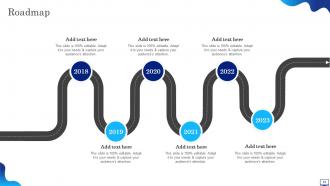
Slide 61: This slide shows roadmap of company.
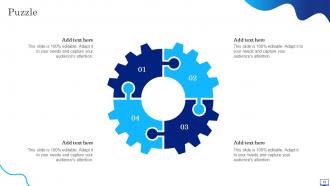
Slide 62: This slide shows puzzle for displaying elements of company.
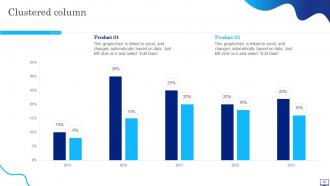
Slide 63: This slide shows Clustered column for different products.
Slide 64: This slide shows Meet our awesome team.
Slide 65: This is thank you slide & contains contact details of company like office address, phone no., etc.
Digital Cloud IT Powerpoint Presentation Slides with all 70 slides:
Use our Digital Cloud IT Powerpoint Presentation Slides to effectively help you save your valuable time. They are readymade to fit into any presentation structure.











FAQs for Digital Cloud IT
Honestly, the money savings alone make it worth it - no more paying for servers that just sit there doing nothing most of the time. Your team can work from literally anywhere, which has been a lifesaver since everyone went remote. Plus you get updates automatically and way better security than you'd probably manage yourself. When stuff breaks? That's their headache, not yours. Oh, and scaling up is crazy fast - need more power or storage? Takes minutes instead of waiting weeks for new hardware. I'd definitely test it out with something small first though, just to see how it goes.
So IaaS is basically renting a raw server - you're stuck managing everything from the operating system on up. PaaS is way more chill because it handles all that infrastructure stuff, so you just deploy your code (Heroku's a good example). SaaS? You're literally just the end user of someone's finished product. It's always that classic control versus convenience thing. More managed = less headaches but you can't customize as much. Honestly depends if your team wants to mess around with server configs or just wants to build features and call it a day.
Honestly, just nail the basics first - encryption for data moving around and stored data, plus solid access controls. Most cloud providers are pretty decent with encryption out of the box, but you'll want to verify your settings anyway. IAM policies are huge - only give people what they actually need. Multi-factor auth everywhere, obviously. API keys are the worst culprits though, they're always lurking in random code repos where they shouldn't be. Do regular security audits and start by cleaning up old user accounts. I bet you've got tons of former employees still sitting there with admin access.
Honestly, just figure out what you actually need first - your budget, what apps you're running, any compliance stuff. AWS has everything but gets expensive fast. Azure's great if you're already using Microsoft stuff. Google Cloud kills it for data analytics, which is kinda their thing. All three are solid though, so don't overthink it too much. I'd test out 2-3 of them with a small project first. Way better than guessing how their support actually works or if performance matches the marketing hype. Then you can migrate without any nasty surprises.
Look, the biggest win with cloud is you don't have to wait forever for IT to set stuff up anymore. Need to test something? Spin it up in minutes instead of waiting months. Your teams can actually try crazy ideas without blowing the budget on servers that might sit unused. The fail-fast thing is real - you're not stuck with expensive hardware if an experiment tanks. Oh, and you get access to all that fancy AI stuff that'd cost a fortune to build yourself. I'd honestly just pick one project that's been sitting in limbo because of resource issues and start there.
Set up cost tracking first thing - AWS Cost Explorer or Azure Cost Management will save your butt. Most people way over-provision at the start (I definitely did this), so audit what you're actually using this week. Auto-scaling is clutch since you only pay for what you need. Also, please tell me you're shutting down dev environments overnight? That alone can cut costs by like 30%. Set budget alerts before you hit your limits, not after. Focus on finding your biggest cost drivers - usually it's something obvious you missed.
You're basically splitting compliance duties with your cloud provider, which honestly gets messy pretty quick. They handle the infrastructure stuff, but you're still on the hook for the actual regulations. Make sure they've got the right certifications - SOC 2, ISO 27001, all that. Geography matters too since some rules require data to stay put in certain regions. The shared responsibility thing trips people up constantly. You'll need to configure access controls and encryption yourself even though they're securing the underlying systems. Oh, and definitely loop in your legal team before moving anything sensitive over - learned that one the hard way.
So hybrid cloud is pretty sweet - you get to keep your sensitive data locked down on-premise but then use public cloud when you need to scale fast. Most companies I've seen do way better with this setup than going all-in on either side. When demand suddenly spikes, you're not scrambling to buy new servers or whatever. Plus you're not stuck with just AWS or Azure forever. Run your steady workloads privately, then throw the unpredictable stuff at public cloud. Honestly? Just pick a few apps that need elastic scaling and start there.
Honestly, people get cloud migration so wrong. Everyone thinks it's automatically cheaper - nope, not unless you actually optimize things. Security's another big one - most folks assume on-premises is safer when cloud providers usually have way better security than what companies can pull off themselves. The "quick and easy migration" myth kills me too. And don't get me started on people thinking you lose control once you move everything over. You're still managing your data and who gets access to what. Sure, it's technically someone else's servers, but they've got redundancy most of us can only dream of. My take? Figure out what you actually need first, then worry about costs.
So you've got a few different ways to tackle this. API gateways work great - they're basically translators between your old stuff and the new cloud systems. Middleware platforms like MuleSoft handle most of the grunt work for you, or you could go with AWS/Azure's integration tools. Database replication might work better if it's mostly a data syncing thing. Honestly, I'd probably start with something non-critical first just to see how it goes. The whole thing sounds way more intimidating than it actually is once you figure out what needs to connect where. Then you can expand from there once you've got it dialed in.
Honestly, multi-cloud is everywhere now - companies don't want to be stuck with just AWS or Azure anymore. Edge computing's getting huge too since nobody wants to wait for data to travel halfway across the world. AI stuff is literally being shoved into every product (some of it's useful, some... not so much). Serverless functions are kind of a game-changer though. Makes the old days of babysitting servers feel ancient. Oh, and everyone's suddenly caring about green cloud initiatives and zero-trust security - probably should've happened sooner. Start messing around with serverless now if you haven't. Also learn two cloud platforms minimum. Trust me on this one.
Track both technical stuff and business impact to see if it actually worked. Performance metrics like load times and downtime are obvious ones. Compare your old infrastructure costs to the new cloud bills - though honestly, the first month or two might look funky until everything settles. User satisfaction surveys are pure gold here since they'll tell you if people actually notice a difference day-to-day. I'd set up a simple dashboard for the key numbers. Check it monthly for the first six months, then you can probably space it out more.
So instead of buying your own servers, you're basically renting storage space that scales up when you need it. No more dealing with hardware headaches or planning capacity months ahead. Everything backs up automatically, and you can grab your files from literally anywhere - super handy when you forget something at the office. You'll only pay for what you actually use too, which beats dropping huge money on servers that aren't even running at full capacity half the time. Honestly, I'd start with just one service first to see how it works for you before moving everything over.
Honestly, start with standardized APIs and data formats - that's your foundation. Docker and Kubernetes are absolute lifesavers for moving stuff between clouds without headaches. Design everything cloud-agnostic from the beginning. I learned this the hard way, but don't get trapped by vendor-specific services unless you absolutely have to. Set up solid data governance policies that work everywhere. Multi-cloud integration platforms are worth the investment too. The trick is thinking about this upfront instead of scrambling to fix it later when you're already locked in. Do a quick audit of what you've got now and spot any risky dependencies.
Honestly, start with one of the big cloud platforms - AWS, Azure, or GCP. Pick their certification path because you'll get actual hands-on practice instead of just theory. Three things you can't skip: cloud basics, automation stuff like Terraform (trust me, manually clicking through dashboards gets old fast), and security fundamentals. Docker and Kubernetes are basically required knowledge now too. The soft skills part is huge though - you're constantly explaining cloud stuff to people who have no idea what you're talking about. Also brush up on CI/CD pipelines since that's like... everywhere in DevOps. Infrastructure as Code will save your sanity.
-
I downloaded some of the presentations for work. They were simple to modify and saved me a lot of time and effort.
-
Excellent design and quick turnaround.