

E Commerce Product Management Powerpoint Presentation Slides




Try Before you Buy Download Free Sample Product
 Impress Your
 Audience
 100%
100% Editable
 Save Hours
 of Time


Introducing E-Commerce Product Management PowerPoint Presentation Slides. The process of conceiving, planning, developing, testing, launching, and delivering products in the market can be showcased with the help of our readily available e-business PPT templates. The product managers can utilize our ready-to-use B2B eCommerce PPT slide design to maximize sales revenues, market share, and profit margins for a company. Analyze market and competitive conditions using these digital economy PowerPoint visuals. You can also explain the process of warehousing and wholesaling models. Effective ways to manage eCommerce inventory can be displayed with our professionally designed online business framework PowerPoint infographics. Our B2C e-commerce model PPT layouts contain diagrams and high-quality icons with which you can make your presentation even more engaging. You can showcase the networking sites that provide online services by using our content-ready internet business PPt slide deck. Therefore, download our ready-to-use e commerce ppt slides and encompass the entire scope of online business.
People who downloaded this PowerPoint presentation also viewed the following :
Content of this Powerpoint Presentation
Slide 1: This slide introduces E Commerce Product Management. State your Company name and begin.
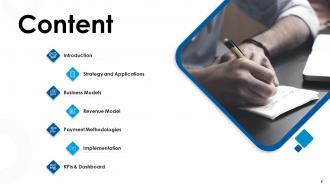
Slide 2: This slide displays Content of the presentation.
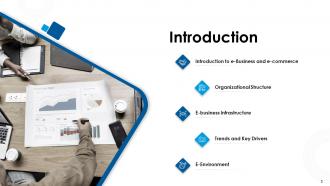
Slide 3: This slide displays Introduction
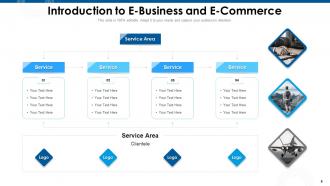
Slide 4: This slide showcases Introduction to E-Business and E-Commerce
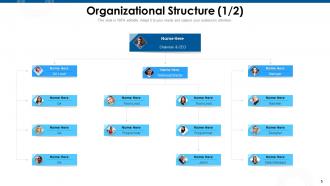
Slide 5: This slide represents Organizational Structure.
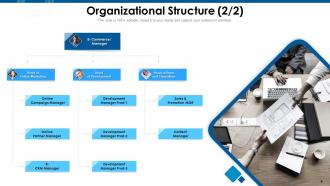
Slide 6: This slide represents Organizational Structure.
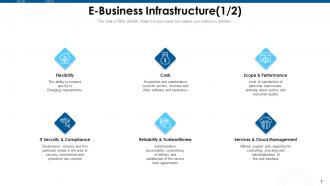
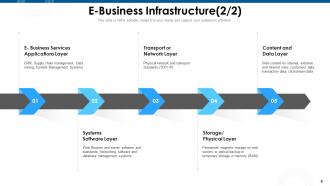
Slide 7: This slide showcases E-Business Infrastructure.
Slide 8: This slide shows E-Business Infrastructure.
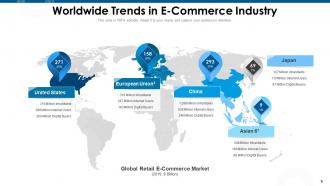
Slide 9: This slide depicts Worldwide Trends in E-Commerce Industry
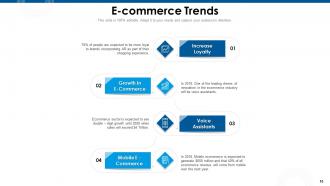
Slide 10: This slide displays E-commerce Trends
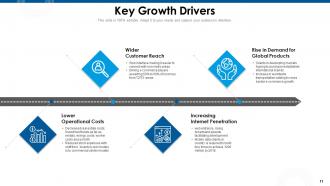
Slide 11: This slide depicts Key Growth Drivers.
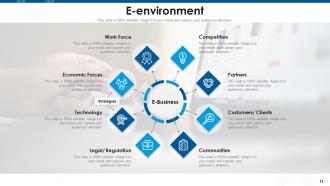
Slide 12: This slide displays E-environment.
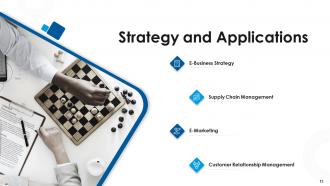
Slide 13: This slide showcases Strategy and Applications
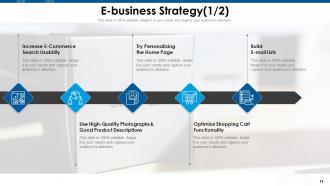
Slide 14: This slide showcases E-business Strategy.
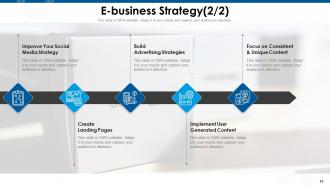
Slide 15: This slide displays E-business Strategy.
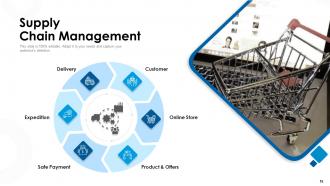
Slide 16: This slide showcases Supply Chain Management
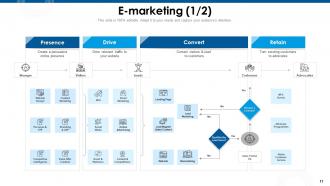
Slide 17: This slide displays E-marketing
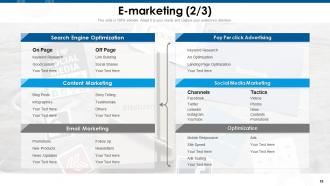
Slide 18: This slide showcases E-marketing.
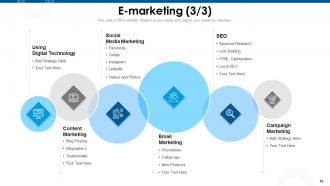
Slide 19: This slide contains information regarding E-marketing.
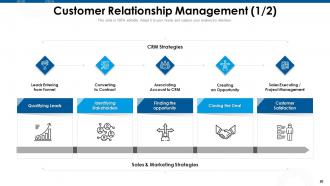
Slide 20: This slide displays Customer Relationship Management.
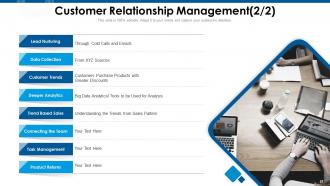
Slide 21: This slide showcases Customer Relationship Management.
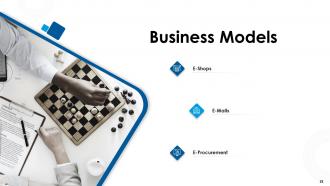
Slide 22: This slide shows Business Models containing- E-Malls, E-Shops, E-Procurement.
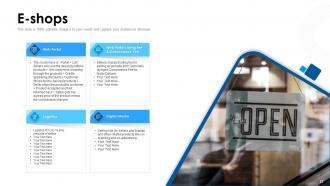
Slide 23: This slide presents E-shops model.
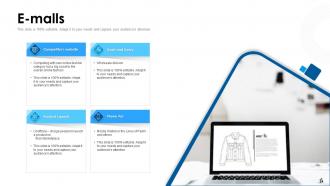
Slide 24: This slide shows E-malls models.
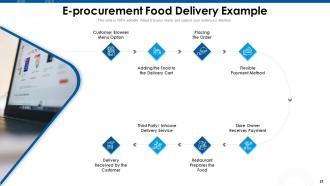
Slide 25: This slide displays E-procurement Food Delivery Example
Slide 26: This slide shows Revenue Model.
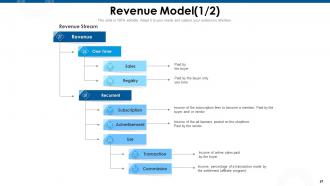
Slide 27: This slide highlights Revenue Model.
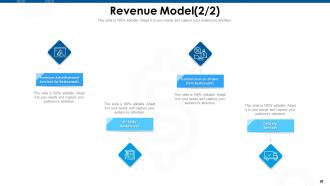
Slide 28: This slide presents Revenue Model.
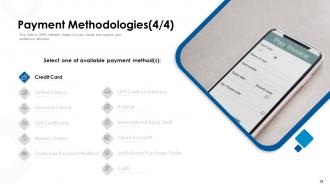
Slide 29: This slide showcases Payment Methodologies.
Slide 30: This slide shows Payment Methodologies.
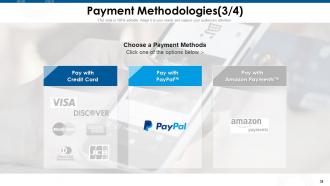
Slide 31: This slide showcases Payment Methodologies.
Slide 32: This slide depicts different Payment Methodologies.
Slide 33: This slide showcases Payment Methodologies.
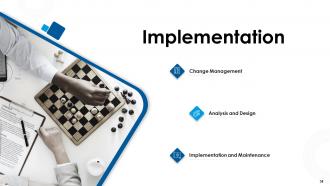
Slide 34: This slide shows information regarding Implementation and Maintenance
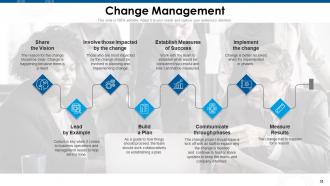
Slide 35: This slide displays information regarding change management. The change project should have a kick off with all staff to explain why the change is needed and continue to host or share updates to keep the teams and company informed.
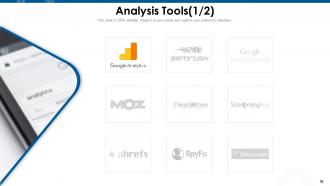
Slide 36: This slide shows Analysis Tools.
Slide 37: This slide depcits Analysis Tools.
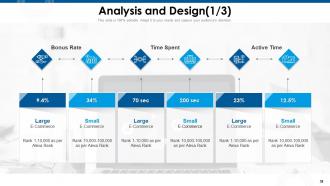
Slide 38: This slide shows Analysis and Design.
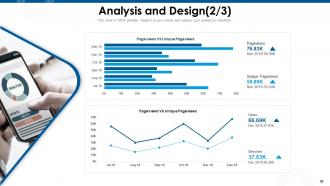
Slide 39: This slide represents information on Analysis and Design.
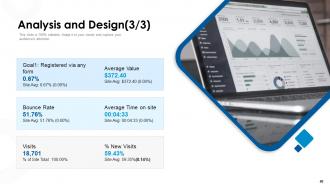
Slide 40: This slide shows information regarding Analysis and Design.
Slide 41: This slide displays Ecommerce Management KPIs & Dashboard
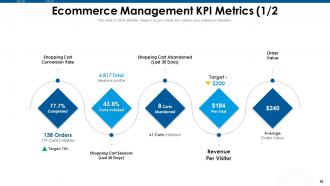
Slide 42: This slide shows Ecommerce Management KPI Metrics
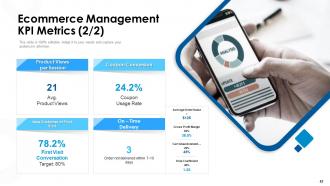
Slide 43: This slide showcases Ecommerce Management KPI Metrics.
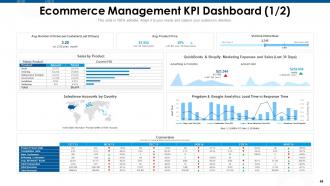
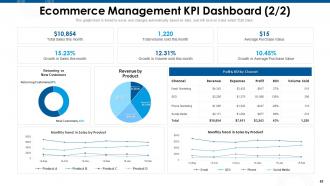
Slide 44: This slide depicts Ecommerce Management KPI Dashboard.
Slide 45: This slide showcases Ecommerce Management KPI Dashboard.
Slide 46: This is E-Commerce Product Management Icons Slide.
Slide 47: This slide is titled as Additional Slides for moving forward.
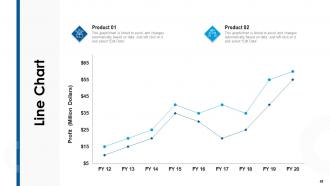
Slide 48: This slide displays Line chart for product Comparison.
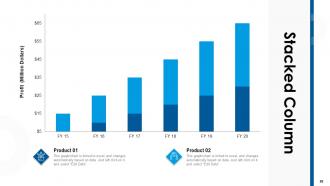
Slide 49: This slide shows Stacked Column chart for products Comparison.
Slide 50: This slide displays Our Vision, Mission and Goal.
Slide 51: This is Our team slide with Names and Designations.
Slide 52: This is About Us slide to display Company specifications.
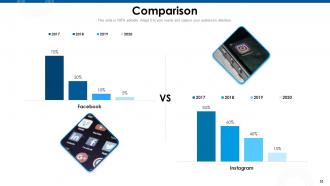
Slide 53: This slide displays Comparison.
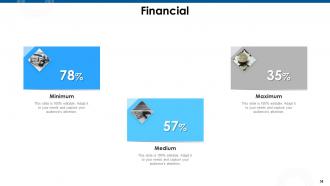
Slide 54: This slide shows finance related stuff.
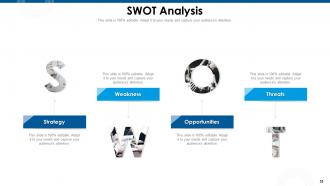
Slide 55: This slide represents SWOT Analysis
Slide 56: This is Puzzle slide.
Slide 57: This slide is titled as Post it Notes. Post your important notes.
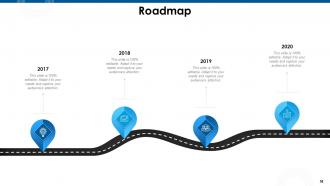
Slide 58: This slide displays Roadmap process.
Slide 59: This slide depicts Bulb & Idea for representing ideas and facts.
Slide 60: This is Thank you slide with Contact details.
E Commerce Product Management Powerpoint Presentation Slides with all 60 slides:
Use our E Commerce Product Management Powerpoint Presentation Slides to effectively help you save your valuable time. They are readymade to fit into any presentation structure.



FAQs for E Commerce Product Management
Focus on conversion rate first - track it by product and traffic source. Cart abandonment rate matters too, plus average order value and customer acquisition cost. Revenue per visitor is honestly my go-to metric because it shows if your traffic actually converts well. Oh, and don't sleep on retention stuff like repeat purchase rates and lifetime value by category. Pick maybe 3-4 that match your goals right now and automate the reporting so you're not manually pulling data every week. Start simple though - you can always add more later.
Honestly, market research saves you from building stuff nobody wants - I've watched so many startups crash because they skipped this step. It's pretty simple though. Run some surveys or customer interviews to figure out what people actually need (not what you assume). Check out your competitors too. Search volume data is surprisingly useful for spotting opportunities. Social listening can be good but takes forever to set up properly. Pick whatever method fits your budget first. The whole point is validating demand before you spend months developing something. Way better than crossing your fingers and hoping it works out.
Honestly, your customers are basically writing your roadmap for you - you just gotta pay attention. Reviews and support tickets will show you patterns that your team completely missed. I'm always shocked by what people actually struggle with vs. what we think they do. Set up some way to collect feedback regularly, then sort recent reviews by theme. Negative stuff? That's your fix-it list. Positive feedback shows you what to keep doing more of. The hard part isn't getting the data, it's actually doing something with it instead of just filing it away somewhere.
Okay so product categorization is honestly a game-changer for your business. Customers can actually find stuff instead of rage-quitting your site after 30 seconds. I mean, imagine scrolling through hundreds of random products just to find sneakers - annoying, right? Good categories also set you up for easy cross-selling since related items are grouped together. Your SEO will thank you too because search engines eat up that organized structure. My advice? Map out how your customers actually shop and think, then organize everything to match their brain patterns. Way more effective than whatever random system you're probably using now.
Honestly, dynamic pricing is your best bet for stuff with tons of competition - just adjust based on what others are charging. Bundle slower products with popular ones to boost your average order. That $9.99 trick still works even though it's old school. If you've got unique products, go value-based and charge what it's actually worth to customers. I'd pick 2-3 items this month and A/B test different prices. You'll be shocked what actually converts better. Start by checking your margins against competitor data first though.
Okay so inventory management is literally make-or-break for your store. You oversell something? Customers get pissed. Run out of stock? There goes your revenue. I've seen people stress-eat entire bags of chips over this stuff lol. But when you get it right, customers actually get what they ordered when they expect it. No backorders, no awkward "sorry we're out" emails. Set up those low-stock alerts ASAP - trust me on this one. Also make sure everything syncs across wherever you're selling. Amazon, your website, whatever. You'll save yourself so many headaches down the road.
Honestly, bullet points are your best friend here – people don't want to read paragraphs when they're trying to buy something. Focus on what the product actually does for them, not just boring specs. Get quality photos from different angles, plus those lifestyle shots where people can picture themselves using it. Most folks are shopping on their phones anyway, so make sure everything looks good on mobile. Oh, and sprinkle in some keywords naturally (don't stuff them in there like a robot). Test different versions to see what actually sells better. I'd start with your top 10 products first – no point fixing everything at once.
Honestly, diving into your sales data is a game-changer for predicting what's coming. Check out seasonal patterns and which products customers grab together - that stuff reveals so much. Google Trends is clutch here (seriously saved me from disaster multiple times). Don't just look at sales though. Social media buzz and search volumes tell a different story sometimes. External stuff like holidays mess with demand too, so factor that in. Set up weekly reports for your bestsellers so you'll catch shifts early. Oh, and combining different data sources beats relying on one metric every time.
Bundles are honestly such a smart move. Your customers save money and get everything in one go, while you bump up that average order value. Win-win situation right there. Here's what I love about them - you can sneak slower-moving inventory into bundles with your bestsellers. Boom, inventory problem solved. Marketing gets easier too since you're pushing fewer individual products but making way more per sale. Don't overthink it at first. Just peek at what people already grab together and bundle those up. Maybe throw in a slight discount to sweeten the deal? Your sales data will show you what's working pretty quick.
Dude, you gotta get ahead of seasonal stuff instead of just reacting when it hits. Look at last year's numbers right now - figure out when holiday items, summer gear, back-to-school things actually peaked. We got totally burned when winter coats sold out in November because I wasn't thinking ahead! Stock up 2-3 months before you expect demand to spike. Also switch up your promotions to match what people are actually thinking about seasonally. Honestly, being proactive saves so much stress compared to scrambling when sales suddenly jump or tank.
Aha! and ProductPlan are solid for roadmapping stuff. Jira's pretty much the standard for task management, though Monday.com's easier if your team isn't super technical. Honestly, half the teams I know just drown themselves in too many tools - way better to pick one thing and actually use it properly. Cin7 handles inventory management pretty well, connects to most platforms without being a nightmare. Oh, and definitely start with whatever's causing you the biggest headache right now instead of trying to fix everything at once. That never works out how you think it will.
Honestly, the magic happens when marketing and product teams actually sit down together regularly. Your marketing folks finally understand what the product can really do (instead of guessing), and product gets real customer feedback to build better stuff. Think of it like - one team knows how to talk to customers, the other builds what they need. When they sync up in regular meetings and share their data, you'll hit targets way more consistently. It's kinda obvious when you think about it, but so many companies still have these teams working in silos.
Dude, localization is gonna be your biggest headache - different languages, currencies, cultural stuff. It's like running separate stores honestly. Compliance is brutal too with all the tax rules and data laws varying by country. Shipping gets messy fast once you add customs and duties into the mix. Currency swings will screw with your pricing (learned that one the hard way). My advice? Pick one or two markets first and nail those systems down. Don't go crazy trying to launch everywhere - I've seen that backfire so many times.
Honestly, user-generated content is like having customers do your marketing for free. Reviews and photos from real buyers? Way more trustworthy than any fancy ad you could make. People just believe other customers more than brands - can't blame them really. The SEO boost is nice too since you're getting fresh content with natural keywords. Oh, and products with tons of reviews convert like 20-30% better. My advice? Bug people (nicely) for reviews after they buy. Maybe throw together a hashtag campaign so they'll share pics using your stuff. It's basically free advertising that actually works.
Honestly, start with the basics - fair wages, safe working conditions, no child labor. That stuff matters most. Then look at your environmental impact like shipping distances and packaging waste. I'd personally just pick your top 3 suppliers first and ask them straight up about their practices. Don't try to tackle everything at once or you'll go crazy. Most decent suppliers already have sustainability reports they can send you. Oh, and be upfront with customers about where things actually come from - people appreciate that transparency way more than you'd think.
-
I discovered this website through a google search, the services matched my needs perfectly and the pricing was very reasonable. I was thrilled with the product and the customer service. I will definitely use their slides again for my presentations and recommend them to other colleagues.
-
Topic best represented with attractive design.
-
Awesome presentation, really professional and easy to edit.
-
Excellent design and quick turnaround.
-
Great product with effective design. Helped a lot in our corporate presentations. Easy to edit and stunning visuals.