

E commerce website design proposal powerpoint presentation slides




Try Before you Buy Download Free Sample Product
 Impress Your
 Audience
 100%
100% Editable
 Save Hours
 of Time


Our E Commerce Website Design Proposal Powerpoint Presentation Slides are topically designed to provide an attractive backdrop to any subject. Use them to look like a presentation pro.
People who downloaded this PowerPoint presentation also viewed the following :
Content of this Powerpoint Presentation
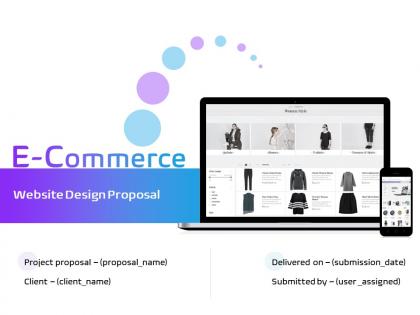
Slide 1: This slide introduces E-Commerce Website Design Proposal. State Client name, Submission date, User assigned.
Slide 2: This slide displays Cover Letter for E-commerce Website Design Services
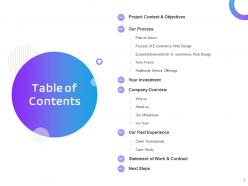
Slide 3: This slide depicts Table of Contents of the presentation.
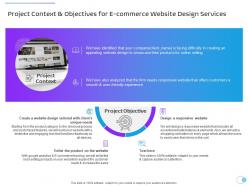
Slide 4: This slide showcases Project Context & Objectives.
Slide 5: This slide displays Project Context.
Slide 6: This slide depicts Additional Service Offerings.
Slide 7: This slide showcases Plan of Action for E-commerce Website Design Services.
Slide 8: This slide presents Process for E-commerce Website Design Services.
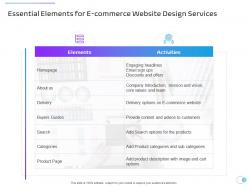
Slide 9: This slide depicts Essential Elements for E-commerce Website Design Services.
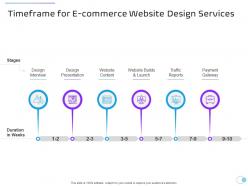
Slide 10: This slide shows Timeframe for E-commerce Website Design Services.
Slide 11: This slide represents Additional Service Offerings for E-commerce Website Design Services.
Slide 12: This is Your Investment slide.
Slide 13: This is also Your Investment slide for E-commerce Website design Services.
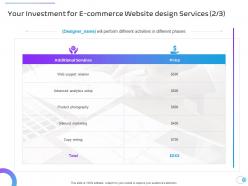
Slide 14: This slide represents Your Investment for E-commerce Website design Services.
Slide 15: This is Your Investment slide for E-commerce Website design Services.
Slide 16: This slide displays Company Overview.
Slide 17: Why Us for E-commerce Website Design Services
Slide 18: This is About Us slide to showcase Company specifications.
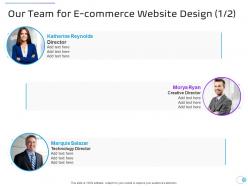
Slide 19: This is Our Team slide for E-commerce Website Design.
Slide 20: This is also Our Team slide with Names and Designations.
Slide 21: This slide displays Our Milestones for E-commerce Website Design Services.
Slide 22: This slide shows Case Study.
Slide 23: This slide displays Client Testimonials for E-commerce Website Design.
Slide 24: This slide represents Client Testimonials for E-commerce Website Design.
Slide 25: This slide shows Case Study for E-commerce Website Design Services.
Slide 26: This slide displays Statement of Work & Contract.
Slide 27: This slide presents Statement of Work and Contract for E-commerce Website Design Services.
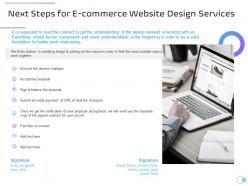
Slide 28: This slide shows Next Steps.
Slide 29: This slide shows Next Steps for E-commerce Website Design Services.
Slide 30: This is Icons Slide for E-commerce Website Design Proposal.
Slide 31: This slide is titled as Additional Slides for moving forward.
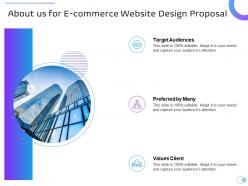
Slide 32: This is About us slide for E-commerce Website Design Proposal.
Slide 33: This slide depicts Mission, Vision and Values for E-commerce Website Design Proposal
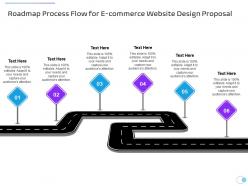
Slide 34: This slide shows Roadmap Process Flow for E-commerce Website Design Proposal.
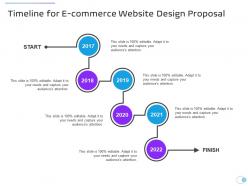
Slide 35: This slide displays Timeline for E-commerce Website Design Proposal.
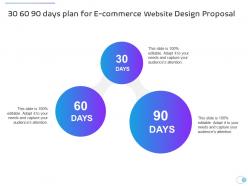
Slide 36: This is 30 60 90 days plan slide for E-commerce Website Design Proposal.
E commerce website design proposal powerpoint presentation slides with all 36 slides:
Use our E Commerce Website Design Proposal Powerpoint Presentation Slides to effectively help you save your valuable time. They are readymade to fit into any presentation structure.
















FAQs for E commerce website design proposal
Start with the basics - product catalog, cart, checkout, payment stuff. Mobile responsive is non-negotiable these days. Security's massive, so definitely mention SSL and PCI compliance. Honestly, competitor analysis is where you'll really shine because clients eat that up. They want to see how they'll beat their competition. Cover the CMS, inventory management, any integrations they're asking for. Oh, and third-party stuff always comes up later if you don't address it upfront. Finish with a solid timeline and specific deliverables - vague proposals lose every time.
Dude, good UX literally saves your conversion rates. I've watched sites cut checkout abandonment by 30% just by ditching random form fields - it's wild how much those little annoyances matter. Make sure your navigation doesn't suck, add decent product filters, and for the love of god make your checkout simple. Mobile responsiveness isn't optional anymore either. Oh, and map out where users are currently bailing on your site first. Clear search bars and readable descriptions seem obvious but you'd be surprised how many sites mess this up. Remove friction everywhere you can find it.
Dude, you HAVE to get your mobile game right - like 70% of people are shopping on their phones now. If your checkout's clunky or images look weird on mobile, they're gone. Google loves mobile-friendly sites too, so there's that SEO boost. Honestly? Start with mobile-first design instead of trying to retrofit later - learned that the hard way on a previous project. Test on real phones, not just those browser dev tools (they lie sometimes). Your conversion rates will tank if someone can't easily tap "buy now" with their thumb. Short sentences work better on small screens anyway.
Honestly, keep your main menu simple - like 5-7 categories tops. Skip the cutesy names and just say what stuff actually is. "Women's Shoes" works way better than whatever creative thing you're thinking of. Your search bar needs to be super obvious, and throw in some good filters on category pages. Breadcrumbs help too so people don't get totally lost wandering around. Oh, and test everything on mobile first - I swear half my friends only shop on their phones now. Map out where customers might actually go and you'll spot the confusing parts pretty quick.
Honestly, most sites just throw everything at you at once and it's a mess. Start with your hero products - bigger images, bold prices, maybe some bright sale badges. Those should hit first. After that, guide people down with clean spacing for the secondary stuff like reviews and specs. Short sentences work. But then mix in some longer ones that feel natural when you read them aloud. The whole point is creating a flow where someone's eyes move logically from the main thing to the details. Oh, and definitely test different layouts - you might be surprised what actually gets people clicking. Size and contrast are your best friends here.
Stripe and PayPal are your best starting points - their APIs are actually decent to work with. Square's solid too if you need in-person payments. For international stuff, maybe add Klarna for European customers or Razorpay if you're going after India. Oh, and definitely throw in Apple Pay/Google Pay since everyone's obsessed with those now. Honestly though? Don't go crazy with options right away. Pick like 2-3 max so your checkout doesn't look overwhelming. You can always add more later once you see what your users actually prefer.
Honestly, build SEO right into your site from the start - way easier than fixing it later. Clean URLs and fast load times are huge since Google cares about that stuff. Make sure it works well on mobile first, then desktop. Your product pages need proper headings (H1, H2, whatever) and the whole site should make sense when people click around. Oh and compress those product images or your site will crawl. I learned that one the hard way lol. Set up your categories and internal links early so you're not stuck doing damage control after you launch.
Dude, focus on the stuff that actually builds trust with customers. Contact info needs to be super clear - like, make it obvious you're a real business. Get some security badges up there and definitely show customer reviews. Professional product photos are crucial too (seriously, blurry shots just look sketchy). Your return policy should be easy to find, and if you can swing it, add testimonials with actual names and faces. SSL certificates during checkout are a must. Oh, and any "as seen in" media logos help tons if you've got them. Honestly these basics alone will cut your cart abandonment way down.
Dude, start with a killer headline and good photos right up top. Put your buy button where people can actually see it without scrolling - I swear some sites hide that thing on purpose! Focus on what the product does for them, not just boring specs (save those for tabs). Reviews are huge for building trust. Stock counters or flash sales create urgency if you can swing it. Honestly, I'd test a few different layouts with actual people before going live. The whole point is making it stupid easy to buy - if someone has to hunt around for basic info like price, you've already lost them.
Honestly, I'd put social proof wherever people are actually deciding to buy - product pages, checkout, maybe your homepage. Reviews work great right under product descriptions. Landing pages? That's where testimonials really do their thing. But don't go crazy with it - too many review widgets just screams desperate, you know? Keep things scannable with star ratings and short snippets instead of these massive text blocks. Oh, and definitely grab some user-generated content from social media. People trust real customer photos way more than those fake stock images. I'd start by figuring out where people convert most and focus there first.
Dude, personalized stuff works because it makes people feel like you actually get them. Show product recommendations based on what they've browsed, or just do simple things like "Welcome back, Sarah!" – honestly, it's such an easy win. People hang around way longer when your site feels like it knows their vibe. Think of it like a good bartender who remembers your drink order, but digital. The whole retention thing happens because you're creating something unique that feels familiar to them. I'd start with personalized product suggestions on your homepage first – super simple but you'll definitely see people engaging more.
Okay so for purchase pages, you need that trust factor without scaring people off. High contrast is your friend - dark text, light backgrounds, super readable. Then pick one bold accent color for your buy buttons (orange and red work great). Blue's clutch for trust, which is probably why PayPal and Amazon plaster it everywhere. Clean fonts like Inter or Roboto scan way better on phones too. I know Amazon looks boring as hell, but there's a reason it converts so well. White space is everything - don't cram stuff together. Make those "Add to Cart" buttons impossible to miss.
Dude, you've gotta make those SSL certificates and security badges super obvious on your site. People are honestly paranoid about this stuff - and rightfully so! Put your PCI compliance info right on the payment pages, make sure two-factor authentication is visible during checkout. Privacy policy links should be everywhere too. Oh, and get testimonials that specifically mention customers feeling "safe" shopping with you - that hits different than generic reviews. The whole thing is, if someone can't immediately spot how you're protecting their data, they'll just go buy from Amazon instead. Make it impossible to miss.
Start with alt text on all your images and make sure keyboard navigation actually works. Color contrast needs to hit WCAG standards too - screen readers are super common now. Your checkout should flow in a straight line without relying on hover effects. Clear form labels are a must, and don't forget visible focus indicators. Honestly, WAVE and axe are way better for testing than just guessing if something works. The real trick? Build it accessible from day one instead of fixing it later - trust me, you'll thank yourself.
Honestly, start with user testing first - way cheaper than building stuff that might flop. Get some real people to walk through buying something while you watch and take notes. A/B testing is solid too for comparing conversion rates between your new design and what's there now. Heat mapping tools like Hotjar are pretty eye-opening, shows you exactly where people actually click vs where you think they will. Run some usability tests on the checkout flow and mobile stuff especially. Oh and bounce rates - definitely track those. The user testing will give you quick wins before you spend money on development.
-
Wonderful templates design to use in business meetings.
-
Excellent work done on template design and graphics.
-
Nice and innovative design.
-
Attractive design and informative presentation.