

Ecommerce website design proposal powerpoint presentation slides




Try Before you Buy Download Free Sample Product
 Impress Your
 Audience
 100%
100% Editable
 Save Hours
 of Time


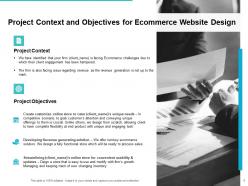
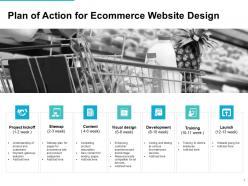
Introduce your brand’s online services in an outstanding manner to grow your sales in leaps and bounds by utilizing this Ecommerce Website Design Proposal PowerPoint Presentation Slides. The need for the attractive digital platform to thrive in a competitive market can be explained to your customers by employing our ready to use online shopping bid PowerPoint theme. You can list out the client’s offerings and services in an appealing way to accelerate business growth. Highlight the goals such as improving conversion, client engagement and revenue generation by cross-selling which your users can attain by taking aid of our digital shopping contract PPT template. You can explain to your clients how the automation of the inventory management process can save their valuable time and resources and result in a beautiful logical shopping experience. The project objectives like creating a customized online store to cater to needs, developing revenue generation solutions, streamlining consumer’s online store for convenient usability and updates can be mentioned to give insight into the significance of virtual store. You can illustrate the complete plan of action for e-commerce website design by elaborating on design phases like project kick-off, sitemap, content, visual design, development, training and launch. By incorporating our content ready e-commerce platform bid PowerPoint visuals, mention the activities involved in research, planning, web design, front end developer, back end development, and quality assurance. For providing your customers with an estimation of the time required for every phase to be completed, you can mention the duration in terms of weeks in this customizable virtual shopping store PPT slideshows. Hence download our website presentation ppt and attract a huge audience.
People who downloaded this PowerPoint presentation also viewed the following :
Content of this Powerpoint Presentation
New clients are a rugged door to budge. They can not be swayed by mere words; they need actions, visuals, facts, and more. Thus, you need the proper resources to proceed when you seek the client's approval for any project or service.
The same goes for eCommerce website development services.
If you want to convert potential clients into actual ones, you need to showcase to them that your eCommerce website development services are extensive and reliable. An eCommerce website design proposal can help with this task.
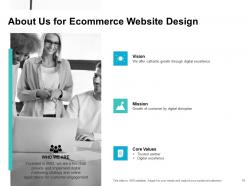
SlideTeam has brought you a 100% editable eCommerce website design proposal template. This proposal template allows you to enlighten your clients and audience about the project's specifics, including the entire development process, past client details and experience, company overview, and so much more.
The information curated in this template will help you improve your clients' opinions of your business, thus bringing in revenue. Check out the major offerings in the template and see how they can benefit you.
Feeling overwhelmed? This eCommerce web design template can be your guiding light, offering a fresh perspective and helping you navigate through the complexities of the project.
Template 1: Plan of Action for eCommerce Website Design
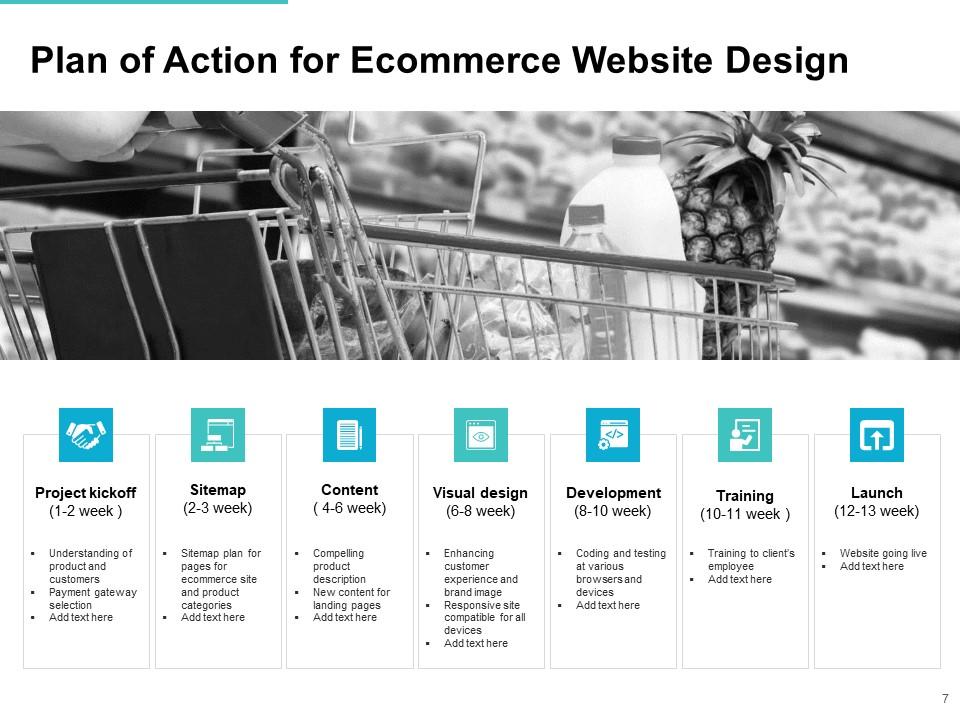
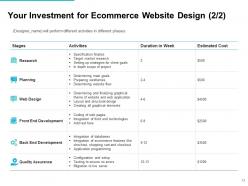
Your client should know how your team will create the website design. Hence, this template includes a slide that showcases the details related to the project. The process kicks off with an extensive conversation with the client regarding their needs, which usually takes up to two weeks to conclude. The team can then create a sitemap based on the details provided. Next, you can add some suitable content to the website and proceed to the other steps of the process.
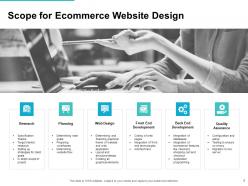
Template 2: Scope for eCommerce Website Design

Your client may be skeptical about the scope of eCommerce website development and have questions about what your team would be doing to design a well-versed website. This is where your team should inform them about the scope of the process using this PPT Template. You can tell them that your team will research and analyze the competition and client requirements, plan and design the website, indulge in front-end development, and proceed with other necessary activities.
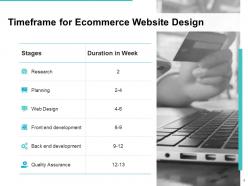
Template 3: Timeframe for eCommerce Website Design
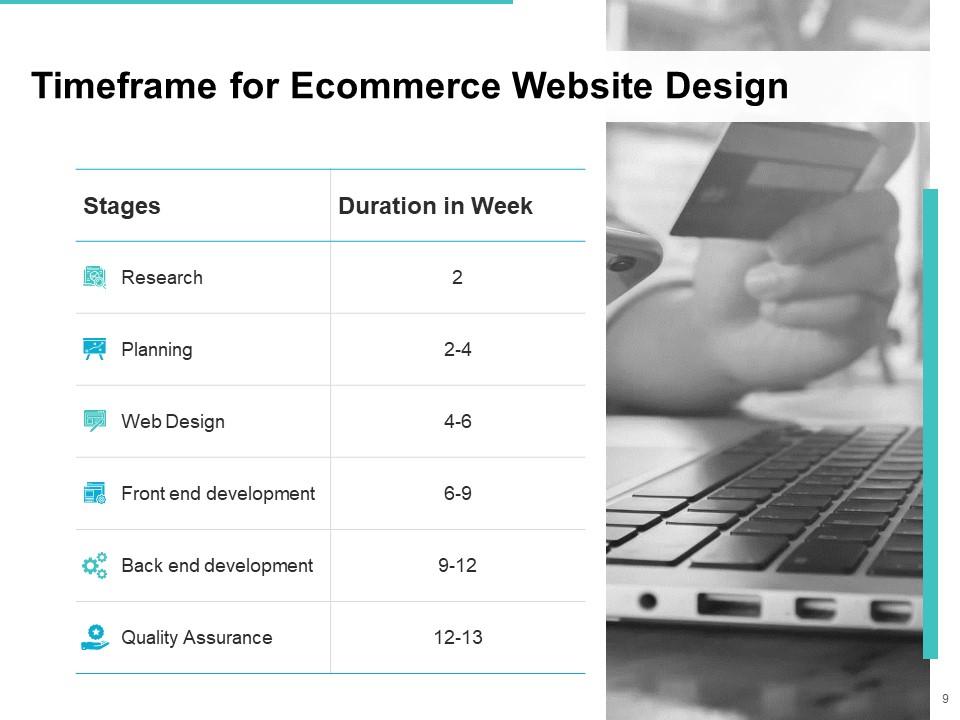
If your business is transparent with the project proceedings, it helps obtain the client's confidence. Hence, you can use this template to explain the timeframe of the entire project to the very last stage. You can showcase the stages of the eCommerce website design in one column and its period in another. Within this table, you can explain each stage's tentative but approximate timeline. This will help your business meet various deadlines for your professionals as well.
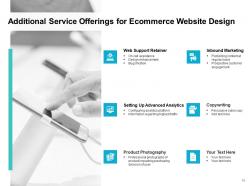
Template 4: Additional Service Offerings for eCommerce Website Design

When it comes to website design and development, your clients can get their hands on various competitors. To make them stay with your business, you must show them that your services are better than others. You can use this slide to showcase your additional website development services. This includes services related to inbound marketing, support retention, usage of advanced analytics tools and processes, copywriting, and more. All of these will help you strengthen the viability of your services.
Template 5: Your Investment for eCommerce Website Desig
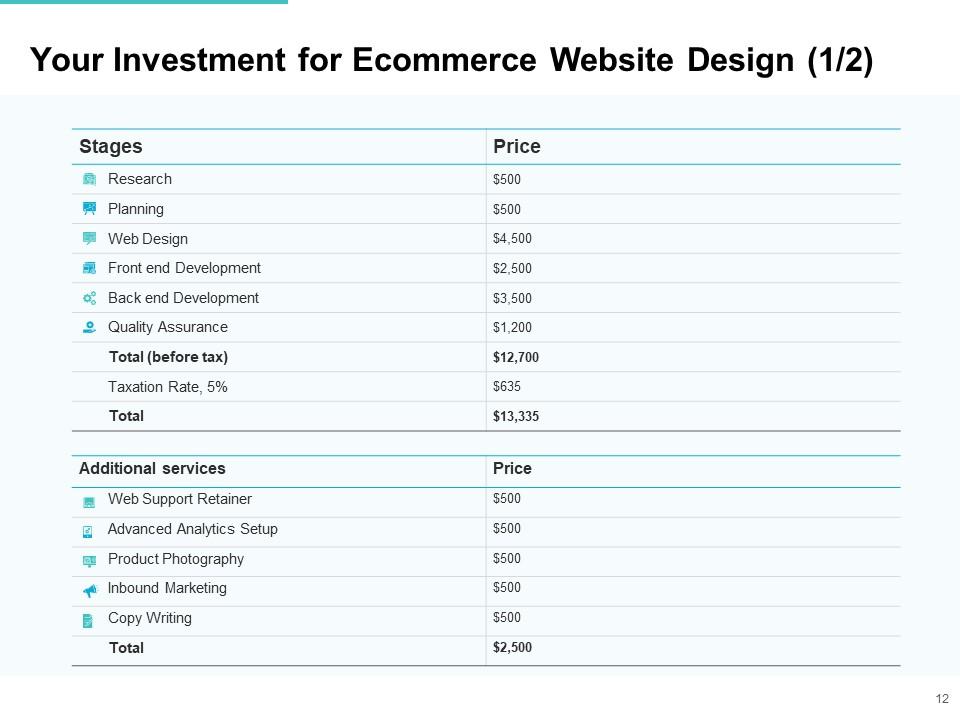
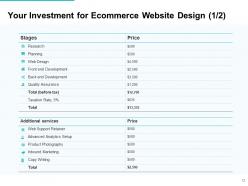
Your potential clients will only trust your services when you are upfront about the pricing structure. It will help you a lot if you showcase the entire pricing structure. Using this slide, you can explain what you changed, why you charged, what every stage of website design will cost, and more. Thereon, the client can choose the required package with the required stages. You can showcase the prices of the actual stages and additional services to help your client decide accordingly.
Template 6: Why Us for eCommerce Website Design
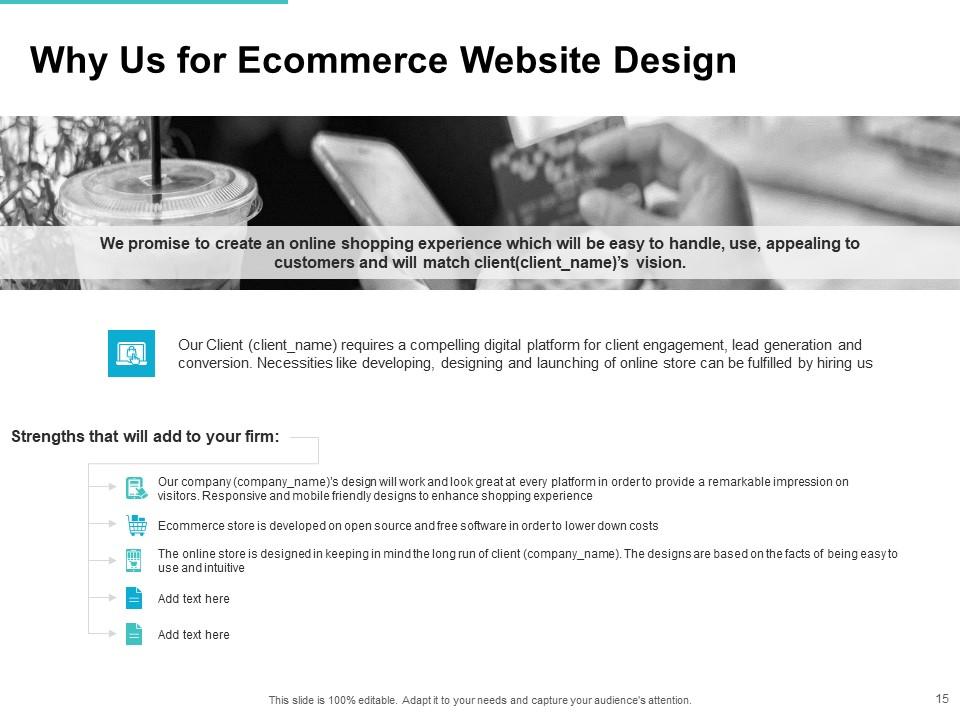
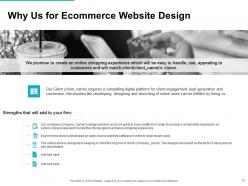
This PPT Layout is helpful for your business as it offers the specifics of your website design services. Using this slide, you can enlighten clients that your services will help their business stand out. You can inform them that your team of professionals can offer them a faster, better, more attractive, and more straightforward website than your competitors. You can state that you will be using an open-source structure to help reduce the cost of website development and add other insights as needed.
Template 7: Our Team
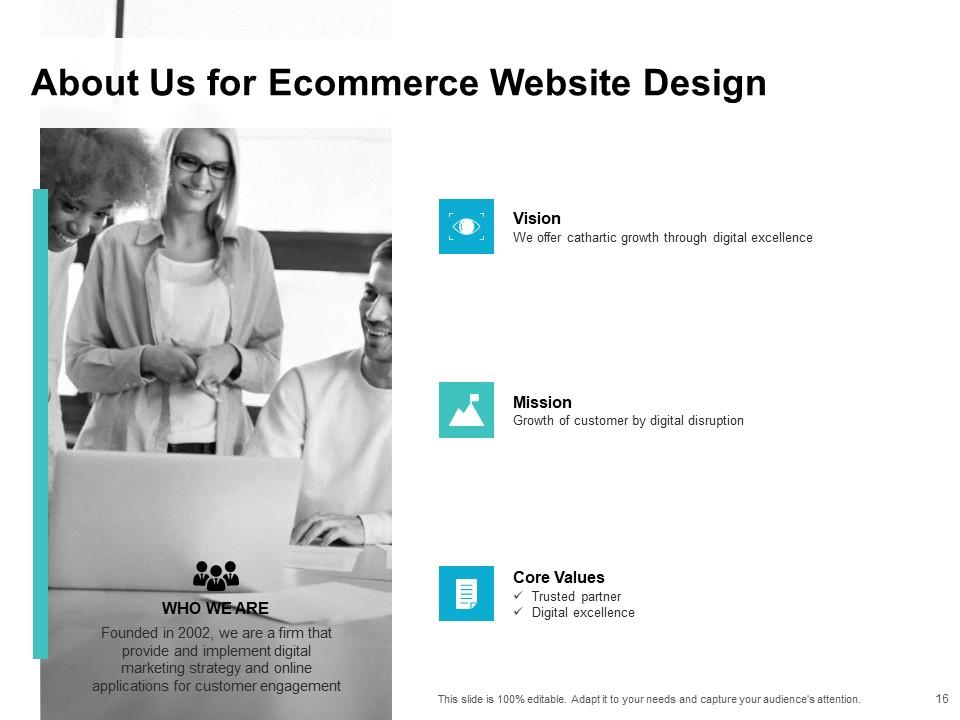
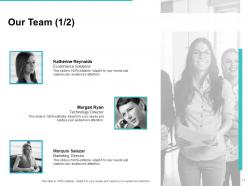
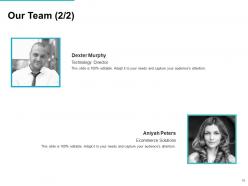
The team you employ for eCommerce website design is crucial for such a sensitive matter. Using this document, you can offer insights about the experience of individual team members, the details of the previous projects they have worked on, their role and position in the company and this project, and more. All these details will help your clients understand that their project is in good hands and will be handled professionally.
Template 8: Client Testimonials
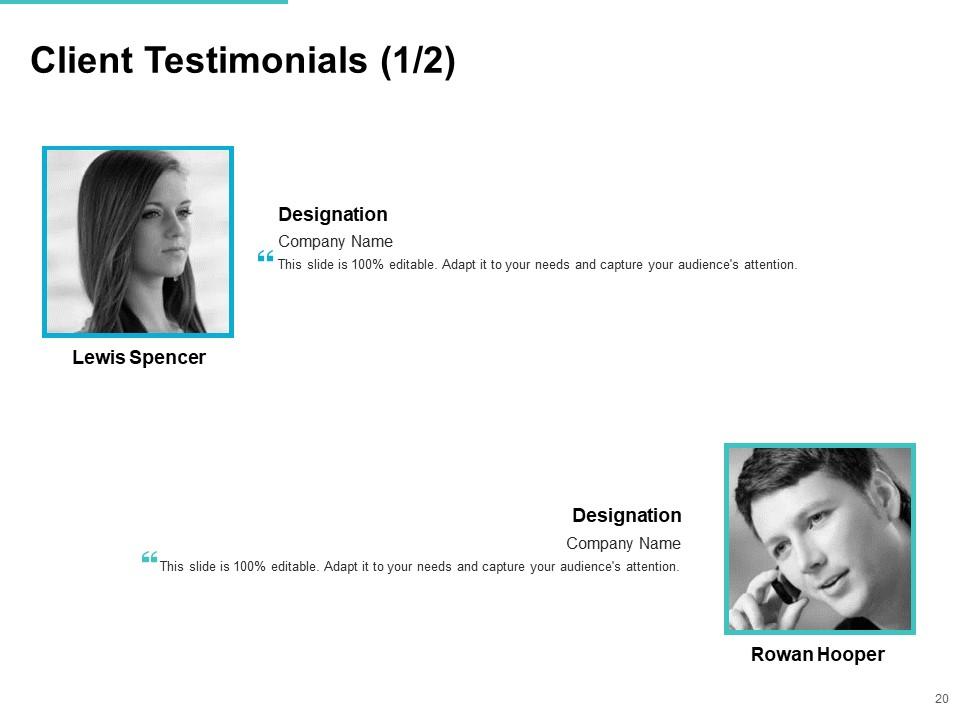
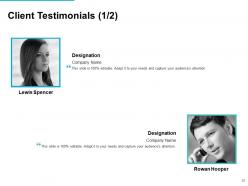
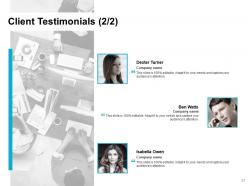
What better way than client testimonials to back up your services? You must have had some satisfied clients previously. This slide will help you add the details of such clients to this eCommerce website design proposal template. Client testimonials will help shape a positive image for your business in the clients' minds. You can add names, companies, designations, statements of review, contact information, and other required details in client testimonials.
Template 9: Case Study for eCommerce Website Design
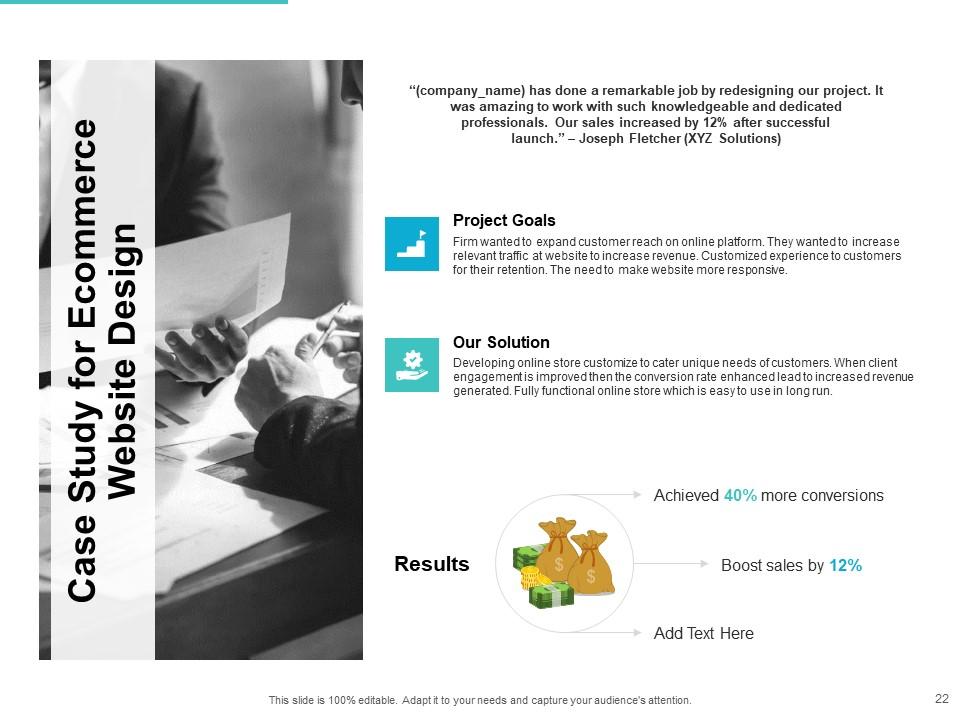
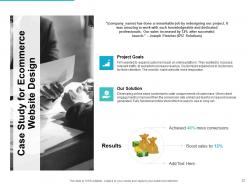
If you want to showcase the viability of your services and the responsiveness of your team, a case study helps present how well your professional team handles challenges. You can use a real-life case from your business’s history to represent the goals laid out before you and your solution to the problem. With this PPT Template, you can showcase the project results.
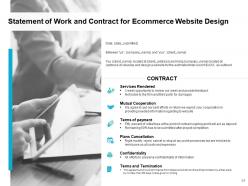
Template 10: Statement of Work and Contract for eCommerce Website Design
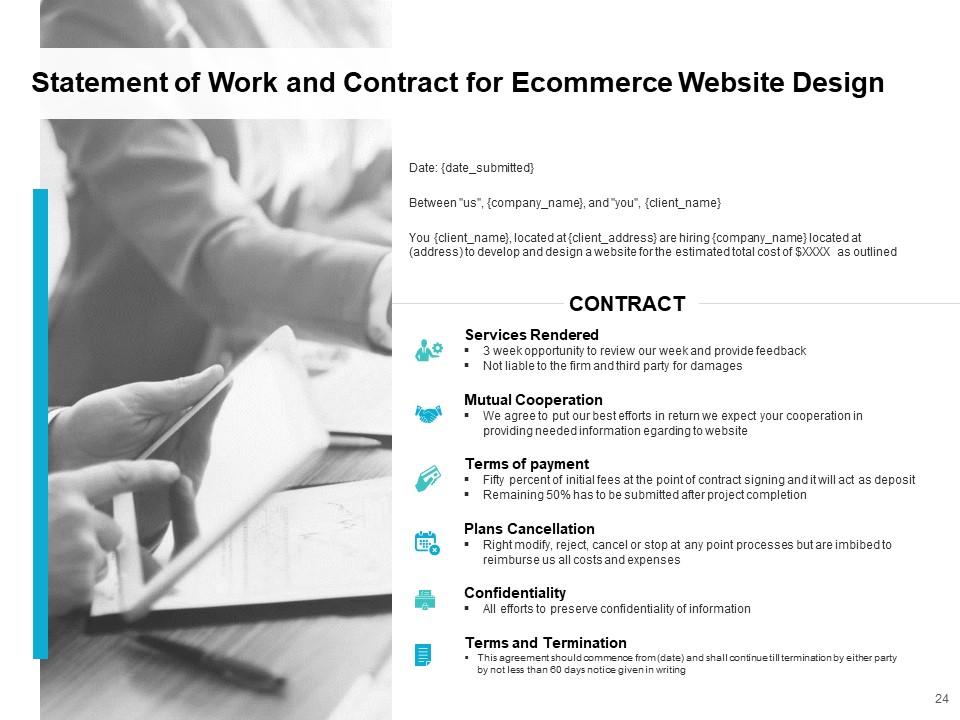
A well-laid contract helps in establishing some rules for both parties. Hence, with the help of this slide, you answer how your team and your client will interact with one another, how the project proceeds, what kind of changes will be entertained, and various other questions. Here, you can showcase the services rendered within the contract, cooperation tactics, terms and tenure of payment, terms of cancellation, confidentiality of the project, and various other terms and conditions.
If your client’s just confused about the landing page, then just address the landing page! Try this eCommerce website landing page proposal template to help them with the decision-making.
Change Their ‘Umm’s to Yes!
The first impression is the last. Using a well-versed and comprehensive proposal may be the first step in interaction with your potential client, but it can be life-changing for your business. With the help of this proposal, you can put straight facts in front of your clientele and help them make an informed decision, which can easily work in your favor. The above template will allow you to convey the ins and outs of the eCommerce website design proposal and mend your clients' decisions for your greater good.
Here's a one-pager and infographic eCommerce website development proposal template to briefly showcase your development services' highlights.
Ecommerce website design proposal powerpoint presentation slides with all 33 slides:
Use our Ecommerce Website Design Proposal Powerpoint Presentation Slides to effectively help you save your valuable time. They are readymade to fit into any presentation structure.
FAQs for Ecommerce website design proposal
Focus on the must-haves first: shopping cart, payments, user accounts, product search. Mobile is huge since everyone's shopping on their phones now. Security's obviously critical, plus you'll need fast loading times and solid inventory integration. The visual design and UX flow matter too - walk them through exactly how customers will move through the site. For industry-specific stuff, think about whether they need subscriptions or bulk B2B ordering. Timeline and budget breakdown are essential. Honestly, the proposal that shows you actually get their business usually wins. Wrap up with concrete next steps and what info you need from them to start.
Start with the user journey - map out how people actually move through the site from landing page to checkout. Focus on killing friction points that hurt conversions. Mobile responsiveness and fast load times? Those directly impact your bottom line now. Include specific stuff like breadcrumbs, clear CTAs, and simple checkout flows in your mockups. Don't forget accessibility and search (honestly, so many people overlook search). Here's the key though - frame everything as business solutions, not just pretty design features. Clients need to see how good UX translates to actual ROI.
Dude, start with the trust stuff - security badges, reviews, that kind of thing. Mobile optimization is huge since everyone's shopping on their phones anyway. Your checkout needs to be stupid simple, like actually test it yourself. Good product photos with zoom are a must, and honestly? I've seen so many sites completely bomb just because their menu was confusing as hell. Search bar needs to actually work too. You can add some urgency with low stock alerts or whatever, but don't go crazy with it. Oh, and definitely A/B test your checkout flow first - that's where you'll probably see the biggest wins right away.
Dude, mobile is HUGE for ecommerce - like 70% of people shop on their phones now. If their site sucks on mobile, they're losing tons of sales. I learned this the hard way on a project last year where we had this amazing desktop design but it was garbage on phones. Your proposal needs to highlight responsive design and fast loading speeds. Thumb-friendly buttons are key too - people get frustrated when they can't tap things easily. Oh, and definitely include mobile mockups with your desktop ones. Shows you actually understand how shopping works these days instead of just designing pretty websites that don't convert.
Okay so millennials are obsessed with that clean, minimalist look - tons of white space and bold fonts. Skip the boring studio shots and go for authentic lifestyle photography instead. Honestly, if it's not Instagram-worthy, they're probably not interested lol. Your mobile site better be perfect since they live on their phones. Add some fun interactive stuff like hover effects and smooth animations. Oh and definitely show off user reviews and social content prominently - they trust other people way more than brands. Check out Glossier or Allbirds for inspo on that approachable but polished vibe you're going for.
Don't treat SEO like something you'll fix later - build it right into the design from the start. Clean URLs and logical site structure are your foundation. Make sure you're planning for proper heading tags, alt text on product images, and mobile-first design since that's what Google cares about now. Internal linking is actually massive for ecommerce but gets forgotten way too often during design. I always tell clients to include a technical SEO section right alongside the visual mockups - honestly, both matter just as much for whether the site will actually succeed or not.
So there's a few solid ways to tackle this. Dynamic content blocks work great - show different products based on what they've bought before or how they browse. Location stuff is huge too, like local inventory and shipping options. Those "recommended for you" sections are kinda played out but honestly still convert well if you don't suck at it. User dashboards showing order history, wishlists, loyalty points - that's table stakes now. The trick is gathering data without being weird about it. Oh and don't pitch everything at once. Pick like two features max for your proposal or you'll overwhelm them.
Dude, focus on the big security wins first - SSL certificates, PCI compliance, and hook up with Stripe or PayPal since people already trust them. Tokenization and fraud detection are must-haves too. Don't forget the visual stuff customers actually see, like those little security badges (they're cheesy but they work). Two-factor authentication is pretty standard now, plus regular security audits. Oh, and encrypted data transmission obviously. The key is showing you've got both the technical backend locked down and the front-end trust signals covered. Spell out exactly which standards you're using.
Look, content management is gonna save your sanity. Your client will be updating product prices, inventory, and promo stuff constantly - imagine doing that through code every single time. Yikes. A decent CMS lets them handle updates without bothering you for every little change. They can schedule seasonal sales, update blog posts for SEO, keep product descriptions fresh. Trust me on this - pick something your client can actually figure out because they'll practically live in there once you hand over the keys. Nobody wants those "can you change this one price" emails at 9pm.
Build accessibility into your design specs right from the start - trust me, retrofitting later is a nightmare and costs way more. Your proposal needs alt text requirements for product images, proper heading structures, and keyboard navigation through checkout. Also throw in WCAG color contrast standards and accessible form labels. Don't forget focus indicators and skip links too. The developers will actually thank you for being specific about this stuff since they can estimate the work properly. Way better than having them guess what "make it accessible" means, you know?
Definitely focus on image compression and lazy loading - that's like the easiest win. CDN setup is crucial too, plus minifying all your CSS/JS files. Database queries are probably where they're bleeding customers though, so really dig into that optimization. Browser caching will help a ton, and make sure everything's mobile-first responsive. Oh, and tell them to dump any bloated plugins they don't actually need - I see this mistake constantly. Set clear benchmarks like sub-3 second load times. You should probably create a before/after testing plan so you can show them real proof of improvement.
Don't just cram all your testimonials on one page - spread that stuff around your whole site. Product pages need customer reviews right there. Homepage should have a testimonial slider or whatever. Those "real people using your product" photos work ridiculously well, honestly. Stick trust badges and security logos near checkout buttons since that's where people get paranoid about entering their credit card info. Oh, and those little pop-ups showing recent purchases? "Mike from Seattle just ordered this" - cheesy but they actually convert. Show how long you've been in business too. Just don't make it look desperate, you know?
Start with Google Analytics 4 - that's your base. Then add conversion tracking, abandoned cart stuff, and maybe some heatmaps so you can see what people actually do on the site. Most clients' eyes glaze over when you mention analytics though, so just focus on how it affects their bottom line. Cover the e-commerce basics: revenue tracking, which products sell best, where people bail in checkout. Customer lifetime value is huge too. Oh, and mobile analytics since everyone shops on their phone now. Set up a simple dashboard because honestly? GA4 is a nightmare to navigate and they'll never use it otherwise.
Start with a modular setup - like building blocks you can rearrange later. Your hosting needs to scale up, and go mobile-first with responsive design. Pick a CMS that won't box you in as you grow. Multiple payment options and shipping methods are must-haves for checkout. Oh, and document your design system early! Future devs will thank you when they're adding features. I learned this the hard way on a project last year. Really wish more people got how much easier this makes everything down the road.
Make that chat button pop in the bottom right - bright color but nothing too crazy for your brand. Mobile is huge so definitely test it on your phone first (I learned this the hard way). Connect it to your help desk so chats turn into tickets automatically. Smart routing helps too - send product stuff to sales, shipping problems to support. When agents aren't around, set up auto-responses and let people drop their email. The whole thing should feel instant. Oh, and contrasting colors really do make a difference for getting people to actually click it.
-
Unique research projects to present in meeting.