

Edtech pitch deck ppt template




Try Before you Buy Download Free Sample Product
 Impress Your
 Audience
 100%
100% Editable
 Save Hours
 of Time


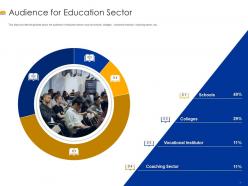
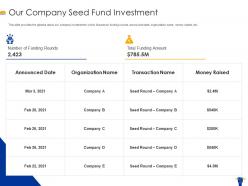
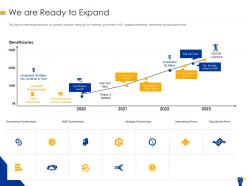
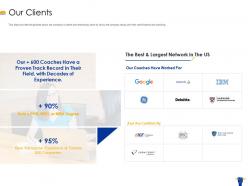
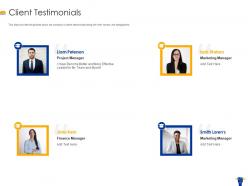
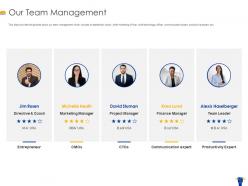
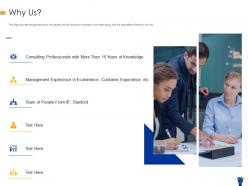
We have created an EdTech pitch deck to understand how educational technology startups get their investments. This presentation is designed to give a summary of the company. In this deck, we have covered different slides that talks about company, problems faced by the clients along with solution provided by our company. We have also focused on the need for EdTech in the education and consultancy sector. Phases involved in the education framework such as analyze, clarify, strategize, plan, act and realize are discussed in this PowerPoint presentation. The scope of the education sector, the audience for the education and consultancy sector, services offered by the firm are discussed here. For better marketing, go-to-market strategy, launch plan, costs and revenues incurred, seed fund investment, and expansion plan are targeted in this deck. We have also covered the clients and their testimonials, team management, and reason for choosing our company. Bag this template now to provide your students with easy access to information.
People who downloaded this PowerPoint presentation also viewed the following :
Content of this Powerpoint Presentation
Byjus, Unacademy, Coursera, Chegg, Duolingo are the popular names in the Edtech industry today. These companies have evolved to earn their fair share of fame by getting students and their guardians interested. However, their journey like that of any other startup must have begun from ground zero where they would have scurried for funds. This is the first crucial step for every startup business that wishes to enter the market, especially the Ed-Tech sector that has a saturated audience base today. For this, the first communication is to be established with investors in getting them interested in your business. SlideTeam has developed the ideal intermediator for an impactful first impression.
Prepare the best healthcare solution pitch using our PowerPoint frameworks.
Our PowerPoint Templates are designed keeping in mind the needs of the entire edtech community. These presentation templates are built according to the unique requirements of educators and innovators. With this PPT Layout, you'll have a powerful platform to put forth your ideas in the most professional way.
Impress your stakeholders by delivering the best sponsorship pitch using our PowerPoint templates.
Benefits of SlideTeam's Professional Templates
Our PowerPoint Frameworks house several benefits. These save preparation time, there is consistency across presentations, and improve the visual appeal of the pitch. Furthermore, customization is offered in our each presentation slide, which will help you prepare the content, color, theme, images, logo and many other components as per your business requirements.
In this section, you will explore various PowerPoint Templates related to the edtech industry. These presentation designs are developed by industry experts, and they will help you prepare the best pitch.
Let’s begin!
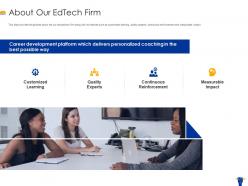
Template 1: About Our Edtech Firm
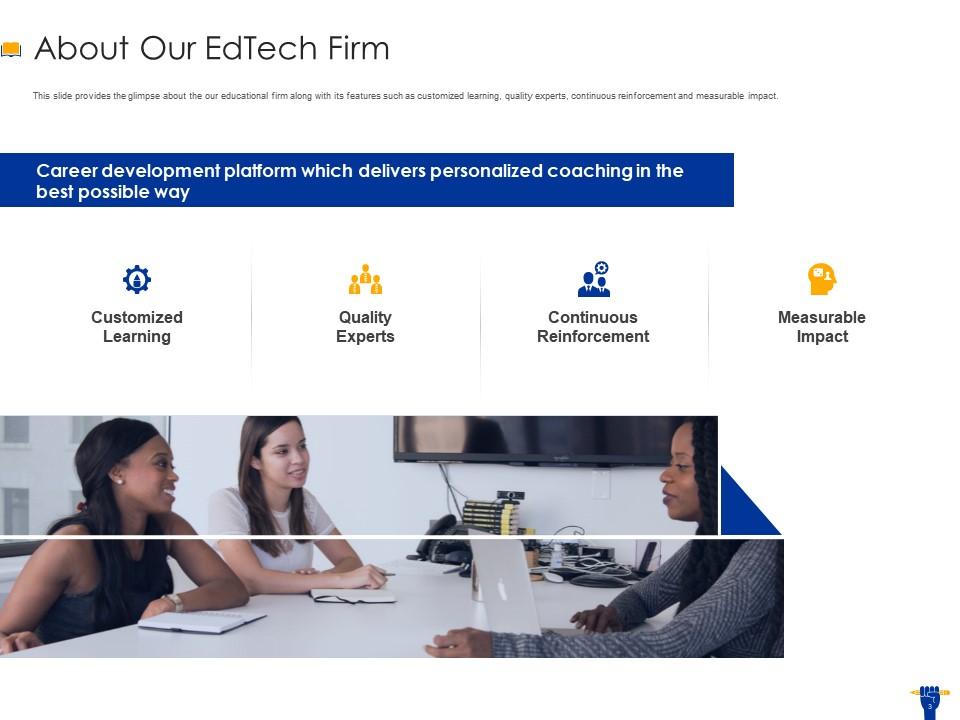
Edtech firms require a robust solution through which they can show their strengths and innovations to students. Explore our PowerPoint Template to display your company's commitment to customized learning, expertise, ongoing support, and measurable outcomes. You can show the total value of your services with one slide and impress your key stakeholders.
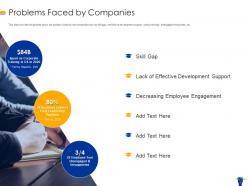
Template 2: Problems Faced by Companies
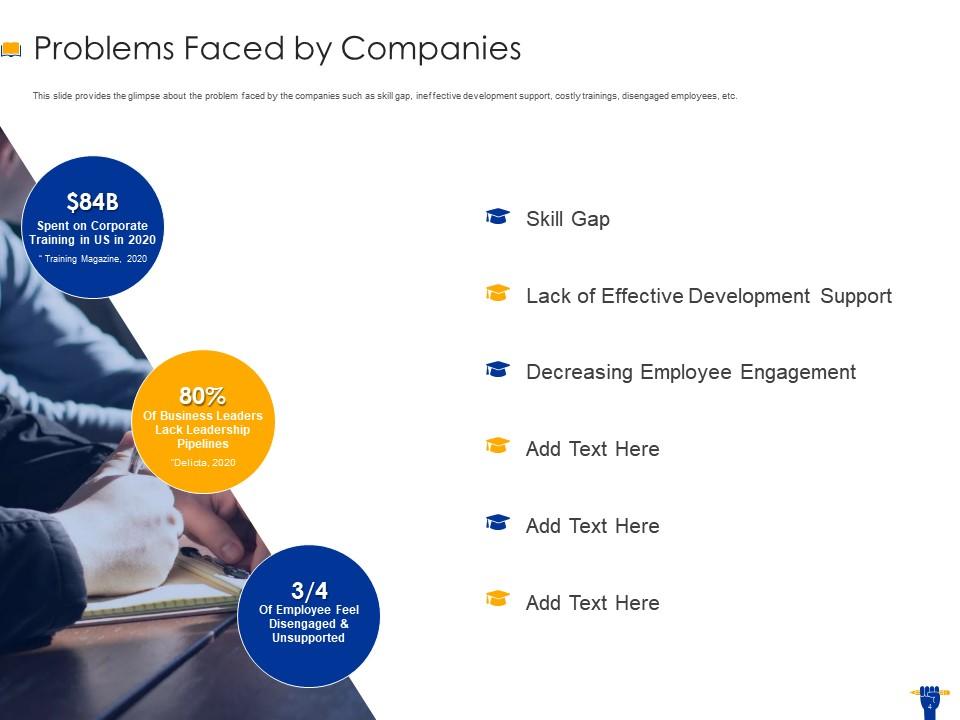
Companies face various challenges when they hire candidates, and they are unable to perform in their job roles. You can prepare a complete list of those challenges with our PowerPoint Framework and show it to your audience that you help students work on these demanding situations. Using our PowerPoint Presentation, list every challenge in bullet points to help your stakeholders understand and interact with you.
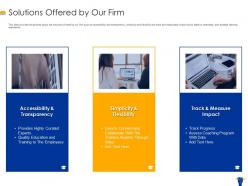
Template 3: Solutions Offered by Our Firm
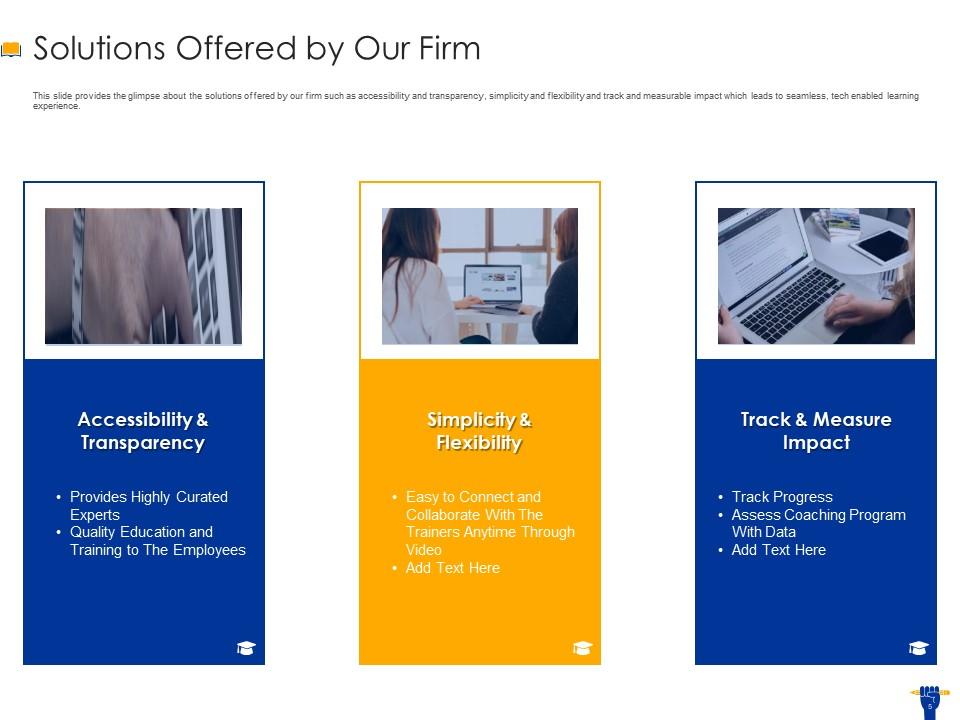
Every stakeholder wants to look at the solutions offered by an edtech company so that they can judge its future direction. Therefore, use our PowerPoint Template to present your firm's capabilities. You can show your focus on accessibility, transparency, simplicity, and flexibility. Furthermore, you can add text to each main point for your audience to understand better.
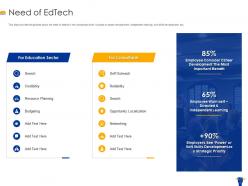
Template 4: Need of Edtech
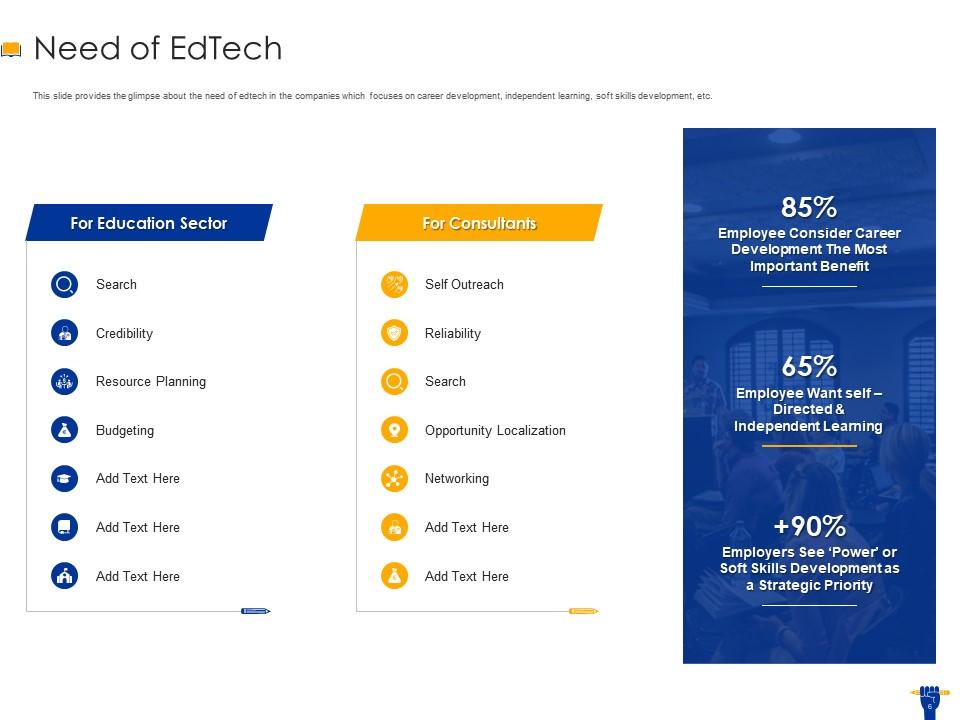
Our PowerPoint Framework will help edtech companies show their need for the education sector and consultants. There are two sections in the presentation: one is dedicated to the education sector, and the second belongs to consultants. Under the education column, you can input the important points below the main heading. These sub-points are search, creditability, resource planning, budgeting, and many more. Furthermore, under the consultant column, you can display various points, like self-outreach, reliability, search, opportunity localization, and networking.
Template 5: Phases Involved in Educational Technology Framework
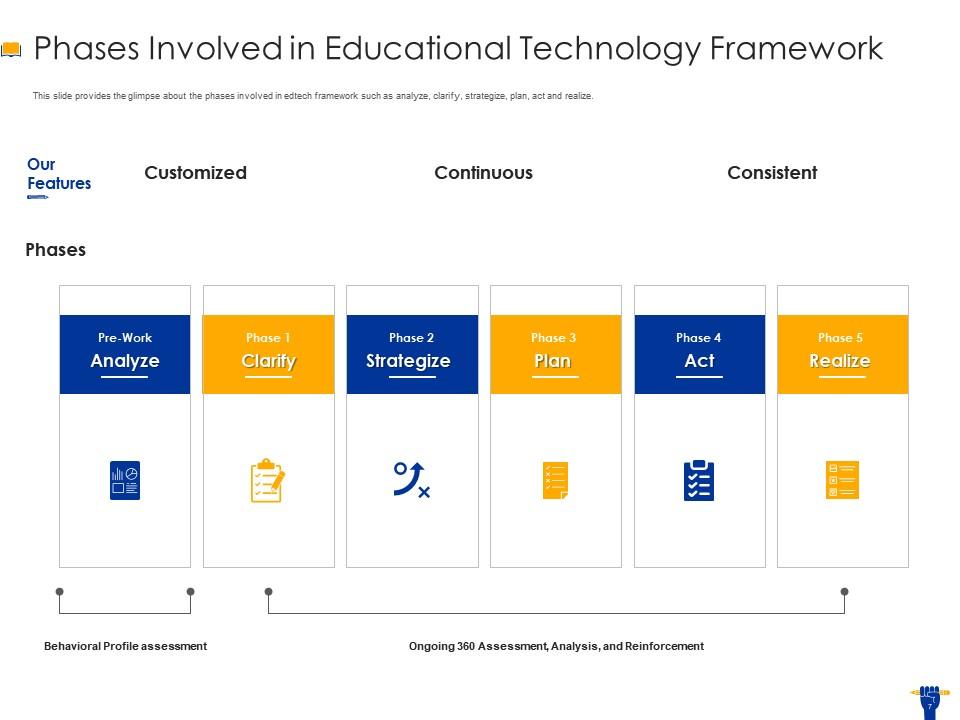
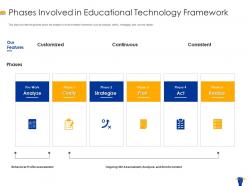
Our PowerPoint Layout will help you prepare a complete process of integrating technology into your educational practices. It will help you show each vital stage. It starts with initial analysis in the pre-work phase, has clarity in Phase 1, develops strategies in Phase 2, detailed plans in Phase 3, actionable steps in Phase 4, and achieves goals in Phase 5.
Template 6: Scope Areas of Education Sector
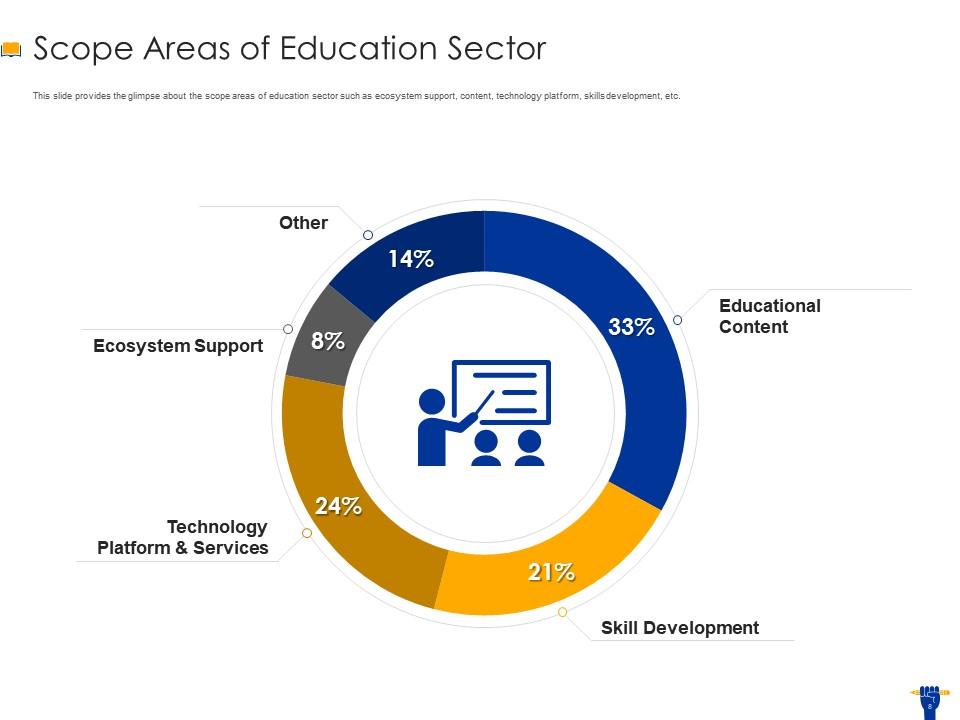
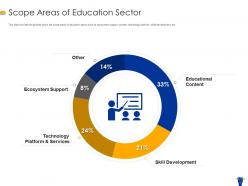
Edtech companies require a viable platform to show the complex facets of the education sector in their meetings. Leverage our PowerPoint Preset to showcase ecosystem support, technological platforms, services, skill development, and educational content. Entire content can be shown in a pie chart diagram, and a percentage is associated with each attribute. Therefore, it would be easy for your audience to understand your educational activities.
Template 7: Audience for Consultancy Sector
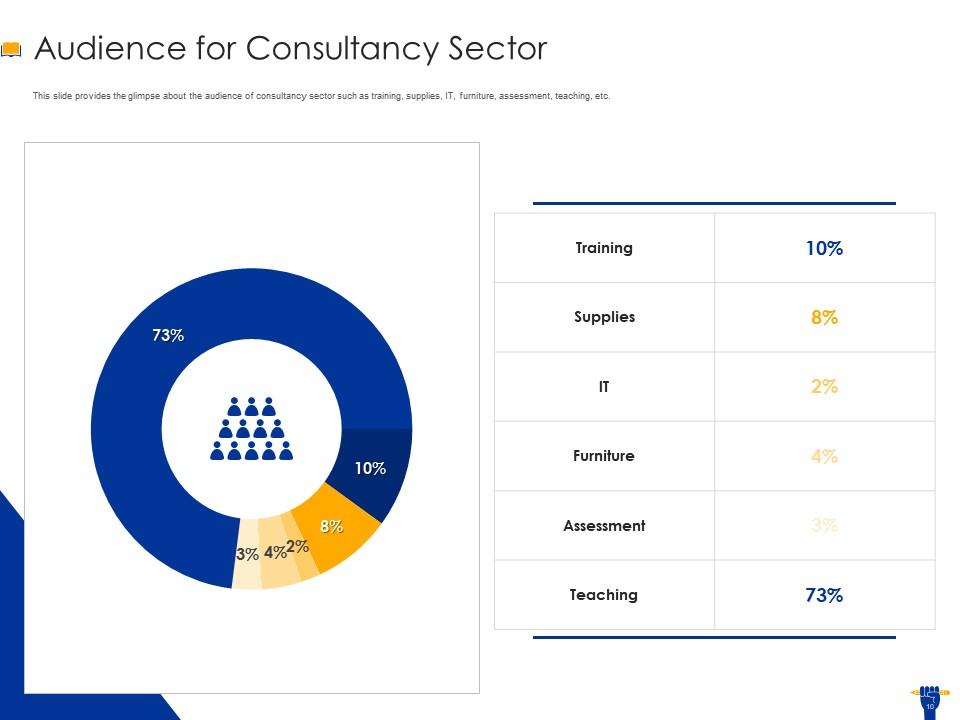
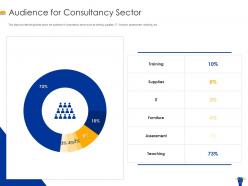
Our PowerPoint Theme will help you convey your consultancy services to your audience. It focuses entirely on the consultant sector, and you can input various services it offers. Furthermore, it shows the important sectors where consultancy is required, like training, supplies, IT, furniture, assessment, and teaching. Moreover, you can assign a percentage to each sector, which will be further shown in the pie chart.
Template 8: Services Offered by Our Firm
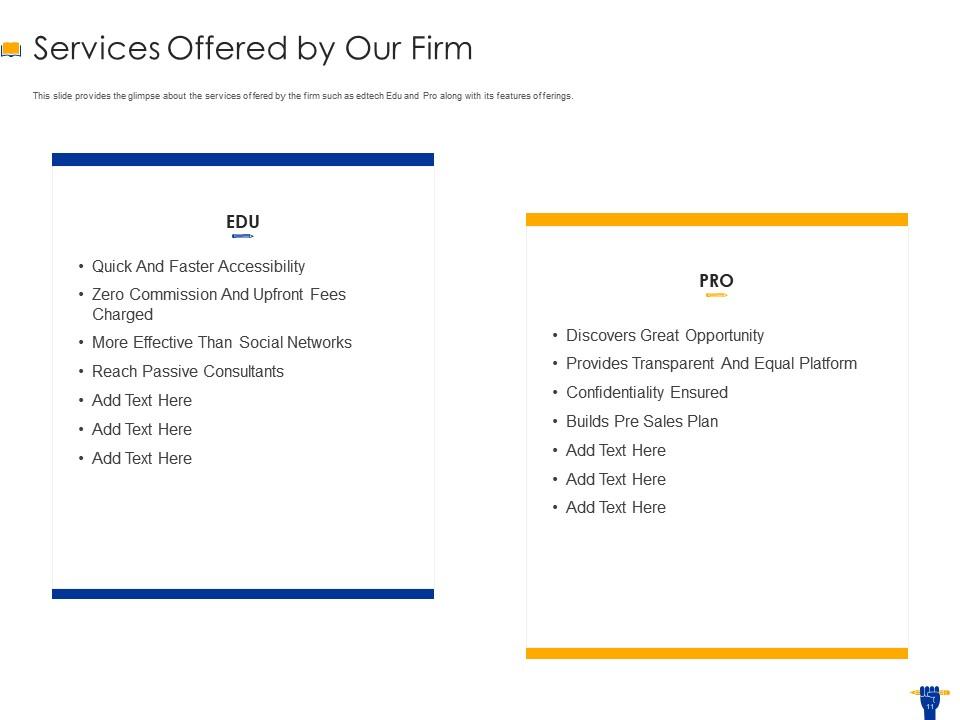
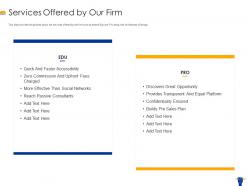
Our PowerPoint Slide can present your company's unique services to the audience. It will communicate your value propositions. Furthermore, it has two different plans. The first plan is the Edu plan, which contains quick access with no commissions or upfront fees, surpassing social networks in efficiency and expanding your reach to passive consultants. Meanwhile, the Pro plan shows great opportunities through a transparent, equitable platform, ensures confidentiality, and helps you construct a robust pre-sale strategy.
Template 9: Our Go-to-Market Strategy
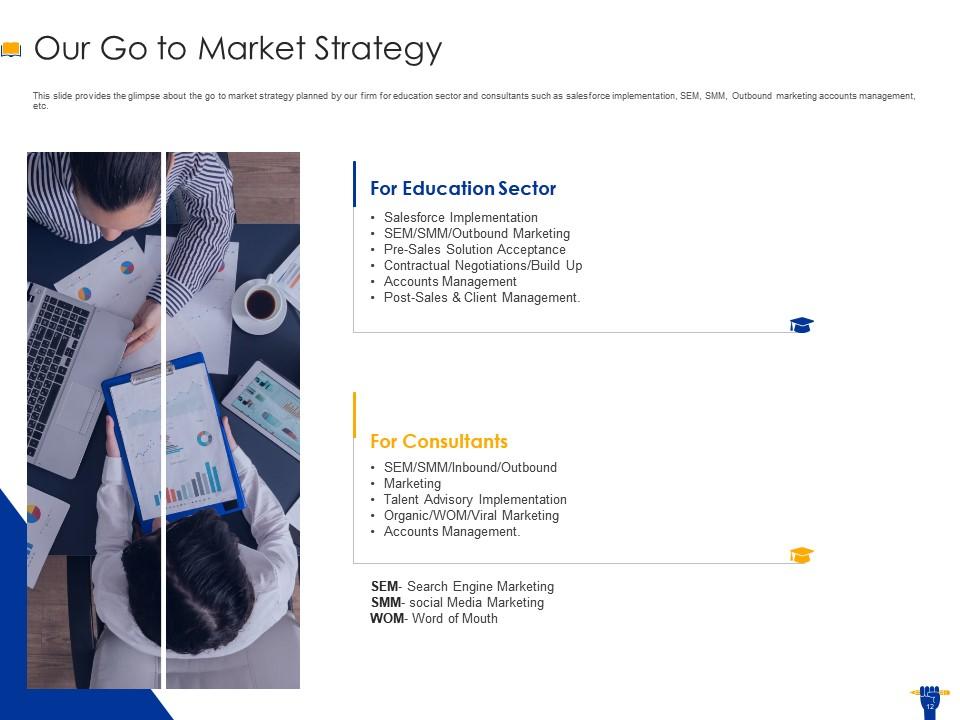
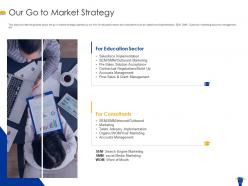
Prepare your go-to-market strategies with our PowerPoint Template. It shows two sections. The first one is for the education sector, in which you can display Salesforce implementation, SEM/SMM/Outbound Marketing, Pre-Sales Solution Acceptance, Contractual Negotiations/Build-up, accounts management, post-sales, and client management. The second section belongs to the consultants, in which you can add points, such as SEM/SMM/Inbound/Outbound, Marketing, Talent Advisory Implementation, Organic/WOW/Viral Marketing, and accounts Management.
Template 10: Our Launch Plan
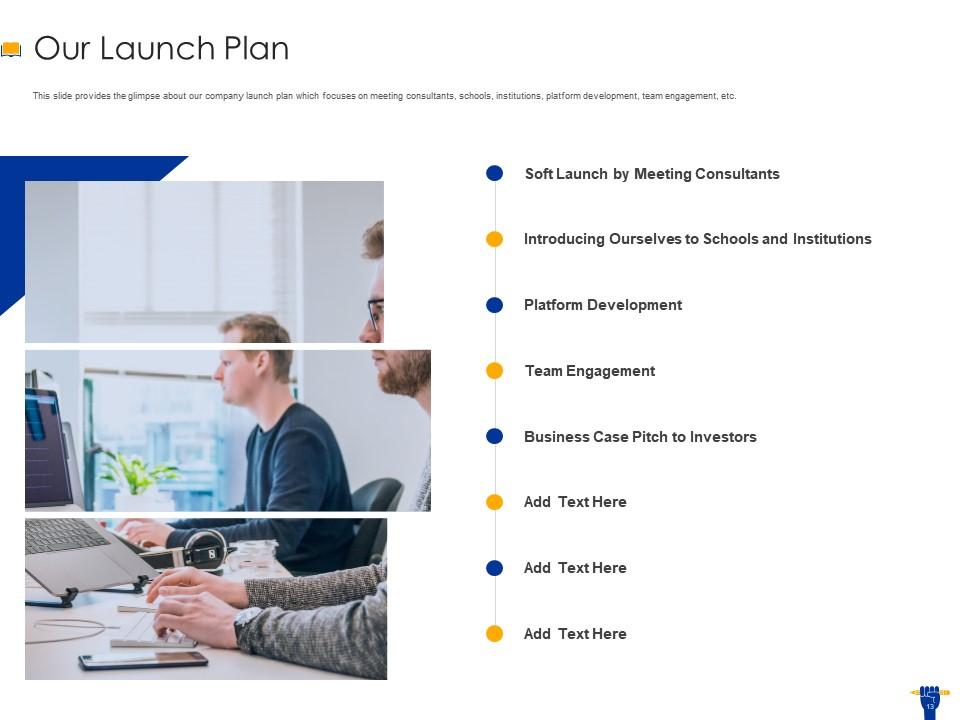
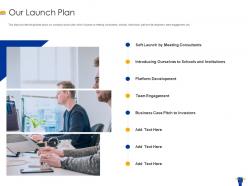
When edtech companies need help preparing their launch plan, they can use our PowerPoint Theme. You can use it to show important points related to the launch plan, such as a soft launch by meeting consultants, introducing ourselves to schools and institutions, platform development, team engagement, and a business case pitch to investors. This presentation theme is perfect for you to attract an audience towards your business objective.
Raise Funding for Your Edtech Business via Our Templates
In conclusion, our PowerPoint Templates will help you prepare a robust pitch for your edtech business. Companies can use these presentations to get funding to run their operations. Each slide has its relevance, and you can use it thoroughly to convey your important message to investors.
Edtech pitch deck ppt template with all 33 slides:
Use our EdTech Pitch Deck Ppt Template to effectively help you save your valuable time. They are readymade to fit into any presentation structure.



FAQs for Edtech pitch
So gamification works because it hijacks that competitive part of our brains - you know, the same reason people get obsessed with mobile games. Points, badges, leaderboards make boring stuff feel like actual games. Kids get those little dopamine hits when they "level up" which keeps them way more engaged than regular teaching methods. It breaks big concepts into bite-sized challenges too. Honestly, even adults fall for this stuff - I mean, look at fitness apps. If you're thinking about adding it to your platform, just start simple with basic points first. Don't go crazy with the bells and whistles right away.
So basically the system watches how kids move through your content - where they get stuck, what they ace, their whole learning rhythm. Then it tweaks things automatically for each student. Struggling with fractions? It'll serve up simpler problems. Already mastered multiplication? Boom, skips ahead. Honestly, it's like having a teacher who actually remembers every single thing about each kid. You can spot the ones falling behind way earlier too. My advice? Don't go crazy at first - just track something simple like completion rates and build from there.
Ugh, the main problems are always time, training, and tech being awful. You're already drowning in lesson plans and grading - who wants to figure out another random platform? Internet crashes at the worst moments, half your kids don't have decent devices at home. Then there's this constant worry that you're just using tech for tech's sake instead of actually helping them learn better. Honestly? Pick one thing that seems genuinely useful and mess around with it first. Don't try to become a tech wizard overnight. Once you've got that down, you can always add more stuff later.
Mobile learning just demolishes education barriers, honestly. Rural students, people with disabilities, anyone working crazy shifts - they can finally access quality content. Smartphones cost way less than laptops too, which matters more than people realize. The cool part is adding voice-to-text and adjustable fonts makes everything more inclusive. Oh, and offline downloads are clutch for spotty internet areas. It's genuinely the most democratic educational shift I've seen. Just don't treat mobile as an add-on when you're building programs - that's where most people mess up.
Honestly, skip the big rollout presentations - nobody wants that. Find a few teachers who are actually excited about trying new stuff and start there. They'll sell it way better than any consultant ever could. Pick tools that fix problems they're already complaining about, not whatever looks coolest. Give them time to mess around with it when kids aren't there (this is huge). Pair them up so they can figure it out together. The key thing though? Show them it'll either save time or help their students learn better. That's literally all they care about.
Honestly, EdTech is a game changer for learning new stuff as an adult. No more sitting in classrooms after a long day at work - you can do everything on your phone or laptop whenever you want. I've used Coursera and LinkedIn Learning, and they're actually pretty solid for getting certificates that look decent on your resume. The AI stuff is cool too since it figures out what you should learn next based on your goals. My advice? Pick one skill you're lacking and find a good online course for it. Just make sure the lessons are short enough that you'll actually stick with them - nobody has time for hour-long modules these days.
So AI can basically create custom learning paths for each kid and auto-grade stuff, which honestly saves teachers tons of time. It spots knowledge gaps before they become real problems too. The adaptive content thing is cool - difficulty adjusts based on how students are actually doing. Those AI tutoring chatbots are getting surprisingly good at helping when teachers aren't around. Plus there's predictive analytics that can flag kids who might drop out early. Oh, and definitely start with just one specific thing instead of trying to overhaul your entire system at once. That never works well.
Honestly, start with privacy - treat that student data like it's your own kid's info. Get real consent from parents, not some buried checkbox nonsense. The equity thing kills me though - you don't want some students stuck without devices while others get all the cool AI tutoring. Watch out for bias in those algorithms too, they can be surprisingly problematic. My main test? If it doesn't actually make learning better, why bother. Also make sure you're not just chasing the shiny new tech because it looks impressive.
Canvas is super user-friendly and works great on mobile. Blackboard has all the admin bells and whistles but feels clunky as hell. If you've got developers on staff, Moodle's open-source flexibility is amazing – though fair warning, it looks ancient. Google Classroom works fine for basic stuff but you won't get fancy analytics. Schoology's probably your sweet spot for balancing features with ease of use. Oh, and definitely test out the free trials with your actual course materials first. You'll know pretty quickly what feels right for your team's workflow.
Honestly, VR and AR are game-changers for making boring stuff come alive. Your kids can literally walk through the Colosseum instead of just reading about it. AR's pretty cool too - point a tablet at something and boom, 3D anatomy models pop up. With VR, students can practice surgeries or explore Mars without, you know, the whole suffocating in space issue. Though I'd start simple with basic AR apps first. Don't blow your budget on fancy headsets right away - 360° videos work great too. The trick is using them purposefully, not just because they're shiny and new.
Pick one super specific problem and crush it. Don't try building another generic learning platform - there's already a million of those. Maybe you're the go-to solution for visual learners struggling with middle school math, you know? Get teachers involved early since they'll tell you if your idea actually works. The UI better be smooth too because educators can smell a crappy interface from across the room. Oh and find those weird underserved niches everyone else ignores. Start tiny, prove it works with real users, then grow from there.
Yeah, EdTech definitely helps kids learn better, but only if you actually implement it right. The magic happens with personalized learning - those adaptive platforms can challenge your advanced kids while helping the struggling ones catch up. Visual learners especially love the digital stuff (though some kids honestly just work better with regular pencils and paper, go figure). Here's the thing though - don't just dump a bunch of iPads on teachers without training them first. That never works. Better to pick one solid tool and really support it than overwhelm everyone with fancy gadgets they can't use properly.
Track the obvious stuff first - test scores, how much admin time you're saving, engagement rates. Cost per student is pretty straightforward math. But honestly? The good stuff is harder to measure. Teachers being less stressed, kids actually wanting to show up to class - that matters too, even if it's messy to quantify. Don't forget usage data though. Nothing kills ROI like expensive software gathering dust. Pick maybe 2-3 things that actually align with what you're trying to fix, then stick with measuring consistently for at least a semester to see real patterns.
Honestly, AI personalization is huge right now - it adapts to each student's pace automatically. VR learning is getting wild too, like literally walking through ancient Rome for history class. Microlearning's breaking everything into tiny chunks because nobody can focus anymore (guilty as charged). Teachers are using data analytics to spot struggling kids way earlier, which is smart. Oh, and blockchain credentials are becoming a real thing for proving skills. My advice? Start messing around with AI tutoring tools now. They're already shifting how people learn, so you don't want to be playing catch-up later.
Honestly, collaborative EdTech tools are game-changers for group projects. No more trying to coordinate everyone's schedules or dealing with that one person who disappears until the last minute. Google Workspace and Padlet are great starting points - students can edit docs together, use shared whiteboards, and actually have decent discussions online. What I love is how everyone contributes at their own speed but still sees what teammates are doing. It builds real communication skills since they're constantly giving feedback. Way better than those cringe group presentations we all survived in school, trust me.
-
The Designed Graphic are very professional and classic.