

Consulting pitch deck ppt template





Try Before you Buy Download Free Sample Product
 Impress Your
 Audience
 100%
100% Editable
 Save Hours
 of Time


Put together this consulting pitch deck PowerPoint template and astoundingly address your audience. Consulting includes a broad range of activities and expertise professionals in areas such as competitive analysis, corporate strategy, operations management, etc. This deck covers the consulting pitch deck, covering the details about the CEO, founders vision, organization vision, mission, and purpose. The focus is on the problem faced by the clients and solutions offered by a consulting company. In this template, we have discussed the companys products and services and their key to success. This PowerPoint presentation covers the ever-changing market dynamics such as market size, competitive analysis, competitive advantage, five-year financials, and contact details. So, without giving a second thought, get your hands on this amazing pitch deck now.
People who downloaded this PowerPoint presentation also viewed the following :
Content of this Powerpoint Presentation
Slide 1: This is the cover slide of Consulting pitch deck.
Slide 2: This is a Table of Contents slide that lists out all the elements covered in the blog.
Slide 3: This slide provides the glimpse about the CEO of our company along with his education qualifications and skill set and image.
Slide 4: This slide provides the glimpse about the founder’s vision and ownership along with the financing of our company’s branches.
Slide 5: This slide provides the glimpse about the company’s vision, purpose and mission which will help the stakeholders to know about the consulting organization in brief.
Slide 6: This slide provides the glimpse about the company’s problem statement which focuses on problems faced by various organization before involving with different consultants.
Slide 7: This slide provides the glimpse about the company’s solution which focuses on how our company helps the clients and solve their problems by focusing on key drivers, hard data, etc.
Slide 8: This slide provides the glimpse about the company’s keys to success which focuses on charging genuine prices for the service, customer demands, technology and convenience, location & visibility, etc.
Slide 9: This slide provides the glimpse about the problem faced by the users since email is used for personal use which leads to problems such as no collaboration, poor productivity, and regular errors.
Slide 10: This slide provides the glimpse about the market trends of consulting industry which focuses on size of global industry such as operations, financials, HR, technology, market size, etc.
Slide 11: This slide provides the glimpse about the problem faced by the users since email is used for personal use which leads to problems such as no collaboration, poor productivity, and regular errors.
Slide 12: This slide provides the glimpse about the competitive advantage of our company such as great management, competitive culture, strong career progression, and better compensation.
Slide 13: This slide provides the glimpse about the 5 year financial forecast of our consultancy firm which focuses on revenues, employee expenses, operating expense, EBITDA, etc.
Slide 14: This slide provides the glimpse about the contact details of our company along with address, phone number, email, and other social media platforms links.
Slide 15: This is an icon slide. Use it as per your needs.
Slide 16: This is an Additional Slide
Slide 17: This is an About Us slide that can be used to give a brief overview of the company.
Slide 18: This is Our Team slide with name and designation to fill.
Slide 19: This is a Roadmap slide that can be used to present chronological sequence of events.
Slide 20: This is Our Mission Our Vision slide to state your mission, vision etc.
Slide 21: This is a Timeline slide that can be used to showcase series of events.
Slide 22: This is a Clustered Bar Chart that can be used to make a comparison between different products.
Slide 23: This is a Post It Notes slide that can be used to keep the important data at one place.
Slide 24: This is a Venn diagram slide that can be used to depict comparison between three elements.
Slide 25: This is a 30 60 90 Days Plan slide that can be used to formulate robust plans.
Slide 26: This is a Thank You for acknowledgment. You can share your contact details here.
Consulting pitch deck ppt template with all 26 slides:
Use our Consulting Pitch Deck Ppt Template to effectively help you save your valuable time. They are readymade to fit into any presentation structure.
-
Consulting Pitch Deck
-
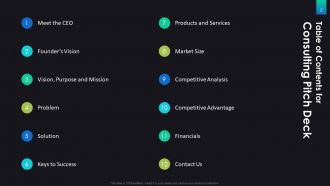
Table of Contents for Consulting Pitch Deck
-
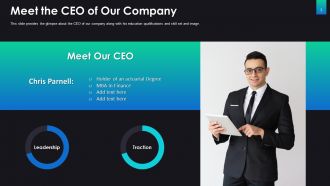
Meet Our CEO
-
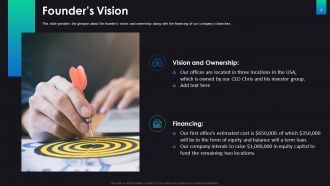
Founder s Vision
-
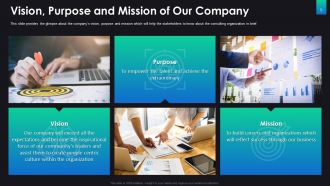
Vision Purpose and Mission of Our Company
-
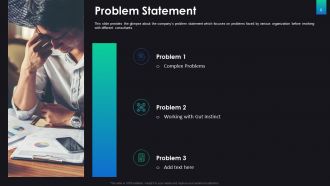
Problem Statement
-

Solution Statement
-
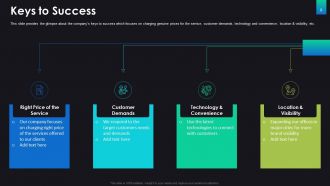
Keys to Success
-
Our Products and Services
-
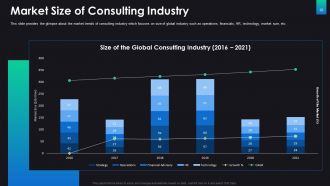
Market Size of Consulting Industry
-
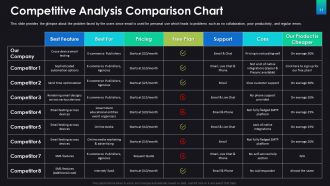
Competitive Analysis Comparison Chart
-
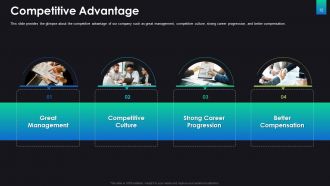
Competitive Advantage
-
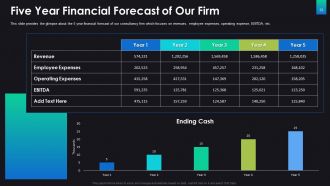
Five Year Financial Forecast of Our Firm
-
Contact Us
-
Icons Slide for Consulting Pitch Deck
-
Additional Slides
-
About Us
-
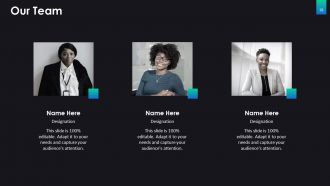
Our Team
-
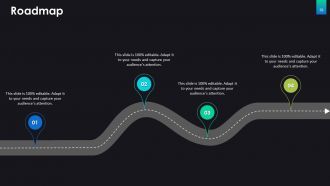
Roadmap
-
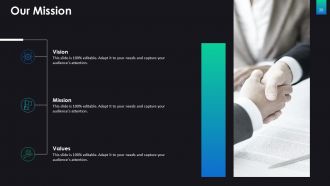
Our Mission
-

Timeline
-
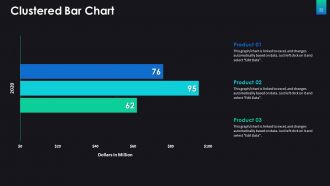
Clustered Bar Chart
-
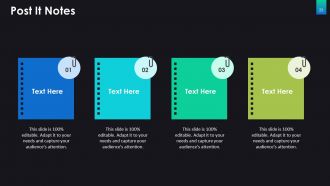
Post It Notes
-
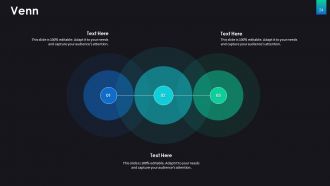
Venn
-
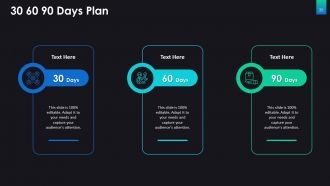
30 60 90 Days Plan
-

Thank You
FAQs for Consulting pitch
Okay so for your pitch deck - lead with their actual problem, not some boring company intro. Everyone does that backwards and it's painful to sit through. You'll want your solution approach, some solid case studies, team bios (but only the relevant stuff), your process, and honest pricing. Oh and specific deliverables with timing. Most consultants make these things way too complicated. Seriously, keep it under 12 slides or you'll lose them. Each slide should scream "this is why you need us" - if it doesn't, trash it. End with super clear next steps. Make it easy for them to say yes.
Hook them right away with a client problem that actually matters. Then tell it like a story - problem, the messy middle part, how you fixed it. Real examples work way better than just throwing charts at people (seriously, nobody cares about your 47 bullet points). The before/after thing is gold - show the actual transformation. Oh, and here's what most people get wrong: make THEM the hero, not you. Your solution just helps them win. Each section needs a clear "here's why this matters to YOU specifically" moment. Otherwise you're just another boring pitch deck.
Honestly, less is more with slides - just put one main point on each. Don't go crazy with fonts (two max), and make sure there's good contrast so people can actually read it. White space is clutch... seriously, cramped slides look awful. Your colors should match your brand but nothing too distracting - I've seen presentations where the rainbow background made my eyes hurt lol. Size and placement help show what's important. Oh, and people should be listening to you, not struggling to decode messy visuals. Clean beats busy every time.
Dude, totally tailor your pitch to whoever's listening. C-suite executives? Hit them with big picture ROI stuff - they'll zone out if you get into the weeds. But operational managers actually want those details about processes and how it helps their teams. I completely bombed a finance presentation once because I didn't do this lol. Now I always stalk the attendee list beforehand and pick case studies that match their industry or problems. Honestly, it's kind of annoying but I keep like 3 different versions of my main slides ready. You never know when someone important shows up last minute and you need to switch gears.
Honestly, client interviews are where the magic happens - you'll get quotes and pain points you can't find anywhere else. I'd start there, maybe 3-5 stakeholder calls. Industry reports are solid for building your foundation too. Don't sleep on their internal data if they'll share it (sometimes they're weird about this but worth asking). Competitor analysis helps round things out. Case studies from similar companies work great too. The mix of primary stuff like surveys plus secondary research from market data usually gives you enough to work with.
Pick case studies that actually match their situation first - that's huge. Start each one with the results: "This client cut costs by 30%" not "We implemented a comprehensive strategy." People want proof you can fix their exact mess. Walk through how you got there, but keep it short. Half the decks I see are just endless methodology when honestly? Clients already assume you know what you're doing. They want results. End each case study by connecting it back to their problems. Make it obvious this could be them in six months.
Keep it simple - dense slides kill presentations instantly. Your problem statement needs to be dead obvious, and your solution should connect directly (I've watched so many pitches where this link just... wasn't there). Skip the cookie-cutter frameworks that could work for literally anyone. Instead, prove you actually get their industry. Don't downplay your team's skills, and definitely include a realistic timeline. Practice out loud beforehand because stumbling through kills even great content. Oh, and start with their problems, not why you're amazing.
Hit them with your best differentiator right away - like within the first 30 seconds. Don't save it for slide 8 when they're already mentally planning lunch. Answer "why us?" before they even think to ask. Make it about their specific problem, not some generic thing you do for everyone. Hard numbers work way better than vague claims - "cut costs by 40%" vs "we improve efficiency" (which honestly means nothing). I'd keep hammering that main point throughout too. You want them walking away remembering that one thing, even if the rest becomes a blur.
Honestly, visuals make or break your pitch deck. People zone out with walls of text - I've seen it happen so many times. Your brain processes images way faster than words anyway. Charts and diagrams turn boring numbers into actual stories clients remember. But here's the thing - don't just slap graphics everywhere for decoration. Each visual should either simplify something complex or back up your main point. Keep them clean too. I'd start by nailing down your 3-4 biggest messages first, then build visuals around those. Way more effective than doing it backwards.
One big idea per slide, that's it. Cut everything else - seriously, be brutal about it. Tell a story: problem → solution → why you → next steps. I do this thing where I pretend I'm explaining each slide in an elevator ride. Takes longer than 30 seconds? Too much stuff on there. Honestly, most people put way too many bullet points. Let your visuals tell the story instead. Stick to 10-15 slides max, then throw all the extra detail in an appendix for later. You want them curious and asking questions, not scrolling through their Instagram feed while you're talking.
You gotta bake objection-handling right into your deck from the start. The big three are always budget, timeline, and whether you can actually pull it off. I learned this the hard way after getting blindsided in too many meetings! Show ROI numbers upfront for budget concerns. Timeline stuff? Include realistic milestones with some wiggle room. For the "can you really do this" questions, hit them with solid case studies and your team's background - dedicate actual slides to it. Oh, and sprinkle risk mitigation throughout instead of dumping it all at the end. Makes clients feel like you've already thought through their worries.
Definitely throw client testimonials on your case study slides - they're pure gold for credibility. I always drop a solid quote right after the before/after numbers because hearing it from another client just hits different, you know? Get their name, title, company logo if you can. Video testimonials are obviously way better but let's be real, most clients won't bother so don't sweat it. Oh and make sure you get written permission first - learned that one the hard way lol. Nothing worse than having to scramble and remove slides last minute.
Honestly, just stick with PowerPoint - every consulting firm uses it and clients are used to seeing it. Google Slides is solid too, especially if you're working with others since everyone can jump in and edit at once. Canva's surprisingly good for making stuff look professional without needing design skills, though some old-school consultants might give you side-eye for it. Adobe's got the most features but you'll spend forever figuring it out. My take? Go with PowerPoint or Google Slides first. Focus on nailing your content instead of wrestling with fancy software - you can always jazz it up later once you've got the bones down.
Get their brand guidelines first - seriously, this will save you hours later. Drop their logo in the corner of each slide, nothing fancy. For colors, use their palette on headers and charts so everything feels cohesive. Switch to their fonts too if you can access them, makes a huge difference. I tend to go overboard with the data viz colors but honestly? It looks way more professional when it all matches. Their design patterns or icons work great for section breaks. Just don't let the branding take over your actual content - it should feel integrated, not slapped on.
Start with the client wins - actual revenue bumps, cost cuts, efficiency stuff your projects created. ROI numbers are everything, so throw in real percentages and dollar amounts. Client retention rates matter too since they prove you're not just making fancy presentations that go nowhere. Your firm's growth stats work well - headcount increases, revenue jumps, successful project completions. Honestly, testimonials with hard data beat vague "great to work with" quotes every time. Oh, and always connect everything back to business impact your prospects will actually care about. Keep it straightforward.
-
Awesome presentation, really professional and easy to edit.
-
Graphics are very appealing to eyes.
-
Qualitative and comprehensive slides.