


Executive Overview Powerpoint Presentation Slides






Try Before you Buy Download Free Sample Product
 Impress Your
 Audience
 100%
100% Editable
 Save Hours
 of Time


We are proud to present our executive overview PowerPoint Presentation slides for your business plan executive overview. These elite designs have been crafted with images logos and headings which makes it easier for you to portray your professional embellishments. Our powerpoint architects have gone through a thorough study relating to the topic and have invested their time in order to save yours. Subjects covered here include executive overview and summary, your vision and mission, goals and objectives, core values. Additionally bar graphs have been used here to demonstrate growth charts thoroughly, your financial aspects and goals can be easily displayed through these designs. Moreover, we have kept a practical approach and have included casual slides as we understand that professional meetings and plans take hours for completion. So, represent your business strategies executive summaries, in an impressive way. Interesting icons used here gives a better idea about the topic of concern. Download now to get started and save your time. Executive Overview Powerpoint Presentation Slides are an easy way to summarize your long proposals or reports. Present an executive summary that makes your presentation crisp and to the point.
People who downloaded this PowerPoint presentation also viewed the following :
Content of this Powerpoint Presentation
Slide 1: This slide introduces Executive Overview. State Your Company Name and get started.
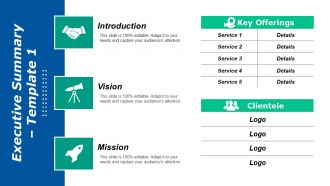
Slide 2: This is an Executive Summary slide with Introduction, Vision, Mission, Key Offerings (Service & Detail), Clientele (Logo).
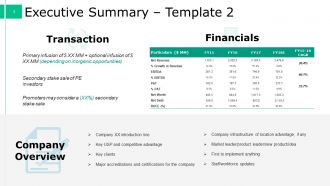
Slide 3: This is an Executive Summary slide with- Company Overview: (Company XX introduction line, Key USP and competitive advantage, Key clients, Major accreditations and certifications for the company, Company infrastructure of location advantage, if any, Market leader/product leader/new product/idea, First to implement anything, Staff/workforce updates), Transaction: {(Promoters may consider a (XX%) secondary stake sale, Primary infusion + optional infusion (depending on inorganic opportunities), Secondary stake sale of PE investors). and Financials (Revenue, EBITDA etc.)}
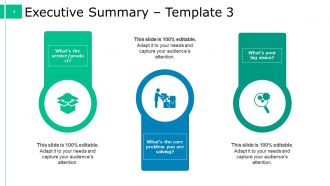
Slide 4: This slide shows Executive Summary with the following headings- a: What’s the service/product? b: What’s the core problem you are solving? c: What’s your big vision? Use these headings to answer your queries.
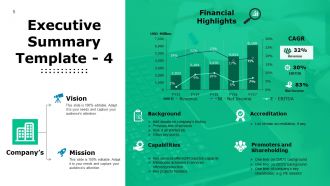
Slide 5: This slide showcases Executive Summary with Company’s Vision & Mission. It also displays Financial highlights graph with- CAGR (Revenue, EBITDA, Net income). Other subheadings include- Background (Add details on company’s history, Previous line of services, How it all started etc. Other key points), Accreditation (List of main accreditation, if any Capabilities (Key services offered/Production capacity Milestones achieved in services offered/production Key projects handled) (Promoters and Shareholding One liner on CMD’s background One liner on CEO’s background One liner of company’s key shareholder; e.g. PE investor).
Slide 6: This slide showcases Our Vision And Mission. State your vision and mission here.
Slide 7: This slide presents Our Goals And Objectives. It can be displayed by the following headings- Systems & Solutions, Operation Of The Solution, Programmers For Strategic Objectives, Business Plan, Business Plan. State them by the help of these sub headings.
Slide 8: This slide presents Core Values of the company/organization. Some examples given are - Integrity, Pursuit of Excellence, Accountability & Collaboration, Passion, Mutual Respect.
Slide 9: This is another slide on Core Values with examples such as Collaborative, Passionate, Excellence, Integrity, Progressive, Respect.
Slide 10: This is a Coffee Break slide to halt. You can change the slide content as per need.
Slide 11: This slide is titled Charts & Graphs to proceed forward.
Slide 12: This slide presents a Column Chart to show two products in comparison.
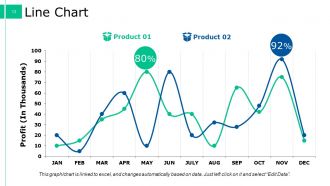
Slide 13: This slide presents a Line Chart for two products/entities to be compared.
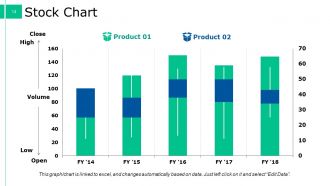
Slide 14: This slide presents a Stock Chart for two products comparison. The parameters shown are- Volume, Open, Low, High, Close.
Slide 15: This slide is titled Additional Slides to move forward.
Slide 16: This slide showcases Vision & Mission with Vision, Mission and Goal. State them here.
Slide 17: This slide presents Our Team with text boxes and imagery to go with. State about your team here.
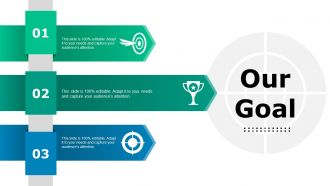
Slide 18: This slide presents Our Goal with icon imagery. State your goals here.
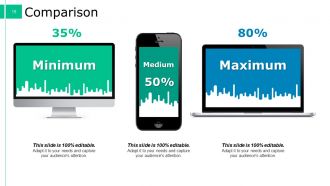
Slide 19: This slide shows Comparison in terms of- Medium, Maximum, Minimum.
Slide 20: This slide shows Financial aspect with text boxes. State them here.
Slide 21: This is a Quotes slide. State highlights, specification etc. by Quote here.
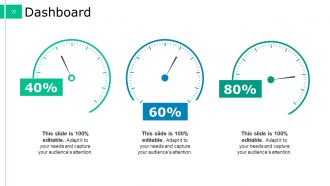
Slide 22: This slide shows Dashboard with dashboard image and text boxes.
Slide 23: This slide displays a Timeline in arrow form. Present company growth, milestones, evolution etc. here.
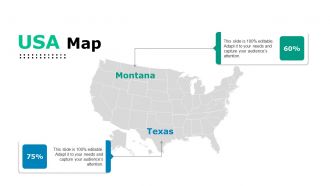
Slide 24: This slide presents a USA Map to state specific growth, marking according to geographic segmentation.
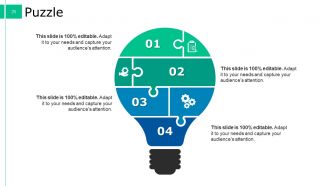
Slide 25: This is a Puzzle slide with text boxes. State information, specifications etc. here.
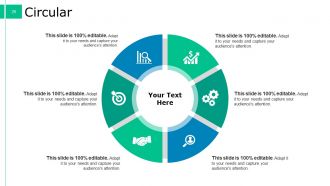
Slide 26: This is a Circular image slide with icons and text boxes.
Slide 27: This slide shows a Venn diagram with text boxes. State information etc. here.
Slide 28: This is a Target slide. State your targets here.
Slide 29: This is a Mind Map slide to show behavioral segmentation, information or anything relative.
Slide 30: This is a Bulb Or Idea slide with text boxes to show innovative aspect, new ventures etc.
Slide 31: This is a Thank You slide with Address# street number, city, state, Email Address, Contact Numbers.
Executive Overview Powerpoint Presentation Slides with all 31 slides:
Control critical domains with our Executive Overview Powerpoint Presentation Slides. Establish command over core areas.
-

Executive Overview
-
Executive Summary Template 1
-
Executive Summary Template 2
-
Executive Summary Template 3
-
Executive Summary Template 4
-

Our Vision And Mission
-
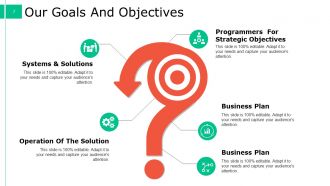
Our Goals And Objectives
-
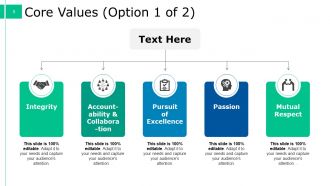
Core Values Option 1 of 2
-
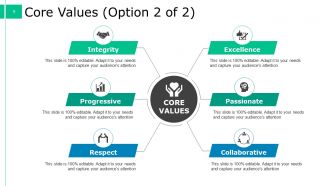
Core Values Option 2 of 2
-

Coffee Break Sign
-

Charts Graphs
-
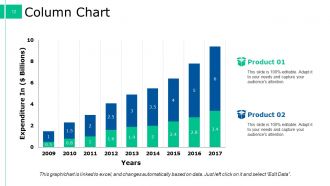
Column Chart
-
Line Chart
-
Stock Chart
-

Additional Slides
-

Vision Mission
-

Our Team
-
Executive Overview
-
Comparison
-

Financial
-

Executive Overview
-
Dashboard
-

Timeline
-
USA Map
-
Puzzle
-
Circular
-
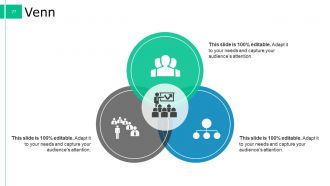
Venn
-
Target
-

Mind Map
-
Blub Or Idea
-

Thank You
FAQs for Executive Overview
So you need four main things: what problem you're fixing, your solution, the impact it'll have, and what resources you need. Honestly, pretend like busy executives will only glance at this one slide - because they probably will! Start with the business impact, not all the techy stuff. Each bullet should be one crisp sentence with real numbers if you've got them. Someone should be able to grasp your whole pitch just from reading this overview. Pro tip: write this part last but stick it right up front in your presentation.
Dude, charts and infographics are your best friend here - they'll save executives from drowning in boring text blocks. Use callout boxes for your biggest numbers and color-code different business areas so people can scan quickly. Honestly, most execs have like a 30-second attention span anyway. Short sentences work great. Then mix in longer ones that actually explain the why behind your data. Don't go crazy with the visuals though - they should back up what you're saying, not turn your overview into some weird art project. Start with whatever data point would make your boss's eyes light up.
Honestly, you gotta tailor it based on who's reading. C-suite folks want the money stuff upfront - ROI, strategic impact, all that high-level stuff. Don't bog them down with operational details. Department heads though? They actually need the nitty-gritty since they're doing the work. Board members care about risk and governance issues. I've watched so many reports crash and burn because they tried cramming everything into one version. Front-load what each group cares about most - executives barely read past the first paragraph, so you better nail it there. Oh, and keep sentences punchy for the busy ones.
So basically, exec overviews are way more strategic than your typical project summary. Project summaries get into the weeds - tasks, timelines, all that detailed stuff. But execs? They want the big picture. What's the business impact? How does this align with company goals? You might have 15 different work streams, but honestly, leadership only cares about the three key outcomes that'll actually matter. It's a totally different audience too. C-suite folks don't want step-by-step breakdowns - they're thinking "why should I fund this?" Keep it to one page max and lead with the business case. ROI is your friend here.
Dude, execs live and die by good visuals - they're not gonna wade through spreadsheets like we do. Charts and dashboards need to tell the story instantly because these people have like 30 seconds of attention span, max. Your best bet? Lead with the biggest metric that actually moves the needle, then build everything else around that. Make it brain-dead obvious what they're looking at and why they should care. Honestly, half the battle is just making the "so what?" crystal clear without them having to think too hard about it.
Lead with your main point - what do they need to decide or know? Then I work backwards and only include the stuff that actually supports that conclusion. Three or four bullets max because let's be real, nobody reads past that anyway. Numbers and deadlines matter way more than explaining your whole process. Keep the language simple - if you're using jargon, you probably don't get it yourself. Oh, and always wrap up with who's doing what next. Otherwise you'll just have another meeting about the meeting.
Don't cram everything in there - execs hate reading novels. Skip the jargon too, especially if you've got people from different departments in the room. Here's what works: jump straight into your main findings instead of boring them with background stuff first. Actually, I learned this the hard way when my first exec summary put everyone to sleep. Make sure you spell out why they should care and what they need to do about it. One page max. Focus on what happened, not how you figured it out. End with clear next steps.
Start with a story that'll grab them right away - like "Company X was bleeding customers last quarter until..." Executives eat this stuff up because they've been there. Way better than diving straight into numbers and boring them to death. Connect that real scenario directly to how your solution fixed things. Those before-and-after moments are gold, honestly. But don't drag it out - keep your opening to maybe 2-3 sentences tops. You want to make the business case feel human first, then hit them with your data. Trust me, the story hooks them way better than spreadsheets ever will.
Lead with your big ask - what you want them to decide. Then boom, hit them with 3-4 bullet points that back it up. One sentence each, max. Think elevator pitch but written down. These execs have maybe two minutes to skim this thing, so don't waste their time with background stuff they already know. Jump straight to what's new or what needs action. Honestly, I've seen too many reports that bury the lead on page 3. Don't do that. Keep it to one page, use bullets everywhere, and wrap up with who's doing what by when. Short sentences work. Your future self will thank you.
Okay so first thing - actually read your company's strategic plan. I know it sounds boring but most people totally skip this step and then wonder why their exec summary falls flat. While you're writing, keep those annual goals open in another tab. Map everything back to what leadership actually cares about, and honestly? Use their exact language and metrics when you can. The whole point is making your overview feel connected to the bigger strategy, not like some random project you threw together. Focus on outcomes that actually matter to them. If they're obsessed with customer retention, don't lead with operational efficiency stuff, you know?
Stick to 3-4 metrics max that actually matter to your big picture goals. Revenue growth and customer acquisition costs are obvious ones. Maybe add team productivity or customer satisfaction depending on what your leadership obsesses over. Here's the thing - executives get decision fatigue from too many numbers. They just want to know if you're crushing it or not. Each metric needs a target and should show trends quarter-over-quarter. Oh, and make sure these are things your team can actually move the needle on through their day-to-day choices.
Dude, culture totally makes or breaks these things. Japanese and German execs want way more background info and formal structure. Americans? Just give them the bottom line first. I bombed a European presentation once because I didn't get this! Data presentation varies too - some love charts, others want the story behind the numbers. Hierarchy's another thing... some expect you to kiss the ring, others hate that formal stuff. Oh and definitely check if they're big on relationship context versus pure facts. Research their business norms beforehand - it'll save you from looking like an idiot.
Honestly, just grab a Canva template - they've got tons of business ones that don't scream "I downloaded this for free." Adobe Creative Suite works too if you're already paying for it. PowerPoint gets roasted constantly but their executive templates are actually pretty solid. Before you even touch design though, try Miro or Lucidchart to brain dump your key points visually. Makes everything clearer. Figma's great if you want more control over the look, but honestly? Don't get too hung up on making it perfect. A clean template with killer messaging beats fancy design with weak content every time.
Build feedback right into your process from day one. Just ask your audience directly afterward what worked and what didn't - executives actually like the straight-up approach. Quick 2-minute debriefs work great and show you if you nailed the detail level or rambled too much. Here's what really matters though: track which overviews actually sparked decisions or action items. That's your real success metric. Create some basic template to capture feedback consistently, then check quarterly for patterns. You'll start seeing what clicks with different audiences. Honestly beats guessing what went wrong weeks later.
Case studies are gold for exec overviews - they turn your abstract ideas into something real that actually happened. Perfect for showing ROI or proving a strategy worked somewhere else. Think "show, don't tell" but keep them super tight. Executives hate long stories, so just hit the key outcome and impact. Pick cases that match whatever decision you're pushing for. Oh, and numbers are your friend - quantify the results whenever you can. Honestly, a good case study does half the convincing for you.
-
Design layout is very impressive.
-
Top Quality presentations that are easily editable.