

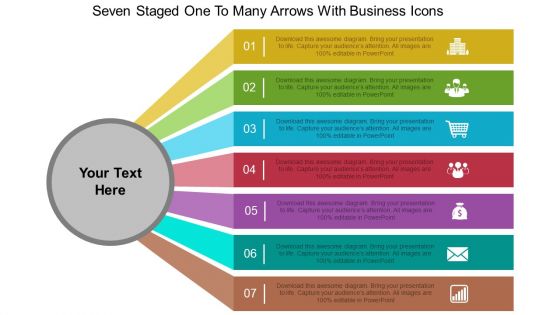
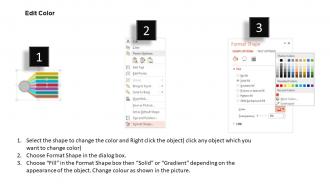
Ft seven staged one to many arrows with business icons flat powerpoint design




Try Before you Buy Download Free Sample Product
 Impress Your
 Audience
 100%
100% Editable
 Save Hours
 of Time


Get your thoughts into alignment. Our Ft Seven Staged One To Many Arrows With Business Icons Flat Powerpoint Design will put them in order.
People who downloaded this PowerPoint presentation also viewed the following :
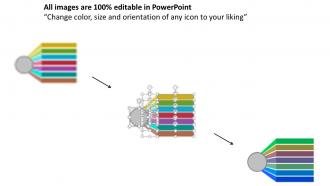
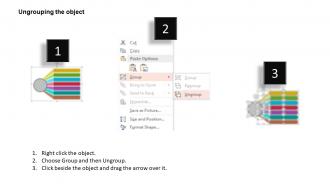
Ft seven staged one to many arrows with business icons flat powerpoint design with all 4 slides:
Avoid ethnic disputes with our Ft Seven Staged One To Many Arrows With Business Icons Flat Powerpoint Design. They are designed to adapt to any culture.
FAQs for Ft seven staged one to many arrows with business icons
Start with why they should care - what's in it for them? Too many people dive straight into data and lose everyone right away. Keep slides super clean, minimal text. Tell stories to make your points stick. Practice your transitions so you don't sound robotic between sections. Honestly, visuals should support what you're saying, not compete with it. End with a real call to action, not just "questions?" Oh and practice out loud at least twice - trust me on this one. You'll catch the weird parts that look fine on paper but sound awkward when spoken.
Honestly, visuals are a game changer for presentations. Your audience will actually remember what you said instead of zoning out after five minutes. Nobody wants to stare at someone just talking the whole time - trust me on this one. Charts make complicated data way easier to understand, and images help people connect emotionally with your content. Visual learners especially love this stuff. Oh, and keep your slides simple! You don't want them fighting with your actual message for attention. Clean design beats cluttered every time.
Dude, stories are game-changers for presentations. People zone out when you just throw data at them, but wrap that same info in a story? Suddenly they're hooked. I've watched boring presentations come alive the second someone shares a customer example or paints a "day in the life" picture. Everyone stops scrolling Instagram and actually listens. Plus stories stick - your audience will remember that anecdote way longer than some random stat. Complex stuff becomes way easier to grasp too. Oh, and honestly? Opening with a quick story that connects to your main point is such a simple trick but works every time.
Okay so first thing - you need a hook that actually grabs people, then hit them with your main point right away. Don't make them guess what you're talking about. For the body, stick to three main points max because honestly nobody has the patience for more than that these days. Back everything up with real numbers or examples - people remember stats way better than vague ideas. Your conclusion should tell them exactly what to do next, like "sign up here" or whatever. Oh and practice those transitions between sections! Nothing kills a good presentation like awkward pauses where you're clearly trying to figure out what comes next.
Don't cram text all over your slides - nobody wants to read a novel during a presentation. Keep it visual with just the main points. Practice beforehand so you're not saying "um" constantly or stumbling between topics. Oh and never read directly off the slides, that's the fastest way to put people to sleep. Try not to turn your back to everyone constantly either. Going over time is another killer mistake. Honestly the tech stuff always breaks when you need it most, so test everything twice and have backups ready on different devices.
Honestly, the biggest thing is knowing who you're talking to beforehand. Executives? Hit them with ROI and big picture stuff right away. Technical people actually WANT all the nitty-gritty details, so don't hold back there. Mixed audiences are trickier - you've gotta layer it so everyone gets something. But seriously, never use the same presentation for different groups. That's where people mess up. Switch out your examples too. Sales teams love hearing customer stories, finance wants hard numbers. I always ask myself what's actually stressing these people out, then build around fixing those problems. Works way better than generic approaches.
Okay so first - do that breathing thing where you breathe in for 4, hold it, then out for 4. Really helps. I always rehearse my opening lines until I could say them in my sleep because those first 30 seconds are brutal. Used to literally pace around like crazy before presenting lol. When you're up there, just look at the people who seem friendly instead of trying to make eye contact with everyone. Oh and prep way more than you think you need - being over-prepared is honestly such a confidence boost. Here's the thing though: your audience isn't rooting against you. They want you to do well.
Pick your 3-5 best data points - don't overwhelm people with everything. Charts and graphs are your friend here, makes stuff way easier to digest. I have this rule where if I can't explain something in 30 seconds, it's probably too complicated. Break big stats into smaller pieces that actually make sense. After each number, ask yourself "so what?" - seriously, this helps. Your audience needs to understand why they should care. Oh, and don't just rattle off a bunch of facts. Tell a story instead. Give them one main thing they'll remember when they walk away. That's really all that matters.
Oh man, templates are a lifesaver! I used to waste SO much time just picking fonts and colors - honestly such a pain. They make everything look way more professional without you having to be some design guru. You'll get consistent formatting and a solid structure so your slides don't end up looking like a hot mess. Brand consistency across your team happens automatically too, which is nice. My take? Find maybe 2-3 good ones for different types of presentations and just roll with those. Way better than staring at a blank slide wondering where to even start.
Figure out your main point first - like, the ONE thing you want people walking away with. Everything else should back that up. Ditch the jargon and write how you'd actually talk. Your slides shouldn't be novels either, just bullet points work fine. I usually go for one big idea per minute, but honestly that depends on your crowd. Here's what really helps though - run it by someone first and have them tell you what they got from it. You'll catch stuff that doesn't land right. Oh, and cut anything that feels like filler, even if you love those parts.
Dude, test everything beforehand because tech WILL fail you at the worst moment. Save slides to cloud AND bring a USB backup. Make your fonts huge - people in back rows have feelings too lol. Never read straight off slides, just use them as props while you actually talk. Oh and mute all notifications! Nothing's more embarrassing than your mom texting during a serious presentation. Practice clicking through smoothly so you're not fumbling around. Worst case? You should be able to wing it without slides entirely.
Definitely get feedback right after each presentation - people forget details fast. Just send a quick survey or ask them directly what worked and what bombed. I learned this the hard way by skipping it too many times. Don't obsess over one person's weird comment though. Look for patterns when multiple people say the same thing. Here's what actually helps: write down what you learn and make a simple checklist. Track stuff like pacing, slides, how engaged people seemed. Then actually use that list before your next one. Sounds obvious but most people don't do it.
Start with fonts and white space - keep it consistent and don't cram stuff together. One idea per slide, that's it. I do this squint test thing where if I can't tell what's important when everything's blurry, the audience definitely can't either. Works every time. Keep text super minimal and use colors that actually contrast. Oh, and make sure people in the back can read it - seems obvious but you'd be surprised. Here's something most people don't think about: pull it up on your phone first since that's probably how half the team will review it later anyway.
Polls are your best friend - Mentimeter and Slido are super easy to set up. Quick breakout chats work too, or just use the chat function for feedback. Honestly, Q&A sessions are clutch because nobody wants to sit there like a statue for an hour straight. If you're virtual, throw in some clickable stuff. In-person? Simple hand-raising works great. Even basic things like "raise your hand if this sounds familiar" get people moving. Oh, and space it out - maybe one interactive thing every 10-15 minutes so you don't overwhelm anyone.
Honestly, you've gotta shake things up or people will zone out completely. Ask questions, throw in polls if you can, and please don't speak in the same monotone the whole time - I made that mistake once and watched everyone pull out their phones lol. Stories work way better than just listing facts. Ditch those text-heavy slides for actual visuals. Walk around a bit if there's space. Oh, and here's the thing that really helps - stop every 10-15 minutes for quick discussions instead of cramming all Q&A at the end. People's attention spans are honestly pretty short these days.
-
Innovative and attractive designs.
-
Unique and attractive product design.