


Implementing Security Awareness Training To Prevent Cyber Attacks Powerpoint Presentation Slides
Cybersecurity is critical because it protects all categories of data from theft and damage. Grab our Implementing Security Awareness Training to Prevent Cyber Attacks template. It is expertly designed to provide an overview of social engineering, business email compromise, and ransomware attacks. Our Cybersecurity deck begins by giving a complete overview, current scenario, and gap analysis of an organizations cyber security. Further, it includes a section that will assist businesses in developing a solid security awareness culture in the workplace and preventing downtime. It incorporates online courses, automation tools, general strategies, etc. Furthermore, Our Security Awareness Campaign module exhibits a few slides to address the structure of the cyber security team. It also includes security awareness challenges, solutions, and a thorough checklist. Finally, the cyber security ppt discusses a few dashboards that businesses can use to evaluate security awareness methods outcomes successfully. Download our 100 percentage editable and customizable template, which is also compatible with Google slides.


































-

- Google Slides is a new FREE Presentation software from Google.
- All our content is 100% compatible with Google Slides.
- Just download our designs, and upload them to Google Slides and they will work automatically.
- Amaze your audience with SlideTeam and Google Slides.
-

Want Changes to This PPT Slide? Check out our Presentation Design Services
-

- WideScreen Aspect ratio is becoming a very popular format. When you download this product, the downloaded ZIP will contain this product in both standard and widescreen format.
-

- Some older products that we have may only be in standard format, but they can easily be converted to widescreen.
- To do this, please open the SlideTeam product in Powerpoint, and go to
- Design ( On the top bar) -> Page Setup -> and select "On-screen Show (16:9)” in the drop down for "Slides Sized for".
- The slide or theme will change to widescreen, and all graphics will adjust automatically. You can similarly convert our content to any other desired screen aspect ratio.
Compatible With Google Slides

Get This In WideScreen
You must be logged in to download this presentation.


Do you want to remove this product from your favourites?
PowerPoint presentation slides
Enthrall your audience with this Implementing Security Awareness Training To Prevent Cyber Attacks Powerpoint Presentation Slides. Increase your presentation threshold by deploying this well-crafted template. It acts as a great communication tool due to its well-researched content. It also contains stylized icons, graphics, visuals etc, which make it an immediate attention-grabber. Comprising senenty five slides, this complete deck is all you need to get noticed. All the slides and their content can be altered to suit your unique business setting. Not only that, other components and graphics can also be modified to add personal touches to this prefabricated set.

People who downloaded this PowerPoint presentation also viewed the following :
Content of this Powerpoint Presentation
Slide 1: This slide introduces Implementing Security Awareness Training to Prevent Cyber Attacks. Commence by stating Your Company Name.
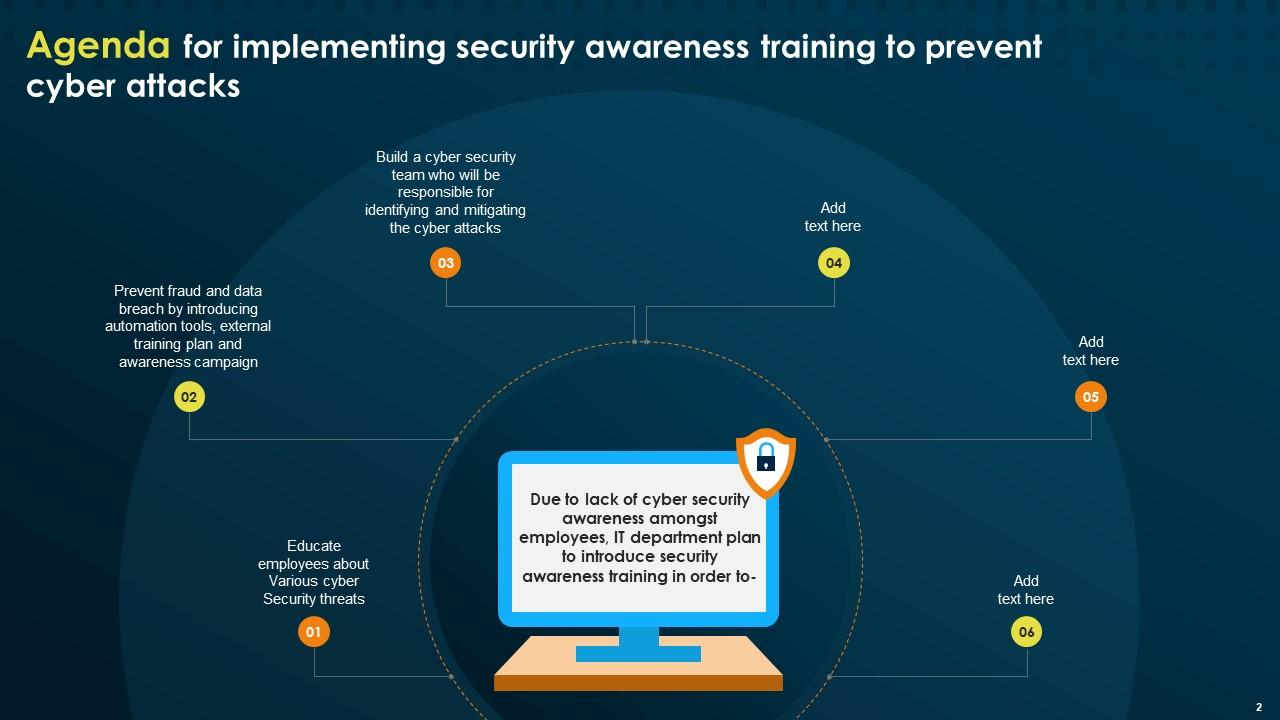
Slide 2: This slide depicts the Agenda of the presentation.
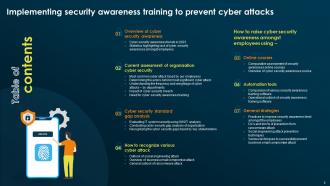
Slide 3: This slide incorporates the Table of contents.
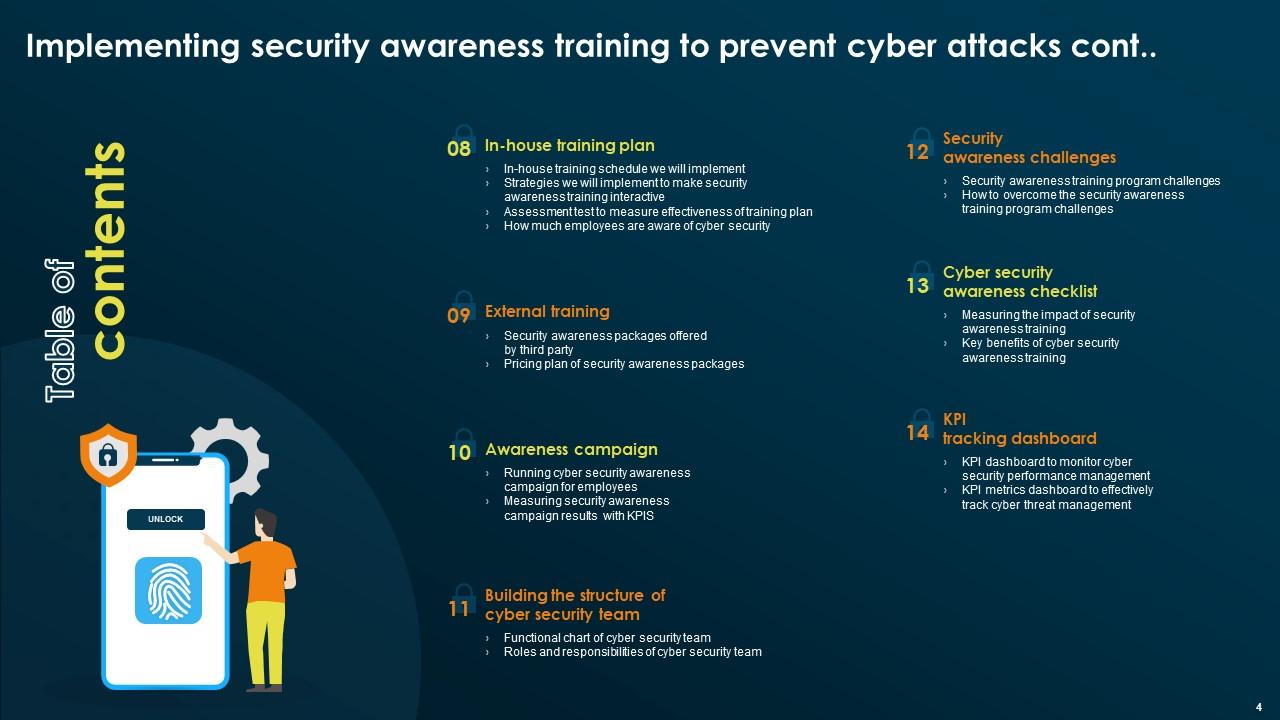
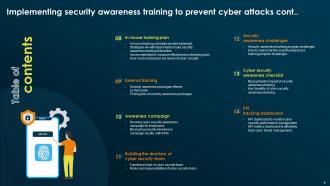
Slide 4: This is yet another slide continuing the Table of contents.
Slide 5: This slide highlights the Title for the Topics to be discussed next.
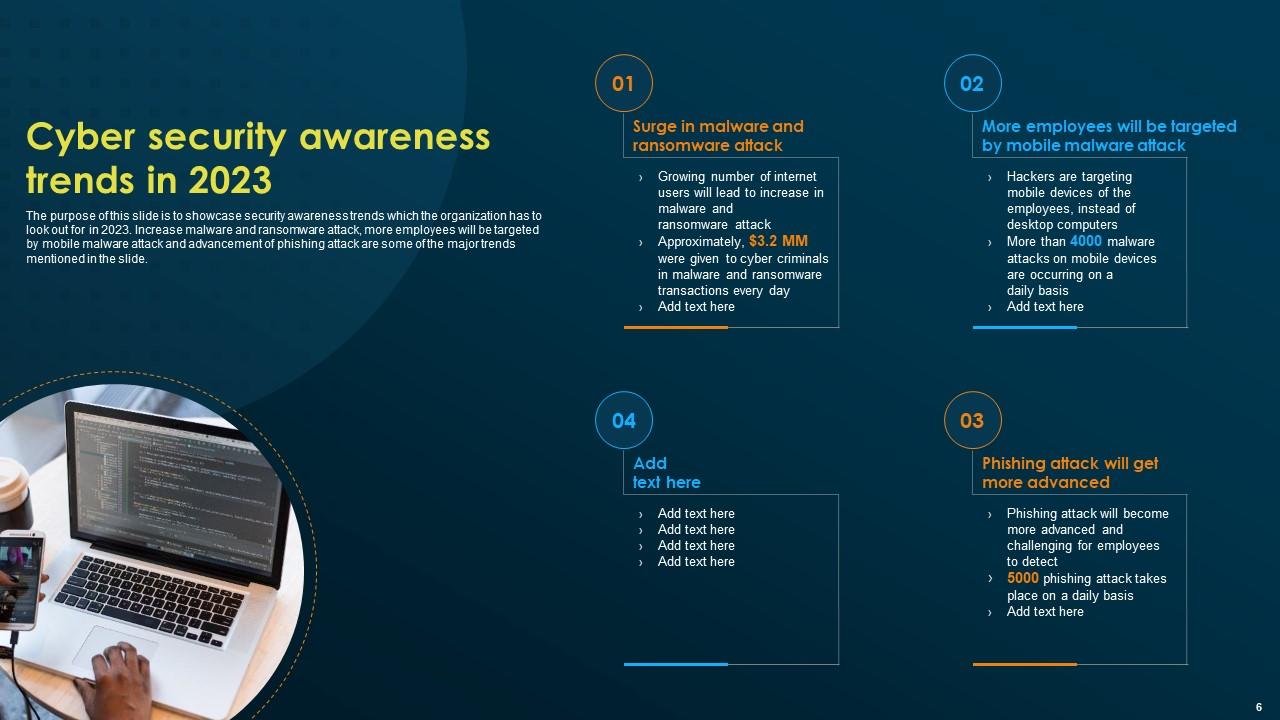
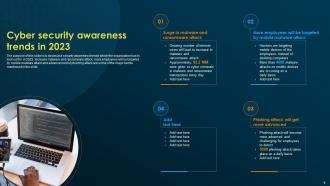
Slide 6: This slide showcases the security awareness trends which the organization has to look out for in 2023.
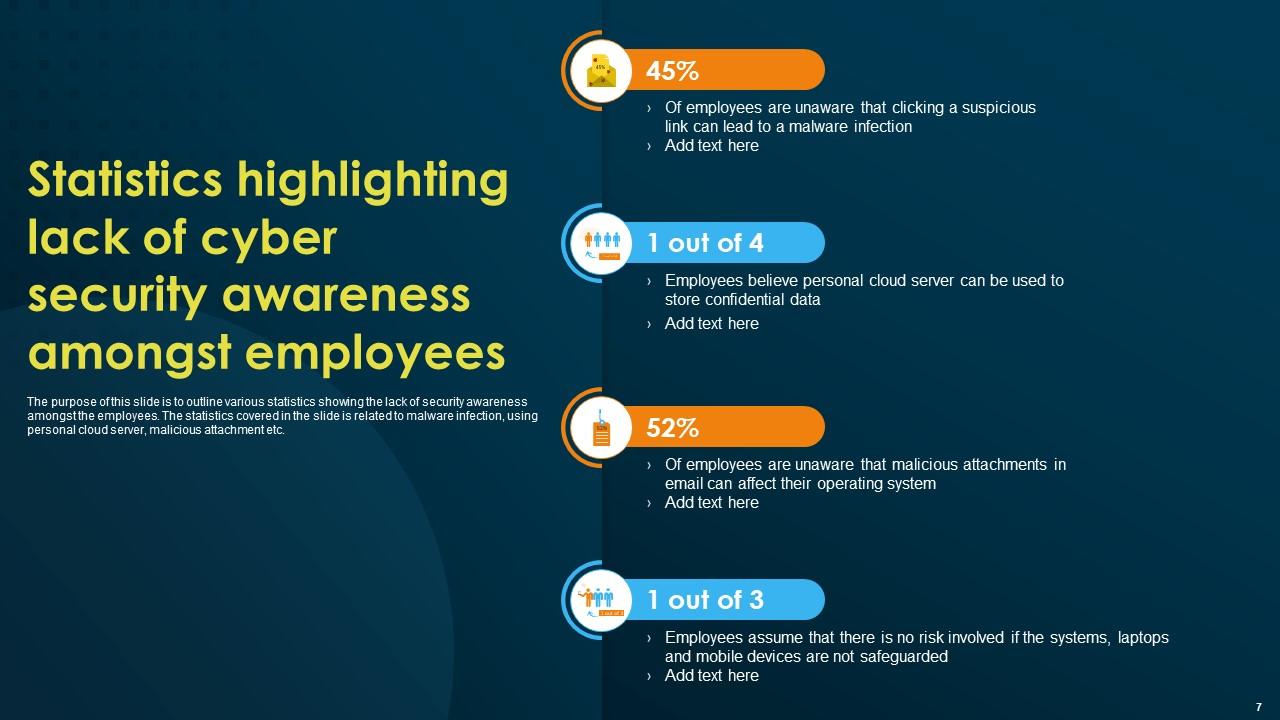
Slide 7: The purpose of this slide is to outline various statistics showing the lack of security awareness amongst the employees.
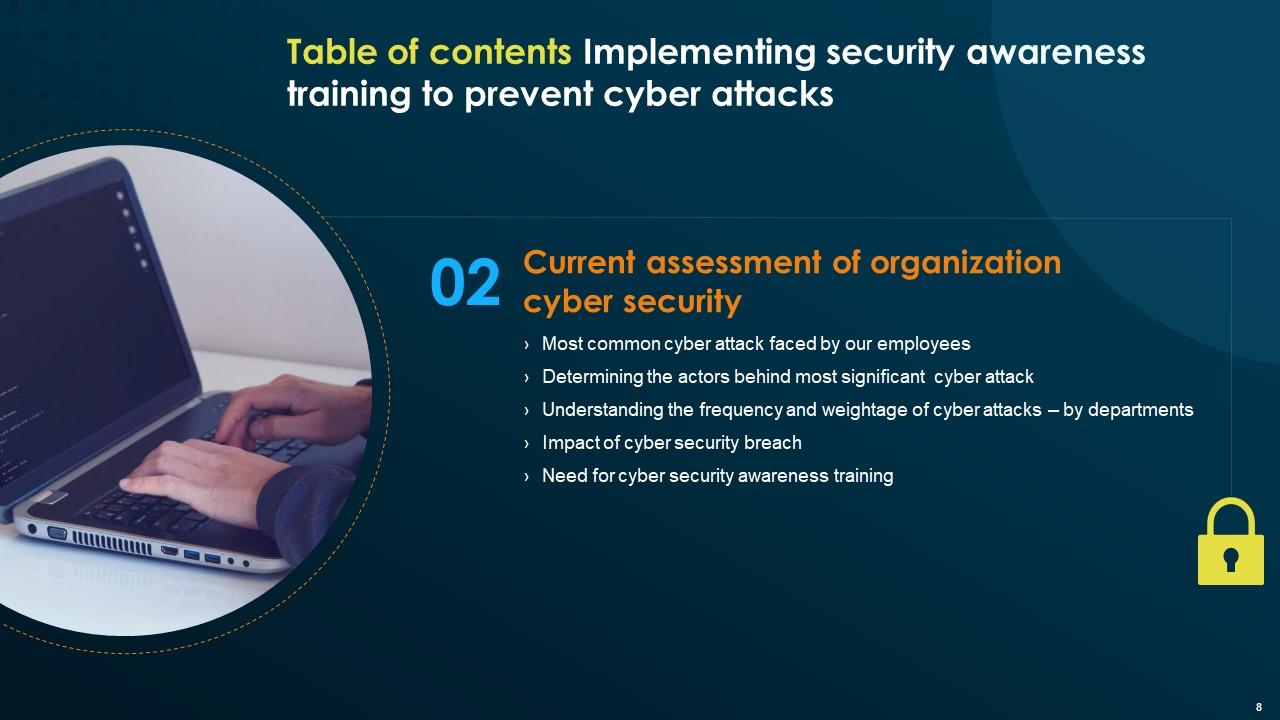
Slide 8: This slide elucidates the Heading for the Components to be covered in the further template.
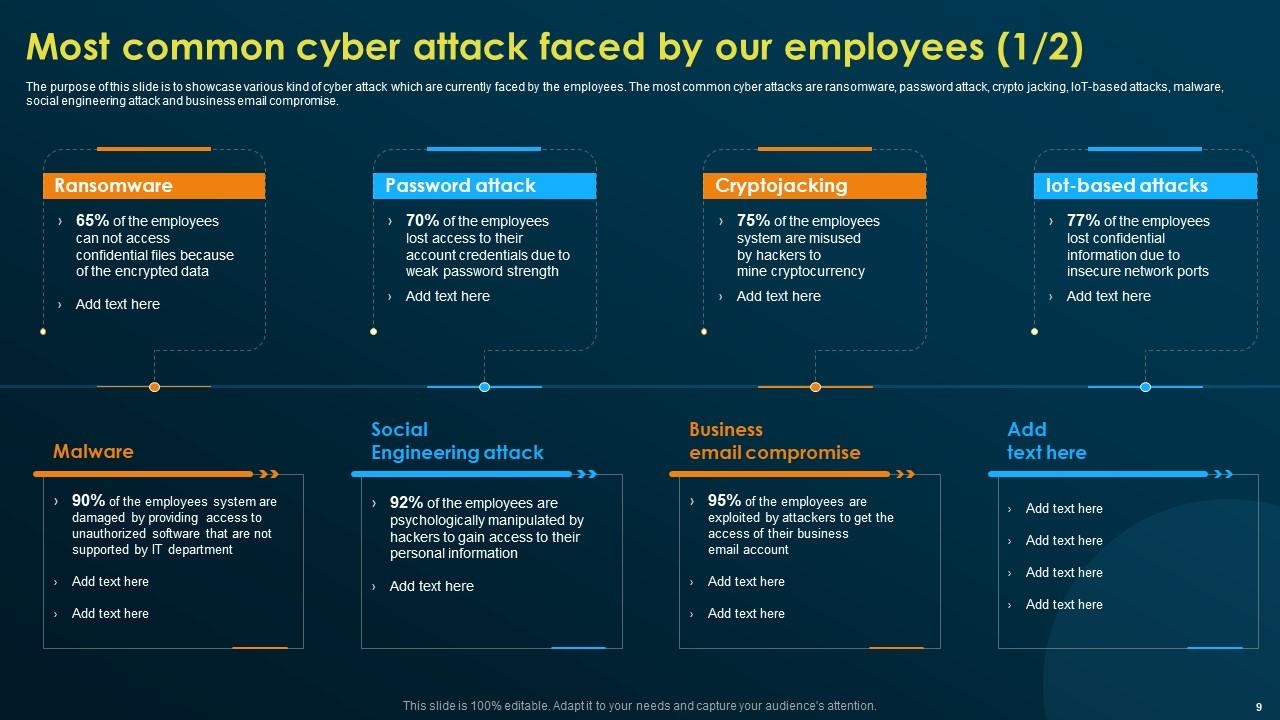
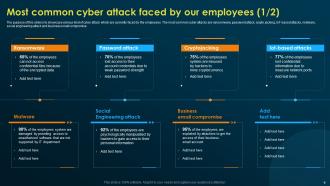
Slide 9: The purpose of this slide is to showcase various kind of cyber attack which are currently faced by the employees.
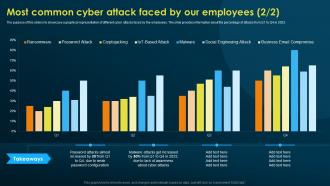
Slide 10: This slide continues the Most common cyber attack faced by the employees.
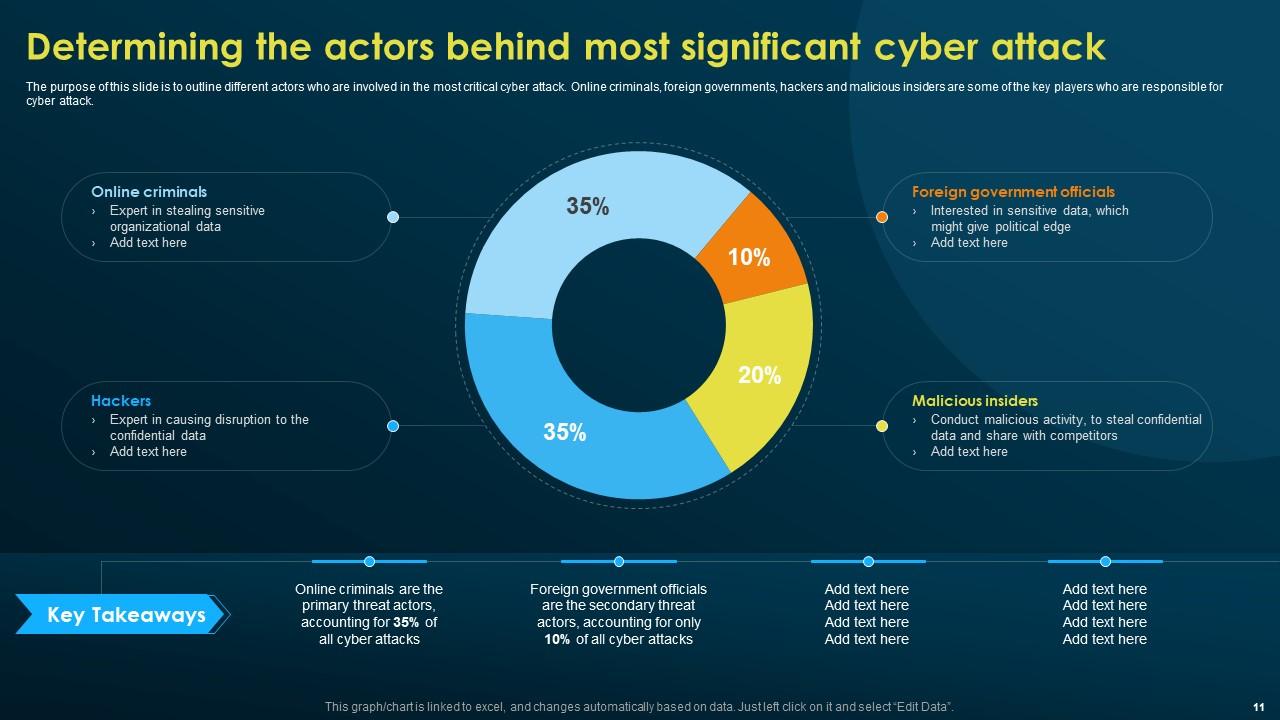
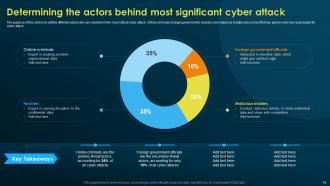
Slide 11: This slide talks about Determining the actors behind most significant cyber attack.
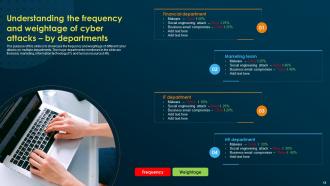
Slide 12: The purpose of this slide is to showcase the frequency and weightage of different cyber attacks on multiple departments.
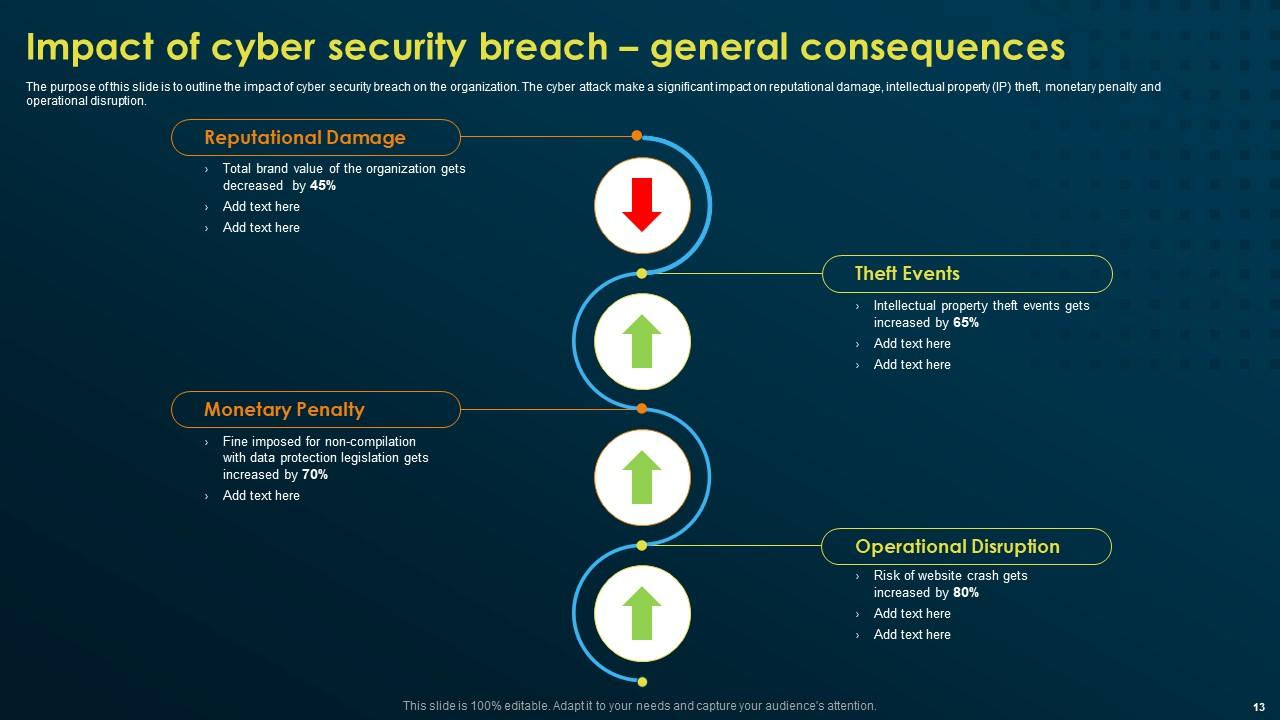
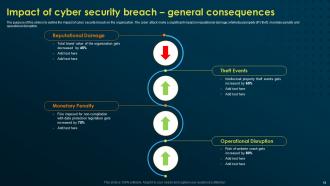
Slide 13: This slide portrays the impact of cyber security breach on the organization.
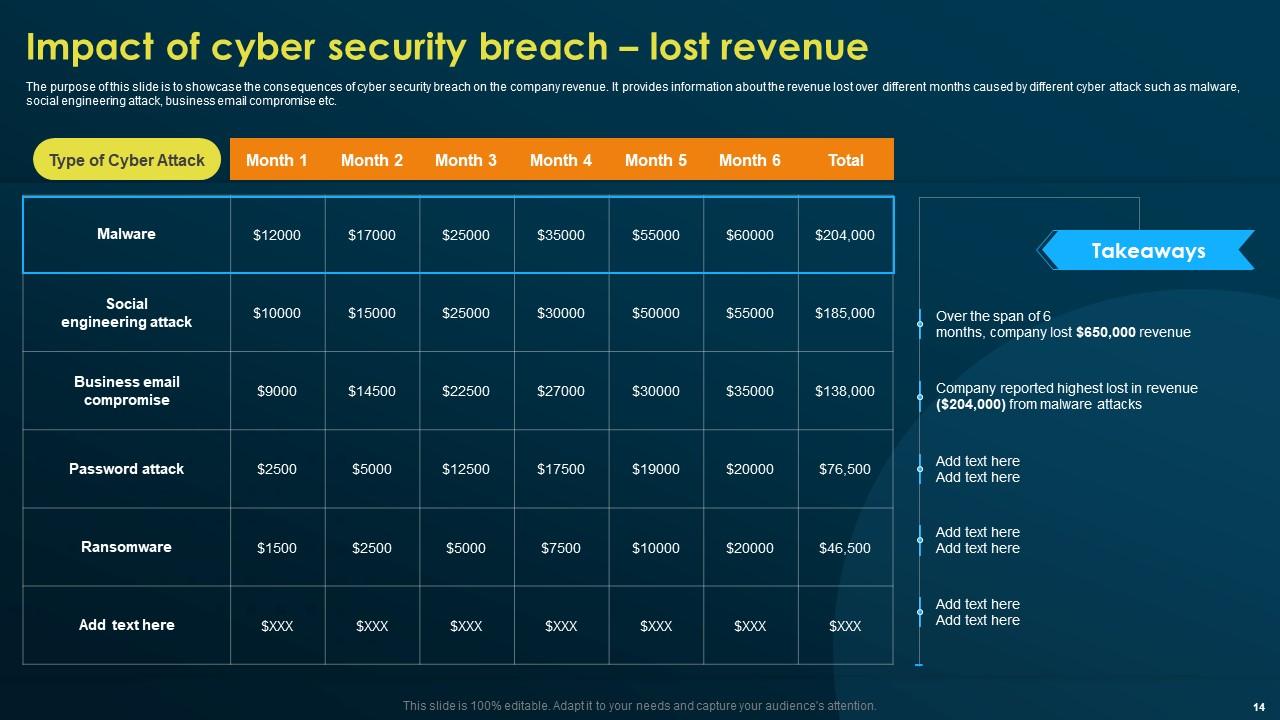
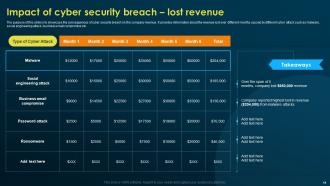
Slide 14: This slide shows the consequences of cyber security breach on the company revenue.
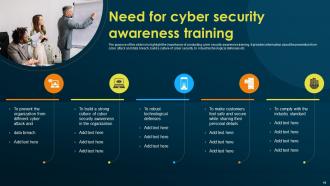
Slide 15: This slide exhibits the Need for cyber security awareness training in the organization.
Slide 16: This slide mentions the Title for the Ideas to be covered in the upcoming template.
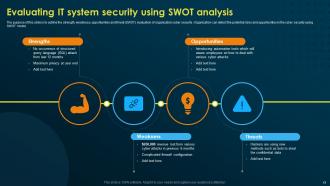
Slide 17: The purpose of this slide is to outline the strength, weakness, opportunities and threat (SWOT) evaluation of organization cyber security.
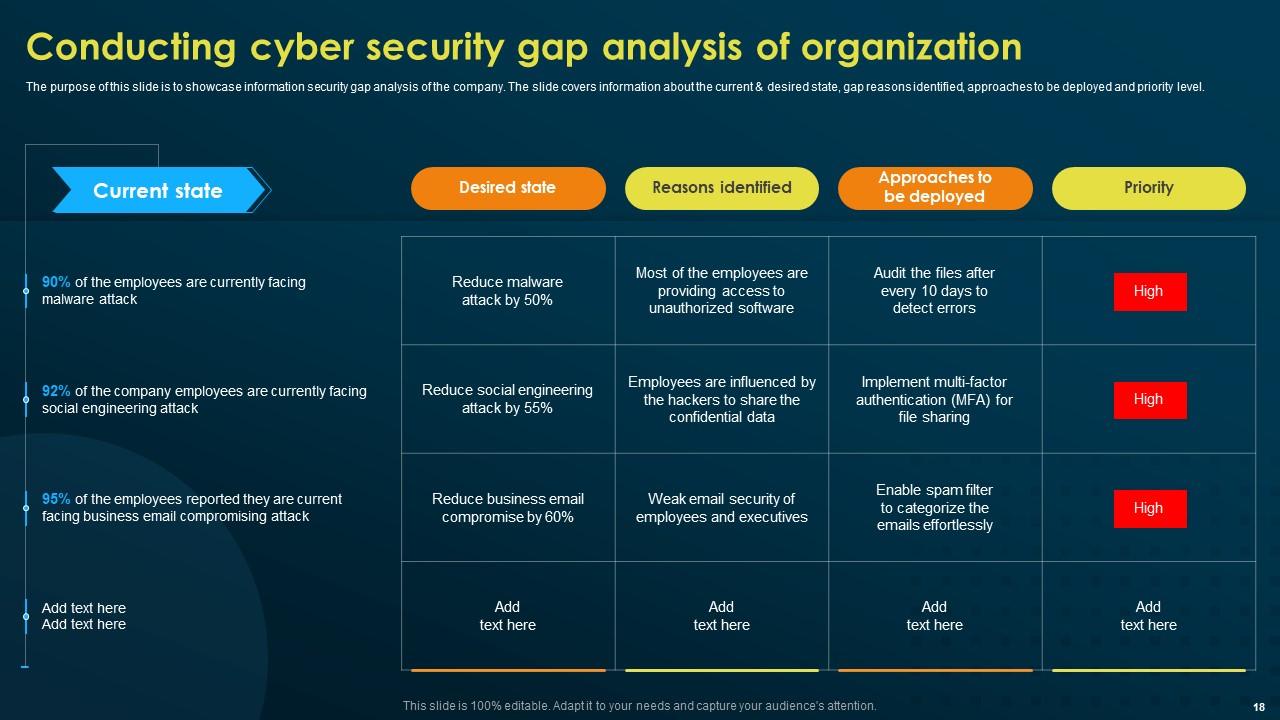
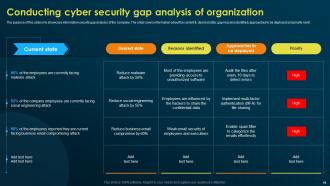
Slide 18: This slide deals with Conducting cyber security gap analysis of organization.
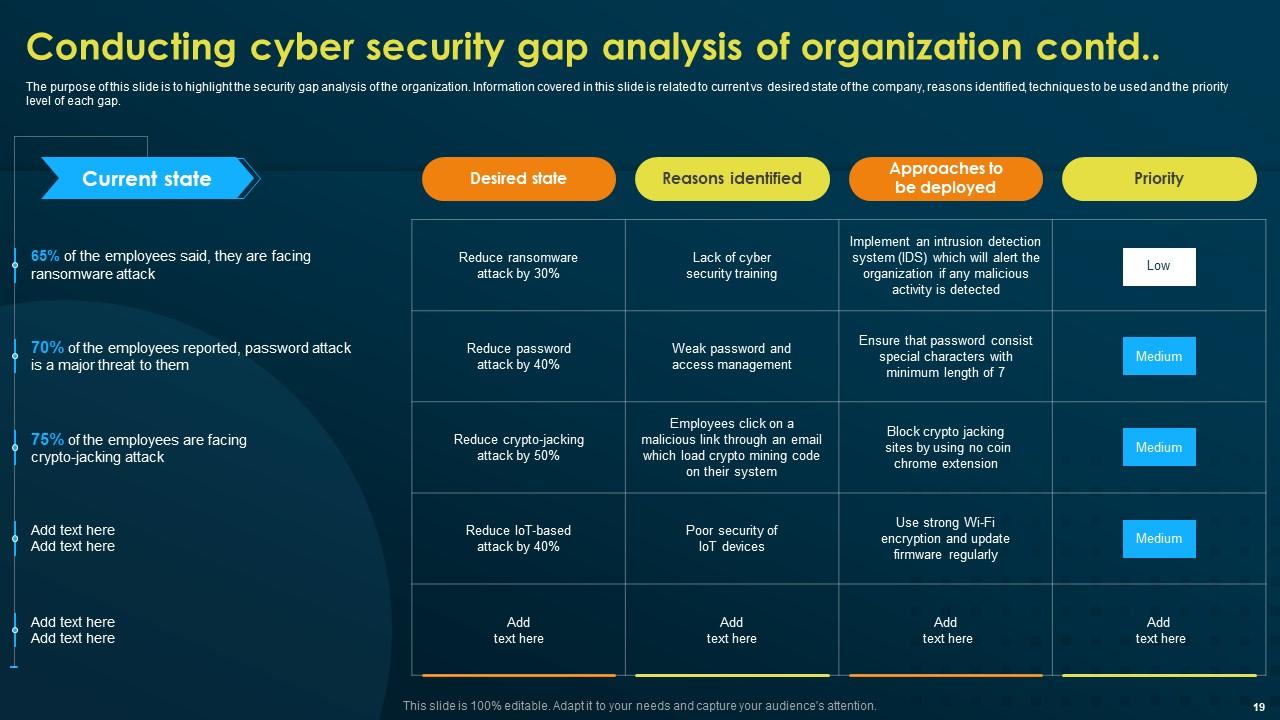
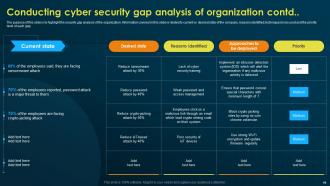
Slide 19: The purpose of this slide is to highlight the security gap analysis of the organization.
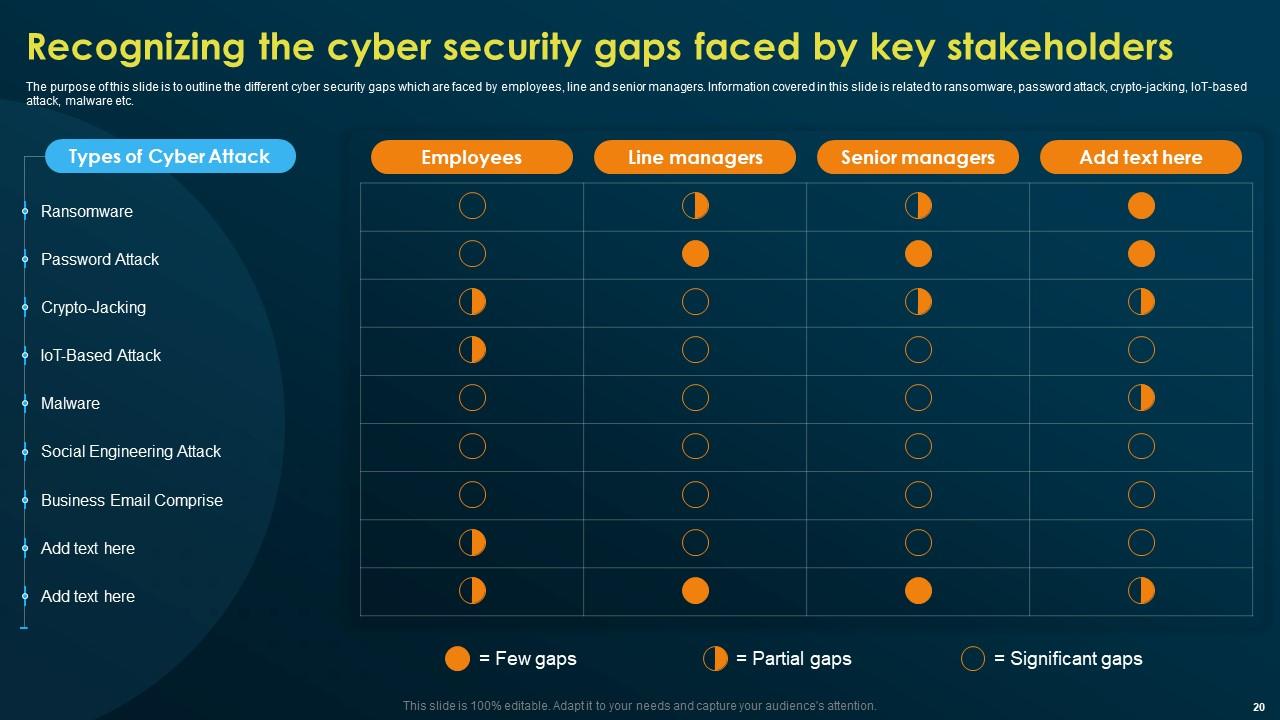
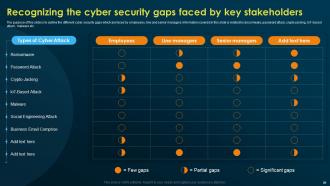
Slide 20: This slide focuses on Recognizing the cyber security gaps faced by key stakeholders.
Slide 21: This slide incorporates the Heading for the Ideas to be discussed next.
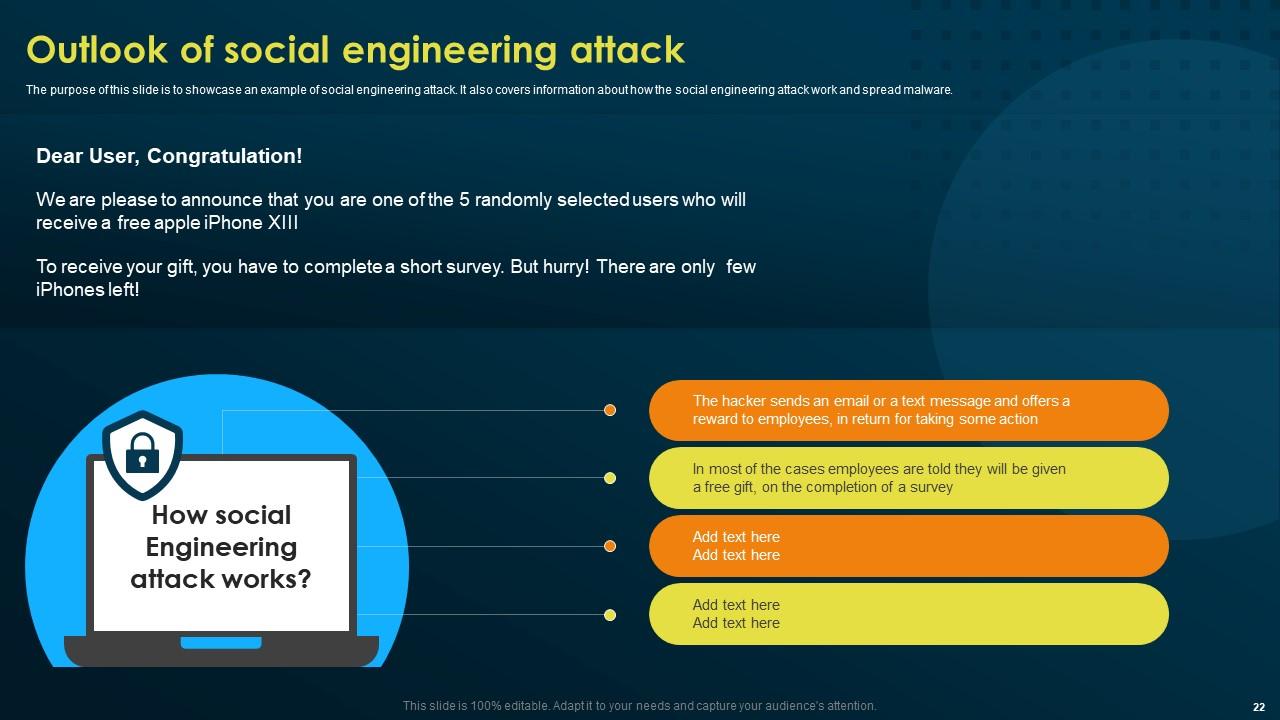
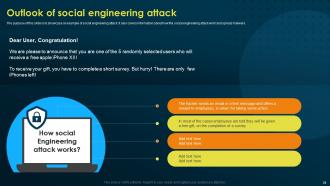
Slide 22: The purpose of this slide is to showcase an example of social engineering attack.
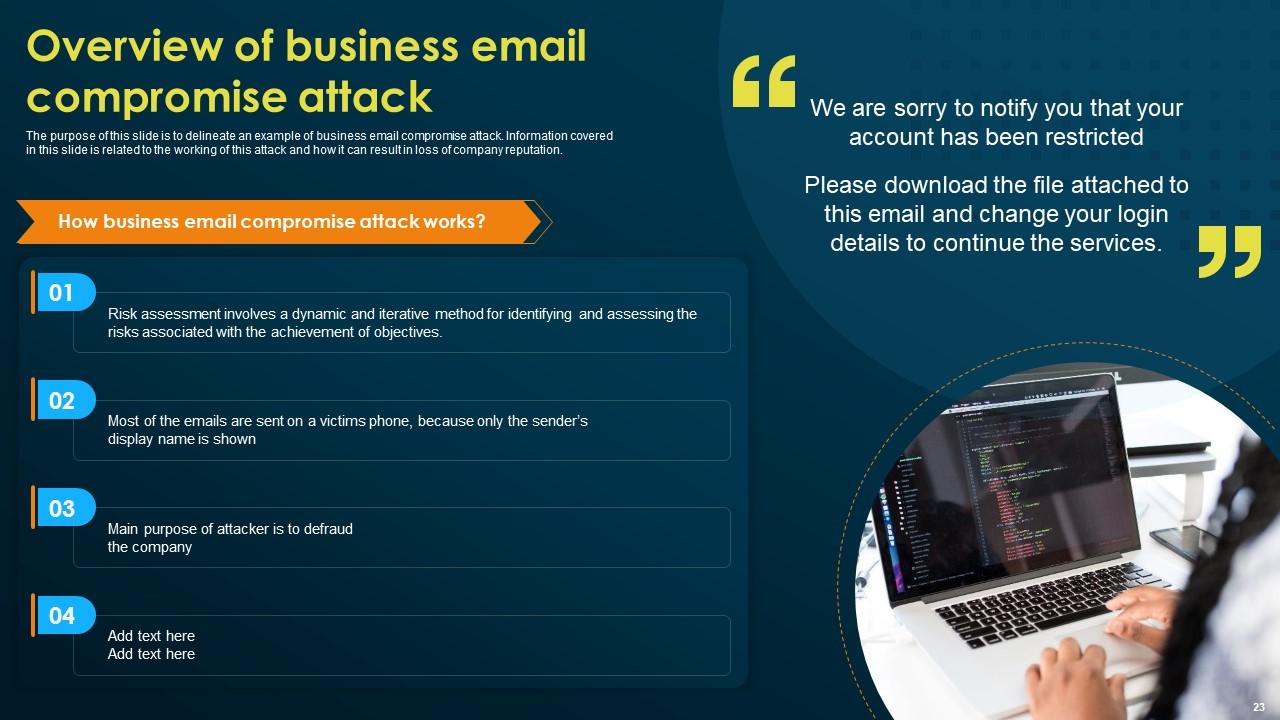
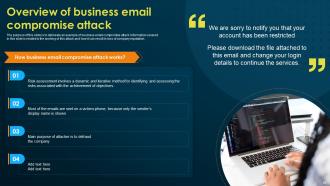
Slide 23: This slide presents the Overview of business email compromise attack.
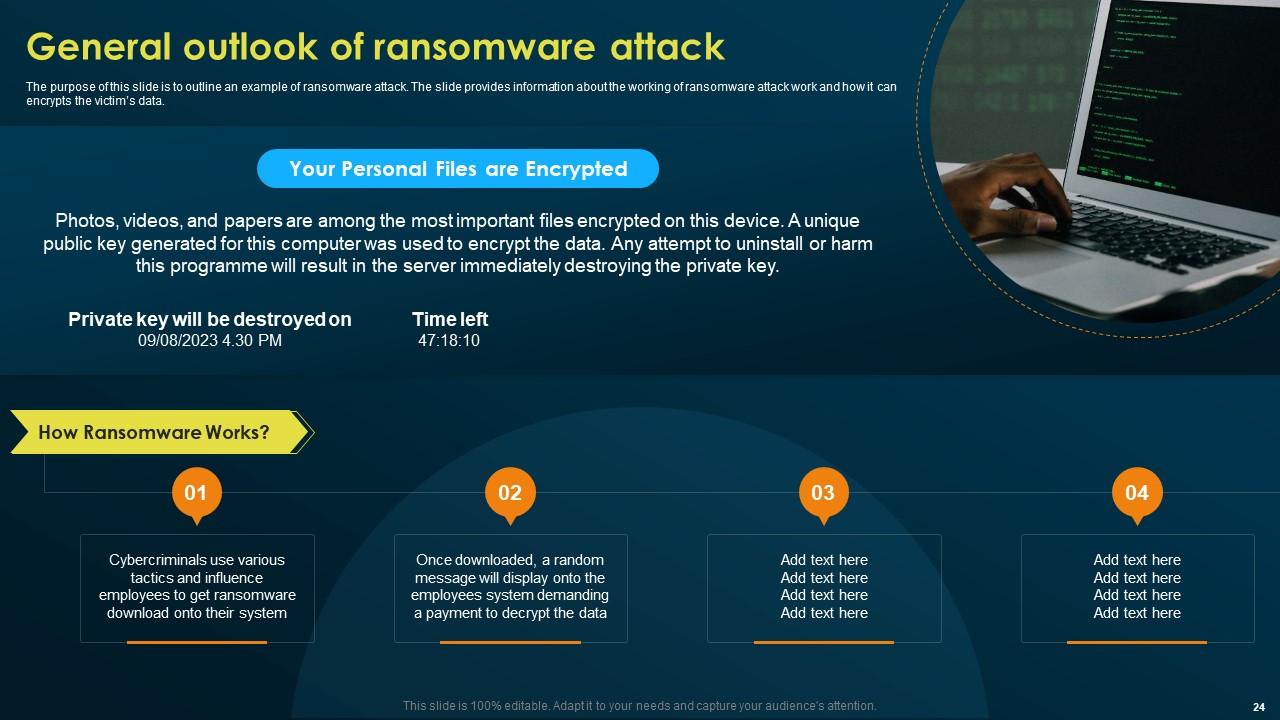
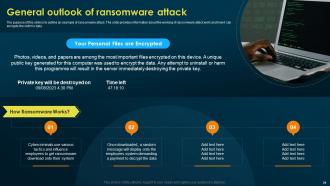
Slide 24: This slide gives a General outlook of ransomware attack.
Slide 25: This slide elucidates the Title for the Components to be discussed further.
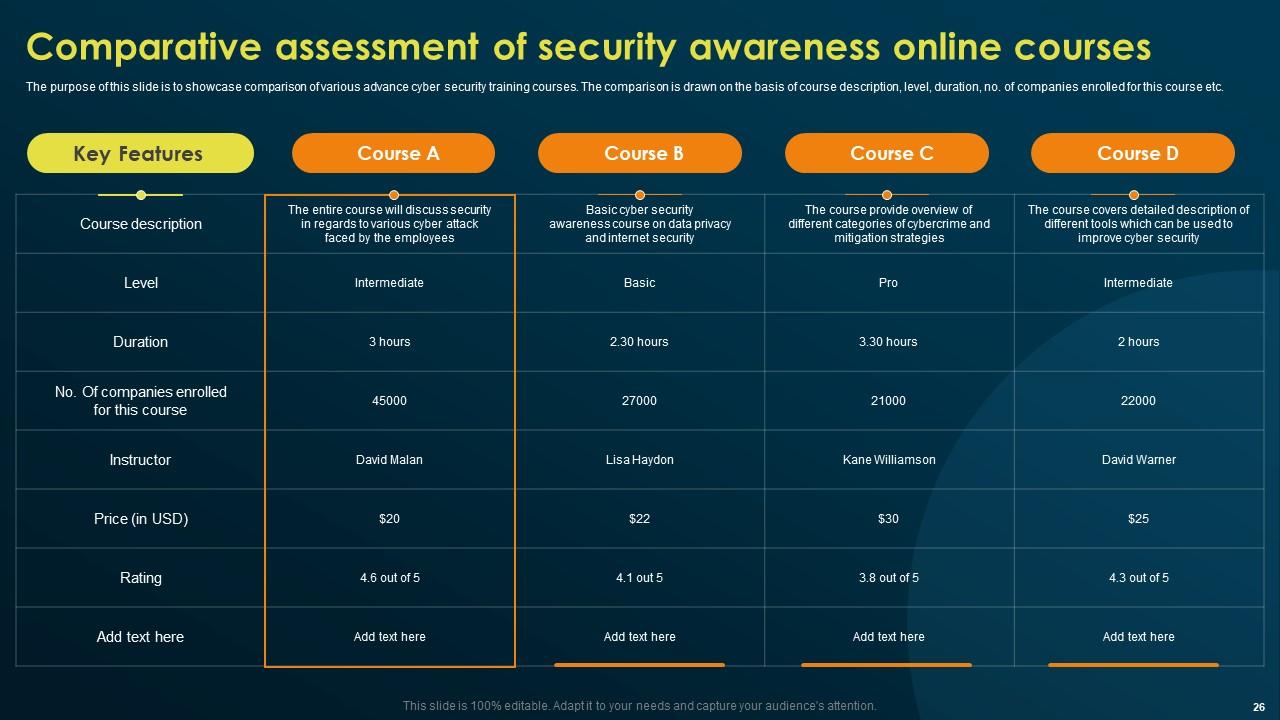
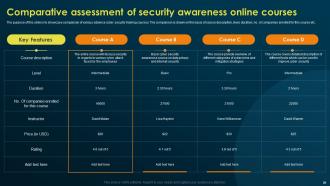
Slide 26: This slide deals with the Comparative assessment of security awareness online courses.
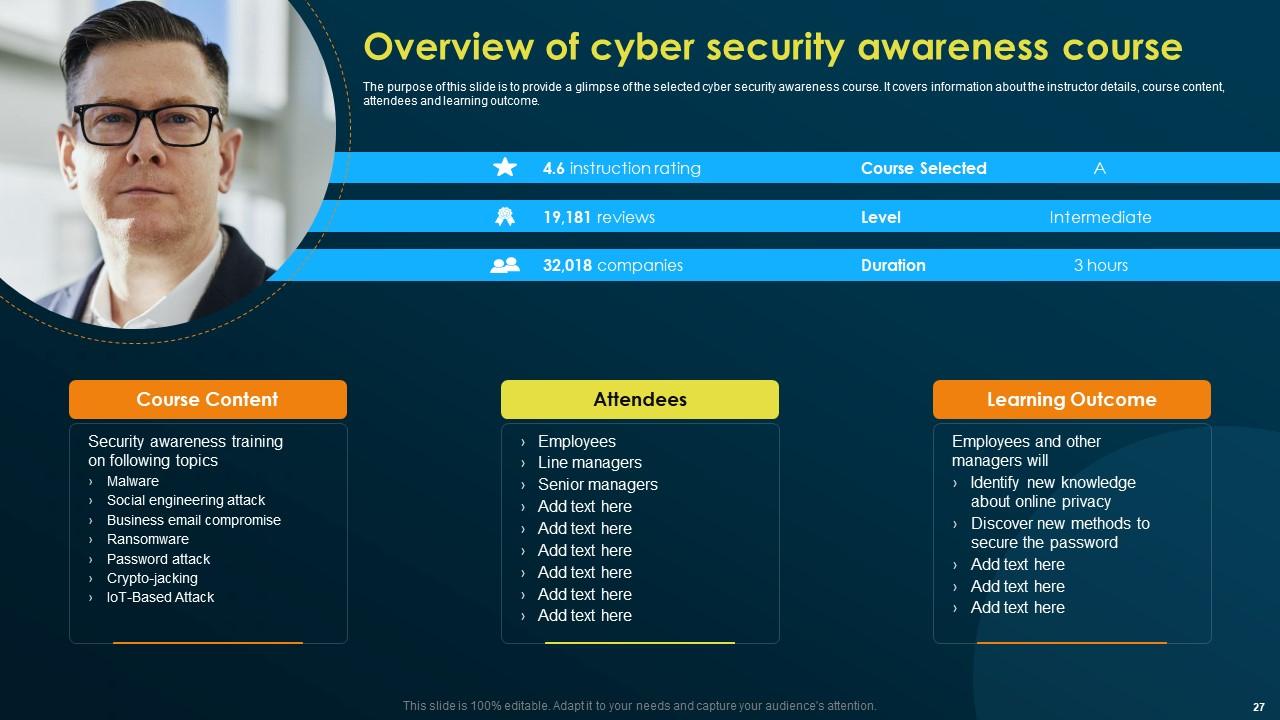
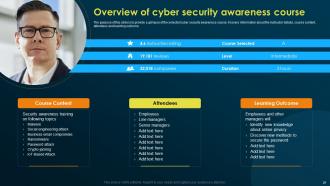
Slide 27: This slide reveals the Overview of cyber security awareness course.
Slide 28: This slide contains the Heading for the Topics to be covered in the following template.
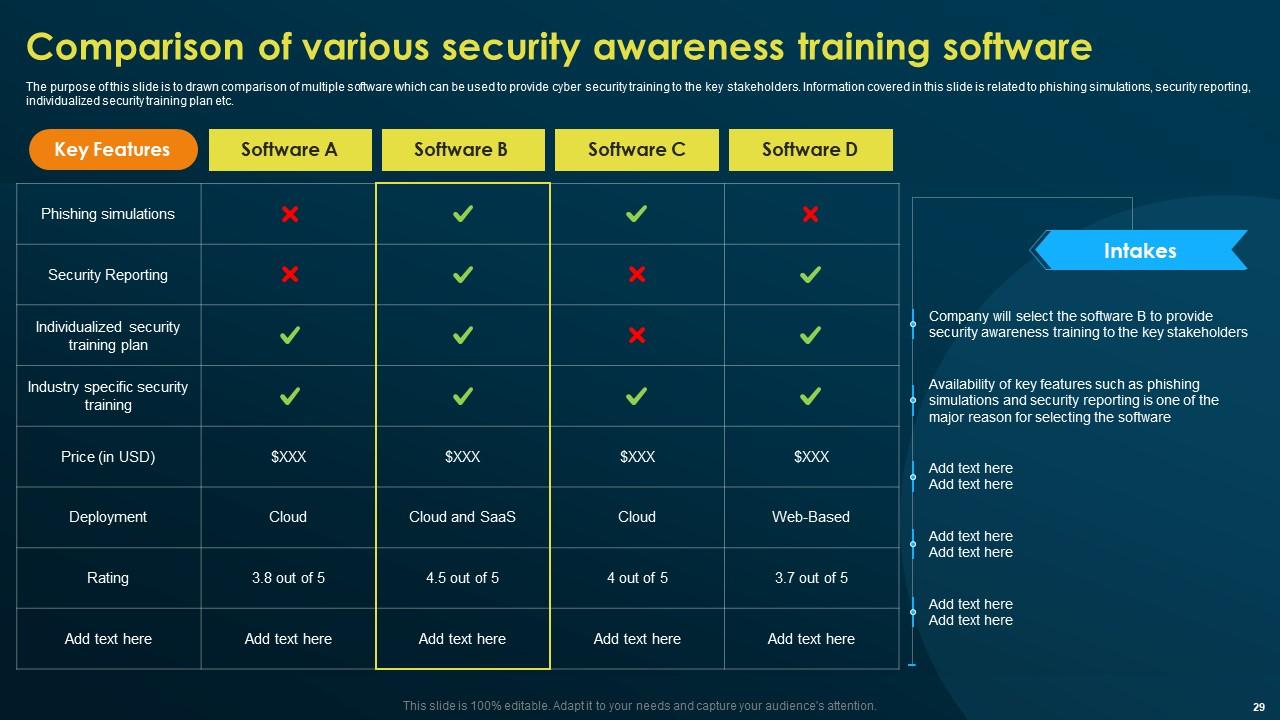
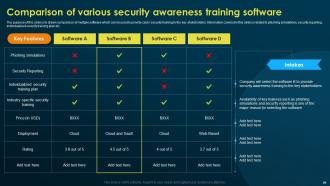
Slide 29: This slide highlights the Comparison of various security awareness training software.
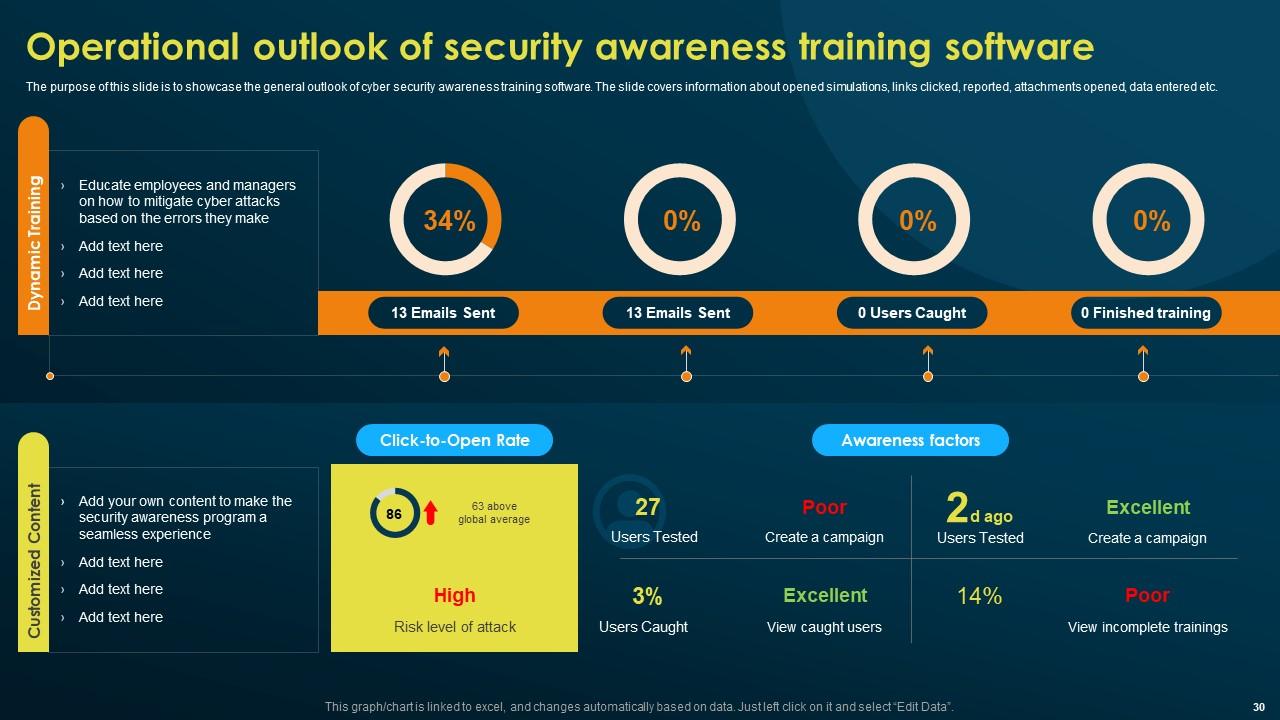
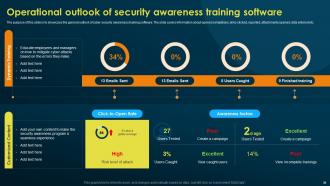
Slide 30: The purpose of this slide is to showcase the general outlook of cyber security awareness training software.
Slide 31: This slide elucidates the Title for the Ideas to be discussed further.
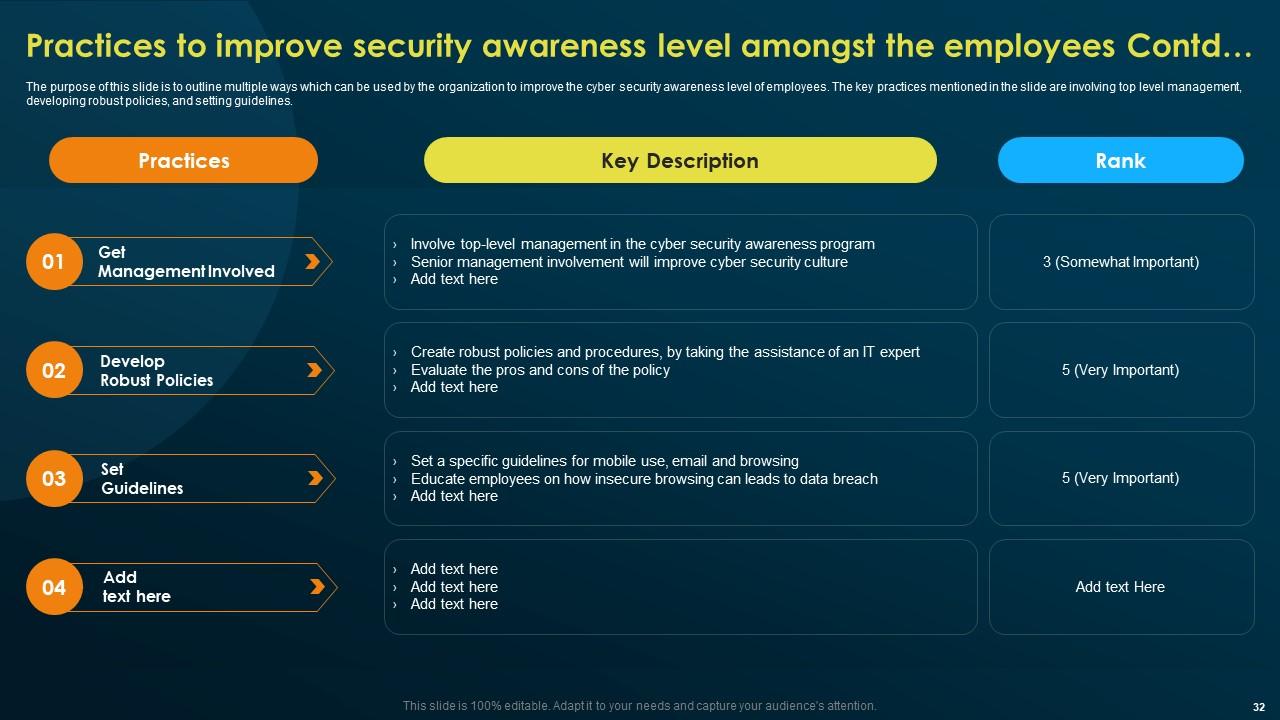
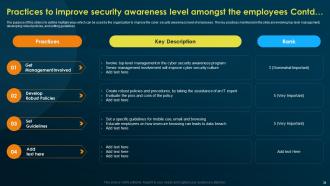
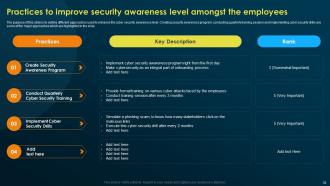
Slide 32: This slide represents the Practices to improve security awareness level amongst the employees.
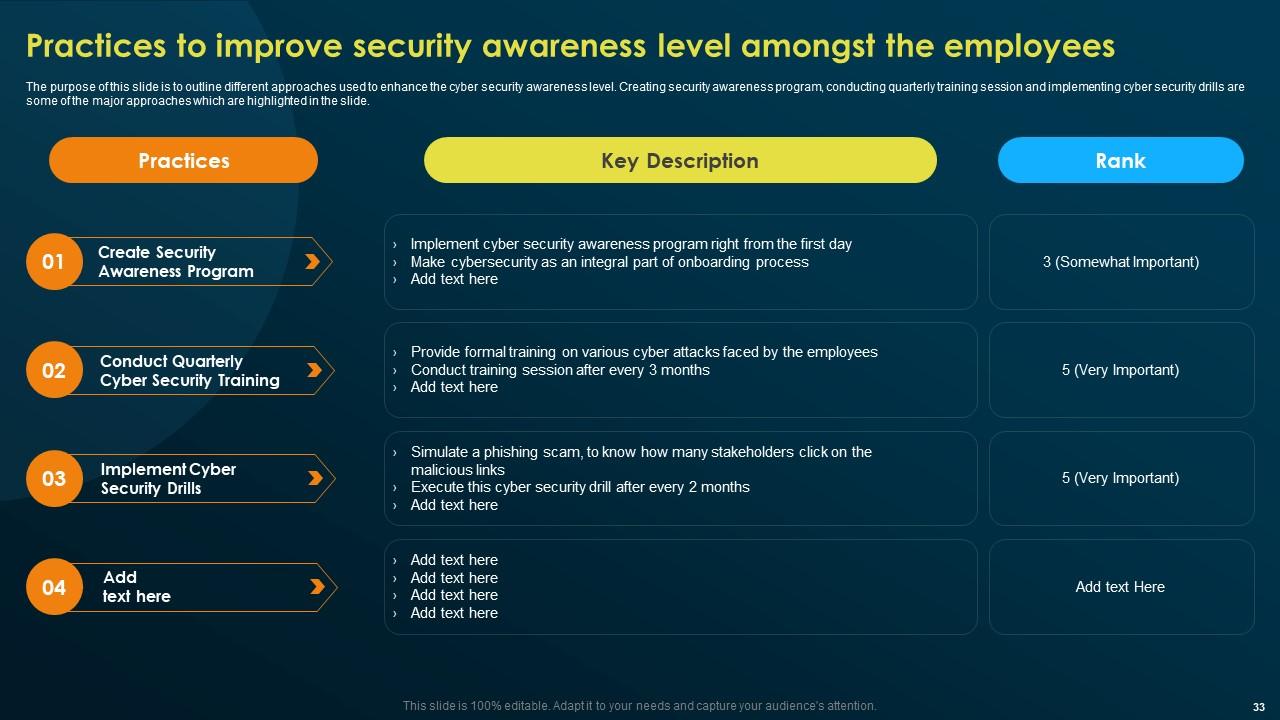
Slide 33: This is yet another slide continuing the Practices to improve security awareness level.
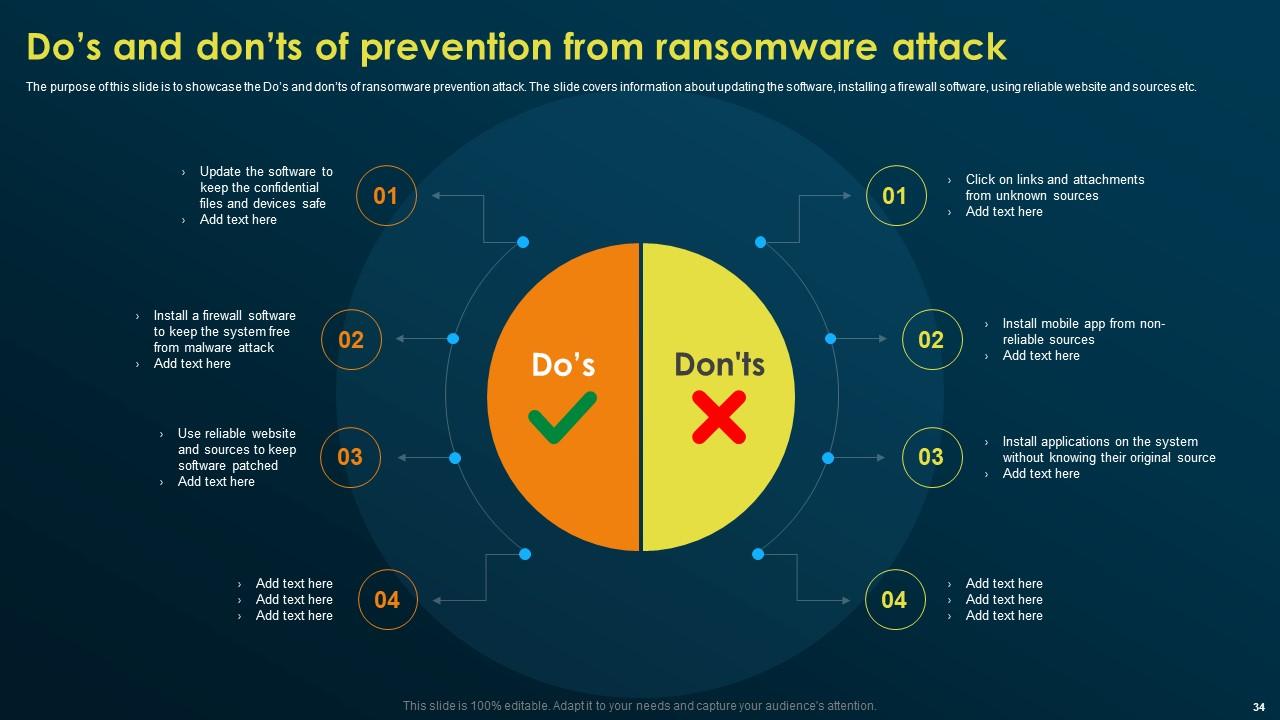
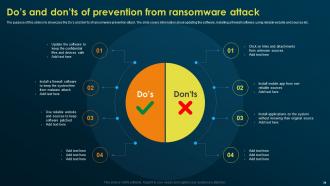
Slide 34: This slide emphasizes on the Do’s and don’ts of prevention from ransomware attack.
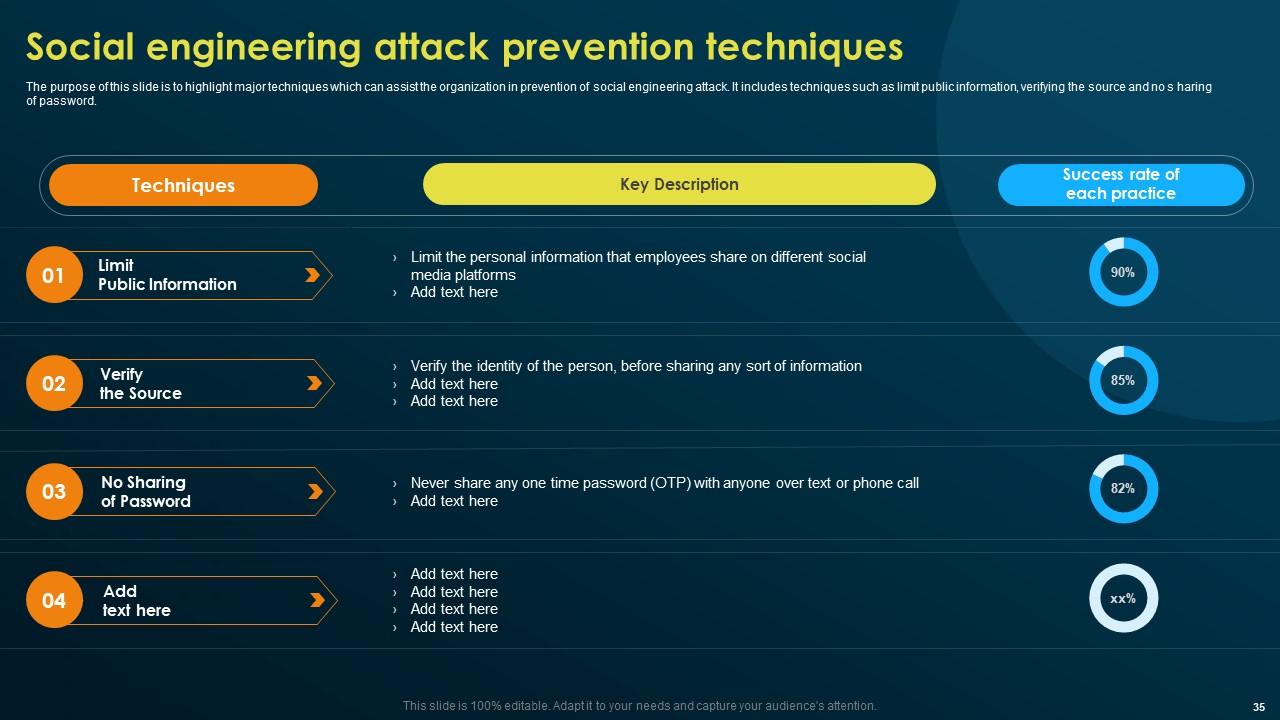
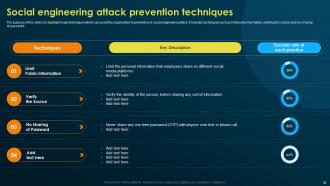
Slide 35: This slide talks about the Social engineering attack prevention techniques.
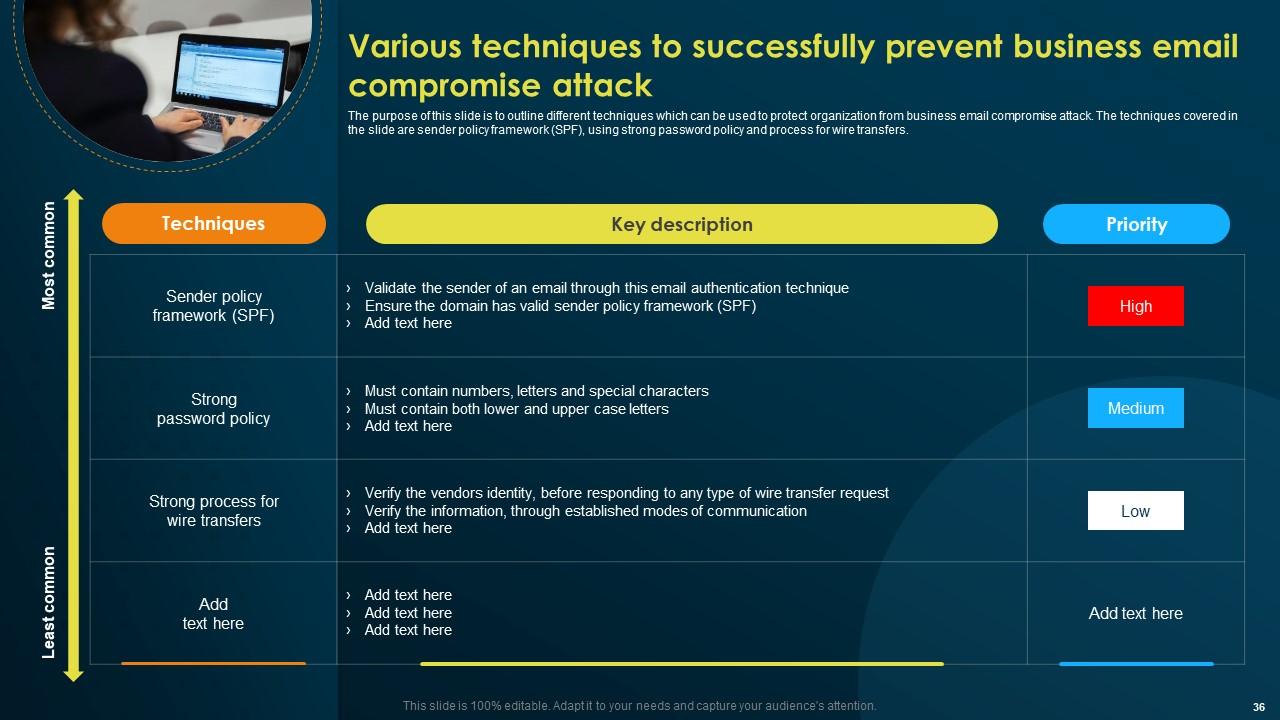
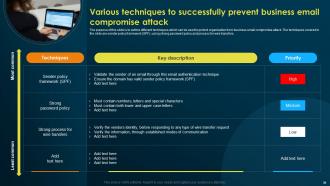
Slide 36: This slide deals with the Various techniques to successfully prevent business email compromise attack.
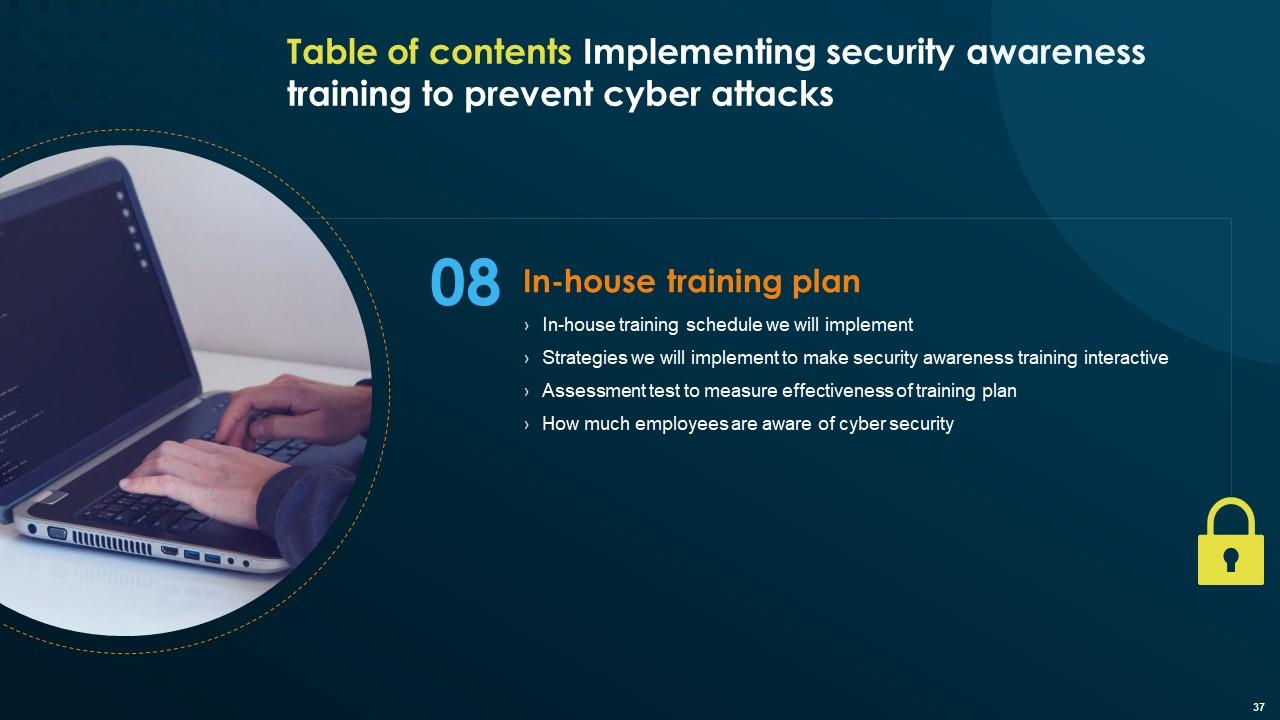
Slide 37: This slide indicates the Heading for the Ideas to be covered in the forth-coming template.
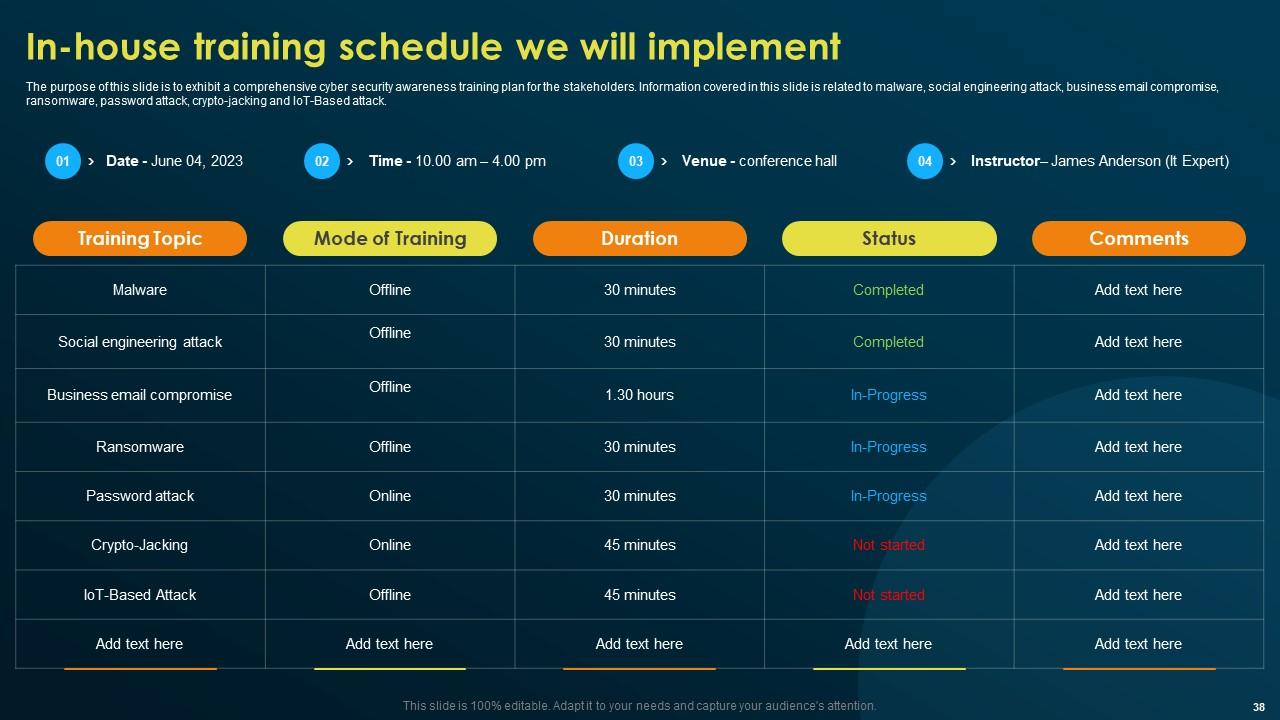
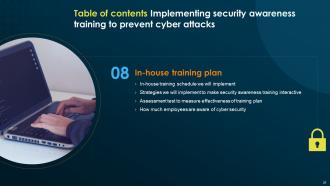
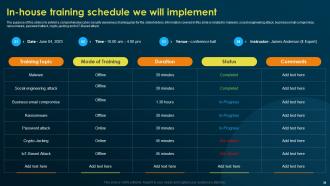
Slide 38: The purpose of this slide is to exhibit a comprehensive cyber security awareness training plan for the stakeholders.
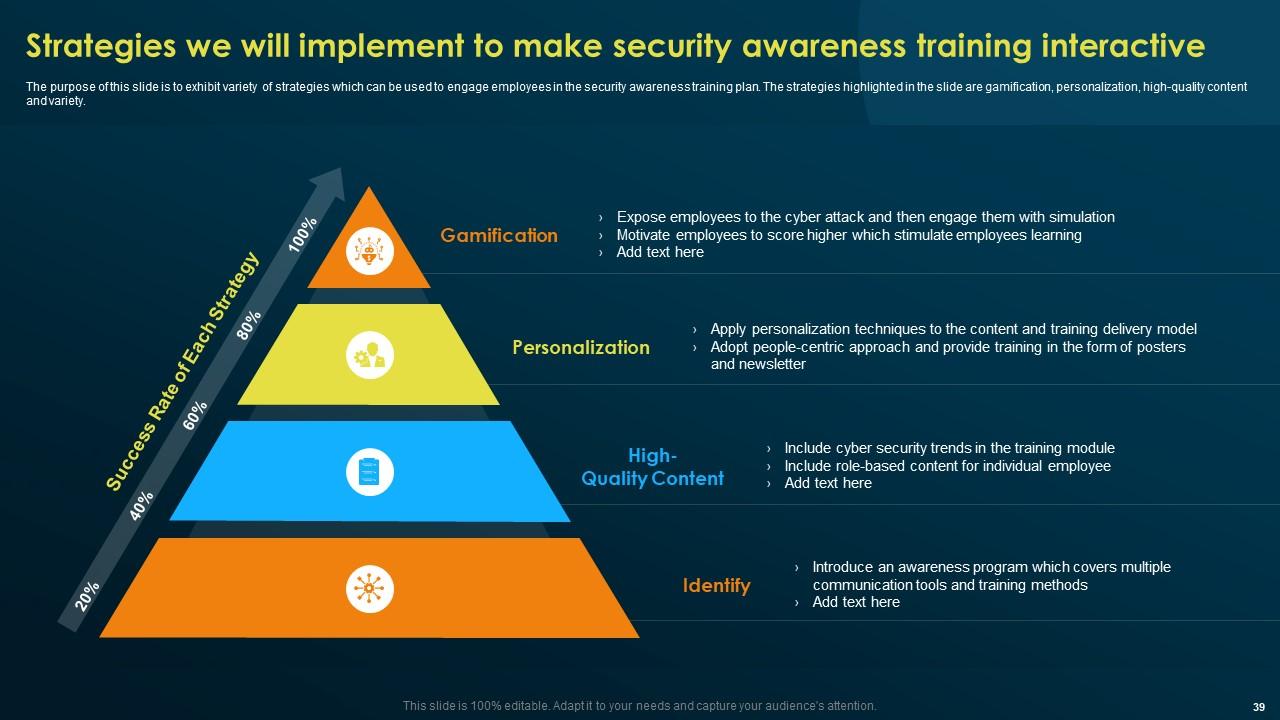
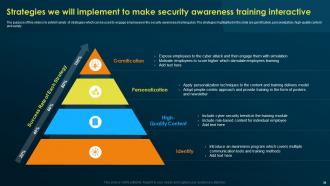
Slide 39: This slide focuses on the Strategies to implement to make security awareness training interactive.
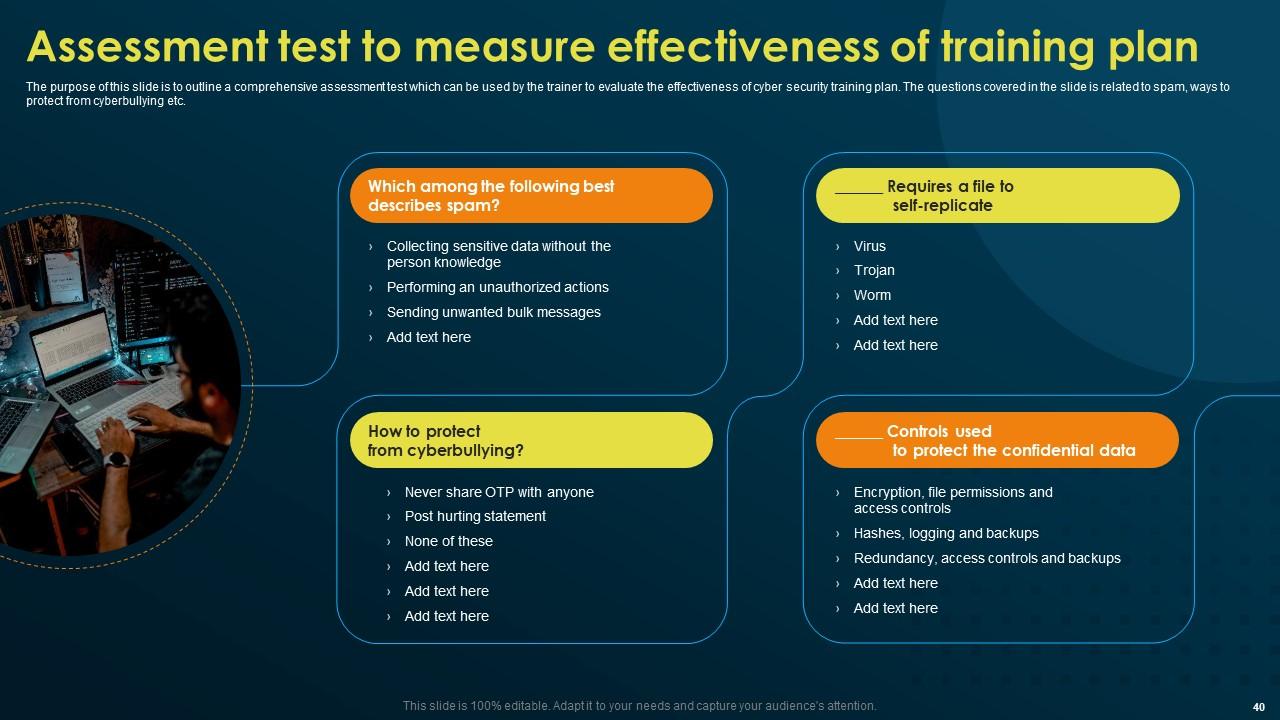
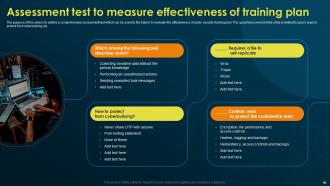
Slide 40: This slide outlines the Assessment test to measure effectiveness of training plan.
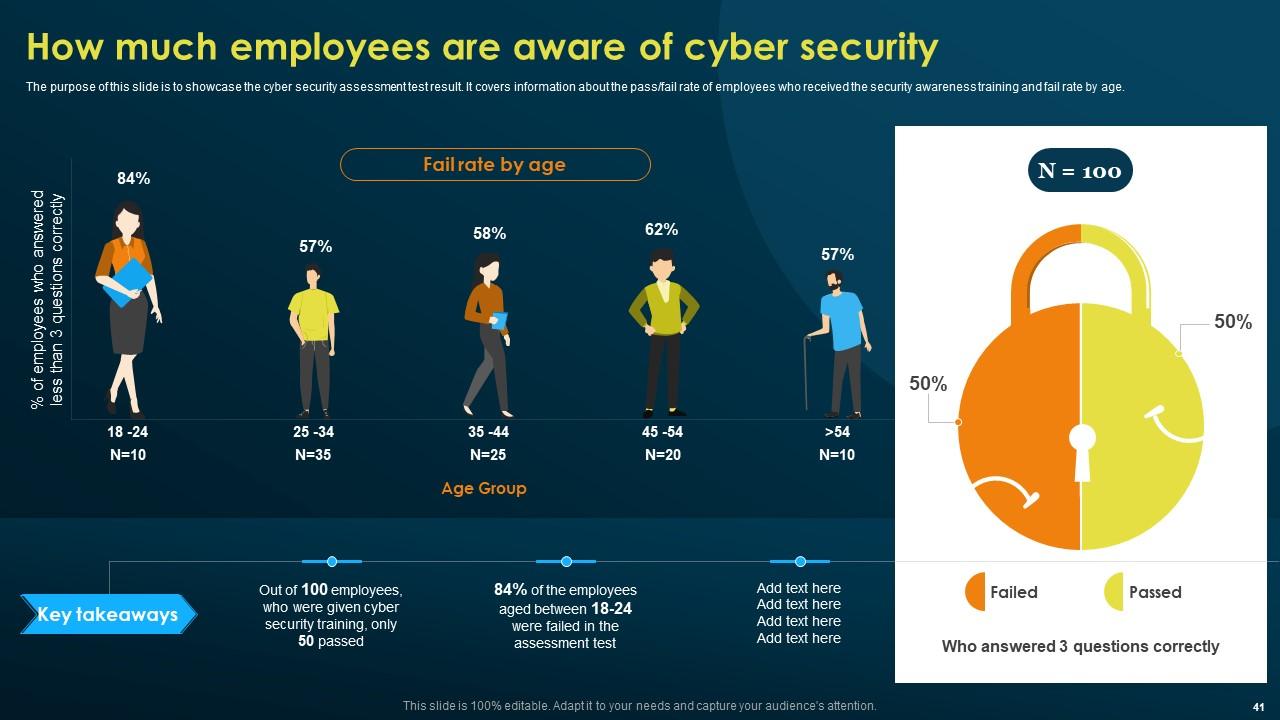
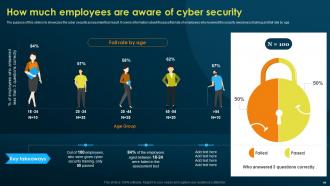
Slide 41: The purpose of this slide is to showcase the cyber security assessment test result.
Slide 42: This slide depicts the Title for the Topics to be covered next.
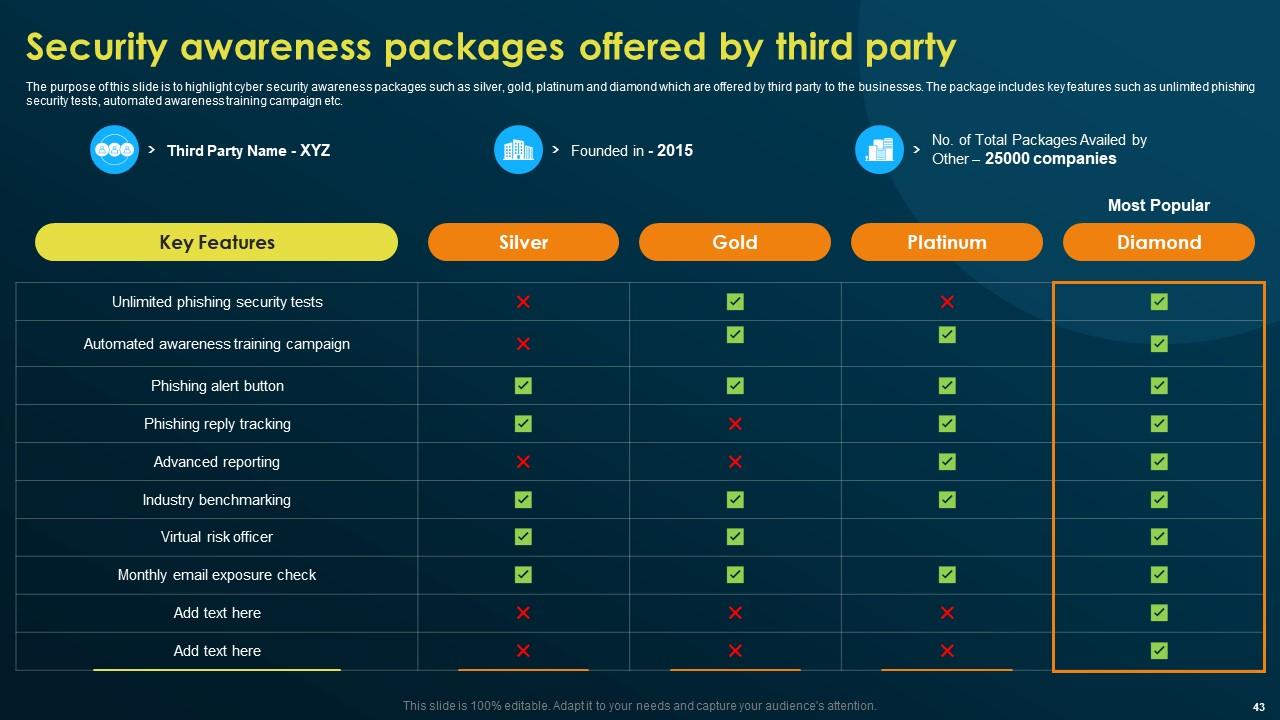
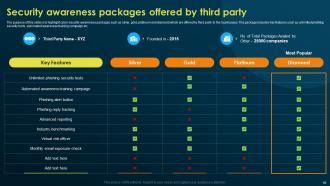
Slide 43: This slide deals with Security awareness packages offered by third party.
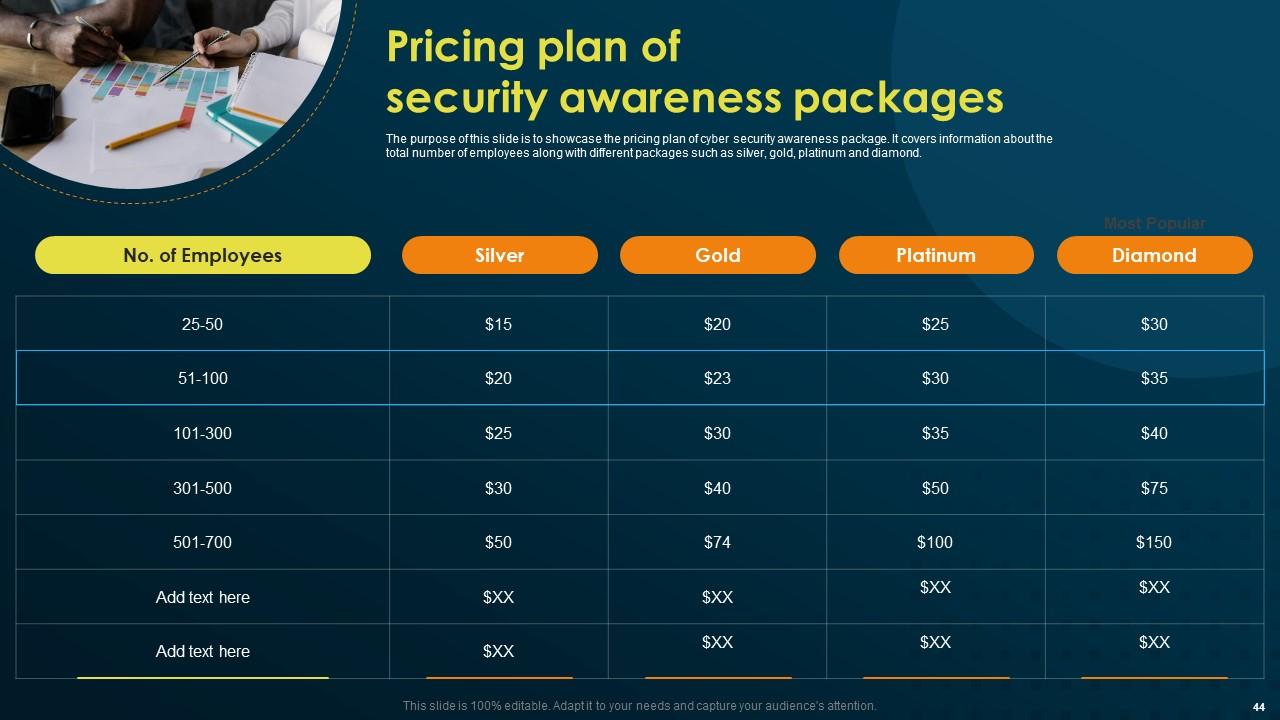
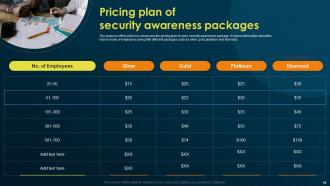
Slide 44: The purpose of this slide is to show the pricing plan of cyber security awareness package.
Slide 45: This slide mentions the Heading for the Components to be discussed further.
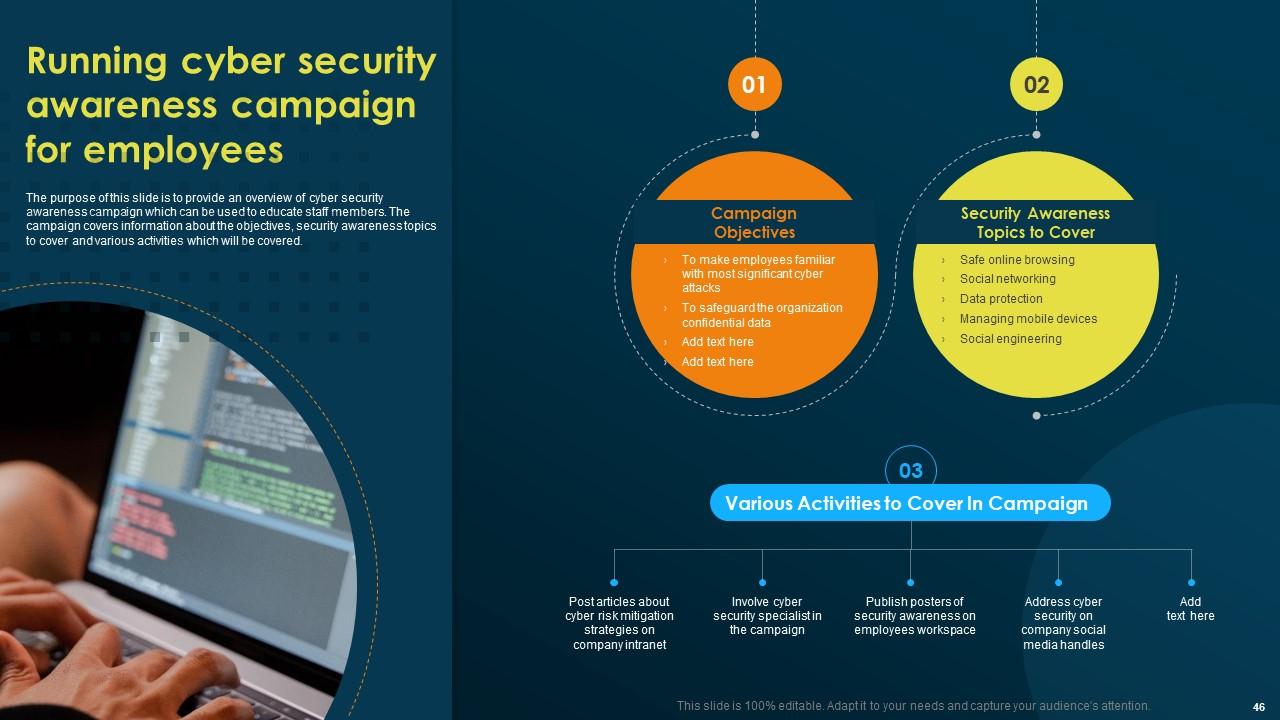
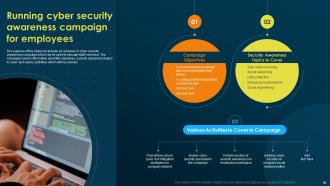
Slide 46: The purpose of this slide is to provide an overview of cyber security awareness campaign which can be used to educate staff members.
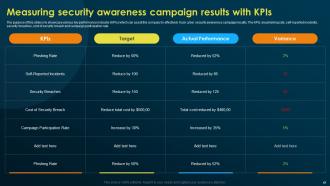
Slide 47: This slide elucidates Measuring security awareness campaign results with KPIs.
Slide 48: This slide displays the Title for the Contents to be discussed next.
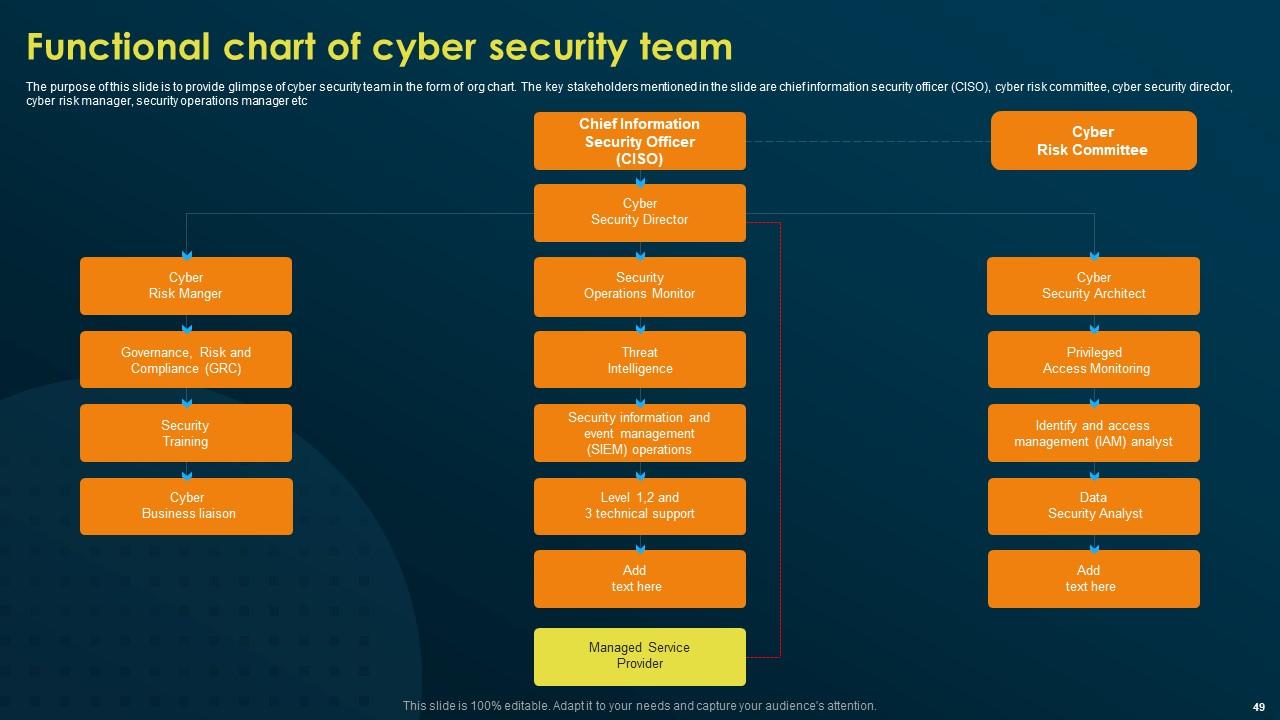
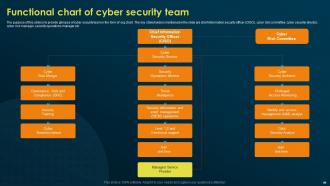
Slide 49: This slide illustrates the Functional chart of cyber security team.
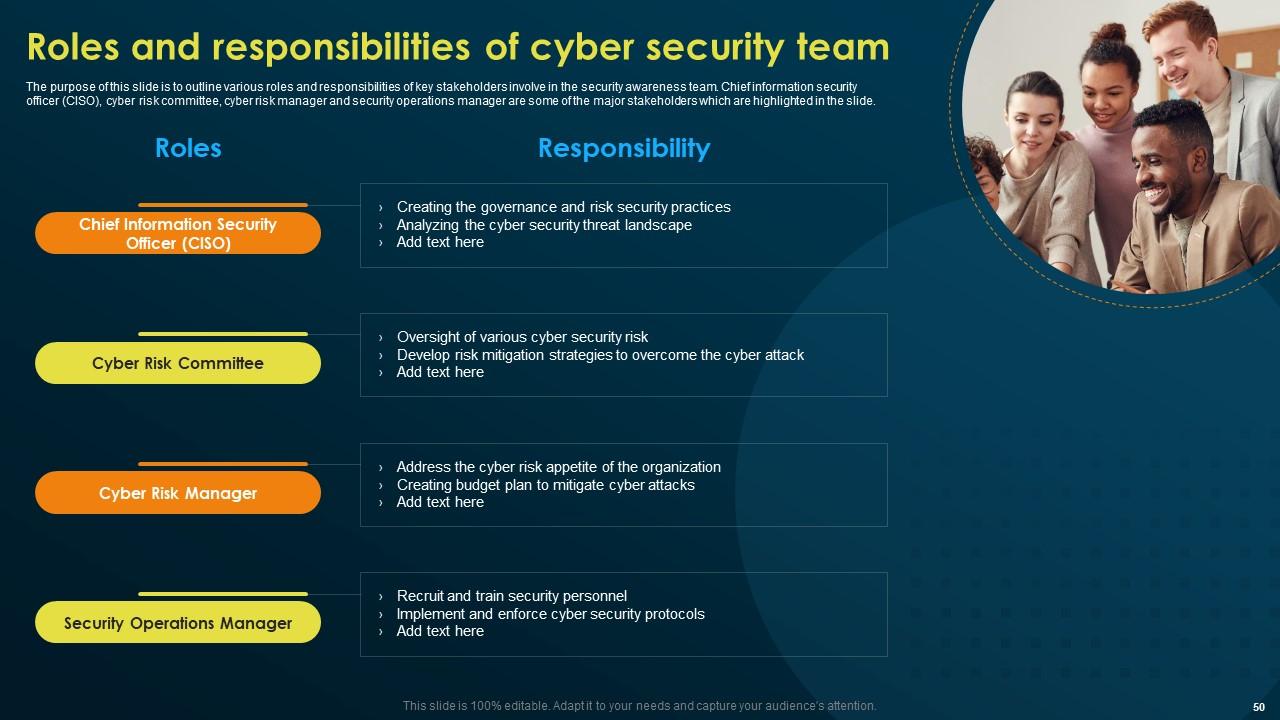
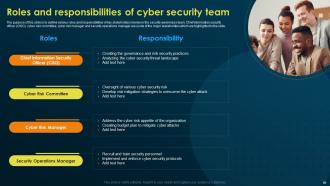
Slide 50: This slide depicts the Roles and responsibilities of cyber security team.
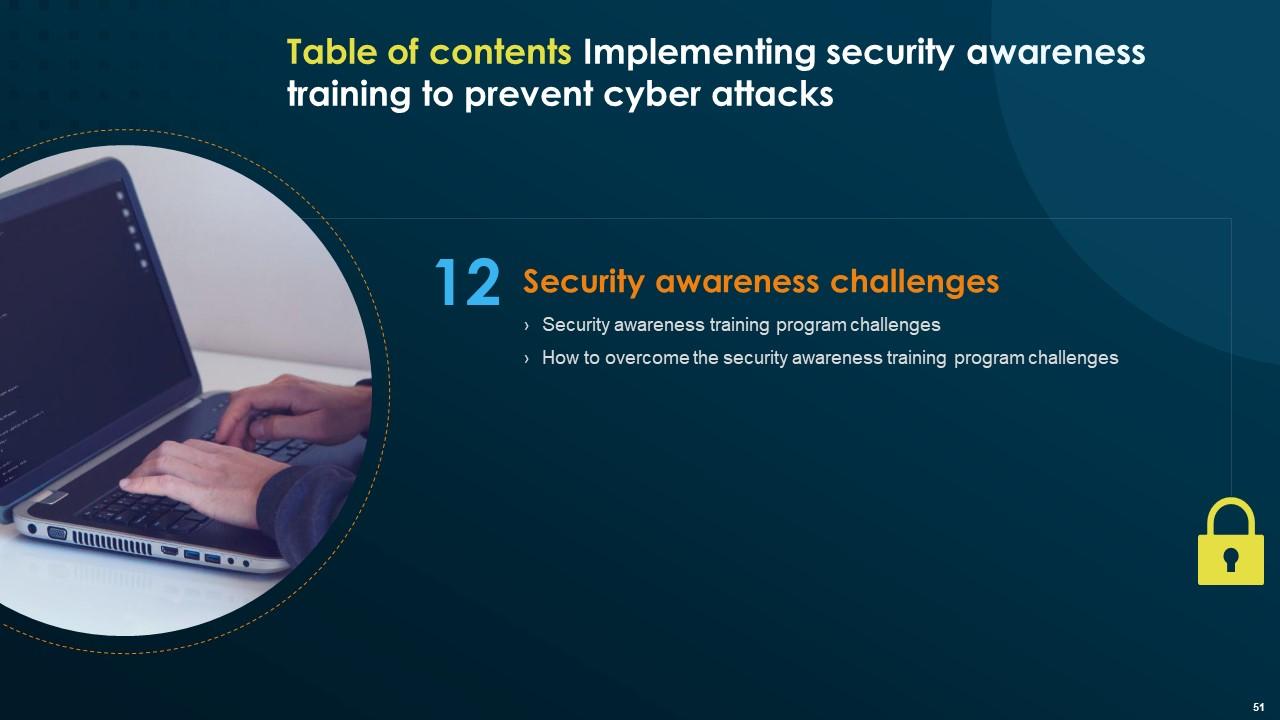
Slide 51: This slide portrays the Heading for the Topics to be covered in the further template.
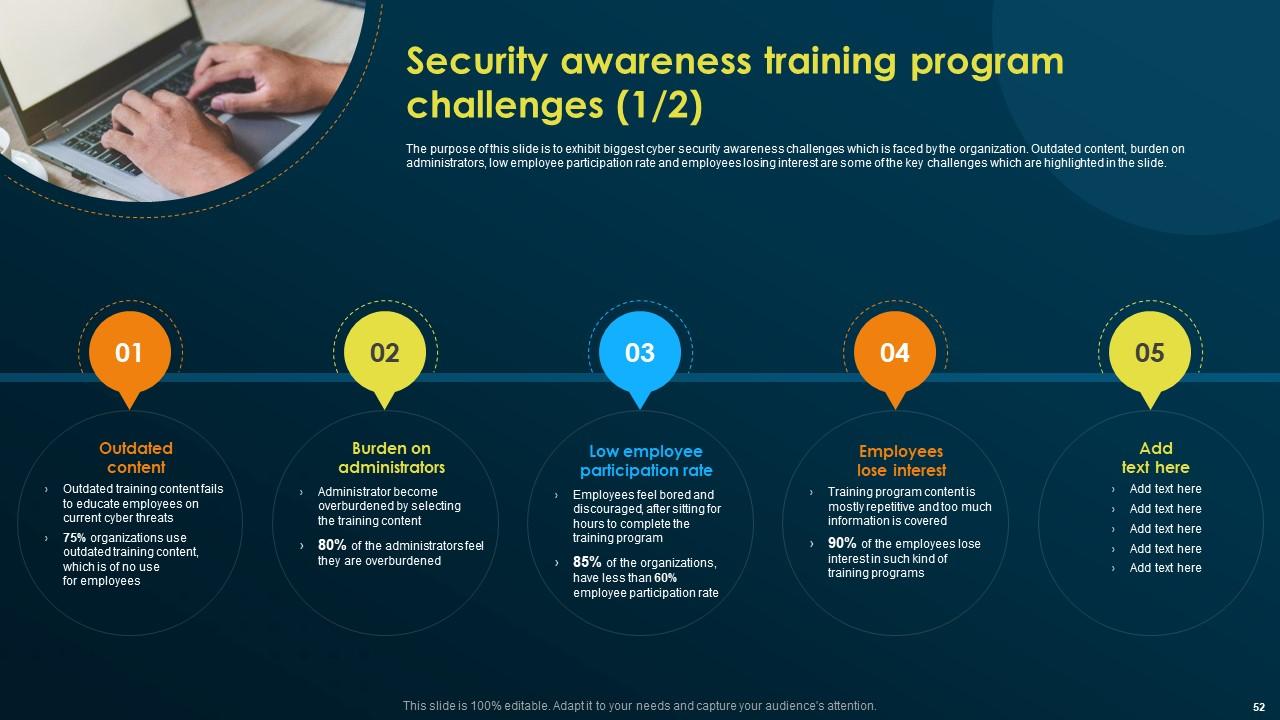
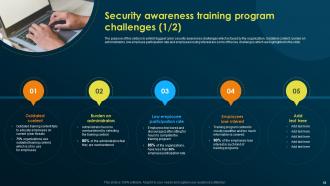
Slide 52: This slide talks about the Security awareness training program challenges.
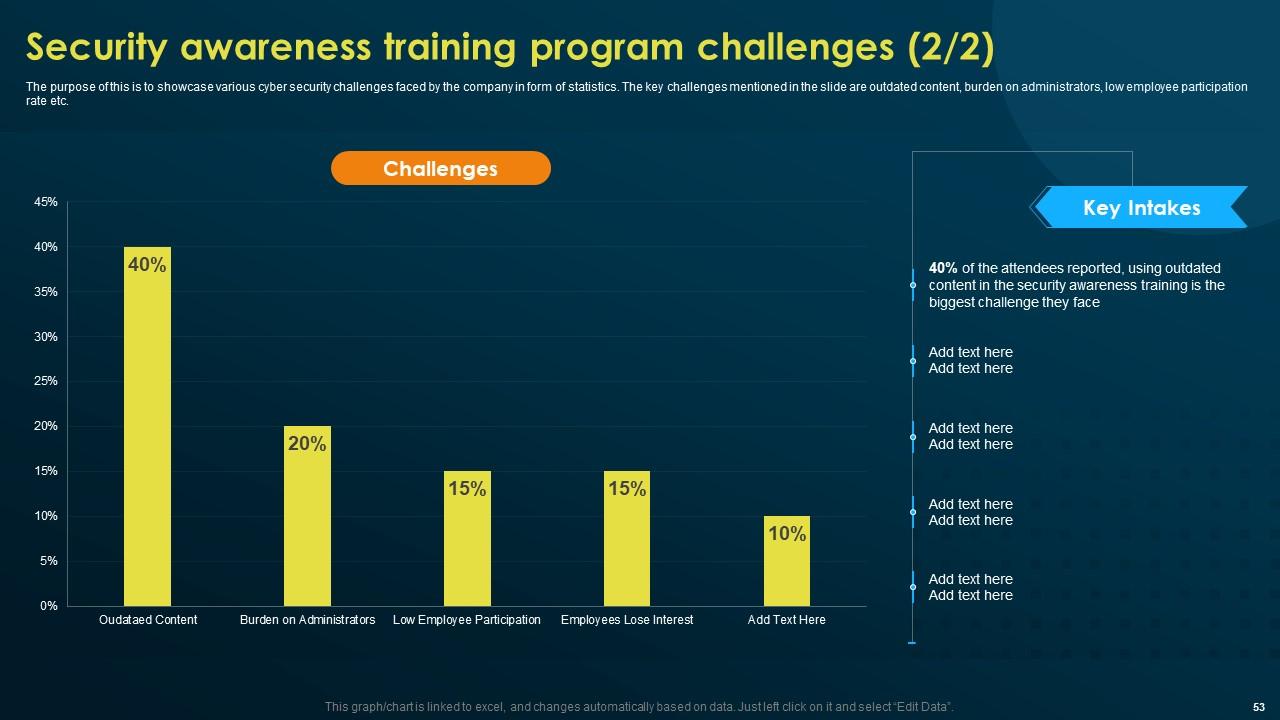
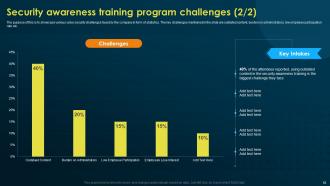
Slide 53: This slide continues the Security awareness training program challenges.
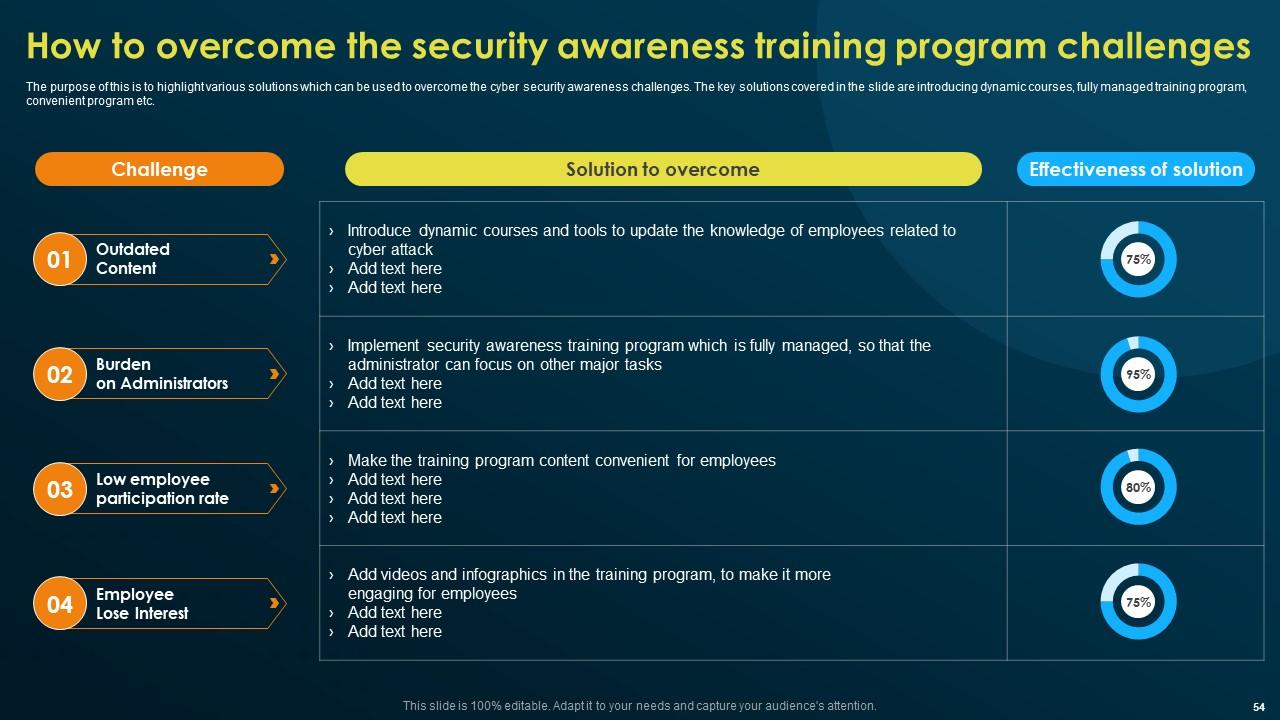
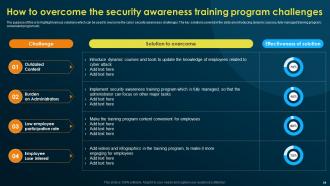
Slide 54: The purpose of this is to highlight various solutions which can be used to overcome the cyber security awareness challenges.
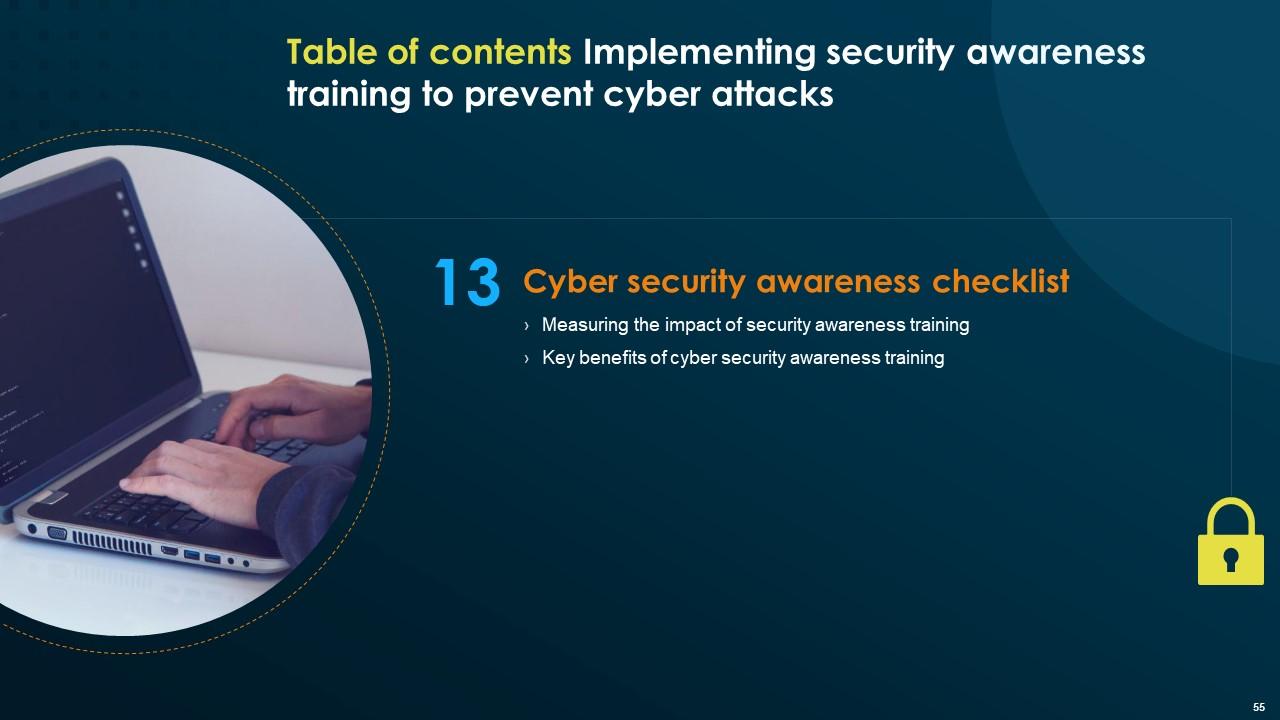
Slide 55: This slide mentions the Title for the Topics to be discussed next.
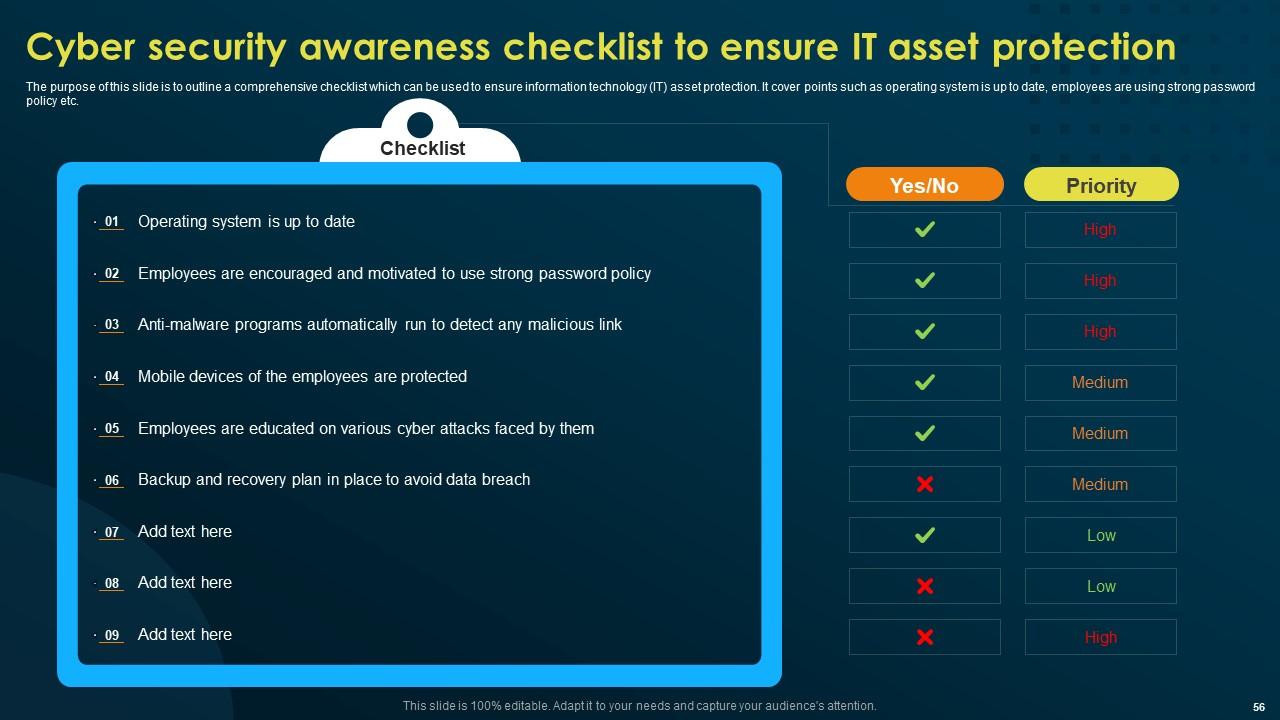
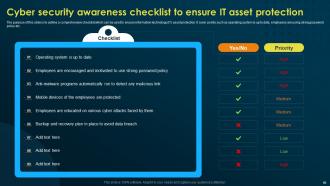
Slide 56: This slide outlines the Cyber security awareness checklist to ensure IT asset protection.
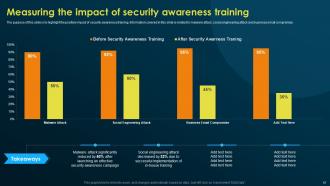
Slide 57: The purpose of this slide is to highlight the positive impact of security awareness training.
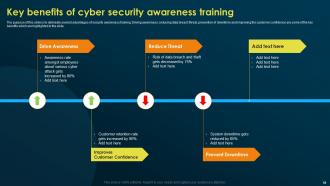
Slide 58: This slide presents the Key benefits of cyber security awareness training.
Slide 59: This slide reveals the Heading for the Contents to be covered in the next template.
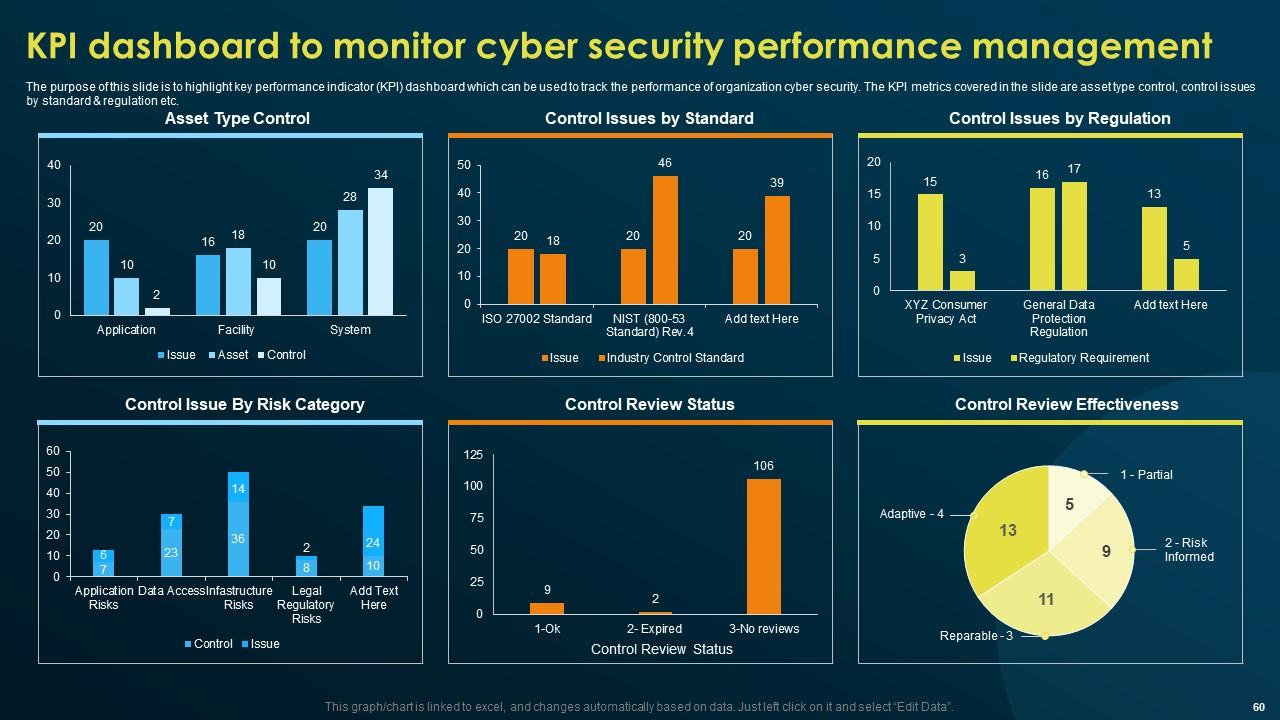
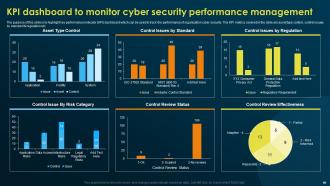
Slide 60: This slide illustrates the KPI dashboard to monitor cyber security performance management.
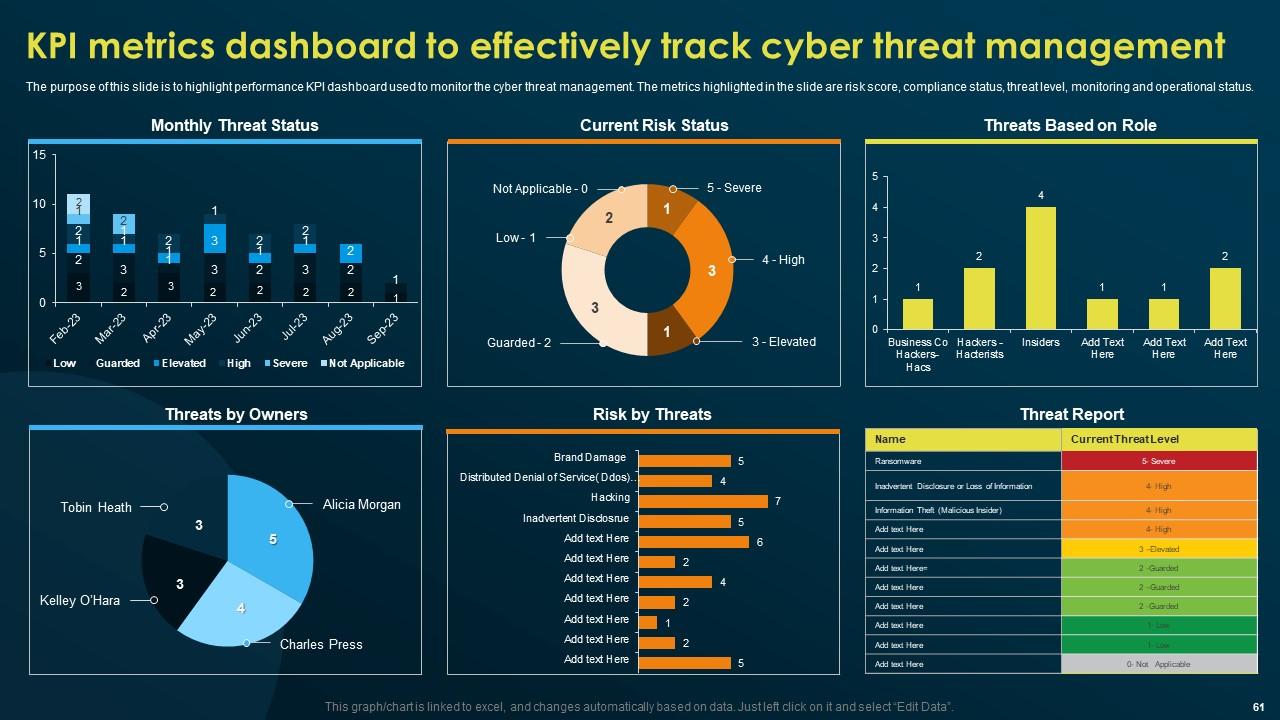
Slide 61: This slide displays the KPI metrics dashboard to effectively track cyber threat management.
Slide 62: This is the Icons slide containing all the Icons used in the plan.
Slide 63: This slide portrays some Additional information.
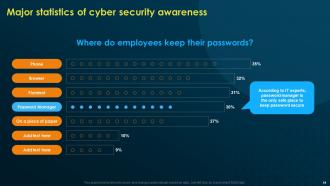
Slide 64: This slide shows the Major statistics of cyber security awareness.
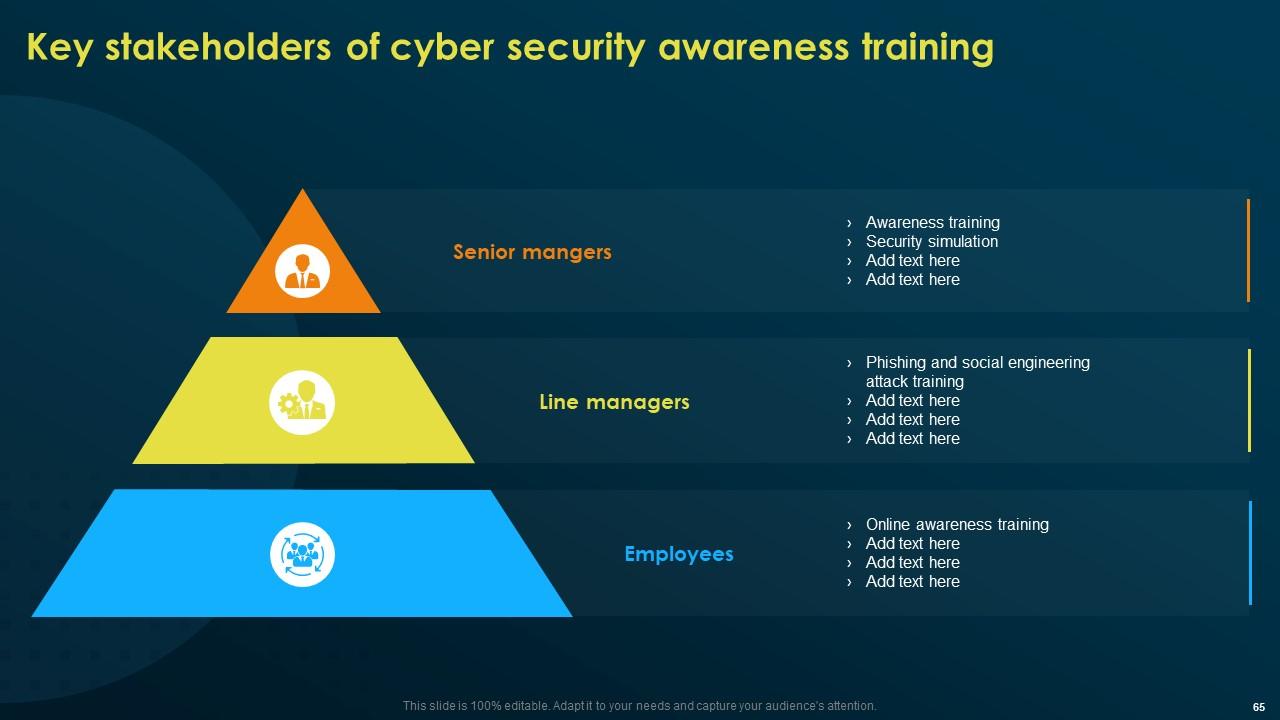
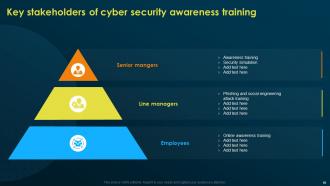
Slide 65: This slide talks about the Key stakeholders of cyber security awareness training.
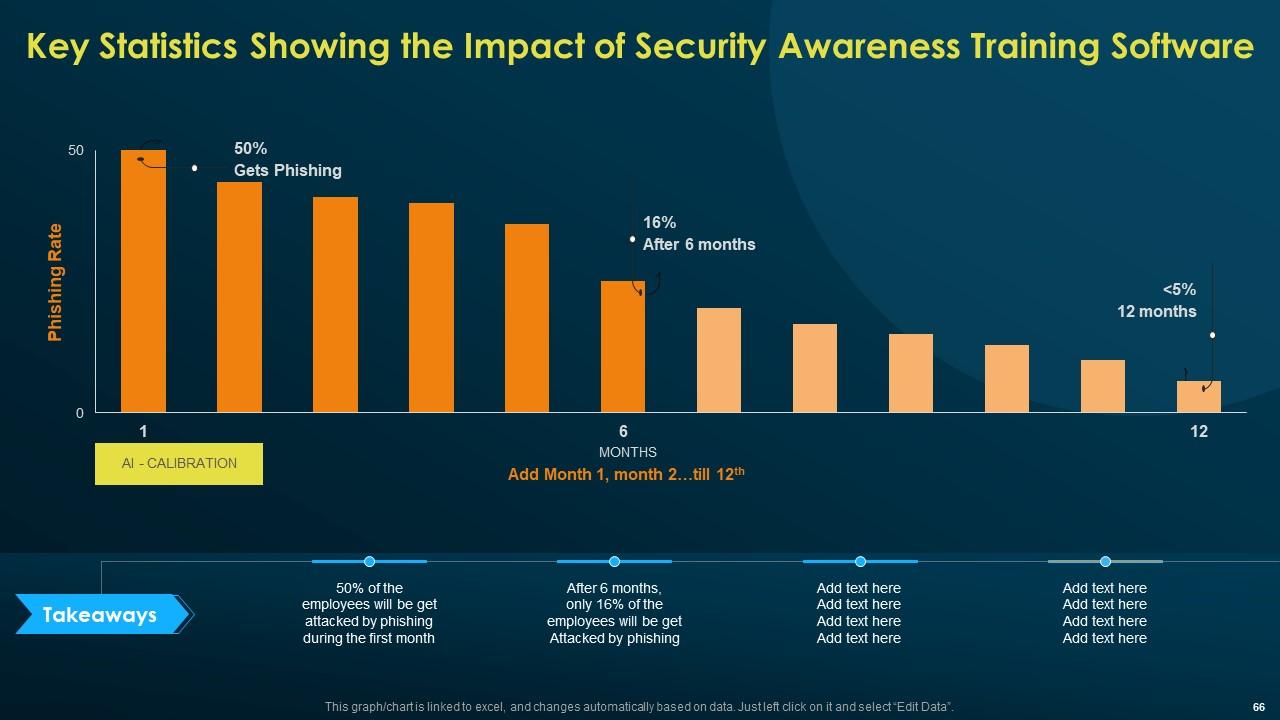
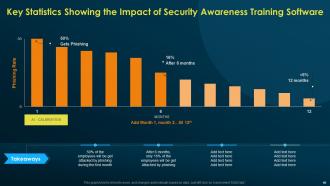
Slide 66: This slide presents the Key Statistics Showing the Impact of Security Awareness Training Software.
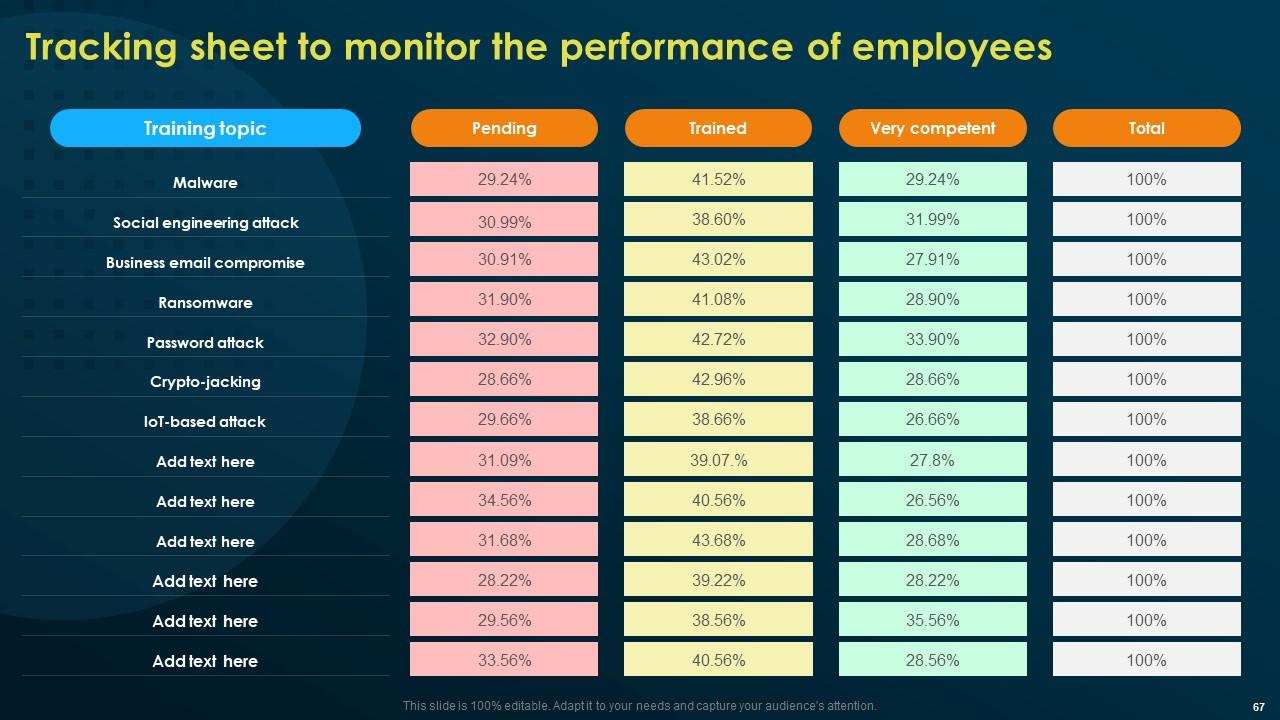
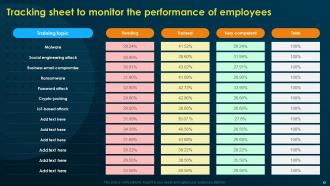
Slide 67: This slide is used for Tracking sheet to monitor the performance of employees.
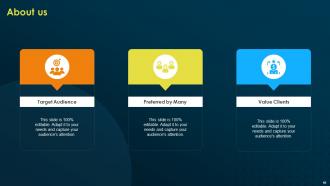
Slide 68: This is the About us slide. State your company information here.
Slide 69: This slide contains the Post it notes for reminders and deadlines.
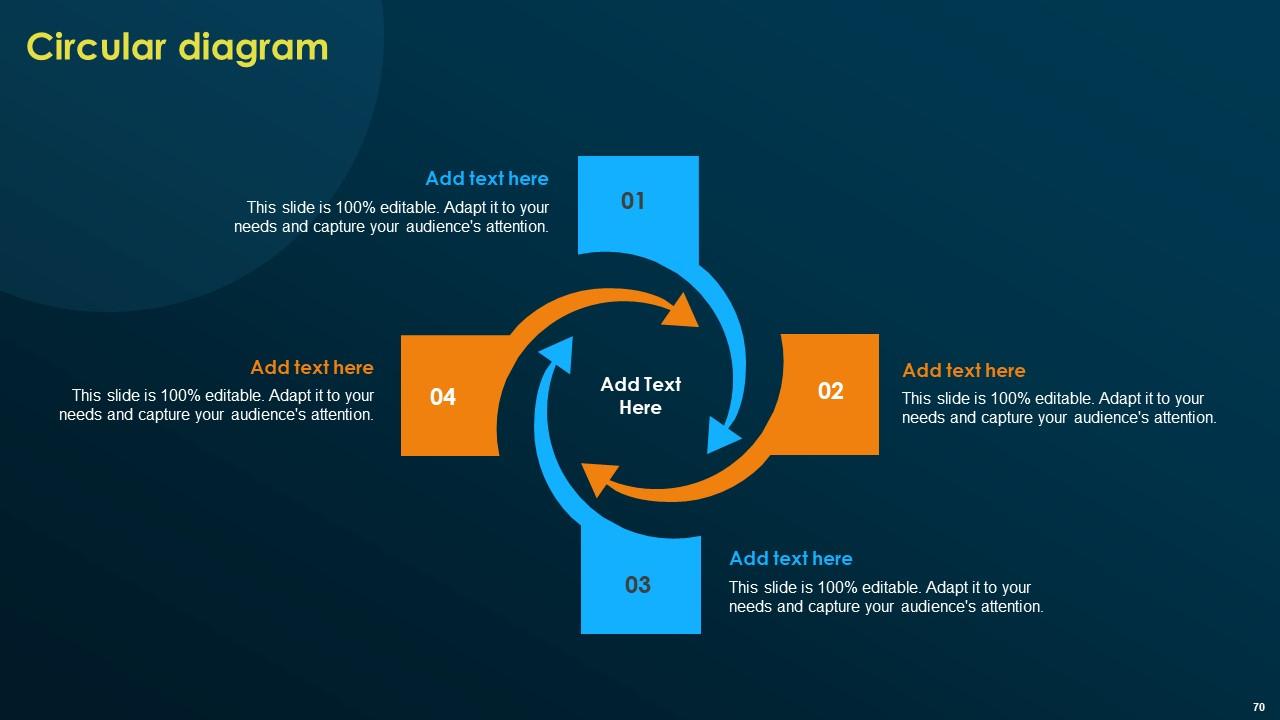
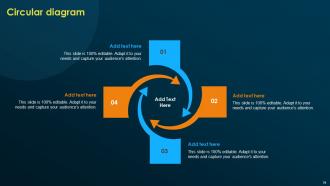
Slide 70: This slide represents the Circular diagram.
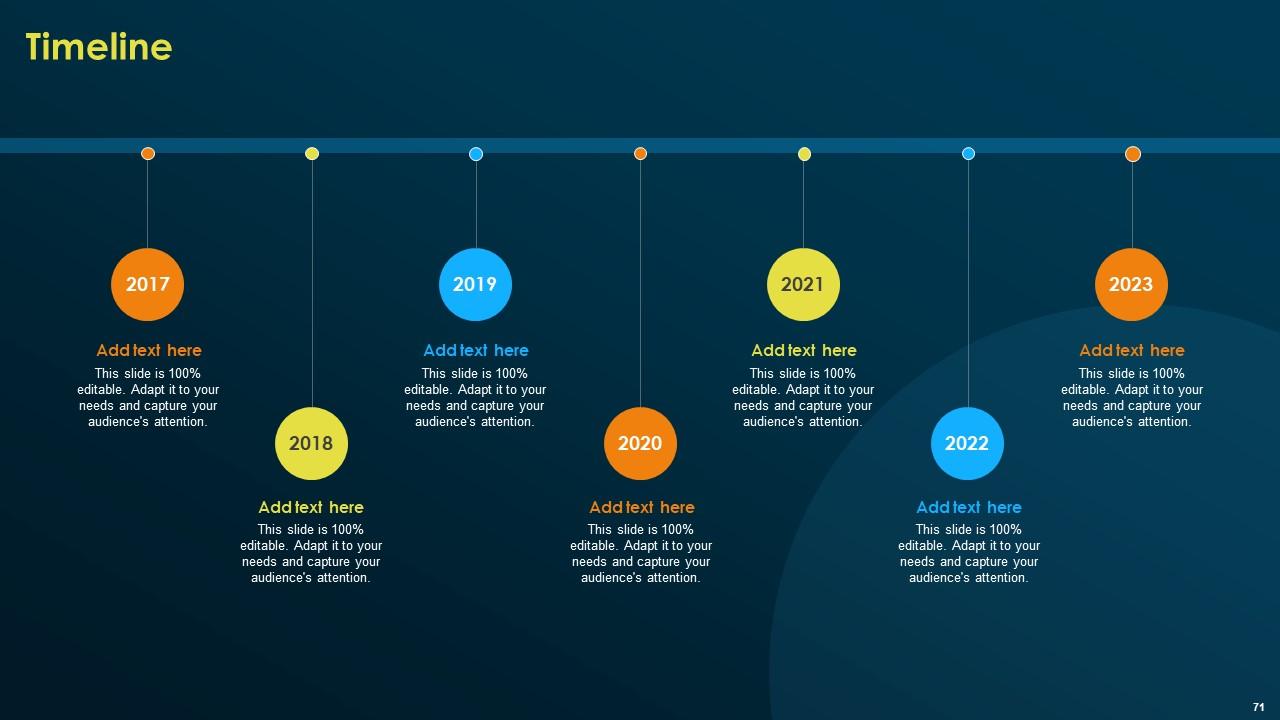
Slide 71: This slide reveals the Organization's Timeline.
Slide 72: This is the Venn diagram slide.
Slide 73: This is the 30 60 90 days plan slide for efficient planning.
Slide 74: This is Our goal slide. Mention your goals here.
Slide 75: This is the Thank you slide for acknowledgement.
Implementing Security Awareness Training To Prevent Cyber Attacks Powerpoint Presentation Slides with all 80 slides:
Use our Implementing Security Awareness Training To Prevent Cyber Attacks Powerpoint Presentation Slides to effectively help you save your valuable time. They are readymade to fit into any presentation structure.
-
I am so thankful for all of the templates I've found on your site. They have saved me hours every week and helped make my presentations come alive. Keep up with these amazing product releases!
-
SlideTeam is very efficient when it comes to saving time. I am happy that I chose them for my presentation.
