

Industrial Robots IT Powerpoint Presentation Slides




Try Before you Buy Download Free Sample Product
 Impress Your
 Audience
 100%
100% Editable
 Save Hours
 of Time


Industries frequently incorporate robotics and automation into their production processes due to rapid technological advancements. Grab our insightfully designed Industrial Robots IT template. An industrial robot is a machine capable of performing various activities accurately and precisely. Our Robotic automation deck includes an introduction, advantages, components, programming methods, and the importance of industrial robots in business. It demonstrates different types of industrial robots, like SCARA, cartesian, robots, and their business applications. Additionally, our Industrial automation PPT showcases the reasons to implement industrial robots in various domains and how companies can use robotics to increase their productivity and revenue. It also exhibits the market trends and robotics analysis in business and top industrial robot manufacturing companies. Furthermore, our Industrial automation systems module shows the challenges industries face while implementing robotics in business operations and ways to cope with such situations. Lastly, it comprises a roadmap, a 30-60-90 days plan and checklist for integrating industrial robots, top case studies, and a dashboard to monitor the performance of robots. Download our 100 percent editable and customizable template, which is also compatible with Google Slides.
People who downloaded this PowerPoint presentation also viewed the following :
Content of this Powerpoint Presentation
Slide 1: This sldie introduces Industrial Robots (IT). Commence by stating Your Company Name.
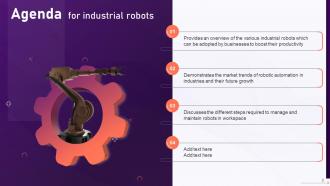
Slide 2: This slide depicts the Agenda of the presentation.
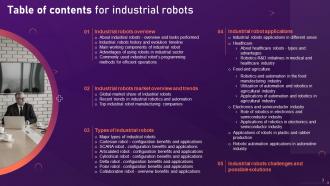
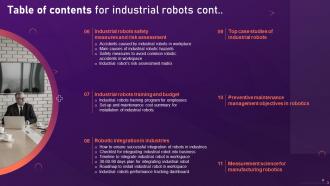
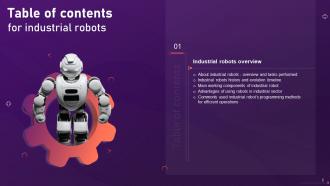
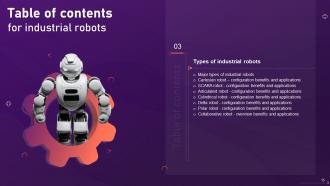
Slide 3: This slide incorporates the Table of contents.
Slide 4: This is yet another slide continuing the Table of contents.
Slide 5: This slide highlights the Title for the Topics to be discussed further.
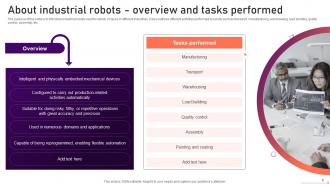
Slide 6: The purpose of this slide is to introduce industrial robots used for variety of tasks in different industries.
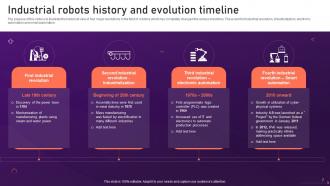
Slide 7: This slide exhibits the Industrial robots history and evolution timeline.
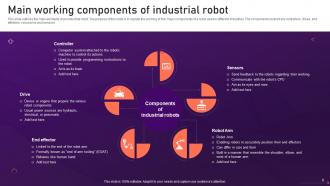
Slide 8: This slide outlines the main elements of an industrial robot.
Slide 9: This slide illustrates the benefits of using robots in industries.
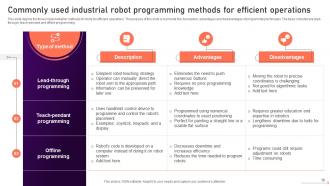
Slide 10: This slide depicts the three implementation methods of robots for efficient operations.
Slide 11: This slide mentions the Heading for the Contents to be covered in the following template.
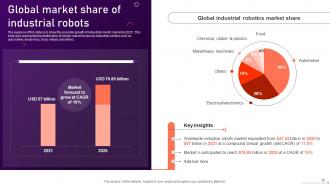
Slide 12: This slide reveals the Global market share of industrial robots.
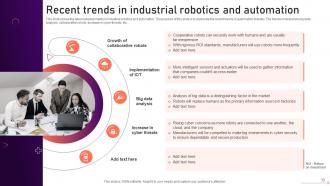
Slide 13: This slide shows the latest advancements in industrial robotics and automation.
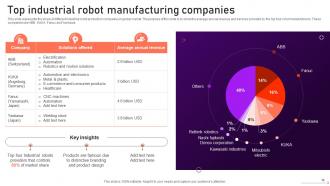
Slide 14: This slide represents the share of different industrial robot production companies in global market.
Slide 15: This slide incorporates the Title for the Ideas to be discussed further.
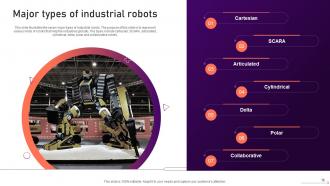
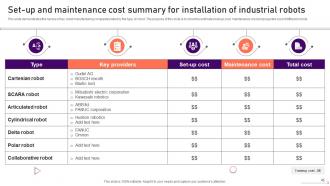
Slide 16: This slide illustrates the seven major types of industrial robots.
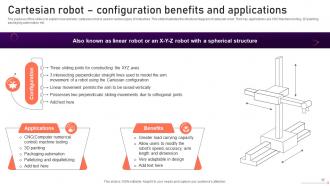
Slide 17: The purpose of this slide is to explain how and why cartesian robot is used in various types of industries.
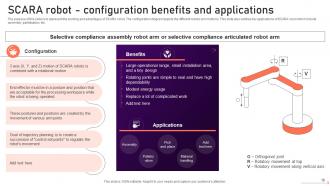
Slide 18: This slide displays the working and advantages of SCARA robot.
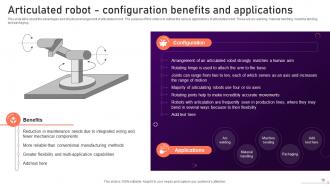
Slide 19: This slide talks about the advantages and structural arrangement of articulated robot.
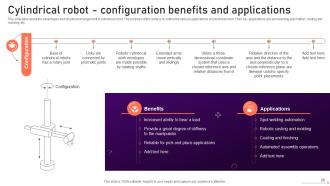
Slide 20: This slide presents the advantages and structural arrangement of cylindrical robot.
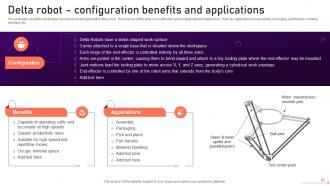
Slide 21: This slide reveals the advantages and structural arrangement of delta robot.
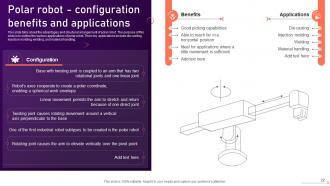
Slide 22: This slide talks about the advantages and structural arrangement of polar robot.
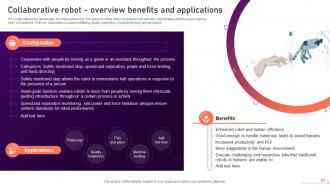
Slide 23: This slide outlines the advantages of collaborative robot.
Slide 24: This slide portrays the Heading for the Ideas to be covered next.
Slide 25: The purpose of this slide is to justify the huge investments made by industries in robotics and automation.
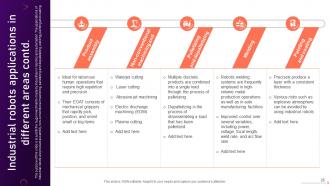
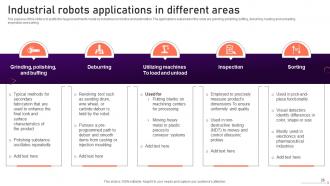
Slide 26: This slide states the Industrial robots applications in different areas.
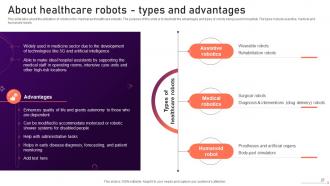
Slide 27: This slide talks about the utilization of robots in the medical and healthcare industry.
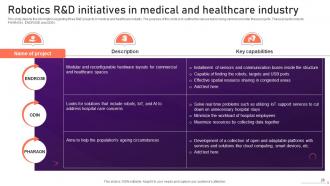
Slide 28: This slide depicts the information regarding three R&D projects in medical and healthcare industry.
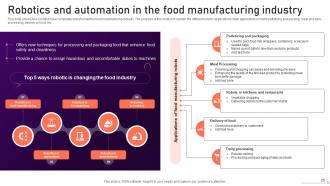
Slide 29: This slide shows how robotics have completely transformed the food manufacturing industry.
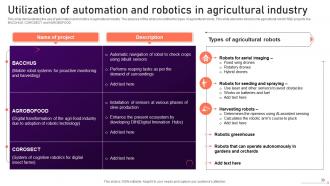
Slide 30: This slide demonstrates the use of automation and robotics in agricultural industry.
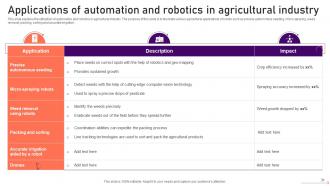
Slide 31: This slide explains the utilization of automation and robotics in agricultural industry.
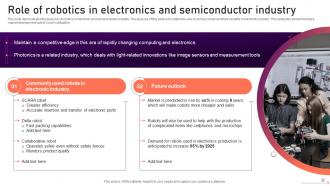
Slide 32: This slide highlights the purpose of robotics in electronic and semiconductor industry.
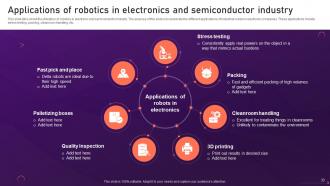
Slide 33: This slide exhibits the Applications of robotics in electronics and semiconductor industry.
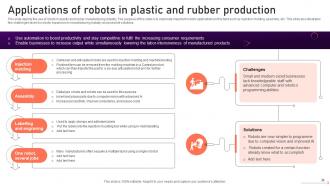
Slide 34: This slide depicts the use of robots in plastic and rubber manufacturing industry.
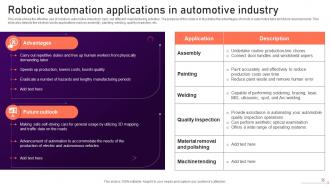
Slide 35: This slide presents the Robotic automation applications in automotive industry.
Slide 36: This slide includes the Title for the Contents to be coveerd next.
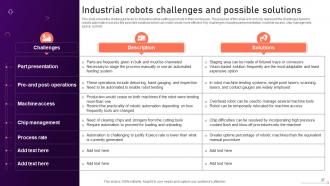
Slide 37: This slide shows the challenges faced by industries while setting up robots in their workspace.
Slide 38: This slide indicates the Heading for the Topics to be discussed further.
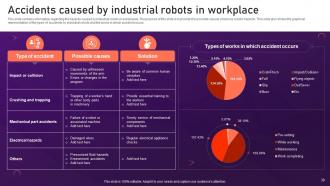
Slide 39: This slide contains information regarding the hazards caused by industrial robots in workplaces.
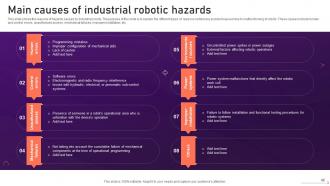
Slide 40: This slide displays the Main causes of industrial robotic hazards.
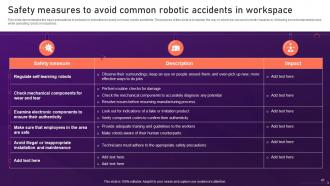
Slide 41: This slide demonstrates the basic precautions to be taken in industries to avoid common robotic accidents.
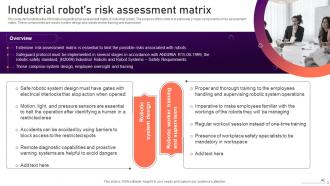
Slide 42: This slide showcases the information regarding risk assessment matrix of industrial robots.
Slide 43: This slide indicates the Title for the Ideas to be covered further.
Slide 44: This slide demonstrates the names of key robot manufacturing companies listed by the type of robot.
Slide 45: This slide states the names of key robot manufacturing companies listed by the type of robot.
Slide 46: This slide highlights the Heading for the Ideas to be discussed next.
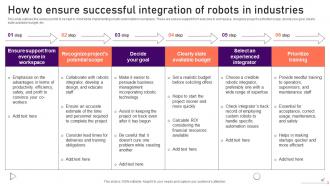
Slide 47: This slide outlines the various points to be kept in mind while implementing robotic automation in workplace.
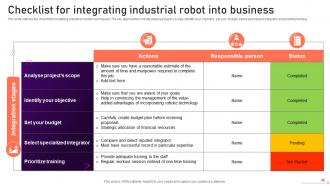
Slide 48: This slide reveals the Checklist for integrating industrial robot into business.
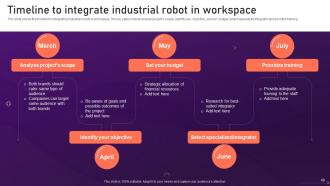
Slide 49: This slide shows the timeline for integrating industrial robots in workspace.
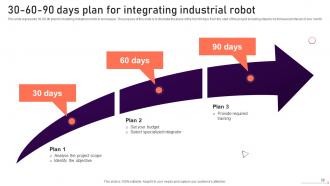
Slide 50: This slide represents 30-60-90 plan for installing industrial robots in workspace.
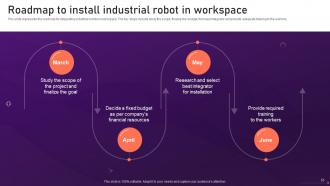
Slide 51: This slide portrays the Roadmap to install industrial robot in workspace.
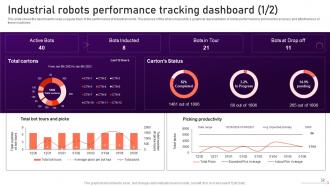
Slide 52: This slide shows the dashboard to keep a regular track of the performance of industrial robots.
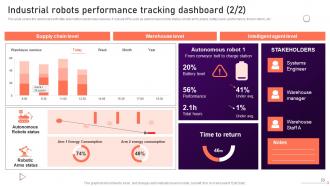
Slide 53: This slide continues Industrial robots performance tracking dashboard.
Slide 54: This slide mentions the Heading for the Contents to be covered in the forth-coming template.
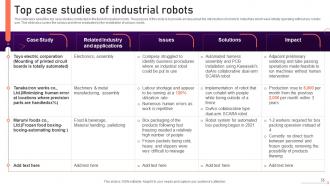
Slide 55: This slide talks about five top case studies conducted in the field of industrial robots.
Slide 56: This slide indicates the Title for the Ideas to be discussed further.
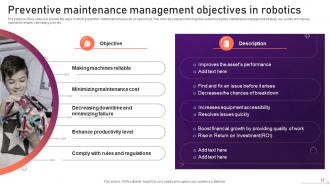
Slide 57: The purpose of this slide is to provide the ways in which preventive maintenance tasks can be carried out.
Slide 58: This slide includes the Heading for the Ideas to be covered next.
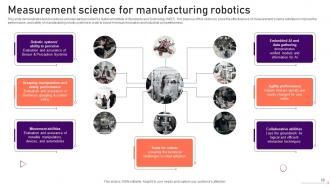
Slide 59: This slide shows test procedures and standards provided by National Institute of Standards and Technology (NIST).
Slide 60: This is the Icons slide containing all the Icons used in the plan.
Slide 61: This slide is used for depicting some Additional information.
Slide 62: This is the About us slide. State your company-related information here.
Slide 63: This slide highlights the Venn diagram.
Slide 64: This slide reveals the SWOT analysis.
Slide 65: This slide exhibits the company's Mind map.
Slide 66: This slide contains the Post it notes for reminders and deadlines.
Slide 67: This is Our team slide. State your team-related information here.
Slide 68: This is the Quotes slide for motivation.
Slide 69: This is the Idea generation slide for encouraging fresh ideas.
Slide 70: This is the Thank You slide for acknowledgement.
Industrial Robots IT Powerpoint Presentation Slides with all 75 slides:
Use our Industrial Robots IT Powerpoint Presentation Slides to effectively help you save your valuable time. They are readymade to fit into any presentation structure.












FAQs for Industrial Robots IT
So you've got articulated robots - those 6-axis arms that look crazy futuristic. SCARA ones are built for fast assembly stuff. Cartesian robots just move in straight lines, pretty basic. Delta robots are insanely quick at picking things up. There's also cylindrical and spherical types but honestly nobody really uses those anymore. The articulated arms are everywhere because they can do literally anything - welding, painting, moving stuff around. My buddy's shop has three of them now. Figure out what tasks you actually need first, then pick whatever robot matches those specific moves and speed you're after.
So basically, cobots can work right next to people without those big safety cages - they've got sensors and won't crush you if you bump into them. Traditional robots? Way more powerful but you gotta fence them off completely. Think of cobots like... I dunno, a careful lab partner vs. a chainsaw that gets the job done fast but could take your arm off. Cobots are slower but you can actually interact with them while they're working. If you need automation but still want humans involved in the process, I'd probably go with cobots.
Automotive's probably the biggest one - they've been doing welding and assembly stuff forever. Electronics manufacturing too since you need crazy precision for those tiny parts. Healthcare's getting into surgical robots now, which is honestly pretty cool. Food processing uses them a lot (still feels weird seeing a robot flip burgers though lol). Amazon totally changed how warehouses work with all their automation. Oh, and if you're thinking about this for work, just check what other companies in your space are already doing. That'll give you a good starting point without going in blind.
Honestly, robots are game-changers for safety stuff. They handle all the nasty work - heavy lifting, chemical exposure, crazy hot or cold environments. Your workers don't have to destroy their backs doing repetitive motions or getting into weird positions anymore. Injuries drop, insurance costs go down, and people can actually do more interesting work instead of just surviving their shift. I'd say look at whatever's hurting your team the most right now and see if a robot could take that over first. Way better than dealing with another workers' comp claim, you know?
So basically AI is like giving your factory robots actual brains instead of just basic programming. They can learn from data now and make decisions without someone babysitting them constantly. Machine learning helps them figure out their own maintenance schedules too, which is honestly pretty neat. Computer vision means they can handle quality control stuff that only humans could do before. The real game-changer though? These smarter robots can tackle way more complex jobs and work with whatever systems you've already got. Makes automation worth it even for smaller production runs - something that wasn't really feasible before.
First thing - figure out your payload weight and how far it needs to reach. Speed vs precision is always a tradeoff, so decide what matters more for your setup. Programming interface is way more important than people realize, especially if you'll be tweaking things regularly. Also check if it can handle your environment - dust, heat, whatever. Integration costs are brutal and can easily double what you're planning to spend (learned that one the hard way). Map out your exact specs with real measurements first. Trust me, it'll save you from getting lost in all the sales BS.
Yeah, automation's definitely killing some factory jobs, but it's also creating new ones. Assembly line work is disappearing fast. But there's way more demand now for robot techs, programmers, maintenance people - that whole side of things. The catch? These jobs need totally different skills than what got replaced. Companies want workers who can team up with robots instead of getting replaced by them. Quality control, troubleshooting, managing automated systems - that stuff. Honestly, if you're in manufacturing, I'd grab some basic programming or robotics training. Can't hurt to get ahead of this trend.
Honestly, just stay on top of three things and you'll be fine. Clean them weekly - dust screws with the sensors big time. Monthly lubrication is huge too, like seriously don't skip it or you'll regret it later. I learned that one the hard way! Check your sensors every few months and swap out any sketchy cables. Keep the firmware updated when you remember to. Oh, and get a pro to look at the motors annually if you can swing it. Start a maintenance log now - future you will thank you when something goes wrong and you're trying to figure out what happened.
Look, vision systems are like giving your robots actual eyes - they can see what's happening instead of just running blind code. Your bots can do quality checks, handle parts that aren't perfectly positioned, dodge obstacles. The cameras feed real-time data to the controller so it adjusts on the fly. No more needing everything positioned exactly right (thank god). If you've got any variation in your setup - different lighting, part positions, whatever - vision will save you from endless reprogramming headaches. Honestly one of the best upgrades you can make.
Honestly, sensor integration is a total pain - you'll spend forever getting everything to talk to each other properly. Path planning gets messy when your robot hits something unexpected that wasn't in the simulation. Real-world stuff like weird lighting or objects that don't match your training data? Yeah, that'll break everything. Error handling becomes crucial because there's so many ways things can go wrong. The development tools are pretty dated compared to what we're used to in regular software dev, which doesn't help. My advice? Start stupidly simple and add complexity bit by bit. Trust me, jumping into the deep end just creates a debugging nightmare you don't want to deal with.
Start by mapping out what you're already doing - find those repetitive tasks like assembly or welding that drive everyone crazy. Don't try to automate everything right away (trust me on this one). Pick your biggest bottleneck first since that's where you'll actually see the money back. Robots work best at those natural handoff points where they won't mess up your current flow. Get your team used to one system before adding more. I'd focus on anything requiring precision - humans get tired but robots don't. Honestly, the phased approach saves you so much headache later.
Dude, AI integration is where it's at right now - robots are getting scary smart. Cobots are your best bet to start with, they're literally designed to work next to people without caging them off. Cloud connectivity is pretty nuts too, one robot learns something and suddenly your whole fleet knows it. Computer vision has gotten insanely good lately, like borderline creepy how well they can see now. Oh and they're way easier to reprogram than before - you don't need some robotics genius anymore. Edge computing is making everything faster and safer. Honestly, if you're not looking at cobots yet, you're behind.
Dude, robots are actually amazing for sustainability stuff. They slash material waste by like 20% because they're so precise - way fewer screwups ending up in dumps. Plus they optimize everything down to the gram, which is honestly pretty wild. Energy-wise, they're more efficient than people doing the same work. The best part? They run nonstop, so you max out your facility while cutting the environmental impact per product. Oh and this might sound obvious, but look at your messiest, most wasteful processes first - that's where you'll see the biggest wins with automation.
Yeah robots are pricey upfront - like $50k-$200k per unit plus setup costs vs $40k/year per worker. But they run 24/7 without breaks or sick days, which is huge. My old company switched and hit ROI in about 2-3 years. Labor costs just keep going up while robot prices drop. The consistency thing is actually what sold me on it - no more quality issues from exhausted night shift workers. Honestly depends on your volume though. I'd crunch the numbers based on what you're paying people now and where you think production's headed.
So basically, you compare what you spend upfront (robots, setup, training everyone) against what you save later - labor costs, fewer mistakes, faster output, that kind of stuff. Most places break even in 1-3 years, but honestly it depends how much manual work you're doing now. The annoying part? Figuring out the value of stuff like better quality control. I'd start by crunching your current labor costs and production numbers first. That way you've got something real to compare against once the robots are running.
-
You can rely on SlideTeam whenever you run out of designs for your presentation. Thank you so much SlideTeam!
-
Slideteam offers pocket-friendly products. As a college student this is a really necessary thing to look at while paying for something.