


MIS Management Information System Powerpoint Presentation Slides Ppt Template





Try Before you Buy Download Free Sample Product
 Impress Your
 Audience
 100%
100% Editable
 Save Hours
 of Time


Check out our professionally designed MIS - Management Information System PowerPoint presentation. It is a tool utilized for efficient decision-making and controlling the flow of information in the organization. The following presentation provides details on MIS, its implementation phases, its application, etc. It is helpful for individuals who are willing to learn how MIS can impact the organizations overall productivity and key emerging technologies. This deck initially provides an overview of MIS, which entails its key components along with the types and benefits of adopting MIS. In the second chapter, this PPT helps in understanding phases of MIS such as pre-, during, and post-implementation. After understanding how to implement it, it is imperative to identify emerging technologies such as DBMS, Cloud computing-based management systems, blockchain-based MIS, etc. This technology is utilized in multiple industries, including manufacturing, financial services, healthcare, retail education, etc. Lastly, this PPT module provides various case studies to help understand the overall impact of MIS on the organization. Download our 100 percent editable and customizable template, which is also compatible with Google Slides.
People who downloaded this PowerPoint presentation also viewed the following :
Content of this Powerpoint Presentation
Slide 1: This slide introduces MIS – Management Information System.
Slide 2: This slide states Agenda of the presentation.
Slide 3: This slide shows Table of Content for the presentation.
Slide 4: This slide highlights title for topics that are to be covered next in the template.
Slide 5: This slide shows Challenges in implementing management information system.
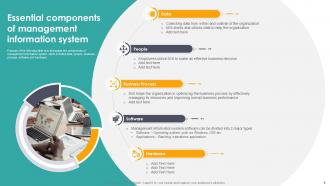
Slide 6: This slide presents Management information system overview and key components.
Slide 7: This slide displays Need of MIS adoption within the organization.
Slide 8: This slide represents the types of management information system such as inventory management, sales & marketing system, process control, management reporting system, HR-MIS, etc.
Slide 9: This slide focuses on benefits of adopting management information system in the organization such as real-time reporting, effective communication, information sharing, project management, etc.
Slide 10: This slide represents the architecture of MIS to control hardware and software system, including components such as hardware, software, database, UI, etc.
Slide 11: This slide highlights title for topics that are to be covered next in the template.
Slide 12: slide showcases the timeline for successful implementation of management information system which is divided into three phases that includes pre-implementation, development & implementation and post-implementation phase.
Slide 13: This slide highlights title for topics that are to be covered next in the template.
Slide 14: This slide represents the major objectives of management information system which includes data capturing, processing of data, storage, retrieval and dissemination of information.
Slide 15: This slide highlights title for topics that are to be covered next in the template.
Slide 16: This slide focuses on supplier evaluation checklist for acquisition of hardware and software.
Slide 17: This slide highlights title for topics that are to be covered next in the template.
Slide 18: This slide exhibits the planning for the implementation of management information system by identifying activities such as resource acquisition, personnel organization, procedure development, training program creation, etc.
Slide 19: This slide represents the strategies for acquiring facilities and space planning such as assessment of space requirements, space allocation and layout, etc.
Slide 20: slide focuses on recruitment plan for implementing management information system to hire team.
Slide 21: This slide exhibits the comparison of MIS software that helps organization in making smart decisions.
Slide 22: slide showcases the training schedule for users to ensure successful implementation of management information system.
Slide 23: This slide highlights the testing methods to check the effectiveness of MIS system to be adopted by company.
Slide 24: This slide represents the different approaches to be considered for adopting MIS system which helps old organizations to ensure new system reliability which includes direct, parallel, modular and phase-in.
Slide 25: This slide highlights title for topics that are to be covered next in the template.
Slide 26: This slide represents the techniques to maintain management information system such as emergency, routine, special reporting requests and system improvements.
Slide 27: This slide showcases the key performance metrics to monitor system functioning which helps company to fix the bug prior occurrence.
Slide 28: This slide exhibits the methods to collect feedback from users which includes surveys, questionnaires, user interviews, focus groups and email feedback requests.
Slide 29: This slide focuses on Likert scale to collect users feedback regarding management information system performance.
Slide 30: This slide highlights title for topics that are to be covered next in the template.
Slide 31: This slide outlines an overview of database management systems in management information systems (MIS) that help to improve document management and enhance collaboration.
Slide 32: This slide exhibits information about Business intelligence tools in Management information system that helps to leverage data for better decision-making.
Slide 33: This slide showcases information about data warehousing that helps store and manage large amounts of data and information.
Slide 34: This slide highlights the impact of artificial intelligence and machine learning technology on management information systems enabling experts to analyse trends in the market.
Slide 35: This slide exhibits a cloud computing-based management information system that helps to administer data through the web.
Slide 36: This slide highlights the benefits of blockchain technology in management information systems.
Slide 37: This slide includes cybersecurity related practices to maintain security, and integrity of management information system.
Slide 38: This slide highlights the application of Internet of Things in management information systems to enhance data accuracy.
Slide 39: This slide highlights title for topics that are to be covered next in the template.
Slide 40: This slide presents an overview of MIS system for manufacturing industry and its applications to optimize the sector.
Slide 41: This slide showcases an management information system (MIS) architecture for manufacturing sector that help control the flow of goods and materials throughout the organization.
Slide 42: This slide showcases the impact of integrating a management information system in manufacturing firms.
Slide 43: This slide highlights title for topics that are to be covered next in the template.
Slide 44: This slide presents an overview of management system incorporation in financial services providing companies.
Slide 45: This slide showcases a management information system (MIS) architecture for financial service providing enterprises that help in automating financial management operations .
Slide 46: This slide showcases the benefits of integrating management information system to financial service providing companies.
Slide 47: This slide highlights title for topics that are to be covered next in the template.
Slide 48: This slide presents an overview of hospital management information system that helps in managing patient data and improving healthcare services.
Slide 49: This slide represents an architecture of healthcare management information system that enable healthcare organizations in managing day to day activities.
Slide 50: This slide showcases the impact of incorporating a hospital information system that enable organization to improve patient services.
Slide 51: This slide highlights title for topics that are to be covered next in the template.
Slide 52: This slide presents an overview of retail management information system to automate retail operations.
Slide 53: This slide showcases an architecture for retail management information system that helps in managing retail store operations.
Slide 54: This slide highlights the impact of integrating management information system in retail stores.
Slide 55: This slide highlights title for topics that are to be covered next in the template.
Slide 56: This slide presents an overview and key applications of MIS that help in improving education services for students.
Slide 57: This slide represents an architecture of education management information system that helps in effective data sharing and coordination across all levels of education system.
Slide 58: This slide highlights the impact of incorporating management information system in education institutes.
Slide 59: This slide highlights title for topics that are to be covered next in the template.
Slide 60: This slide shows Challenges in implementing management information system.
Slide 61: This slide represents the risks involved in implementing management information system software which includes budget overruns, timeline delays, data quality issues, resistance to change, etc.
Slide 62: This slide showcases the mitigation strategies to manage risks while implementing management information system software.
Slide 63: This slide highlights title for topics that are to be covered next in the template.
Slide 64: This slide showcases the budget allocation and actual cost incurred in implementing MIS software which includes expenses such as hardware procurement, software licensing, system development, data migration, training, testing, etc.
Slide 65: This slide showcases the cost split by hardware and software components to analyze the percentage of expenses allocated to each component.
Slide 66: This slide highlights title for topics that are to be covered next in the template.
Slide 67: This slide exhibits future trends for management information systems within organizations aimed at streamlining operations in organizations.
Slide 68: This slide represents the opportunities and future scope of MIS for businesses which help them to smoothen up their work.
Slide 69: This slide highlights title for topics that are to be covered next in the template.
Slide 70: This slide showcases a case study analysis of Amazon.
Slide 71: This slide showcases a case study analysis of management information system integration in restaurant business.
Slide 72: This slide contains all the icons used in this presentation.
Slide 73: This slide is titled as Additional Slides for moving forward.
Slide 74: This slide focuses on key considerations before acquiring hardware and software for successful MIS implementation, such as need analysis
Slide 75: This is an Idea Generation slide to state a new idea or highlight information, specifications etc.
Slide 76: This slide provides 30 60 90 Days Plan with text boxes.
Slide 77: This is Our Target slide. State your targets here.
Slide 78: This slide depicts Venn diagram with text boxes.
Slide 79: This slide showcases Magnifying Glass to highlight information, specifications etc
Slide 80: This is a Thank You slide with address, contact numbers and email address.
MIS Management Information System Powerpoint Presentation Slides Ppt Template with all 88 slides:
Use our MIS Management Information System Powerpoint Presentation Slides Ppt Template to effectively help you save your valuable time. They are readymade to fit into any presentation structure.












FAQs for MIS Management Information System Powerpoint Presentation
So MIS basically has five main parts. Hardware is your servers, computers, all that network stuff. Then you've got software - databases, apps, analytics tools. Data is huge though, honestly probably the most important piece since it's what actually helps you make decisions. Don't forget procedures (basically how everything flows) and people - users and IT folks who keep things running. It's kinda like baking, you need all the ingredients or it falls apart. Oh, and make sure whatever system you pick can grow with your business. Learned that one the hard way!
So basically MIS gives you actual data instead of just winging it with decisions. You get real-time reports and dashboards that show what's really going on across different departments. Honestly, it beats guessing every time. The cool part? You can catch problems early and spot trends before everyone else does. Just make sure you're tracking stuff that actually matters to your decisions - I've seen people get obsessed with metrics that don't mean anything. Oh, and the analytics help you compare how things are performing over time too.
Okay so data quality is literally everything for your MIS. Bad data in = bad decisions out, you know? Like, your system could be super fancy but if you're working with outdated or incomplete info, you're basically screwed. I always think of it like trying to bake a cake with expired milk - doesn't matter how perfect your technique is. You need solid validation processes running regularly. Otherwise you'll make decisions based on total garbage and that can actually be worse than having no system at all. Trust me on this one.
So basically you'll want to connect everything through APIs or some kind of middleware platform - most systems these days have connectors built right in, which is nice. Your MIS grabs operational stuff from the ERP (inventory, financials, whatever) and customer data from CRM to build those big picture reports. The tricky part is mapping all your data fields correctly first. I'd honestly start there - figure out what info needs to flow between systems, then get your IT folks to set up the automated workflows. Real-time syncing works great once it's dialed in. Way less painful than the old days of manual exports!
Honestly, start with the basics - is your system actually up and running fast? Down systems = zero productivity, obviously. Data accuracy matters too since garbage in means garbage out (I've seen companies make terrible decisions off bad data). Check if people are actually using the system and if they like it - the coolest tech is useless if everyone hates it. ROI's pretty straightforward: compare what you're spending vs what you're gaining in efficiency. Those four things will give you a solid foundation, then you can get fancy with metrics that match your specific business stuff.
Dude, cloud MIS is a game changer for flexibility - you can literally work from your couch and access everything. No more dealing with those ancient servers that always seem to break at the worst times. Your remote team will actually be able to collaborate instead of sending endless email chains back and forth. The scaling thing is pretty sweet too since it adjusts automatically when you need more power. Different departments can finally see the same data in real-time, which honestly should've happened years ago. I'd probably start by figuring out where your current system is slowest and tackle that first.
Honestly? Your biggest pain points will be people hating change and data migration being a total mess. Budget's gonna blow up too - they always do. Integration with existing software is annoying, plus everyone gets confused without proper training. Oh, and scope creep where they keep adding requirements mid-project... ugh. Bad data quality will come back to haunt you later. Get leadership on your side first. Spend serious money on training people. Have a real change management strategy, not just winging it. The planning phase might feel boring but trust me - skip it and you'll regret everything.
MIS pulls all your department data - sales, finance, operations - and turns it into reports that don't suck. You'll spot trends, find opportunities, see where money's going. Real-time data beats waiting weeks for outdated reports (trust me on this). It's basically your intelligence backbone for making decent strategic decisions. The key is figuring out which metrics actually matter for your business first. Then set up your MIS to track and display that stuff clearly. Way more useful than drowning in random spreadsheets.
Okay so first thing - set up multi-factor authentication and role-based permissions. Passwords need regular updates too. Encrypt everything, both stored data and anything moving between systems. Your network needs solid firewalls and intrusion detection. VPNs if people work remotely. Honestly, I can't stress backups enough - seen way too many companies get completely screwed because they thought "it won't happen to us." Set up audit trails so you know who's accessing what. Train your team properly because people clicking weird links is still how most breaches happen.
Honestly, get your users bought in from the start - don't just spring a new system on them. Training is huge, obviously, but also explain WHY you're changing things. I swear, half the resistance comes from people thinking it's just change for change's sake. Find those power users who actually get excited about new tech and turn them into your cheerleaders. Deal with complaints right away instead of ignoring them. Oh, and collect feedback early so you can fix the obvious stuff quickly. People will actually embrace it if they feel heard throughout the process.
Honestly, cloud-first stuff is huge right now - everything's moving there. AI and machine learning are getting baked into systems for predictive analytics, which is pretty cool. Real-time data processing is becoming the norm too. What I think is actually game-changing though? Self-service BI tools. Business people can finally build their own reports instead of constantly hitting up IT. Mobile-first design isn't optional anymore either. Security and data governance are getting way more attention (about time). Oh, and definitely watch low-code platforms - they're letting companies deploy solutions crazy fast. The whole field's just becoming more agile and user-focused.
So MIS basically pulls data from all your systems automatically and dumps it straight into dashboards. No more waiting for Karen from accounting to update her Excel sheets, thank god. You'll see live sales numbers, inventory counts, whatever metrics you care about. The cool part? Everything updates in real-time, so you can actually catch problems when they happen instead of finding out a week later. Honestly though, don't go crazy setting up dashboards for every possible metric - just focus on the stuff you check every day. Makes decision-making way faster.
Dude, mobile tech totally changed how we access business systems. You're not stuck at your desk anymore - pull up dashboards, reports, whatever you need right from your phone. Field teams can log data on the spot, managers approve stuff while they're stuck in traffic. Pretty wild how fast you can make decisions now. Your executives are probably checking KPIs from random places (coffee shops, their kid's soccer game, who knows). Just make sure your systems actually work well on mobile though. Bug your IT people about responsive design if the interface still looks like garbage on phones.
Honestly, data viz tools are a lifesaver for making sense of all that MIS data. You know how spreadsheets just make your eyes glaze over? These turn those endless numbers into charts and graphs that actually tell you something useful. Trends jump out at you immediately. Plus your team won't zone out during presentations anymore - which is huge. I'd go with Tableau or Power BI to start, they're pretty user-friendly. The cool part is you can zoom into details but still see the overall picture. Trust me, once you start using them, going back to regular spreadsheets feels like torture.
Okay so first off - transparency is key. People need to know what data you're collecting and why. Security's obviously crucial too, nobody wants their info leaked everywhere. Accuracy matters more than people think because garbage data creates garbage decisions that can seriously mess things up for folks. Also watch out for bias - don't let your data practices screw over certain groups unfairly. Honestly, I always think about whether I'd be cool with someone handling my personal stuff the same way. Oh and consent! Can't forget that one. Basic rule: no shady collection tactics behind people's backs.
-
It saves your time and decrease your efforts in half.
-
I downloaded some of the presentations for work. They were simple to modify and saved me a lot of time and effort.