

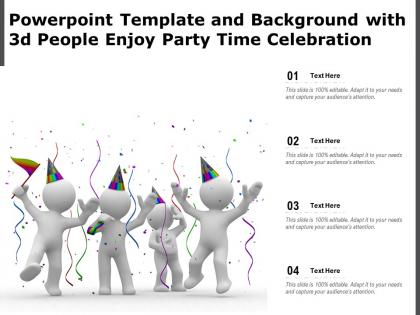
Powerpoint template and background with 3d people enjoy party time celebration




Try Before you Buy Download Free Sample Product
 Impress Your
 Audience
 100%
100% Editable
 Save Hours
 of Time


The following Powerpoint Image slide titled Powerpoint Template And Background With 3d People Enjoy Party Time Celebration is an editable Powerpoint template available in Standard as well as Widescreen size. This slide has an image pasted strategically on a slide with sections for text that you can fill in. You can move and edit any element and paste your own image in place of this provided image if required.
People who downloaded this PowerPoint presentation also viewed the following :
Powerpoint template and background with 3d people enjoy party time celebration with all 2 slides:
Use our Powerpoint Template And Background With 3d People Enjoy Party Time Celebration to effectively help you save your valuable time. They are readymade to fit into any presentation structure.
FAQs for Powerpoint template and background with 3d people enjoy
Okay so for your 3D party template - dynamic lighting is huge, it totally sets the vibe. Add animated stuff like confetti and balloons, obviously. Sound zones are essential because silent parties are just awkward lol. You'll want interactive spaces where people can actually walk around and explore. Customizable text areas work great for party info. Particle effects add nice visual flair too, though don't go overboard. Honestly, the trick is making it immersive without being chaotic. Test everything beforehand - trust me on this one, you don't want glitches during the actual event.
Honestly, 3D party templates are pretty genius for presentations. They add this visual depth that flat slides just can't compete with - your audience will actually pay attention instead of scrolling Instagram. The animations make people feel involved in whatever you're celebrating, not just sitting there watching another dull slideshow. Perfect for highlighting big wins, announcing milestones, or getting everyone pumped at team meetings. Energy stays high the whole time too. Just... maybe don't go crazy with the effects? You want people engaged, not dizzy. Nobody needs that kind of distraction when you're trying to make a point.
Honestly? Just start with Blender - it's free and handles party stuff like balloons and confetti really well. Cinema 4D is what I'd actually recommend if you can swing it though, way less frustrating to learn. The interface doesn't make you want to scream. Maya and 3ds Max are great if work already pays for them. Oh, and After Effects works too if you're more of a 2D person who just wants some depth added in. I'd say mess around with Blender first, see if you like 3D work, then maybe upgrade later.
Depth and lighting are everything - without proper shadows your 3D stuff looks fake. I'd stick to vibrant colors but keep them cohesive, you know? Oh and seriously, don't go crazy with sparkles everywhere. I've seen templates that are basically visual assault lol. Pick one or two main 3D elements like balloons or cool typography, then build everything else around those. Test it at different sizes too since people view invites on phones AND print them. Also try various text lengths before you're done - nothing worse than realizing your design breaks with longer party names.
Dude, color schemes are everything! Hot pink and electric blue will get people hyped up, but pastels keep things classy. Warm colors like reds and oranges definitely amp up the party energy. Cool blues? More sophisticated vibes. I've totally seen those crazy neon combos that look sick but honestly might blind your guests lol. You could go monochromatic for a sleek look too - that always works. Just think about what kind of energy you're going for and pick colors that match. Oh, and don't go too wild or people will get headaches halfway through!
Honestly, those 3D templates are perfect for any celebration where you want people to go "whoa." Birthdays, graduations, work stuff, product launches - whatever. They absolutely kill it on social media because the 3D effects just pop way more than flat designs. Virtual events especially need that extra depth since everything feels so bland otherwise. I've seen people use them for anniversaries too, which I didn't expect but totally works. Just match the template's energy to your vibe, then swap in your colors and text. Oh, and they're weirdly addictive to customize once you start playing around with them.
Keep your animations smooth and celebratory - gentle rotations work great for balloons, floating effects for confetti. Bounce your text elements when they appear, but don't go crazy with it. Honestly, I've seen too many presentations that give people motion sickness lol. For slide transitions, whoosh or zoom effects are solid choices since they feel like you're moving through the party space. Timing matters too - stick to 0.5-1 second per animation so everything flows together. Test early though! Sometimes what looks cool in your head just ends up being distracting.
Okay so typography is super important for those 3D party templates - you need it to create hierarchy and guide people to the key stuff like dates and details. Clean, bold fonts work best because they won't fight with all the 3D elements. Seriously, I can't tell you how many templates I've seen completely ruined by some fancy script font that's impossible to read! Mix up your font weights and sizes for visual interest, but don't go crazy. Always test it at actual print size first - what looks good on screen might be tiny garbage when printed.
Honestly, the biggest thing is making sure people can actually read your text against those 3D backgrounds. Those effects look cool but can be a nightmare for readability. Use high contrast and stick with clean fonts - nothing too fancy. Oh, and don't just rely on colors to show important stuff. Add alt text for your 3D elements too. Maybe create a simpler backup version? I'd definitely run it through an accessibility checker online before you call it done. Better yet, ask someone who actually uses assistive tech to test it out.
Honestly, birthday themes with floating balloons and confetti are still the most popular - they just work. Holiday stuff like Christmas or New Year's with all the sparkly effects looks amazing too. Corporate events can be surprisingly cool, especially product launches. The key is picking themes with natural movement since that's where 3D really pops. Things floating, spinning, cascading through space. Graduations and anniversaries are solid choices too. I'd definitely match whatever theme you pick to your brand colors though - makes everything look way more polished when the colors actually work together.
Okay so 3D modeling is where it's at for virtual parties. You get depth and realistic lighting that flat designs just can't pull off. I've been seeing crazy stuff lately - holographic balloons, floating decorations, guests can actually "walk around" the space. It's all about tricking your brain with shadows and perspective, honestly. Start simple with some depth layers first. Interactive elements make a huge difference too. Your friends will feel like they're at an actual event instead of staring at another lame screen thing. Way better than those boring zoom backgrounds everyone's sick of.
Start with responsive scaling - that's your biggest headache right there. Mobile can't handle desktop-level complexity, so you'll need multiple LOD versions of your 3D stuff. Test different screen orientations too because party templates get super cramped otherwise. CSS media queries are your friend for hiding heavy animations on phones. Lazy loading for 3D assets is pretty much mandatory. Oh, and seriously - test on real devices, not just Chrome dev tools. The performance gap is honestly ridiculous and you'll miss major issues if you don't.
Honestly, culture affects literally everything in your 3D party design. Colors are huge - think red and gold for Chinese stuff, or those rich jewel tones for Indian celebrations. Your patterns, architecture, even how people stand around should match cultural vibes. Food styling matters too, plus clothing and rituals (I totally bombed this on a client project last year, whoops). Don't just grab random "festive" elements. Research actual visual references from whatever culture you're targeting first. Makes such a difference in the final result.
Okay so interactive stuff is what makes your 3D party template actually fun instead of just... pretty to look at. Add some clickable spots, hover effects, maybe a few animations - basically little surprises for people to find. It keeps them poking around longer and makes everything feel way more alive. Plus it's super helpful for directing people to the important stuff like RSVP buttons. Honestly, I'd start with just 2-3 simple interactions though. Don't go crazy your first time or you'll drive yourself nuts trying to make everything perfect.
User feedback is your roadmap for actually useful templates. People will tell you straight up what feels outdated, which animations are cringey, and what customization they're missing. Look for patterns - like everyone wanting more color schemes or that confetti effect crashing phones. Some feedback gets weird and contradictory, but consistent themes? That's where the magic happens. Make it easy for people to reach you and actually respond back. Oh, and don't overthink it - the best improvements come from real folks trying to celebrate actual events. Set up simple feedback channels and you're golden.
-
Best way of representation of the topic.
-
Excellent template with unique design.
-
Excellent products for quick understanding.