

Project Group Powerpoint Presentation Slides





Try Before you Buy Download Free Sample Product
 Impress Your
 Audience
 100%
100% Editable
 Save Hours
 of Time


Represent your project framework in a unique manner with our Project group PowerPoint presentation slides. It is an effective project management reporting tool created by our team of professionals so to meet the needs or requirements of the project manager. Managing the business projects helps your management to streamline the process and helps in evaluating the project from its initial stage till completion. This project team presentation helps identify the project objectives, ensures the effective planning of the project and finally controlling the quality of the project which needs to be delivered to the clients. These Project Member PPT slides engage your project group to follow the guidelines of the project. You can use these standardized project group PowerPoint templates in accordance to your business project structure. Simply download now to create an appealing PPT Presentation for your project group. Bash on bravely with our Project Group Powerpoint Presentation Slides. They assist you to conquer your fears.
People who downloaded this PowerPoint presentation also viewed the following :
Content of this Powerpoint Presentation
Slide 1: This slide introduce Project Group. State Your company name and begin.
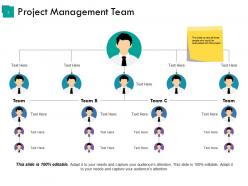
Slide 2: This slide showcases Project Management Team.This slide also covers all those people who would be associated with this project
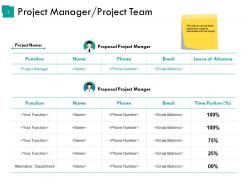
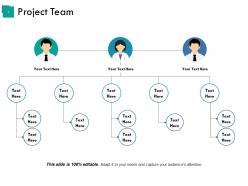
Slide 3: This slide presents Project Manager/Project Team with Project Name.This slide covers all those people who would be associated with this project.
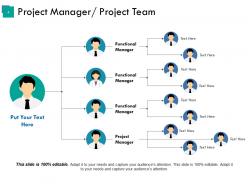
Slide 4: This slide covers Project Manager/ Project Team. You can use it for your comapny to show the company hirearchy.
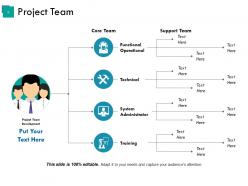
Slide 5: This slide shows Project Team with these parameters- Functional Operational, System Administrator, Training, Core Team.
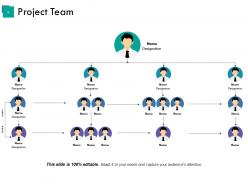
Slide 6: This slide presents Project Team with name and designation. You can add your company details.
Slide 7: This slide showing the organisational chart of Project Team. You can add your company team information in it.
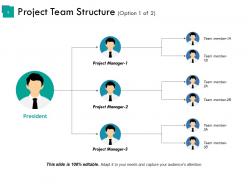
Slide 8: This slide showcases Project Team Structure showing different levels- President, Project Manager, Team member.
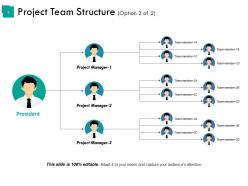
Slide 9: This slide presents Project Team Structure with this team hierarchy- President, Project Manager, Team member.
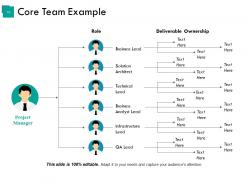
Slide 10: This slide showcases Core Team Example with roles and other information you can put.
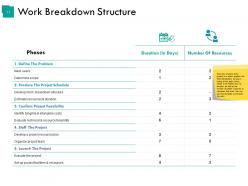
Slide 11: This is a Work Breakdown Structure.Once the timeline of the project is in place, prepare the Work Breakdown structure, listing all the tasks which needs to be fulfilled and its duration as well as the number of people required to complete that work. You can use this template to list down the work.
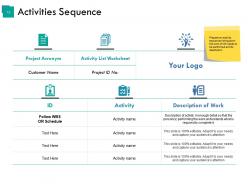
Slide 12: This slide covers Activities Sequence. Prepare an activity sequence listing down the work which needs to be performed and its description.
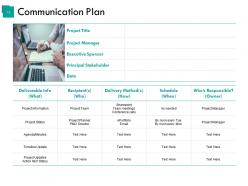
Slide 13: This slide shows Communication Plan. Add your information as per your requirement.
Slide 14: This slide is a Coffee Break image for a halt.
Slide 15: This slide forwards to Charts & Graphs.
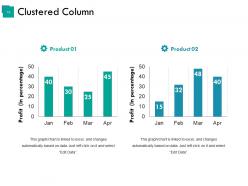
Slide 16: This slide presents Clustered Column. Compare the producs as per your requirement.
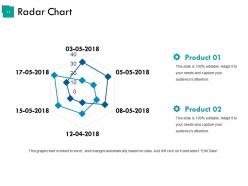
Slide 17: This slide shows Radar Chart. You can compare your product with this graph.
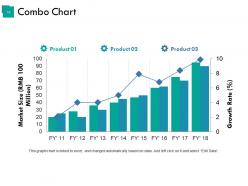
Slide 18: This slide showcases Combo Chart. This can be used to compare three products.
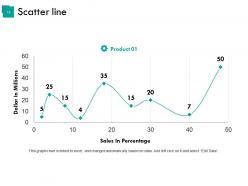
Slide 19: This slide shows Competitive Analysis with Scatter Chart/Radar Chart to compare.
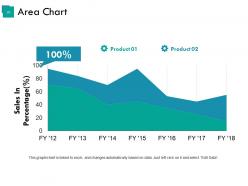
Slide 20: This is an Area Chart slide for product/entity comparison.
Slide 21: This slide is titled Additional Slides to move forward.
Slide 22: 'This slide represents Our Mission. State your mission, goals etc.
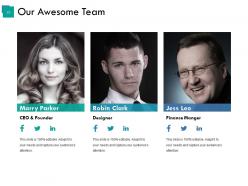
Slide 23: This slide showcases Our Team with Name and Designation to fill.
Slide 24: This slide shows Our Goals for your company.
Slide 25: This is an About Us slide. State company or team specifications here.
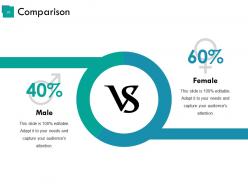
Slide 26: This slide is an Comparison. You can compare the male and female ratio in it.
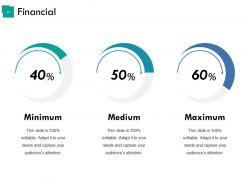
Slide 27: This slide presents Financial scores to display.
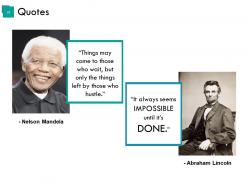
Slide 28: This is a Business Quotes slide to quote something you believe in.
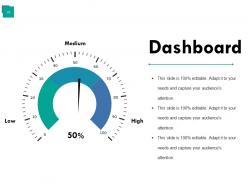
Slide 29: This is a Dashboard slide to show- Strategic System, Success, Goal Process, Sales Review, Communication Study.
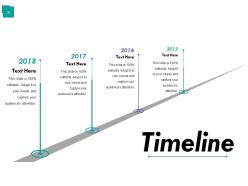
Slide 30: This is a Timelines slide to show- Plan, Budget, Schedule, Review.
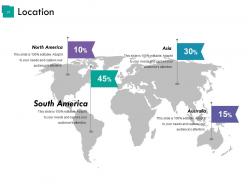
Slide 31: This is a Location slide of World map to show global presence, growth etc.
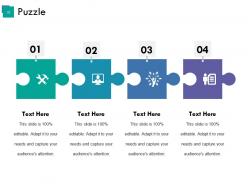
Slide 32: This is a Puzzle image slide to show information, specification etc.
Slide 33: This slide displays Our Target with a background image.
Slide 34: This slide shows a Mind map for representing entities.
Slide 35: This slide displays a Bulb or idea image.
Slide 36: This is a Silhouettes slide to show people specific information etc.
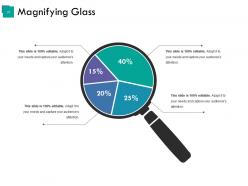
Slide 37: This slide displays a Magnifying Glass with icon imagery.
Slide 38: This is a Thank You slide with Address# street number, city, state, Contact Numbers, Email Address.
Project Group Powerpoint Presentation Slides with all 38 slides:
Generate interest in a better approach with our Project Group Powerpoint Presentation Slides. Be able to introduce changes.





FAQs for Project Group
You need scope definition first - what exactly are you doing? Then map out your timeline with key milestones and figure out resources. Communication plan is huge too. Seriously, I can't stress this enough - do risk management upfront because I've watched so many projects crash when unexpected stuff hits. Budget tracking and clear team roles are obvious but people skip them anyway. Everything has to connect though - if your timeline doesn't match your resources, you're screwed. Start simple with these basics and build from there.
Agile's amazing because it breaks everything into short sprints - you get feedback constantly and can change direction fast. Daily standups and retrospectives make teams actually talk to each other (revolutionary, I know). Problems get caught early instead of becoming disasters later. What I love most is stakeholders don't disappear for months then freak out about the final product. They see progress every two weeks. Just start with basic Scrum stuff like sprint planning and daily check-ins. Your team's rhythm will improve almost immediately, trust me.
Start with a project management tool - Asana or Monday.com are solid choices. I've burned through like 5 different ones trying to find the right fit, so don't overthink it. For tracking performance, Excel dashboards work fine if you're not ready for something fancy like Tableau. Time tracking is where most people mess up though. Toggl or Harvest will show you where hours actually disappear versus where you think they go. Begin with just one PM tool and basic reporting. You can always add more bells and whistles later once everyone's used to it.
Honestly, hitting deadlines is nice but it's not everything. Check if stakeholders are actually happy and if the thing you built solved their real problem. User feedback is huge - adoption rates tell you way more than a Gantt chart ever will. I always look at whether people would want to work with the team again, that's a dead giveaway. Team burnout is real too, so track if your people are fried afterward. The soft stuff matters just as much as the hard metrics, maybe more. Start measuring that alongside your usual project stats and you'll actually know if you succeeded.
Definitely create a risk register first thing - sounds boring but trust me, skipping it will bite you later. Go through and figure out what could go wrong, then rank stuff by how likely it is and how badly it'd mess things up. Focus your energy on the scary high-priority ones. Weekly team check-ins are huge, especially when things get hectic. Oh, and make sure someone owns each risk - otherwise everyone assumes someone else is watching it. My old boss used to say "hope isn't a strategy" which is cheesy but true. Get started in your next planning session.
Honestly, figure out who your stakeholders are right away and learn how each one likes to communicate. Trust me, I've screwed this up before! Some people want those crazy detailed weekly reports, others just want a heads up when something's broken. Don't wait around for things to go sideways before you reach out - regular check-ins save your butt. Oh, and make a RACI matrix so nobody's confused about who decides what. Actually ask them how they want updates instead of guessing. Monthly pulse checks are clutch too.
Dude, I can't stress this enough - good communication will make or break your project. Keep everyone looped in on goals and timelines, otherwise you'll have chaos. I've watched so many projects crash because people thought everyone understood the plan. Set up regular check-ins and stick to them. Also make sure stakeholders aren't left wondering what's going on (they hate that). Before you even start, figure out how your team will stay connected - group chats, weekly meetings, whatever works. Then actually follow through with it.
Okay so here's the thing - scope, time, and budget are basically tied together. Change one and the others shift too. First, nail down your priorities with stakeholders early because you'll constantly reference them later. Trust me on this. Do frequent check-ins instead of waiting until everything's on fire. When scope starts growing (it will), immediately figure out how that hits your timeline and budget before agreeing to anything. Write everything down so you can actually show people why changes are needed. The key is being upfront about trade-offs and getting everyone's okay before you move ahead.
Honestly, the biggest thing is getting everyone on the same page about scope and timeline right from the start. Send an agenda beforehand - trust me on this one. Make sure all the important people actually show up because having to repeat everything later is such a pain. I like to encourage questions during the meeting rather than after, and definitely address any concerns people have upfront. Document what gets discussed. Send follow-up notes within 24 hours while it's still fresh. The whole point is that everyone walks out knowing exactly what they need to do and when it's due.
Oh man, cultural stuff can totally derail your project if you're not ready for it. Some teams are super direct, others beat around the bush - leads to confusion about deadlines and what people actually need. Time zones are annoying but honestly the easy part. The real headache is when cultures clash on hierarchy or how decisions get made. I learned this the hard way on my last project! Set up communication rules early and maybe have that awkward but necessary chat about how everyone's culture handles work stuff. Trust me, it's worth it.
Honestly, you've gotta get to know each person individually first - what makes them tick, how they like feedback, their whole work style. I learned this the hard way with my first mixed team! Some people want public shoutouts while others cringe at that stuff and prefer private praise. Create space where everyone feels safe speaking up. Mix up how you communicate too - not everyone's into video calls or marathon meetings (ugh). Oh, and set clear goals everyone can get behind regardless of background. Regular one-on-ones are clutch for checking in personally with each team member.
Okay so here's what actually works - after every project wraps up, write down what sucked and what didn't. Keep it simple, like a running doc or spreadsheet. Most people totally skip this part because they're already stressed about the next deadline, but seriously it's worth it. When you're planning something new, pull up those notes first. Adjust your timelines based on what bit you last time. Oh and make it a thing in kickoff meetings - spend 10 minutes going through relevant screw-ups from before. Your future self will thank you when you're not making the same mistakes over and over.
Ugh, scope creep is the worst - clients always pull that "just one tiny thing" move. Document literally everything or you'll get burned. Daily standups saved my butt so many times, honestly communication is half the battle. Always pad your timeline estimates because Murphy's Law is real in project management. Oh and do a proper kickoff meeting where everyone's on the same page about deadlines and what you're actually delivering. Being ahead of problems beats scrambling to fix them later. Trust me on this one.
Honestly, you've gotta bake quality checks right into your workflow instead of leaving QA till the end. Code reviews and automated testing at different stages are clutch. My last project was a nightmare because we waited too long - trust me on this one! Daily standups help surface blockers fast. Also document your quality standards upfront so everyone's on the same page. Oh, and schedule regular check-ins with stakeholders. Catching issues early saves you so much pain later when fixes get expensive and messy.
Managing projects remotely is weird at first - everything has to be way more planned out. Those random desk conversations you used to have? Gone. Now you're documenting everything because you can't just walk over and ask questions. But honestly, the work quality usually gets better since people have fewer interruptions and can actually focus during their best hours. Daily check-ins become your lifeline. I'd start there and see if your team needs more or less structure. The whole thing just requires being super explicit about timelines and expectations upfront.
-
Easily Understandable slides.
-
Great product with highly impressive and engaging designs.