

It project team building powerpoint presentation slides




Try Before you Buy Download Free Sample Product
 Impress Your
 Audience
 100%
100% Editable
 Save Hours
 of Time


Our IT Project Team Building Powerpoint Presentation Slides are topically designed to provide an attractive backdrop to any subject. Use them to look like a presentation pro.
People who downloaded this PowerPoint presentation also viewed the following :
Content of this Powerpoint Presentation
Slide 1: This is the cover slide of IT Project Team Building PowerPoint Presentation.
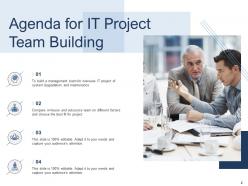
Slide 2: This is the Agenda for IT Project Team Building slide.
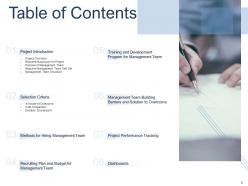
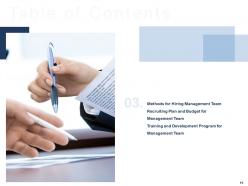
Slide 3: This is the Table of Contents slide that lists out all the essentials elements covered in the deck.
Slide 4: This slide talks about project introduction.
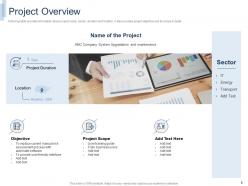
Slide 5: This slide provides information about project name, sector, duration and location. It also provides project objective and its scope in detail
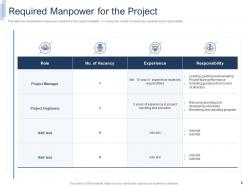
Slide 6: This slide shows detail about manpower required for the project Completion. It covers role, number of vacancies, experience and responsibility.
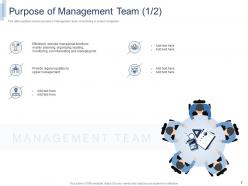
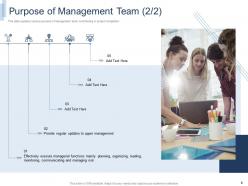
Slide 7: This slide explains various purpose of management team contributing in project completion.
Slide 8: This slide explains various purpose of management team contributing in project completion.
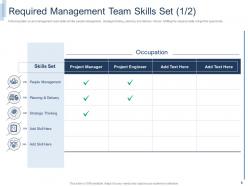
Slide 9: This slide includes a table that covers management team skills set like people management, strategic thinking, planning and delivery. Person fulfilling the required skills will get the opportunity.
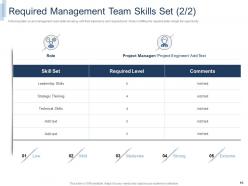
Slide 10: This slide covers management team skills set along with their importance and required level. Person fulfilling the required skills will get the opportunity.
Slide 11: This slide provides the structure of management team assigned for project completion. It will include team hierarchy with top level at left and lower level at right.
Slide 12: This slide presents selection criteria.
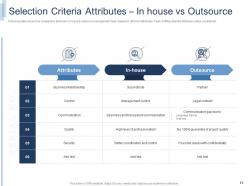
Slide 13: This slide shows the comparison between in-house & outsource management team based on different attributes. Team fulfilling desired attributes will be considered.
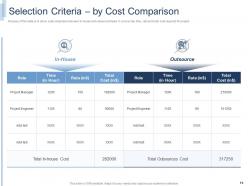
Slide 14: This slide shows cost comparison between in-house and outsourced team. It covers role, time, rate and total cost required for project.
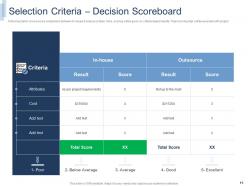
Slide 15: This slide covers score comparison between in-house & outsource team. Here, scoring will be given on criteria-based results. Team scoring high will be awarded with project.
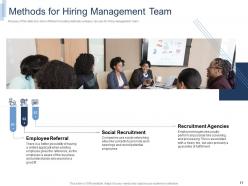
Slide 16: This slide presents methods of hiring management team.
Slide 17: This slide presents different recruiting methods company can use for hiring management team
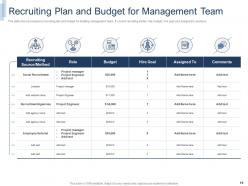
Slide 18: This slide shows company’s recruiting plan and budget for building management team. It covers recruiting model, role, budget, hire goal and assigned to sections
Slide 19: This slide is to provide training programs for improving different skills set of the in-house team. It also provides the details about training mode, duration and cost.
Slide 20: This slide presents Management Team Building Barriers and Solution to Overcome.
Slide 21: This slide shows team building barriers like role conflict, communication along with their description. It also shows different solutions to overcome possible barriers.
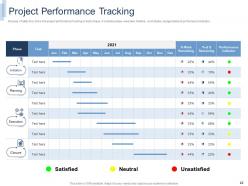
Slide 22: This slide shows the project performance tracking of each phase. It includes phase wise task, timeline, work status, budget status & performance indicator.
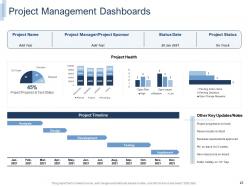
Slide 23: This slide presents Project management dashboard.
Slide 24: This slide presents Team Performance Dashboard.
Slide 25: This is Icon Slide with various icons. Use as per need and requirement.
Slide 26: This slide is titled Additional Slides to move forward. Change/ alter content as per need.
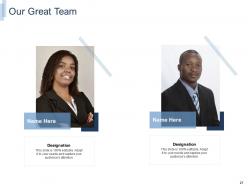
Slide 27: This is Our Team slide with name and designation to fill
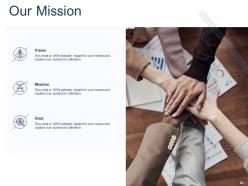
Slide 28: This is Our Mission Our Vision slide to state your mission, vision etc.
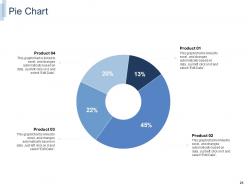
Slide 29: This is a Pie Chart for product/ entity comparison etc.
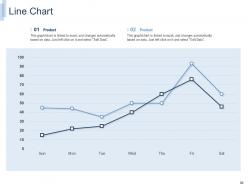
Slide 30: This is a Line Chart slide that can be used to compare different elements.
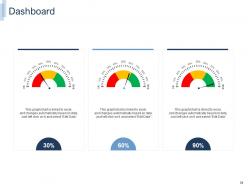
Slide 31: This is a Dashboard slide to present your KPIs.
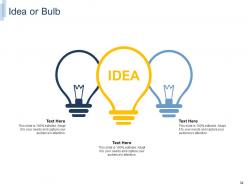
Slide 32: This is a Blub or Idea image slide to present innovative/ creative aspects.
Slide 33: This is Financial scores slide. State your financial aspects etc. here.
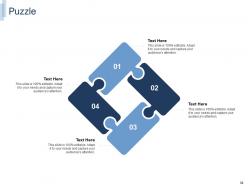
Slide 34: This is a creative Puzzle image slide to state information, specifications etc.
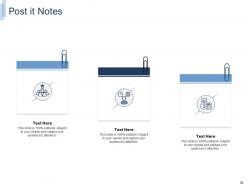
Slide 35: This is a Post IT Notes slide that can be used to keep important information at one place.
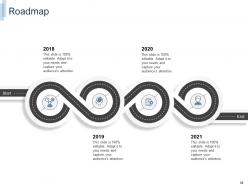
Slide 36: This is a Roadmap slide that can be used to present chronological sequence of events.
Slide 37: This is a Venn diagram slide that can be used to compare three different elements.
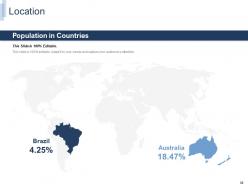
Slide 38: This is Our Location/Global Presence slide on a world map image.
Slide 39: This is a Timeline slide that can be used to present series of events.
Slide 40: This is a Thank You slide for acknowledgement.
It project team building powerpoint presentation slides with all 40 slides:
Use our IT Project Team Building Powerpoint Presentation Slides to effectively help you save your valuable time. They are readymade to fit into any presentation structure.









FAQs for It project team building
Key IT project team roles include project manager, business analyst, system architect, developers, QA testers, database administrators, and DevOps engineers. These professionals collaborate by defining requirements, designing scalable solutions, and ensuring quality delivery, with many organizations finding that clearly defined responsibilities streamline development cycles, minimize bottlenecks, and ultimately deliver faster project completion and enhanced system performance.
Project managers can effectively assess team members by evaluating technical skills, past project performance, communication abilities, problem-solving aptitude, and cultural fit within the organization. Through structured interviews, technical assessments, and reference checks, managers can identify candidates who deliver both expertise and collaboration, with many IT organizations finding that balanced teams combining technical depth with strong interpersonal skills ultimately enhance project success rates.
Effective strategies include regular virtual stand-ups, collaborative project management platforms, cross-functional pairing sessions, shared digital workspaces, and structured knowledge-sharing meetings. These approaches streamline communication and enhance team cohesion by establishing clear workflows, facilitating real-time collaboration, and building personal connections, with many distributed IT teams finding that consistent virtual touchpoints ultimately deliver stronger project outcomes and improved technical innovation.
Regular communication through daily standups, weekly progress reviews, and milestone check-ins ensures IT teams stay aligned with project objectives. Establishing clear documentation, shared dashboards, and defined roles creates transparency, while collaborative planning sessions and retrospectives help teams adapt quickly to changes, ultimately delivering projects on time and within scope.
Communication tools for IT project teams include Slack, Microsoft Teams, Jira, Confluence, GitHub, Zoom, and Asana for real-time messaging, documentation, and collaboration. These technologies streamline workflows by centralizing discussions, tracking code changes, and managing tasks, with many development teams finding that integrated platforms ultimately enhance productivity and reduce project delivery times.
Cultural diversity within IT project teams enhances creative problem-solving by bringing varied perspectives, different analytical approaches, and unique technical experiences from diverse educational and professional backgrounds. Teams leverage this through cross-cultural brainstorming sessions, rotating leadership roles, and collaborative code reviews, with many organizations finding that diverse teams deliver more innovative solutions and identify edge cases that homogeneous groups often miss.
Effective conflict management in IT project teams includes establishing clear communication protocols, implementing structured problem-solving processes, defining roles and responsibilities upfront, facilitating regular team retrospectives, and creating escalation pathways. These approaches streamline resolution by promoting transparency, encouraging collaborative dialogue, and addressing technical disagreements systematically, with many organizations finding that proactive conflict frameworks ultimately enhance team productivity and project delivery timelines.
Establishing clear project timelines and milestones is crucial for team productivity, providing structure, accountability, and progress tracking throughout development cycles. These frameworks enable teams to prioritize tasks, allocate resources effectively, and maintain momentum, with many IT organizations finding that well-defined milestones reduce project delays by up to 30% while enhancing team coordination and stakeholder communication.
Motivation techniques include setting clear milestones with recognition, providing skill development opportunities, implementing flexible work arrangements, offering performance-based incentives, and maintaining transparent communication channels. These approaches enhance team engagement by acknowledging achievements, fostering professional growth, and creating autonomy, with many IT organizations finding that combining intrinsic and extrinsic motivators sustains productivity and reduces turnover rates.
Feedback loops can be established through regular sprint retrospectives, peer code reviews, continuous integration dashboards, and structured one-on-one sessions with team leads. These mechanisms enable IT teams to identify bottlenecks quickly, enhance code quality, and accelerate delivery cycles, with many organizations finding that systematic feedback reduces project delays while improving team collaboration and technical outcomes.
Continuous learning and professional development enable IT project teams to stay current with evolving technologies, methodologies, and industry best practices while enhancing problem-solving capabilities and innovation potential. These initiatives streamline project delivery by improving technical expertise, fostering adaptability to new tools, and building stronger collaboration skills, ultimately delivering competitive advantage and higher project success rates across organizations.
Teams can balance formal roles with agile practices by maintaining clear accountability structures while empowering cross-functional collaboration, rotating responsibilities during sprints, and establishing hybrid governance models. Through iterative role refinement and regular retrospectives, organizations streamline decision-making, enhance team adaptability, and accelerate project delivery, with many IT departments finding that this strategic combination ultimately delivers both operational stability and competitive responsiveness.
Effective knowledge transfer practices include comprehensive documentation standards, structured mentoring programs, cross-training sessions, collaborative code reviews, and regular knowledge-sharing workshops. These approaches streamline information flow by creating multiple touchpoints for expertise exchange, reducing single points of failure, and building redundant capabilities, with many IT organizations finding that systematic knowledge transfer significantly accelerates project delivery and minimizes risks.
Team size significantly impacts IT project communication through span of control, information flow complexity, and coordination overhead, with smaller teams of 5-7 members typically enabling faster decision-making and clearer accountability. While larger teams can tackle complex enterprise implementations, they require structured communication protocols and dedicated project managers, with many organizations finding that breaking large projects into smaller, cross-functional squads ultimately delivers better outcomes and enhanced agility.
IT project team success metrics include delivery timeline adherence, budget compliance, code quality scores, defect rates, and stakeholder satisfaction ratings. These measurements enable organizations to assess both technical performance and business outcomes, with many technology companies finding that combining velocity metrics with customer feedback delivers comprehensive insights into team effectiveness, ultimately driving continuous improvement and competitive advantage in project execution.
-
Appreciate the research and its presentable format.
-
The content is very helpful from business point of view.
-
Innovative and attractive designs.
-
It saves your time and decrease your efforts in half.
-
Editable templates with innovative design and color combination.
-
Innovative and attractive designs.