

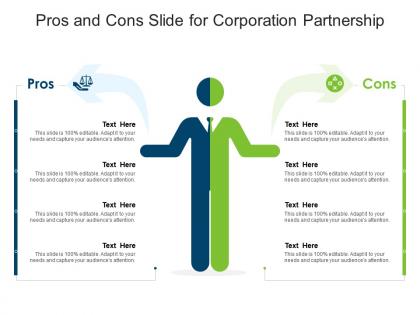
Pros and cons slide for corporation partnership infographic template




Try Before you Buy Download Free Sample Product
 Impress Your
 Audience
 100%
100% Editable
 Save Hours
 of Time


Derive factual results using this Pros And Cons Slide For Corporation Partnership Infographic Template. Deploy this PowerPoint template to make and display prospective strategies using impressive graphics that enhance the visual quotient of the presentation. This infographic template also helps in elevating the aesthetic appeal of the presentation, making it useful for every organization. Apart from this, things and projects can be visualized from the onset using this PPT design. As this PowerPoint visual provides an abundance of information in a single layout, it can impress any viewer or higher managerial staff. It also boosts business actions by presenting flawless presentations. The biggest advantage of this slide is that it can be reproduced in various formats, including Google Slides. Therefore, download it now to present a unique presentation every time.
People who downloaded this PowerPoint presentation also viewed the following :
Pros and cons slide for corporation partnership infographic template with all 2 slides:
Use our Pros And Cons Slide For Corporation Partnership Infographic Template to effectively help you save your valuable time. They are readymade to fit into any presentation structure.
FAQs for Pros and cons slide for corporation
Start with both company logos at the top, then map out who's doing what - be super specific here. Timeline is clutch, honestly people get way more excited when they can see the phases laid out. Throw in the key benefits for each side, plus any numbers you've got to back things up. Contact info for the main people is obvious but easy to forget. The shared goals section matters more than you'd think - that's where the real partnership magic happens, not just the transactional stuff. Make it clean so people actually reference it later instead of just filing it away somewhere.
Dude, flowcharts are a lifesaver for this stuff. Different colored boxes for each partner, connecting lines to show how decisions move around - suddenly everything clicks. I'd throw in some icons too, like gears for the ops people or dollar signs for whoever's writing checks. Nobody wants to wade through pages of dense text (learned that the hard way). Your audience will get it in seconds instead of squinting at paragraphs forever. Start with a basic org chart and just build it out from there. Trust me, visual beats walls of text every time.
Oh nice! So for corporate partnership stuff, stick with blues and grays as your main colors - super safe and professional looking. Then throw in one accent color like teal or orange to highlight the important bits. Your brand colors work too if they're not totally wild. Honestly, I'd avoid anything too bright since you want that "serious business meeting" vibe, not like you're pitching some crazy startup idea. Keep it to 3-4 colors tops so people can actually read your data. Also maybe check how it looks printed in black and white just in case someone's old-school printer situation happens.
Okay so first thing - make a visual hierarchy that actually makes sense. Use different colors or icons for each partner, then map out what they're responsible for with bullet points or flowcharts. Most corporate stuff looks terrible anyway, so don't be afraid to make it look good. Show who has decision-making power, what their key deliverables are, and the reporting structure. The tricky part is showing how everyone connects - partnerships fall apart when people work in silos. I'd start with a basic template structure first, then plug in your specific partners and what they actually do day-to-day. Way easier than starting from scratch.
Honestly, just focus on the numbers that actually matter - revenue bumps, cost cuts, market share wins since you two started working together. Show concrete wins from your joint projects and hit those timeline milestones that look impressive. Market expansion stuff is gold too, like new territories or customer growth. Skip all that generic "partnership synergy" BS nobody cares about. Pick maybe 3-4 solid data points that tell your story best and build your visuals around those. The human element matters, but honestly the financials are what'll seal the deal here.
Turn your infographic into a mini story arc - problem to partnership to results. I'd start with the challenge both companies had, then show how they teamed up and what actually happened. Simple before/after scenarios work really well for this stuff. Your company logos become the main characters, timelines show the journey, and stakeholder quotes add personality. Honestly, the data should back up your story instead of just being random stats scattered around. Oh, and definitely outline the narrative first before you even think about design - makes the whole process way smoother.
So for corporate partnership stuff, I'd probably start with Canva Pro. Their business templates are actually pretty decent and you can knock something out fast. Adobe Illustrator is obviously the gold standard if you know what you're doing - way more control over everything. But honestly? Unless you're already comfortable with Adobe, the learning curve might not be worth it for one project. Piktochart sits somewhere in between and it's made specifically for infographics. I'd say try Canva first since you can always export and tweak things later if needed.
Pick your top 3-4 partnership perks and dump the rest. Seriously, I've seen so many of these that look like someone exploded a legal document all over the page! White space is your friend here. Use simple icons and clear headings instead of walls of text. Stick to 2-3 colors max, and make sure people can actually read your font. Here's the real test: show it to someone for 10 seconds. If they can't recap the main points afterward, you've got too much going on. One key message per section, bullet points over paragraphs, and you'll be golden.
Dude, typography can totally make or break your corporate infographics. Clean fonts like Helvetica or Arial are your best bet - they look professional without trying too hard. Don't go crazy with font mixing though. Stick to one main font and just play with different weights and sizes for hierarchy. Two or three max, otherwise it gets messy fast. The whole point is helping people scan through partnership details quickly, right? I learned this the hard way after making some truly awful infographics early in my career lol. Trust me, keep it simple and readable.
Oh nice! Microsoft has some solid partner ecosystem maps - they show how they connect with Adobe, SAP, all those big names. Really clean layouts. Spotify kills it too with their collab graphics featuring Uber and Nike partnerships. Makes me low-key jealous of their design team lol. Salesforce does good work visualizing their integration networks, and HubSpot's agency partner stuff is pretty clean. You should definitely browse their websites or LinkedIn pages for inspo. These companies know how to tell their partnership stories visually without making it look like a boring corporate diagram.
Before/after comparisons work really well for this stuff. Growth charts too. I'd throw in some icons to highlight the big wins - more revenue, bigger market reach, that kind of thing. Honestly, visuals just hit different than walls of text, you know? A timeline of partnership milestones could be cool, or maybe do a split-screen thing showing solo vs. partnership scenarios. Oh, and definitely mix your brand colors with theirs throughout - makes the whole collaboration thing feel more real. The goal is making those benefits super obvious right away.
Track the obvious stuff first - views, shares, downloads, how long people actually stay on the page. Then dig into the business side: leads coming in, partnership inquiries, whether brand awareness is moving (surveys help here). Click-through rates on your CTAs are honestly the best indicator - shows if people go from browsing to actually wanting to chat. Also worth checking if industry sites pick it up or potential partners share it organically. Oh, and definitely use tracking links so you can connect actual partnerships back to the infographic. Makes reporting way easier later.
So animated timelines work great for showing how partnerships develop over time. Icons that pulse or glow really grab attention when you're highlighting benefits. Smooth transitions between partnership stages look way more professional than just static text blocks - honestly, even basic fade-ins make a huge difference. Try animated arrows or connecting lines to show the flow between companies. Background gradients that shift subtly keep people watching without being annoying. Don't go crazy though - I'd start with one animated thing per section and build from there. Otherwise it gets overwhelming fast.
Honestly, infographics are clutch for partnership meetings. They turn boring data into something people actually want to look at - way better than drowning everyone in spreadsheets. I've seen too many deals stall because someone whipped out a massive Excel file. Visual stories stick in people's heads better, especially when you're talking financial projections or market opportunities. Plus you can leave them behind as reference material afterward. Pro tip though - don't go crazy making like 5 different ones. Just do 2-3 really solid infographics that highlight your best selling points. Quality over quantity here.
Oh man, this is trickier than you'd think! Colors are huge - red means luck in China but screams "danger" here. Reading patterns matter too since some cultures go right-to-left, which totally messes with your layout flow. Some places love tons of detail while others want everything super clean and minimal. Business partnership vibes are weird across cultures - what looks professional to us might seem way too stiff or casual elsewhere. I'd definitely check with local team members before finalizing anything. Maybe start by looking up design preferences for your specific regions? Trust me, it's worth the extra research upfront.
-
The Designed Graphic are very professional and classic.
-
Awesome use of colors and designs in product templates.