

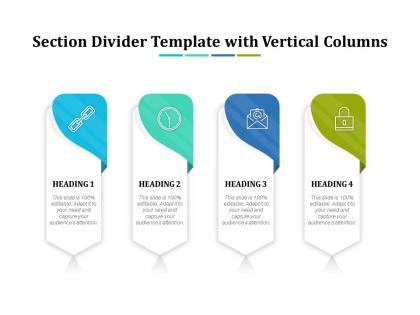
Section divider template with vertical columns




Try Before you Buy Download Free Sample Product
 Impress Your
 Audience
 100%
100% Editable
 Save Hours
 of Time


Our Section Divider Template With Vertical Columns are explicit and effective. They combine clarity and concise expression.
People who downloaded this PowerPoint presentation also viewed the following :
Section divider template with vertical columns with all 2 slides:
Give your audience a fulfilling experience. They will find our Section Divider Template With Vertical Columns elevating.
FAQs for Section divider template
Honestly, just keep it super simple. Bold title that people can actually read from anywhere in the room. Maybe throw in a subtle graphic or color block, but don't go crazy with it. I've seen way too many people use busy backgrounds that just make everything harder to read - total mistake. Your fonts and colors should match the rest of your slides, obviously. The whole point is giving your audience a second to breathe before you hit them with more content. Oh, and skip the fancy animations or whatever. Clean and consistent beats flashy every time.
Honestly, section dividers are a game changer. They give people's brains a second to process what you just threw at them before jumping into the next thing. Think of it like - you wouldn't read a book without chapter breaks, right? Same concept. I use them when I'm switching between big topics or when the material gets heavy. The visual break tricks people into thinking they're starting fresh instead of slogging through slide 47 of your presentation. Just keep the styling consistent so it doesn't look like you randomly threw them in there.
Honestly, just keep them clean and simple. Don't go crazy with fancy decorative stuff - I see people do this all the time and it just looks messy. Make sure there's enough contrast so you can actually tell where one section ends and another begins, but not so much that it screams at you. White space is your friend here. Also test them on mobile because dividers can get weird on smaller screens. Oh, and check how they look when you have different amounts of content around them - sometimes the spacing gets all wonky and throws off your whole layout.
Yeah color schemes can totally make or break those section dividers. For business stuff, stick with high contrast - dark blues with white text or bold grays work great. Creative presentations? You can go more vibrant, but honestly I've seen way too many rainbow disasters that just kill the whole vibe. Match your divider colors to your main slide palette but make them pop enough to actually separate things. Oh and definitely test on the projector you'll use - learned that one the hard way when my colors looked amazing on my laptop then completely washed out during the actual presentation.
Typography for section dividers? Super important. It's what makes readers actually follow your content instead of getting lost. You want fonts that are bigger than your body text - I go with at least 1.5x the size, plus tons of white space around it. Think of it like hitting pause between sections. Your typeface needs to match your brand but still stand out enough to do its job. Oh and definitely test how it looks on mobile first - learned that one the hard way! The spacing is honestly just as crucial as the font choice itself.
Honestly, just match your industry's style. Tech? Keep it super clean with minimal lines and modern fonts. Healthcare presentations need those trustworthy blues and whites - nothing too flashy. But creative fields? That's where you can actually go crazy with bold colors and weird layouts (lucky them lol). Financial stuff should stick to boring traditional fonts and muted colors since people expect that "serious money" look. I'd start by checking out what successful presentations in your field look like, then steal their visual tricks. The whole point is meeting audience expectations while still looking like your brand.
Honestly, the worst thing you can do is make them too flashy or thick - they'll totally overpower your content. I've definitely been guilty of this before lol. Stick with one style throughout instead of mixing random designs that look frankenstein-ish. Spacing matters too. Keep it consistent above and below each one. Oh, and make sure they actually have a purpose! Don't just throw them in because they look pretty. Test different content lengths to see how they hold up. They should guide readers smoothly, not scream "LOOK AT ME!" Your content's the star here, not the dividers.
Think of them as like mental breathers for your audience - they signal "hey, we're switching gears now" without being jarring. Your brain gets a second to process before diving into the next topic. Way better than just bulldozing from point to point, you know? The movement grabs attention and honestly makes you look like you actually planned things out instead of just winging it. People stay more tuned in because there's that little moment of anticipation. Just don't go crazy with the effects - simple fades or slides work best. I've seen presentations ruined by someone who discovered the "spinning cube" transition and used it everywhere.
Canva's your best starting point - super easy and they've got tons of templates to mess around with. Adobe Illustrator's great if you want full control over design, or try Figma for something web-friendly. PowerPoint actually works better than you'd think for basic dividers (I know, I know, but seriously). Short sentences hit different sometimes. For web projects, CSS generators and SVG tools like Inkscape are clutch. I'd honestly just start with Canva since you can knock something out in like 10 minutes, then move to fancier tools once you get the hang of it.
Oh man, this stuff is trickier than most people realize! Reading patterns are huge - like how Western folks scan left-to-right but Arabic readers go the opposite way. Your dividers need to flow with that. Colors get weird too... red screams "danger" to us but it's lucky in China. I actually messed this up on a project once, whoops. Religious symbols and even basic geometric shapes can mean totally different things depending on where you are. Honestly? Just research your audience's background and test with actual users from that culture. Way easier than guessing and getting it wrong later.
Go with clean shapes and maybe some subtle gradients - thin lines work great, especially with small icons that match your brand colors. Progress bars are solid for showing document flow. Those simple numbered circles? Super helpful for guiding people through sections. I mean, you *could* get fancy with textures or colored ribbons, but honestly minimalist usually beats busy every time. Just make sure your dividers actually help people navigate instead of being pure decoration. Test a few styles with your real content first - stuff that looks amazing solo can feel overwhelming in an actual document.
Oh, section dividers are such a game-changer for this! I see so many people just slap in boring text slides when they could be subtly weaving their brand throughout. Use your brand colors and fonts in the divider design. Maybe add your logo or a branded pattern - just don't go crazy with it. It creates this nice consistency between sections while giving your audience a breather. Honestly, it's one of those things that keeps people subconsciously connected to your brand without feeling pushy about it. Super underrated move.
Oh totally - minimalist stuff is huge right now. Clean lines, tons of white space, bold text instead of busy graphics. Everyone's doing dark mode too (probably because we're all screen zombies at this point lol). Interactive elements are kind of expected now, so those old static dividers look pretty stale. Geometric shapes with subtle animations work really well - they guide people's eyes without being annoying. You should definitely peek at some recent tech company presentations. They've got this sweet spot between simple and actually interesting figured out.
Hey! So section dividers are actually pretty clutch for keeping people engaged. They give your readers' eyes a break and make everything way less overwhelming - nobody wants to stare at a massive wall of text, you know? Plus they work like natural stopping points where you can switch topics or bring up new stuff. I usually drop one in every 3-4 paragraphs or so. Just make sure they match your vibe and stay consistent with the spacing. Honestly, it's like adding chapter breaks to make things digestible. Try it out and watch your bounce rates improve!
Heat mapping tools are honestly your best bet - they'll show you exactly where users get lost or confused. Track scroll depth and time spent per section too. Quick A/B tests with different divider styles work wonders (what looks pretty doesn't always perform well, learned that the hard way). User surveys can be helpful for direct feedback about flow and readability. Oh, and watch those drop-off points closely. The main thing? Figure out if your dividers actually guide people through content or just create more visual noise. Start with scroll analytics first - gives you the clearest data on engagement patterns.
-
nice