


Smartwatch Company Pitch Deck Ppt Template




Try Before you Buy Download Free Sample Product
 Impress Your
 Audience
 100%
100% Editable
 Save Hours
 of Time


Smartwatch Retail sales are vital economic activities that drive consumer spending using various indicators. Check out our efficiently designed Smartwatch Company Pitch Deck that starts with a problem statement related to smartwatch products with the companys solutions provided to the customers. This retail smartwatch pitch deck covers various slides related to smartwatch toys market details, worldwide smartwatch market opportunity with driving factors, instant traction with complete shipment details, competitive analysis of the company, etc. The module highlights the target market related to the retail smartwatch business, the companys business model, significant revenue sources details, etc. This template showcases the company roadmap and timeline, covering the introduction of new products, product promotion details, launching of strategy, etc. along with the response and feedback of the customers. In the end, it displays the team and top senior executive details of the company, investment asks with the utilization of funds in different areas. Customize this 100 percent editable pitch deck based on your specific business requirements. Get access to the pitch deck now.
People who downloaded this PowerPoint presentation also viewed the following :
Content of this Powerpoint Presentation
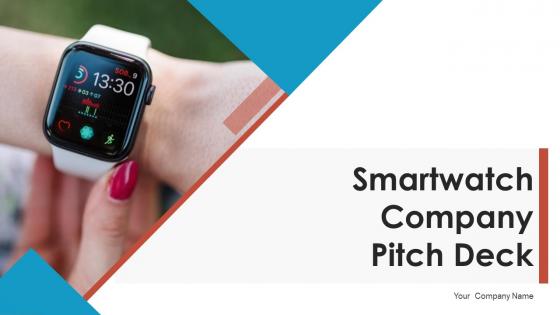
Slide 1: This slide introduces Smartwatch Company Pitch Deck. State Your Company Name and begin.
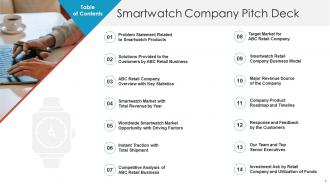
Slide 2: This slide shows Table of Content for the presentation.
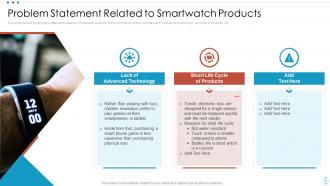
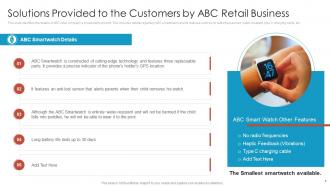
Slide 3: This slide depicts the problem statement related to smartwatch products of the companies.
Slide 4: This slide identifies the details of ABC retail company’s smartwatch product.
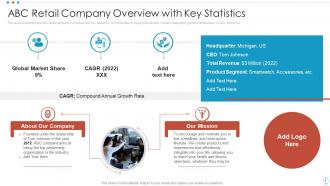
Slide 5: This slide presented the ABC retail company’s overview and key statistics.
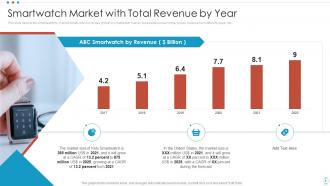
Slide 6: This slide depicts the smartwatch toy market details which includes growth in smartwatch market, accessible pocket money prices, etc.
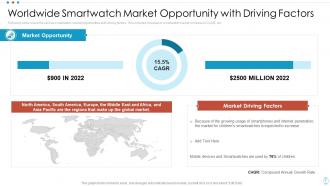
Slide 7: This slide covers the various smartwatch market opportunities with driving factors.
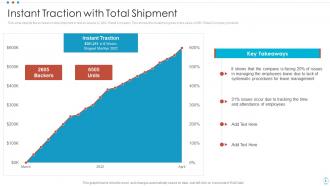
Slide 8: This slide depicts the increase in total shipment in last six weeks by ABC Retail Company.
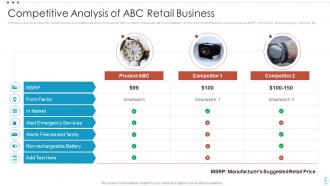
Slide 9: This slide shows the ABC Retail Business competitive analysis.
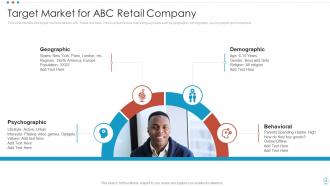
Slide 10: This slide identifies the target market related to ABC Retail business.
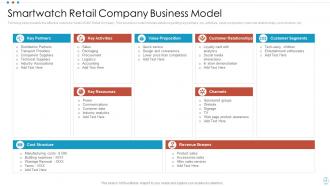
Slide 11: This slide presents the effective business model of ABC Retail Company.
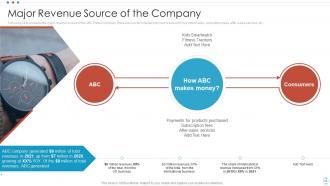
Slide 12: This slide represents the major revenue source of the ABC Retail Company.
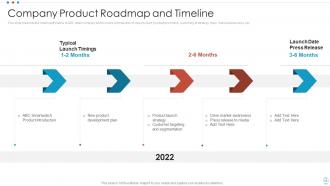
Slide 13: This slide presents the roadmap/timeline of ABC retail company which covers introduction of new product, product promotion, etc.
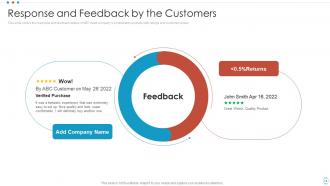
Slide 14: This slide covers the response and feedback details of ABC retail company’s smartwatch products with ratings and customer review.
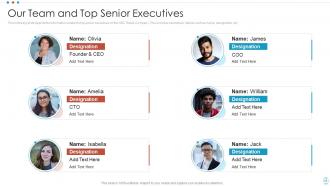
Slide 15: This slide depicts the information related to top senior executives of the ABC Retail Company.
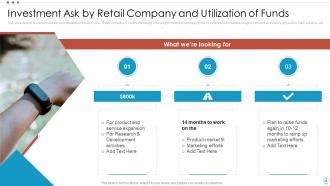
Slide 16: This slide depicts the investment ask and utilization of funds by ABC Retail Company.
Slide 17: This slide presents the contact details of the ABC Retail Company.
Slide 18: This slide displays Icons for Smartwatch Company Pitch Deck.
Slide 19: This slide is titled as Additional Slides for moving forward.
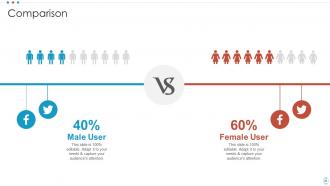
Slide 20: This is a Comparison slide to state comparison between commodities, entities etc.
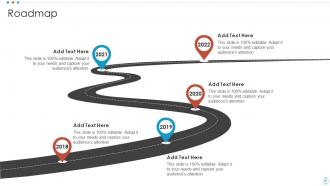
Slide 21: This slide presents Roadmap with additional textboxes.
Slide 22: This slide shows Post It Notes. Post your important notes here.
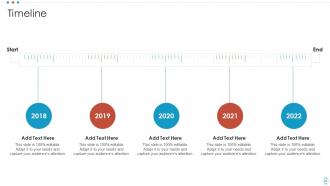
Slide 23: This is a Timeline slide. Show data related to time intervals here.
Slide 24: This slide provides 30 60 90 Days Plan with text boxes.
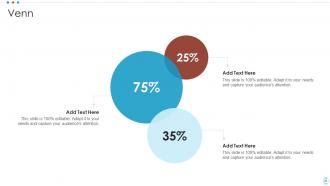
Slide 25: This slide depicts Venn diagram with text boxes.
Slide 26: This slide displays Mind Map with related imagery.
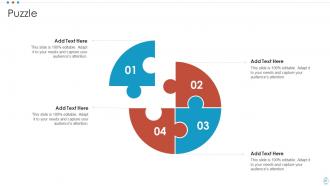
Slide 27: This slide contains Puzzle with related icons and text.
Slide 28: This is a Thank You slide with address, contact numbers and email address.
Smartwatch Company Pitch Deck Ppt Template with all 33 slides:
Use our Smartwatch Company Pitch Deck Ppt Template to effectively help you save your valuable time. They are readymade to fit into any presentation structure.






FAQs for Smartwatch Company Pitch
Honestly, battery life should be your top priority - charging daily is such a pain. For phones, iPhone users are stuck with Apple Watch, but Android gives you way more choices. Health stuff really depends on what you actually want to track. Heart rate and sleep are useful, but don't fall for random sensors you'll ignore. The display matters more than you'd think since you're looking at it all day. Water resistance is mostly standard now, though swimmers should double-check. Oh, and notifications can either be super helpful or drive you crazy - some watches are terrible at filtering the important stuff from random junk.
So basically your smartwatch becomes like having a health buddy on your wrist 24/7. It tracks heart rate, steps, sleep - all that stuff automatically. What I love is how everything connects together. Like mine bugs me to get up when I've been sitting too long (which happens way too often working from home lol). Seeing those progress rings fill up is weirdly addictive! You don't need a bunch of different apps since it's all in one place. My advice? Pick one or two things you actually care about tracking first. Don't overwhelm yourself with every single metric right away.
Honestly, my smartwatch has been a lifesaver for work productivity. No more diving into Instagram every time I check my phone - notifications pop up right on my wrist. Quick message replies are clutch, plus I can set silent reminders for meetings without that awkward phone buzzing. The calendar glance thing is actually more useful than I thought it'd be. Activity tracking helps too since I realized sitting all day was making me crash around 3pm. Oh, and definitely use focus mode when you need to concentrate - filters out all the random stuff so you can actually get things done.
Honestly, battery life is huge - you don't want to babysit this thing constantly. Anything under a day will drive you nuts when it dies during workouts or you miss texts. Proprietary chargers are the worst too, like when you're traveling and forgot that one specific cable. Aim for at least 2 days, but 3-5 is the sweet spot. Wireless charging is nice if you can get it. Oh, and definitely check actual user reviews instead of whatever the company claims - those numbers are usually pretty optimistic.
Honestly, customization makes or breaks a smartwatch for me. Being able to swap faces and pick which notifications actually matter? Game changer. You'll spend way too much time tweaking complications and widgets (trust me on this one), but that's what makes it feel like *your* device instead of some generic tech thing. Plus arranging apps your way and setting up personal shortcuts - that stuff actually determines whether you'll use it daily or let it collect dust. Definitely scope out the customization options before buying anything.
Honestly, smartwatches are just fitness trackers with way more bells and whistles. Your basic fitness tracker does steps, heart rate, sleep stuff - but smartwatches add calls, texts, apps, mobile payments, the whole deal. Battery life though? That's where fitness trackers win big time. We're talking like a week vs maybe two days for most smartwatches (which is honestly annoying). If you only care about health stats and don't need to answer texts from your wrist, definitely go fitness tracker - you'll save cash too. But if you want that mini-phone experience, smartwatch all the way. Just think about what you'd realistically use every day.
Set up a strong PIN or password first - these things are ridiculously easy to lose. Also update your firmware regularly and don't install sketchy apps. Turn off auto Wi-Fi connections to random networks too. The app permissions thing is huge though - so many apps want access to way more data than they actually need. I learned this the hard way lol. Just because it's tiny doesn't mean hackers can't mess with it. Basically treat it like your phone in terms of security. Most people forget smartwatches are full computers now.
So your smartwatch's operating system basically controls what apps you can download. Apple Watch uses watchOS and taps into Apple's App Store - honestly has the best selection by far. Wear OS devices are pretty solid too with decent options. But if you're looking at older Samsung Galaxy Watches with Tizen? Yeah, the app selection kinda sucks. Fitbit's even worse - mostly just fitness stuff and basic apps. I'd probably go Apple Watch or Wear OS if you want actual variety for games and productivity apps. Fitbit's great for fitness tracking though, just saying.
Yeah, smartwatches are honestly pretty rough on the environment. Mining lithium and cobalt for the batteries is terrible - destroys landscapes and uses tons of water. Then there's all the toxic chemicals in manufacturing. Plus most people toss them after like 2 years when they upgrade, and those tiny batteries just leak nasty stuff in landfills. I mean, I get it - new features are tempting. But maybe buy refurbished next time? And definitely get a good case so it lasts longer. When you're done, find a proper e-waste recycling place, don't just throw it away.
Honestly, smartwatches are pretty clutch for staying connected without being glued to your phone. You can read texts, answer calls, and check notifications straight from your wrist. Super handy during meetings or when you're cooking and your hands are messy. The voice-to-text thing actually works way better than I expected - though it still butchers some words occasionally. Perfect for workouts too since you won't miss anything important while your phone's in a locker. If you're always digging around for your phone or missing messages, it's definitely worth considering.
Dude, smartwatches used to be these chunky rectangles that looked terrible - like strapping a tiny phone to your wrist. Now they're actually stylish with circular faces and premium stuff like titanium. Way thinner too since battery tech got better. Health tracking is where things got really interesting though - heart rate, blood oxygen, sleep analysis, all that. Honestly, the Apple Watch still feels a bit overhyped to me, but whatever. When you're shopping, just figure out which health features you'd actually use since that's where all the cool innovation is happening right now.
Honestly, smartwatch companies are in such a weird spot right now. They're grabbing tons of personal stuff - heart rate, where you go, sleep data, blood oxygen. But you actually want that info to be useful, right? So they have to process it and sometimes share it around. People love getting those health alerts and fitness breakdowns, then get totally spooked when they realize what's being collected. Can't blame them. Different countries have their own rules too, which makes it messier. My advice? Actually dig into those privacy settings - I know, boring - and shut off whatever you don't really need.
Yeah, most smartwatches have different workout modes built in - running, cycling, swimming, strength training, that kind of stuff. Each one tracks the metrics that actually matter for whatever you're doing, like heart rate zones when you're running or stroke count if you're swimming. GPS turns on automatically for outdoor stuff to track your routes. Some of the expensive ones even do golf swing analysis now, which is pretty wild honestly. Just heads up though - definitely check what sports your watch supports before you buy it. The cheaper models usually don't have as many options as the pricier ones, which kinda sucks but makes sense I guess.
So water resistance ratings are actually pretty crucial - they show what your watch can survive. IP68 means it's dustproof and you can dunk it underwater. 5ATM is fine for swimming but don't go diving with it. Rain and showers? Most decent watches handle that no problem. Just remember these seals don't last forever - they wear out over time. I learned this the hard way with my old Fitbit, honestly. Check your specific model's rating before you do anything crazy like ocean swimming. Nobody wants a dead watch on their wrist.
Yeah totally! Your smartwatch works as a remote for all your smart home stuff. Just connects through the same apps your phone uses - HomeKit, Google Home, whatever. Super handy when you're cooking and need to dim the lights or check who's at the door without grabbing your phone. I love being able to adjust my thermostat from bed honestly. Lock doors, control cameras, all that from your wrist. Just double-check your watch supports whatever smart home system you've already got going before you get too excited about it.
-
Understandable and informative presentation.
-
SlideTeam was so customer-centric and quick service-provider that I doubted the amount I was paying and literally re-checked the transaction.