


Website Design And Software Development Pitch Deck Ppt Template





Try Before you Buy Download Free Sample Product
 Impress Your
 Audience
 100%
100% Editable
 Save Hours
 of Time


Website software and design differ from mobile native apps in that they are built using Web technologies and are not restricted to a single platform. Grab our competently designed Website Design and Software Development pitch deck that consists of various problems related to software technology faced by many companies with their solutions. Some of the significant issues associated with web and mobile application software companies include adapting multi-platform devices, web application integration, etc. This pitch deck covers various slides related to company overview, mission details, major performance highlights, top clients details, etc. This pitch deck also shows various slides related to new market trends in the software industry, projections details for future growth, etc. Also, this pitch deck includes different slides for competitive analysis with the competitors, target customers details, the business model of a software company, etc. This pitch deck also consists of the companys investment details and the usage of funds. Customize this 100 percent editable pitch deck based on your needs now.
People who downloaded this PowerPoint presentation also viewed the following :
Content of this Powerpoint Presentation
Slide 1: This slide displays title i.e. 'Website Design and Software Development Pitch Deck' and your Company Name.
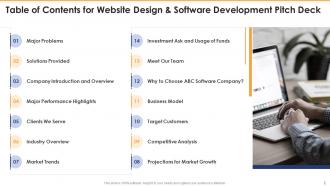
Slide 2: This slide presents table of contents.
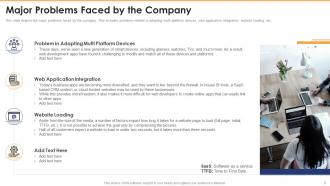
Slide 3: This slide depicts the major problems faced by the company.
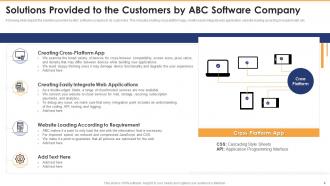
Slide 4: This slide depicts the solutions provided by ABC software company to its customers.
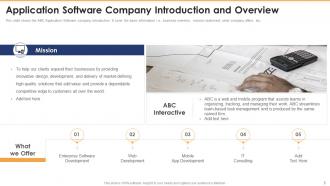
Slide 5: This slide shows the ABC Application Software company introduction.
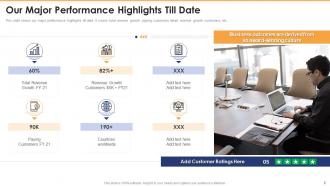
Slide 6: This slide shows our major performance highlights till date.
Slide 7: This slide displays information on the clientele served by ABC Software Company.
Slide 8: This slide shows the industry overview related to web and mobile applications.
Slide 9: This slide depicts the latest market trends for mobile and web software development.
Slide 10: This slide shows large underserved market growth projections.
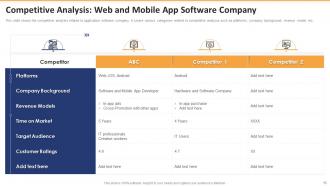
Slide 11: This slide shows the competitive analysis related to application software company.
Slide 12: This slide shows the target customer/audience for web and mobile application software.
Slide 13: This slide depicts the business model of ABC Web and Mobile Application Software Company.
Slide 14: This slide shows the reasons to choose ABC Application Software Company.
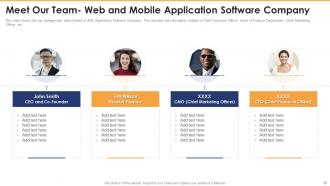
Slide 15: This slide shows the top management team details of ABC Application Software Company.
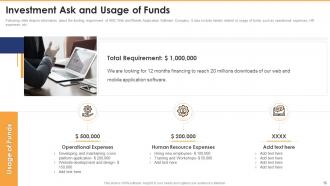
Slide 16: This slide depicts information about the funding requirement of ABC Web and Mobile Application Software Company.
Slide 17: This slide shows the contact details for Web and Mobile App Software Company which includes company logo, company name, location, company address, etc.
Slide 18: This is the icons slide.
Slide 19: This slide presents title for additional slides.
Slide 20: This slide exhibits yearly sales clustered column charts for different products. The charts are linked to Excel.
Slide 21: This slide shows about your company, target audience and its client's values.
Slide 22: This slide presents your company's vision, mission and goals.
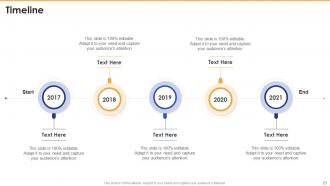
Slide 23: This slide exhibits yearly timeline.
Slide 24: This slide depicts 30-60-90 days plan for projects.
Slide 25: This slide depicts posts for past experiences of clients.
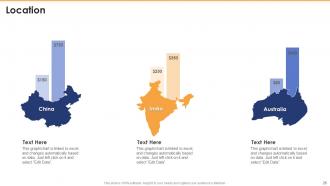
Slide 26: This slide presents location of the company in world map.
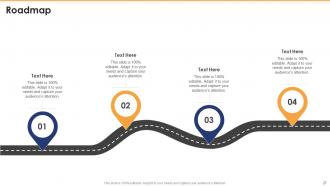
Slide 27: This slide shows roadmap.
Slide 28: This is thank you slide & contains contact details of company like office address, phone no., etc.
Website Design And Software Development Pitch Deck Ppt Template with all 33 slides:
Use our Website Design And Software Development Pitch Deck Ppt Template to effectively help you save your valuable time. They are readymade to fit into any presentation structure.















FAQs for Website Design And Software Development Pitch
Honestly, focus on three things first: keep it simple, make it load fast, and don't screw up the mobile version. That'll fix most of your headaches right there. Navigation should be brain-dead obvious - if people have to think about where to click, you've already lost them. Oh, and for the love of god, use readable fonts. I see way too many sites with fancy cursive nonsense that nobody can actually read. Stick to consistent layouts, simple colors with good contrast, and give everything room to breathe. White space isn't wasted space! Start there and work your way down.
Look, responsive design is honestly a game-changer for accessibility. Your site works on phones, tablets, whatever - and that flexibility helps way more people than you'd think. Bigger touch targets? Great for anyone with motor issues. Scalable text that actually grows with the viewport? Vision problems solved. Nobody's got time to pinch and zoom around a broken mobile site anyway. Oh, and here's the thing - don't just drag your browser window around to test it. Use real accessibility tools at different breakpoints. Makes a huge difference when you see how screen readers handle your responsive layout.
Dude, colors totally mess with people's heads in the best way. Banks always go blue because it screams trustworthy, while red makes you feel like you need to act NOW. Green's your classic "go" signal, and orange? That's pure action fuel. I remember seeing this wild A/B test where switching a button from boring gray to orange bumped clicks by 30%. Crazy right? Your whole color scheme affects whether people stick around or bounce, plus if they'll actually buy anything. Match your palette to what you're trying to achieve, then test it out. What works for one audience might flop for another.
So agile basically breaks your project into these 2-week chunks called sprints, and honestly? Game changer. You're showing clients actual working stuff instead of wireframes they can't picture. No more spending months designing in a vacuum only to have them go "wait, that's not what I meant" at the end. Everyone stays in the loop - designers, devs, clients - which cuts down on surprises big time. When they inevitably change their mind (and they will), you can adjust without starting over. Try splitting your next project into sprints with regular check-ins. Way less stressful than the old waterfall approach.
Hey! So for your eCommerce site - good product photos are huge, definitely add zoom features. People want detailed descriptions and clear pricing upfront. Guest checkout is a must (I hate sites that force you to make accounts). Reviews build trust, throw in some security badges too. PayPal and Apple Pay options help conversions. Oh, and your search bar better be obvious! Mobile's where most sales happen now, so nail that first. You can add some urgency stuff like stock counters, just don't go crazy with it. Honestly, start simple and see what your customers actually respond to.
Dude, UI/UX design is like your project's GPS - skip it and you're driving blind. Good designs let developers actually estimate timelines instead of just guessing. You catch technical problems early, plus UX research stops you from building stuff nobody wants (learned that the hard way lol). Without a proper design phase? Get ready for endless revisions and angry stakeholders. Oh, and scope creep will destroy your soul. My take: spend 20-30% of your timeline on design and prototyping before touching any code. Trust me on this one.
Honestly, start thinking about SEO during wireframing - it'll save you so much headache later. Clean URLs and proper HTML5 tags are non-negotiables. Your heading structure needs to actually make logical sense, not just look good. I'm obsessed with page speed right now since it matters so much, so compress those images early and cut down HTTP requests. Oh, and plan your internal linking before you build - way easier than retrofitting it. Design mobile-first since that's what Google cares about anyway. Set up Search Console before launch so you're not flying blind on performance.
Test stuff early, seriously. Don't be like those teams who build everything first then ask users what they think - total nightmare. Wireframes and prototypes are your friend here. Set up feedback loops through surveys, user testing, whatever works. Beta testing is clutch for software. Here's the thing though - actually DO something with the feedback you get. Too many people just collect it and let it sit there. Make a simple system to sort through it all, pick what matters most, then tell users what you're changing based on their input.
AI stuff is everywhere now - interfaces with smart features, voice controls (people literally expect to chat with websites). Dark mode's still big. Micro-interactions are getting crazy smooth too. Oh and brutalist design is back somehow? Honestly looks like 2003 MySpace to me but whatever. Progressive web apps keep growing, which makes sense. Accessibility isn't optional anymore - affects your SEO and obviously helps users. I'd mess around with this stuff in your spare projects now before clients start demanding it.
Honestly, your CMS pick is gonna make or break how manageable your site becomes later. WordPress? Super flexible but those plugins will drive you crazy with constant updates - learned that the hard way. Headless options like Strapi are pretty sweet because content and design stay separate, so you can easily feed stuff to different platforms. Going custom gives you total freedom but means your dev will hate you for every tiny change. Oh, and don't just chase whatever's hot right now. Match it to what your team can actually handle and where you want your content strategy to go.
VS Code is basically what everyone uses now - the extension library is crazy good. Git's a must-have, but GitHub Desktop makes it way less scary than command line stuff. React or Vue will save you so much time on frontend projects. Node.js is solid for backend if you want to stick with JavaScript (which honestly makes life easier). Docker's great for deployment issues, and Webpack or Vite handle the build stuff. I'd start with just VS Code and Git though - the other tools can wait until your projects get messier.
Honestly, just bake security in from the start instead of scrambling later. Do threat modeling while you're wireframing - figure out where sensitive data moves and what could go wrong. Map out your auth flows, error handling, validation stuff early on. I've watched so many teams get absolutely wrecked trying to retrofit security after everything's built. Think about secure forms, session management, user permissions - all that needs to be in your initial specs. Trust me, dealing with it upfront beats the alternative. Oh and don't forget how you'll handle different user roles in the UI.
So cross-browser compatibility is basically when your website decides to have a personality crisis and looks totally different (or just breaks) on Chrome vs Safari vs Firefox. It's honestly kind of annoying. The usual suspects? CSS renders weird, JavaScript support varies, and vendor prefixes are just... ugh. Test on multiple browsers from day one - don't wait until the end. CSS resets help a ton, and Autoprefixer handles those pesky vendor prefixes automatically. Mobile browsers will also mess with you when you least expect it. I'd start with a solid framework and then test everything obsessively before going live.
Think of APIs as shortcuts - they let your site connect to other services so you don't have to reinvent the wheel. Need payments? There's Stripe. Maps? Google's got you covered. Authentication, weather data, social feeds - it's all out there waiting. Honestly way better than coding everything yourself (learned that the hard way). You just make API calls in your code, handle what comes back, and suddenly your site does cool stuff. I'd start by figuring out what features would actually help your users, then check if those services have decent documentation.
Honestly, you gotta track both sides - how users feel AND whether you're making money. Page load speed is clutch, plus bounce rate and how long people stick around. Conversion rate matters most though - sales, signups, whatever you're going for. Check your user flow to see where people bail (total game-changer for fixing wonky design stuff). Mobile metrics are essential since literally everyone lives on their phone now. Oh, and don't sleep on accessibility scores and SEO performance. Google Analytics plus regular speed tests will cover like 80% of what you need to actually improve things.
-
Helpful product design for delivering presentation.
-
Design layout is very impressive.