

Support model best practices diagram ppt examples slides





Try Before you Buy Download Free Sample Product
 Impress Your
 Audience
 100%
100% Editable
 Save Hours
 of Time


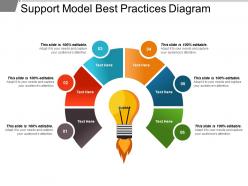
Adopt the method that has been generally accepted as superior to any other alternative with the help of this support model best practices diagram PPT examples slides PowerPoint presentation which assist the user to produce the desired results that are superior to those achieved by other means. Best practices can be availed by using the customer support strategy PowerPoint diagram PowerPoint shape to maintain the quality and as an alternative to mandatory legislated standards that can be based on self-assessment or benchmarking. Specialize in the area of best practice to standardize your business process documentation with the help of this evaluatinng technical support models PPt slide which can also be used as a key of the strategic talent that is required to apply on the best practice of the organization. The framework of the template facilitates the user to balance the unique qualities of your organization with the practices that it has in common with others. The slideshow can be used in the context of good agricultural practices, good manufacturing practice, good laboratory practice, good clinical practice and good distribution practice as well. Avail the service delivery method by using this PPT slide that helps you to focus on knowledge as a key asset of the organization and implementing the same. Be appropriate in any culture with our Support Model Best Practices Diagram Ppt Examples Slides. They assure you global endorsement.
People who downloaded this PowerPoint presentation also viewed the following :
Support model best practices diagram ppt examples slides with all 5 slides:
Inform folks of the events that actually happened with our Support Model Best Practices Diagram Ppt Examples Slides. It helps differentiate fact from fiction.




FAQs for Support model best practices diagram
So you need clear escalation paths and defined SLAs first - that's your foundation. Multi-channel support is huge too, plus solid training for your team. Honestly, self-service resources are worth their weight in gold because people genuinely prefer fixing things themselves when possible. Don't skip the feedback loops either - they catch problems before they explode. Good metrics and regular reviews help you spot patterns early. Oh, and knowledge management keeps everything organized (learned that one the hard way). Start by auditing what you've got now against this list. You'll see the gaps pretty quick.
Track the obvious stuff first - response times, how many tickets get solved, customer satisfaction scores. But here's the thing: numbers don't tell you everything. Actually talk to your customers and support team too. Monthly surveys work, or just casual check-ins if that's more your speed. Don't get caught up looking at random snapshots - watch how things change over time instead. Pick maybe 3 or 4 metrics that actually matter for your goals and review them monthly. Way better than drowning in data you'll never use.
Here's the thing - good tech just makes everything you're already doing work better. Chatbots handle the basic stuff instantly. Knowledge bases let people help themselves (which honestly most prefer anyway). Your CRM pulls up their whole history before you even answer. Analytics catch issues before they become disasters. The trick is actually solving real problems in your workflow, not just buying whatever looks flashy in the demo. I've seen too many teams get burned by that. Focus on what's genuinely broken first.
Honestly, most teams are terrible at this - they collect feedback then never do anything with it. Start with post-ticket surveys and monthly customer interviews to see what's actually broken. Then here's the part that matters: run improvement sprints where you test changes based on what people told you. Maybe it's tweaking your scripts or fixing escalation stuff, whatever. The game-changer though? Always loop back to customers who gave feedback and show them what you changed. Sounds obvious but nobody does it. Trust me, they'll give you way better insights next time because they know you're actually listening.
Honestly, the worst part is always people pushing back on change - and I get it, nobody wants their routine messed with. Role confusion is brutal too. Half the team won't know what they're supposed to be doing anymore. Training usually gets shortchanged because everyone's in a rush, then you're stuck with communication breakdowns between departments that now have to collaborate differently. Oh, and you're basically paying for two systems while transitioning, which sucks budget-wise. Here's what actually works though: explain WHY you're doing this until you're sick of saying it, and don't cheap out on training early on.
Honestly, it depends on your budget and how complicated your product is. In-house support costs way more but you get better brand control and people who actually know your stuff inside out. Outsourcing saves money and scales fast - great for basic questions. But the quality can be hit or miss, and sometimes it feels like customers are talking to robots who don't get your company. Most places I know do both - keep the tricky tech stuff internal, outsource the simple "how do I reset my password" type things. I'd map out what kind of support requests you're getting first, then crunch the numbers.
Honestly, mock calls are where most teams either nail it or completely fall apart - that's your make-or-break moment. Get your team doing deep product training first, then hit them with role-playing scenarios that mirror actual customer situations. Don't forget the soft skills stuff like listening and how to calm down angry customers. I'd pair newbies with your best agents for a few weeks too. Oh, and keep updating your training materials whenever products change or you'll be teaching outdated info. The whole thing falls apart if people aren't practicing real scenarios regularly.
Honestly, start by tracking your ticket volumes and response times - that data will show you exactly where things are getting stuck. Look for issues that keep bouncing between teams or take forever to close. Those are your problem spots right there. We did this at my last job and cut resolution time by like 30% just from finding the obvious bottlenecks. Set up some basic dashboards for first-contact resolution and customer satisfaction by channel. Pick one workflow that's clearly a mess and fix it first. The data makes it pretty obvious what needs changing once you actually look at it.
So basically you're splitting up support into different levels based on how tricky the problem is. Level 1 handles the simple stuff - password resets, basic questions. Level 2 gets the more technical headaches. Then Level 3 (your best people) only see the really gnarly issues that nobody else can figure out. The whole point is matching skills to problems without wasting your experts' time on easy tickets. Resolution times get better since things don't ping-pong around departments. Your senior staff won't burn out from doing password resets all day either, which honestly makes a huge difference for morale. Just make sure you define clear boundaries for each tier upfront - that's where teams usually screw it up.
Honestly, the biggest thing is making sure your team can actually see what happened before. Like if someone starts on chat then calls in, your phone agent better know what went down already. Nothing pisses customers off more than explaining their problem for the third time! Get a ticketing system that moves with the customer, not just sits in one channel. Your agents should jump right back into the conversation instead of starting over. Oh, and definitely tell people how long transitions will take - nobody likes being left hanging wondering if their issue just disappeared into the void.
Track these four things religiously: how fast you respond to tickets and how quickly you actually solve them. CSAT scores matter way more than people think - unhappy customers just leave. First contact resolution is where the magic happens though, nobody wants to explain their problem twice. Oh and watch your ticket volume trends because sudden spikes usually mean something's broken elsewhere. Pull this stuff weekly but actually look for patterns, don't just pat yourself on the back when numbers look good.
Honestly, your support team can make or break everything. Fast, smart responses build trust with customers - but one bad experience where they get bounced around or hit with generic responses? They'll bail so fast. I've seen it happen. Happy customers stay longer and spend more, plus they actually tell their friends about you. Bad support just sends people straight to your competitors. Short sentences work. Longer ones need to flow naturally without sounding robotic or corporate. Make sure your team has decent tools and training because every single conversation either strengthens that relationship or damages it.
Start by tracking your current response times so you know where things are getting stuck. Set up automated acknowledgments and route tickets based on severity - that alone cuts wait times in half. Build out a solid FAQ section because honestly, most people ask the same 5 questions over and over. I'd say maybe 60% of tickets can be handled through self-service if you do it right. Give your team some template responses for common stuff. Oh, and create clear escalation rules so nothing just sits there forever. The whole point is staying ahead of problems instead of always playing catch-up.
Honestly, it's all about reading the room with each customer. Train your team on cultural stuff and accessibility needs first - some people want super formal interactions, others just want to chat casually. Language barriers are probably your biggest challenge, so grab some translation tools or hire multilingual staff if you can swing it. Time zones matter too, obviously. Create profiles for customers so you remember who prefers phone calls vs email. But here's the thing - don't guess what people want. Just ask them straight up how they like to be helped. Makes everything way easier.
So basically AI is taking over all the boring repetitive stuff, which is great honestly. Customers want to solve things themselves now - like 24/7 self-service everything. Your support people? They're becoming more like consultants instead of just putting out fires all day. What you should do is set up a hybrid thing where bots handle the easy tickets and your humans focus on the complex problem-solving that actually matters. Oh, and start training your team for those higher-level conversations now because nobody's gonna need the "have you restarted your computer" people much longer. It's wild how fast this is all changing.
-
Qualitative and comprehensive slides.
-
Attractive design and informative presentation.