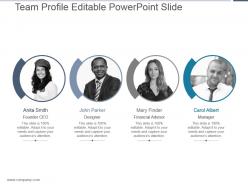
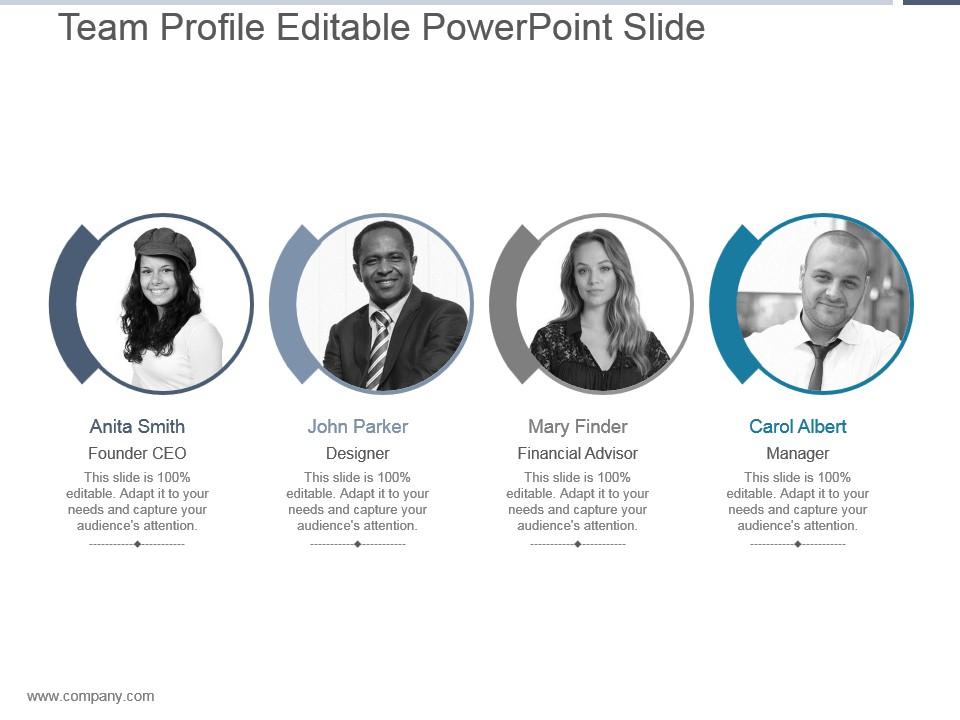
Team profile editable powerpoint slide
Try Before you Buy Download Free Sample Product
Audience
Editable
of Time
Make it difficult to find fault, with our Team Profile Editable Powerpoint Slide. You will come across as credible.
People who downloaded this PowerPoint presentation also viewed the following :
Team profile editable powerpoint slide with all 5 slides:
Handle insidious diseases with our PTS. Initiate action for early diagnosis.
FAQs for Team profile
So Sarah's your go-to for anything technical - she catches system issues before they blow up. Mike's amazing with clients, turns all our nerdy tech talk into stuff people actually understand. Jennifer's the data person, pulls insights from literally anywhere you need them. Tom keeps us from missing deadlines (which honestly happens way too often without him). I'd say just figure out what you're struggling with most right now and start there. Like if you're drowning in project chaos, definitely talk to Tom first.
Having different backgrounds on our team totally changes how we build templates. Someone from consulting catches when the story flow is off. Meanwhile, our graphic designer makes sure the visuals actually work (not just look nice). We've got people from academia and corporate training too, so there's always someone who spots what others miss. Honestly, it's pretty cool how each person brings something different to the table. The templates end up being functional, not just pretty slides. When you use them, the structure just guides your content naturally - you won't even think about it.
So we've got this three-step thing that works pretty well. Another team member does peer review first - catches like 90% of problems right off the bat. Then there's user testing with a small group because honestly, stuff that makes total sense to us can be super confusing to everyone else. Quality checklist comes last covering formatting, accessibility, all that boring but necessary stuff. Oh and don't skip the user testing part! I've seen so many templates that looked amazing internally but totally flopped when real people tried using them.
Honestly, we just make it a habit to browse design inspiration sites regularly - Dribbble and Behance are gold mines. Our team does this monthly "trend review" thing where everyone dumps cool stuff they've found, and it's actually pretty fun because people get genuinely hyped about discoveries. Following designers on social media helps too. We'll peek at what competitors are doing template-wise to see what's working. My advice? Just bookmark a few inspiration sites and spend like 15 minutes a week scrolling. You'll start noticing the same trends popping up everywhere - that's when you know something's taking off. It's way easier than it sounds.
Oh man, user feedback is everything! We grab it from surveys, testing sessions, random customer chats - you name it. Then we figure out what to build next based on what people actually tell us. Some of our coolest features literally came from users roasting something we were super proud of lol. Don't design in a bubble though - that's where things go wrong. Set up monthly user interviews if you can. Trust me, you'll discover stuff that'll blow your mind about how people really use your product.
Honestly, collaborative templates are where the magic happens. Different people see things you totally miss - like when our designer throws out a random visual idea and suddenly the copywriter's like "wait, what if we flip the whole approach?" Short brainstorming sessions before you start are clutch. Everyone feels heard, so they actually share those weird "what if we tried this..." ideas that end up being genius. You catch mistakes way faster too. I swear, some of our best stuff came from those moments when someone builds on another person's random thought. Way better than grinding solo.
So we're all obsessed with Figma around here - the real-time feedback thing is actually insane, like you can watch people design in front of you. Everyone codes in VS Code with a million extensions (as you do), and GitHub handles our version control stuff. Bootstrap or Tailwind for the frameworks, just depends what the project needs. Oh and definitely learn Figma if you haven't - honestly can't imagine working without it now. Check out our component library when you get access, it'll show you how we do things design-wise.
Honestly, we always kick off with user research first - gotta know what people actually need before anything else. Then designers make it look good within those limits. Here's the thing though: aesthetics should solve problems, not just be pretty. Visual hierarchy helps users navigate messy workflows, right colors boost usability, all that stuff. I've definitely learned the hard way that gorgeous doesn't always mean functional! We test everything with real users before we're done. My advice? Figure out your core features first, then make them beautiful. Way better than starting with something stunning and cramming functionality in later.
Dude, we have this style guide that's basically our bible now - covers fonts, colors, spacing, the whole deal. Everyone pulls from shared component libraries instead of making stuff from scratch each time. Pretty smart honestly. Regular audits help too, where the team reviews everything for consistency. Oh and we assign specific people as "template owners" for different areas - someone's gotta be accountable, right? I'd start with whatever templates you use most and nail down those patterns first. Way easier than trying to fix everything at once.
So I track three things mainly - how many people actually download it in the first month (shooting for 40% of who you're targeting), user feedback scores, and whether it actually cuts down their build time. Honestly, the feedback can sting sometimes but it's gold. Check your dashboard weekly at first, then switch to monthly once things settle. The time-saving piece is huge though - if people aren't finishing faster than building from scratch, something's off. Oh and don't stress if adoption starts slow, it usually picks up after week two.
Ugh, stakeholders are the worst part honestly. Everyone thinks they know what the template should look like until you actually build it. Then halfway through someone's like "actually can we completely change the layout?" Version control becomes a nightmare too - people editing the same thing at once. You're trying to make something flexible enough for different teams but it still needs to look consistent with brand stuff, which is... harder than it sounds. Lock down what they want upfront though. Seriously. Make them approve each stage before moving on. I learned this the hard way - spent three weeks redoing something because nobody could make up their mind initially.
Honestly, having such a mixed team is why our templates don't all look the same. We've got designers from different countries and career backgrounds - like this one guy used to be an architect, another started at tech startups. They all bring totally different vibes to their work. You can actually see it when you browse - some templates have that clean startup look, others are more traditional or colorful depending on who made them. It's way better than if we just had one person cranking everything out. Oh, and there's this "Designer Stories" thing where you can see who created what!
Hey! So we basically bake accessibility right into our presentations from day one. High contrast colors, readable fonts like Arial or Calibri - that stuff. Alt text goes on every image too. Honestly? It just makes everything cleaner for everyone, not just folks who need it. We structure slides with clear headings and logical flow. Oh, and there's these built-in accessibility tools we run before sending anything out - super quick to use. If you're putting a deck together, just hit up Sarah or Miguel for our checklist template. They've got it down to a science.
So we basically go with whatever industries are screaming loudest for templates - healthcare, tech, and finance always seem to need the most stuff because of all their compliance headaches. User demand drives most of it, plus we check which sectors are blowing up (fintech's everywhere right now, kinda crazy). Growth data matters too, but honestly? If your clients keep asking for something we're missing, just bring it up in our weekly meetings. Oh and we reshuffle priorities every quarter, so your feedback actually moves the needle on what gets built next.
So once your templates are live, conversion rates are probably your biggest tell - that's what I watch most closely. Completion rates and how long people take matter too. User feedback scores will save you headaches, trust me. Also any support tickets about confusion. Most of this stuff just flows into your dashboard anyway, which is nice. I'd set up alerts when conversions dip below baseline though. The engagement analytics show you exactly where people bail out. Weekly reviews of completion data - sounds boring but you'll catch issues before they spiral.
-
Great experience, I would definitely use your services further.
-
Informative design.