


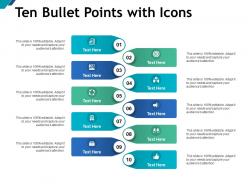
Ten bullet points with icons





Try Before you Buy Download Free Sample Product
 Impress Your
 Audience
 100%
100% Editable
 Save Hours
 of Time


Create an atmosphere of joie-de-vivre with our Ten Bullet Points With Icons. Institute carefree celebrations.
People who downloaded this PowerPoint presentation also viewed the following :
Ten bullet points with icons with all 5 slides:
Curb inflationary influences with our Ten Bullet Points With Icons. Establish a firm grip on it's growth.
FAQs for Ten bullet
**INPUT**: What are the key elements to consider when creating effective bullet points for presentations? **OUTPUT**: Key elements include concise language, parallel structure, visual hierarchy, appropriate icons, consistent formatting, and strategic white space. These design principles streamline information delivery by enhancing readability, accelerating audience comprehension, and maintaining engagement throughout presentations, with many organizations finding that well-structured bullet points significantly improve message retention and professional credibility.
Icons enhance bullet point clarity by replacing traditional markers with visual symbols that immediately communicate meaning, creating intuitive information hierarchies and faster content scanning. Through strategic icon selection, presentations achieve improved visual appeal, enhanced audience engagement, and streamlined information processing, with many organizations finding that icon-enhanced bullet points deliver significantly better retention rates and more professional aesthetics.
Popular icon styles for bullet points include flat design, line art, filled shapes, minimalist geometric forms, and material design elements. These styles enhance visual hierarchy by creating consistent branding, improving information retention, and streamlining audience comprehension, with many presenters finding that strategic icon selection ultimately delivers more engaging presentations and stronger message clarity across diverse business contexts.
Colors significantly influence audience perception by creating visual hierarchy, emotional responses, and brand alignment in bullet point presentations. Strategic color choices enhance readability through contrast, guide attention to key information, and establish professional credibility, with many presenters finding that consistent color schemes improve audience engagement and message retention by up to forty percent.
Common mistakes include using inconsistent icon styles, overcrowding slides with too many bullet points, choosing decorative icons that don't match content meaning, mixing different visual styles, and creating poor contrast between text and backgrounds. These design pitfalls can confuse audiences and dilute key messages, while consistent iconography and strategic bullet point usage enhance comprehension, maintain visual hierarchy, and ultimately deliver more impactful presentations.
**INPUT**: What types of software or tools are best for designing bullet points with icons? **OUTPUT**: Design software for bullet points with icons includes Canva, Adobe Illustrator, PowerPoint, Google Slides, and Figma, each offering extensive icon libraries and customization features. These platforms streamline visual communication by providing drag-and-drop functionality, professional templates, and scalable graphics, with many organizations finding that integrated design tools significantly enhance presentation quality and audience engagement.
Bullet points can be structured to improve engagement through clear hierarchical organization, consistent visual formatting, strategic use of white space, and parallel grammatical construction. These design principles enhance readability by creating predictable scanning patterns, reducing cognitive load through organized information chunks, and maintaining visual rhythm, with many presenters finding that well-structured bullets significantly increase audience retention and comprehension rates.
Hierarchy in bullet points establishes visual information priority through strategic indentation, font sizing, and icon variation, guiding audience attention from primary concepts to supporting details. This structured approach enables presenters to layer complex information systematically, with many organizations finding that hierarchical formatting significantly enhances comprehension, reduces cognitive load, and ultimately delivers clearer communication outcomes across diverse business presentations.
Ensuring accessibility in icon-enhanced bullet point presentations involves implementing alt text for all visual elements, maintaining high color contrast ratios, using scalable fonts, and providing text descriptions alongside icons. These design principles streamline comprehension for diverse audiences, including those using screen readers or experiencing visual impairments, with many organizations finding that accessible presentations ultimately deliver broader engagement and demonstrate inclusive business practices.
Animated icons with bullet points enhance visual engagement, improve information retention, create professional presentations, guide audience attention, and simplify complex concepts effectively. These dynamic elements streamline content delivery by making key points more memorable, reducing cognitive load, and maintaining viewer focus throughout presentations, with many organizations finding that animated visuals significantly boost audience comprehension and engagement rates.
Healthcare, financial services, technology, education, and retail industries particularly benefit from icons in bullet point presentations, as visual symbols enhance comprehension of complex processes, data relationships, and service offerings. These sectors find that icons streamline communication with diverse audiences, reduce cognitive load when presenting technical information, and create more engaging stakeholder presentations, ultimately delivering clearer messaging and improved audience retention across multilingual teams.
Bullet points and icons enhance storytelling by creating visual anchors that guide audience attention, simplify complex narratives, and reinforce key plot points or messages. These design elements streamline information flow while maintaining narrative engagement, with many presenters finding that strategic icon placement alongside concise bullet points accelerates comprehension and retention, ultimately delivering more memorable storytelling experiences.
Effective transition techniques include using consistent visual cues, verbal bridges like "building on this" or "equally important," progressive disclosure to reveal points sequentially, storytelling connections that link concepts, and strategic pausing between sections. These approaches streamline audience comprehension by creating logical flow, maintaining engagement through anticipation, and reinforcing key messages, with many presenters finding that combining visual consistency with narrative bridges ultimately delivers stronger retention and sustained attention throughout their presentations.
**INPUT**: Which design principles should guide the selection of icons for bullet points? **OUTPUT**: Icon selection for bullet points should prioritize visual consistency, intuitive symbolism, appropriate sizing, color harmony, and contextual relevance to ensure professional presentation coherence. These design principles enhance document readability by creating visual hierarchy, reducing cognitive load, and strengthening message retention, with many organizations finding that strategic icon usage significantly improves audience engagement and comprehension rates. [Word count: 54 words]
Templates and themes significantly influence bullet point and icon usage by establishing consistent visual hierarchies, color schemes, and formatting standards that guide design decisions. Well-designed templates streamline the selection process by providing pre-coordinated icon styles and bullet formats, while themes ensure visual cohesion across presentations, with many organizations finding that standardized design systems enhance brand consistency and reduce preparation time.
No Reviews