

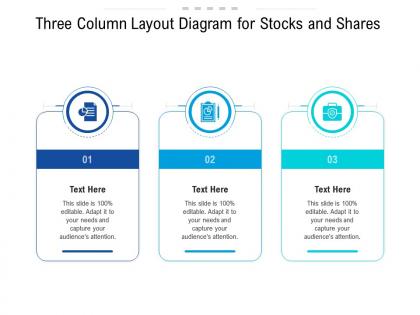
Three column layout diagram for stocks and shares infographic template




Try Before you Buy Download Free Sample Product
 Impress Your
 Audience
 100%
100% Editable
 Save Hours
 of Time


Our Three Column Layout Diagram For Stocks And Shares Infographic Template are topically designed to provide an attractive backdrop to any subject. Use them to look like a presentation pro.
People who downloaded this PowerPoint presentation also viewed the following :
Three column layout diagram for stocks and shares infographic template with all 2 slides:
Use our Three Column Layout Diagram For Stocks And Shares Infographic Template to effectively help you save your valuable time. They are readymade to fit into any presentation structure.
FAQs for Three column layout diagram for stocks and
Okay so three columns are perfect because they organize everything without looking messy. Your eye naturally moves left to right, which makes it super easy to follow. I usually put my most important stuff in the middle column since people look there first - just something I've noticed works better. You can split content by theme (like problem-solution-outcome) or just break up walls of text so it's not totally overwhelming. The spacing looks way cleaner too, honestly. And it scales pretty well on different screens, which saves you from having to redo everything later.
Three columns work great for breaking up heavy info so people don't get overwhelmed. I usually put my main point in the middle column - it just hits harder that way. Each section becomes like its own mini-story, and readers naturally move left to right. Perfect when you're comparing stuff or explaining a process step by step. The extra white space helps too. Honestly, dense blocks of text make my eyes glaze over, so this fixes that problem. It's basically giving your data room to breathe while keeping everything organized.
Three columns are perfect when your content splits naturally into parts - like process steps, feature comparisons, or team bios. I honestly love this layout because it feels balanced without being cramped. Works great for testimonials and pricing tiers too. Just make sure each column has roughly the same amount of content or it'll look weird and lopsided. Oh, and definitely sketch it out first! Sometimes what seems like it'll work in three parts... doesn't actually fit that structure once you start laying it out.
Three columns are honestly great for readability. People scan content way easier when it's broken into chunks instead of one giant block of text. It's kinda like newspapers - we're already used to that format so it feels natural. You can put your main stuff in the middle column and stick supporting details on the sides. Works really well for organizing info hierarchically. Just don't make the columns too narrow though, because cramped text with tiny fonts is the worst. Nobody's gonna squint through that mess. Your brain processes it better when there's breathing room between sections.
Balance is key for three-column layouts, but don't stress about making everything perfectly symmetrical - that can look kinda stiff anyway. Keep your spacing consistent between columns and make sure elements line up nicely. People usually read left to right, so design your flow that way. Use different font sizes and colors to show what's most important in each section. Oh, and don't cram too much into one column or it'll look messy. Honestly, I always sketch these out first before touching any design software - saves me so much time later when I inevitably change my mind about the layout.
Pick one main color for your headers, then use lighter versions of it for the body text. Way cleaner look that way. I swear, some infographics look like someone dumped a bag of Skittles on them - total mess. Your accent color should pop up on important data points or whatever action you want people to take. Just don't make the contrast so weak that nobody can read it. There's this 60-30-10 thing that works pretty well: mostly neutral colors, then 30% your main color, and 10% accent. Keeps everything balanced across all three columns without looking boring.
Don't cram everything into each column - that's the fastest way to make people's eyes glaze over. Your three sections should look balanced, not like one side is screaming louder than the others. White space is your friend here (I learned this the hard way). Keep your fonts and text sizes consistent across columns, otherwise it looks like three different people designed it. Oh, and don't go wild with completely different styles for each section. Quick test: show someone your design for literally 5 seconds. Can't follow the main idea? Time to cut some stuff out.
So with three columns, your icons basically have to work triple-time to keep everything looking balanced. I'd stick with one approach - either go all icons or all illustrations, don't mix them. Keep sizing consistent across the board. The annoying thing is now you've got three sections competing for attention instead of two, which gets messy fast. Make each graphic different enough to pop but not so different that it looks random. Oh, and use white space strategically - cramped layouts are the worst. Honestly, three columns can look amazing when done right, just takes more planning than you'd think.
Yeah, three columns work great! They make info way easier to scan - nobody wants to read a massive block of text these days. Your eyes naturally move left to right anyway, so columns just work with that flow. I'd put your most important stuff in the left column since that's where people look first. Each column can handle different things too - stats, main points, images, whatever. It's kinda like organizing your thoughts into neat little piles instead of dumping everything in one spot. Way less overwhelming for readers.
Okay so for three columns, definitely stick with left-aligned text - way easier to read. Keep your images the same size and position them consistently too, like all centered or whatever. Spacing is huge! I've seen so many designs that look totally cramped because people forget about white space. Your eye should flow naturally left to right through the content. Same text formatting rules for each column obviously. But honestly? Start with a grid first, then add your stuff. Trust me, you'll thank yourself later when everything actually lines up properly instead of spending forever nudging things around.
Font consistency is your best friend here - pick 2-3 weights max or it'll look like a mess. Sans-serif reads way better in small sizes too. Your hierarchy should be obvious: column titles biggest, then subheads, then body text. I learned this the hard way after making everything too similar once. Give your text breathing room with proper line spacing, especially since narrow columns can feel cramped. Oh, and definitely print a test page at actual size - what looks fine on screen might be tiny in real life. Trust me on that one.
Think about how people will read it first - you want their eyes moving smoothly left to right across those three sections. Find templates with well-defined columns that aren't squished together. I've watched so many people fall for flashy designs that look amazing but are impossible to actually use! You need decent white space or it'll look messy. Figure out if you want equal columns or if one section needs more room. Oh, and definitely sketch out your main points in each column before you pick anything - saves you from realizing later that nothing fits properly.
Canva's probably your best bet - tons of templates and super easy to use. If you want something more professional, Adobe InDesign is amazing but honestly kind of a pain to learn at first. Figma's solid too, especially if you're already messing around with it for other stuff. PowerPoint might sound weird but it actually works fine for quick stuff if you know your way around it. I'd just pick whatever you won't get frustrated with, you know? Sometimes the fancy tools aren't worth the headache. Get your content sorted first, then worry about making it look pretty.
Oh for sure! You'll just want to stack them vertically though - mobile screens can't handle three columns side by side without turning into an unreadable mess. I learned that one the hard way lol. Maybe try two columns if your content isn't super text-heavy? Single column is always the safest bet. Just make sure everything still flows nicely when it gets rearranged. Definitely test it on your actual phone before calling it done. Desktop preview lies to you half the time.
So everyone's ditching those cramped three-column layouts now. Way more white space between sections, plus people are making columns different widths instead of keeping them equal - looks way better honestly. The middle column being wider is such a game changer for flow. Interactive stuff is everywhere too, and everything has to work on mobile obviously. Oh and color-coding each column by theme? Super popular right now. Data viz elements like little progress bars are showing up more. Nobody wants to read walls of text anymore (thank god). Try the asymmetrical thing - you'll notice the difference immediately.
-
Great product with highly impressive and engaging designs.
-
Excellent Designs.
-
Innovative and Colorful designs.