


Visual aid with teaching and student learning




Try Before you Buy Download Free Sample Product
 Impress Your
 Audience
 100%
100% Editable
 Save Hours
 of Time


Increase the degree of clarity existing with our Visual Aid With Teaching And Student Learning. It will clear away the haze.
People who downloaded this PowerPoint presentation also viewed the following :
Content of this Powerpoint Presentation
Description:
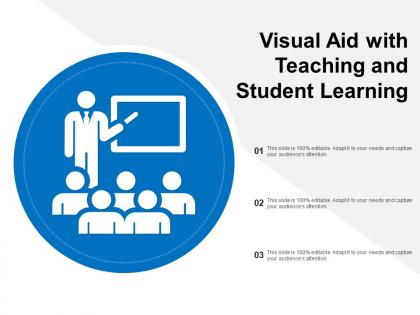
This PowerPoint slide features a title "Visual Aid with Teaching and Student Learning," highlighting the importance and impact of visual materials in educational settings for both teachers and students. The imagery used in the central icon effectively depicts a teacher or presenter in front of a group, possibly students, with a screen or blackboard, symbolizing instruction or presentation.
Use Cases:
Such a slide could be relevant in a variety of industries where teaching, training, or presenting information is key. Here are seven potential industries where these types of slides can be highly applicable:
1. Education:
Use: Enhancing classroom lessons and material comprehension
Presenter: Teachers and educational instructors
Audience: Students and learners
2. Corporate Training:
Use: Presenting new procedures or skills to employees
Presenter: Corporate trainers and HR professionals
Audience: Company staff and new hires
3. Healthcare:
Use: Educating about health conditions, treatments, or medical processes
Presenter: Healthcare providers, such as doctors and nurses
Audience: Patients, caregivers, and medical staff
4. Marketing:
Use: Explaining marketing strategies and campaign overviews
Presenter: Marketing strategists and specialists
Audience: Marketing teams and business stakeholders
5. Technology:
Use: Introducing new software, features, or IT protocols
Presenter: IT professionals and technology trainers
Audience: End-users and technical staff
6. Non-Profit Organizations:
Use: Orienting volunteers and explaining program impact
Presenter: Program coordinators and managers
Audience: Volunteers, donors, and community members
7. Government:
Use: Communicating policy changes or civic information
Presenter: Government officials and representatives
Audience: Citizens and various civic groups
Visual aid with teaching and student learning with all 5 slides:
Experiment with ingredients through our Visual Aid With Teaching And Student Learning. Come up with innovative ways to cook.

FAQs for Visual aid with teaching
The most effective visual aids include interactive whiteboards, infographics, educational videos, slide presentations, and digital simulations. These technologies enhance engagement by transforming abstract concepts into visual experiences, accommodating different learning styles, and encouraging active participation, with many educators finding that strategic combinations ultimately deliver improved comprehension and retention rates.
Educators can choose effective visual aids by matching content to learning preferences, incorporating infographics for visual learners, interactive charts for kinesthetic learners, and audio-visual presentations for auditory learners. Through strategic combination of these tools, teachers streamline knowledge retention, enhance student engagement, and accommodate diverse classroom needs, with many educational institutions finding that varied visual approaches ultimately deliver improved academic outcomes and stronger comprehension across all learning styles.
Technology revolutionizes visual aid creation through interactive whiteboards, digital presentation software, augmented reality applications, 3D modeling tools, and multimedia platforms. These technologies streamline content development by enabling real-time collaboration, personalized learning experiences, and dynamic visual elements, with many educational institutions finding that technology-enhanced visual aids ultimately deliver improved student engagement and knowledge retention.
Infographics improve comprehension by transforming complex data into visual narratives, combining text with charts, diagrams, icons, and color coding to create multiple learning pathways. These visual elements enable students to process information faster, retain key concepts longer, and make connections between abstract ideas, with many educators finding that infographics particularly enhance understanding in subjects like science, history, and mathematics.
Best practices for incorporating visual aids include aligning visuals with learning objectives, ensuring accessibility for all students, using high-quality images and graphics, maintaining consistent design elements, and strategically timing their introduction during lessons. These approaches enhance comprehension by supporting different learning styles, reinforcing key concepts, and increasing student engagement, with many educators finding that well-integrated visuals significantly improve retention and academic outcomes.
Visual aids significantly enhance learning outcomes for students with special needs by providing multiple sensory pathways, reducing cognitive overload, and accommodating diverse learning styles like visual, auditory, and kinesthetic processing. These tools enable educators to create more inclusive classroom environments, with many special education programs finding that structured visual supports improve comprehension rates, increase student engagement, and ultimately deliver measurable academic progress across various learning disabilities.
Visual aids significantly enhance collaborative learning by encouraging group discussions, shared problem-solving, and interactive engagement with content. Through interactive whiteboards, shared presentation screens, and collaborative digital platforms, students work together to analyze charts, discuss infographics, and co-create visual content, with many educators finding that these tools foster deeper peer-to-peer learning and improved classroom participation.
Educators can effectively balance visual aids with traditional teaching methods by strategically integrating multimedia presentations, interactive displays, and digital tools alongside lectures, discussions, and hands-on activities. This hybrid approach enhances student engagement across different learning styles while maintaining pedagogical rigor, with many schools finding that combining visual elements with traditional instruction ultimately delivers improved comprehension and retention rates.
Creative visual aids for remote and hybrid learning include interactive digital whiteboards, augmented reality overlays, animated infographics, virtual 3D models, and collaborative mind-mapping platforms. These technologies enhance student engagement by delivering immersive experiences, facilitating real-time collaboration, and accommodating different learning styles, with many educational institutions finding that strategic visual integration ultimately improves retention rates and academic outcomes.
Cultural factors influence visual aid design through color symbolism, imagery preferences, learning styles, and communication patterns that vary across different societies. Educational institutions increasingly recognize that culturally responsive visual materials enhance comprehension and engagement, with many schools and universities finding that incorporating diverse perspectives, familiar contexts, and culturally appropriate design elements ultimately delivers more effective learning outcomes.
Visual aids can overwhelm students, create dependency on images rather than critical thinking, pose accessibility challenges for visually impaired learners, and require significant preparation time and technical resources. Teachers can mitigate these issues by using visuals strategically rather than excessively, combining multiple learning modalities, ensuring content accessibility through alternative formats, and developing technical backup plans, ultimately enhancing rather than replacing core instructional methods.
Teachers can assess visual aid effectiveness through student engagement metrics, comprehension assessments, retention tests, feedback surveys, and performance comparisons before and after implementation. These evaluation methods enable educators to measure learning outcomes, identify which visuals resonate most with different learning styles, and refine their instructional materials, ultimately delivering enhanced student understanding and improved academic performance across diverse classroom environments.
Visual aids support critical thinking by enabling students to analyze complex data through charts, diagrams, and infographics, while encouraging pattern recognition and comparative analysis across multiple information sources. These tools help students visualize abstract concepts, break down multifaceted problems into manageable components, and synthesize information from various perspectives, ultimately enhancing their analytical capabilities and decision-making skills in academic settings.
Visual aids in assessment and feedback enhance student understanding by providing clear performance indicators, illustrating progress through charts and graphs, and offering immediate visual cues about areas needing improvement. Through interactive dashboards and visual rubrics, educators can deliver more targeted feedback while students better comprehend their learning gaps, ultimately improving academic outcomes and engagement across diverse learning styles.
Emerging trends in visual communication introduce interactive displays, augmented reality experiences, personalized learning pathways, real-time data visualization, and AI-powered content adaptation to educational environments. These technologies enhance student engagement by delivering immersive experiences, streamlining complex concept understanding, and enabling personalized instruction, with many educational institutions finding that strategic implementation ultimately delivers improved learning outcomes and competitive educational advantages.
No Reviews