

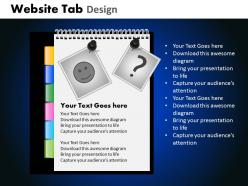
Website tab design powerpoint slides and ppt templates db





Try Before you Buy Download Free Sample Product
 Impress Your
 Audience
 100%
100% Editable
 Save Hours
 of Time


Use our Website Tab Design Powerpoint Slides And Ppt Templates DB as a looking glass. Train them on the magnificent future you have in mind.
People who downloaded this PowerPoint presentation also viewed the following :
Website tab design powerpoint slides and ppt templates db with all 21 slides:
Our Website Tab Design Powerpoint Slides And Ppt Templates DB give you the right context. Highlight the factors influencing your thought process.
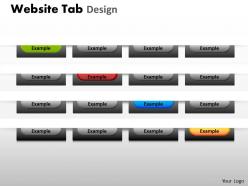
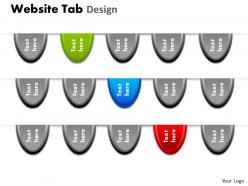
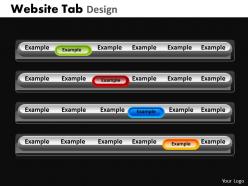
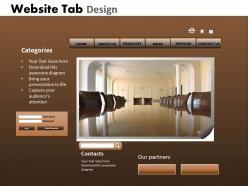
FAQs for Website tab design powerpoint slides and
Effective website tab design principles include clear labeling, logical grouping, visual hierarchy, consistent styling, and intuitive navigation flow. These elements streamline user experience by reducing cognitive load, minimizing click paths, and enhancing content discoverability, with many e-commerce and service organizations finding that well-designed tab systems ultimately deliver improved user engagement and conversion rates.
Tab design influences user navigation and engagement by organizing content hierarchically, reducing cognitive load, and providing clear visual pathways to information. Well-designed tabs streamline user journeys, minimize page abandonment rates, and enhance content discoverability, with many e-commerce and SaaS platforms finding that intuitive tab structures significantly improve conversion rates and user satisfaction.
**INPUT**: What color schemes work best for website tab designs in different industries? **OUTPUT**: Effective website tab color schemes vary by industry, with healthcare favoring calming blues and greens, finance using trustworthy blues and grays, retail embracing vibrant brand colors, and technology preferring modern minimalist palettes. These strategic color choices enhance user experience by reinforcing brand identity, improving navigation clarity, and building customer trust, ultimately delivering better engagement and conversion rates. --- **Word count**: 58 words
Dropdown tabs excel in space efficiency and accommodate extensive menu structures, while horizontal tabs offer immediate visibility and faster navigation for limited options. Horizontal tabs work best for primary navigation with 5-7 categories, whereas dropdown tabs enable complex site architectures, with many e-commerce and enterprise platforms finding that strategic dropdown implementation enhances user experience while maintaining clean interfaces.
Typography significantly influences tab design effectiveness by enhancing readability, establishing visual hierarchy, maintaining brand consistency, and guiding user navigation through strategic font choices, sizing, and spacing. Clear, appropriately sized typography enables users to quickly scan and identify content categories, while consistent typefaces across tabs create seamless user experiences, ultimately delivering improved engagement and reduced bounce rates.
Accessibility in website tab designs can be enhanced through clear visual indicators, keyboard navigation support, high color contrast ratios, screen reader compatibility, and proper ARIA labeling. These design principles streamline user experiences across diverse abilities, with many healthcare institutions and financial services platforms finding that accessible tab structures ultimately deliver broader audience reach and improved regulatory compliance.
Common mistakes in website tab design include overcrowding with too many tabs, using unclear or vague labels, inconsistent styling across tab states, and poor mobile responsiveness. These design flaws significantly impact user experience by creating confusion, slowing navigation, and reducing conversion rates, with many e-commerce and service-based businesses finding that streamlined tab architecture ultimately enhances engagement and customer satisfaction.
Mobile responsiveness significantly influences tab design by requiring collapsible menus, touch-friendly spacing, and prioritized content hierarchy to accommodate smaller screens. These adaptive approaches streamline navigation through stackable layouts, expandable sections, and simplified interfaces, with many e-commerce and service platforms finding that responsive tab designs ultimately deliver better user experiences and higher mobile conversion rates.
Tab labeling should consider cognitive load reduction, expectation matching, and mental model alignment to ensure users can quickly predict content and navigate intuitively. Clear, descriptive labels that match users' mental frameworks enhance usability by minimizing decision fatigue and cognitive processing time, with many organizations finding that consistent, familiar terminology significantly improves user engagement and conversion rates.
Icons enhance website tab functionality by improving visual recognition, reducing cognitive load, and enabling faster navigation across different sections. Through strategic icon placement, websites streamline user experiences by providing instant context clues, supporting international accessibility, and maintaining clean layouts even with limited space, ultimately delivering more intuitive interfaces and increased user engagement rates.
**INPUT**: What methods can be used to test the effectiveness of a tab design? **OUTPUT**: Tab design effectiveness can be tested through A/B testing, heat mapping, user journey analysis, click-through rate monitoring, and usability testing sessions. These methods enable organizations to optimize navigation patterns, reduce bounce rates, and enhance user engagement, with many e-commerce and SaaS companies finding that strategic tab placement ultimately delivers improved conversion rates and streamlined customer experiences.
SEO significantly influences website tab structure through keyword integration, logical hierarchy, and user-friendly navigation paths that search engines can easily crawl and index. Strategic tab labeling with relevant keywords, clear categorization that matches search intent, and intuitive information architecture enhance both search rankings and user experience, with many e-commerce and service websites finding improved organic traffic through optimized navigation structures.
Key 2024 tab design trends include minimalist aesthetics with increased whitespace, microinteractions for enhanced user feedback, mobile-first responsive approaches, and accessibility-focused implementations with improved contrast ratios. These trends streamline navigation by reducing cognitive load, enhancing user engagement, and ensuring broader accessibility, with many organizations finding that modern tab designs significantly improve user retention and conversion rates.
User feedback integrates into tab design through usability testing, A/B testing different layouts, heat mapping analysis, and direct user surveys about navigation preferences. Through these methods, designers can identify which tab arrangements enhance user experience, reduce bounce rates, and improve conversion rates, with many e-commerce and SaaS platforms finding that feedback-driven iterations ultimately deliver more intuitive interfaces and higher engagement.
Tab organization significantly impacts content discoverability by creating clear navigation pathways, reducing cognitive load, and enabling users to locate information efficiently. Well-structured tabs guide users through logical content hierarchies, minimize search time, and improve overall site engagement, with many e-commerce and corporate websites finding that intuitive tab groupings increase page views and reduce bounce rates.
-
Excellent products for quick understanding.
-
Design layout is very impressive.