

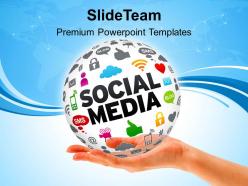
0814 social media powerpoint templates ppt backgrounds for slides





Try Before you Buy Download Free Sample Product
 Impress Your
 Audience
 100%
100% Editable
 Save Hours
 of Time


Encash your brilliance with our 0814 Social Media Powerpoint Templates Ppt Backgrounds For Slides. The coffers will continue to fill.
People who downloaded this PowerPoint presentation also viewed the following :
0814 social media powerpoint templates ppt backgrounds for slides with all 3 slides:
Feelings grow with our 0814 Social Media Powerpoint Templates Ppt Backgrounds For Slides. Develop an attachment with your clients.
FAQs for 0814 social media powerpoint templates ppt
Definitely start with your brand colors and fonts - consistency is everything. I'd add sections for the usual suspects: engagement rates, follower growth, reach metrics. Campaign objectives and target audience breakdown are must-haves too. Oh, and don't sleep on the content calendar highlights section (honestly saves me so much headache later). Screenshots of your top posts work great, plus competitor stuff if your team's into that. Budget slides are obvious but people forget them all the time. Since it's social media, go heavy on visuals - nobody wants to read walls of text anyway!
Dude, colors are everything for social media posts. Your brain picks up on them way before reading any text, so a bad color choice can totally tank your engagement. I'd go with bright, contrasting colors if you want more shares - they just grab attention better. For professional stuff though? Stick with more muted tones. Honestly saw this amazing presentation last week that barely got any traction because the guy used gray for literally everything. So boring! Use your brand colors as the base but throw in something bold for important points. Then just see what gets people commenting more.
Oh totally! Templates are a game changer for brand consistency. Your audience will start recognizing your stuff instantly when you stick to the same colors, fonts, and layouts - it's wild how that visual recognition kicks in. Plus you'll save so much time not designing from scratch every single post. I'd skip the generic templates everyone uses though. Find 3-4 variations that actually match your brand and just rotate between them. Keeps things interesting but still looks cohesive. Honestly one of the smartest moves you can make for social media.
Honestly, bar charts are your best friend for comparing how different platforms are doing. Line graphs work great for showing growth over time too. For demographics, I'd go with donut charts - they're way cleaner than pie charts imo. Those big bold numbers with simple icons? Chef's kiss for engagement stats. Just don't go overboard cramming everything onto one slide. People's attention spans are basically nonexistent these days. Stick to 2-3 key metrics max and use contrasting colors to make those numbers really stand out. Clean, minimal designs always win.
Honestly, animations are a game-changer for keeping people awake during presentations. They break up all that boring static stuff and give your audience something to actually look at. I usually do simple text reveals or slide transitions - nothing crazy fancy. The trick is making people wonder what's coming next instead of zoning out on a giant wall of text (we've all been there). Don't go nuts with it though. Use them to highlight your big wins or key metrics. Start with basic fade-ins on your social media results. Works every time and doesn't look like you're trying too hard.
Ugh, don't cram a wall of text on every slide - nobody's reading that mess anyway. Use bigger fonts or people will be squinting at their phones like they need glasses. Those neon color combos? Hard pass. I once sat through a lime green and hot pink presentation that literally gave me a headache. Stick to your brand colors and maybe 2-3 fonts tops. Skip the pixelated images too - they look unprofessional. Oh, and resist going crazy with animations just because you can. Clean and simple wins every time.
Honestly, you've gotta tailor your templates to each platform's whole vibe. Instagram users expect that clean, aesthetic look with tons of white space. LinkedIn needs professional fonts - those corporate types are picky. TikTok's where you can go crazy with bold colors and trendy stuff. Facebook's kinda in between, casual but not chaotic. Different audiences have totally different attention spans too. Like, TikTok users scroll fast but LinkedIn people actually read things. Don't try making one template work everywhere - trust me, it never looks right. Better to create separate template sets for each platform.
Honestly, infographics are a lifesaver for PowerPoint presentations with social media data. Break down your metrics visually instead of drowning people in spreadsheet hell. Focus on one key insight per graphic - don't try to cram everything in there. Social media's already visual, so why not keep that vibe going? Use big, bold numbers and simple icons to show off your wins. Trust me, your audience will actually stay awake instead of mentally checking out when they see another slide of tiny charts. Keep it simple and your data will actually tell a story.
Okay so here's the thing - storytelling makes your templates way more engaging than just blasting "New product launch!" Make your audience the hero, not your brand. Start with their problem, build some tension, then boom - your solution saves the day. Classic before/after stuff works great too. What I've been doing lately is creating template series that tell one story across multiple posts (kinda addictive honestly). People actually come back for the next part. Way better than those boring announcement-style posts nobody cares about.
First things first - you HAVE to get permission before using anyone's content, no exceptions. Make sure you credit everyone properly with their handles visible on each slide. Screenshots usually look terrible when you blow them up, so grab higher-res versions if you can. Don't just pick random posts because they're pretty - choose stuff that actually backs up your points. Oh, and here's something that really helps: make a basic slide template so everything looks consistent. Trust me, it makes such a difference. Your UGC should strengthen whatever you're trying to say, not just fill space.
Honestly, just stick to vertical or square formats since that's how everyone scrolls anyway. Make your text huge - like 24pt minimum - because nobody's squinting at tiny fonts on their phone. One main point per slide is key. People are scrolling crazy fast and won't read a novel. Center your important stuff too, don't put it near the edges where it gets chopped off. Oh, and definitely test it on your actual phone first! I learned that the hard way when my "perfect" template looked terrible once I posted it.
Honestly, focus on the metrics that actually matter - engagement rate, conversion rate, and cost per acquisition. Leadership doesn't really care about vanity stuff like follower growth anymore. You want to show customer lifetime value from social and compare your cost per lead to other channels. If you can connect campaigns to actual sales? That's where you win. Oh and break it down by platform since each one tells a different ROI story. The revenue attribution piece is crucial too.
Dude, your audience basically decides everything for you. Gen Z on TikTok? Go bold with trendy fonts and meme-style layouts. Meanwhile, millennials scrolling LinkedIn want that clean, professional look. I've watched so many campaigns crash because someone thought a flashy template would work for corporate folks - awkward. Check your analytics first to see who's actually engaging. Then match your visuals to how they consume content. Oh, and consider the platform too since people expect different vibes depending where they're scrolling.
Make everything bold and high-contrast - mobile screens are brutal for readability. One main point per slide, seriously. Any more and people just scroll past. Square format works way better than landscape since everyone's on their phones anyway. Your brand colors might look terrible once they get compressed, so test that first. I learned this the hard way lol. Put your logo somewhere obvious but don't be weird about it. Design each slide like it's a standalone post that could work on its own. Export as high-res PNGs and you're set.
Okay so here's what I do - start with a base template then just swap out the colors and fonts to match whatever campaign you're working on. Super easy to tweak the layout for different platforms too. Honestly, templates are a lifesaver because who has time to design from scratch every single time? I usually make a few versions for different audiences or test different visuals with the same basic setup. Oh and definitely save each version with clear names - trust me on this one, you'll thank yourself later when you find one that actually performs well and want to use it again.
-
Professional and unique presentations.
-
Unique design & color.