


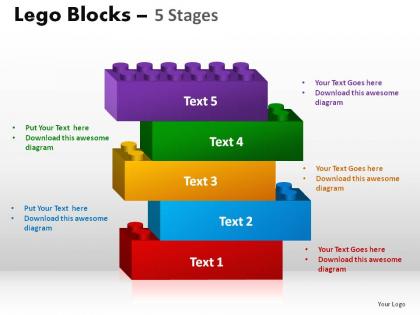
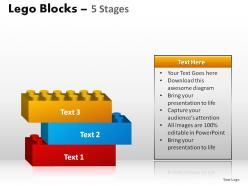
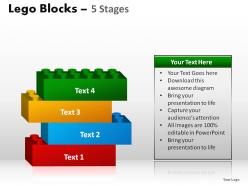
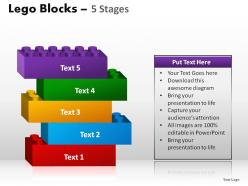
5 stages lego blocks powerpoint slides




Try Before you Buy Download Free Sample Product
 Impress Your
 Audience
 100%
100% Editable
 Save Hours
 of Time


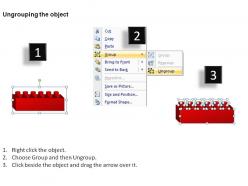
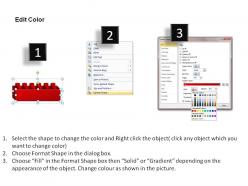
Your ideas will get you the coveted prize. Garland them with our 5 Stages Lego Blocks Powerpoint Slides.
People who downloaded this PowerPoint presentation also viewed the following :
5 stages lego blocks powerpoint slides with all 9 slides:
Put your thoughts in the safe custody of our 5 Stages Lego Blocks Powerpoint Slides. They will ensure their safe passage.
FAQs for 5 stages lego
So basically you've got three main parts: Hook, Build, and Reveal. Start with something that actually grabs people - not just "hello everyone." Then walk them through your build step-by-step, explaining what you're doing. The reveal is your big moment where you show the final thing and connect it back to your point. The build stage is honestly make-or-break. Most people either crush it here or completely lose their audience. Ask questions, let people guess what's coming next. Your transitions between stages need to be smooth - practice those beforehand so you're not awkwardly juggling pieces while trying to talk. Trust me on that one.
Dude, open with something that hits their nostalgia - "remember your first spaceship build?" works every time. Everyone's got LEGO memories buried somewhere. Then pivot fast to connect whatever theme you're showing to stuff they actually deal with. City sets? Talk urban planning or team dynamics. Keep your energy high and wave those pieces around while you're talking - they make perfect props. Oh, and this is key: let them touch the builds at the end. There's something about that hands-on moment that just clicks. The tactile thing really seals it, trust me.
Dude, storytelling makes ALL the difference in LEGO presentations. Nobody wants to sit through technical specs - boring as hell. Walk people through your creative process instead. What inspired you? Did you hit any roadblocks that led to cool breakthroughs? I've watched incredible builds totally bomb because the presenter just rattled off piece counts and building methods. Your audience wants the "why" behind your creation. Structure it like you're telling a friend about this awesome thing you made. Oh, and if your model tells its own story, lean into that too. People remember good stories way more than clever techniques.
Dude, photos are everything for LEGO tutorials. People need to actually see what you're doing instead of guessing from descriptions. Take pics of each major step, close-ups of tricky connections, before/after shots. Even crappy phone photos beat walls of text any day. Multiple angles help too - especially for complex parts where people can't figure out how pieces fit together. I always get lost without visuals, honestly. Your audience will thank you when they can see the actual brick placement and color patterns. Just snap away during your build!
Honestly, PowerPoint or Google Slides work great for LEGO stuff - super visual and easy to work with. Canva's where it's at though, they've got these colorful templates that are perfect for that whole playful brick vibe. Prezi's cool too if you want those zoom effects (kinda matches the building concept, you know?). Oh, and definitely grab some screenshots from LEGO Digital Designer if you can! Just pick a bright Canva template, throw in your content with some brick graphics and bold colors. The contrast really pops.
Dude, LEGO presentations are amazing when you actually build stuff live instead of just pointing at finished models. Practice your builds beforehand though - nobody wants to watch you hunt for pieces. Make everything big enough so people in back can see what's happening. Honestly, getting adults to build along feels weird at first but it totally works. Something about using your hands just clicks better than staring at slides. Oh, and definitely let people mess around with the models after - that's when they actually absorb the concepts you're teaching.
Honestly, just get them building stuff immediately - that's the whole secret. I always pass around sample pieces right during my intro, then grab volunteers to show techniques. Build something together as a group too. The second people start just sitting there listening, you've totally lost them (I mean, it's LEGO for crying out loud). Don't ask yes/no questions - go with "what would you build differently?" instead. Keep extra bricks nearby so they can mess around while you're talking. Oh, and actually pause for questions and build on what they say. Don't just nod politely and keep going.
Dude, it's all about reading the room. Kids need bright colors and stuff they can actually touch - storytelling works great but they'll zone out if there's no hands-on building. Teens are competitive as hell, so throw in challenges where they can show off. Adults and serious LEGO nerds? They want the technical deep dive - part specs, design philosophy, all that good stuff. Some AFOLs honestly know way more than I do lol. Beginners just need wins and basic concepts. Experts want to see your failures too, not just the polished result. Always have backup activities ready!
Honestly, the worst thing you can do is skip defining the actual problem and jump right into solutions - instant audience killer. Don't go overboard with stages or crazy visuals either, they just muddy your main point. I've watched people get so caught up in the whole LEGO thing (which, fair enough, it's pretty cool) that they totally forget there's a real business issue to tackle. Bad move. Keep your stages straightforward and build them logically. Each one should connect to the next, and everything needs to circle back to actual results. Nail your problem statement first and you're golden.
Give everyone a small bucket of LEGOs when they walk in - trust me on this. While you're talking about project phases, have them build a tower. Leadership section? Perfect time for them to construct their ideal team structure. I do quick 2-minute building challenges between sections too, keeps the energy up. People actually listen better when their hands are moving, it's weird but it works. Just bring way more bricks than you think you'll need and keep instructions super simple. Nobody wants to feel lost fumbling with tiny plastic pieces while you're mid-sentence.
Dude, you definitely need a clear outline or you'll end up rambling about some random technique you just learned instead of actually teaching anything useful. Think of it as your GPS - shows people where you're going and how you'll get there. Without one, you'll bounce all over the place, skip the important steps, then panic and rush through everything at the end. Oh, and tell your audience the plan upfront so they're not sitting there wondering what's coming next. Trust me, I've seen too many LEGO presentations go completely off the rails without structure.
Tell the story first, then sneak in the technical stuff. People want to know WHY you built something before they care about HOW. So start with your inspiration or the problem you tackled. As you walk through your process, that's when you drop in the clever solutions - like when you hit that structural nightmare and had to figure out the beam placement. Nobody cares about "47 technic beams" upfront, but they'll be invested once they're following your journey. Honestly, the back-and-forth between story and specs is what keeps people hooked instead of just listing features.
Oh LEGO presentations are actually pretty awesome! Have teams build metaphors - like "what does good teamwork look like?" using blocks. Gets people thinking differently. There's also storytelling where everyone adds a piece and explains their part. Bridge building is solid too - they're literally constructing bridges while talking through communication issues. Way better than those awkward icebreakers nobody wants to do. Keep it short though, maybe 10-15 minutes per thing or people zone out. The hands-on stuff just makes conversations flow more naturally. Start simple!
Definitely set up a few different ways to get feedback right after your LEGO thing ends. Quick digital survey works best - just 3-4 focused questions about what hit and what missed. People won't fill out anything too long, trust me. Always add one open-ended question though, that's usually where the best insights come from. If you can grab people for quick face-to-face chats immediately after, do it while everything's still fresh. Maybe schedule a debrief with your main stakeholders within a day or two? The whole point is making it feel effortless for them, not like another task on their list.
Yeah, tons of big companies do this! Google built LEGO models to show their server setups to executives who don't know tech stuff. NASA used them for Mars rover mission timelines - I mean, that's pretty cool. McKinsey does those LEGO workshop things where clients build out their business problems with blocks. Hospitals even use them to walk families through surgeries, which honestly makes way more sense than confusing medical diagrams. The trick is just figuring out if your audience will actually be into building stuff or think it's weird.
-
Excellent template with unique design.
-
Content of slide is easy to understand and edit.