


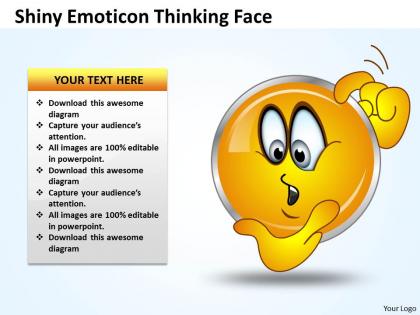
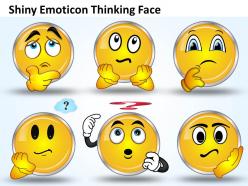
Business powerpoint templates shiney emoticon thinking face sales ppt slides
You must be logged in to download this presentation.




Try Before you Buy Download Free Sample Product
 Impress Your
 Audience
 100%
100% Editable
 Save Hours
 of Time


Develop timelines with our Business PowerPoint Templates shiney emoticon thinking face Sales PPT Slides. Take a call on reasonable limits.
People who downloaded this PowerPoint presentation also viewed the following :
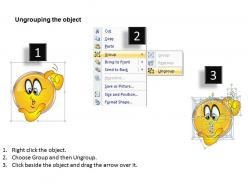
Business powerpoint templates shiney emoticon thinking face sales ppt slides with all 6 slides:
Our Business PowerPoint Templates shiney emoticon thinking face Sales PPT Slides are a great tonic. They will energise your thought process.

FAQs for Business powerpoint templates shiney emoticon thinking face
You need the basics first - title slide, agenda, problem statement, then your main content with matching formatting throughout. Honestly, picking your fonts and colors upfront will save you so much time later. Make sure there's plenty of white space though, cramped slides look awful. End with a strong call-to-action and your contact details. The whole thing should tell a story from problem to solution. My advice? Find one good template you like and just tweak it each time instead of starting over. Way easier than rebuilding everything from scratch.
Honestly, people's brains just process visuals way faster than text. When you throw up a slide with paragraphs everywhere, half your audience zones out immediately. Charts and graphics actually help folks understand complex stuff without feeling like they're studying for finals or something. Short sentences work. Your audience needs places for their eyes to land while they're listening to you talk. I'd go with clean templates that aren't too busy - you want people focusing on your message, not getting distracted by fancy animations. Less text, more visuals. Trust me on this one.
Dude, templates are a game changer. I used to waste SO much time messing with fonts and colors - honestly drove me crazy. Now I just drop my content into pre-made layouts and boom, done. Your whole team stays on brand too, which is clutch for looking professional. Whether someone's doing a sales deck or presenting quarterly numbers, everything matches. The consistency alone makes you look way more put-together. I'd grab 2-3 good ones to start with. Trust me, once you go template you never go back to that design-from-scratch nightmare.
Honestly, you'd be shocked how much your color and font choices matter. Stick with 2-3 colors max and readable fonts like Arial - sounds boring but trust me on this. I've watched people completely tank good presentations with terrible design choices. Rainbow slides? Comic Sans? Please don't. Your audience decides if you look professional in like 3 seconds flat. Blues and grays are safe bets. Oh, and keep your fonts consistent throughout - nothing screams "I threw this together last minute" like switching between five different typefaces.
Start with solid charts - bar graphs, line charts, pie charts. Keep colors consistent though, like 2-3 max. Trust me, I've sat through presentations that looked like a crayon box exploded and it's painful. Build in spots for your key metrics and data tables. Finance people are obsessed with backup info, so definitely include sections for executive summaries and appendices. Oh, and number your slides! Stakeholders will constantly reference "slide 12" or whatever during meetings. Consistent headers help too. Basically just make it clean and easy to follow.
Honestly, ditch the data dump approach and think like you're telling a story instead. Problem first, then the messy middle where you're figuring stuff out, then boom - resolution. Netflix documentaries taught me this trick (weird flex but whatever). Your slides become characters: stakeholders are your cast, business challenges are the drama, recommendations are how it all wraps up. Each slide should flow into the next naturally. Oh, and add little story notes in your template so you don't just throw random facts at people.
Oh man, bigger fonts are a MUST - like 24pt minimum because everyone's squinting at their laptops. High contrast colors too since monitors are all different. I bombed a client presentation once with these gorgeous tiny bullet points that nobody could actually read lol. Keep text super minimal per slide. Also throw in slide numbers and clear headings so people don't get lost when someone's wifi craps out. Test everything on your phone first - if you can read it there, you're golden. Oh and make sure your branding stays consistent throughout!
Oh man, this is such a big deal! Colors alone can mess you up - red screams "danger" here but it's lucky in China. Some cultures read right-to-left too, which throws off your whole layout. Then there's the text thing - Americans want bullet points, but other places expect way more detail. I learned this the hard way once, actually. Your images matter too since what's normal to us might be totally offensive elsewhere. Honestly? Just do your homework first. Look up their visual norms or you'll confuse people at best, offend them at worst.
Honestly, the worst thing you can do is pick something super flashy that distracts from what you're actually saying. I've seen people choose templates with crazy fonts nobody can read - like why?? Also skip the ones with a million different slide layouts. You'll never use half of them anyway. Make sure it actually matches your audience too. Creative stuff works for pitches, but you'd look ridiculous using that same vibe for budget meetings. Oh and definitely check how it looks on different screens first. I learned this the hard way when my colors looked completely off on the projector.
Honestly, just swap out the obvious stuff first - colors, images, fonts that fit your industry. Tech presentations work better with clean designs and data charts. Healthcare? Go with those trustworthy blues and greens everyone expects. But don't get too caught up in stereotypes - I've seen some really boring "corporate" templates that put people to sleep. What matters more is tweaking your content structure. Tech people want to hear about quick wins and how things scale, while healthcare folks care way more about compliance and patient results. Pick a basic template and change maybe 2-3 things that'll actually make a difference.
Dude, consistency is what separates decent presentations from total disasters. Pick one font, stick with your colors, and don't go crazy switching up layouts every slide. Your audience won't get distracted by random visual mess. It's kinda like wearing mismatched shoes - nobody really thinks about shoes until they're totally wrong, you know? Templates are honestly a lifesaver too since you're not starting from scratch each time. I learned this the hard way in college. Just find a clean template you actually like and use it for the whole thing.
Honestly, templates are a lifesaver for this exact reason. Your team gets a head start instead of staring at blank slides forever. Consistency happens automatically when everyone's using the same fonts and colors - even if Sarah from accounting is making the quarterly review, it'll look professional. You know that weird time-suck where you spend 20 minutes debating font choices? Yeah, templates kill that completely. People can actually focus on what they're saying instead of messing with formatting. My advice? Find 2-3 good ones that cover your usual presentation types and call it done. Don't overthink it.
Honestly, animations are a game changer for keeping people awake during presentations. You can reveal bullet points one by one so nobody's reading ahead while you're still talking. Motion graphics work great for highlighting important data too. I mean, anything beats another boring slide deck that puts everyone to sleep, right? Just don't go crazy with it – I've seen presentations where every single element bounces in and it's way too much. Simple fade-ins work perfectly. If you've got data that changes over time, animated charts actually tell the story better than static ones.
Honestly, templates save you so much time. Instead of staring at a blank slide wondering why your chart looks terrible, you get decent colors and fonts that actually work together. The good ones have spots for context too, which forces you to explain what the hell your data means. I used to wing it every time and my presentations looked... not great. Short sentences work. Longer ones with proper flow keep people reading without getting bored. Just find one clean template you like and use it for everything - your slides will look way more professional and you won't waste hours on formatting.
Oh man, everything's super clean and minimal right now - like tons of white space everywhere. Bold fonts are huge too, way better than those tiny default ones everyone used to pick. Dark mode templates are pretty popular if that's your vibe. Data viz stuff is everywhere now, which honestly makes sense since most presentations are just drowning in numbers anyway. Interactive elements and subtle animations are trendy but don't go overboard. Look for templates with good chart options built in. The whole point is making your info actually readable instead of cramming everything together like we used to do.
-
Great quality slides in rapid time.
-
Best way of representation of the topic.