


Business Process Management And Optimization Playbook Powerpoint Presentation Slides




Try Before you Buy Download Free Sample Product
 Impress Your
 Audience
 100%
100% Editable
 Save Hours
 of Time


Check out our professionally designed presentation on Business Process Management and Optimization Playbook, a guide that helps the organization analyze the business model. The following presentation is a detailed playbook that allows the organization to understand the business and revenue model and develop key strategies to boost the organizations organic growth. This playbook is helpful for entrepreneurs intending to define the organizations process, strategy, functions, and policies. The following presentation is strategically divided into four sections that help understand each business vertical in detail. The first section of the presentation provides an overview of the playbook and helps understand the organizations vision, mission, and goals. The second section of the playbook helps define the Organizations Roles, Responsibilities, and Governance Structure. The third section of the playbook helps the organization understand the business model. This is achieved by breaking down each element of the business model, such as key business partners, key areas of expenditure, segments of the customer, etc. The final section of this playbook helps identify the key metrics that the organization can use to measure the performance of its business efforts successfully. Our slides are 100 percent editable and are compatible with Google Slides.
People who downloaded this PowerPoint presentation also viewed the following :
Content of this Powerpoint Presentation
Slide 1: This slide displays the title Business Process Management and Optimization Playbook.
Slide 2: This slide displays the Purpose of business process management and optimization playbook.
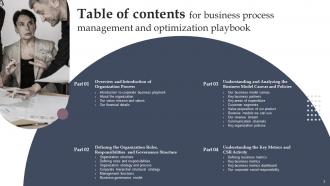
Slide 3: This slide exhibit table of content.
Slide 4: This slide exhibit table of content- Overview and Introduction of Organization Process.
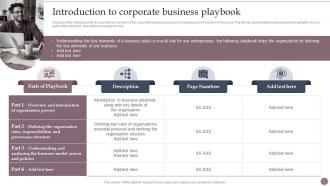
Slide 5: The following slide is to provide an overview of the corporate business playbook as it displays an introduction to the same.
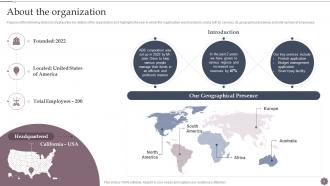
Slide 6: This slide discuss About the organization.
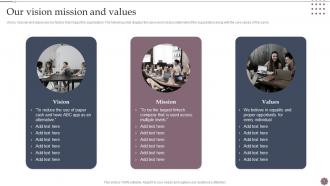
Slide 7: The following slide displays the vision and mission statement of the organization along with the core values.
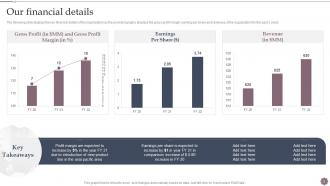
Slide 8: The following slide displays the key financial details of the organization.
Slide 9: This slide exhibit table of content- Defining the Organization Roles, Responsibilities and Governance Structure.
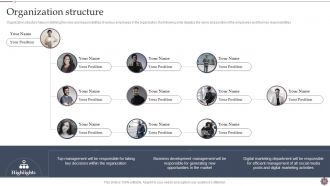
Slide 10: The following slide displays the name and position of the employees and their key responsibilities.
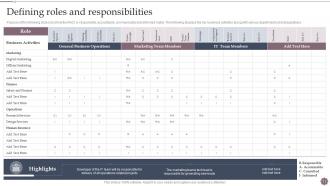
Slide 11: The following displays the key business activities along with various departments and designations.
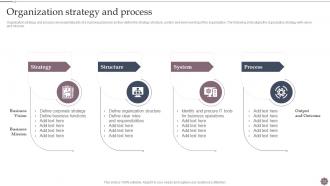
Slide 12: The following slide aligns the organization strategy with vision and mission.
Slide 13: The following slide is to show the corporate level strategy of the organization, as it displays the various business level and the special business unit.
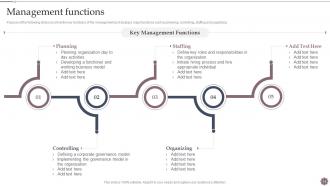
Slide 14: The following slide is to show the key functions of the management as it displays major functions such as planning, controlling, staffing and organizing.
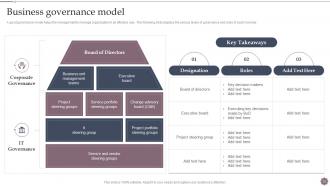
Slide 15: A good governance model helps the management to manage organization in an effective way.
Slide 16: This slide exhibit table of content- Understanding and Analyzing the Business Model Canvas and Policies.
Slide 17: The following slide is to show the business model canvas.
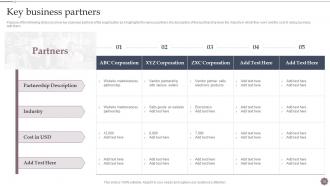
Slide 18: The following slide is to show key business partners of the organization.
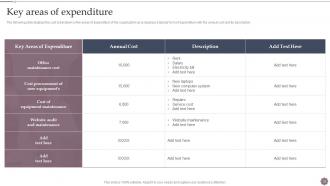
Slide 19: The following slide displays the cost breakdown or the areas of expenditure of the organization.
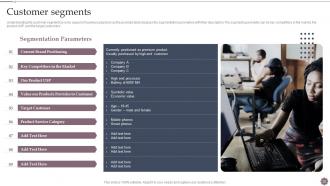
Slide 20: The customer segments is a key aspect of business playbook as the provided table displays the segmentation parameters with their description.
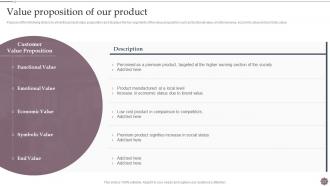
Slide 21: The following slide is to show the product value proposition as it displays the key segments of the value proposition.
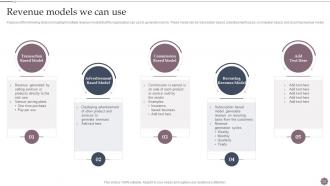
Slide 22: The following slide is to highlight multiple revenue models that the organization can use to generate income.
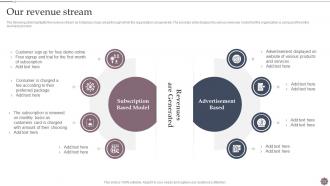
Slide 23: The following slide highlights the revenue stream as it displays major areas through which the organization can generate.
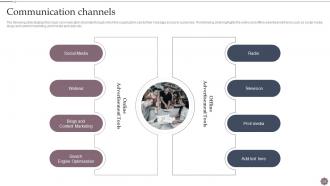
Slide 24: The following slide displays the major communication channels through which the organization sends their message across to customers.
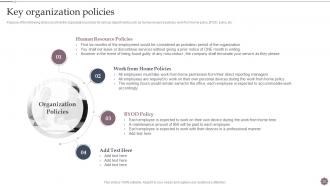
Slide 25: The following slide is to show the organization policies for various departments such as human resource policies, work from home policy, BYOD policy etc.
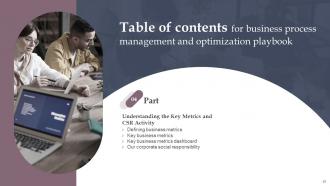
Slide 26: This slide exhibit table of content- Understanding the Key Metrics and CSR Activity.
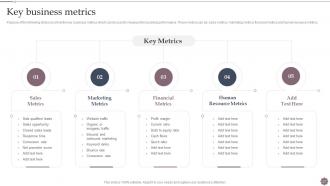
Slide 27: The following slide is to show the key business metrics which can be used to measure the business performance.
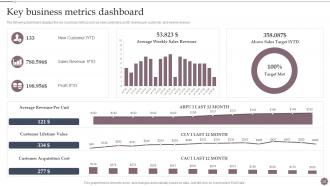
Slide 28: The following dashboard displays the key business metrics such as new customers, profit, revenue per customer, and weekly revenue.
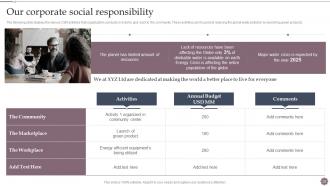
Slide 29: The following slide displays the various CSR activities that organization conducts in order to give back to the community.
Slide 30: This is the icons slide.
Slide 31: This slide presents title for additional slides.
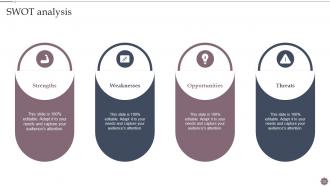
Slide 32: This slide presents SWOT analysis.
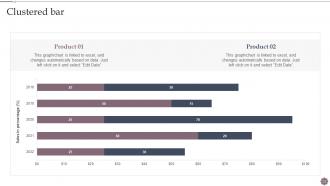
Slide 33: This slide exhibits Clustered bar for different products.
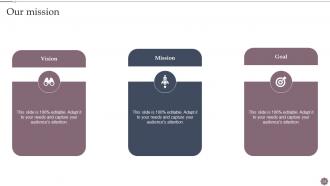
Slide 34: This slide presents your company's vision, mission and goals.
Slide 35: This slide presents About us.
Slide 36: This slide shows details of team members like name, designation, etc.
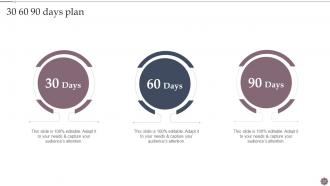
Slide 37: This slide depicts 30-60-90 days plan for projects.
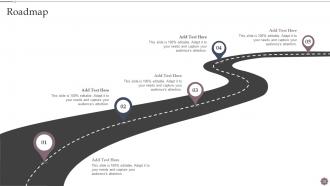
Slide 38: This slide display Roadmap.
Slide 39: This slide displays Venn.
Slide 40: This slide exhibits ideas generated.
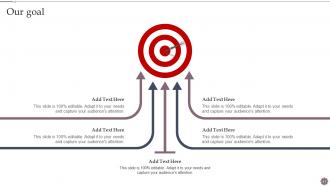
Slide 41: This slide display Our goal.
Slide 42: This is thank you slide & contains contact details of company like office address, phone no., etc.
Business Process Management And Optimization Playbook Powerpoint Presentation Slides with all 47 slides:
Use our Business Process Management And Optimization Playbook Powerpoint Presentation Slides to effectively help you save your valuable time. They are readymade to fit into any presentation structure.










FAQs for Business Process Management And Optimization Playbook
You're gonna need process mapping tools, workflow automation, and some decent monitoring dashboards. Oh, and integration stuff so it actually talks to your current systems. Start with mapping your processes visually - seeing everything laid out is honestly kind of eye-opening. Then automate the boring repetitive tasks (that's where you'll save tons of time). Real-time analytics are clutch for spotting bottlenecks before they become disasters. Just make sure the interface doesn't suck because getting different teams on board is already hard enough. Pick your most annoying process first and test it there.
Map out what you're doing now and find where things suck - long wait times, constant errors, people complaining. Your customers will straight up tell you what's broken, so listen to them. Track stuff like how long processes take and error rates too. Here's what I'd do: tackle the easy wins first. High impact but doesn't require moving mountains, you know? Those quick victories build momentum. Then hit the bigger messes later. Honestly, just ask your team what's driving them crazy day-to-day. They're in the trenches and know exactly where things get stuck.
Look, tech is what makes BPM actually manageable at scale. Automation handles the boring repetitive stuff. Workflow software pushes tasks to the right people. Analytics show you exactly where things are falling apart - which honestly can be pretty eye-opening. Integration tools connect all your different systems so data doesn't get stuck in silos. Without decent technology? You're basically running a modern operation with spreadsheets and sticky notes. Not fun. I'd start by seeing what tools you've already got, then tackle whatever bottleneck is driving you most crazy first.
So BPM lets you pivot fast when stuff inevitably changes. You can spot bottlenecks right away and tweak things without breaking everything else. Departments actually start talking to each other instead of working in their own little bubbles. Market shifts? Customer complaints? You're responding in days, not months. No more constant crisis mode - which honestly was exhausting at my last job. I'd start with mapping your biggest processes first. That's where you'll see real results quickly. Plus it gives you something concrete to show leadership when they ask what you've been up to.
Honestly, you need to track both the nuts-and-bolts stuff and the bigger picture. Look at cycle times, error rates, cost per transaction - that's your operational baseline. Business-wise, track customer satisfaction, employee productivity, ROI. But here's the thing - don't go crazy with metrics or you'll drown in data. Pick maybe 3-5 that actually align with what you're trying to fix. Oh, and measure everything before you change anything so you can prove it worked later. Even if your processes are kinda messy right now, start tracking today.
So first thing - map out your current workflows, then figure out where BPM can actually help. Most PM tools like Jira already have workflow stuff built in, you just gotta think more systematically about it. Pick one annoying repetitive process first (client onboarding is usually a good bet). Build a simple workflow around that. Your team will probably be skeptical at first, but once they see it actually saves time, they'll get on board. Then you can expand from there. Way easier than those expensive consultants want you to think it is.
Honestly, the biggest pain points are always people resisting change and executives who say they support it but don't actually commit resources. Nobody wants their daily routine messed with, even if the new way is better. Different departments guard their data like it's Fort Knox and refuse to work together. Then there's the tech nightmare - trying to make new BPM software play nice with whatever ancient systems you're already running. Oh, and companies never budget enough time or money upfront, which is wild because this stuff takes real investment. Start with just one process though. Get a quick win to show it works, then expand from there.
So process mapping is basically getting everyone to look at the same picture of how stuff actually happens at work. Right now everyone's got their own version in their head, which is chaos. You draw it out together - flowcharts, diagrams, whatever works. Honestly, it's amazing how quickly you'll spot the ridiculous bottlenecks and those random workarounds Jim's been doing since 2019. People start questioning why things work that way once they see it all laid out. Just pick one annoying process you deal with constantly and map that first.
Honestly, your BPM thing will crash and burn without getting people on board first. Talk to everyone - the folks doing the actual work, their managers, customers, IT people. They know where things are broken right now. Here's the thing though: people hate change when you spring it on them. I learned this the hard way on a project last year. But if you involve them from day one? They'll actually help you push it forward instead of fighting you. Start by figuring out who matters most, then check in with them regularly throughout the whole process.
Honestly, you've got to bake feedback into your BPM from the start. Talk to your actual users regularly - they'll tell you exactly where stuff falls apart. I track metrics but actually look at them for patterns (shocking concept, right?). Too many places just hoard data nobody ever reads. Make sure people can suggest fixes without getting thrown under the bus. Oh, and don't do massive overhauls - small tweaks work way better. I'd start with quarterly check-ins on your biggest processes and see how it goes from there.
Honestly, flowcharts are your best friend here - way better than those giant text blocks nobody reads. Document what actually happens, not what's supposed to happen (because we both know those are different things). Always explain WHY you're doing each step, not just what to do. That context will save people so much confusion later. Keep your naming consistent and make sure someone knows who owns each process. Here's the real test though - grab someone who's never done it before and see if they can follow your docs. If they're lost, everyone else will be too when you're out sick or whatever.
So basically BPM software puts your repetitive work on autopilot. Set up workflows that handle approvals, send notifications, update databases - all without you babysitting every step. It maps out your whole process and spots where things get stuck. Then you configure rules like "when X happens, automatically do Y." Honestly, it's pretty satisfying watching it all run smoothly. You'll free up so much time from boring tasks, and way fewer things slip through the cracks. Oh, and definitely start small - pick one simple process to test it out first.
Honestly, cultural change is make-or-break for BPM - way more than people realize. Your process redesign could be perfect, but if the team's not buying in? Dead in the water. Get people involved early instead of dropping changes on them out of nowhere. Show them how it actually makes their day easier (not just "more efficient" - nobody cares about that). I'd probably start small too. Quick wins build momentum better than trying to overhaul everything at once. People resist change naturally, but they'll come around if you don't make them feel steamrolled.
Honestly, most companies are sitting on goldmines of data they never touch. Grab your cycle times, error rates, resource stuff - whatever you've got. Analytics will show you exactly where things slow down or costs go crazy instead of just guessing. Set up some basic dashboards to track your main KPIs so you catch problems before they blow up. I'd start with just one process though - don't try to boil the ocean right away. You'll spot patterns pretty quick, like which steps always cause headaches. Way better than making decisions based on hunches.
So BPM is basically the big picture approach - you're mapping your whole process from start to finish, plus monitoring everything. Lean zeroes in on cutting waste (like those ridiculous handoffs that bog everything down). Six Sigma is the data nerd method for fixing defects and inconsistencies. But here's what's cool - they actually play nice together! Start with BPM to see what you're working with, then sprinkle in Lean and Six Sigma where they fit. Honestly, I'd go BPM first if you're just picking one. It gives you that foundation to build on later.
-
SlideTeam is my one-stop destination for templates. Highly recommended!
-
SlideTeam is a great place for PPT templates. They have many templates on a single topic. It has made my life a lot easier.