

Business Profile Powerpoint Presentation Slides





Try Before you Buy Download Free Sample Product
 Impress Your
 Audience
 100%
100% Editable
 Save Hours
 of Time


Become an idol for folks with our Business Profile Powerpoint Presentation Slides. Impress them with inspiring deeds.
People who downloaded this PowerPoint presentation also viewed the following :
Content of this Powerpoint Presentation
Slide 1: This slide introduces Business Profile. State Your Company Name and begin.
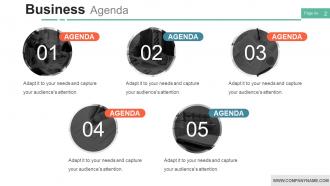
Slide 2: This slide presents Business Agenda. Add the business agenda and use it.
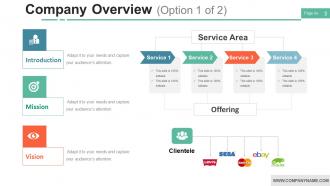
Slide 3: This slide shows Company Overview (Option 1 of 2) with these three points- Introduction, Vision, Mission.
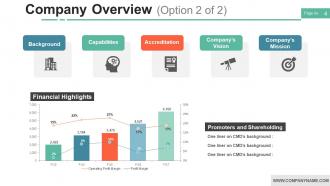
Slide 4: This slide presents Company Overview (Option 2 of 2) with these five stages- Background, Capabilities, Accreditation, Company’s Vision, Company’s Mission, Financial Highlights, Promoters and Shareholding.
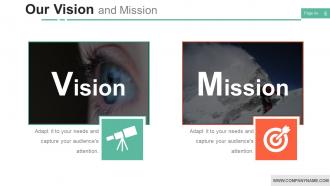
Slide 5: This slide showcases Our Vision and Mission.
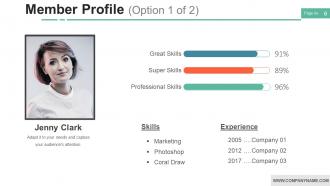
Slide 6: This slide shows Member Profile (Option 1 of 2).
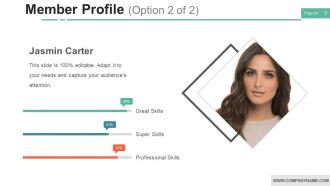
Slide 7: This slide showcases Member Profile (Option 2 of 2).
Slide 8: This slide showcases Departments and Teams.
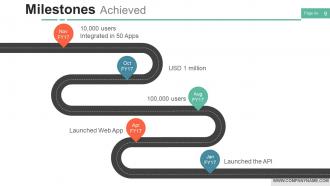
Slide 9: This slide shows Milestones Achieved timeline. Add the information and use it.
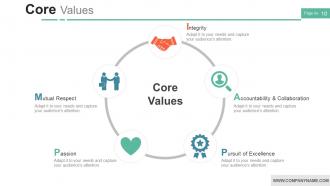
Slide 10: This slide presents Core Values with these six of the main we have categorized- Accountability & Collaboration, Pursuit of Excellence, Passion, Mutual Respect, Integrity, Core Values.
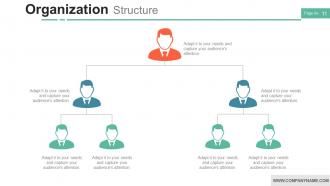
Slide 11: This slide shows Organization Structure. Add the details and use it for your own use.
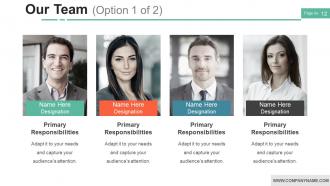
Slide 12: This slide showcases Our Team (Option 1 of 2).
Slide 13: This slide shows Our Team (Option 2 of 2) with name and designation.
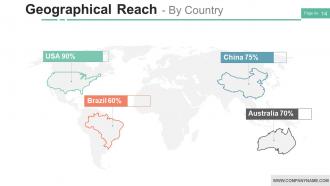
Slide 14: This slide presents Geographical Reach - By Country.
Slide 15: This slide shows What We Do which further showcases these of the three services- Graphic Design Services, Web Development Services, Web Design Services, Insert your short subtitle here to explain a little above title
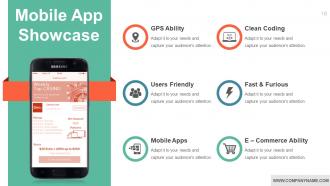
Slide 16: This slide presents Mobile App Showcase with these six of the factors- Users Friendly, Fast & Furious, Mobile Apps, E – Commerce Ability, Clean Coding, GPS Ability.
Slide 17: This slide presents Mobile App Showcase with these of the six factors- E – Commerce Ability, Mobile Apps, Fast & Furious, User Friendly, Clean Coding, GPS Ability.
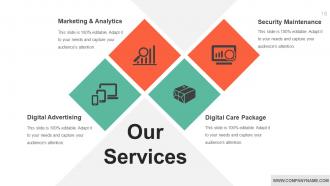
Slide 18: This slide showcases Our Services with these four of the listed category- Marketing & Analytics, Digital Advertising, Digital Care Package, Security Maintenance.
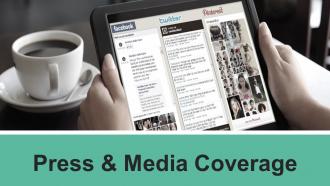
Slide 19: This slide presents Press & Media Coverage.
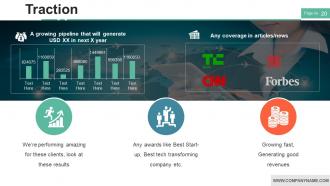
Slide 20: This slide showcases Traction with these of the main criterias- We’re performing amazing for these clients, look at these results, Any awards like Best Start-up, Best tech transforming company etc, Growing fast, Generating good revenues, A growing pipeline that will generate USD XX in next X year, Any coverage in articles/news.
Slide 21: This slide showcases How We Do E- Commerce (Option 1 of 2) Web Development, Database MYSQL. Finance App, Online Payment.
Slide 22: This slide presents How We Do Our Job (Option 2 of 2) with these of following stages- Design, Web, Video, Launch, Ideate, Brainstorm, Concept, Design, Coding.
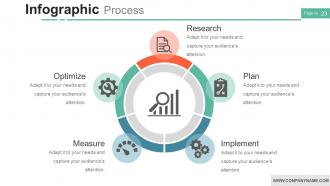
Slide 23: This slide shows Infographic Process which further showcases Research, Plan, Optimize, Measure, Implement.
Slide 24: This slide presents Coffee Time.
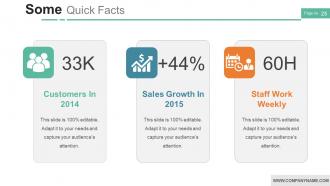
Slide 25: This slide presents Some Quick Facts.
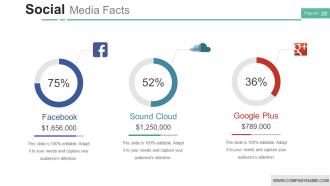
Slide 26: This slide showcases Social Media Facts with these three of the media facts- Sound Cloud, Google Plus, Facebook.
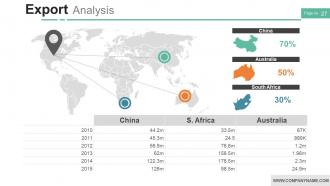
Slide 27: This slide shows Export Analysis with a table.
Slide 28: This slide showcases Icon Slide for Business Profile.
Slide 29: This slide is titled Additional Slides.
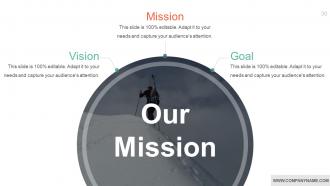
Slide 30: This slide represents Our Mission. State your mission, goals etc.
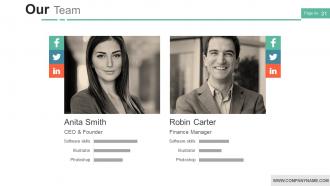
Slide 31: This slide showcases Our Team with Name and Designation to fill.
Slide 32: This slide helps show- About Our Company. The sub headings include- Creative Design, Customer Care, Expand Company.
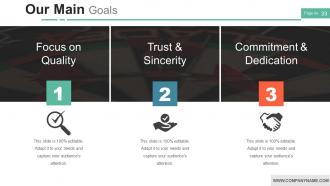
Slide 33: This slide shows Our Goals for your company.
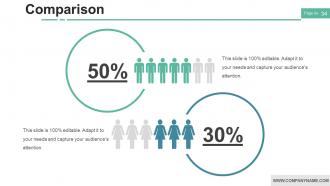
Slide 34: This slide shows Comparison of Positive Factors v/s Negative Factors with thumbs-up and thumbs down imagery.
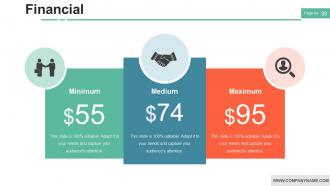
Slide 35: This is a Financial Score slide to show financial aspects here.
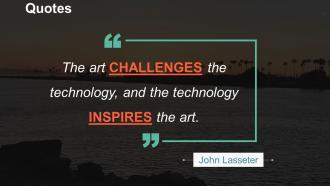
Slide 36: This is a Quotes slide to convey a message, beliefs etc.
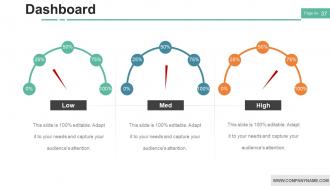
Slide 37: This is a Dashboard slide to show- Strategic System, Success, Goal Process, Sales Review, Communication Study.
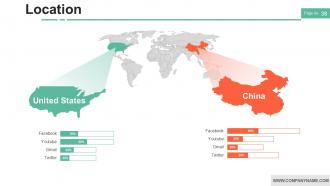
Slide 38: This is a Location slide to show global growth, presence etc. on a world map.
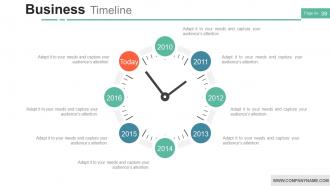
Slide 39: This is a Timelines slide to show- Plan, Budget, Schedule, Review
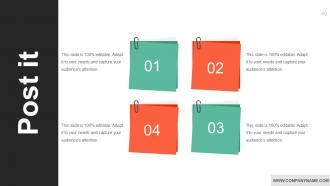
Slide 40: This slide shows an image with text boxes titled Business Person with Post It notes.
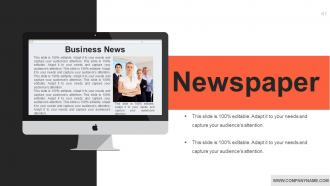
Slide 41: This slide presents a Newspaper image with text boxes to flash company news, position etc.
Slide 42: This is a Puzzle image slide to show information, specification etc.
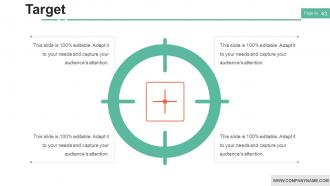
Slide 43: This slide displays Our Target with a background image.
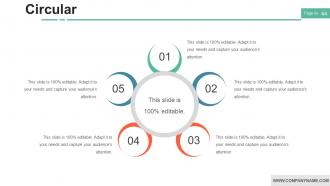
Slide 44: This is a Circular image slide to show information, specifications etc.
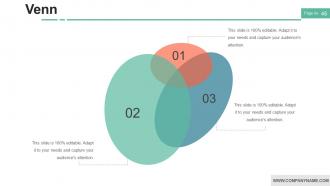
Slide 45: This is a Venn diagram image slide to show information, specifications etc.
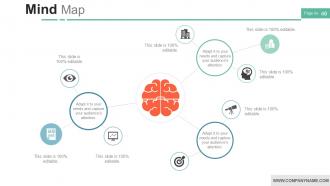
Slide 46: This slide shows a Mind map for representing entities.
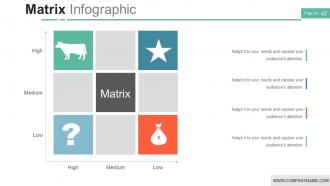
Slide 47: This slide showcases Matrix Infographic.
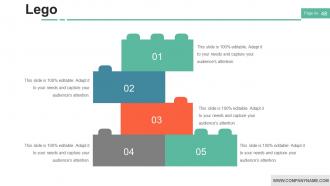
Slide 48: This is a LEGO slide with text boxes to show information.
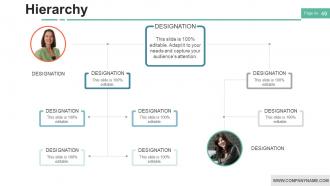
Slide 49: This slide shows Hierarchy.
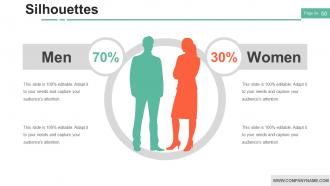
Slide 50: This is a People's silhouettes slide. Use it the way you want to show solutions etc.
Slide 51: This is a Bulb or Idea slide to state a new idea or highlight specifications/information etc.
Slide 52: This slide shows a Magnifying glass with text boxes.
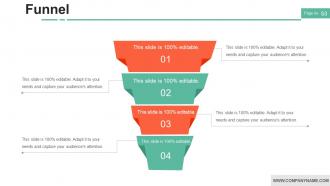
Slide 53: This is a Funnel slide. Showcase the funnel aspect of your team, company, product etc.
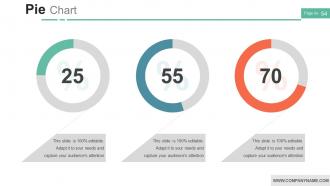
Slide 54: This slide displays a detailed Project Health card in pie charts, column graph with text boxes.
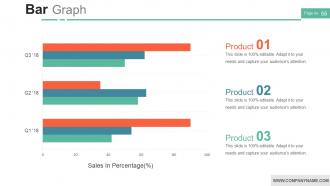
Slide 55: This slide presents a Bar graph in arrow form with text boxes.
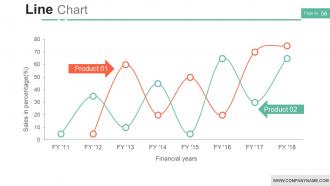
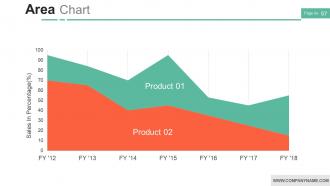
Slide 56: This is a Line Chart slide for product/entity comparison.
Slide 57: This slide shows Critical areas to be assessed and worked on.
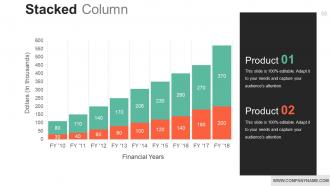
Slide 58: This slide shows a Stacked Line graph in terms of percentage and years for comparison of Product 01, Product 02, Product 03 etc.
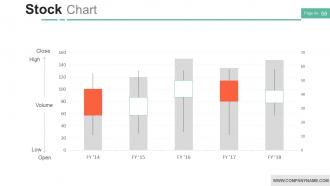
Slide 59: This slide displays a Stock Chart with volume as a parameter in terms of high and low, open and close.
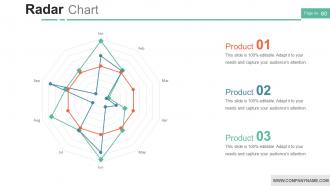
Slide 60: This is a Radar Chart slide for product/entity comparison
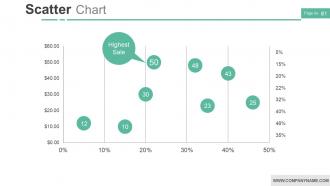
Slide 61: This is a Competitive Analysis Scatter Chart slide to present- Data Import, Example, Pricing, Support, Update, Tutorials, Easy to use, Users Interface.
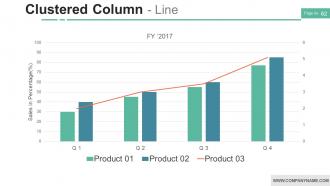
Slide 62: This slide shows a Clustered Column - Line.
Slide 63: This is a Thank You slide Email Address.
Slide 64: This is a Thank You slide with Address# street number, city, state, Contact Numbers, Email Address.
Business Profile Powerpoint Presentation Slides with all 64 slides:
Strike while its hot with our Business Profile Powerpoint Presentation Slides. Fashion the opinions of your listeners to your designs.









FAQs for Business Profile
Okay so first thing - make sure people actually know what problem you solve and why you started the business. That backstory stuff really hooks people. Then list your main services but focus on benefits, not just features. Definitely throw in some testimonials or big clients you've worked with. Social proof is huge. Oh and this might sound obvious but I've seen so many companies forget their contact info! Write it in your actual voice too, not like some stuffy corporate brochure. You want people reading it thinking "yeah, I'd want to work with these guys."
Templates basically give you a roadmap for telling your story - you know, like "challenge, solution, results" instead of just throwing random facts everywhere. They're honestly like training wheels for storytelling (which isn't a bad thing!). Most have spots marked for things like customer quotes or timelines too. The cool part is you can actually focus on your message instead of freaking out about how to organize everything. I mean, the layout's already done for you. Just find one that fits your industry and start filling it in. Way less stressful than starting from scratch.
Visual branding can totally make or break your business profile template. Colors, fonts, logo placement - that stuff tells your story before people even read anything. Pick 2-3 brand colors and stick with them throughout everything. Honestly, most people judge a business in like 2 seconds based on how it looks. Start with customizing the visual elements first, then deal with content later. Keep everything consistent so it doesn't look thrown together. Oh, and don't go crazy with fonts - I've seen way too many profiles that look like a ransom note!
Okay so first thing - figure out who you're actually talking to. Pick your top two audience segments and totally switch up your approach for each one. Gen Z wants TikTok vibes, boomers are still hanging out on Facebook, you know? Your tone should be completely different too. Focus on what's bugging each group specifically and show them testimonials from people just like them. Honestly, even your contact info and when you're online should match how they prefer to reach out. A/B test different profile versions - it's the only way to see what actually works instead of just guessing.
Biggest thing - don't cram tons of text on your slides. People can read, so just hit the key points. Those cheesy stock photos make you look lazy too, honestly. Use actual pics of your team or work instead. Focus on benefits, not just features. Like, why should clients care? And please don't read every word off the slides during your pitch. Super awkward. Your slides should back up what you're saying, not BE what you're saying. Keep it conversational and show what sets you apart from everyone else doing the same thing.
Yeah, cultural differences totally change how you should set up your profile. Some places want to see all your credentials and formal stuff upfront. Others are way more into storytelling and personal vibes first. Colors are weird too - like red's lucky in China but screams danger other places. Germans usually want super direct info with lots of details, while many Asian markets prefer humble language that focuses on relationships. Honestly, the easiest thing is finding someone from that culture to give you feedback before you go live with it.
Track how long people actually watch your presentation - that's honestly the best indicator right there. Click-through rates on any links you include matter too. But what really counts? How many people reach out afterward asking for meetings or wanting to work together. I'd also pay attention to the quality of leads you get, not just quantity. Set up a simple spreadsheet (yeah, old school but it works) to track everything for about a month after presenting. Don't forget the softer metrics either - audience questions during the presentation, follow-up conversations, even social media buzz if you're lucky enough to get some.
Okay so here's the thing - your social media is basically a goldmine for figuring out what to put in your business profile. Look at which posts blow up and what people actually comment about. If everyone's constantly asking about your sustainability stuff, then yeah, lead with that eco-friendly angle right up front. Pay attention to how your customers talk too - their actual words and tone - then just copy that vibe in your profile. I always check my analytics before I update anything because real data beats guessing every time. Oh and trending topics in your space? Total profile material right there.
Oh absolutely put testimonials in there! Pick 3-4 that actually tell a story instead of just "amazing work thanks!" - those are useless honestly. What you want are ones that mention specific results or problems you solved. Spread them around your whole profile too, don't just dump them at the end. Screenshots from Google reviews work really well since they look real and unedited. The mini-story ones are honestly my favorite because they show how you actually helped someone. Definitely hit up your best clients this week while it's fresh in your mind.
Honestly, don't just throw in multimedia to look fancy - make sure it actually backs up what you're saying. Use high-res photos of your actual work instead of those terrible stock images everyone recognizes. Videos are solid for testimonials but seriously, keep them under 2 minutes or people's attention dies. Half your audience will watch on mobile anyway, so test that everything loads fast. Oh, and definitely run through all your tech beforehand. I've seen way too many presentations crash right when someone's making their big point - it's painful to watch.
Look, you gotta stay on top of what your competitors are doing and shift your messaging when needed. Everyone's talking sustainability now? Time to push your green stuff harder. Set up quarterly checks to see what's happening in your space - I swear, some companies just copy each other endlessly. Update your value props and services based on what you find. It's basically like keeping your LinkedIn fresh but for your entire business. Short sentences work. Longer ones help break up the rhythm and keep things interesting. Put a reminder in your calendar right now or you'll forget.
Templates are total lifesavers - no more staring at that terrifying blank page! They give you a structure that's already proven to work, plus they follow industry standards so you won't accidentally leave out something important. I used to waste hours just figuring out what sections to include. The trade-off is you'll have less room for creativity, but honestly? You can always customize them later. My advice: grab a solid template first, then tweak it to match your style. Way better than starting from scratch.
You definitely need a call to action in your business profile - it's what gets people to actually reach out instead of just reading and moving on. Think of it like this: you've just told someone how great you are, but then what? They're sitting there wondering what to do next. Make it super clear with something like "Schedule a consultation" or "Get your free quote." Honestly, I see so many profiles that just... end. No direction whatsoever. Your CTA is basically your profile's mic drop moment - it tells people exactly how to work with you instead of leaving them guessing.
Okay so definitely go mobile-first since everyone's on their phones scrolling anyway. People are so over those cheesy stock photos now - they want real stuff. Post videos, show what actually happens behind the scenes, spotlight your team members being themselves. I swear authenticity wins over those perfect polished posts every single time. Your customers want to see actual humans, not some corporate robot vibe. Oh and if you've got a physical spot, definitely optimize for local searches. One more thing - keep posting fresh content regularly or you'll just disappear into the void.
Okay so here's what works: lead with your origin story - like why you even started this thing and what problem pissed you off enough to solve it. People actually care about purpose way more than boring profit stuff. Structure it like a story with the whole challenge-journey-transformation thing. Throw in real customer examples too. Most business profiles are painfully dull anyway, so you're already ahead. Don't hide the messy parts either - when you almost failed or had to pivot. Makes you seem human. Oh and end each section with "here's what this means for you" so they can picture themselves in it. Trust me on this one.
-
Very Detailed