


Call Center Improvement Strategies Powerpoint Presentation Slides





Try Before you Buy Download Free Sample Product
 Impress Your
 Audience
 100%
100% Editable
 Save Hours
 of Time


A call center is a centralized department that manages inbound and outbound calls from potential customers. Check out our professionally designed Call Center Improvement Strategies PowerPoint presentation. Firstly, It covers the company background information overview, geographical presence, organizational structure, and journey roadmap from 2008 to 2021. The deck also includes the solutions offered by the BPO company with inbound and outbound call volume rates. Furthermore, this Call Center Business Plan PPT includes the problems faced by the BPO center and its impact on the company. It also mentions the recent technological improvements in the industry and the strategies, including telephone etiquette for support agents and dealing with unsatisfied customers. Additionally, our performance management module includes the wrong and right approach to handling customers and Strategies for customer complaints and faults. It also mentions how to improve business processes with IT services, including IT services for BPO and training programs for call center agents. At last, the template highlights the improvement plans expected growth, including call center key performance indicators and dashboards. Download this 100 percent editable presentation and get access to our highly researched and skillfully designed product.
People who downloaded this PowerPoint presentation also viewed the following :
Content of this Powerpoint Presentation
Slide 1: This slide introduces Call Center Improvement Strategies. State your company name and begin.
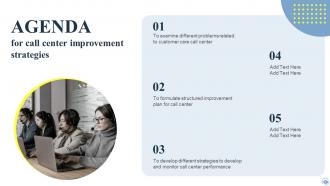
Slide 2: This slide states Agenda of the presentation.
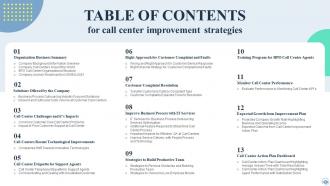
Slide 3: This slide shows Table of Content for the presentation.
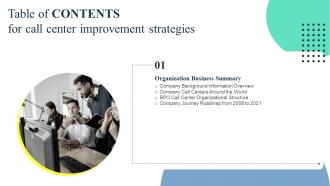
Slide 4: This slide highlights title for topics that are to be covered next in the template.
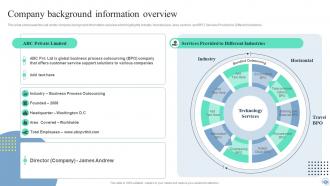
Slide 5: This slide presents Company background information overview.
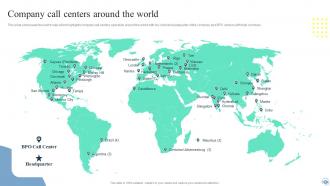
Slide 6: This slide displays Company call centers around the world.
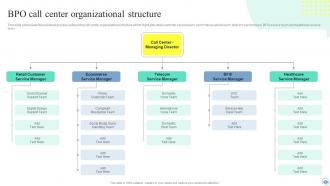
Slide 7: This slide represents BPO call center organizational structure.
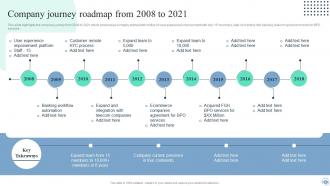
Slide 8: This slide showcases Company journey roadmap from 2008 to 2021.
Slide 9: This slide highlights title for topics that are to be covered next in the template.
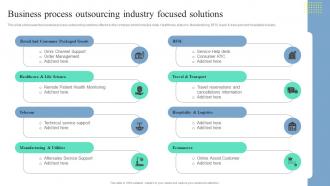
Slide 10: This slide shows Business process outsourcing industry focused solutions.
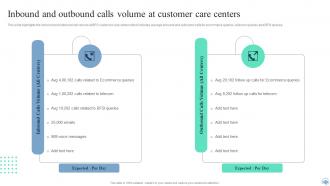
Slide 11: This slide presents Inbound and outbound calls volume at customer care centers.
Slide 12: This slide highlights title for topics that are to be covered next in the template.
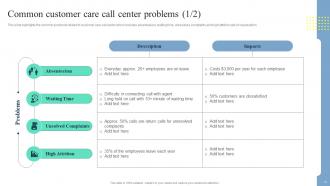
Slide 13: This slide displays Common customer care call center problems.
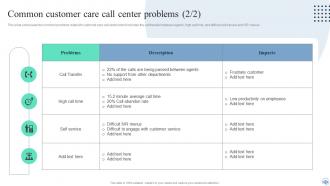
Slide 14: This is another slide continuing Common customer care call center problems.
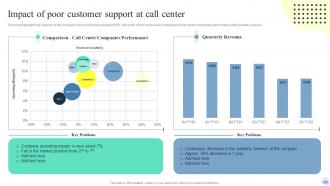
Slide 15: This slide presents Impact of poor customer support at call center.
Slide 16: This slide highlights title for topics that are to be covered next in the template.
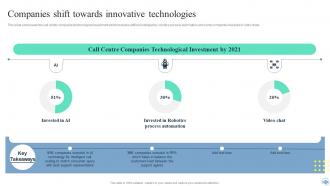
Slide 17: This slide represents Companies shift towards innovative technologies.
Slide 18: This slide highlights title for topics that are to be covered next in the template.
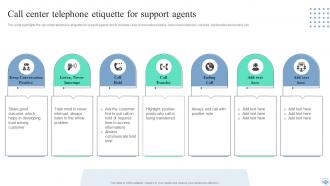
Slide 19: This slide showcases Call center telephone etiquette for support agents.
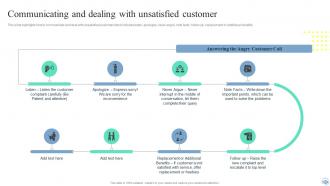
Slide 20: This slide shows Communicating and dealing with unsatisfied customer.
Slide 21: This slide highlights title for topics that are to be covered next in the template.
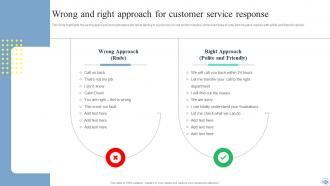
Slide 22: This slide presents Wrong and right approach for customer service response.
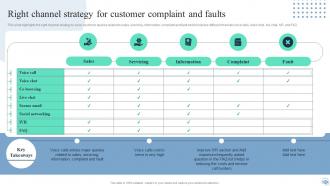
Slide 23: This slide displays Right channel strategy for customer complaint and faults.
Slide 24: This slide highlights title for topics that are to be covered next in the template.
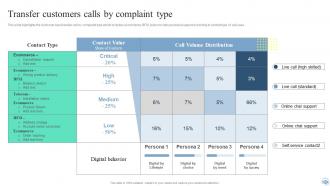
Slide 25: This slide represents Transfer customers calls by complaint type.
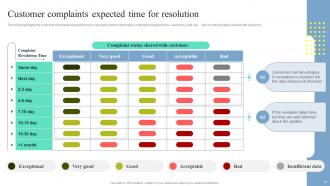
Slide 26: This slide showcases Customer complaints expected time for resolution.
Slide 27: This slide highlights title for topics that are to be covered next in the template.
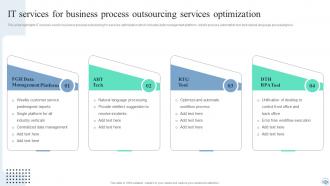
Slide 28: This slide shows IT services for business process outsourcing services optimization.
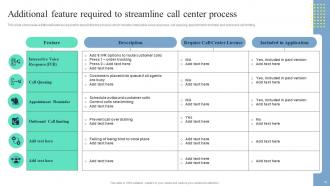
Slide 29: This slide presents Additional feature required to streamline call center process.
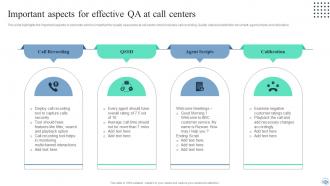
Slide 30: This slide displays Important aspects for effective QA at call centers.
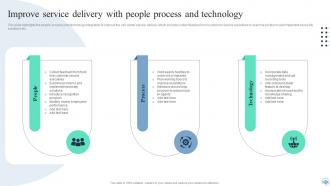
Slide 31: This slide represents Improve service delivery with people process and technology.
Slide 32: This slide highlights title for topics that are to be covered next in the template.
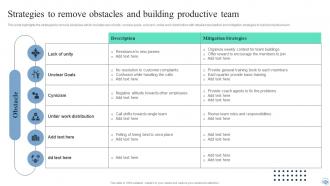
Slide 33: This slide showcases Strategies to remove obstacles and building productive team.
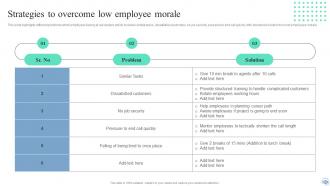
Slide 34: This slide shows Strategies to overcome low employee morale.
Slide 35: This slide highlights title for topics that are to be covered next in the template.
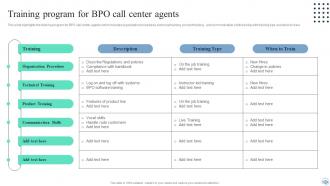
Slide 36: This slide presents Training program for BPO call center agents.
Slide 37: This slide highlights title for topics that are to be covered next in the template.
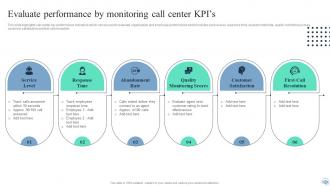
Slide 38: This slide displays Evaluate performance by monitoring call center kpi’s.
Slide 39: This slide highlights title for topics that are to be covered next in the template.
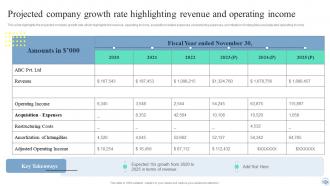
Slide 40: This slide represents Projected company growth rate highlighting revenue and operating income.
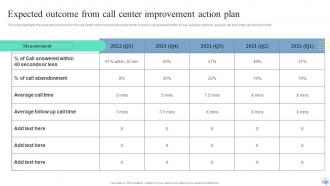
Slide 41: This slide showcases Expected outcome from call center improvement action plan.
Slide 42: This slide highlights title for topics that are to be covered next in the template.
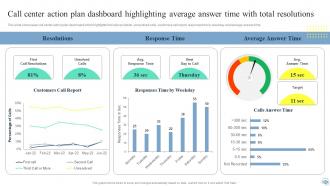
Slide 43: This slide shows Call center action plan dashboard highlighting average answer time with total resolutions.
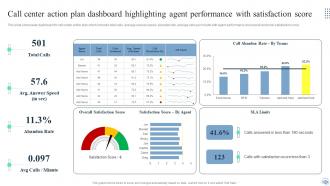
Slide 44: This slide presents Call center action plan dashboard highlighting agent performance with satisfaction score.
Slide 45: This slide contains all the icons used in this presentation.
Slide 46: This slide is titled as Additional Slides for moving forward.
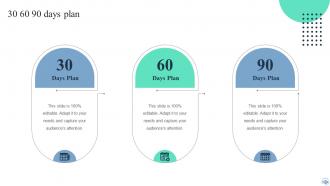
Slide 47: This slide provides 30 60 90 Days Plan with text boxes.
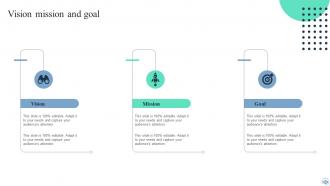
Slide 48: This is Our Mission slide with related imagery and text.
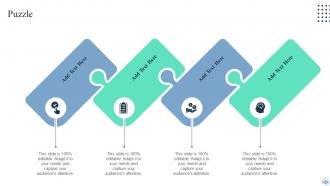
Slide 49: This slide contains Puzzle with related icons and text.
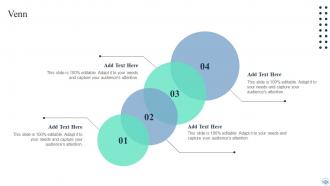
Slide 50: This slide depicts Venn diagram with text boxes.
Slide 51: This slide shows Post It Notes. Post your important notes here.
Slide 52: This is Our Team slide with names and designation.
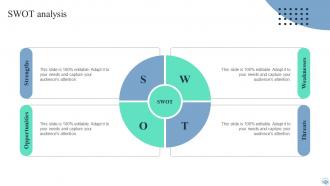
Slide 53: This slide shows SWOT describing- Strength, Weakness, Opportunity, and Threat.
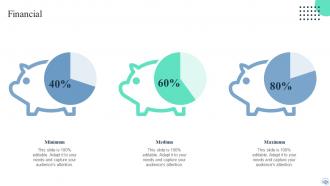
Slide 54: This is a Financial slide. Show your finance related stuff here.
Slide 55: This slide shows Circular Diagram with additional textboxes.
Slide 56: This is a Thank You slide with address, contact numbers and email address.
Call Center Improvement Strategies Powerpoint Presentation Slides with all 61 slides:
Use our Call Center Improvement Strategies Powerpoint Presentation Slides to effectively help you save your valuable time. They are readymade to fit into any presentation structure.






FAQs for Call Center Improvement Strategies
Honestly? Just track three things to start: First Call Resolution, Average Handle Time, and Customer Satisfaction scores. FCR is huge - it shows whether your team actually fixes stuff or just bounces people around (which drives everyone crazy). Handle time keeps you from getting too slow OR rushing people off calls. CSAT tells you if customers are pissed or not. I see companies try to measure like 15 different things and they end up paralyzed by all the numbers. Get good at these three first, then maybe add call abandonment rates later. Way easier than drowning in spreadsheets from day one.
Honestly, start with chatbots for your basic FAQ stuff - that alone will cut down so much noise. Your agents can actually focus on calls that matter instead of "what are your hours" for the millionth time. Smart call routing is huge too, gets customers to the right person faster. Real-time coaching suggestions during calls are pretty neat, though some agents find it annoying at first. You'll get analytics to predict busy periods and spot angry customers before they explode. I'd skip the fancy sentiment analysis initially - it's not as accurate as they claim. Quality monitoring becomes automatic, so less manual call reviews. Build it up gradually or you'll overwhelm everyone.
Definitely start with product training, then have them shadow experienced agents for at least a week. Role-playing scenarios help too, but make them realistic - not those weird generic situations nobody actually encounters. I'm a big fan of the buddy system over formal mentoring honestly. Let them practice tough calls while backup's still around. Oh and set those 30-60-90 day goals so they're not guessing what success looks like. The whole thing should be gradual - don't just toss them in and hope they figure it out. Track how confident they feel, not just their numbers.
Honestly, the biggest thing is just being upfront about wait times instead of that "your call is important to us" garbage everyone hates. Staff your busy hours better - I know it sounds basic but tons of companies mess this up. Callback options are a lifesaver so people aren't stuck listening to hold music forever. Queue position updates help too since callers can see they're actually moving forward. Track your call patterns by hour first though, that'll show you exactly where you're short-staffed. When people know what to expect, they won't hang up as much.
Hit these three things: first-call resolution, give agents real power to fix stuff, and reach out before problems blow up. Don't bounce customers around - that kills your scores fast. Let your team actually make decisions instead of just reading scripts. Honestly, I've watched companies obsess over call times when customers would rather have one decent conversation that solves their issue. Track how many problems you're actually fixing, not just how happy people sound. Oh, and follow up on feedback - sounds obvious but most places suck at it. Start with training your agents to think, not just talk.
Honestly, your customers are doing half the work for you already - they're telling you exactly what sucks. Mine through your surveys, call ratings, and social media complaints to find the patterns. Long hold times? Agents without proper info? It's usually pretty obvious stuff. Focus on fixing whatever's hitting the most people first, or whatever's costing you serious money. Don't wait for some big annual review either - set up ongoing feedback so you're always tweaking things. I'd start with the top 3 complaints that keep popping up everywhere.
Start planning like 2-3 months out, trust me on this. Look at last year's numbers to figure out how crazy it'll get, then hire temps to cover the surge. Cross-train your current people so they can jump between departments when needed. Your tech better be ready too - I've seen systems crash right when companies need them most, and it's a nightmare. Overtime incentives help keep people happy during the chaos. Oh, and set up callback options so customers aren't stuck on hold forever. Getting your staffing sorted early saves you from that last-minute panic scramble.
So workforce management is basically figuring out how many people you need working when calls are coming in. Look at your past call data first - that's where you'll spot the patterns. Then you can schedule the right number of agents without having too many sitting around or customers waiting forever on hold. Honestly, it sounds super dry but it actually makes or breaks your whole operation. When you nail it, your service levels improve, customers aren't pissed off, and your team isn't either burnt out or bored. Real-time monitoring helps too so you can adjust on the fly.
Honestly, cross-training your agents is a game changer. You'll eliminate those crazy bottlenecks when everyone's swamped because people can actually jump between different call types. Agents stay way more engaged too - nobody wants to answer the same billing questions all day, every day. It's boring as hell. When someone calls out sick, the rest of your team can cover without everything falling apart. Customers get helped faster, agents build better skills, and everyone's less stressed. I'd start with just two similar areas first though - don't go crazy right away.
Okay so three main things helped us when I was dealing with this. First, train your agents on the most common issues - like really drill them on those scenarios so they're not fumbling around. Get them quick reference sheets too because honestly, most time gets wasted just looking for basic info. Route calls to specialists right away instead of transferring people around forever. Your CRM should pull up customer info automatically (if it doesn't, that's your first problem right there). Oh and create self-service options for the simple stuff people always call about. Track your numbers weekly and tweak what's not working.
Dude, you've gotta take data security seriously - one breach will destroy everything you've built. Get PCI compliant first if you're taking payments. Encrypt customer data everywhere, and limit agent access to only what they need for their jobs. Most breaches happen because someone clicked the wrong link or whatever, so train your team regularly. Set up monitoring to catch weird access patterns. Have an incident plan ready to go. Oh and audit quarterly - I learned this the hard way but "good enough" never actually is. Trust me on that one.
Honestly, workplace culture makes or breaks call center performance. Happy agents stick around longer and customers can totally tell the difference - like, you can actually hear it in their voice when someone enjoys their job versus when they're miserable. Retention goes way up, customer satisfaction scores improve, the whole thing just works better. I've been in centers where people genuinely looked forward to work (wild, I know) and it showed in every single call. Recognition programs help a lot. So does letting agents actually solve problems instead of micromanaging them to death. Open communication too - people want to feel heard.
So call analytics is actually pretty solid for this stuff. Pull up your transcripts and look for keywords that keep showing up - things like "billing confusion" or "long wait times." I'd focus on the calls with crappy satisfaction scores first since those tell you where people are really pissed off. Honestly, the data usually reveals problems we didn't even know existed. Start with your top 5 complaint categories from last month. Those recurring themes don't lie, even when you think you've got customer service figured out. Fix the most frequent issues first - that's where you'll see the biggest impact.
Honestly, communication is everything with remote teams - way more than you'd think. Set up daily huddles and weekly one-on-ones, then document literally everything because people forget stuff when they're not face-to-face. I'd say overcommunicating beats leaving everyone confused any day. Make sure your agents have decent tech and can actually access what they need without jumping through hoops. Track their numbers but also throw in some social stuff - remote work gets lonely fast. Oh, and establish core hours when everyone's online together. That's been a game-changer for teams I've seen.
Honestly, visual aids are game-changers for getting everyone aligned. Templates cut down on so much confusion - like when someone writes cryptic handoff notes and you're sitting there like "what does this even mean?" Flowcharts make escalation processes way clearer, especially for new people who'd otherwise be drowning in walls of text. Your team won't miss critical details when they're rushing between calls either. I'd start with templates for whatever scenarios happen most often. Trust me, you'll save yourself hours of going back and forth trying to figure out what someone actually meant.
-
Thank you for offering such helpful pre-designed templates. They are really beneficial to me in my job.
-
Incredibly beautiful designs that will help you get noticed! These eye-catching templates are perfect for corporate presentations that can be altered to fit any occasion or taste.