

Circular wheel diagram 4




Try Before you Buy Download Free Sample Product
 Impress Your
 Audience
 100%
100% Editable
 Save Hours
 of Time


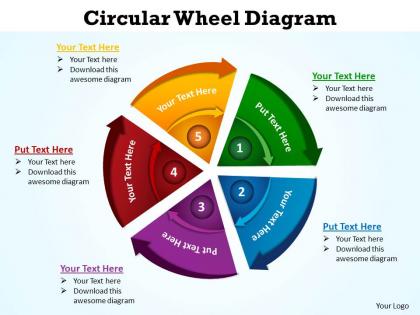
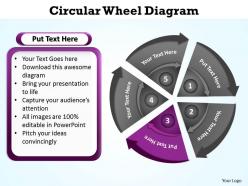
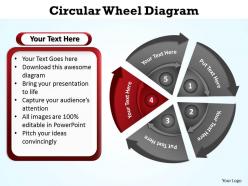
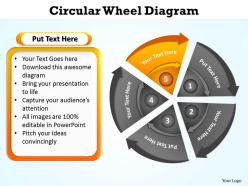
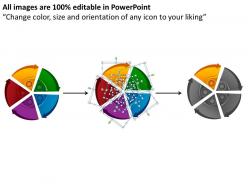
You can use this circular wheel diagram 4 PPT icon to prove your points and demonstrate them strongly. There may be a lot of points useful in planning the future sessions and make people participate in your presentation till the end, however this PPT template helps in showcasing each of them. A user can also demonstrate the future business goals while using this template icon. You can simply use circular wheel diagram for several add ones. Be it purchases within the saw, circular saw or anything; you can make use of this template design to portray the best things ever. This circular diagram makes use of variety of colors so that you can highlight the most important information while suppressing the least important factors. Exact presentation of the data in the form of charts and graphs can be literally useful if the data is presented effectively. Entrust your thoughts to the care of our circular wheel diagram 4. They will prove worthy caretakers.
People who downloaded this PowerPoint presentation also viewed the following :
Circular wheel diagram 4 with all 9 slides:
Your thoughts have put you on the brink of success. Our circular wheel diagram 4 will get you across.
FAQs for Circular
Honestly, circular diagrams just work better for certain stuff. Your brain naturally follows the flow when things connect back to each other - like showing a process that repeats or breaking down percentages. Pie charts are the obvious example, but they're also perfect for network relationships or any cyclical data. Plus they look way less corporate than those standard bar charts everyone's sick of. I actually prefer them when I'm trying to show how different pieces fit together. People can spot the connections immediately instead of having to think about it. Worth trying next time you've got interconnected data to present.
Honestly, circular diagrams are way better than those boring linear slides everyone uses. Your audience naturally follows the circle without getting lost in random bullet points. They're just more interesting to look at - I mean, who wants another bland presentation? Works amazing for processes that connect back to themselves or have parts that relate to each other. People stay engaged because their eyes flow around the circle instead of scanning walls of text. Perfect for workflows too. You should try one next time you're explaining something with multiple moving pieces that loop together.
Don't go crazy with too many segments - like 5-7 max or people's brains just shut off. I learned this the hard way lol. Start your most important piece at the top since that's where everyone looks first. Make sure the colors aren't all over the place and your text is big enough to actually read. If you're showing data, the sections need to match the numbers proportionally. Honestly, I always sketch these out on paper first - saves so much time later. Oh and get someone else to look at it before you're done. What seems obvious to you might be total gibberish to them.
Circular diagrams are clutch when you're dealing with stuff that loops back around - think feedback cycles or product lifecycles. Great for showing how different teams connect too, since nothing feels more important than anything else. I always reach for them in brainstorming sessions because they make everything feel collaborative instead of hierarchical. Plus they just look way cooler than those boring step-by-step flowcharts (sorry, traditional diagrams). Don't use them if you need to show clear rankings though. They're perfect when you want that "everything's connected" vibe rather than a straight line from A to B.
Complementary colors are your best friend for making key relationships pop in circular diagrams. Warm colors jump forward, cool ones sit back - super handy for creating layers. I always stick to 3-5 colors max or it gets messy fast. Group similar hues for related categories, but throw in high contrast where you need attention. Honestly, using the actual color wheel as inspiration feels a bit cheesy but it works. Analogous colors are perfect for showing connections between segments. Just test how everything looks when pieces sit next to each other first.
Honestly, Canva's your best bet if you need something quick and pretty - zero learning curve. Lucidchart's solid for team stuff, tons of templates too. Microsoft Visio is like... really powerful but sometimes feels like using a sledgehammer to hang a picture, you know? If you're doing technical diagrams, Draw.io is surprisingly good for a free tool. Same with yEd. I'd probably start with Canva unless you're doing serious collaborative work, then jump to Lucidchart.
So you put your main topic dead center, then everyone just tosses ideas around it in a circle. Super simple but it works way better than I expected. Nobody gets stuck following one person's train of thought because everything's visible at once. Plus there's no hierarchy thing going on - like, nobody's idea is "first" or "last." Just keep adding bubbles or branches as stuff pops up. The whole circular thing keeps people loose and creative instead of getting all linear about it. Honestly, try drawing a big circle next time instead of making lists. You'll see what I mean.
Honestly, circular diagrams are great when you're dealing with stuff that just keeps going in a loop. Think feedback cycles, iterative development, ongoing business ops - basically anything where there's no real "start here" point. Way better than those linear flowcharts that make everything look like it has a beginning and end. The circle format just clicks with people because they can actually see how each step flows into the next one. I mean, it sounds obvious but it really does make a difference. Next time you've got a repeating process to map out, definitely try the circular approach - your audience will get it way faster.
Use circular diagrams when your data flows in cycles or shows how parts connect to a whole. Perfect for seasonal trends, project workflows, or organizational charts. Pie charts work for percentages that total 100%, but honestly? Bar charts are usually way clearer. I see people forcing pie charts everywhere when they shouldn't. The data needs some natural circular relationship - like how marketing leads feed back into sales, then customer retention, then referrals. If you're just comparing random categories, go linear instead. Does your data loop back on itself somehow? That's your green light.
So I've been experimenting with this lately - try making your circle segments clickable! PowerPoint and Prezi both let you add hover effects or pop-ups to each section. Animated reveals work really well too, where parts light up as you click through. My personal favorite is the zoom-in thing where people can explore different areas themselves. Oh, and rotating elements are pretty cool if you're feeling fancy. Start simple though - basic hover effects don't need coding and they're surprisingly effective. You'll be amazed how much more people actually engage with interactive diagrams versus static ones.
Ugh, the worst thing people do is cram way too much text everywhere - like, nobody's gonna read a novel on your diagram. Also don't go crazy with colors because it just looks chaotic. Font sizes matter too - make them readable or you're basically trolling your audience. Oh, and if it's showing a process, you gotta make the flow super obvious. Where do I start? Which way do I go? People shouldn't have to guess. One more thing - test it on someone first. If they squint at it looking confused, you know you need to simplify. Trust me on this one.
So circular diagrams are great because they show how everything connects instead of just listing stuff out. You arrange things in a circle and boom—suddenly you can see the relationships and cycles that get lost in boring text blocks. Honestly, they're way easier to look at than bullet points. Your audience can follow each step while still getting the big picture, which is pretty cool. They're perfect for workflows or anything that loops back on itself. Next time you're explaining something complicated, try sketching it as a circle first. You'll probably notice connections you totally missed before.
So circular diagrams have been around forever - medieval scholars used them in religious texts to show how concepts connected. Pretty clever actually. Business folks picked up on this in the 1900s because circles work great for cyclical stuff and interconnected ideas. Way better than boring linear formats if you ask me. There's this psychological thing too where our brains just love completed loops and closure. Oh, and when you're making one, go clockwise since that's how people naturally read them. Makes the whole thing flow better.
Honestly, circular diagrams are perfect for this stuff. They show how your story loops back to where it started, which is way cooler than just listing things out. I use them all the time for processes or when I'm mapping out how different parts connect - customer journeys, problem-solving cycles, that kind of thing. Your audience can follow along super easily as you move around the circle. Complex stories suddenly make sense. Oh, and pro tip - start at the top and go clockwise. Trust me, it just flows better that way and people won't get lost.
Honestly, circular diagrams are so much better than boring bullet points for showing customer journeys or how your services connect. People actually engage with them longer since the circular format naturally guides your eye around. I've seen them work really well for "cycle of success" graphics - you know, those satisfying ones everyone shares on social media. They're perfect for breaking down complex processes too. Use them in presentations or as the main graphic on landing pages when you want to show how different concepts link together. Oh, and they make great interactive infographics if you're into that.
-
Good research work and creative work done on every template.
-
Easy to edit slides with easy to understand instructions.