

Cloud Computing Services Powerpoint Presentation Slides




Try Before you Buy Download Free Sample Product
 Impress Your
 Audience
 100%
100% Editable
 Save Hours
 of Time


Presenting our Cloud Computing Services PowerPoint Presentation Slides to help you thrive in this competitive market environment. Assure your customers with enterprise-grade cloud infrastructure products with the help of these computer system PPT templates. Take advantage of our computing resources PPT slides to highlight the cloud journey that includes market strategy, security, outsource IT management, control IT spend, and modernize applications. Employ this invigorating internet storage PowerPoint presentation to create a systematic and organized timeframe regarding the accomplishment of each stage successfully. Use these e-computing PPT designs to survey the challenges faced in the business like high operating costs, inflexibility, unexpected growth, and repetitive tasks. Elaborate on the solutions to optimize expenses, managing vendor relations, migration-related needs, and converting back-office activities by taking the aid of our customizable layouts. Educate your clients about the additional services your company offers on care, architecture, and application monitoring with the assistance of our cloud computing ppt slideshow. Utilize our storage management PPT deck and convey your mission, vision, goals, and objectives to your viewers in an attractive way.
People who downloaded this PowerPoint presentation also viewed the following :
Content of this Powerpoint Presentation
Slide 1: This slide introduces Cloud Computing Services. State Your Company Name and begin.
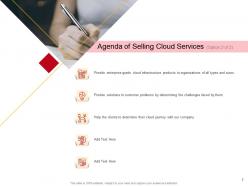
Slide 2: This slide shows Agenda of Selling Cloud Services with related imagery and text boxes.
Slide 3: This is another slide showing Agenda of Selling Cloud Services with related imagery.
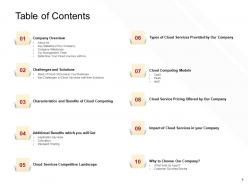
Slide 4: This slide displays Table of Contents describing- Company Overview, Cloud Computing, Challenges and Solutions, etc.
Slide 5: This slide showcases Table of Contents highlighting Company Overview.
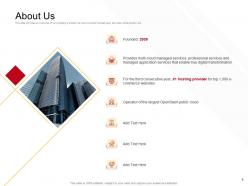
Slide 6: This is About Us slide to show company specifications etc.
Slide 7: This slide displays Key Statistics of Our Company describing- Countries and Regions, Availability Zones, Global Regions, etc.
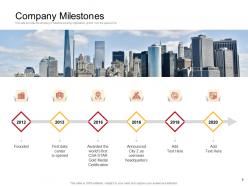
Slide 8: This slide shows Company Milestones with the help of a timeline.
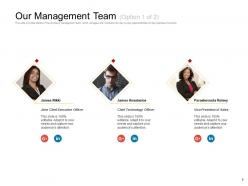
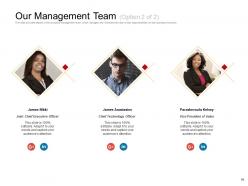
Slide 9: This slide shows Our Management Team with names and designation.
Slide 10: This is another slide showing Our Management Team with names and designation.
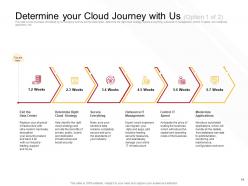
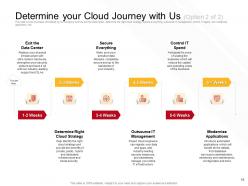
Slide 11: This slide presents Determine your Cloud Journey with Us.
Slide 12: This is another slide displaying Determine your Cloud Journey with Us.
Slide 13: This slide displays Table of Contents highlighting Challenges and Solutions.
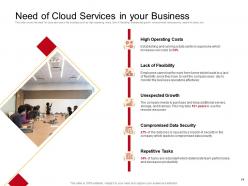
Slide 14: This slide shows Need of Cloud Services in your Business describing- Unexpected Growth, High Operating Costs, Compromised Data Security, etc.
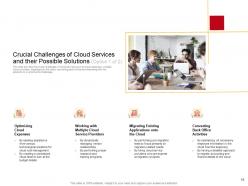
Slide 15: This slide presents Crucial Challenges of Cloud Services and their Possible Solutions.
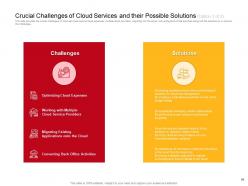
Slide 16: This is another slide displaying Crucial Challenges of Cloud Services and their Possible Solutions.
Slide 17: This slide represents Table of Contents highlighting Characteristics and Benefits of Cloud Computing.
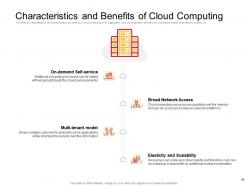
Slide 18: This slide showcases Characteristics and Benefits of Cloud Computing describing- Multi-tenant model, Elasticity and Scalability, On-demand Self-service, etc.
Slide 19: This slide shows Table of Contents highlighting Additional Benefits which you will Get.
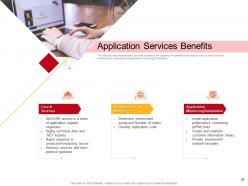
Slide 20: This slide presents Application Services Benefits describing- Care & Services, Architecture/Consulting, etc.
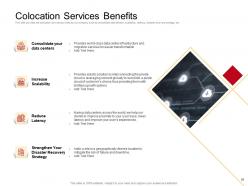
Slide 21: This slide displays Colocation Services Benefits describing- Consolidate your Data Centers, Increase Scalability, Reduce Latency, etc.
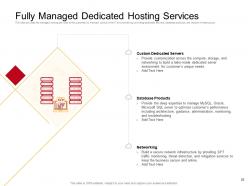
Slide 22: This slide represents Fully Managed Dedicated Hosting Services describing- Database Products, Custom Dedicated Servers, Networking, etc.
Slide 23: This slide showcases Table of Contents highlighting Cloud Services Competitive Landscape.
Slide 24: This slide shows Cloud Services Competitive Landscape in tabular form.
Slide 25: This slide presents Table of Contents highlighting Types of Cloud Services Provided by Our Company.
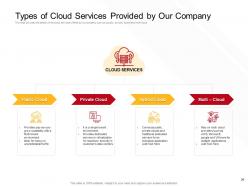
Slide 26: This slide displays Types of Cloud Services Provided by Our Company like Public Cloud, Private Cloud, Multi –Cloud, etc.
Slide 27: This slide represents Table of Contents highlighting Cloud Computing Models.
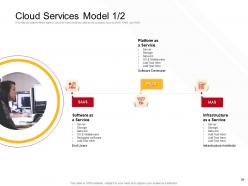
Slide 28: This slide showcases Cloud Services Model such as SAAS, PAAS, and IAAS.
Slide 29: This is another slide showing Cloud Services Model describing- Infrastructure, Software, platform, etc.
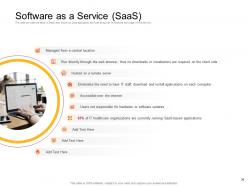
Slide 30: This slide presents Software as a Service (SaaS) such as- Managing from a central location, Accessible over the internet, Hosted on a remote server, etc.
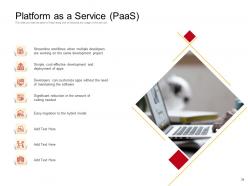
Slide 31: This slide displays Platform as a Service (PaaS) providing the detail of PaaS along with its features and usage of this service.
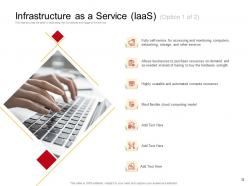
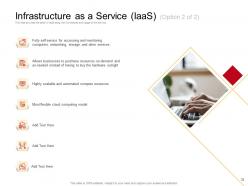
Slide 32: This slide represents Infrastructure as a Service (IaaS) describing its features and usage of this service.
Slide 33: This is another slide showing Infrastructure as a Service (IaaS).
Slide 34: This slide represents Table of Contents highlighting Cloud Service Pricing Offered by Our Company.
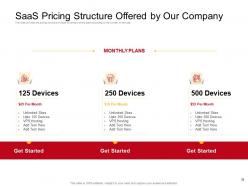
Slide 35: This side showcases SaaS Pricing Structure Offered by Our Company with variety of monthly plans.
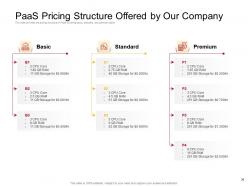
Slide 36: This slide provides the pricing structure of PaaS covering basic, standard, and premium plans.
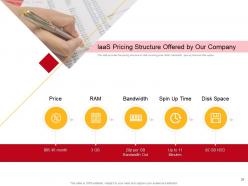
Slide 37: This slide shows IaaS Pricing Structure Offered by Our Company.
Slide 38: This slide presents Table of Contents highlighting Impact of Cloud Services in Your Company.
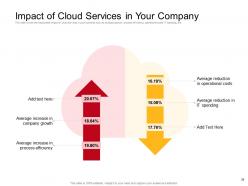
Slide 39: This slide displays Impact of Cloud Services in Your Company describing- Average increase in company growth, Average increase in process efficiency, etc.
Slide 40: This slide showcases Table of Contents highlighting Why to Choose Our Company?
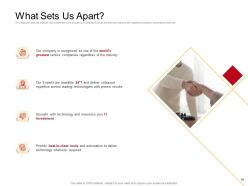
Slide 41: This slide is titled as What Sets Us Apart? with relatated imagery and icons.
Slide 42: This slide shows Customer Success Stories with images, names, designations, etc.
Slide 43: This slide displays Icons for Cloud Computing Services.
Slide 44: This slide is titled as Additional Slides for moving forward.
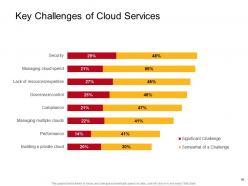
Slide 45: This slide shows Key Challenges of Cloud Services with the help of bar graph.
Slide 46: This is Our Awesome Team slide with names and designation.
Slide 47: This is About Us slide to show company specifications etc.
Slide 48: This is Our Target slide. State your targets here.
Slide 49: This is Our Mission slide with related imagery and text.
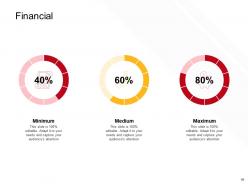
Slide 50: This is a Financial slide. Show your finance related stuff here.
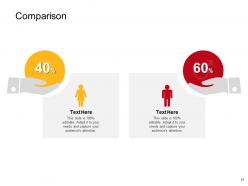
Slide 51: This is a Comparison slide to state comparison between products, commodities, etc.
Slide 52: This is Our Goal slide. State your firm's goals here.
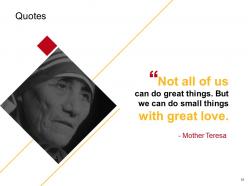
Slide 53: This is a Quotes slide to convey message, beliefs, etc.
Slide 54: This is a Puzzle slide with additional text boxes.
Slide 55: This is an Idea Generation slide to state a new idea or highlight information, specifications etc.
Slide 56: This is a Timeline slide. Show time intervals related data here.
Slide 57: This is a Thank you slide with address, contact numbers and email address.
Cloud Computing Services Powerpoint Presentation Slides with all 57 slides:
Use our Cloud Computing Services Powerpoint Presentation Slides to effectively help you save your valuable time. They are readymade to fit into any presentation structure.







FAQs for Cloud Computing Services
So there's basically three types you'll run into. IaaS is like renting raw computing power - virtual machines, storage, that stuff. AWS EC2 is probably the biggest example. With PaaS, they handle the infrastructure so you can just write code. Google App Engine does this pretty well. Then SaaS is just ready-made apps like Gmail or Slack that you use right away. The boundaries get weird sometimes though. Really it comes down to how much control you want vs. how much headache you're willing to deal with. Figure out what level of responsibility makes sense for whatever you're building.
Honestly, just think about what you actually want to deal with. IaaS gives you total control but you're stuck managing servers - only worth it if your team knows their stuff. For most projects though? PaaS is where it's at. You can build apps without the infrastructure headache. SaaS is basically plug-and-play for things like email or CRM. Quick way to decide: ask yourself if you want to build everything from scratch, just develop apps, or use ready-made tools. That'll tell you which direction to go pretty fast.
Biggest wins are dodging vendor lock-in and spreading risk around. Say AWS jacks up prices or has a massive outage - you're not totally screwed if you've got stuff running on Azure and Google Cloud too. You can also grab the best tools from each platform. Like, AWS kills it for storage but Google's AI stuff is pretty sweet. Management gets messier though, not gonna lie. Your team better know their way around multiple clouds or you'll create way more problems than you solve. The flexibility is worth it if you can pull it off right.
So cloud providers have tons of security layers - encryption, firewalls, identity management, regular audits. They get certifications like SOC 2 and HIPAA too. Honestly? The big guys like AWS and Azure probably have way better security than most companies could ever build themselves. But here's the thing - you still gotta configure your stuff right on your end. It's called shared responsibility or whatever. Oh, and definitely check out their compliance docs early and set up proper access controls. Don't be that person who leaves everything wide open by accident.
Look, cloud providers are basically your backup plan when everything goes sideways. They've got your data stored across multiple locations, so if disaster hits, you can get back online fast instead of panicking about lost files. Way better redundancy than most companies can afford solo - honestly, it's kind of a no-brainer. You get automated backups, failover stuff, recovery testing. Your whole business continuity thing becomes way more solid since you're not putting all your eggs in one basket. Just figure out which systems you actually need and match them with cloud services that fit your recovery timeframes.
Honestly, cloud computing is a game-changer for remote work. All your stuff - docs, apps, data - just lives online so anyone can access it from wherever. Multiple people can edit the same document at once (still blows my mind tbh), and changes sync instantly. Video calls work great, project tools run smooth, shared folders... all without your company needing fancy servers. Oh and your internet better be decent or you're gonna have a bad time! But yeah, your whole team can basically work like they're sitting next to each other even if someone's in Tokyo and another's in Denver.
So basically you'll spend way less upfront since you're not buying physical servers and all that hardware. Monthly fees will replace those costs though, and they can creep up on you. The best part? No more dealing with your own data center headaches - cooling systems, security, servers crashing at terrible hours. Honestly, that alone might be worth it. Just watch out for sneaky charges like data transfers and storage that balloons faster than you think. I'd crunch the numbers over maybe 3-5 years to see what makes sense for your setup specifically.
So SLAs are basically how cloud providers promise they won't screw you over - they guarantee uptime percentages (like 99.9%) and response times. If they don't deliver, you can actually get credits or refunds back. Pretty smart business move on their part since it keeps them motivated. Here's the catch though - some SLAs have weird exclusions buried in the fine print. I learned this the hard way once. When you're comparing providers, dig into what uptime they're actually promising and what you'll get compensated if things go sideways. That way you know what reliability you're paying for.
Honestly, data migration is gonna be your biggest pain point - that stuff always takes longer than expected. Your team will probably push back hard since they're used to how things work now. Downtime's inevitable during the switch, and don't get me started on trying to make your old software talk to new cloud systems. Costs can spiral fast if you're not watching usage like a hawk. I'd seriously recommend testing it with just one department first rather than going all-in. Also, budget way more for training than you think you need - trust me on that one.
Dude, cloud computing changes everything for agile teams. Instead of waiting weeks for hardware, you can spin up dev environments in minutes - it's honestly crazy fast. Your CI/CD pipelines automatically handle testing environments and deploy everywhere without managing servers. I mean, you only pay for what you use during sprints too. The scalability is nuts. Start with containerizing your apps and grab some cloud-native CI/CD tools. Your team's iteration speed will be completely different. Oh, and parallel builds become super easy which is a nice bonus.
Okay so cloud provider hunting - here's what actually matters. Security and compliance first, especially if you're in a regulated industry. Cost comparison is tricky though, because the advertised prices never tell the whole story with all those sneaky fees. Performance wise, check their uptime promises and see if their setup can handle what you're throwing at it. Integration is huge since it needs to work with whatever mess of systems you already have (we all have that one legacy thing, right?). Support quality varies wildly between providers, so dig into that. Honestly, just pick your top 2-3 and run pilot projects - nothing beats real-world testing.
Honestly, cloud scaling is pretty sweet - you can bump up resources when you need them and dial back when you don't. No more buying a bunch of servers that just sit there collecting dust half the time (seriously, what a money pit). During busy periods, it'll automatically add more computing power or storage. Quiet times? It scales back down. You're only paying for what you actually use, which is nice. Most platforms have auto-scaling too, so you set it up once and you're good to go. Way better than guessing what you'll need upfront.
Honestly, cloud computing is way better for the environment than most people think. Instead of every company running their own servers constantly, you're sharing resources - which is just smarter. AWS, Google, those big players are dumping tons of money into renewable energy and can optimize their data centers like crazy. Most companies can't compete with that efficiency. Sure, the total energy use is still massive because of the scale, but per unit of computing? Much cleaner. I always tell people to pick providers who actually care about green energy and don't go overboard with what you need.
Serverless and edge computing are definitely worth watching - total game changers for performance. Everyone's going multi-cloud now because vendor lock-in sucks (trust me on that one). AI/ML stuff is getting way easier to use through cloud platforms, which is pretty cool. Green initiatives are pushing more sustainable options too. Kubernetes is basically everywhere at this point - kinda hard to avoid it. My advice? Pick maybe two things that actually fit what you're doing now and test them out. Don't go crazy trying to adopt everything at once, you'll just burn yourself out.
Here's the thing - storage works totally different across cloud models. IaaS like AWS gives you those raw storage volumes you configure yourself, basically virtual hard drives. PaaS platforms handle that stuff for you but you're stuck with whatever they offer. SaaS? You don't even think about it since it's all hidden away. Honestly, the whole thing comes down to control vs convenience. I'd probably start by figuring out what storage you actually need first, then just pick whichever model fits best. Sometimes you want that flexibility, other times you just want it to work without the headache.
-
Innovative and attractive designs.
-
Amazing product with appealing content and design.
-
Appreciate the research and its presentable format.
-
Excellent template with unique design.