

Corporate training workshop proposal powerpoint presentation slides




Try Before you Buy Download Free Sample Product
 Impress Your
Audience
 100%
Editable
 Save Hours
of Time


Upskilling their employees is a great way for maintaining a productive workspace culture in the corporates. Communication skills, formal presentations, professional conduct and etiquettes, technical training, etc can all be taught to employees to increase their efficiency. Corporate training also helps boost employees’ dedication towards their firm. Investing in their development tells them that the company they work for cares about their success. With the Corporate Training Workshop Proposal PowerPoint Presentation Slides, propose your company’s expert guidance for upskilling your client firm’s employees. Introduce your projected agenda via a smartly written cover letter of this technical training PPT. Go through all the salient points of your complete presentation in the table of contents included within this training module Powerpoint deck. Separate slides have been dedicated for explaining the workshop context, firm offerings, training objectives, teaching schedule, pricing, etc inside this aesthetically planned employee upskilling PPT layout deck. Detail the relevance of different topics like foreign language training, corporate training, professional development, as well as personality development in the company offerings PowerPoint deck. With smartly planned bullet point slides, describe in detail your project context and project objectives in this training proposal PPT deck. Exhibit your proposed plan of action with aesthetically developed info-graphic charts that have been organized to portray each stage of your planning agendas with specific icons. Discuss the different skills in which your team will train the employees of your client like business ethics and value, MS tools, interpersonal skills in this employee education workshop proposal PPT deck. Educate your potential client company about the merits of social media presence and the professional maintenance of the same via this corporate training PowerPoint theme. Additional slides with subject-related icons and info-graphics have been included at the end of this employee induction proposal PPT deck to ease user customization. Download this presentation proposal for employee training to boost your business ratings.
People who downloaded this PowerPoint presentation also viewed the following :
Content of this Powerpoint Presentation
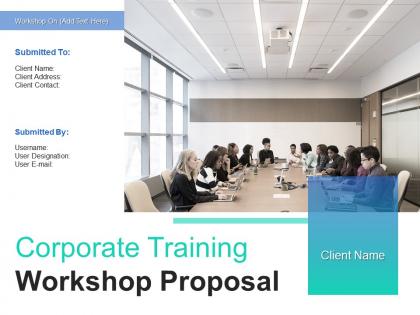
Slide 1: This slide introduces Corporate Training Workshop Proposal. State User details and Client details.
Slide 2: This slide displays Cover Letter for Corporate Training Workshop.
Slide 3: This slide displays Table of Content.
Slide 4: This slide showcases Context for Corporate Training Workshop Proposal.
Slide 5: This slide describes Our Offerings for Corporate Training Workshop Proposal such as- Corporate Training, Professional Skill Development workshop, Foreign Language Training, Personality Development Training, Skill Workshops, etc.
Slide 6: This slide showcases Our Offerings for Corporate Training Workshop Proposal.
Slide 7: This slide depicts Workshop Objectives for Corporate Training Workshop.
Slide 8: This slide showcases Workshop Schedule for Corporate Training Workshop. We have mentioned the detailed schedule and timeline of our social media Workshop.
Slide 9: This slide depicts Our Pricing for Corporate Training Workshop Proposal.
Slide 10: This is About Us slide to showcase Company specifications. Write few short lines about company introduction displaying years in service major projects accomplished and various certifications received .
Slide 11: This slide displays Case Study for Corporate Training Workshop Proposal.
Slide 12: This slide shows Certifications. Use this slide to flaunt your certifications, add image of the certificate in the provided space
Slide 13: This slide shows Certifications. We have listed down the major certifications wrt to the quality standards which an organization can attain. You can choose the relevant one and grey out the rest.
Slide 14: This slide presents Corporate Training Workshop Leaders. Write key credentials and major highlights of the Workshop Leader.
Slide 15: This slide presents Corporate Training Workshop Leaders. Write key credentials and major highlights of the Workshop Leader.
Slide 16: This slide displays Client Testimonial.Showcase Extreme professionalism and work ethics were shown by Your Company.
Slide 17: This slide depicts Next Step for Corporate Training Workshop Proposal.Once you are satisfied with our proposal you can send a signed copy to us either by mail or by post.
Slide 18: This slide displays Terms and Conditions for Corporate Training Workshop Proposal.
Slide 19: This is Contact Us slide with Company logo, Phone number and Address.
Slide 20: This slide is titled as Additional Slides for moving forward.
Slide 21: This is Icons Slide for Corporate Training Workshop Proposal.
Slide 22: This slide depicts Our Mission Vision Goal.
Slide 23: This slide also depicts Timeline process.
Slide 24: This slide displays Roadmap for Corporate Training Workshop Proposal.
Slide 25: This is 30 60 90 Days Plan slide.
Corporate training workshop proposal powerpoint presentation slides with all 25 slides:
Use our Corporate Training Workshop Proposal Powerpoint Presentation Slides to effectively help you save your valuable time. They are readymade to fit into any presentation structure.


FAQs for Corporate training workshop proposal
So basically we're trying to help people get better at their jobs and stick around longer - nobody wants to keep hiring all the time, you know? The program covers technical stuff for your specific role plus general things like communication and leadership. Performance and satisfaction scores should go up, which honestly we need since other companies are already doing this. Oh, and you'll start seeing changes pretty quick, like within three months. We're doing regular check-ins to track how it's going.
Start with your actual business goals and work backwards. What's blocking you from hitting those targets? That's where your training budget should go. Honestly, I've watched companies blow money on feel-good workshops that sound impressive but change nothing. Pick your top 3 priorities first. Expanding into new markets? Train on customer acquisition or cultural stuff. Want better efficiency? Focus on process improvement or tech skills. The trick is being super specific about connecting training to real results you can measure. Don't just chase whatever's trendy right now.
So basically they're targeting three big problem areas: digital skills (our new software is kicking everyone's butt), departments not talking to each other, and people being awful at feedback without making it awkward. Project management and data analysis will probably see the biggest changes - that's where we're bleeding money anyway. Leadership development got thrown in there too, which honestly makes sense with all these promotions lately. Oh, definitely check out section 3 though. The competency breakdown is pretty eye-opening - shows you exactly where your team's struggling.
So you're looking at mid-level managers and team leads - people who got promoted from doing the actual work to managing people (which honestly is a totally different beast). Target anyone who's been supervising for under two years, that's the sweet spot. These are your department heads who aren't quite C-suite yet but have teams reporting to them. The program hits the basics they desperately need: feedback, meetings that don't suck, dealing with conflict. Trust me, spreadsheets don't talk back or have feelings, but people do. Focus on the newer managers - they'll get the most out of it and their teams will actually stick around.
Go hybrid, trust me. Save your in-person stuff for the things that actually need it - hands-on training, team building, leadership workshops where people need to read the room. Virtual works fine for boring compliance stuff and follow-ups (even though we're all Zoomed out at this point). You'll get the relationship building when it matters but still keep costs down. I'd start with like 70% virtual, 30% face-to-face and see how people react. Then just tweak it from there based on what actually lands with your team.
So we'll do before/after assessments plus feedback surveys to see what's actually sticking. The real magic happens when you track behavior changes 3-6 months later - that's where you see if people are actually using this stuff day-to-day. Quarterly reports will show skill improvements and workplace application rates. Honestly, the feedback stories are gold because you find out what really resonated. We can also tie it to your team's KPIs like productivity or customer scores. Oh, and definitely do a quick check-in with team leads around 30 days post-training. You'll catch the early wins and any issues before they become bigger problems.
Honestly, start with getting the department heads on board - that's half the battle right there. You'll want someone to coordinate everything, preferably with some training background. Conference rooms should work fine if they're available, otherwise you might need to rent space. Tech stuff is easy - just projectors, laptops, decent wifi. Budget for facilitator costs and printing materials, plus all that employee time. Full-day sessions? Definitely spring for food or you'll have a mutiny on your hands. Once you know how many people and rough dates, booking everything else falls into place pretty quickly.
So the full training thing is gonna run about $45K total. Most of that ($25K) goes to the external facilitator, then $12K for materials and licenses, plus $8K in employee time. I know it sounds like a lot, but honestly? When you break it down per person it's only $300 each for 150 people across three departments. The big spending hits in Q2 with the core modules. Did you check that detailed breakdown I sent yesterday? You'll want that when you pitch to leadership - makes the numbers way easier to defend.
Honestly, start with surveys before anything kicks off - figure out what they actually care about. Skip the boring PowerPoint dumps and do interactive stuff instead. Mix it up with hands-on activities, group discussions, maybe some game-like elements if your crowd's not too serious about everything. Make sure it connects to real problems they face daily, not just random theory. Find a few enthusiastic people to be your cheerleaders between sessions - that helps tons. Oh, and ask for feedback constantly, then actually use it to tweak things. People notice when you ignore their input.
Yeah totally! Most training companies actually love when you ask for industry-specific case studies. Makes everything way more relevant than generic examples. Your employees will actually pay attention instead of zoning out - trust me on that one. You can either use cases from the vendor's existing stuff or work together to create custom scenarios. Obviously the custom route costs more but it's worth it. Just heads up though - if you want to use any real situations from your company, run it by legal first. Don't want any drama over confidential info.
Honestly? Plan on 8-12 weeks for most corporate training stuff. Development eats up like 4-6 weeks - depends how complicated it gets and how many people want their input (spoiler: it's always more than expected). You'll burn another 2-3 weeks on pilots and fixes. Then rollout takes another few weeks too. Simple workshops might hit 6 weeks if you're lucky. But anything with e-learning or multiple departments? Yeah, you're hitting that 12-week timeline for sure. Oh, and definitely add 20% buffer time when you pitch it upstairs - trust me on that one.
Totally! Start by asking your team what they actually prefer - surveys work great for this. Visual people love infographics and videos, while hands-on learners need workshops or simulations. Don't forget discussion groups and podcasts for the auditory folks. Self-paced modules are clutch too since some people just learn slower (or faster honestly). Mix everything up throughout the program instead of doing all lectures or going completely online. I'm a big fan of variety - keeps people engaged way better than sticking to one format.
So they actually have a decent plan to make sure you don't just forget everything. Within 48 hours you'll get recap emails with the main points, plus there's this resource hub with templates and stuff you can actually use. Your manager gets briefed on how to support you too - which is nice since most bosses have no clue what you just learned. They do a 30-day check-in survey to see how it's going. Oh, and here's the cool part: they're pairing people up as practice buddies for accountability. Smart move honestly.
Okay so here's what works: hit them with a quick digital survey right after each session while it's still fresh. During breaks, do those casual verbal check-ins too - people say way more honest stuff when they're just talking, you know? Then circle back in like 30 days with another short survey to see what they're actually using. Oh and keep surveys super short, maybe 5 questions tops. Otherwise people just delete your emails. The 30-day follow-up is honestly the most telling part since that's when you see what training actually stuck versus what sounded good in the moment.
So you get 25 PDUs through PMI which is clutch for maintaining your PMP cert. There's also some internal certificate from L&D that goes in your HR file - honestly forgot about that one until now. The PDUs are what really matter though since they actually have value when you're job searching. It's all accredited through IACET too, so it's legit if you ever want to bounce to another company. Definitely throw both on your LinkedIn when you finish. The whole program's pretty solid for what it is.
-
Top Quality presentations that are easily editable.
-
Excellent work done on template design and graphics.
-
It saves your time and decrease your efforts in half.
-
Colors used are bright and distinctive.