

Data Migration Strategies Powerpoint Presentation Slides





Try Before you Buy Download Free Sample Product
 Impress Your
 Audience
 100%
100% Editable
 Save Hours
 of Time


Data migration is a key consideration of any system implementation. Discuss the data transfer plans with this content ready Data Migration Strategies PowerPoint Presentation Slides. Data transformation plan PowerPoint complete deck is a systematic presentation which includes PPT slides such as data migration approach, steps, a simplified illustration of data migration steps, lifecycle, process, data migration on the cloud, and many more. Besides this, data transfer plan PPT slides are apt to present related concepts like data conversion, data curation, data preservation, system migration to name a few. The content ready information transfer PPT visuals are fully editable. You can modify, color, text, and font size. It has relevant templates to cater to your business needs. Outline all the important concepts without any hassle. Showcase the process of selecting, preparing, extracting and transforming data using this professionally designed information migration plan presentation design.
People who downloaded this PowerPoint presentation also viewed the following :
Content of this Powerpoint Presentation
Data migration refers to the process of transferring data from one system to another. The process is complicated yet calculated, which requires planning and execution. A company is usually involved in the process of data migration when it upgrades its system or software and consolidates data from multiple sources as a strategy to pave the way for success. To achieve efficiency and implement new strategies, organizations engage in data migration. While transferring data from one system to another, one must extract data carefully from one source and transfer it to the desired system in a compatible format.
Download our Cloud Data Migration Approach Strategy Description Facilitators!
The data must be migrated from one system to another without any loss. To ensure the data transfer takes place without any damage, you must have a clear idea of the data migration approach you are going with and subsequent steps. SlideTeam has prepared customizable PPT slides to help you outline the various processes involved in the data migration and extraordinarily demonstrate them. These PPT templates will design a ready-to-use layout for the data migration process and highlight the steps and approaches involved.
If you are interested in creating a roadmap for data migration, here are some customizable PPT templates for you!
Template 1: Data Migration Approach
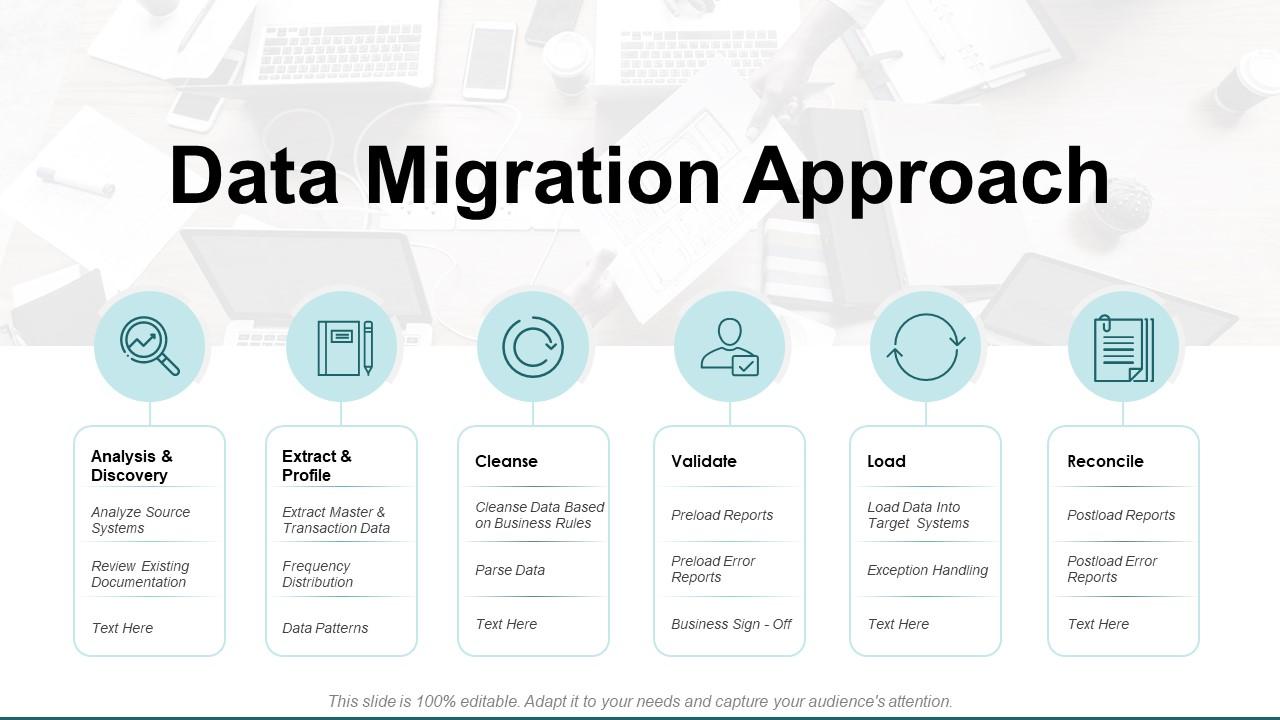
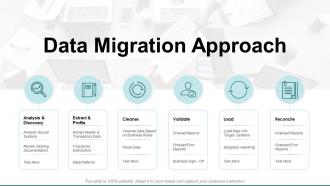
Before you transfer your data, you must have an approach in mind what things you will do and what not. This template will provide you with a customizable layout for your data migration approach. Through the innovative icons, you can highlight the various steps involved in the data migration approach like analysis & discovery, extract & profile, cleanse, validate, load, and reconcile. You will get a clear idea of what things to do first while you migrate the data from one system to another.
Template 2: Data Migration Steps
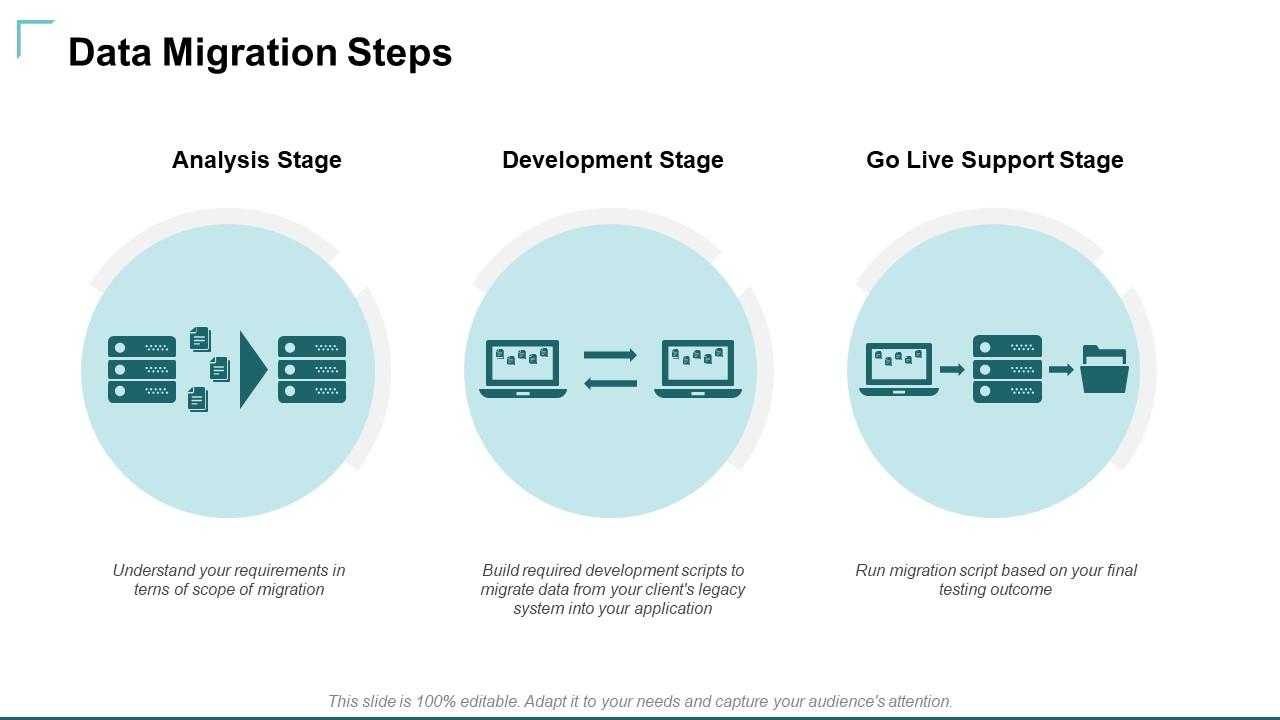
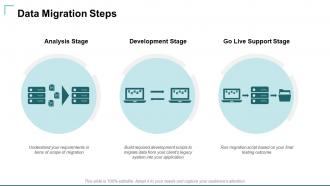
The content you want to transfer goes through various stages before it lands in the desired system. This template will help you demonstrate the various steps through which data goes: the analysis stage, development stage, and go live support stage. You can easily filter out the data, which data should be transferred, and various other stages that are involved before transferring the data through this ready-to-use template.
Template 3: Simplified Illustration of Data Migration Steps
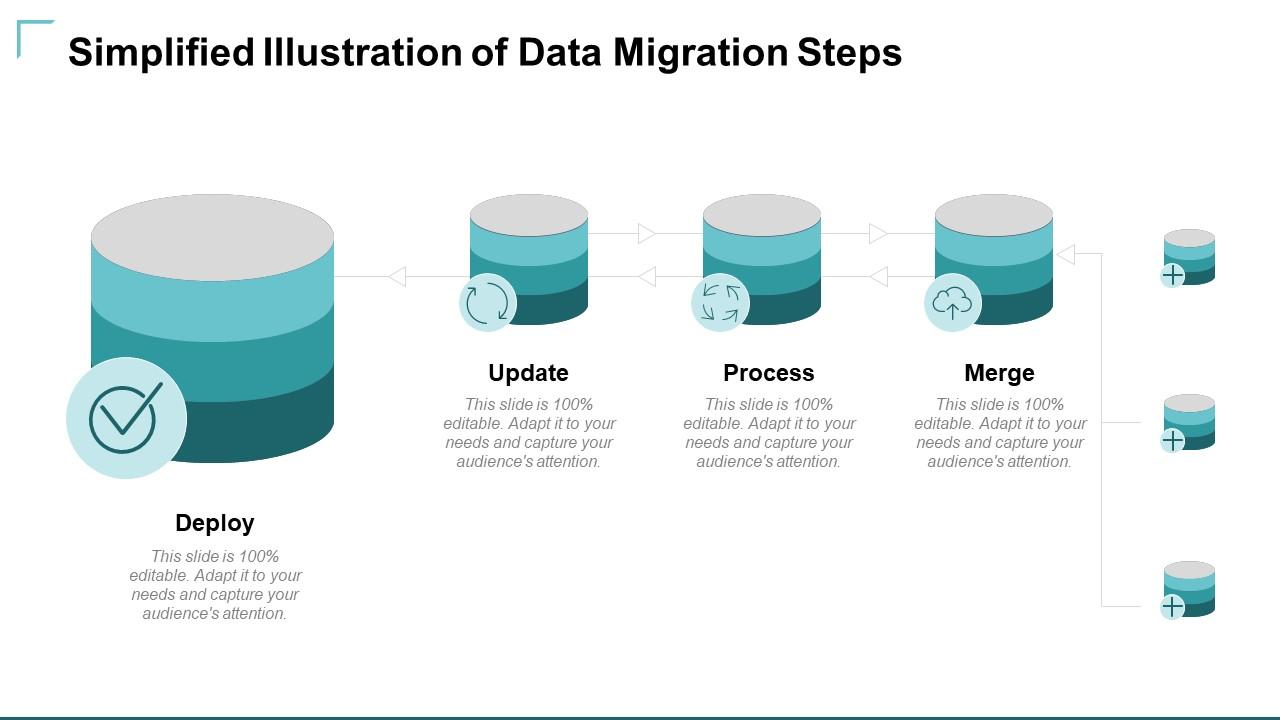
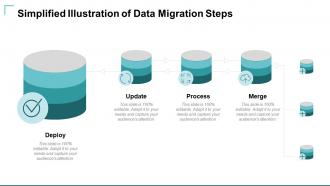
The data migration process is multifaceted and complex, which needs to be simplified for a better understanding. Through this template, you can easily demonstrate the less complicated version of the stages involved. You can highlight the various steps from deploy, update, process, and merge. As these templates are customizable, you are free to add whatever steps you think are essential according to you.
Template 4: Data Migration PowerPoint Template
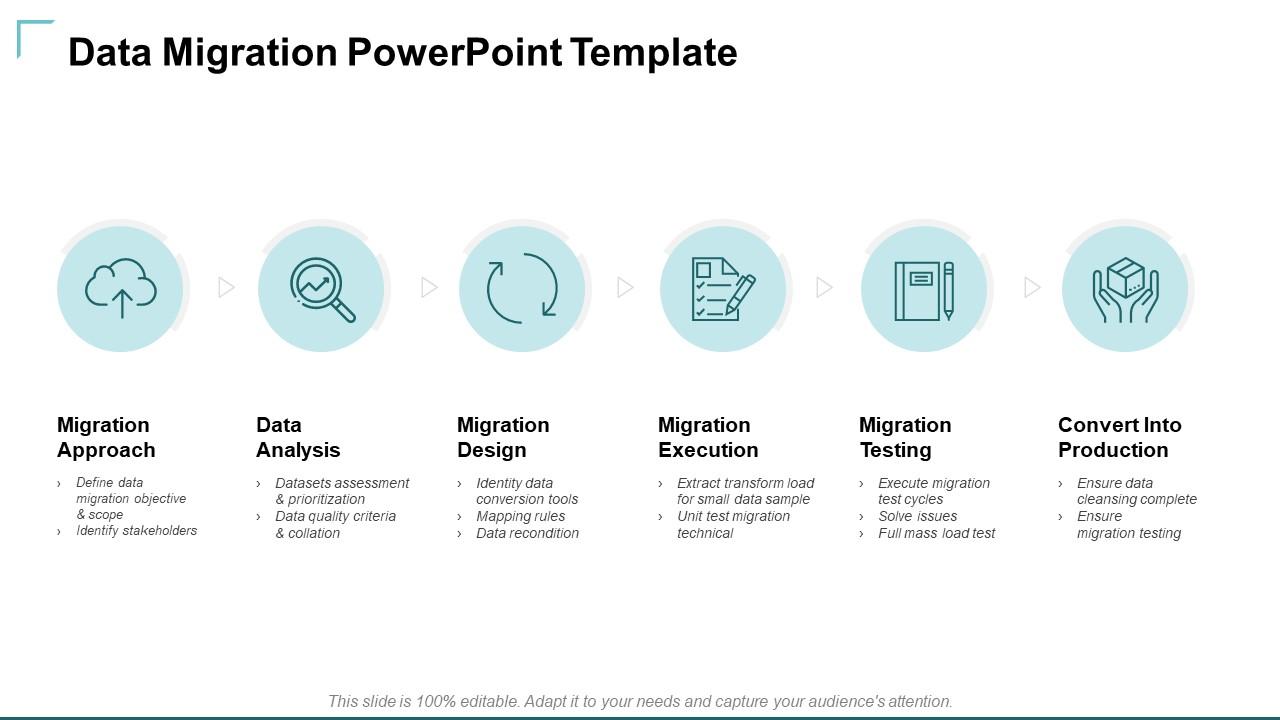
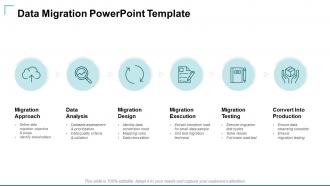
As discussed earlier, the data migration process is complicated. This template will help you clarify the migration approach, data analysis, migration design, migration execution, migration testing, and conversion into production. The use of creative icons and designs helps make the slide captivating and interesting. This ready-to-use template allows you to quickly outline the processes involved.
Template 5: Data Migration Life Cycle

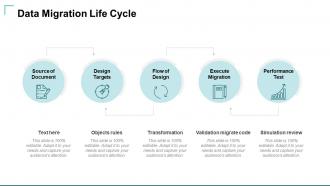
This ready-to-use PPT template can demonstrate the whole life cycle of data migration. The creative visuals on this slide will allow you to mention the source of the document, design templates, flow of design, execution of migration, and performance test. Grab the slide to enjoy the benefit of showing the whole lifecycle of the data migration process.
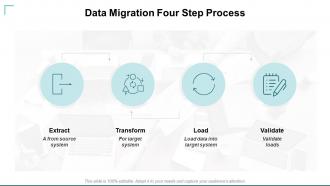
Template 6: Data Migration Four Step Process
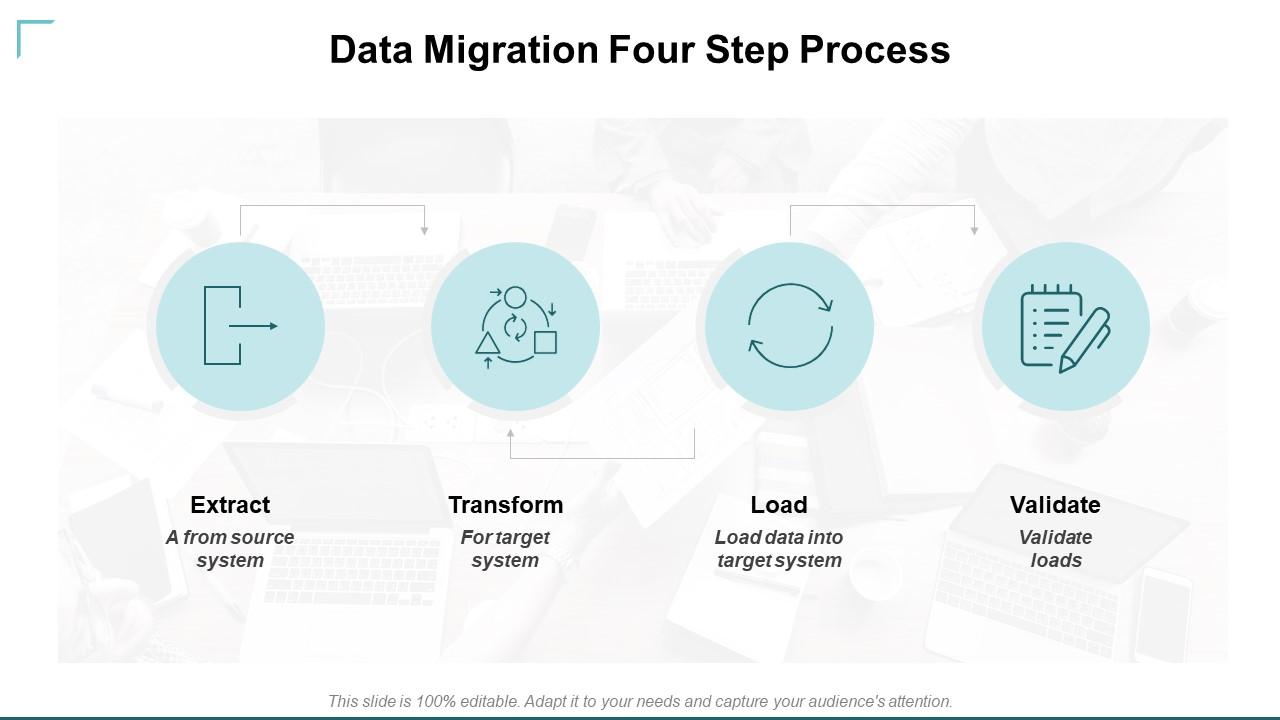
Four fundamental processes are used to migrate data from one system to another. This PPT slide helps demonstrate the steps for extracting, transforming, loading, and validating data. This PowerPoint slide will help you understand the steps involved in extracting data from a system, transforming the target system, loading data into the target system, and validating those loads.
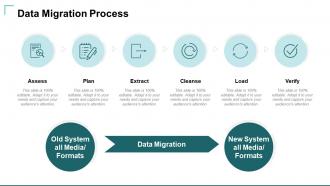
Template 7: Data Migration Process
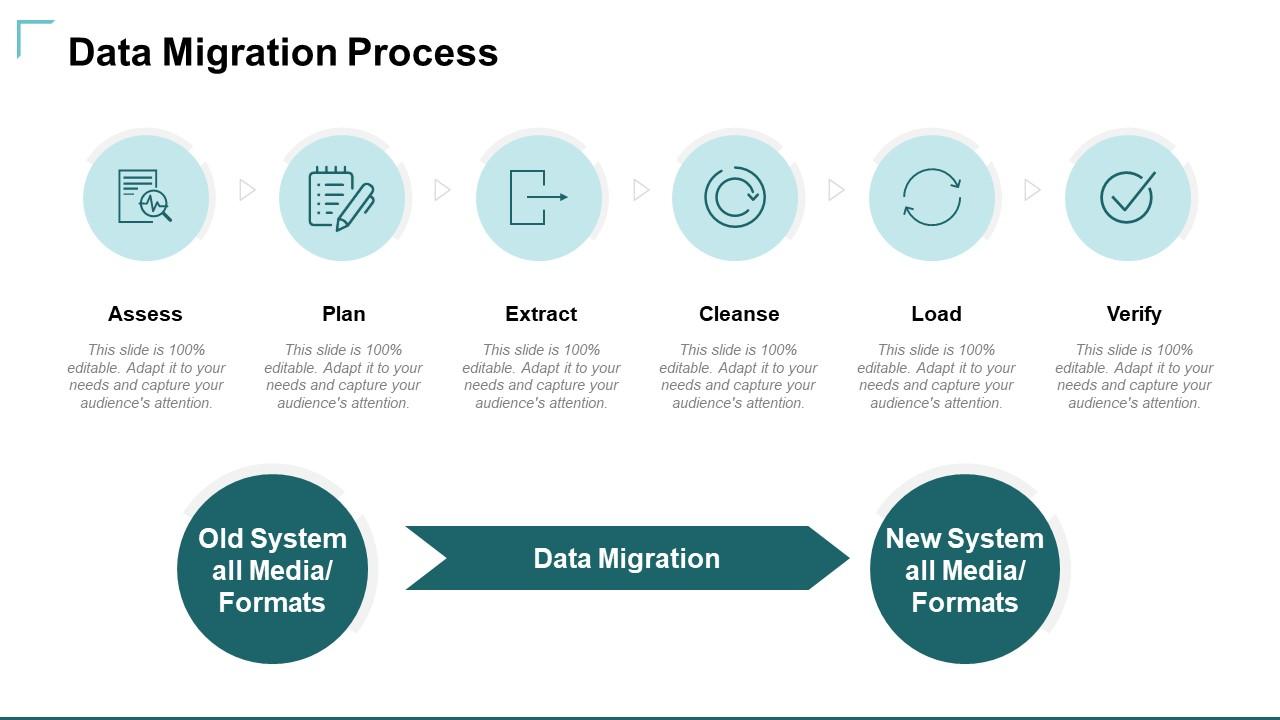
Demonstrate the critical processes involved in data migration, such as assessing, planning, extracting, cleansing, loading, and verifying. As the data is being transferred from the old system, all media/ formats to the new system all media/ formats. You can define the process step by step with a creative layout, visuals, and graphs.
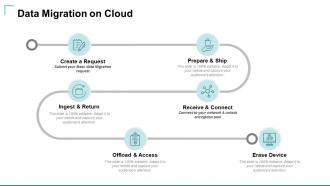
Template 8: Data Migration on Cloud
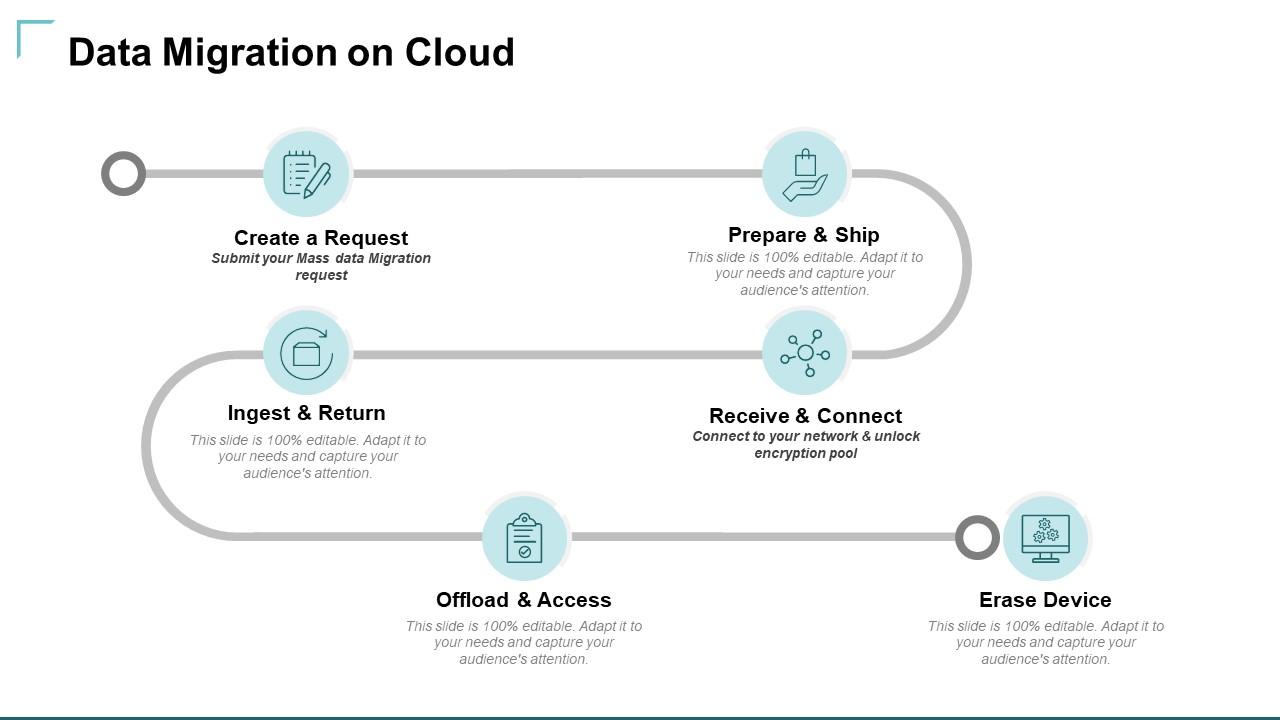
Organizations tend to migrate their data to the cloud, and a template to track the whole process is important. This template can demonstrate the various steps of the process, from creating a request to preparing and shipping, receiving and connecting, ingesting and returning, offloading and accessing, and erasing devices. It will help you highlight the whole process through a creative chart.
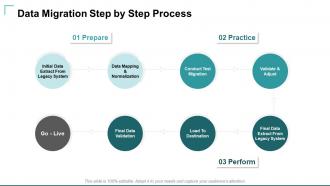
Template 9: Data Migration Step by Step Process
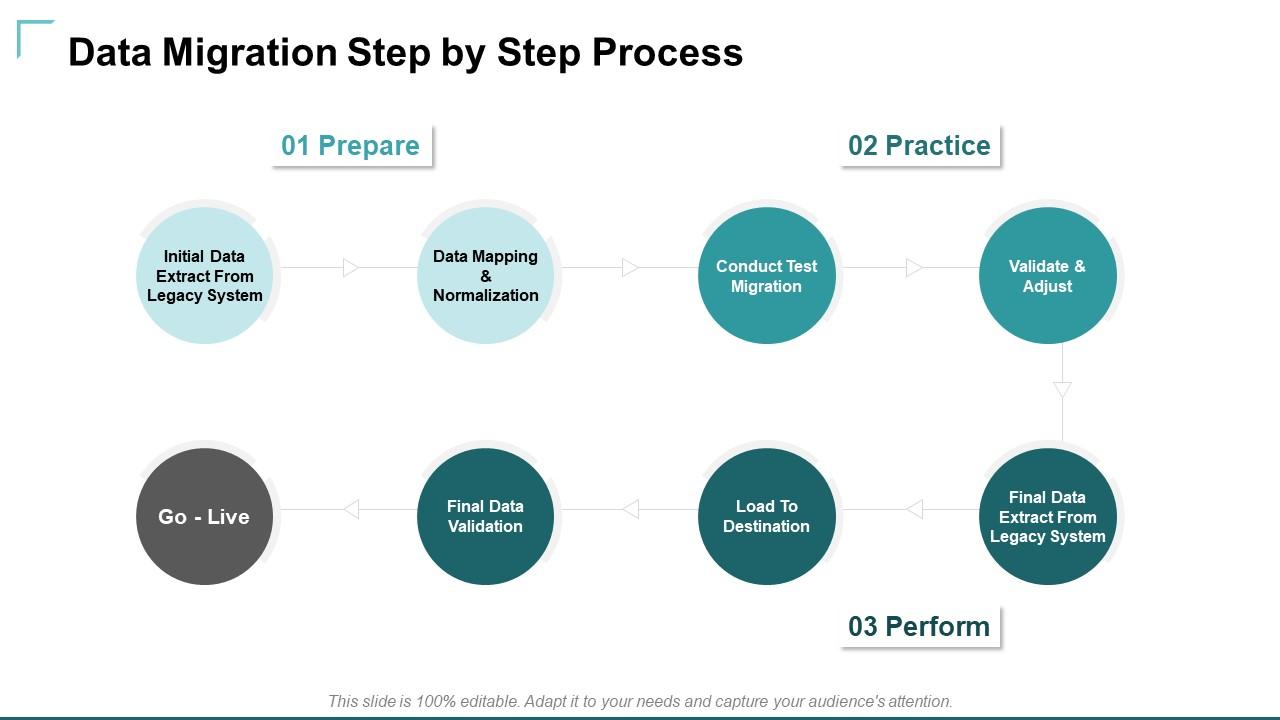
Prepare, practice, and perform are the three crucial steps involved in the data migration process. This template will help you highlight the sub-steps of preparing, practicing, and performing data migration. The slide provides you with the opportunity to examine the data involved in the process: initial data extraction from the legacy system, data mapping & normalization, conducting test migration, validation & adjusting, final data extraction from a legacy system, load to destination, final data validation, and go-live.
Template 10: Data Migration Flowchart Template
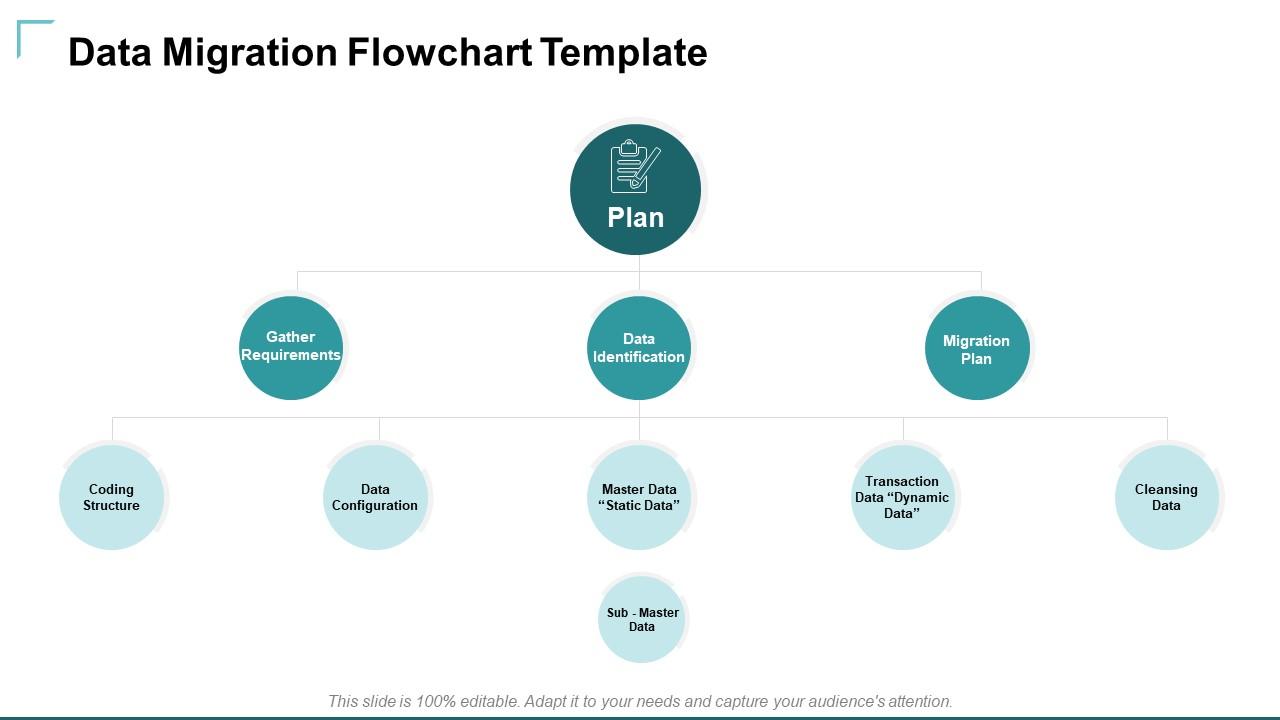
This flowchart will help you plan and supervise the data migration process. Its overview will help you plan better. You can highlight the various components like gathering requirements, data identification, migration plan, coding structure, data configuration, static data, dynamic data, cleansing data, and sub-master data. Get your hands on this template to illustrate the data migration process better.
In conclusion, the planning and execution of the data migration strategies are essential as they are complex and challenging processes. SlideTeam’s ready-to-use PPT templates are designed to help you plan the various steps and approaches involved in the data migration strategy. Monitoring and evaluating the whole process has become easy for the data migration process with ready-to-use PPT slides. To enjoy the perks like tracking the key performance indicators and evaluating the success of the migration against pre-defined goals.
P.S. Explore our Data Migration Project Team with RACI Matrix templates!!!
Data Migration Strategies Powerpoint Presentation Slides with all 27 slides:
Inform the forum with our Data Migration Strategies Powerpoint Presentation Slides. Acquaint them with the current circumstances.
-

Data Migration Strategies
-
Agenda Slide
-
Data Migration Approach
-
Data Migration Steps
-
Simplified Illustration of Data Migration Steps
-
Data Migration PowerPoint Template
-
Data Migration Life Cycle
-
Data Migration Four Step Process
-
Data Migration Process
-
Data Migration on Cloud
-
Data Migration Step by Step Process
-
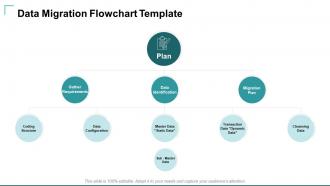
Data Migration Flowchart Template
-
Data Migration Strategies Icons Slide
-

Additional Slides
-
Our Mission
-

Our Team
-

Financial
-
About Our Company
-
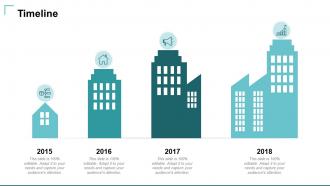
Timeline
-
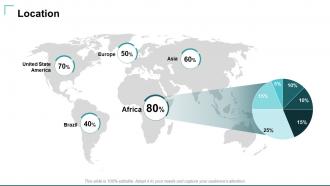
Location
-

Data Migration Strategies
-
Venn
-
Idea Bulb Brain
-
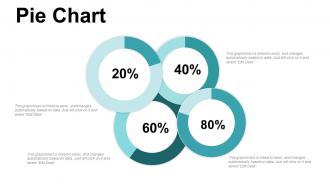
Pie Chart
-
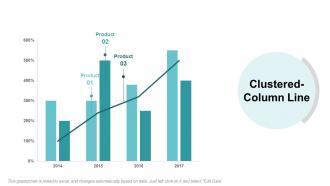
Data Migration Strategies
-
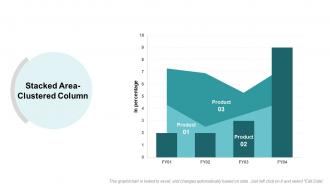
Stacked Area Clustered Column
-

Thanks For Watching
FAQs for Data Migration Strategies
Data volume and complexity matter most - bigger mess means more planning time. Budget's obviously huge too. Can your team handle the technical side or do you need outside help? Downtime tolerance is key because full cutovers are fast but scary risky. Phased approaches take forever but won't kill your system if something breaks. Map out your current dependencies first, then build a timeline with extra buffer days. Honestly, migrations always hit snags you didn't see coming. Don't forget validation steps and have a rollback ready - you'll probably need it.
Honestly, I'd audit your data first before picking any strategy. Messy legacy systems with tons of interdependencies? You're gonna want a phased approach or you'll regret it later. Clean, simple datasets can handle faster migrations no problem. But complex stuff needs way more time - mapping everything out, transformations, testing each chunk before moving on. I learned this the hard way on a project last year. Big-bang cutovers sound tempting when you're in a rush, but they'll bite you if your data's a mess. Quality issues especially will come back to haunt you.
So big bang migration is when you just rip the band-aid off and move everything at once during a weekend. Phased is the opposite - you break stuff into chunks and migrate gradually over weeks or months. Big bang's obviously way faster but holy crap is it risky. One thing goes sideways and you're totally hosed until you can fix it. With phased you catch problems early, though honestly it gets messy keeping both systems talking to each other. I'd say go big bang if your dataset's small or downtime won't kill you. For anything mission-critical though? Phased all the way.
Oh definitely clean your data during migration! This is literally your best shot at fixing all the garbage that's been piling up over the years. Look for duplicates, weird formatting, old records that don't make sense anymore. Honestly, doing it during the move is so much smarter than trying to sort through the mess later when everything's already in your new system. I'd build the cleaning rules right into your migration scripts - makes the whole thing way more systematic. Run some quality checks at each step too, just to be safe.
Honestly, I'd set up validation checks at every step - don't skip this part. Do data profiling upfront, then checksum verification and row counts as you go. Migration tools are pretty good these days but they still mess up sometimes. Run both systems parallel if you can so you're comparing in real-time. Automated monitoring is clutch here - way better than finding problems three weeks later when everyone's panicking. Oh, and test your validation scripts on a small chunk first. Always have that rollback ready because Murphy's Law loves data migrations.
Oh man, you're gonna run into some nasty surprises with data quality - duplicates everywhere, missing stuff, total inconsistencies nobody mentioned. Mapping old fields to new systems is a nightmare, especially when business rules changed randomly over the years. Plus you'll get hit with downtime limits and people fighting the change. And don't even get me started on scope creep - suddenly everyone "remembers" critical data they somehow forgot about. Honestly? Add 40% more time to whatever you're thinking and audit that data first. Trust me on this one.
So basically, cloud migration means you're moving stuff over the internet to someone else's servers - think AWS or Azure. On-premises keeps everything in your own building. The tradeoff? Cloud gives you way more flexibility and backup options, but you're stuck dealing with your internet speed (which honestly can be a nightmare if it's slow). On-premises is usually quicker since there's no bandwidth bottleneck. Really comes down to whether you want control or convenience. I'd definitely check your internet capacity first though - that'll make or break the whole thing.
Honestly, it depends on how much data you're dealing with. For big migrations, I'd go with Talend, Informatica, or Apache NiFi - they're workhorses. Smaller jobs? Just use whatever your database already has built-in, like SQL Server Integration Services. Cloud stuff is where AWS Data Migration Service shines, though Azure's version works too. Here's the thing - I've watched teams overcomplicate this so badly they created more problems than they solved. Start with a small pilot first. Use whatever fits your budget, figure out what breaks, then expand from there. Way less headache that way.
Track the technical stuff first - data accuracy, completeness, query speeds vs your old system. But honestly? The real test is whether people can actually get their work done better. I'd focus way more on user adoption and downtime during the switch. Are you hitting those original business goals you mapped out? That matters most. Set up some dashboards to watch these metrics for like 3-6 months after - trust me, issues pop up when you least expect them. The technical metrics are straightforward, but the business side tells you if it was actually worth it.
Okay so first thing - do a full inventory of what data you actually have and where it's sitting right now. Trust me, this boring step will save your sanity later. Map out where everything needs to land in the new system and figure out what transformations you'll need. Build a timeline but honestly, double whatever time you think it'll take. Get your users involved early so they don't hate you when you flip the switch. And definitely run some test migrations first - like, multiple times with real chunks of data. I learned that one the hard way on my last project.
Compliance totally controls your whole migration approach - can't just wing it with data anymore. Map out where everything's going first, encrypt during transfer, and keep EU data in the EU (GDPR stuff). Honestly, the documentation will kill your timeline - compliance people are obsessed with paperwork. You'll need audit trails for literally everything plus proper access controls. Oh, and figure out which regulations hit your specific data types before you build the plan. Way easier than trying to add compliance afterward when you're already halfway done.
Dude, backup everything first - like, EVERYTHING. Test the restore too because I've seen people skip this and get completely screwed. Make multiple copies, store them in different places, and actually check they're not corrupted. Write down what you backed up and when (trust me on this one). The tricky part? All those random config files and dependencies you forgot about. Run through the whole restore process on a test system first. Honestly, spending an extra hour here beats panicking at 2am when something breaks.
Look, your stakeholders know their data way better than you do - they'll catch stuff you'd totally miss. Get them reviewing sample migrations early so they can tell you what's actually critical vs. what's just fluff. Honestly, half the battle is making them feel heard during planning because then they won't panic when things go sideways at launch (and they will). Set up checkpoints where they can poke at the migrated data and complain before you're scrambling to fix everything in production. Trust me, start these conversations now or you'll hate yourself later.
Okay so after migration you've got a few key things to tackle. Run data validation checks first - compare record counts, spot-check your critical stuff, test main business processes. Performance monitoring is huge because migrated systems can act weird (trust me on this one). Once you're confident everything's solid, decommission the old systems. Update your docs and get users trained on any changes. Oh and definitely keep a rollback plan handy for the first few weeks - you never know what might pop up later that you missed initially.
Dude, ML is perfect for this stuff. You can automate all those tedious quality checks and spot weird data anomalies before they mess things up. The algorithms will map your data relationships automatically - saves tons of time. It'll even help you figure out which datasets to tackle first based on how complex they are and business impact. Honestly, I'd start small though. Maybe just use it for data validation at first? The bottleneck prediction feature is pretty sweet too, catches issues you'd never see coming. Way better than doing everything manually and going cross-eyed looking for inconsistencies.
No Reviews