


Hb semicircular timeline with milestones and years roadmap powerpoint template





Try Before you Buy Download Free Sample Product
 Impress Your
 Audience
 100%
100% Editable
 Save Hours
 of Time


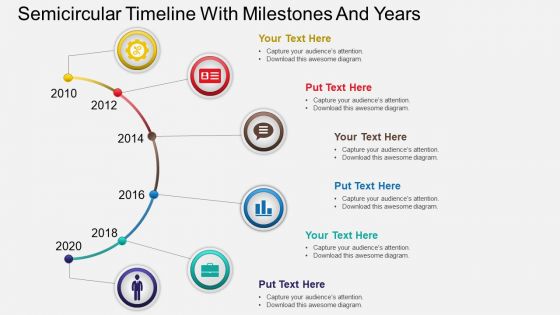
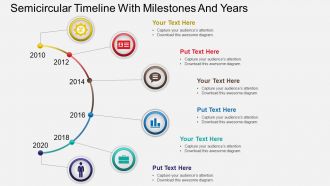
Timeline though has a word line attached to it, is devoid of any straight line necessarily. In any shape or form the timeline with milestones is just an easier way of representing plans and schedules. The hb semicircular timeline with milestones and years PowerPoint template is a very attractive timeline designed in a curvy manner with vibrant colors and PPT icons as part of its accessories. The available timeline with milestone PPT PowerPoint presentation template ensures that you can provide a snapshot of all the essential achievements and turning points which formed part of your project journey. You can also mark the year on year highlights on this semi-circular timeline PowerPoint presentation model to learn from the past, evaluate the present and prepare for future. Timeline PPT templates visual visual is a very easy to rack tool for series of chronological evens which occurred after equal interval of time. Our designers left no stone unturned in delivering the output which is informative yet visually appreciable. Don't go by conjecture with the help of our Hb Semicircular Timeline With Milestones And Years Powerpoint Template. They contain only established facts.
People who downloaded this PowerPoint presentation also viewed the following :
Hb semicircular timeline with milestones and years roadmap powerpoint template with all 4 slides:
Give them a hand with our Hb Semicircular Timeline With Milestones And Years Powerpoint Template. Your assistance will earn their gratitude.


FAQs for Hb semicircular timeline with milestones and years
Focus on visual balance and clear markers showing progression. Put your biggest milestones at the curve's peak - that's where people look first. Color coding different phases is honestly a game changer for helping your audience follow along. Make sure text is big enough to read from the back (learned this the hard way lol). The semicircle naturally pulls eyes left to right through your story. Space everything consistently between points. Oh, and definitely test it with real content beforehand so you're not cramming stuff in last minute!
Honestly, color makes such a huge difference for semicircular timelines! Different colors for phases or departments help people scan info way faster. I'm obsessed with gradients that flow across the whole thing - looks so clean. But don't go crazy with too many colors or it gets messy. Three or four max works best. Also worth checking that colorblind folks can still read it (learned that the hard way once). Strategic color choices actually help people remember the important stuff better. It's wild how much easier data becomes to digest when it's not just black and white.
Tech and manufacturing companies see the best results with these semicircular roadmaps. Software development teams use them all the time - same with product launches where you've got tons of moving parts. Healthcare loves them too, plus consulting firms. Basically anything where you need to show how different phases connect and overlap. The curved setup makes those relationships way more obvious than straight-line timelines (which are honestly pretty boring). Oh, and if your industry does a lot of iterative work or cyclical stuff, definitely worth trying. Makes complex dependencies much clearer for stakeholders.
Honestly, semicircular timelines are so much better than those boring straight-line ones. The curved format just pulls people's eyes around naturally - way more engaging than reading through a basic list. Plus you get these natural break points where the arc curves, which makes everything clearer. Each milestone pops more too since the curve gives them extra visual weight. I tried this for a client presentation last month and the difference was crazy obvious. People actually paid attention instead of zoning out. You should definitely test it out - your audience will thank you for not making them stare at another linear timeline.
Honestly, just use PowerPoint first. The SmartArt tools are actually pretty decent for curved timelines, and you probably already have it installed anyway. If that looks too basic, Canva's got some solid semicircle templates you can mess around with - way faster than building from scratch. Oh, and Lucidchart's another option if you're working with other people or want that crisp vector look. I'm probably biased toward PowerPoint since I use it constantly, but seriously, try knocking out a quick version there first. You can always polish it up in Canva later if it's going to clients.
Honestly, just stick your key metrics right at each milestone - data callouts, mini progress bars, whatever works. The semicircle format is actually pretty solid for this (surprised me too). Color-code stuff to show if you're hitting targets or not. 2-3 metrics max per point though, seriously. Any more and people's eyes glaze over. Oh, and that center space? Perfect spot for a legend or summary panel to tie everything together. Icons help too if you've got room. The curved layout gives you way more flexibility than those boring straight timelines everyone defaults to.
Don't try to squeeze everything onto your timeline - trust me, it'll look like a hot mess. Space out your milestones evenly so nothing overlaps. Make sure your text is actually readable too (I've seen way too many presentations where people are squinting at tiny labels). Inconsistent spacing between events will confuse people about the chronology. Oh, and test your colors on different screens - what looks good on your laptop might be impossible to read when projected. Angle your text properly so nobody has to crane their neck. Honestly just test the whole thing at presentation size before you're stuck with it.
Dude, semicircular timelines are actually pretty cool. The arc shape makes project flow way more obvious than those flat boring ones everyone uses. You'll spot bottlenecks faster, and honestly? People don't zone out during presentations when there's something visually interesting to look at. Perfect for showing how phases connect or when you want that "journey" vibe. Works great for quarterly stuff or product launches. I've noticed they're especially good when you have a bunch of milestones clustered together - makes it easier to see the big picture instead of getting lost in the weeds.
Just switch up the colors, icons, and wording based on who you're presenting to. Executives want clean corporate colors and big-picture milestones - throw in some dollar signs or growth charts. Creative teams? Go wild with bright colors and funky graphics, they love that visual stuff. Tech people are different though - they want all the nitty-gritty details with specific deliverables. You could even flip the whole thing sideways or make it interactive if you're presenting live. Oh, and honestly? Sometimes just changing the font makes a bigger difference than you'd think. It's all about matching their vibe.
Honestly, less is more with these things. Pick only your biggest milestones and write them super short - like bullet points, not paragraphs. Don't cram everything into one spot either, spread it out evenly around the curve. Keep your dates formatted the same way throughout (sounds boring but trust me, it looks way cleaner). Color coding helps if you've got different categories of events. Oh, and if you're tempted to squeeze in a ton of details? Just link to another doc instead. Your timeline shouldn't look like someone threw up information all over it.
Honestly, semicircular timelines are perfect for this stuff. Your eye naturally follows the arc, so people actually *see* the progression instead of just scanning a boring straight line. You can pack way more info into less space too. Put your biggest milestones right at the top of the curve - that's where everyone looks first anyway. Color-coding different phases helps a ton, and little icons make each stage stick in people's heads. The curved shape just feels more alive than those flat timelines everyone uses. Perfect for showing stakeholders exactly where you've been and what's coming next.
Honestly, the trick is keeping labels super short and your fonts consistent. Put the milestone text along the outer edge - way easier to read that way. For anything detailed, just use little connecting lines or callouts. I've seen so many of these where people stuff paragraphs everywhere and it looks terrible. Color coding helps group similar stuff together, and definitely put your biggest milestones at the top of the arc where they'll pop. Oh, and sketch your main points first before you get caught up in making it look fancy. Trust me on that one.
Just drop your infographic stuff right onto the timeline - icons, little charts, progress bars, whatever helps explain your data better. The semicircle shape is actually perfect for this since you've got way more room to work with than those standard straight timelines (which honestly look pretty boring). Try putting graphics inside and outside the curve. Color-code things that go together. Maybe add some callout boxes if you need to explain details. First figure out which parts of your data really need the visual boost, then pick elements that flow nicely with your timeline instead of making it look cluttered. The curved format gives you so much creative freedom.
Oh man, typography on curved timelines is tricky! Your eye follows that arc naturally, so font hierarchy matters way more than usual. I'd go sans-serif - serif fonts look weird when they're rotated at angles. Make everything slightly bigger than normal because curved text is just harder to read, period. Strong contrast between headers and body text is key. Also space things out more than you think you need to. I learned this the hard way when I crammed text too close together and it looked like garbage. Keep font choices simple and you'll be fine.
Build feedback loops right into your semicircular timeline from day one. I'd schedule check-ins with stakeholders at major milestones, plus use tools like Miro where they can comment directly on design pieces. That curved format? People actually get excited about seeing dependencies mapped out that way. Quick 15-minute screen shares work great for immediate reactions too. Keep surveys simple - ask about clarity, what's missing, timeline reality. The trick is making feedback super easy to give. Don't ask "what do you think?" Instead, get specific and actionable with your questions.
-
Excellent design and quick turnaround.
-
Innovative and Colorful designs.