


Introduce Company Profile Powerpoint Presentation Slides





Try Before you Buy Download Free Sample Product
 Impress Your
 Audience
 100%
100% Editable
 Save Hours
 of Time


Leave a first great impression on the future clients and stakeholders with the help of professionally designed introduce company profile PowerPoint slideshow. Having an influential company profile can do a lot for you. A well-structured company or a business profile is a sure shot way to impress the potential buyers and clients. Briefly showcase the unique products and services your business provides. Highlight the future projects of your company. Develop a strategy to introduce business offerings to your audience using company profile ppt templates. SlideTeam presents you ready made introduce company profile PowerPoint deck. Let your audience get a closer look at your business. This business or company profile presentation deck will act as an informative summary which can help you get clients onboard. Present your team, core values, organization structure, timeline, solutions, market and everything that shows your company inside out. This complete presentation on introducing your company profile will hit the right chord with the potential client. Make sure you download this business profile PPT to make clinch the deal. Handle the deal with our Introduce Company Profile Powerpoint Presentation Slides. Ensure you establish a fair bargain.
People who downloaded this PowerPoint presentation also viewed the following :
Content of this Powerpoint Presentation
Slide 1: This slide showcases INTRODUCTION of Company profile. Put Company name in the beginning and start perfectly.
Slide 2: This is an Agenda slide. State company agendas here in a professional manner.
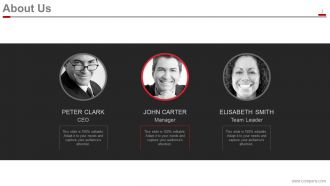
Slide 3: This an About Us slide. State your company heads, leaders, visionaries here.
Slide 4: This is a slide for showing Founders Of The Company. Illustrate them beautifully with the help of this slide.
Slide 5: This slide shows the entire Company Overview. You can showcase your founding year, number of employees, revenue, products, stock symbol, cities' presence, fortune 500 listing etc. here.
Slide 6: This slide contains the structure of Departments And Teams to show.
Slide 7: This slide showcases Our Vision And Mission. State them with the creative imagery to go with.
Slide 8: This is another slide to state Our Vision And Mission with text boxes.
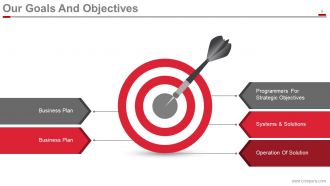
Slide 9: This slide shows Our Goals And Objectives. You can show- Operation Of Solution, Systems & Solutions, Programmers For Strategic Objectives, Business Plan, Business Plan here with ease.
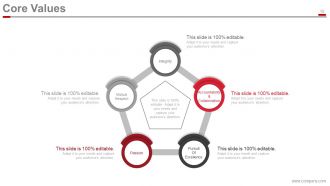
Slide 10: This slide showcases Core Values of the company which it follows. Show your core values as Integrity, Accountability & Collaboration, Pursuit Of Excellence, Passion, Mutual Respect as respective examples.
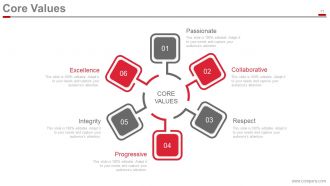
Slide 11: This is another slide showing Core Values. You can state it as Excellence, Progressive, Passionate, Respect, Collaborative, and Integrity.
Slide 12: This is an Our Team slide. Present your team with their respective designations or departments.
Slide 13: This slide shows Organization Structure. Present company, team structure etc. with the help of this slide.
Slide 14: This slide shows Member Profile with personal skills shown and indicated.
Slide 15: This slide shows Our Services. Display your company services and make it easy to outline in one slide.
Slide 16: This slide showcases Our Solutions. State the customer solutions the company/organization provides.
Slide 17: This is another variation of Our Solutions slide. State your business/customer solutions here.
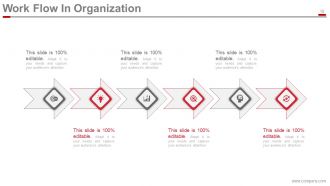
Slide 18: This slide presents Work Flow In Organization with imagery and respective text boxes.
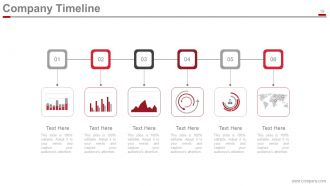
Slide 19: This slide shows Company Timeline in a creative format to illsutrate company growth, highlights over the years.
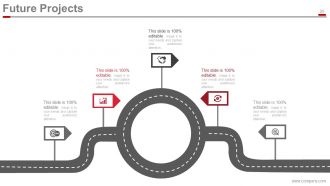
Slide 20: This slide showcases Future Projects to be completed or intiated by a company etc.
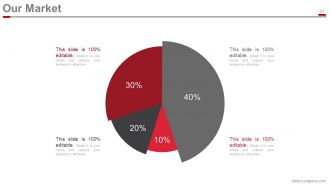
Slide 21: This slide shows Our Market status of the company in pie chart form.
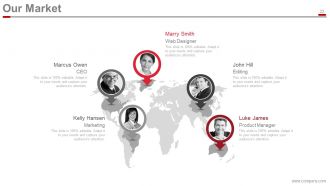
Slide 22: This is another variation slide of Our Market on a global basis with world map image.
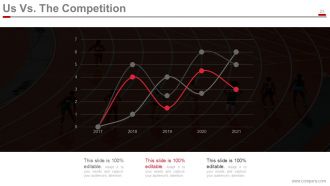
Slide 23: This slide shows Us Vs. The Competition of the company in graph format.
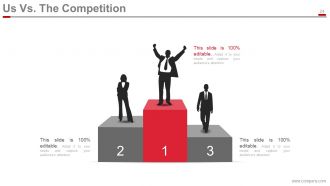
Slide 24: This slide is another variation of Us Vs. The Competition in silhouette images.
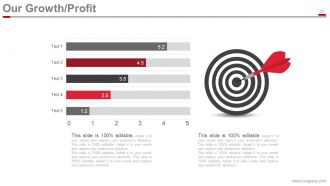
Slide 25: Slide 25 This slide showcases Our Growth/Profit in bar graph format.
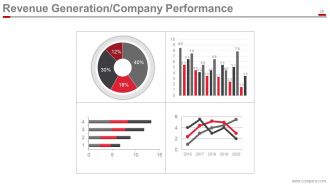
Slide 26: This slide showcases Revenue Generation/Company Performance. Show your company perfomance, revenue in a graphical form with least confusion.
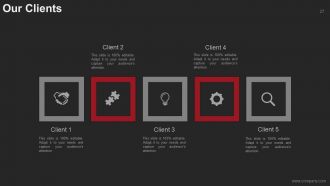
Slide 27: This slide shows Our Clients with creative imagery to go with. Display your major clients here without a hassle.
Slide 28: This is a Case study slide showing- Solution & Benefits, Client Background, Challenge.
Slide 29: This is a Client/Customer Testimonials slide. Show your testimoinals here.
Slide 30: This is another variation slide of Client/Customer Testimonials. Show your customer testimonials here.
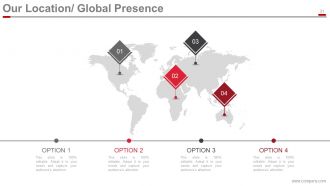
Slide 31: This slide shows Our Location/Global Presence of the company with world map imagery to specify.
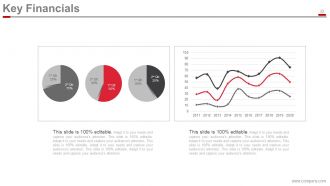
Slide 32: This slide showcases Key Financials with graphs and pie charts to present clearly.
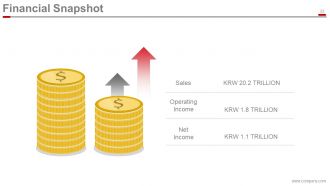
Slide 33: This slide displays Financial Snapshot on- Sales, Operating Income, and Net Income.
Slide 34: This slide displays web presence like- Find Us On Social Media
Slide 35: This is a Contact Us slide with Address, mail and contact number.
Slide 36: This slide is titiled Additional slides.
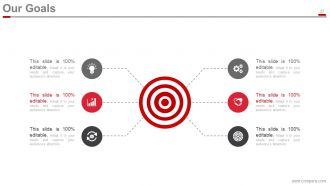
Slide 37: This is Our Goals slide with respective imagery to go with.
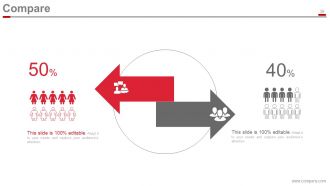
Slide 38: This slide shows Comparison with respective imagery and text boxes.
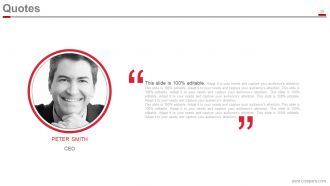
Slide 39: This is a Quotes slide. State a quotation etc. here to display your values etc.
Slide 40: This slide shows Timeline of the company with creative imagery to go with.
Slide 41: This slide showcases pins to display-Post it, for anything specific to be highlighted.
Slide 42: This is a News Paper slide to add a creative touch to the presentation.
Slide 43: This is a Puzzle slide to show content in a circular puzzle format.
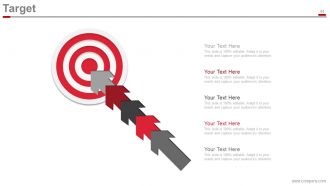
Slide 44: This is a Target slide with image.
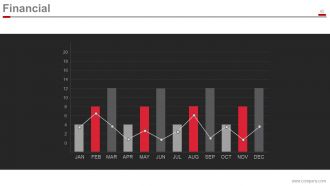
Slide 45: This is a Financial scores slide. Display entities in terms of months and numbers.
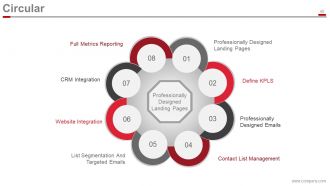
Slide 46: This slide shows content in a Circular manner. Present your presence through- Professionally Designed Landing Pages, Contact List Management, List Segmentation And Targeted Emails, Website Integration, Professionally Designed Emails, CRM Integration, Define KPLS, Full Metrics Reporting, Professionally Designed Landing Pages.
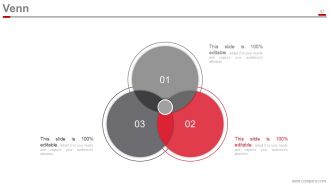
Slide 47: This is a Venn diagram slide. Represent anything in venn format here.
Slide 48: This is a Dashboard slide with respective imagery and text boxes.
Slide 49: This slide presents a Mind Map slide with Brand and related aspects like- Trademark, Franchise, Branding, Advertising, Marketing, Business, Customer, Quality.
Slide 50: This slide presents a Low High Matrix for representing an information.
Slide 51: This is a Lego slide with text boxes.
Slide 52: This is a Silhouettes slide with text boxes.
Slide 53: This slide presents a Hierarchy diagram. Showcase team, departments etc. with the help of this slide.
Slide 54: This is a Magnifying Glass slide with text boxes to go with.
Slide 55: This is a Bar Graph slide to present entities in graph form.
Slide 56: This is a Bulb Or Idea slide to display idea, information or highlights etc.
Slide 57: This is a Funnel slide to showcase entities in funnel form.
Slide 58: This is a THANK YOU slide with Address, Contact Numbers, and Email Address.
Introduce Company Profile Powerpoint Presentation Slides with all 58 slides:
Display a firm jaw with our Introduce Company Profile Powerpoint Presentation Slides. Appropriately answer any criticism.
-
Introduce Company Profile
-
Agenda
-
About Us
-
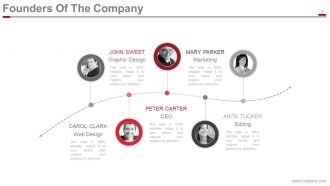
Founders Of The Company
-
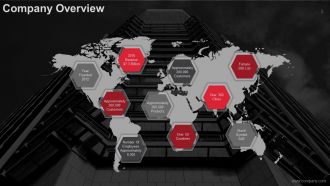
Company Overview
-
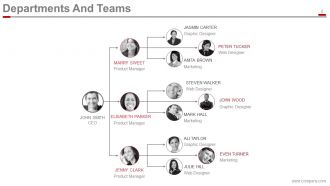
Departments And Teams
-
Our Vision And Mission
-
Our Vision And Mission
-
Our Goals And Objectives
-
Core Values
-
Core Values
-
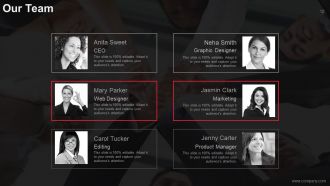
Our Team
-
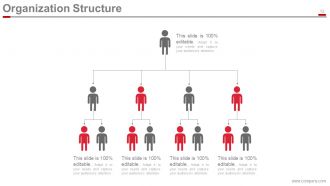
Organization Structure
-
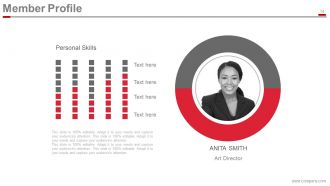
Member Profile
-
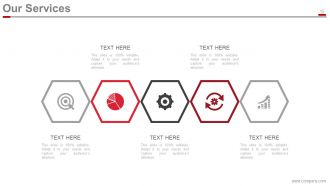
Our Services
-
Our Solutions
-
Our Solutions
-
Work Flow In Organization
-
Company Timeline
-
Future Projects
-
Our Market
-
Our Market
-
Us Vs The Competition
-
Us Vs The Competition
-
Our Growth Profit
-
Revenue Generation Company Performance
-
Our Clients
-
Case Study
-
Client Customer Testimonials
-
Client Customer Testimonials
-
Our Location Global Presence
-
Key Financials
-
Financial Snapshot
-
Find Us On Social Media
-
Contact Us
-
Additional Slides
-
Our Goals
-
Compare
-
Quotes
-
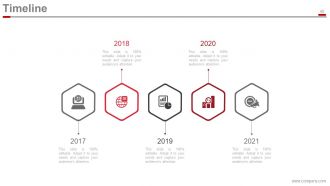
Timeline
-
Post it
-
News Paper
-
Puzzle
-
Target
-
Financial
-
Circular
-
Venn
-
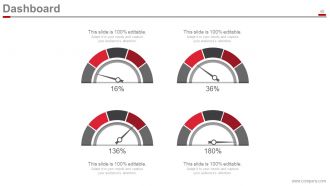
Dashboard
-
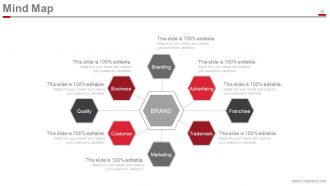
Mind Map
-
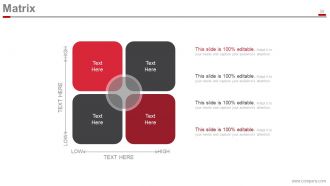
Matrix
-
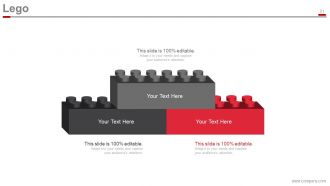
Lego
-
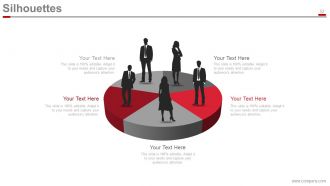
Silhouettes
-
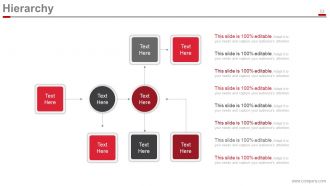
Hierarchy
-
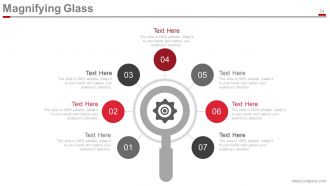
Magnifying Glass
-
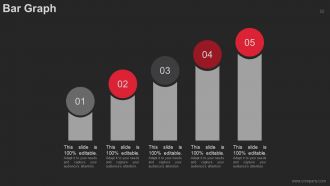
Bar Graph
-
Bulb Or Idea
-
Funnel
-
Thank You Slide
FAQs for Introduce Company Profile
So for your company profile, definitely start with a killer opening line - first impressions matter. Include your mission statement and what makes you different from everyone else. Your founding story is clutch too, even if it's super brief - honestly, people eat that stuff up. List your main services/products clearly, plus any big clients or partnerships you can name-drop. Team expertise should be in there, and don't forget key wins or milestones that prove you know what you're doing. Keep it punchy but cover the bases.
Honestly, templates are lifesavers. You'll look way more polished instead of scrambling with random fonts every time you need something. Consistency builds trust too - clients see the same professional vibe across everything. The time savings alone are worth it since all the design work's already handled. Most templates guide you through the right sections so you won't forget important stuff. I'd go with something clean that fits your brand. Oh, and don't overthink the design part - just focus on nailing your content and let the template do its thing.
Dude, visuals are everything for getting your values across. People absorb images so much faster than text - like, instantly. A sustainability company using nature shots? Makes sense. Tech startup with sleek, minimal design? Perfect. But here's the thing - your visuals have to actually match what you're preaching. Nothing screams "fake" louder than generic stock photos that don't connect to your mission. I've seen companies totally blow this. Quick test: look at your current stuff and honestly ask if it reflects who you really are. If not, time for a refresh.
Start with your "why" - what problem made you create the company in the first place. People connect with struggle and breakthrough moments way more than boring stats. Tell your founder's story or share that one pivotal moment that changed everything. Structure it like any good story: the challenge, how you fought through it, your breakthrough. Weave in real customer examples too - show how you've actually transformed businesses instead of just listing what you do. I always think the best company stories feel like you're rooting for the underdog. End with where you're going next and make your audience feel like they can join that journey.
Honestly, most companies just throw everything at the wall and hope something sticks. Skip the generic "we're industry leaders" fluff – nobody cares unless you've got numbers to prove it. Don't write a damn novel either. People zone out fast! What actually sets you apart? Lead with that. Real achievements work way better than buzzword soup. And please, for the love of all that's holy, update the thing regularly. Nothing's worse than stumbling across someone's "exciting 2019 launch" in 2024. Keep it real, keep it short, and focus on what your audience actually wants to hear.
Honestly, your audience should drive everything about your profile design. Gen Z? Go bold with bright colors and casual language - they're all over TikTok anyway. But if you're after C-suite executives, keep it clean and minimal with data-heavy messaging on LinkedIn. You wouldn't throw emojis at both groups, that'd be weird. Figure out where your people actually spend time online and what catches their eye. I'd start by looking at your current profile - does it match what your ideal customers actually want to see? Then just tweak from there.
Honestly, just watch the room during your pitch - are people engaged or looking like they'd rather be anywhere else? Follow-up requests are huge. Check if your website gets more traffic afterward, and LinkedIn connection requests usually spike when people are genuinely interested. The real test though? How many actual leads or partnerships come out of it. That's what pays the bills. Social media mentions are nice too, but I'd focus more on the concrete stuff - meeting requests, business inquiries, that kind of thing. Those blank stares during presentations are pretty telling too, unfortunately.
Dude, case studies are honestly game-changers. They prove you actually get results instead of just talking a big game. Pick your best wins and turn them into mini success stories - but here's the thing, you need real numbers. "Boosted sales 40%" hits way different than "helped improve performance." Anyone can claim they're amazing, but showing concrete examples? That builds actual trust. I always tell people to think of it like dating - would you rather hear someone say "I'm funny" or actually make you laugh? Same concept here. Start with your top 3 client wins and make them shine.
Navy, charcoal gray, or deep green are solid choices - they look professional without putting people to sleep. Black's fine too, though it can come off a little intense sometimes. Font-wise, clean sans-serifs like Helvetica or Montserrat work great for headers. Pair those with something readable like Georgia for body text if you want that extra credibility factor. Honestly, I'm probably overthinking the serif thing, but it does help. Skip anything too flashy unless your industry actually calls for it. Best approach? Mock up a few options and show them to someone who doesn't work with you - they'll tell you which one makes you look most legit.
Honestly? Do it within 2-4 weeks whenever something big changes - new logo, leadership shake-up, major pivot, whatever. Customers definitely notice when your info looks stale (learned this the hard way lol). Smaller stuff can wait for quarterly check-ins. Just don't let things get too out of sync across your website, social accounts, and business listings. That looks messy. Oh, and set a reminder or you'll totally forget when things get hectic. I swear these updates always slip through the cracks otherwise.
Start with your mission and what you actually sell - super basic but people skip it all the time. Target market is huge too. Contact info obviously, plus your team with their backgrounds because trust matters. Company story and when you started helps, especially since you're new and probably don't have a million success stories yet. Any awards or partnerships? Throw those in. Honestly, I'd keep it short but punchy - like your elevator pitch but written down. And update it as things change, which they will!
Dude, brand consistency is huge for presentations. Your fonts, colors, and layouts need to match or you'll look like a hot mess. I've literally watched deals go sideways partly because companies looked disorganized with mismatched slides. People should instantly recognize it's your company whether it's a sales pitch or boring quarterly thing. Trust me on this - when everything looks cohesive, clients take you way more seriously. Just make 2-3 solid master templates that your team will actually use (not sit in a folder collecting digital dust).
Honestly, infographics are a game-changer for company profiles. Nobody wants to read paragraphs of boring text anymore. When you turn your growth stats or team structure into visuals, people actually pay attention - and remember what they saw. They look professional in presentations too. I've watched companies go from having these super dry overviews to something people genuinely want to share on LinkedIn. Just don't go overboard cramming everything into one graphic. Pick your best stats first, maybe your main process flow. Keep it clean and you're golden.
Honestly, multimedia stuff is a game changer for company profiles. People's attention spans are basically nonexistent now, so videos and animations keep them hooked way better than walls of text. I'd focus on showing your team in action or doing product demos - there's something about seeing actual faces that just clicks with people. Animations work great for breaking down complicated processes too. Oh, and client testimonials hit different when they're on video versus just quotes. Just don't go overboard with random flashy graphics though. Stick to visuals that actually back up what you're trying to say about your company.
Dude, get some outside eyes on that company profile ASAP. You're probably way too close to see what's actually confusing or missing. I'd grab 3-4 people you trust - maybe some from your industry, others not - and ask them straight up if your messaging makes sense. They'll catch outdated stuff you missed and tell you if you're underselling your best features. Sometimes people from totally different fields give the weirdest but most helpful feedback, honestly. Just ask specific questions about what hits and what doesn't. We all need that reality check!
-
this is great....
-
it good
-
I want to work with this templates
-
Content of slide is easy to understand and edit.
-
Informative presentations that are easily editable.
-
Good
-
best PPT