


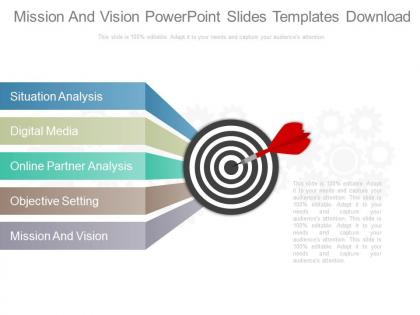
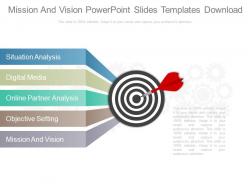
Mission and vision powerpoint slides templates download




Try Before you Buy Download Free Sample Product
 Impress Your
 Audience
 100%
100% Editable
 Save Hours
 of Time


Fatigue is no factor with our Mission And Vision Powerpoint Slides Templates Download. Always function in absolute comfort.
People who downloaded this PowerPoint presentation also viewed the following :
Mission and vision powerpoint slides templates download with all 4 slides:
Our Mission And Vision Powerpoint Slides Templates Download avoid any cliches. They add on to your creative dimensions.
FAQs for Mission and vision powerpoint
Keep your mission and vision super short - like one sentence each that your grandma could understand. Mission is what you do right now. Vision is where you're going. I swear, half the presentations I sit through have these backwards or they sound like they were written by a committee of lawyers. Skip the fancy business speak entirely. Use action words that actually mean something and make people give a damn. Oh, and here's the test - if you stumble explaining it in 30 seconds, it's way too complex for a slide.
Templates basically save you from wall-of-text syndrome. Nobody wants to read paragraph after paragraph about your company vision – trust me, I've been there. Icons and structured layouts help break everything into actual digestible pieces. Your audience won't zone out as much. Consistent formatting keeps people focused instead of wondering why someone chose that weird font. You'll want templates with separate sections for values and goals. Makes the whole thing flow better. Short answer: visual chunks beat dense text every time.
Keep it clean with lots of white space - cramped text looks awful. Two fonts max, and make your headers bigger so people know what they're looking at. Stick to your brand colors but don't go overboard. I swear, some presentations look like a kindergarten art project! Simple icons work best - maybe a compass or target thing. Your statements are already strong, so the design should just support them, not fight for attention. Oh, and definitely check if people can read it from the back row. Nothing worse than squinting at tiny text during a presentation.
Honestly, visuals are a game-changer for this stuff. People just retain info better when there's something to look at instead of boring text blocks. Icons work great for core values, and infographics can show your company timeline or where you're headed. I swear, nothing kills a presentation faster than a wall-of-text mission statement slide. Charts are perfect for tracking progress toward your vision goals. You could even use metaphorical images – like mountains for growth themes or lighthouses for guidance. Oh, and pair each main concept with something visual that actually makes sense. Your audience will thank you for not putting them to sleep!
Ugh, the worst thing you can do is cram your slides with paragraphs then just read them out loud. So awkward for everyone! Keep those mission/vision statements short and throw in some actual visuals. Skip the boring corporate template language too - make it sound like your real company, not some generic business handbook. Oh, and don't speed through them like you're checking boxes. I mean, these are supposed to be your foundation statements, right? Connect them to stuff your team actually cares about instead of rushing past them.
Just swap in your nonprofit's colors, fonts, and photos that actually represent your cause. Replace all that placeholder text with your real mission statement and impact numbers. Here's the thing though - you need templates that tell stories, not boring corporate bullet points. Nonprofits have to hit people in the feels, you know? Find ones with good space for photos of who you're helping or the community work you're doing. Start with your brand stuff first. Then make your mission statement the main focus on every slide. Most templates make this pretty straightforward once you get going.
Colors totally make or break these presentations, honestly. Pick 2-3 that actually mean something to your brand - like blues if you're the reliable type, or bright oranges for that innovative vibe. Don't just grab random pretty colors though. Stick with your choices across every slide because it looks way more professional. I learned this the hard way after using like 6 different colors in one deck once... yikes. The thing is, people feel the mood before you even start talking, so make those colors work for you instead of against you.
Honestly, animated templates work really well for mission/vision stuff. Static text is boring as hell - people just tune out. When you add subtle animations to reveal key points, it keeps everyone actually paying attention. The movement makes concepts hit harder too. Plus it looks way more professional than basic slides. I went a little crazy with animations once and it was distracting, so don't do that. Keep the effects clean and purposeful. But yeah, for something that could be super dry, a little visual momentum goes a long way. Makes the whole thing feel more dynamic instead of just reading bullet points at people.
Honestly, infographics are a game-changer for mission statements. Plain text is just boring - people's eyes glaze over instantly. Icons and flowcharts actually make your values stick in people's heads instead of going in one ear and out the other. Visual hierarchies work really well too, especially for presentations where people need to scan stuff quickly. I'd probably go with a simple icon layout for core values, or maybe do a roadmap thing that shows how your mission connects to real outcomes. Way better than those walls of corporate text nobody reads anyway.
Make it tell a story! Start with the problem that made you guys want to exist in the first place. Then show your mission actually happening - like real examples or customer stories. End with where you're headed. Honestly, bullet-pointed values are boring as hell. Show those values through actual case studies instead. Try before/after scenarios or even how your founder got started - people eat that stuff up. The whole point is getting them to *feel* something, not just sit there reading generic corporate speak. Short version: ditch the template-y mission statement. Tell them why you matter through stories that stick.
Honestly, skip the fancy stuff - it just makes you look like you're overcompensating. Go for clean, minimal templates with lots of white space and simple fonts. Maybe throw in one accent color that matches your brand. The whole point is making your content pop, not the design itself. Make sure there's good text hierarchy and dedicated spots for your mission/vision statements plus supporting points. Canva's got solid free options for this stuff, Google Slides too. Oh and random tip - I've seen way too many startups pick templates that are basically unreadable. Your ideas should shine, not fight with the background.
Dude, definitely get team feedback on those slides. Your coworkers will catch stuff you totally missed - like if you're using too much corporate speak or if your main points aren't clear. Different departments will tell you if it actually makes sense to them, not just the executives. I always share drafts early now because honestly? I'm terrible at spotting my own wordiness. Ask specific stuff like "does this sound like our company?" You'd be surprised how often something sounds great in your head but falls flat when you present it.
Hey! So for mission/vision stuff, go bold and clean - tons of white space is your friend. Large fonts like Montserrat work great, and don't go crazy with colors (2-3 max that match your brand). Honestly, I've seen too many presentations ruined by clutter. Your message should be the hero, not some flashy graphics. Maybe add subtle animations or text reveals to keep people awake, but nothing too distracting. Oh, and try full-screen images with text overlays - they pack a serious punch. Less really is more with this type of presentation.
Honestly, mission and vision templates are lifesavers for strategic planning meetings. They give you a solid framework so people aren't just throwing random ideas around. Basically, you project one up and work through each section as a team - way cleaner than messy whiteboard scribbles (though I'm weirdly nostalgic for those sometimes). The real magic happens when you're filling it out together because suddenly everyone's talking about the same stuff instead of their own pet projects. Once it's done, you've got your north star document that actually means something. Super helpful for spotting gaps between where you are now versus where you want to be.
Look, when your branding is all over the place, nobody remembers who you are. Your mission and vision are basically your company's DNA - if they look different every time, people just get confused. Consistent colors and fonts across your PowerPoint decks? That's how you build trust. I learned this the hard way when our presentations looked like five different companies made them. Total mess. People expect to recognize you, like seeing a friend's handwriting. Sloppy branding kills your credibility before you even start talking. Honestly, just make one solid template and use it for everything. Way easier than starting from scratch each time.
-
Great experience, I would definitely use your services further.
-
Best way of representation of the topic.