


Civil Construction Project Management Powerpoint Presentation Slides




Try Before you Buy Download Free Sample Product
 Impress Your
 Audience
 100%
100% Editable
 Save Hours
 of Time


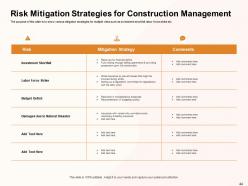
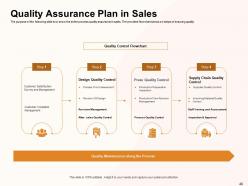
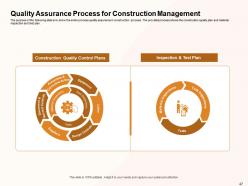
Introducing Civil Construction Project Management PowerPoint Presentation Slides. This presentation will help to analyze and understand the phases of construction management and develop a plan for its efficient delivery. The slide contains project analysis, regulatory requirements, construction phases, risk analysis, quality assurance plan, construction waste management, measuring our efforts. In the project analysis section, various costs that are associated with the construction projects, structure details of the project, power, and electricity requirement, etc are identified. In the construction phases section, phases of construction, layout, and design for the construction site, storage plan for construction management is described. The construction project management slideshow further explains the materials required for construction, machinery, vendor selection, workforce requirements, etc. The post-construction commissioning slide showcases the process of commissioning during and after the completion of construction projects. In the risk analysis section, various risks associated with the construction project are identified and various risk mitigation strategies are showcased for multiple risks. After that, the process of quality assurance plan in sales is described. In the construction waste management section, types of waste in construction management are identified and a waste management plan is developed. Finally, the project management ppt slides helps to track multiple activities of the project.
People who downloaded this PowerPoint presentation also viewed the following :
Content of this Powerpoint Presentation
Civil construction projects are core to a region's economic growth. It includes the construction of roadways, bridges, dams, and buildings.
A project management plan helps ensure such constructions are completed within the specified time and budget while meeting the safety and regulatory requirements.
If you have undertaken a civil construction project, you must present the plan to key stakeholders beforehand. The plan should include an analysis of the deliverables, requirements, cost, risk, and quality assurance.
Preparing such a detailed PPT Template can take a lot of time and effort.
Our comprehensive project management PowerPoint covers construction phases, workforce requirements, budgeting, and monitoring.
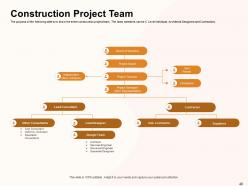
It is a content-heavy deck, as you must present a lot of data and numbers. This can be overwhelming for the audience, so we have used tables, lists, flowcharts, and diagrams for a pleasant viewing experience and better understanding.
Are you responsible for training employees on civil construction project processes? Here is a civil construction project management PPT that explains the stages, approaches, and tools used in the project. It also provides tips and best practices for effective management.
Civil Construction Project Management Templates
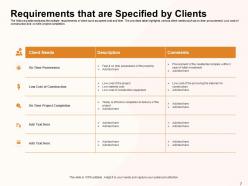
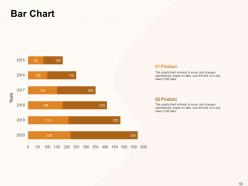
Our civil construction project management deck includes a bundle of 64 slides. The initial slides cover the requirements and cost and the later slides get into details like floor plans, material and vendor selection. Additional slides like bar charts, timeline flows and venn diagrams are included which you can adapt to present a topic of your choice.
Let us go through some of the important slides that make up our project management template.
Template 1: Construction Project Scope and Description
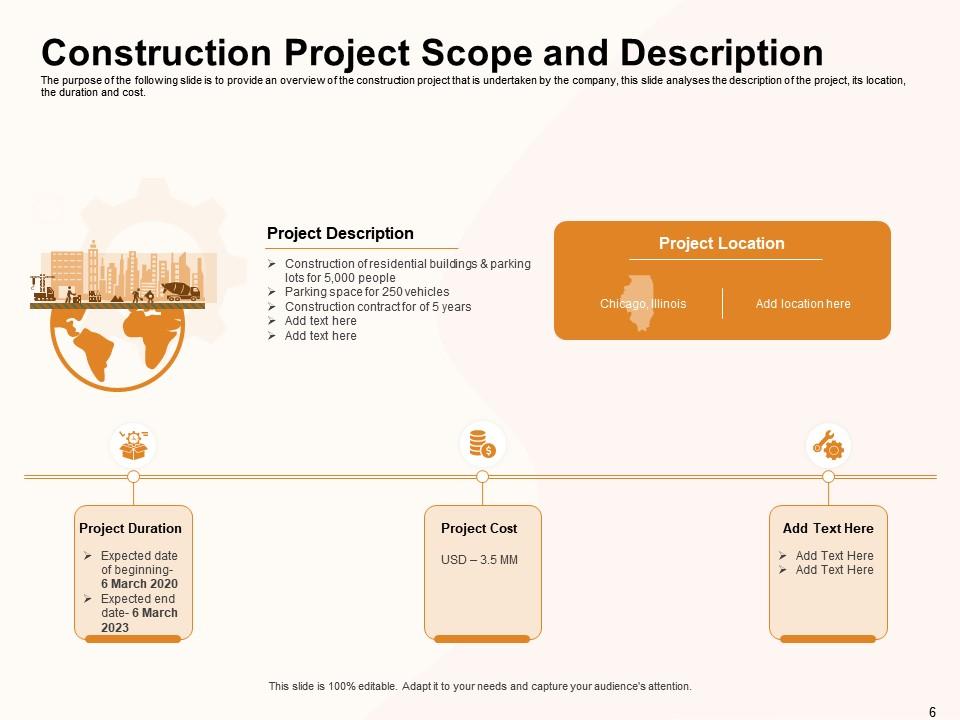
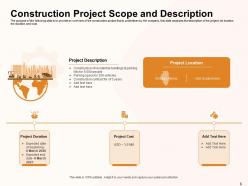
The slide serves as an overview of the civil construction project. It provides details like description, location, duration, and cost. The slide starts with the project description on the left-hand side. Here, you can mention details like what you will construct and the contract length in a list format. Next, the project location is depicted with a geographical map of the region. The bottom half of the slide includes a linear flow with note-style text boxes. Here, you can insert headings like duration and cost and elaborate on them.
Template 2: Construction Project Cost Analysis
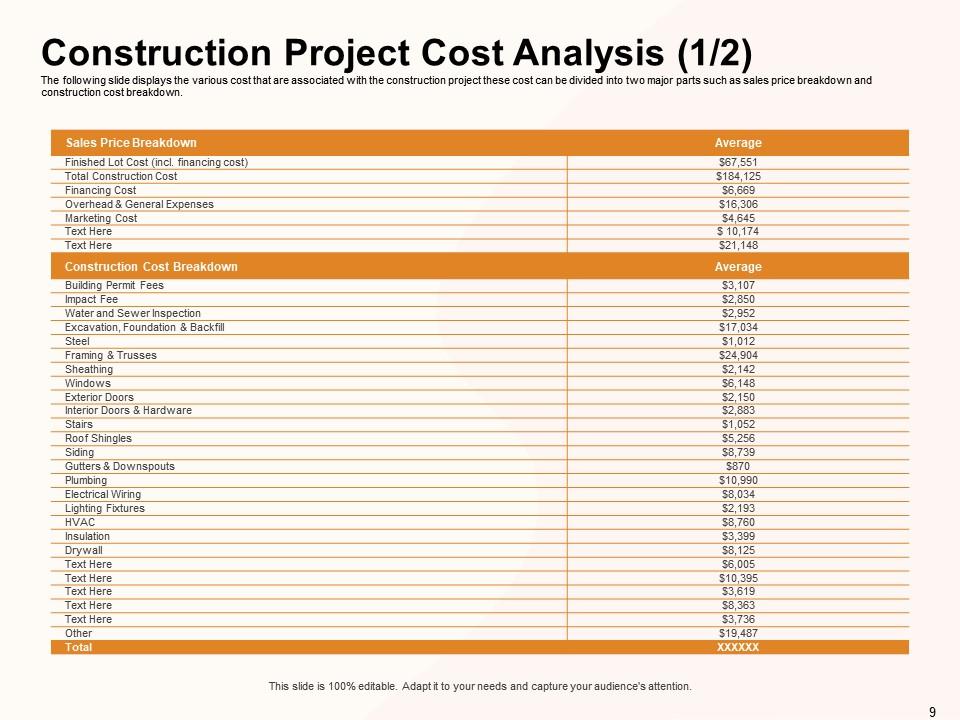
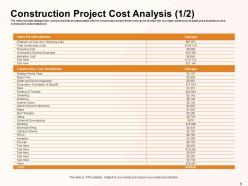
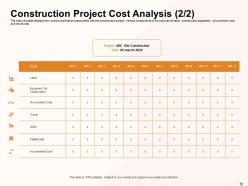
'Cost Analysis' is the first of the numbers slides you will see in this PPT. The data takes priority, so the design is kept simple, with only a table used for presentation. Construction projects can be expensive. The slide helps provide a breakdown of expenses throughout the project. In the sample template, the cost analysis is broken down into two sections: Sales price and construction cost.
Template 3: Certificate Checklist for Construction Project

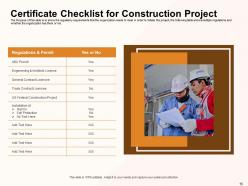
Depending on the country, permits and licenses must be obtained before a civil construction project begins. Safety mechanisms must also be in place for the workforce on site. The 'Certificate Checklist' slide consolidates these regulatory requirements. The checklist is presented in a table. The first column is for regulations and permits. The second is a 'Yes/No' column, indicating where you are in the approval process.
Template 4: Construction Permit Application Process
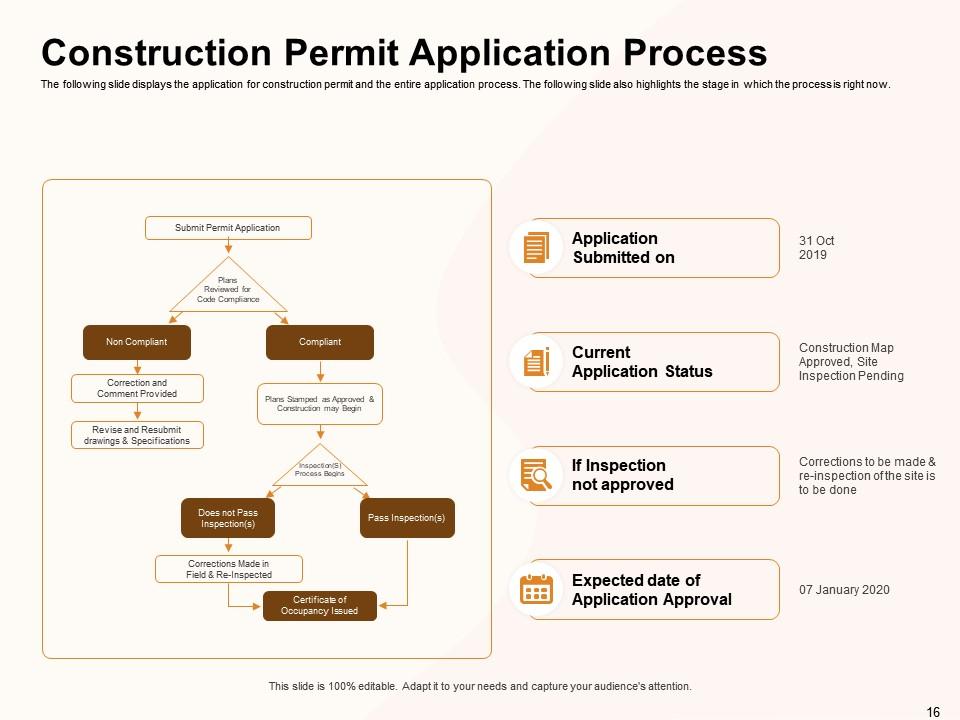
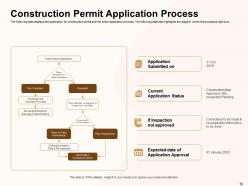
After some number-heavy slides, the 'Permit Application Process' template takes a graphical approach. On the left-hand side, the application process is explained in a flowchart. For example, it tells you that after submission, the plan goes through a code compliance and inspection and what happens if you pass or do not pass inspection. On the right-hand side, the application process steps are listed. Next to each step is the current and expected status of the project. For example, when the application was submitted, what steps are pending, and the expected permit receival date.
Template 5: Building Layout and Plan with Video Holder
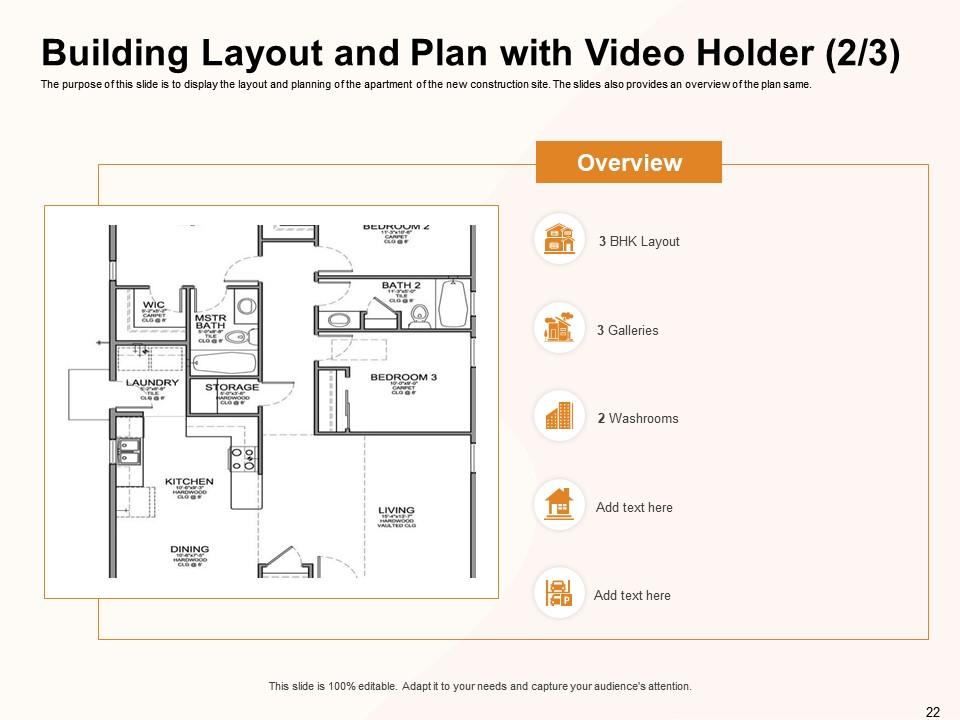
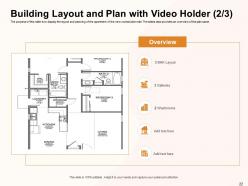
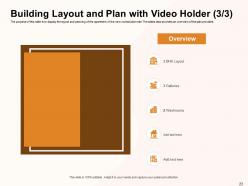
A building layout helps viewers understand what deliverable from the project will look like. It is a visual representation of the plan. For example, in the case of an apartment, you know where your living, kitchen, and bedrooms will be. The slide is divided into two sections - one for the floor plan and another for an overview. We have used a floor plan of a 3BHK apartment as a sample. Some of the main attributes of the apartment, like washrooms and galleries, are listed on the other side.
Template 6: Parking Layout and Plan
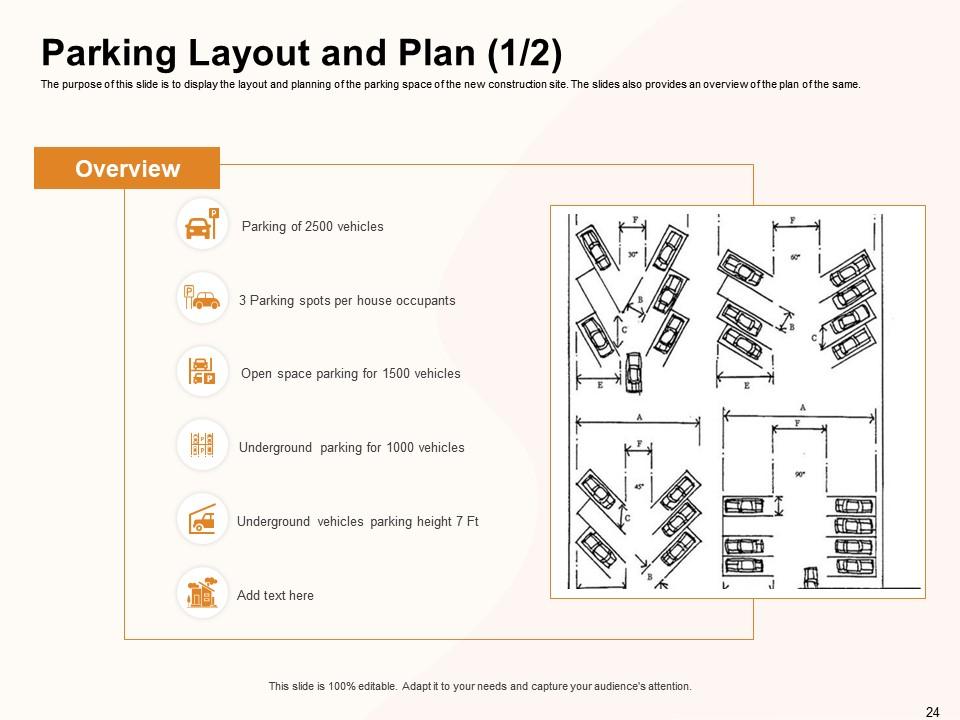
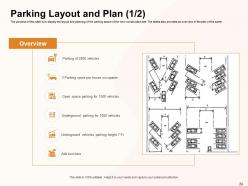
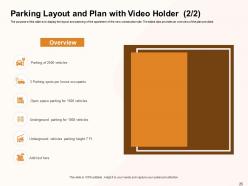
This slide has a section dedicated to the parking floor plan and an overview section describing the parking floor plan. For example, the sample parking lot will be built for 2500 vehicles, with the space divided between open and underground parking. The layout plans are for your reference.
Template 7: Vendor Selection for Construction Material
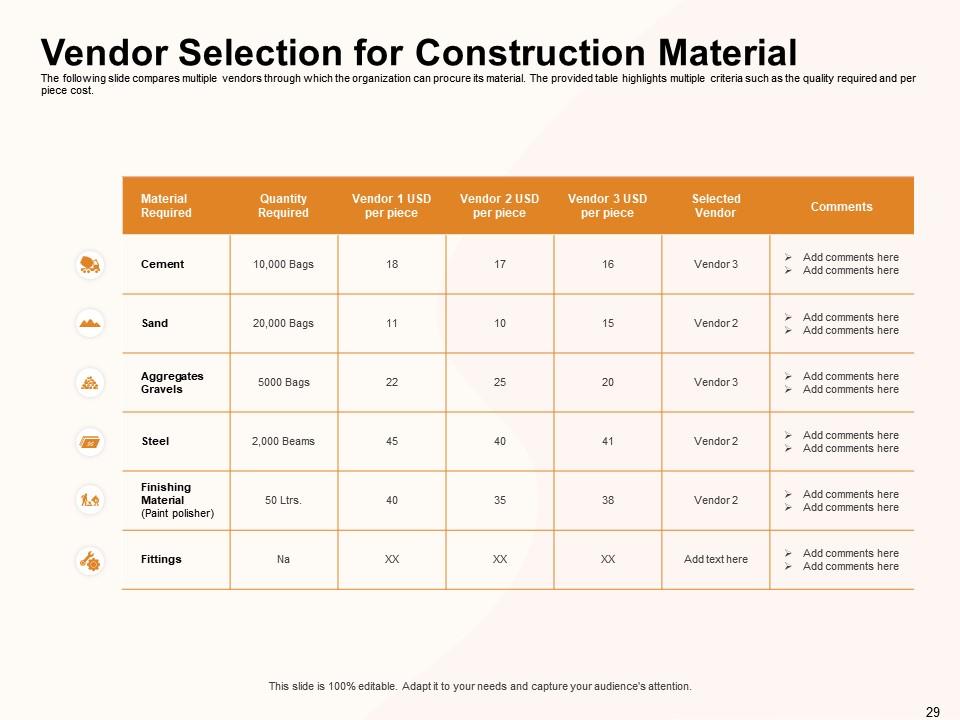
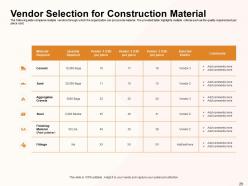
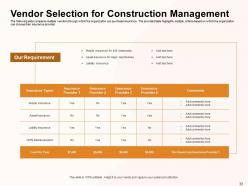
You will be sourcing the materials from vendors like cement, sand, and steel required for construction. These vendors have to be vetted for their quality of products and cost. This impacts the project's budget, quality, and timeliness. You can present the shortlisted and selected vendors with details like material required, quantity, and price. Use the comments to record reasons on the omission of commission of vendors.
Template 8: Workforce Requirement
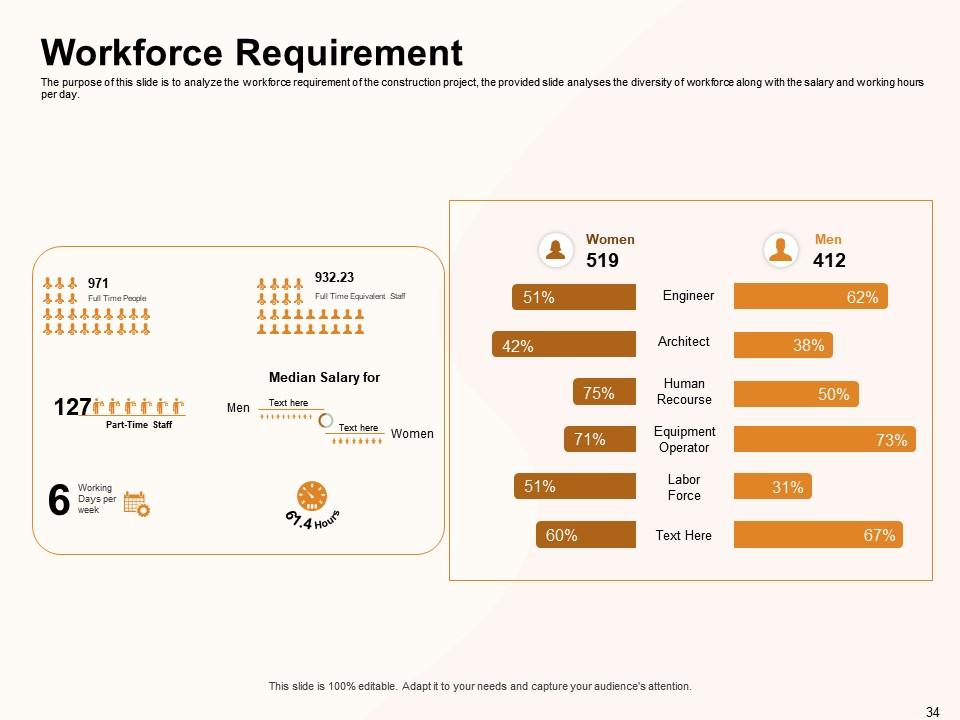
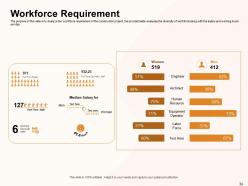
The slide as the name suggests, provides an overview of the workforce requirement. The data is presented in a graphical format. The first section talks about full and part time staff, their median salary, and the number of days they will be working in a week. The second section analyzes the diversity in the workforce across different teams like engineer, architect, and labor force. The results are displayed in the form of horizontal column charts.
Template 9: Construction Site Access and Layout
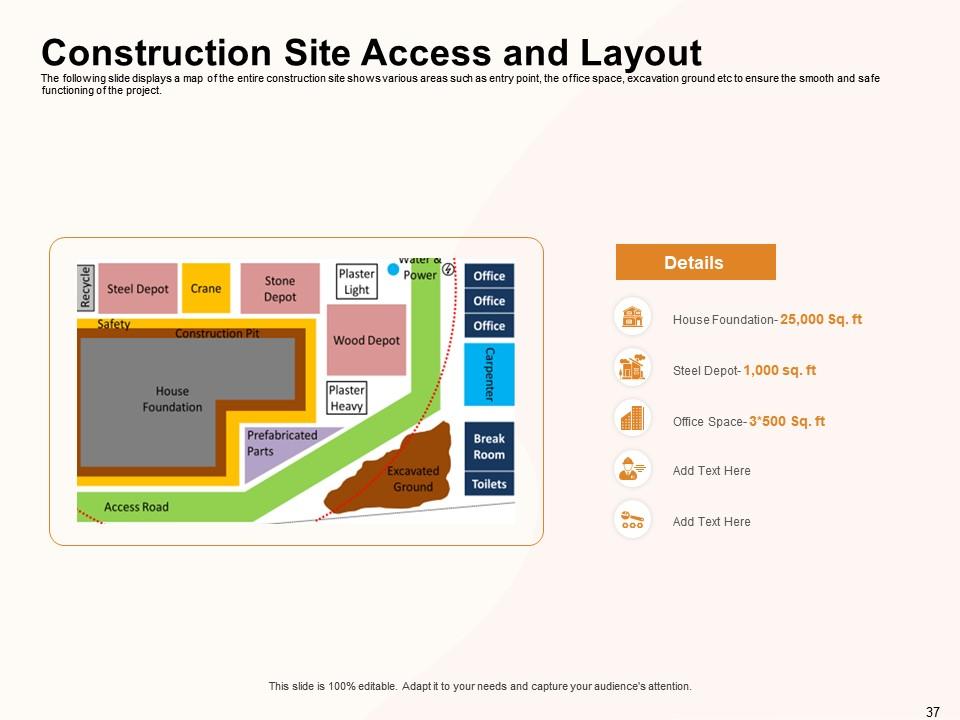
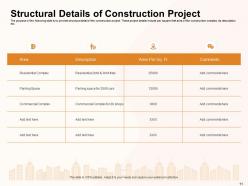
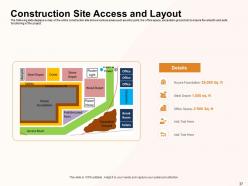
The slide provides a top-level view of the construction site. This includes the building site, entry and exit points, office space, material storage, and breakroom for workers. These details are presented in a layout style similar to a floor plan. There is also an overview section wherein you can mention the actual area allocated to these spaces. For example, the main house foundation takes up 25,000 sq. ft area whereas 1000 sq. ft is reserved for the steel depot.
Template 10: Construction Waste Management Plan
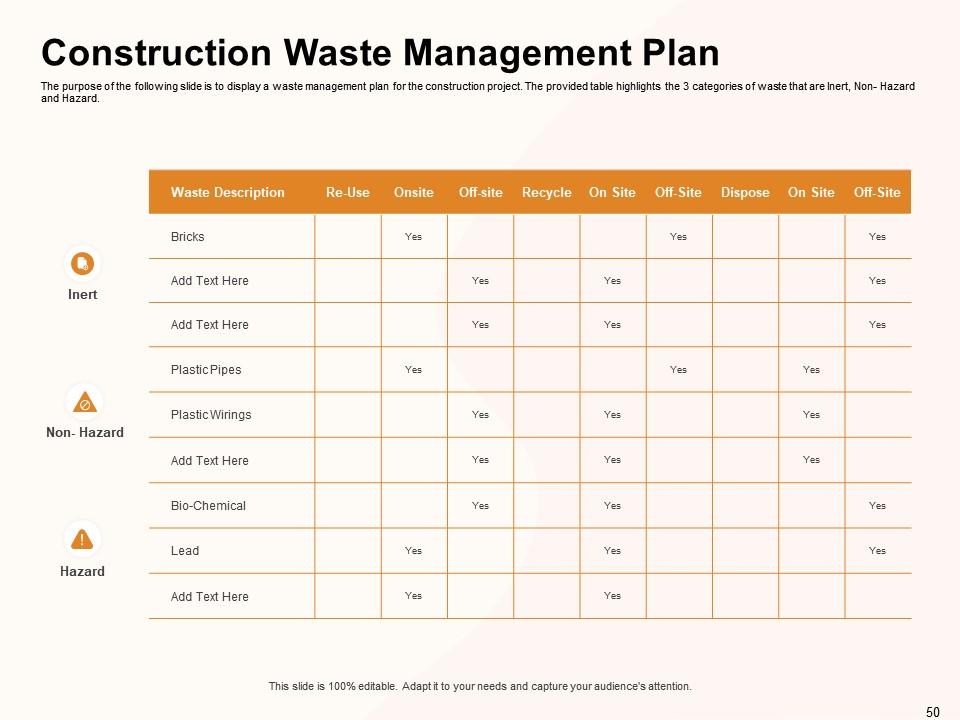
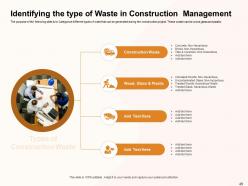
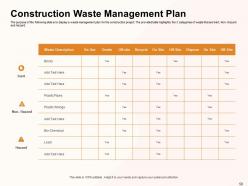
Construction projects can generate a lot of waste, such as broken bricks, wood, steel, soil, plastic, and mortar. These waste materials must be handled appropriately for the safety of the people involved and the environment. The waste management plan lets the audience know how the waste will be handled. For example, will the material be handled on-site, off-site, recycled, or disposed of? The waste material is categorized into inert, non-hazard, and hazard, and the subsequent table lists the waste management approach.
KEEP IT SIMPLE
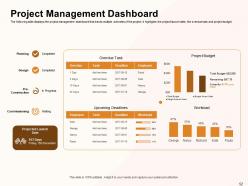
Our civil construction project management PPT is comprehensive, but also includes a project management dashboard. The overall design of the deck is kept simple to ensure the data and numbers take priority. We have used tables, lists, charts, and descriptive icons throughout the PPT to further simplify complex topics.
Are you looking to bag a civil construction project? Use our civil engineering construction proposal template that lets you highlight your capabilities and achievements. The PPT can help the client understand why your company is a good fit for the project.
Civil Construction Project Management Powerpoint Presentation Slides with all 64 slides:
Use our Civil Construction Project Management Powerpoint Presentation Slides to effectively help you save your valuable time. They are readymade to fit into any presentation structure.

FAQs for Civil Construction Project Management
So there's five phases you'll go through: initiation, planning, execution, monitoring, and closure. First you're just defining scope and getting approvals. Planning's where you map out schedules, budgets, all that resource stuff - honestly this is the most important part. Then execution is the actual building phase. Monitoring keeps everything from falling apart (prepare for headaches here). Closure's just handovers and wrapping things up. Oh, and seriously spend way more time planning than you think you need. I learned that the hard way - it'll save you so much stress when stuff goes wrong later.
Look, good risk management stops your project from totally imploding. You want to spot potential problems early - weather delays, material shortages, regulatory stuff - then build backup plans into your timeline and budget. I've watched way too many projects tank because people didn't think through the "what could go wrong" scenarios. Planning for risks upfront helps you dodge cost overruns and schedule disasters. Quality stays solid too. During your planning phase, map out your biggest weak spots and create specific game plans for each. Trust me, it's worth the extra effort.
Dude, tech runs everything in project management these days. Project software tracks your schedules and budgets, BIM does 3D modeling and catches problems early, drones survey sites. Mobile apps keep everyone talking in real time too. Honestly can't imagine doing this job without them anymore - like going back to flip phones or something. Your teams collaborate instantly, you catch disasters before they cost serious money, stakeholders get updates automatically. Start with basic project management software and mobile tools if you haven't already. They'll save you tons of time every week.
Dude, communication is everything on these projects - I can't stress this enough. From day one, you've got clients, contractors, regulators, community groups all wanting different things. Miss those check-ins and you'll get scope creep, delays, budget disasters. Trust me, been there. The trick is setting up your plan early and actually following it. Regular updates keep everyone happy, or at least not actively angry at you lol. Civil projects are weird because they affect so many people with totally different priorities. Honestly, spending time upfront on communication saves you from so much drama later.
Okay so first thing - build a detailed budget with like 10-15% extra for when stuff goes wrong (and it will). I always break costs down by work packages now and check actual vs planned every week. Monthly is too slow, learned that one the hard way when my last project went totally sideways. Earned value management sounds fancy but it'll catch problems early. Oh and change orders? They're gonna happen no matter what you plan, so bake that expectation in. Set alerts at 80% of each budget line. Weekly cost reviews with the team are clutch - nobody likes surprises when you're already behind schedule.
Okay so first thing - get cozy with your local building inspector before you even start. Trust me, that relationship will save your butt later. During planning, figure out all the codes and zoning stuff you'll need to follow. Don't be that guy who starts digging then realizes he's screwed. Regular inspections are a must, obviously. Document everything for safety protocols. I'd honestly put someone in charge of just tracking regulation changes and dealing with officials - it's too much to juggle with everything else. Make compliance everyone's job, not just yours.
Critical Path Method is honestly a lifesaver for figuring out which tasks you can't mess around with. Build your schedule in Primavera P6 or MS Project with detailed work breakdown structures. Float analysis shows you where there's breathing room - super helpful when bad weather inevitably screws things up. Don't overbook your crews and equipment; resource leveling prevents that headache. Update weekly with real progress data, not what you hope happened. Oh, and set milestone reviews every couple weeks. Catching problems early beats scrambling later when everything's behind.
Honestly, just bake it into your planning from day one instead of treating it like an afterthought. Specify green materials and energy-efficient stuff right in your contracts, plus set actual waste reduction goals. I used to think this was just extra hassle, but it genuinely cuts costs over time. Track your resource usage like you would any other metric. Set up recycling programs, go with local suppliers when you can - cuts down on shipping emissions too. Oh, and don't try to do everything at once. Pick one or two green things for your next project and see how it goes.
Track your schedule first - are you actually hitting milestones? Budget variance is huge too, comparing what you planned vs reality. Quality stuff like rework rates and defect counts will save you headaches later. Don't sleep on stakeholder satisfaction scores either. Cost per square foot is honestly one of my favorite comparisons to older projects. Safety metrics like OSHA incidents matter more than people think since they mess with your timeline and budget. Just throw together a basic dashboard you can check weekly - way better than panicking when everything's already gone sideways.
Deal with conflicts fast - seriously, don't let that stuff sit and fester. I learned this the hard way on a project last year where we ignored tension for weeks and it blew up spectacularly. Schedule regular check-ins so people can actually speak up about issues. Listen to everyone before you make any calls. Set up clear communication rules from the start - like, how do we handle disagreements without it getting personal? Focus on the project goals when things get heated, not who said what. Sometimes you'll need to bring in someone neutral to mediate. Write down whatever you decide so there's no confusion later.
Ugh, space is always the worst part - never enough room to stage anything properly. Then you've got all these people breathing down your neck: city folks, angry residents, businesses complaining about lost foot traffic. Access routes are a pain too, especially with utilities everywhere. Don't even get me started on permits... that paperwork will literally eat months of your life. My advice? Talk to everyone constantly (I mean *everyone*) and pad your timeline like crazy. Oh, and hire a community person early - they're worth their weight in gold for dealing with all the complaints.
Yeah, totally works in construction! I'd start with daily standups - honestly game-changing for catching problems before they blow up. Break everything into smaller chunks instead of those massive linear timelines. Focus on cutting waste (that's the Lean part). Construction's obviously way less flexible than coding, but you can still tweak designs and processes as you go. Short feedback loops with your crew and clients are clutch. Once that's flowing, try some basic sprint planning for your next phase. Takes some getting used to but it's worth it.
Honestly, start with something comprehensive like Procore or Autodesk Construction Cloud - handles scheduling, docs, communication, all that stuff. Microsoft Project works great for planning, though Primavera P6 is more powerful if you can handle the brutal learning curve (seriously, it's rough at first). AutoCAD's pretty much essential for design reviews. Bluebeam's solid for markup and drawing collaboration. Oh, and grab some mobile apps for field reports and daily logs. My advice? Don't go crazy with multiple platforms right away. Pick one good system first, then add tools as you figure out what's missing.
Dude, site management can totally make or break your whole project. A solid site manager keeps everything moving - timelines, budgets, safety stuff, quality control. Without good management? You're looking at delays, cost overruns, and everyone's gonna be pissed at you. The site manager's like the person trying to keep all the chaos organized - coordinating different trades, handling resources, fixing problems before they get worse. I've seen projects go sideways so fast when there's weak leadership on site. You really want someone experienced who can adapt quickly and actually talk to people without causing drama.
Dude, you gotta get comfortable with digital tools first - Procore, Primavera, or at least solid Excel skills for budgets and timelines. Communication is huge too since you're basically herding cats between contractors, clients, and suppliers all day. Problem-solving matters because stuff goes wrong constantly - weather, supply issues, last-minute design changes. Paper tracking is dead, honestly. Oh and definitely get certified in one of the major PM platforms if you can swing it. Risk assessment is another big one they look for now.
-
I discovered this website through a google search, the services matched my needs perfectly and the pricing was very reasonable. I was thrilled with the product and the customer service. I will definitely use their slides again for my presentations and recommend them to other colleagues.
-
Unique design & color.
-
The Designed Graphic are very professional and classic.