

Project management review powerpoint presentation slides





Try Before you Buy Download Free Sample Product
 Impress Your
 Audience
 100%
100% Editable
 Save Hours
 of Time


Be at the forefront of financial change with our Project Management Review Powerpoint Presentation Slides. Adapt to the demands of the economy of the future.
People who downloaded this PowerPoint presentation also viewed the following :
Content of this Powerpoint Presentation
Project management is the timeline in developing a business, where mission-critical actions are the order of the day. It is like the final quarter of a match or the end-game in chess or a penalty in soccer. A coach guides a team on how to win with effective strategies. Similarly, a project manager inspires a team to give their best and produce desired results.
Elevate your project management game with our playbook that optimizes workflow efficiency and achieves project objectives. Click here to download.
The objective is to take business to the next level, which is possible by bisecting the work into smaller parts. These can be assigning team members and keeping a close eye on the progress to ensure timely delivery. The crucial thing here is to come up with a solution for real-time concerns and move towards success.
Download our project management pitch deck presentation design to streamline processes and communication. Get started here!
Project management is significant for business growth because it is the key to success. Project management relies on the basics: initiation, planning, execution, monitoring, and closure. Furthermore, consistent growth effectively requires risk management. Additionally, understanding problems beforehand and resolving them at the initial stage is critical. Moreover, communication and collaboration also play a critical role. A project manager has to ensure that all work towards a corporate goal; it is the need of the hour for businesses.
Stay on track with our project management timeline Gantt chart, providing a clear roadmap for task management and project coordination. Download here.
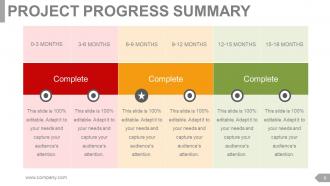
Template 1: Project Progress Summary
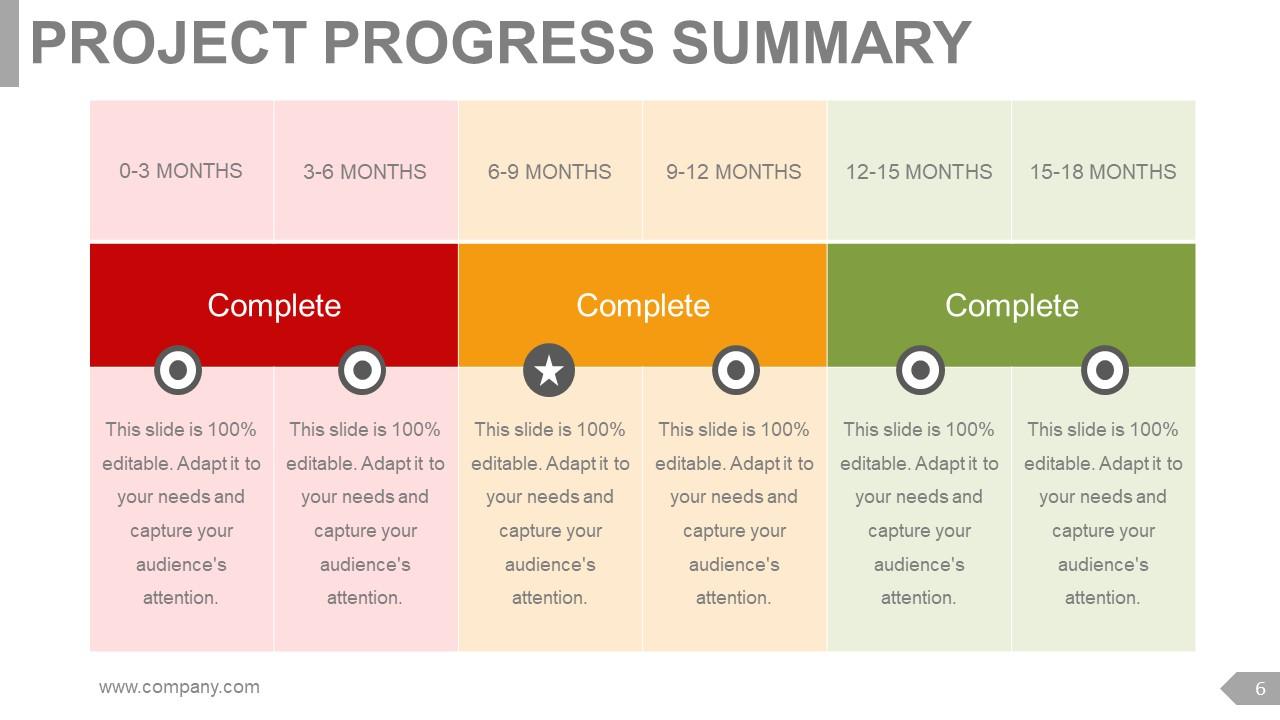
This PowerPoint slide shares a summary of the project's progress. It is shown in six timelines: from 0-3 months, then 3-6 months, 6-9 months, 9-12 months, 12-15 months, and 15-18 months. The presentation visual exhibits task completion indicators in colors like red, yellow, and green. The PPT Layout depicts red for pending, yellow for ongoing, and green for completed tasks. This PPT Template summary is helpful for project managers, team leaders, and executives. This presentation design helps track real-time progress of a project and make better decisions. Download now.
Template 2: Project Progress Summary

This presentation template reveals the project progress summary. It shows details across six iterations from 1 to 6. The PPT diagram defines each iteration in an easy-to-understand way. The PPT layout shows milestones such as UAT (user acceptance testing), deployment, and presentations, both mid-term and final. Furthermore, the PowerPoint presentation also shows the vital tasks for each month. It focuses on scheduling, absences, profile, and program management. This presentation visually benefits project managers, team leads, and program managers. They can rely on this to track project progress and manage timelines to ensure timely delivery.
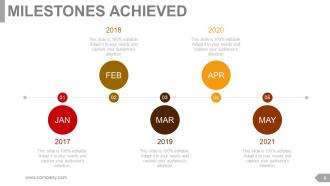
Template 3: Milestones Achieved
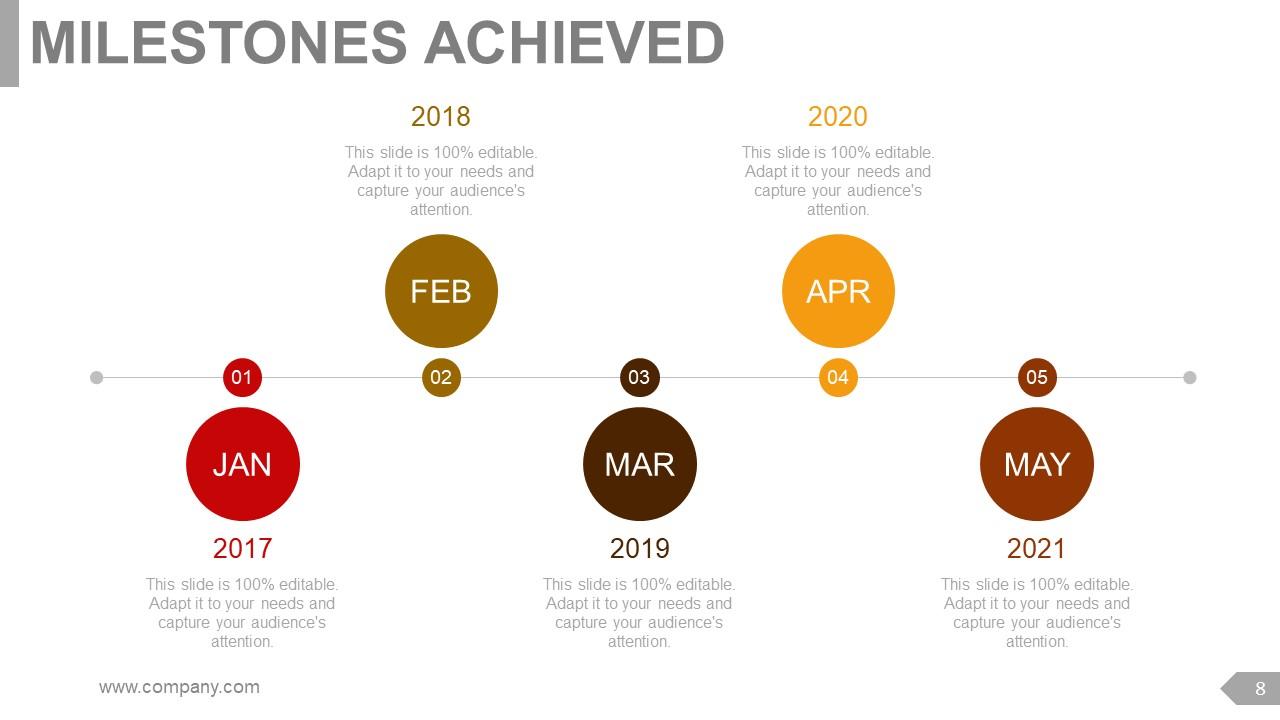
This PPT layout helps you to present significant milestones achieved over time in your business. It shows a timeline spanning from Jan 2017 to May 2021. The presentation slide enables you to make your audience understand that each milestone highlights a critical moment in the organization's journey. The PowerPoint slide is helpful for business executives, analysts, strategists, human resource experts, and founders to give insight into the company's growth to new team members or investors to attain funds. The PPT graphic is a roadmap that depicts where the corporation stands and guides its future.
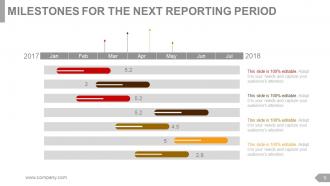
Template 4: Milestones for the Next Reporting Period
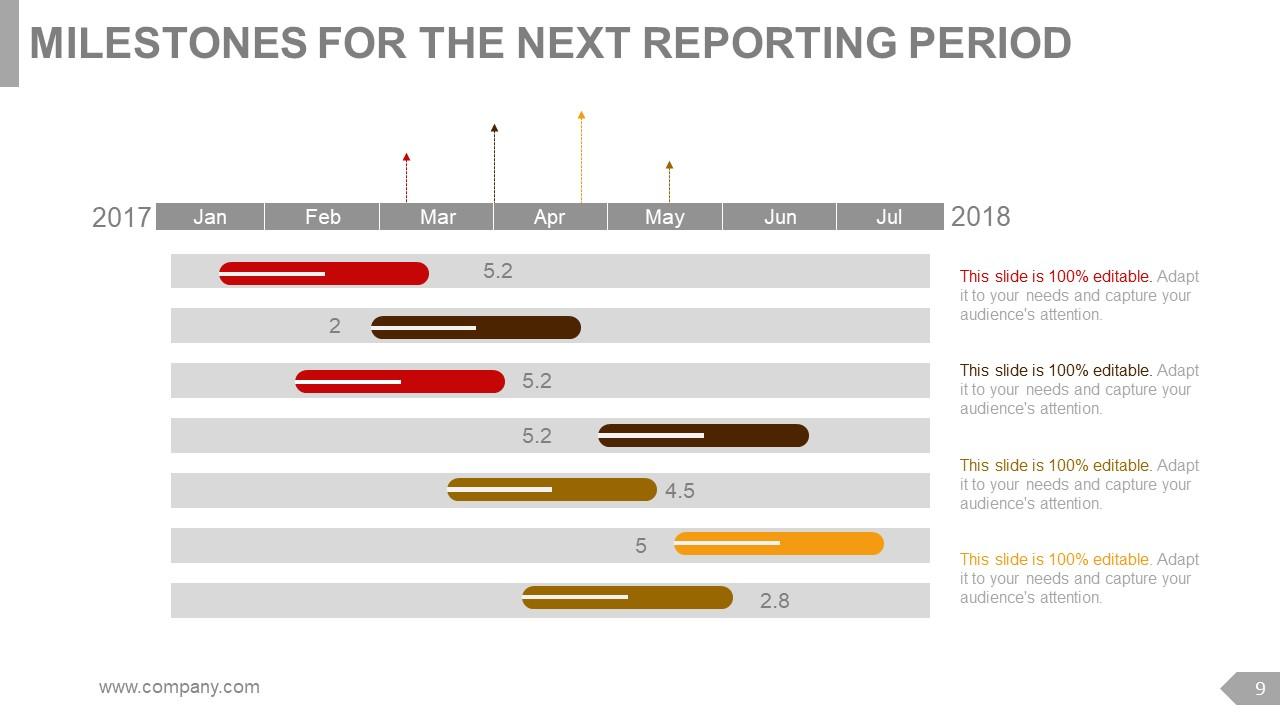
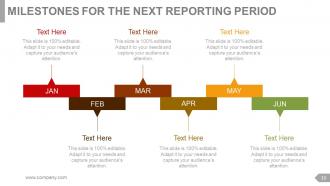
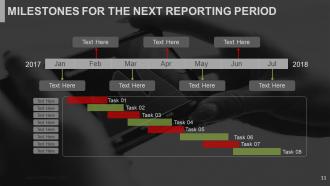
This PowerPoint framework focuses on upcoming milestones for the next reporting period. It covers the timeline from Jan 2017 to Jul 2018. The presentation layout assists you in predicting crucial events and targets to be achieved as an organization. It provides a roadmap for future planning. The PPT visual is ideal for project managers, team leaders, supervisors, and even executives. The PowerPoint design helps to deliver a statement among your investors or stakeholders by showing them what you aspire to achieve in the upcoming years. Moreover, this presentation diagram is also beneficial in showing how to plan the growth of the company and what it takes to taste success.
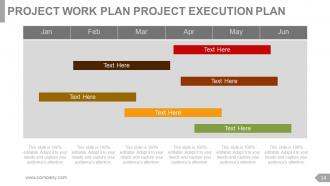
Template 5: Project Work Plan Project Execution Plan
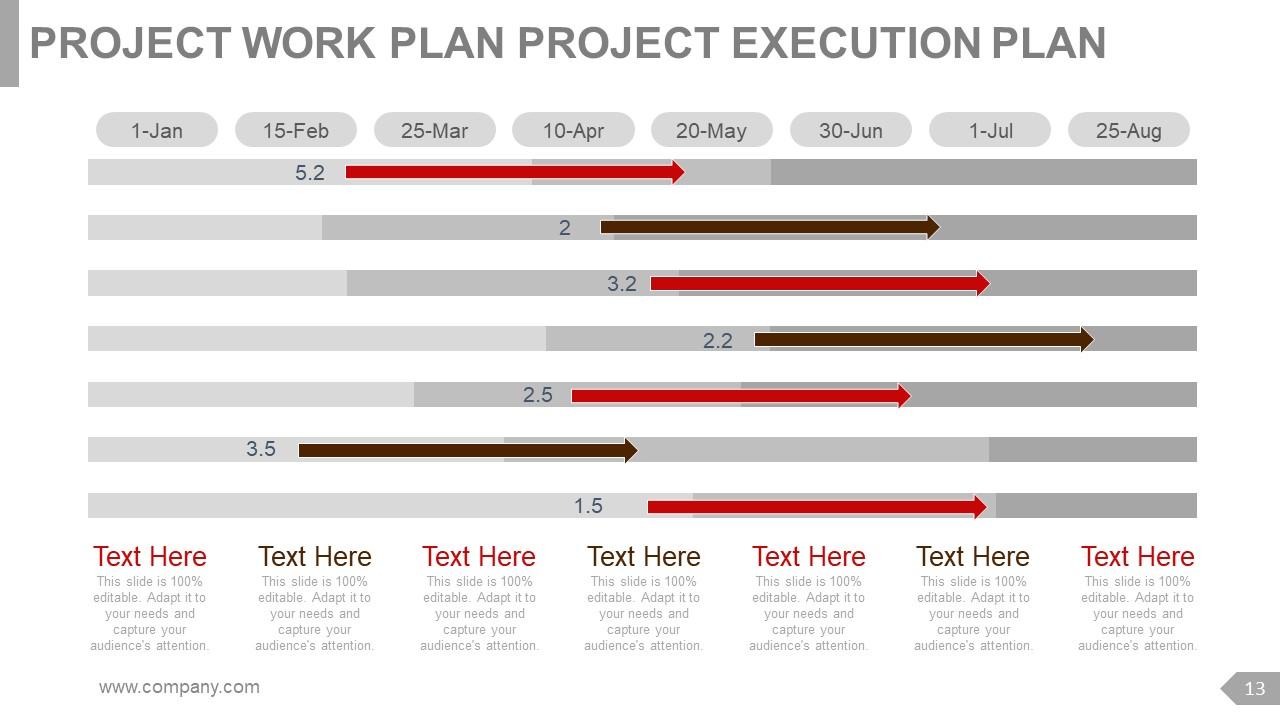
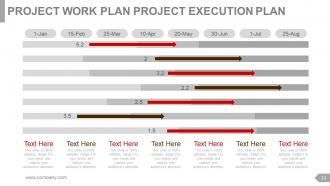
This presentation design illustrates the project work plan and execution plan. The PPT layout will assist you in showcasing critical activities and milestones over eight months from Jan 1st to Aug 25th. The PowerPoint slide benefits project managers, team leaders, investors, and owners by helping them understand the sequence of tasks and deadlines. The presentation template shows specific dates, which helps to get clarity and ensure accountability in project execution and completion. The design empowers managers or team members to track progress and deliver on time.
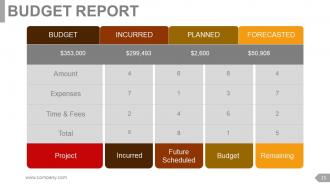
Template 6: Budget Report
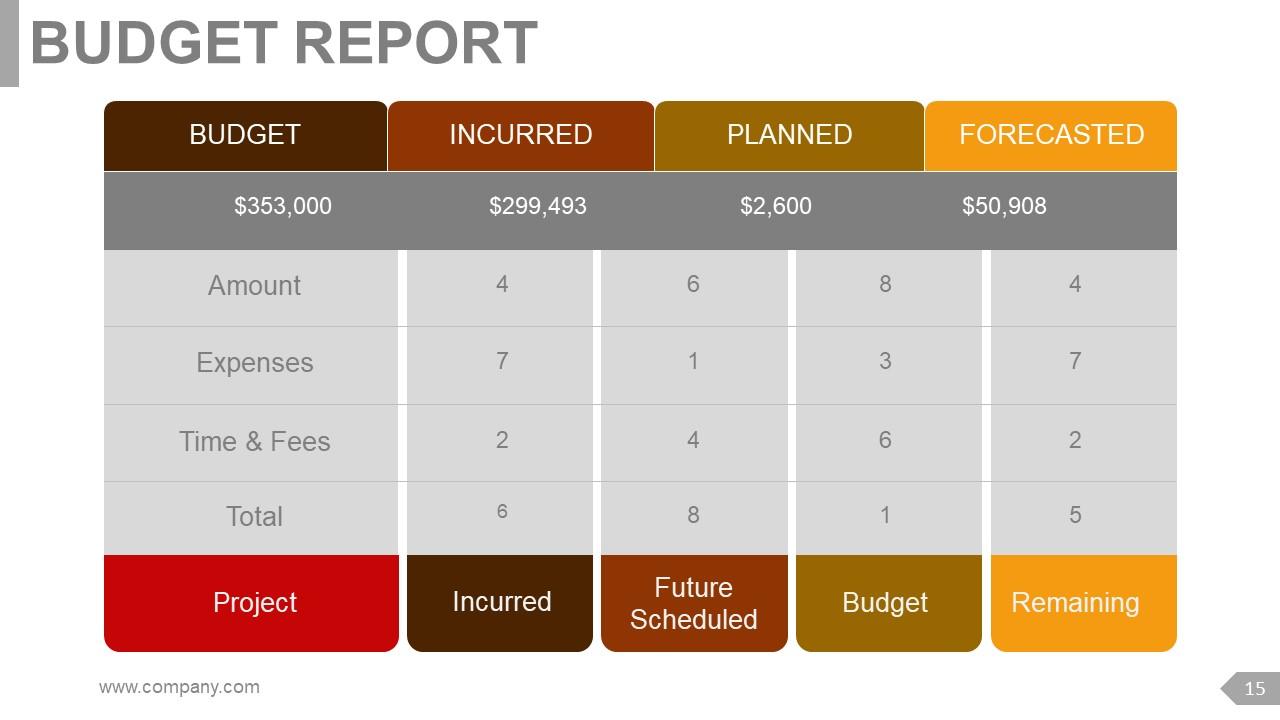
This PPT graphic shares the budget report. It encompasses vital aspects like the allocated amount, incurred expenses, time and fees, and the overall total. The presentation layout breaks the budget into three categories. These are incurred, planned, and forecasted. The PowerPoint framework is apt for finance managers, project managers, team leaders, and executives. This PPT visual helps to track spending, evaluate variances, and make better decisions.
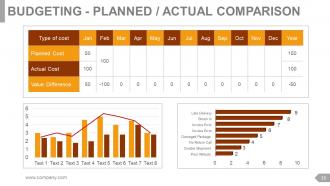
Template 7: Budget – Planned / Actual Comparison

This PowerPoint illustration highlights the planned versus actual comparison of the budget. It shows details of costs and discrepancies across various months and cost types. The cost types shown in this PPT slide are planned cost, actual cost, and the value difference. The presentation layout helps project managers, finance managers, and team members to track financial performance. Additionally, the PowerPoint visual also helps to manage funds effectively by understanding the financial metrics. Download this PPT design now and make it a part of your presentation.
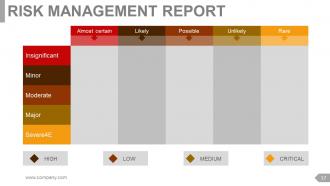
Template 8: Risk Management Report
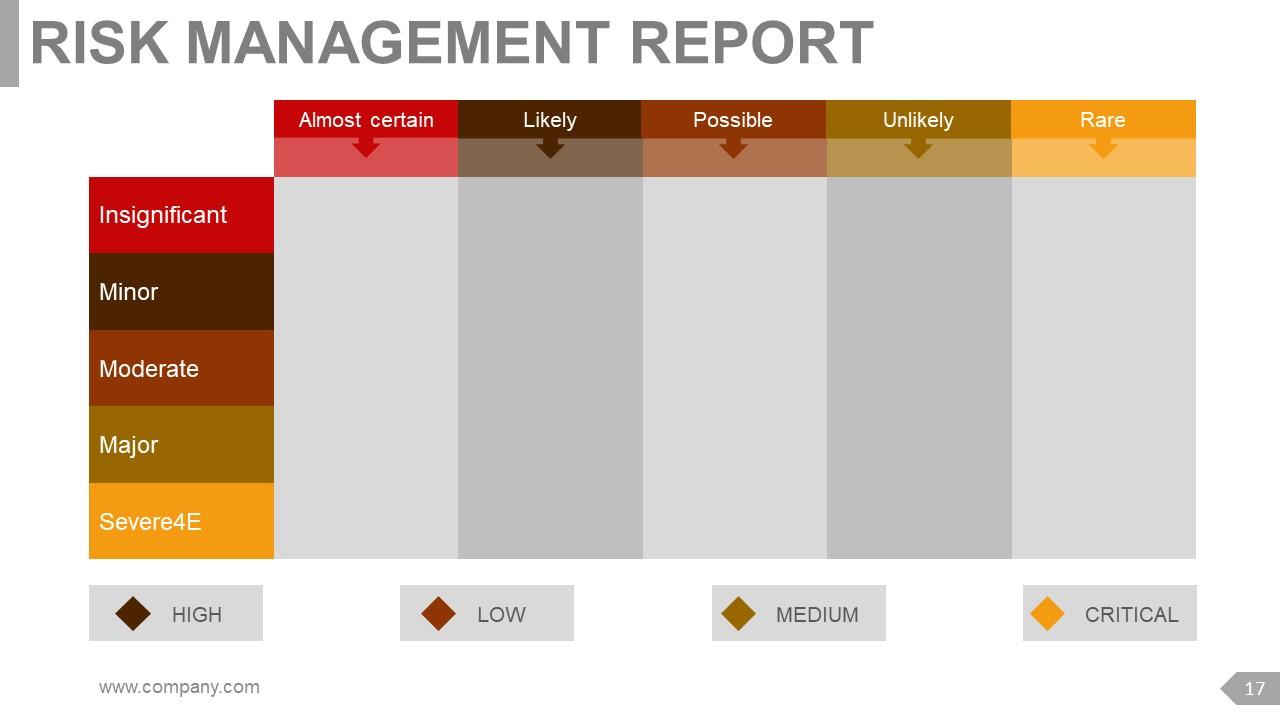
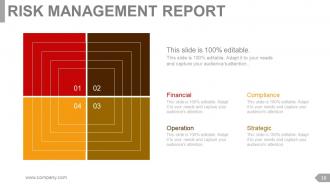
This presentation layout exhibits the risk management report. It categorizes risks based on severity and likelihood. The PowerPoint visual shows that risks are insignificant, minor, moderate, significant, or severe. It indicates its potential impact on the business. Moreover, the PPT slide also assesses risk on a scale from almost certain to rare. The presentation diagram is helpful for risk managers, project managers, and team leaders. This PowerPoint presentation helps identify and reduce possible risks that could harm the project's success. It empowers us to make informed decisions.
Template 9: Project Health Card
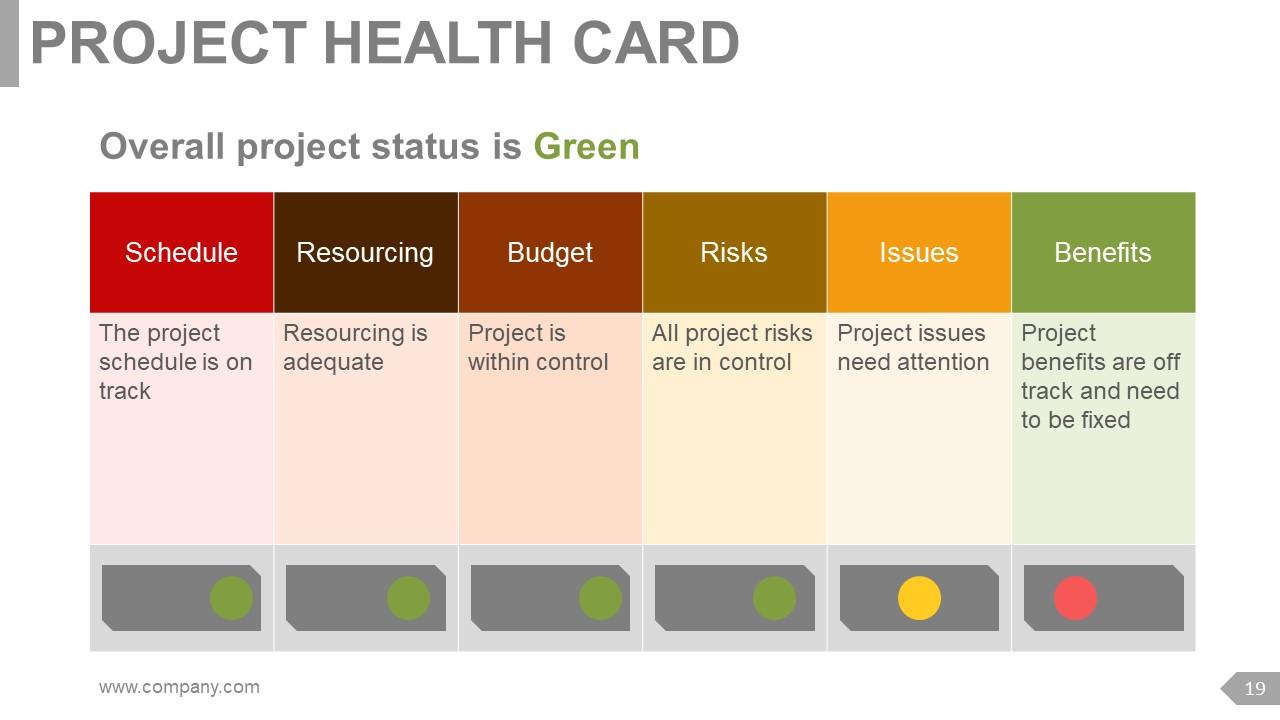
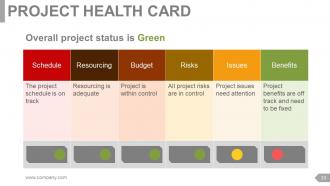
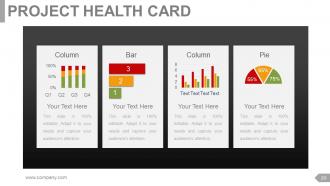
This PPT visual features the project health card. It indicates green status for the project and assesses details like schedule, resourcing, risks, issues, and benefits. The presentation template is valuable for risk supervisors, project managers, and team managers. Using this PowerPoint design, they can evaluate project performance in real-time. Moreover, the presentation graphic is also beneficial for identifying potential challenges and finding a solution for any content beforehand to ensure project success. Download now.
Template 10: Project Issues Report
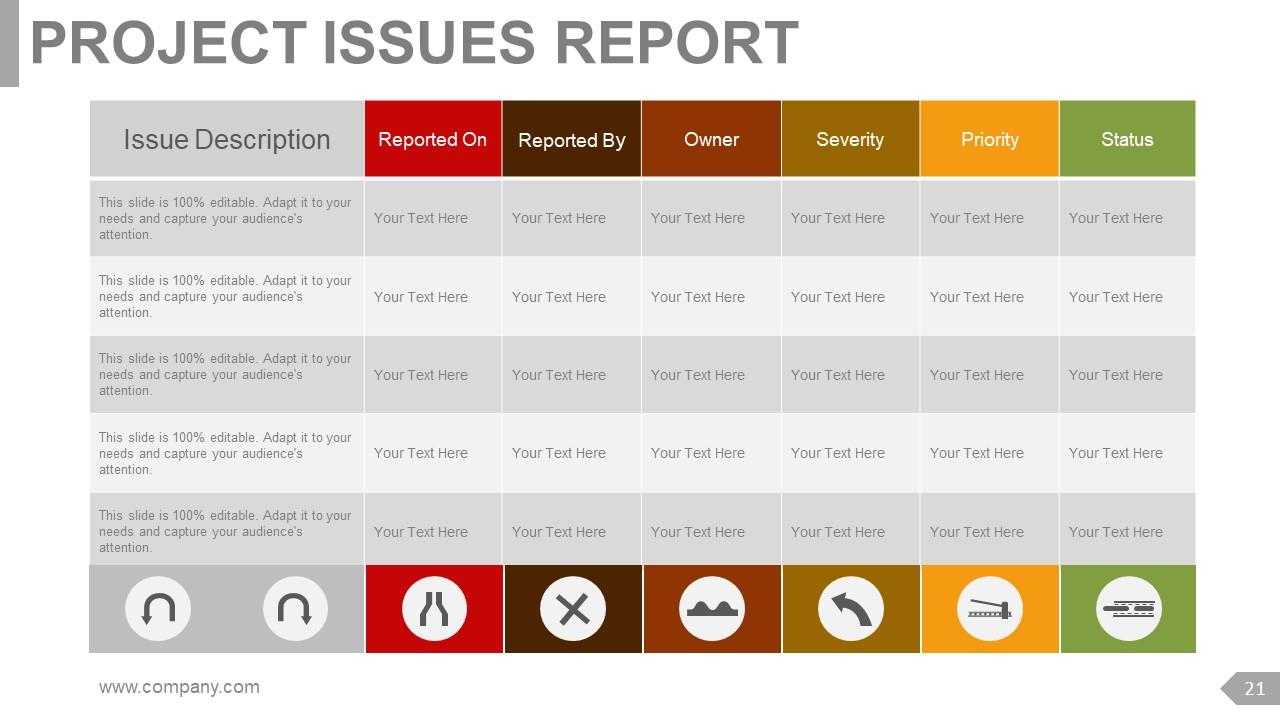
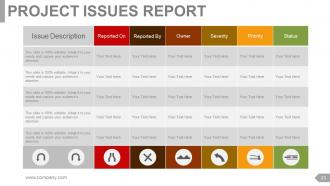
This PowerPoint structure demonstrates the project issues report. It highlights each issue description in detail. Moreover, the presentation slide also focuses on the date reported, reported by, owner, severity, priority, and status. The PPT layout is crucial for project managers, team leaders, and investors. They can use this PowerPoint framework to monitor and manage project issues. This PPT diagram is crucial to overcoming all project-related challenges and staying ahead to deliver projects on time.
*****
Project Management: Key to Success
Our presentation graphics assist you in guiding your audience to understand the crucial role of project management. These PowerPoint slides outline vital facets such as planning, managing, leadership, budgeting, scheduling, or improving. You can easily demonstrate how businesses can adapt and flourish in the dynamic world of business. Additionally, these PPT visuals also empower you to highlight how significant it is to follow these principles for the long-term growth of the organization.
Project management review powerpoint presentation slides with all 47 slides:
Elaborate on the benefits of introspection with our Project Management Review Powerpoint Presentation Slides. Explain how ideas for improvement are generated.
-

Project Management Review
-
Agenda Slide
-
Project Brief
-
Project Description
-
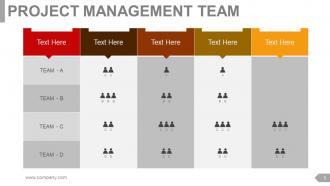
Project Management Team
-
PROJECT PROGRESS SUMMARY
-

Project Progress Summary
-
MILESTONES ACHIEVED
-
MILESTONES FOR THE NEXT REPORTING PERIOD
-
Milestones for the Next Reporting Period
-
Milestones for the Next Reporting Period
-
Impact of Milestone Achievement Non Achievement
-
PROJECT WORK PLAN PROJECT EXECUTION PLAN
-
PROJECT WORK PLAN PROJECT EXECUTION PLAN
-
Budget Report
-
Budgeting Planned Actual Comparison
-
Risk Management Report
-
Risk Management Report
-
PROJECT HEALTH CARD
-
PROJECT HEALTH CARD
-
PROJECT ISSUES REPORT
-

Additional Slides
-

OUR VISION
-
Our Team
-

About Us
-
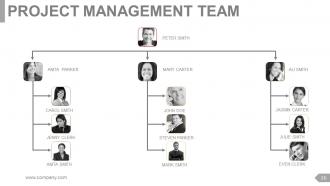
PROJECT MANAGEMENT TEAM
-
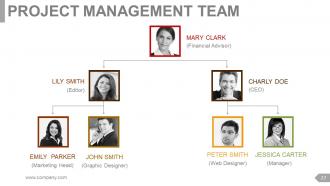
Project Management Team
-
OUR GOAL
-
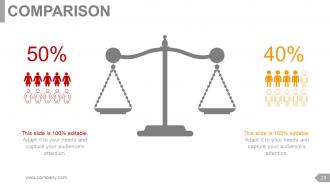
Comparison
-

Financials
-
Quotes Slide
-
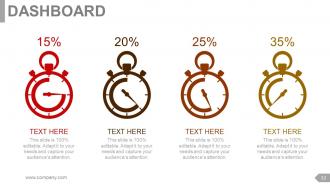
Dashboard
-

GLOBAL PROJECT LOCATIONS
-
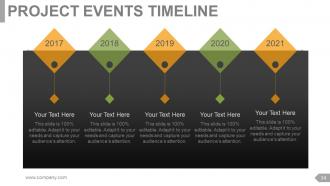
Project Events Timeline
-
Critical Notes
-
Newspaper
-
Puzzle
-
Target
-
Circular
-
Matrix
-
LEGO
-
Silhouettes
-
BULB OR IDEA
-
Magnifying Glass
-
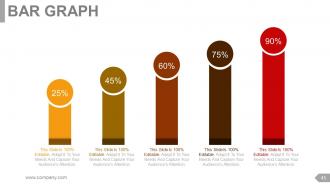
Bar Graph
-
FUNNEL
-

Thank You Slide
FAQs for Project management review
Okay so there's four big areas to hit: did you actually deliver what you promised (scope/objectives), how'd you do with timing and budget, team stuff and resources, plus lessons learned. That last one gets skipped a lot but it's honestly gold. Get feedback from everyone involved, not just your core team. Document the wins AND the screwups - weirdly the failures teach you more. Oh and always wrap up with actual next steps you can use on future projects. Keep it organized but don't make it feel like a corporate presentation, you know?
Honestly, weekly during busy phases works best for me. Monthly when things are chill. Really depends on how complex your project is though - if it's high-stakes stuff, maybe every two weeks? I've learned to do way more reviews upfront during planning because that's when everything usually falls apart (learned that the hard way). Simple projects can probably get away with monthly check-ins. Just pick something and stick with it - being consistent beats being perfect here. Set up that recurring meeting now or you'll forget. Trust me, catching problems early saves so much headache later.
Honestly, start with the basics - are you hitting your milestones and staying on budget? Track scope creep too because that stuff adds up fast. Team velocity matters, but don't forget quality metrics like defect rates. A project that's "done" but totally broken is worse than being late, you know? Risk indicators and how engaged your stakeholders are can make or break everything. I'd stick to maybe 5-7 metrics tops - any more and you'll just stress yourself out looking at numbers all day. Pick what actually matters for your situation and check them weekly.
Honestly, don't wait until the end to get feedback - that's where projects die. Schedule regular check-ins throughout, like mid-sprint reviews or milestone meetings. Stakeholders need chances to weigh in on deliverables, timelines, whatever's bugging them. I've watched so many teams crash and burn because they saved feedback for the final presentation (brutal). Write down everything they say and sort it by what's urgent vs. what can wait. Then - and this part matters - circle back with them about how you're handling their input. Even if you can't do everything they want, just showing you listened goes a long way. Trust me on this one.
Okay so first thing - send an agenda ahead of time or people show up totally clueless. I like the "went well, didn't work, let's change this" format because it actually keeps things moving. Set time limits for each topic! Trust me on this one, retrospectives turn into these endless complaint sessions otherwise. Don't just ask "any thoughts?" - call people out specifically or half the team stays quiet. Write down who's doing what and when as you go (not at the end when everyone's mentally checked out). Then - and this is crucial - send those notes within like 48 hours or it's all forgotten.
Okay so basically you need to check where you actually are vs where you thought you'd be by now. Pull up your original plan and compare scope, timeline, budget, quality - the usual suspects. Honestly this part always makes me a bit anxious because something's usually gone sideways! When you find issues (and you will), sort them by how urgent and impactful they are. The big ones need action plans with real owners and deadlines. Short sentences work here - who's doing what by when. Document it all so your team knows what's changing. Catch this stuff early though, otherwise small problems turn into massive fires later.
Honestly, you really need solid documentation for project reviews - it's like your backup memory when everything gets fuzzy later. People forget stuff or remember things differently than they actually happened (shocking, I know). Real documentation gives you the actual timeline, decisions, and what went wrong so you can have genuine conversations about lessons learned. Plus you'll start noticing patterns between projects that would totally fly under the radar otherwise. The key is documenting decisions and milestones while they're happening. Don't wait until you're panicking before the review meeting - that never ends well.
Honestly, project reviews are like having a time machine for avoiding future disasters. You'll start noticing weird patterns when you dig through old projects - maybe that one contractor who's chronically late or how requirements always spiral out of control around month two. I actually kind of enjoy going through past train wrecks, it's weirdly satisfying! The real magic happens when you take those lessons and bake them into your risk planning for new projects. Just don't be that team that does the review meeting and then never looks at the notes again - total waste of time.
Don't turn it into a blame game - that's the fastest way to make everyone shut down. Focus on what you can learn instead. Also, get the right people there! I've seen too many where it's just managers talking while the people who actually did the work sit silent. Super frustrating. Ask open questions and actually listen to the answers. Oh, and don't try covering every tiny detail - stick to the stuff that really mattered. Most important though? Walk away with real action items, not just "we'll communicate better" type nonsense that means nothing.
Dude, project management tools like Asana or Monday will literally change your life - they auto-generate reports and track everything so you don't have to. Real-time dashboards show you what's actually happening instead of guessing. Your team can update stuff directly without those annoying email threads (thank god). I'd honestly just pick one tool that works with whatever you're already using. Don't go crazy trying to implement everything at once though. The time you'll save is insane - I kick myself for waiting so long to switch over.
Honestly, remote project reviews are tricky because everyone's attention span goes out the window on video calls. Send your agenda and materials a day early so people actually show up prepared. I swear by using Miro or shared docs where people can drop comments in real-time – keeps them way more engaged than just listening to you talk. Cap it at 90 minutes max. Get someone who's not presenting to take notes (trust me on this). Oh, and always end with specific next steps and who's doing what. Fire off a summary the next day while it's all still fresh in everyone's heads.
Okay so first tackle anything blocking your teammates - those are legit fires that need handling ASAP. Critical path stuff too obviously. After that I'd go for the quick wins because honestly who doesn't love checking off easy tasks? Makes you feel productive even when you're drowning lol. Then hit your medium-impact items based on what bandwidth you actually have. Dependencies matter too - some things just can't happen until others are done. Number everything 1-2-3 in your notes and assign owners with real deadlines. Otherwise stuff disappears into the void.
Honestly, there's so many good ones out there. Miro and Mural are solid if you're doing visual stuff - timelines, brainstorming, that kind of thing. Google Workspace is probably your easiest bet for documents since everyone can jump in and edit at the same time. I basically live in Slack during review season, but Teams works too if that's what your company uses. Asana's pretty good for tracking who needs to do what. Oh, and Monday.com if you want something fancier. Just don't make the mistake I did and try using like four different tools at once - it gets messy fast.
Pull up your last 3-4 project post-mortems and look for patterns. Where does scope creep usually hit? Which stakeholders ghost you mid-project? I learned this the hard way - should've started doing it years ago, honestly. Turn those insights into a "watch out for" checklist. Your review team needs to know what red flags to spot too. It's actually kind of satisfying once you start catching the same problems before they blow up. Just bake those specific questions right into your review templates so you don't forget to ask them.
Honestly, we skip retrospectives all the time and it's such a waste. After each project review, actually sit down and figure out what sucked. Track stuff like how long reviews take, if stakeholders are happy, whether anyone actually uses your recommendations (spoiler: they often don't). Templates help, but update them every few months or they get stale. Rotating team members brings fresh eyes - sometimes you need someone new to point out the obvious. Treat your whole review process like a project that needs tweaking. Pick one thing to fix next quarter and start there.
-
Commendable slides with attractive designs. Extremely pleased with the fact that they are easy to modify. Great work!
-
Very well designed and informative templates.