

Obstacles And Solutions Powerpoint Presentation Slides





Try Before you Buy Download Free Sample Product
 Impress Your
 Audience
 100%
100% Editable
 Save Hours
 of Time


Showcase various business challenges and their solutions using Obstacles And Solutions PowerPoint Presentation Slides. Talk about problems, roadblocks, obstacles, bottlenecks, breakdown and more for any industry. This professionally designed obstacles and solutions PowerPoint slideshow will help you illustrate various business problems related to any industry. Not just this, provide solutions to overcome those challenges with the help of amazingly designed problems and solutions PPT templates. Indulge your teammates and colleagues in the discussion to brainstorm ideas to reduce the challenges and obstacles. Rather than having a simple slide, showcase amazing and professional graphics on various challenges and solutions to keep your audience glued to their seats. Download now and get your hands on the best of the obstacles and solutions PowerPoint presentation templates to detect the issues and solve them quickly. Automatically become one of the elite with our Obstacles And Solutions Powerpoint Presentation Slides. Folks assume you are a class above..
People who downloaded this PowerPoint presentation also viewed the following :
Content of this Powerpoint Presentation
Slide 1: This slide introduces Obstacles and Solutions. State Your Company Name and get started.
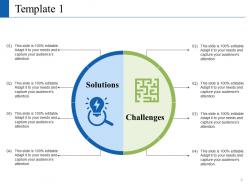
Slide 2: This slide presents Template 1 displaying- Challenges, Solutions.
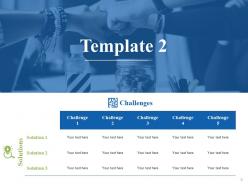
Slide 3: This is Template 2 slide presenting- Challenges, Solutions.
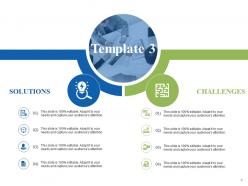
Slide 4: This is Template 3 slide presenting- Challenges, Solutions.
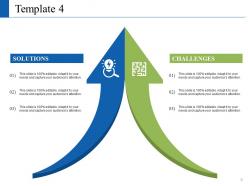
Slide 5: This is Template 4 slide presenting- Challenges, Solutions
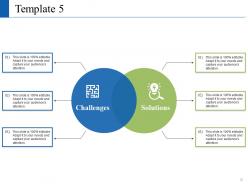
Slide 6: This is Template 5 slide presenting- Challenges, Solutions
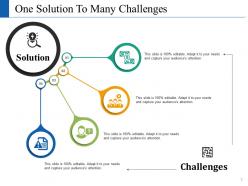
Slide 7: This slide presents One Solution To Many Challenges displaying- Solution, Challenges.
Slide 8: This is Obstacles and Solutions Icon Slide. Use the icons as per need.
Slide 9: This is a Coffee Break slide to halt. You may change it as per requirement.
Slide 10: This slide is titled Charts & Graphs. You can alter/ change contents as per requirement.
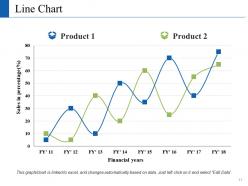
Slide 11: This slide presents a Line Chart for product specifications, comparison etc. to show.
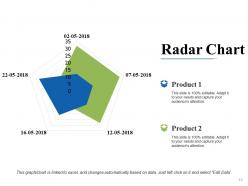
Slide 12: This slide presents a Radar Chart graph/chart for product/entity comparison, growth etc. Use as per required.
Slide 13: This slide is titled Additional slides to proceed forward. You can change/ alter the contents as per need.
Slide 14: This is Our mission slide with imagery and text boxes to go with.
Slide 15: This is an Our Team slide with name, image, text boxes etc. to put the required information.
Slide 16: This is an About Us slide. Show company/team specifications etc. here.
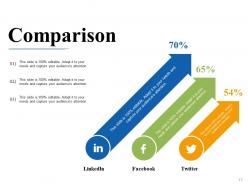
Slide 17: This is a Comparison slide to show comparison of two entities.
Slide 18: This is Our Goal slide. State them here.
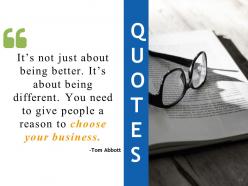
Slide 19: This is a Quotes slide. State business message, beliefs etc. here.
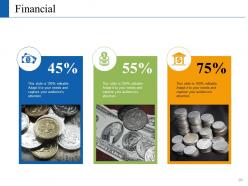
Slide 20: This slide is titled as Financials. Show finance related stuff here.
Slide 21: This is a THANK YOU slide with Address# street number, city, state, Contact Numbers and email address.
Obstacles And Solutions Powerpoint Presentation Slides with all 21 slides:
Go at a gallop with our Obstacles And Solutions Powerpoint Presentation Slides. Your thoughts will breast the tape.


FAQs for Obstacles And Solutions
Ugh, time constraints are the worst - you always get like two days notice for something that needs a week. Then you're sitting there trying to figure out what your actual point is while dealing with formatting that keeps breaking. Software crashes right before you present, obviously. Honestly, most people get way too caught up in making slides look pretty instead of nailing down their message first. Start with what you're trying to say, then outline it. Design comes last. And seriously, always have a backup - save everything in multiple places because tech will fail you when it matters most.
Dude, knowing your audience is seriously a game-changer. Like, when you figure out who's sitting there - are they experts or beginners, what pisses them off, what gets them excited - you can actually craft something that lands. No more watching people's eyes glaze over because you went too technical, or worse, talking down to a room full of PhDs (been there, it's brutal). You'll see the tricky questions coming instead of getting roasted. Honestly? Just spend 10 minutes beforehand stalking their LinkedIn or asking around. It's such a small thing but saves you from bombing completely.
Honestly, just practice until you're sick of hearing yourself talk. I literally ran through my last presentation while making coffee one morning - weird but it worked! Don't focus on how you look or sound. Think about what you're actually trying to tell people instead. Power poses help (I know it sounds dumb but whatever). Get there early so the room doesn't feel foreign. Find a few friendly faces to make eye contact with first - not the person scowling in the back row. Those nerves? They're just energy you can use to sound more animated.
Honestly, interactive tools are a game changer for keeping people awake during presentations. Mentimeter and Slido are solid for live polls - I throw in questions every 5-7 minutes so it doesn't turn into a lecture. Zoom's breakout rooms work great too if you want people talking in smaller groups. Oh, and screen sharing while everyone adds ideas to Miro or Jamboard? People actually get into it. The trick is testing a quick poll right at the start - sets the whole vibe that this won't be boring. Trust me, once you break up that monologue rhythm, you'll never go back.
Honestly, visuals are a game-changer for getting your point across. People just get it faster when you show them something instead of drowning them in text - doesn't matter if they speak perfect English or they're total beginners with the topic. I learned this the hard way after watching too many eyes glaze over during my presentations lol. Pictures and simple diagrams stick in people's heads way longer than bullet points ever will. Even basic sketches work. Try swapping out half your text for visuals next time you're presenting to different groups. Trust me, your audience will actually stay awake.
Pick your 3 most important points and stick to them. I know it's brutal cutting stuff you actually like, but do it anyway. Practice transitions so you're not awkwardly shuffling between topics. Here's something that works - aim for 70% of your time when rehearsing. You'll naturally use more when presenting for real. Also build in buffer time because something always goes wrong (tech issues, someone asks a long question). Your audience won't hate you for covering fewer things well. They will hate being rushed through a million half-explained points though.
Break complicated stuff into smaller pieces - people's brains handle that way better. I always start with the big picture first, then get into the weedy details. Visuals are clutch here. Diagrams, charts, whatever clicks for them. Honestly, pretending you're explaining to a kid works great because it cuts through all the fancy BS and forces you to focus on what actually matters. Real examples beat abstract ideas every time. Oh, and figure out who you're talking to first - like, are they total beginners or do they know some basics? One trick I love: write down random questions that pop up but save the deep dive answers for later so you don't go off on tangents.
Getting feedback is like having someone point out the spinach in your teeth - super helpful even if slightly awkward. Ask your audience, coworkers, whoever about specific stuff that confused them or made them zone out. Don't just go "how was it?" because you'll get useless answers. Try "which part felt rushed?" or "where'd you get lost?" People are way more honest with anonymous surveys too. I've found that asking friends works great since they're not trying to be polite. You'll spot issues like weird transitions or boring sections you'd never catch yourself.
Dude, you HAVE to rehearse - trust me on this one. Practice builds up your muscle memory so when stuff goes wrong (and it will), you won't completely freeze up. I bombed a client pitch last year because I skipped rehearsals like an idiot. Run through it out loud at least three times. That's when you'll catch weird transitions and realize "oh crap, this slide makes no sense." Plus when you've said your key points a million times, they just roll off your tongue naturally. Even if the projector dies or whatever, you'll still sound like you know what you're talking about.
Dude, you've gotta research their cultural norms first - seriously. Eye contact, how direct you should be, their whole hierarchy thing. I bombed so hard in Tokyo once because what I thought was "confident" came off super aggressive. Some audiences want you indirect and respectful, others think you're being wishy-washy. Sentence structure matters too - like, give people time to process if English isn't their first language. Honestly? Find someone local and just ask them what'll work. Way better than accidentally pissing off your whole audience before you even get to the good stuff.
Okay so first thing - screenshot everything and write down exactly what you did before it broke. Sounds boring but trust me on this one. Try the obvious stuff next: restart your computer, check if cables are plugged in properly, maybe ask around to see if it's happening to other people too. I swear half the time it's something stupidly simple. Still broken? Hit up your teammates or dig through those internal help docs before you bother IT. Don't just start clicking random buttons when you're panicking - that usually makes things worse. Maybe keep a little cheat sheet of common fixes?
Honestly, just pick ONE clear message and hammer it home different ways. When my slides totally died during a client pitch, I realized having that one solid point saved my ass. Your audience should walk out able to sum up what you said in like one sentence - if they can't, you've lost them. I always write my main point on a sticky note beforehand. Sounds dumb but it's literally my lifeline when things go sideways. Stories work way better than boring bullet points. So do weird stats that make people go "wait, really?" The sticky note thing has never failed me.
Honestly, interactive stuff is a total game-changer. People stop scrolling Instagram and actually pay attention when you throw in polls or quick discussions. I've seen presentations where everyone's half-asleep until the speaker asks for a show of hands - suddenly everyone's awake. Your content sticks way better too. Plus you get instant feedback on whether people are following along or completely lost. Oh, and breakout rooms work great if you're doing virtual stuff. Start with something simple like a quick poll. Trust me, even skeptical audiences get into it once they realize they're not just sitting there listening to you ramble.
Okay so here's the deal - constructive criticism gives you actual steps to fix things. Like "your intro was confusing, maybe lead with your main point instead." That's helpful! Negative feedback is just vague complaints or straight up mean comments that don't help you improve at all. Some people honestly just love to complain (we all know those types lol). When someone gives you criticism, ask yourself if you can actually DO something with what they're telling you. Good feedback feels like the person wants you to succeed. Bad feedback just makes you feel worse without any real direction to get better.
Okay so first thing - join Toastmasters if there's one near you. Seriously changed everything for me. YouTube has tons of free tutorials too, which is nice when you're broke lol. "Presentation Zen" is actually a really good book if you're into reading. Oh and record yourself practicing - super cringy at first but you'll spot weird habits you didn't know you had. Coursera and LinkedIn Learning have structured courses if that's more your style. Even just practicing with coworkers during lunch helps way more than you'd think.
-
Awesome presentation, really professional and easy to edit.
-
Really like the color and design of the presentation.