

Problem Statement Powerpoint Presentation Slides






Try Before you Buy Download Free Sample Product
 Impress Your
 Audience
 100%
100% Editable
 Save Hours
 of Time


Present your business problems, challenges, obstacles, hassles with the help of Problem Statement PowerPoint Presentation Slides. Use relevant and professional visuals to showcase problem statements. Invite your teammates and colleagues to be a part of discussion by showcasing them the graphics. Brainstorm ideas and find solutions to those problems using problem statement PowerPoint presentation templates. This problem statement PowerPoint deck consists of professional business visuals and icons to present them to the team. Showcase the problem and find ways to improve it using these relevant business graphics on problem statement. Improve business processes, strategies, projects, and more by identifying solutions to the problems. Incorporate problem solutions PPT templates to analyse the problems. Grab this professionally designed problem statement complete PPT to curb the business problems. Folks feel like bursting into action with our Problem Statement Powerpoint Presentation Slides. They will eagerly await your go ahead.
People who downloaded this PowerPoint presentation also viewed the following :
Content of this Powerpoint Presentation
Slide 1: This is an introductory slide for Problem statement. State Your Company Name and get started.
Slide 2: This is a Challenges & Solutions slide with respective imagery and text boxes.
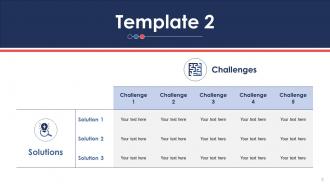
Slide 3: This slide presents Challenges and Solutions in table format.
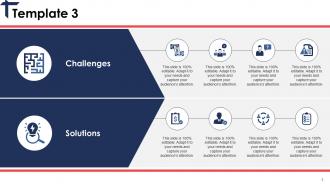
Slide 4: This slide presents Challenges and Solutions with imagery and text boxes.
Slide 5: This slide displays Challenges and solutions with images and text boxes to go with.
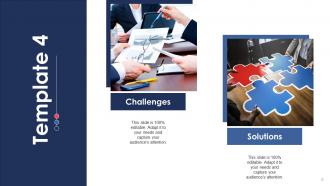
Slide 6: This slide presents Challenges and Solution with maze image and text boxes.
Slide 7: This slide showcases One Solution To Many Challenges under Solution heading.
Slide 8: This is a Coffee Break slide.
Slide 9: This slide is titled Charts & Graphs to proceed forward.
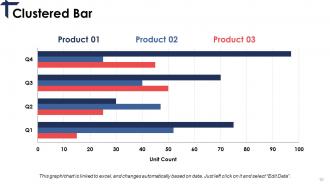
Slide 10: This slide presents a Clustered Bar for product comparison.
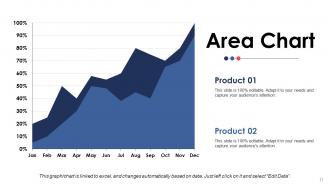
Slide 11: This slide presents an Area Chart for two products' comparison.
Slide 12: This slide is titled Additional Slides to proceed forward.
Slide 13: This is Our Mission and Vision slide with Value.
Slide 14: This is Our Team slides with image box and designations.
Slide 15: This is an About Us slide containing Values Client, Preferred by Many, Target Audiences to state.
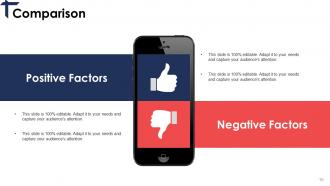
Slide 16: This slide shows Comparison of Positive Factors v/s the Negative Factors.
Slide 17: This is an Our Goal slide showing Awareness, Quality, Success.
Slide 18: This a Quotes slide to put a quote, specification etc.
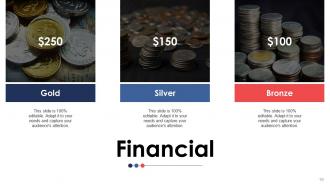
Slide 19: This slide shows Financial score in terms of Gold, Silver, Bronze.
Slide 20: This is a Thank You slide with Address, Street number, city, state, Contact Numbers, Email Address.
Problem Statement Powerpoint Presentation Slides with all 20 slides:
Increase your influence in foreign countries with our Problem Statement Powerpoint Presentation Slides. It allows you to go international.











FAQs for Problem Statement
Honestly, the best problem statement slides I've seen hit three things: what's broken, how much it's costing (actual numbers - like "$2M lost annually"), and who's getting screwed over by it. Don't go for dramatic language, just facts that make people wince. Oh, and throw in a quick glimpse of what winning looks like if you fix this mess. Focus on ONE main problem though - listing every issue just dilutes your punch. Start strong with your most painful stat right up front. That's what grabs them immediately.
Good visual design totally clarifies your problem statement - it's like night and day. Contrasting colors help highlight the main issue, while white space keeps your key points from bleeding together. Charts beat walls of text every single time (seriously, who wants to read paragraphs on a slide?). Icons break things up nicely too. One thing that really works is sticking to one main point per slide - sounds obvious but you'd be surprised how many people cram everything together. Consistent fonts show hierarchy without being boring. Your audience will actually follow along instead of zoning out.
Ugh, the worst thing you can do is be super vague - like saying "we need better efficiency." That means literally nothing. Also don't dump every problem you found on them at once (seen way too many presentations die this way). Pick 2-3 specific issues that actually have numbers behind them. Cut the corporate bullshit too. Your problem statement should make people go "oh crap, we're screwed if we don't fix this" instead of just nodding politely. Make it concrete. Show them exactly what happens if nothing changes.
Dude, you've gotta read the room and switch up your approach. Executives? Hit them with costs and business impact right away - they don't have time for fluff. Technical people want all the nitty-gritty details and actual data. Mixed crowds are trickier... start high-level then get more specific. I totally bombed a board presentation once by going way too deep into technical stuff - learned that lesson fast! Here's what works: before you present, think about what's actually stressing out your audience. Like, what problems are they dealing with? Then connect your thing to their headaches. Makes all the difference.
Look, nobody cares about boring data dumps. You need to tell an actual story - set up the scene, show the problem, and make it clear what happens if we ignore it. Picture explaining this to your friend at Starbucks. They need to *feel* why it matters, not just get the facts. Even massive problems can seem totally abstract without that emotional hook. I always start with a real example or user story that shows the pain point in action. It's like that lightbulb moment when everything suddenly makes sense. Skip the narrative and people will just tune out.
Start with one crazy stat that'll make everyone's jaw drop - like something that shows the problem is way bigger than they realized. Then add 2-3 more data points that show different sides of the issue. Honestly, sometimes just throwing a huge number on a slide works better than some fancy chart. Your sources better be bulletproof though because people will definitely question them. I learned that the hard way once! The whole point is using numbers to tell a story that feels urgent but not impossible to fix. Data should make them think "we need to act now" not "this is hopeless."
When you're dealing with complex stuff, try the "Problem-Impact-Root Cause" template - it basically walks people through your thinking. I really like "Current State vs Future State" too because it's visual and shows what's actually broken. Oh, and the "5 Whys" thing works if you need to dig deeper into why something happened. Honestly though, just pick whatever matches how your audience thinks. Then throw in some visuals and white space so people aren't staring at text walls. That alone will make your slides way more digestible.
Hit them with one brutal sentence about the problem they're actually losing sleep over. No corporate speak - just the raw issue. Follow up with real numbers or consequences they can picture happening. I do this weird thing where I imagine explaining it to my grandma, which sounds dumb but cuts through all the buzzword BS. Read everything out loud too. If you're gasping for air mid-sentence, it's way too complicated. Simple words, active voice - that's it. End with something that makes them think "holy shit, we can't ignore this anymore." You want 2-3 sentences max that grab them by the shoulders, not put them to sleep.
Look for stuff that's bleeding them money or time right now - that's your sweet spot. Honestly, quantifiable problems are way easier to sell because the pain is obvious. I'd focus on issues hitting their biggest user segments or revenue streams first. Don't dump every single problem you uncovered (trust me, it's tempting). Pick maybe 2-3 that decision-makers actually care about and you can realistically fix. What's keeping them awake at 2am stressing? Those are the problems worth leading with.
I call it the sandwich thing - start by explaining the problem like you're talking to anyone, throw in the technical stuff, then wrap up with why people should actually care. Honestly, I test everything by thinking "would my mom understand this?" Sounds dumb but it works every time. When you have to use jargon, either define it right away or just use analogies instead - like comparing data flows to traffic or whatever makes sense. The tricky part is making both the experts and regular people feel smart, not lost. You don't want anyone rolling their eyes.
You want charts that make people's jaws drop. Line graphs with crazy steep slopes work great - same with bar charts where one bar just towers over the rest. Heat maps are perfect too, especially for showing how bad something is geographically. The key is making your audience actually *see* the scale, not just read numbers on a page. Skip pie charts though - they're way too soft for this kind of thing. Honestly, you want visuals that make people go "holy crap, I had no idea it was that bad."
Your audience's cultural background totally changes how they'll read your problem statement. Like, individualistic cultures? They're gonna blame the person. Collectivist ones look at the bigger system instead. Power distance is huge too - some people will never question authority while others push back immediately. I've watched this mess up so many presentations honestly. Time stuff matters as well: certain cultures want quick fixes, others are all about the long game. Do your homework on who you're presenting to and maybe run it by someone from that background first. Makes a world of difference.
Okay so here's what works - walk through your user's actual day and show how frustrating their experience is. Or flip it: paint the dream scenario first, then BAM, reality check. I'm a sucker for good data storytelling too - drop a crazy statistic that makes people go "wait, what?" Then there's this "problem archaeology" thing where you dig into how the mess started. Honestly, I've sat through way too many bullet-point disasters, so anything's better than that. The whole point is making them *feel* it before you pitch solutions. Just match whatever approach fits your audience's biggest headaches.
So first, watch their body language during your pitch - are they nodding, scribbling notes, asking follow-ups? Good signs. But honestly, the real indicator comes later. Do they start using your exact words when talking about the problem? That's gold right there. Also pay attention to whether you get thoughtful questions afterward via email or whatever. Shows they're actually thinking about what you said. Oh, and here's something that works - shoot them a quick survey the next day asking if the problem made sense for their role. Keeps it fresh in their minds too.
Miro and Mural are perfect for this - your whole team can throw sticky notes around and map out problems together. Google Slides works too if you want something dead simple where everyone can comment at once. Figma's decent if you care about making it look nice. Honestly though, I've watched teams waste hours picking the "perfect" tool when they could've just started working. My advice? Just grab whatever platform your team already uses and start getting feedback from people early. The tool matters way less than actually getting everyone's input on the problem.
-
Professional and unique presentations.
-
Qualitative and comprehensive slides.