

Opportunity and challenges ppt presentation




Try Before you Buy Download Free Sample Product
 Impress Your
 Audience
 100%
100% Editable
 Save Hours
 of Time


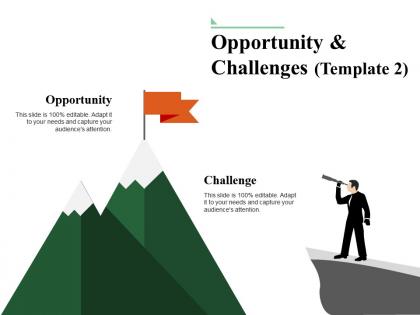
We are glad to present our Opportunity and Challenges PPT Presentation PPT design, use our predesigned presentation template and make impressive slideshows to represent future scope, opportunities and threats coming in the business growth. The professionally designed PPT slide is easy to use and personalize according to your business needs. The design has been developed by the team of experts and they are always available to guide you in updating the design. The powerful slideshow allows you to represent pros and cons of business plans. The design layout consists of amazing visuals and high-quality editable icons representing both stages in the process i.e. opportunities and challenges, so that it can be used in making business plans and ensure efficient functioning of organization in achieving organizational goals. Design structure is understandable and well organized. So, just download this powerful Opportunity and Challenges PPT Presentation PPT template and share with your team members to make unique slideshows. Bring changes to the current manner. Break the deadlock with our Opportunity And Challenges Ppt Presentation. Get folks to agree to go forward.
People who downloaded this PowerPoint presentation also viewed the following :
Opportunity and challenges ppt presentation with all 5 slides:
Engage folks with an intelligent display due to our Opportunity And Challenges Ppt Presentation. It will hold their interest.
FAQs for Opportunity and
Templates can actually do way more than just looking pretty. Interactive stuff works great - clickable navigation, polls, those progress bars that make people feel involved instead of just sitting there. I'm obsessed with the visual storytelling ones that do before/after reveals or step-by-step animations. Keeps everyone wondering what's coming next. Oh, and the social sharing features let people post moments live, which is pretty smart. Honestly? Find templates with built-in participation features first, then tweak them to match your vibe.
Oh dude, templates are seriously life-changing. I used to waste so much time just on formatting - it was ridiculous. Your whole team can use the same brand colors and fonts, so everything looks professional whether it's coming from sales or whoever. They save you from starting over every single time too. The best part? Everyone stays on message with your main talking points and value props. I'd make like 3-4 different ones - client pitches, internal stuff, board meetings. Trust me, you'll wonder how you survived without them once you start using templates consistently.
Time is honestly the worst part - I always think it'll take like an hour but then I'm three hours deep arguing with fonts. Brand consistency gets weird too when you're trying to make corporate templates feel personal. Oh and don't get me started on graphics that look perfect on your laptop but turn into pixelated messes on phones. The visual balance thing is tricky. You want it interesting but not so crazy that people can't focus on what you're actually saying. My take? Pick a decent template and just customize maybe 2-3 things max that'll actually matter.
Honestly, templates are a game changer for looking professional. Think of it like wearing a decent outfit to work - people just take you more seriously. I've watched perfectly good ideas get shot down because someone went with bright pink text or whatever. It's harsh but happens all the time. Clean templates save you from scrambling with fonts at midnight when you should be rehearsing your pitch instead. The tricky part? Finding something that fits your vibe without screaming "generic PowerPoint template
-
Innovative and attractive designs.
-
Great designs, Easily Editable.